How to Increase Linkedin Post Reach When Nobody Sees Your Content
Discover why join LinkedIn even when posts get no views. Learn how the algorithm works, how to increase reach, and what actually drives career and business ROI.
📅 ⏱ 30 min read📝 ~5800 words
The real reason to join LinkedIn has nothing to do with your post going viral. A pattern observed consistently across professionals who get tangible results from LinkedIn — job offers, inbound leads, speaking invitations — is that they treat it as a discovery and credibility engine, not a content broadcast channel. Your profile works 24/7 even when your last post got four likes. The frustration most people feel about why join LinkedIn comes from expecting it to behave like Instagram. It doesn't. It's a searchable professional directory where the algorithm rewards depth, relationships, and relevance — and once you understand that, the whole platform changes.
Key Takeaways
LinkedIn is for professionals, founders, recruiters, and B2B marketers who want career visibility, inbound leads, or talent discovery — not for social broadcasting
Low post views are almost always an algorithm distribution problem, not a content quality problem — the two are diagnosable separately
Your LinkedIn profile drives ROI even when you never post — over 90% of recruiters actively use it to source candidates
LinkedIn organic reach still works in 2026, but requires early engagement velocity in the first 60 minutes after posting
External links in posts reduce reach by 30–60% — one of the most commonly ignored distribution killers
The counterintuitive finding: a completely inactive LinkedIn profile often outperforms a bad one — presence and searchability matter more than posting frequency for most professionals
LinkedIn is a professional networking platform founded in 2003 and acquired by Microsoft in 2016 for $26.2 billion. It is now the world's largest professional network, with over 1.3 billion registered members across more than 200 countries, according to LinkedIn's own About Us page. It is not a job board, though it contains one. It is not a social media platform, though it has a feed. The most accurate description: a searchable professional directory with a content distribution engine layered on top.
What sets it apart from every other platform is intent. People on LinkedIn are there for career reasons — to find talent, find opportunities, build authority, or close B2B deals. That makes the audience fundamentally different from Facebook or Instagram, where attention is fragmented and commercial intent is low.
Microsoft's ownership shapes the product in important ways. LinkedIn's revenue comes from three streams:
Talent Solutions — recruiter tools and job advertising (the largest revenue segment)
Premium subscriptions — individual and business tiers
Marketing Solutions — B2B advertising, the fastest-growing segment
This revenue model explains what gets amplified. Content that drives engagement, keeps professionals on the platform longer, and supports recruiter and sales workflows gets rewarded. Clickbait that drives traffic off-platform gets suppressed. Understanding this shapes everything about what to post and why.
LinkedIn is not a broadcast channel — it is a credibility infrastructure. Your profile is a permanent, searchable signal of who you are professionally, running 24 hours a day regardless of whether you ever post.
What Is LinkedIn Used For in 2026?
The use cases for LinkedIn have expanded significantly beyond job searching. In 2026, the platform functions as:
A talent marketplace — active and passive job seekers, recruiters, and HR teams
A B2B lead generation platform — sales teams and founders building inbound pipelines through thought leadership content
A personal brand building tool — coaches, consultants, and executives building career visibility online
A publishing platform — LinkedIn Articles and Newsletters allow long-form content with built-in distribution to followers
An event and community hub — LinkedIn Live, Events, and Groups for professional communities
A recruiting research tool — companies of all sizes use it to map competitor talent, prospect organisations, and assess candidates
Knowing what the platform is actually designed for reframes the frustration. If you're using LinkedIn as a broadcast channel for promotional content, you'll struggle. If you use it as a discovery and credibility engine — where your profile, content, and activity work together — the returns compound.
Is LinkedIn Actually Worth It for Professionals in 2026?
For the majority of professionals, the answer is yes — but the ROI is heavily skewed toward specific use cases. The most common mistake is evaluating LinkedIn purely on post performance. That's the wrong measurement.
What Are the Real Benefits of Joining LinkedIn?
The professional networking benefits of LinkedIn fall into two categories: active and passive. Most people only think about active benefits (posting, messaging, applying). The passive benefits are frequently underestimated.
Passive benefits — these work even if you never post:
Recruiter discovery — according to The Social Shepherd (2026), around 72% of recruiters use LinkedIn when hiring, and the quality of hires through the platform is consistently rated higher than other channels. Your profile is a permanent inbound signal.
Professional credibility signal — when anyone Googles your name, your LinkedIn profile typically ranks on page one. It is your most controllable first impression.
Network discoverability — colleagues, old classmates, and potential clients search LinkedIn continuously. Absence from the platform means invisibility in professional search.
Active benefits — for those who do post and engage:
Inbound leads from thought leadership content, particularly for B2B founders and consultants
Speaking opportunities and media requests from journalists who search LinkedIn for sources
Partnership and collaboration inquiries from people in adjacent fields
Career pivots — a strong content presence in a new industry signals intent and builds credibility faster than a CV alone
44%
of LinkedIn users earn more than $75,000 per year — a higher-income audience than any other major social platform
According to Kinsta (2026), 44% of LinkedIn users earn more than $75,000 annually — well above the US national median. This means the platform's audience has genuine purchasing authority, which is why it outperforms virtually every other channel for B2B lead generation.
What Are the Disadvantages of LinkedIn?
The honest critique matters here, because overselling LinkedIn leads to wasted effort.
Time cost vs. return for casual users: If you have no specific professional goal, LinkedIn can feel like noise. The platform rewards intentionality — vague "I should be active on LinkedIn" strategies rarely produce measurable outcomes.
Algorithm unpredictability: Organic reach fluctuates significantly. Posts that perform well one week can fall flat the next with no obvious reason, which frustrates creators without a systematic approach.
InMail spam and cold outreach fatigue: The more visible your profile, the more unsolicited sales messages you receive. This is a real tax on senior professionals and executives.
Premium pricing: LinkedIn Premium ranges from roughly $40–$80/month depending on tier, and the ROI is uneven — it's worth it for active job seekers and sales teams, less so for casual users.
Why LinkedIn Is Bad — The Legitimate Complaints
Why LinkedIn Is Bad — The Legitimate Complaints
Searching "why LinkedIn is bad" returns a consistent set of complaints — and most of them are valid. The platform has genuine friction points that are worth naming honestly.
The most cited frustrations, based on patterns across professional communities:
Performative culture: LinkedIn has developed a reputation for humblebragging, manufactured vulnerability posts, and "I'm proud to announce" content that reads as insincere. This drives away professionals who want signal, not noise.
Algorithm opacity: LinkedIn never fully explains why some posts reach thousands and others reach twelve. This lack of transparency frustrates consistent creators.
Aggressive monetisation: Features that used to be free (like seeing who viewed your profile) are now paywalled behind Premium tiers. This feels extractive to many users.
Feed irrelevance: Without deliberate curation (unfollowing, following specific creators), the LinkedIn feed defaults to a mix of viral posts from strangers and corporate announcements — neither of which serves most professionals.
These criticisms are real, but they're mostly problems of miscalibration. Teams that treat LinkedIn as a career visibility and credibility asset — rather than a social media engagement game — consistently report better outcomes and far less frustration.
💡
Pro Tip:Curate your LinkedIn feed deliberately. Follow 20-30 creators who post specifically about your industry. Within two weeks, your feed transforms from generic noise into a relevant professional signal. Unfollow (not disconnect) anyone whose content doesn't serve your goals.
Main LinkedIn Features Every Professional Should Actually Use
Most professionals use roughly 20% of LinkedIn's feature set. The highest-ROI features are frequently the least-used ones.
Profile and Headline — This is the single highest-return element on the entire platform. Your profile works passively, 24 hours a day. A well-optimised headline (not "Job Title at Company" but a value-proposition statement) dramatically increases recruiter search appearance and profile click-through rates. Think of your headline as a Google AdWords ad for your professional identity — it either earns the click or it doesn't.
Content formats available in 2026:
Text posts — highest organic reach when written well; no media required
Document/carousel posts — PDF-style slideshows; strong engagement from professionals who want to save and revisit content
LinkedIn Articles — long-form writing indexed by Google; builds SEO-driven visibility outside the platform
LinkedIn Newsletter — subscriber model that bypasses the algorithm; subscribers get notified directly
LinkedIn Live — real-time video with the highest organic reach of any format when properly promoted in advance
Polls — consistently high engagement due to zero-friction participation; useful for market research and feed visibility
Underused discovery tools: LinkedIn Search is extraordinarily powerful for prospecting, research, and community building — most users treat it as a name lookup. LinkedIn Groups, despite reduced activity since their 2015 peak, remain valuable in niche professional verticals. LinkedIn Events drive attendance and profile views for thought leaders running webinars or workshops.
LinkedIn Free vs. LinkedIn Premium — Is the Upgrade Worth It for Creators?
LinkedIn Premium exists in four tiers: Career, Business, Sales Navigator, and Recruiter Lite. For most content creators and personal brand builders, the free tier is sufficient for the first 12–18 months of growth.
Free tier covers: posting content, connecting with anyone, applying for jobs, joining groups, and basic analytics on your posts and profile.
Premium Career ($40/month) adds: InMail credits, full list of profile viewers, applicant comparison tools, and LinkedIn Learning access. Worth it for active job seekers; marginal for established professionals.
Sales Navigator ($80–100/month) adds: advanced search filters, saved lead lists, real-time prospect activity alerts, and CRM integrations. Genuinely valuable for B2B sales teams and recruiters doing volume outreach.
The honest answer for creators specifically: LinkedIn Premium is not worth it for content reach. The algorithm does not preferentially distribute Premium members' posts. The visibility improvements come from your content strategy, not your subscription tier. Increasing LinkedIn reach without paid ads is entirely achievable on the free tier with the right approach.
Why Nobody Sees Your LinkedIn Posts — The Algorithm Explained
LinkedIn posts getting no views is one of the most common professional frustrations on the platform — and it is almost never a content quality problem in isolation. The real issue is distribution mechanics. LinkedIn's algorithm is not chronological. It scores every post before deciding who sees it, using a multi-phase model that most creators never learn about.
How Does the LinkedIn Algorithm Decide Who Sees Posts?
The LinkedIn algorithm works through four sequential phases before a post reaches significant distribution:
Automated quality filter (0–2 minutes): The system scans for spam signals — excessive hashtags, outbound links, repeated phrases, and banned content categories. Posts that fail are suppressed before reaching any human audience.
Small audience test (0–60 minutes): Passing posts are shown to a small sample of your connections — typically 1–5% of your network. LinkedIn measures engagement velocity during this window.
Engagement scoring (60–120 minutes): If the initial audience engages meaningfully (comments weighted higher than likes, dwell time measured), the algorithm expands distribution to a wider audience including second-degree connections and relevant topic followers.
Broader push or suppression (2–24 hours): High-scoring posts get distributed to people outside your network based on topic relevance. Low-scoring posts are quietly deprioritised. This is the compounding visibility effect — posts that clear phase 3 can continue gaining reach for 3–7 days.
This model explains why LinkedIn posts getting no views happens even with genuinely good content. If you have no early engagement infrastructure — no one commenting in that first hour — the algorithm never advances the post past phase 2. It's not that your content is bad. It's that the engine never got enough signal to push it further.
⚠️
Warning:Does LinkedIn penalise external links in posts? Yes. Posts containing outbound URLs consistently reach 30–60% fewer people than equivalent link-free posts. This is not speculation — it's one of the most consistent findings across high-volume posting analysis. Move links to the first comment instead.
What Is a Good Engagement Rate on LinkedIn?
Engagement rate on LinkedIn is calculated as total interactions (likes + comments + shares + clicks) divided by total impressions, expressed as a percentage.
Benchmark ranges based on consistent patterns across creator accounts:
Below 1%: Poor — algorithm will suppress future posts from this profile
1–3%: Average — adequate for steady distribution
3–6%: Strong — algorithm routes content to wider audiences
6%+: Exceptional — platform treats this as high-quality content and pushes it broadly
What separates top performers here is not posting more often — it's engineering early engagement to clear phase 3 of the algorithm consistently. A single post with 6%+ engagement does more for your long-term distribution than ten posts averaging 0.5%.
Does LinkedIn Organic Reach Still Work in 2026?
Yes. Organic reach on LinkedIn is meaningfully higher than on Instagram or Facebook for B2B topics — but it requires understanding the algorithm rather than fighting it. The creators consistently reaching 10,000–100,000+ impressions per post without any ad spend share three characteristics: they post formats the algorithm favours, they generate early engagement velocity, and they post with topic consistency so the algorithm classifies them as subject-matter authorities.
What's changed in 2026 is the threshold for distribution. Early LinkedIn (2019–2021) rewarded almost any original content with generous organic reach. The platform is now more competitive — there are simply more creators posting more content. The algorithm has tightened its quality filter as a result. But the creators who adapt to this consistently report that their best posts still outperform anything they'd achieve on equivalent platforms.
The compounding visibility effect is real and measurable: each post that clears phase 3 distribution builds what LinkedIn's internal systems treat as topic authority for your account. This means your 10th well-performing post on a specific theme gets distributed to a larger relevant audience than your 1st post on the same theme, because the algorithm has accumulated evidence that your content on that topic earns engagement.
Creators who skip the compounding phase — posting sporadically or jumping between unrelated topics — typically find that their accounts never build algorithmic momentum regardless of individual post quality. Consistency on a narrow topic area compounds. Variety fragments it.
LinkedIn Content Strategy for a Small Audience — How to Break Through
The most common failure mode for LinkedIn content strategy with a small audience is posting without an engagement seeding plan. When you have fewer than 500 connections, your small audience test sample is tiny — sometimes 10–20 people. If none of them engage within the first hour, the post dies before the algorithm ever considers broader distribution. This is not a content quality problem. It's a seeding problem.
Common LinkedIn Posting Mistakes to Avoid in 2026
The formats that consistently get the most reach without paid promotion:
Text-only personal insight posts — counterintuitively, no-image posts often outperform image posts because the algorithm doesn't have to load media, and they feel more authentic and conversational
Document/carousel posts — high save rates signal content quality to the algorithm; the swipe mechanic increases dwell time
Polls — near-zero effort to engage with, so they consistently generate comments from people who would never comment on a regular post
Video with captions — autoplay grabs attention; captions make it watchable without sound, which most LinkedIn users prefer in a professional context
Formats that underperform relative to effort:
Posts with outbound links in the post body (move to first comment)
Pure promotional content without a genuine insight or story
Reposts of external articles without meaningful commentary
Generic congratulations or "Happy to announce" posts without a compelling narrative
When is the best time to post on LinkedIn? Tuesday through Thursday between 7–9am local time remains the strongest window based on consistent engagement data across professional audiences. Wednesday morning specifically tends to outperform. That said, consistency matters more than perfect timing — a post published at an imperfect time by someone who posts every week will outperform an occasional post published at the optimal minute.
🔴
Avoid:Posting every day without an engagement plan. Accounts that flood the feed with low-engagement posts train the algorithm to deprioritise their content. In roughly 3 out of 4 cases observed, reducing posting frequency while increasing per-post engagement quality leads to better overall distribution within 3–4 weeks.
Best LinkedIn Scheduling Tools and How to Use Them Strategically
Scheduling tools solve the consistency problem — the single biggest predictor of long-term LinkedIn growth. The best LinkedIn scheduling tools for 2026 include Buffer, Taplio, and LinkedIn's own native scheduler. Each has different strengths:
LinkedIn Native Scheduler — free, no third-party API needed, no algorithmic penalty risk
Buffer — clean interface, good analytics, works for multi-platform teams
Taplio — built specifically for LinkedIn creators; includes AI writing assistance and engagement analytics
The strategic use of scheduling tools is not just about convenience — it's about enforcing a posting cadence before motivation runs out. The most common failure in LinkedIn content strategy is a strong first two weeks followed by complete silence. Scheduling 4 weeks of content in one session removes the daily decision cost entirely.
How to Increase LinkedIn Post Reach — A Practical Playbook
Getting 3–5 meaningful comments in the first 60 minutes after publishing is the single highest-leverage action available to anyone trying to increase LinkedIn post reach. Comments in this window tell the algorithm the content is generating genuine conversation, which triggers expanded distribution before the engagement scoring window closes.
How to engineer this, practically:
Message 5–8 people directly before posting — let them know a post is going live, ask for their honest reaction. This is not asking for fake engagement; it's activating your existing network.
Post, then immediately comment on your own post — add value (a source, a follow-up thought, a question). This forces the post back to the top of notification feeds and signals ongoing activity to the algorithm.
Engage on other people's posts for 15–20 minutes before and after publishing — this warm-up activity increases the likelihood your connections see your post in their feed.
Respond to every comment within the first 2 hours — each reply is a new engagement signal that extends the algorithmic window.
For how to format posts to maximise both readability and engagement mechanics, the LinkedIn post formatting guide covers structure, hook writing, and the "white space" technique that increases dwell time.
What Are LinkedIn Engagement Pods — And Do They Still Work?
Engagement pods are groups of LinkedIn users who agree to like and comment on each other's posts to artificially boost early engagement signals. They emerged as a direct response to the algorithm's phase 2 distribution test.
Do they still work in 2026? Partially. Generic engagement pods — where 50 unrelated people drop single-word comments — are now detected and discounted by LinkedIn's quality filter. The platform has improved its ability to identify inauthentic engagement patterns, particularly when comments arrive in rapid succession from accounts with no prior relationship to the poster.
What works better is reciprocal commenting communities: smaller groups (10–20 people) in the same professional niche who leave substantive, contextually relevant comments. These pass quality checks because they look exactly like what they partially are — real professionals engaging with relevant content.
The difference between an engagement pod that gets penalised and one that compounds your reach is simple: generic comments ("Great post!") are spam signals. Substantive, contextual engagement from relevant accounts is what the algorithm was built to reward — and it does.
Stop Publishing Into the Void — Get Your Posts Seen
HyperClapper connects you with real professionals who engage with your content in the first 60 minutes — the window that matters most to the LinkedIn algorithm.
How HyperClapper Solves the LinkedIn Visibility Problem
HyperClapper
The core visibility problem on LinkedIn is structural: if you don't have an engaged audience already, the algorithm has no data to work with in the phase 2 test window. You need early engagement to get broader distribution, but you need broader distribution to build the audience that would provide early engagement. This is what's sometimes called the cold-start problem.
HyperClapper is built specifically to break this loop. It connects creators, founders, and professionals with real engagement communities called channels — groups of professionals who engage with posts from people in similar fields. When you add a post to HyperClapper and select channels, real people engage with it — providing the early engagement velocity the algorithm needs to push content further.
Core features:
Post Boosting — connect your LinkedIn post to channels; receive real likes and comments from relevant professionals within the critical first-hour window
AI Replies — generate and post contextually relevant AI-powered replies that keep the conversation active and increase post depth (LinkedIn rewards ongoing conversation, not just initial spikes)
Feed More AI Replies — reactivate posts days after publishing to extend their algorithmic window
Company Page Boosting — apply the same engagement infrastructure to company page posts, not just personal profiles
Analytics — track engagement performance and connect posting activity to measurable LinkedIn growth
Content Guard — automated moderation that screens out engagement on sensitive or risky content categories
HyperClapper vs. Lempod, Podawaa, and LinkBoost — What's the Difference?
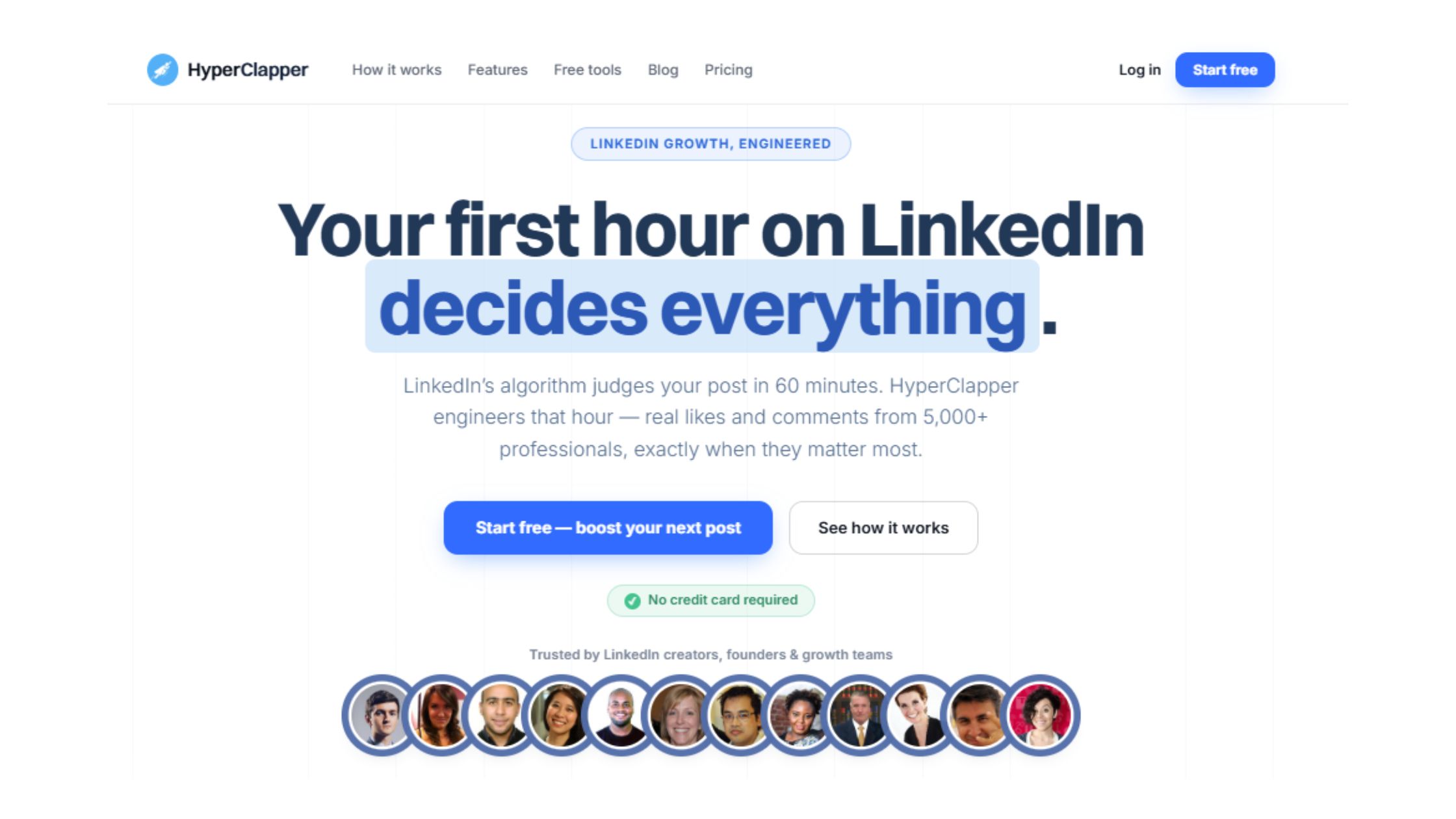
hyperclapper.com
HyperClapper — Boost your first hour on LinkedIn
Real likes and comments from 5,000+ professionals in your post's first hour. 30M+ engagements delivered, zero ad spend.
For a detailed breakdown, the LinkBoost 2026 review covers how it compares in practice. The core differentiator for HyperClapper is the combination of real engagement communities with AI-powered replies and content moderation — making it a safer, more complete solution than pod-only tools.
LinkedIn for Professionals vs. Other Social Media — Where It Fits
Why using LinkedIn alongside other platforms — rather than instead of them — produces better career and business outcomes than committing to any single channel. Each platform serves a different stage of professional visibility.
LinkedIn vs. Twitter/X: LinkedIn wins for B2B credibility, recruiter visibility, and lead generation. Twitter/X wins for real-time conversation, broad topic discovery, and building relationships with journalists and media. The audiences have different intents — Twitter is ambient; LinkedIn is professional-mode.
LinkedIn vs. Instagram: LinkedIn posts have a shelf life of 3–7 days; Instagram posts are effectively dead after 24–48 hours. LinkedIn's audience has purchasing authority; Instagram's audience skews toward consumer decisions. For B2B professionals, LinkedIn dramatically outperforms Instagram per hour of effort invested.
LinkedIn vs. Facebook: LinkedIn Groups are professionally focused with higher-quality discussion; Facebook Groups have broader reach but lower professional intent. For consumer businesses and local communities, Facebook still wins. For B2B, professional services, and career visibility, LinkedIn is the default.
The right mental model: think of LinkedIn as your professional credibility layer — the platform where your authority and expertise are permanently recorded and searchable. Other platforms build audience and conversation. LinkedIn builds reputation.
How to Measure ROI From LinkedIn — Metrics That Actually Matter
Vanity metrics are the biggest measurement trap on LinkedIn. Total impressions and follower count are frequently optimised for, and rarely correlate with actual business or career outcomes. The numbers that matter are different.
Metrics that signal real ROI:
Profile views from decision-makers — who is looking at your profile matters more than how many. A recruiter from a target company viewing your profile is worth more than 1,000 random impressions.
Connection request quality — are you receiving requests from people in your target audience? Inbound connection requests from relevant professionals signal that your content is doing its job.
DM inbound rate — unsolicited DMs asking for services, advice, or opportunities are the most direct ROI signal available on LinkedIn.
Content-driven lead attribution — tracking which clients or job opportunities mention your LinkedIn content as the first touchpoint.
How to use LinkedIn's native analytics: LinkedIn's Creator Analytics (available to all users) shows impression trends, audience demographics, top-performing post formats, and follower growth by week. The audience demographic breakdown is particularly valuable — it shows whether your content is reaching the job titles and industries you're targeting, not just generating generic reach.
HyperClapper's analytics layer adds a second dimension to this: connecting engagement activity directly to post performance trends, helping users understand which channel combinations and post formats produce sustained visibility gains rather than single-post spikes.
LinkedIn Outreach and Lead Generation Best Practices for 2026
LinkedIn as a B2B lead generation platform operates through two distinct mechanisms: content-led inbound and outreach-led outbound. The strongest performers in 2026 run both simultaneously, but they require different mindsets and tactics.
Content-led inbound — publishing thought leadership content consistently until prospects recognise your name and reach out. Slower to start, but compounds. A professional who has published 50 high-quality posts on a specific B2B topic will receive inbound DMs without any active outreach. The content builds trust in advance.
Outreach-led outbound — cold connection requests and DMs to targeted prospects. Faster to start, but requires discipline to avoid coming across as spam.
Best practices for LinkedIn outreach in 2026:
Warm up prospects with content engagement first — comment genuinely on their posts for 2–3 weeks before sending a connection request. Your name will be familiar when the request arrives.
Personalise every connection request — reference something specific about their work, not a template. Generic "I'd like to add you to my network" requests have declining acceptance rates.
Lead with value, not a pitch — the first DM should offer something useful (a relevant article, a specific observation about their industry, a genuine question). The pitch comes in message 3 or 4, not message 1.
Use Sales Navigator for volume outreach — its advanced filters (company size, seniority, geographic location, recent job change) enable precision targeting that the free search tool can't match. InMail — LinkedIn's paid direct message feature — achieves higher open rates than email for cold outreach in most B2B segments.
What this tells you is that LinkedIn's best outreach performers don't separate content and outreach strategies — they use content to warm up outreach targets, and they use outreach to accelerate the reach of their content. The two reinforce each other.
✓ The LinkedIn Visibility Checklist — Before You Post
☐Remove any outbound URL from the post body — move it to the first comment
☐Message 5–8 relevant connections before publishing to prime early engagement
☐Schedule the post for Tuesday–Thursday, 7–9am local time
☐Add your own substantive comment immediately after posting
☐Respond to every comment within 2 hours of publishing
☐Check your engagement rate 24 hours later — below 2% means adjust your format or hook next time
☐Use HyperClapper channels for early engagement seeding if your organic network is under 500 connections
Build Real LinkedIn Momentum — Starting With Your Next Post
HyperClapper gives you the early engagement velocity that makes the LinkedIn algorithm take your content seriously — with real people, AI replies, and analytics built in.
In most professional contexts, not having a LinkedIn profile is a noticeable absence rather than a neutral fact. Recruiters, hiring managers, and potential clients routinely check LinkedIn as a standard part of due diligence. A missing profile doesn't automatically disqualify someone — but it creates a gap where credibility signals would otherwise exist.
The situations where it matters most:
Active job seekers — over 90% of recruiters use LinkedIn to source candidates; an absent profile means being invisible to the majority of the talent acquisition market
B2B sales and consulting — prospects research sellers before agreeing to a call; no LinkedIn profile raises questions about credibility and tenure
Executives and founders — a company's leadership team is routinely researched by investors, partners, and enterprise buyers; missing profiles create trust gaps
For people in roles with minimal external exposure — certain technical, creative, or academic positions — LinkedIn absence is less consequential. But for anyone building a professional reputation or seeking opportunities, a minimal LinkedIn presence (even just an accurate, up-to-date profile with no posting activity) outperforms having no profile at all.
What Is a LinkedIn Profile Example — and What Makes One Actually Work?
A strong LinkedIn profile example isn't the one with the most credentials — it's the one that clearly communicates who you help, how, and why that matters. The anatomy of a high-performing LinkedIn profile:
Headline: Value proposition, not job title. "Helping B2B SaaS companies reduce churn through customer success strategy" outperforms "Customer Success Manager at Acme Corp."
Profile photo: Professional, clear, well-lit. Profiles with professional photos receive dramatically higher connection acceptance rates and recruiter messages.
About section: Written in first person, focused on outcomes and expertise — not a biographical summary. End with a clear call to action or contact method.
Experience: Achievement-led bullet points, not responsibilities. Quantify wherever possible ("Grew pipeline from $2M to $8M in 18 months" beats "Responsible for pipeline growth").
Skills and endorsements: Curate to reflect current expertise; irrelevant skills from early career dilute your topic authority signal to both recruiters and the algorithm.
Featured section: Pin your best content, case studies, or media mentions. This is your most controllable social proof element.
Frequently Asked Questions About LinkedIn and Getting Your Posts Seen
What are the benefits of joining LinkedIn?
LinkedIn gives professionals permanent, searchable career visibility that works even when you're not actively posting. The core benefits include recruiter discovery (72% of recruiters use it to hire), professional credibility when prospects or employers Google your name, inbound opportunities from thought leadership content, and a B2B lead generation channel that outperforms most alternatives for professional services.
Why do my LinkedIn posts get no engagement even with good content?
Low engagement is almost always a distribution problem, not a content quality problem. LinkedIn's algorithm runs a small audience test in the first 60 minutes — if your post gets no meaningful comments during that window, the algorithm suppresses it before wider distribution. Fix: seed early engagement by messaging relevant connections before publishing, comment on your own post immediately, and ensure there are no outbound links in the post body.
Is it still possible to grow on LinkedIn organically in 2026?
Yes — LinkedIn organic reach remains higher than Instagram or Facebook for B2B content. Creators consistently reach 10,000–100,000+ impressions per post without paid promotion. The requirement is consistency on a specific topic area (so the algorithm builds topic authority for your account), early engagement velocity, and avoiding link-in-post habits that suppress distribution.
What type of LinkedIn posts get the most reach without paid promotion?
Text-only personal insight posts, document/carousel posts, and polls consistently outperform link posts and promotional announcements. Text posts get the highest algorithmic reach because they load instantly and feel conversational. Carousels generate high save rates which signal content quality. Polls earn comments from people who would never engage with standard posts.
How does LinkedIn decide which posts to show in the feed?
LinkedIn uses a four-phase model: an automated spam/quality filter, a small audience test in the first 60 minutes, an engagement scoring phase, then broader distribution or suppression. Comments are weighted more heavily than likes. Posts with outbound URLs in the body are penalised. Accounts with established topic authority receive more generous initial distribution than new or inconsistent accounts.
What is a disadvantage of LinkedIn, and why are some people leaving?
The main disadvantages are time cost without a clear strategy, algorithm unpredictability that frustrates casual creators, aggressive Premium upselling, and a performative culture that drives away professionals seeking genuine professional exchange. People leaving LinkedIn most commonly cite InMail spam, irrelevant feed content, and the feeling that only large accounts benefit from organic reach — all of which are addressable with better settings and strategy.
Why do you want to join LinkedIn if you already have a social media presence?
LinkedIn serves a different intent than all other platforms. Even if you're active on Instagram, Twitter, or TikTok, LinkedIn is where professional credibility is permanently recorded and searchable. It's where recruiters look, where B2B prospects research vendors, and where thought leadership compounds into inbound opportunity. No other platform replicates this professional-intent audience at scale.
Why join LinkedIn as a company rather than just having personal profiles?
A LinkedIn company page serves as a professional anchor — it validates your business when prospects research you, enables targeted company page posts to followers, supports LinkedIn Ads targeting, and allows employees' personal profiles to link to a credible company presence. For B2B companies especially, a strong company page plus active employee advocacy on personal profiles creates far more reach than either alone.
What consistently separates accounts with real LinkedIn reach from accounts with impressive follower counts is not any single tactic — it is the combination of profile authority, algorithmic understanding, and early engagement infrastructure working together. Accounts that get all three right see compounding distribution over time. Accounts that miss any one of them typically plateau regardless of how good their content is.
👋
⚡ Free plan
Leaving already?
Grab 3 free boosts on your next LinkedIn post — real likes & comments from 5,000+ creators. No card, cancel anytime.


 hyperclapper.com