
Trusted by leading companies


Create high-engagement LinkedIn carousel posts in minutes using AI.
Turn topics, ideas, posts, or concepts into scroll-stopping LinkedIn PDF carousels — no design skills needed.
HyperClapper’s LinkedIn Carousel Generator is a free, AI-powered tool built for creators, founders, marketers, job seekers, and professionals who want more reach, engagement, and profile visibility on LinkedIn.
No signup. No watermark. Just clean, professional LinkedIn carousels that work.
A LinkedIn Carousel Generator is a tool that helps you create multi-slide LinkedIn posts (carousel posts) in PDF format, where each slide tells part of a story.
LinkedIn carousel posts:
keep users swiping
increase dwell time
improve engagement rate
get favored by the LinkedIn algorithm
HyperClapper uses AI + a visual editor to help you generate LinkedIn carousels faster than Canva, PowerPoint, or manual design tools.
1. Enter a topic or idea
Start with anything:
“Grow your LinkedIn audience”
“Mistakes founders make in SaaS”
“How I got my first 10 clients”
“AI trends in 2026"
Our AI instantly structures the carousel content slide-by-slide.
2. Customize your carousel slides
Use the editor to:
edit titles & subtitles
refine slide content
add your name or brand
personalize the first slide hook
Each slide is designed to be easy to read, swipe-friendly, and optimized for LinkedIn.
3. Preview and download your LinkedIn carousel
Preview the full carousel and download it as a ready-to-upload PDF.
Upload it directly to LinkedIn as a carousel post.
1. Higher engagement
LinkedIn carousel posts outperform single-image posts because users must swipe through slides to consume the full content.
More swipes = more time spent = more reach.
2. Better personal branding
Carousels help you:
tell a story visually
reinforce your brand style
become recognizable in the LinkedIn feed
Over time, people remember your ideas and your name, not just the post.
3. More information without clutter
Instead of cramming everything into one post, LinkedIn carousels let you:
break complex ideas into slides
keep each slide focused
guide the reader step-by-step
This makes your content easier to consume and share.
1. Make the first slide unskippable
Your first slide decides everything.
Use:
a bold headline
a clear pain point
a strong promise
If the first slide doesn’t hook, the carousel dies.
2. Keep slides easy to read
Avoid long paragraphs.
Best practice:
30–50 words per slide
short sentences
bullet points where possible
Always preview on desktop and mobile before posting.
3. Add numbers and specificity
Numbers add credibility and clarity.
Examples:
“7 mistakes killing LinkedIn reach”
“5 lessons from building a SaaS”
“10 content ideas that actually work”
4. End with a clear CTA
Use the last slide to invite action:
“Follow for more LinkedIn tips”
“Comment ‘CAROUSEL’ if this helped”
“Save this for later”
CTAs increase comments, saves, and reach.
The best LinkedIn carousel format is PDF.
Recommended sizes:
1080 × 1350 px (preferred, more vertical space)
1080 × 1080 px (square)
HyperClapper generates carousels optimized for LinkedIn’s feed so your slides look clean and professional.
Who should use the LinkedIn Carousel Generator?
This tool is perfect for:
LinkedIn creators
Founders & startup teams
Marketers & growth managers
Freelancers & consultants
Job seekers
Coaches & educators
Personal brand builders
If you post on LinkedIn, carousels should be part of your strategy.
100% free to use
AI-powered content generation
No design skills required
Clean, professional layouts
Built specifically for LinkedIn growth
Faster than Canva or PowerPoint
This isn’t a generic design tool — it’s a LinkedIn-first carousel creator.
Trusted by leading companies
Find groups that are relevant to your content and join them. It’s even easy to create a pod of your desire and engage with people who are in your industry.● Filter pods by location, Industry, SSI Score, and followers.
● Create your own pods with multiple tags on them.
Find groups that are relevant to your content and join them. It’s even easy to create a pod of your desire and engage with people who are in your industry.
● Filter pods by location, Industry, SSI Score, and followers.
● Create your own pods with multiple tags on them.
People from pods or groups will automatically start to like and comment on your LinkedIn posts.● Pick from the list of pods that are relevant to you
● Pick and edit quality comments that people will leave on your post
Just sit and relax! Your post will start getting 10x views. You will notice in real-time people will start engaging with your content and leave likes and comments that will push your post to a bigger audience.● Track your real-time post views, likes, and comments.
Make sure you are logged in with your Linkedin profile on chrome and installed the extension, Click on connect new profile button to connect your active Linkedin profile.
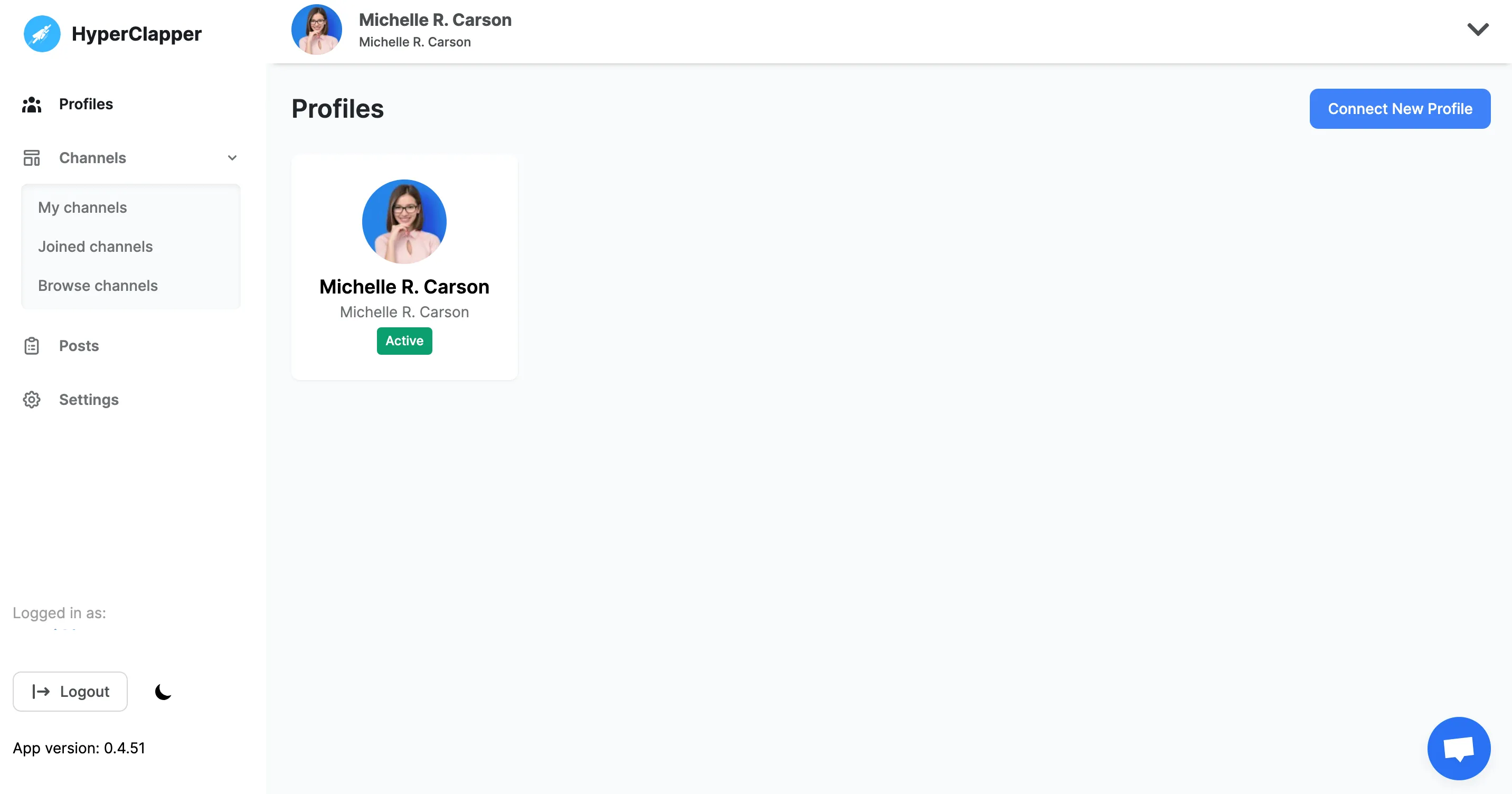
Find groups that are relevant to your content and join them. It’s even easy to create a pod of your desire and engage with people who are in your industry.
● Filter pods by location, Industry, SSI Score, and followers.
● Create your own pods with multiple tags on them.
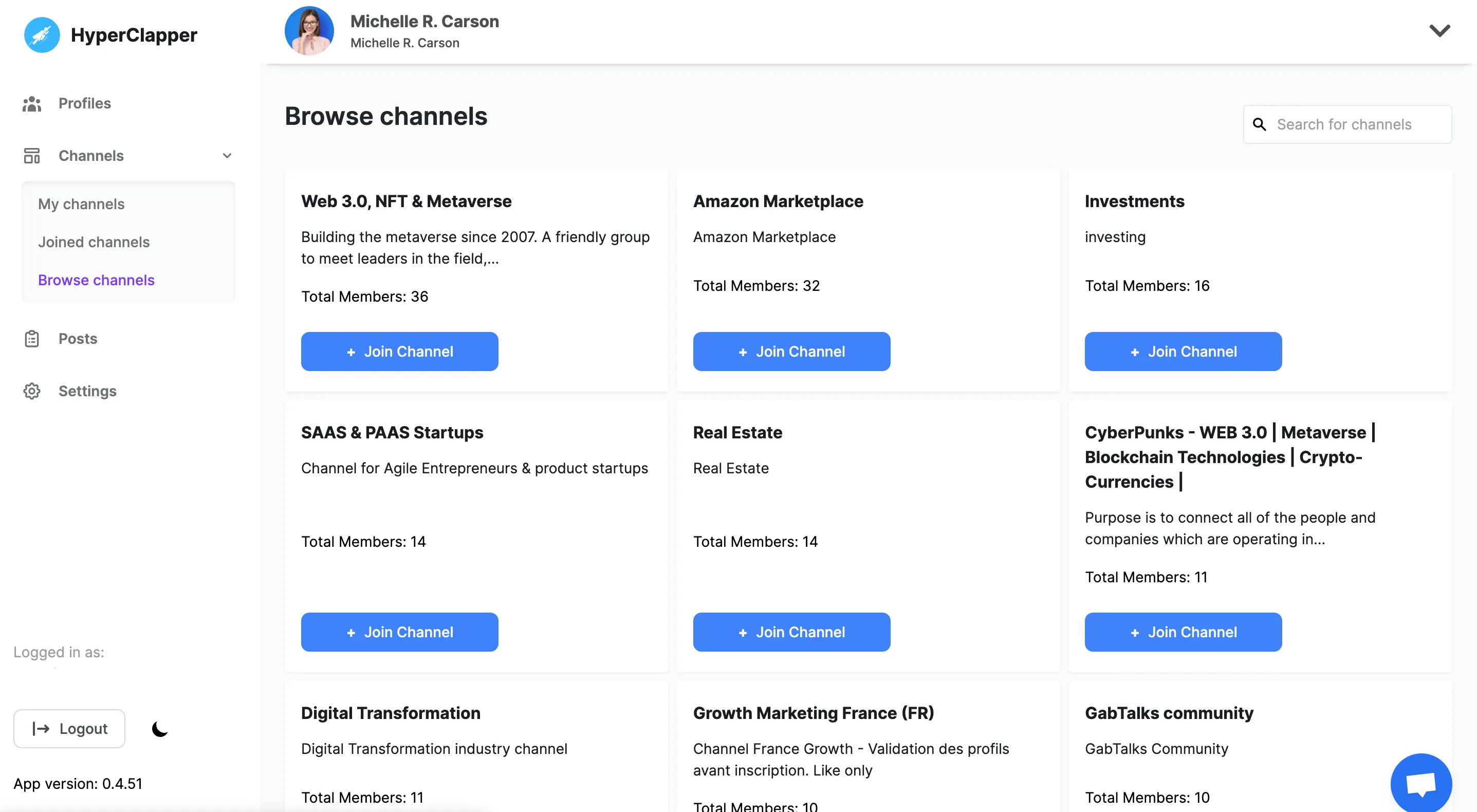
People from pods or groups will automatically start to like and comment on your LinkedIn posts.
● Pick from the list of pods that are relevant to you
● Pick and edit quality comments that people will leave on your post
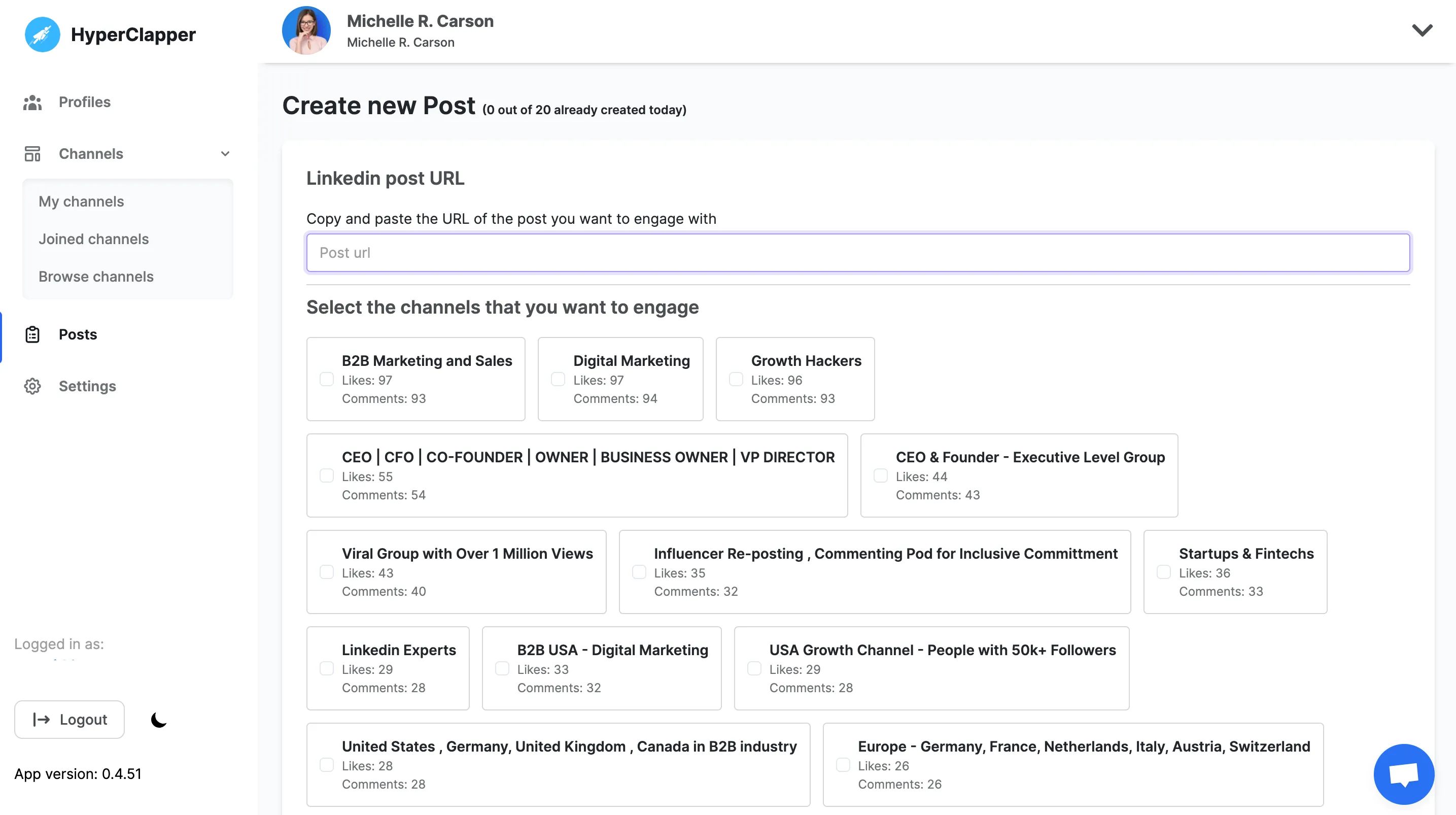
Just sit and relax! Your post will start getting 10x views. You will notice in real-time people will start engaging with your content and leave likes and comments that will push your post to a bigger audience.
● Track your real-time post views, likes, and comments.
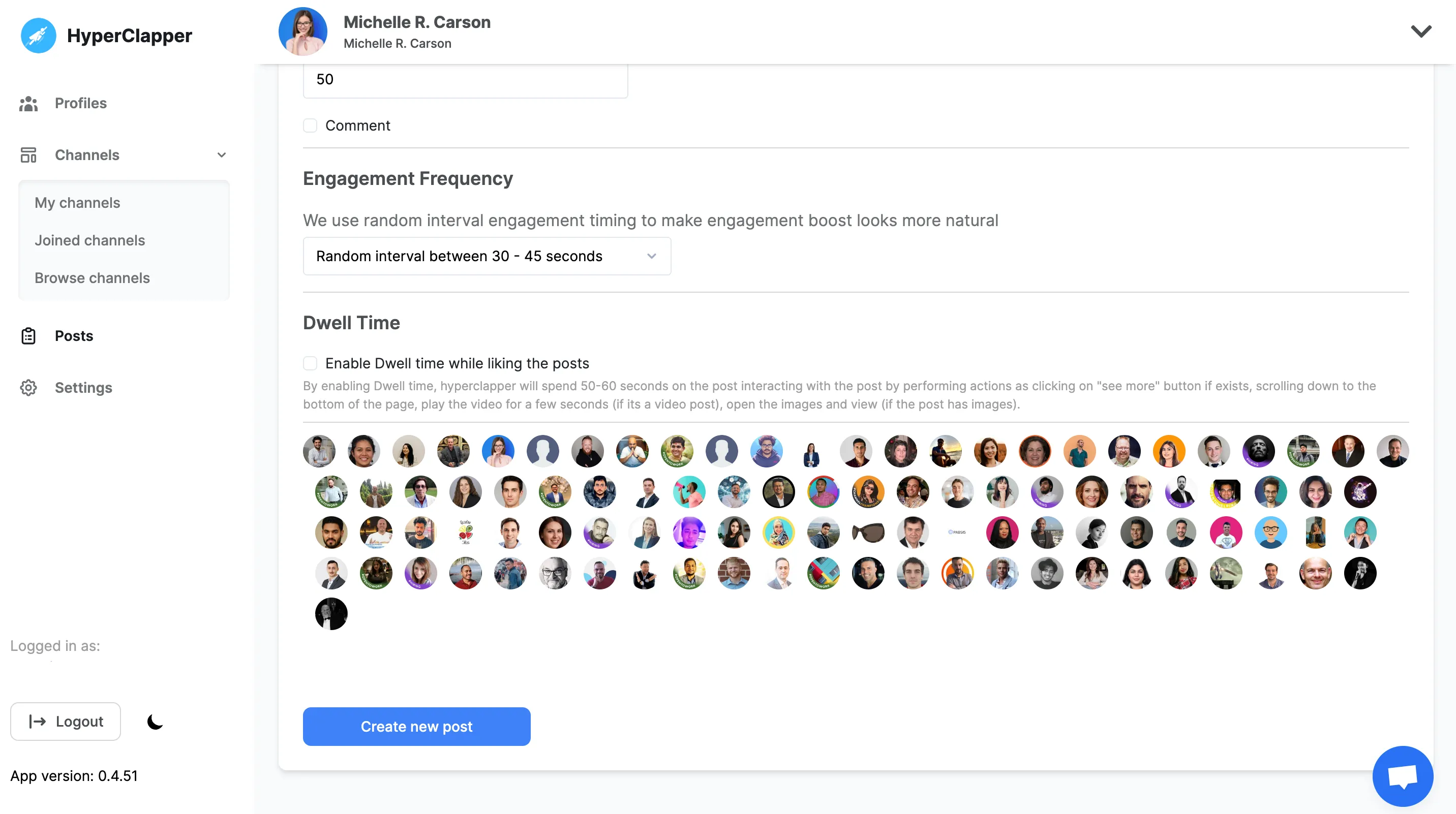

Quality engagement can help your content to reach potential customers, You can choose who will engage with your content by Location, SSI score, Followers, and Industry.

Increase your organic reach and engagement by Generating auto Ai comments and reply based on your Linkedin Post description.

We let you post 5 comments on the top of your engagement so that you can easily get more traction on social links.

You can build your own company pod with your team to boost your content. So that you don’t pay huge bucks on Social Media ads.

You can outreach to the people who engaged with your post to increase your conversion rate

Improve your LinkedIn feed by engaging with quality audience using quality comments
LinkedIn carousel posts are multi-slide posts uploaded as a PDF. Each page becomes a swipeable slide in the LinkedIn feed.
Yes.
LinkedIn often boosts content that keeps users engaged longer, and carousels naturally increase dwell time and interaction.
Yes.
AI helps you structure content, write clear slide copy, and save time while maintaining quality.
Yes, in most cases LinkedIn carousel posts generate higher engagement rates than single-image posts.
Carousels increase:
Dwell time
Swipe interaction
Saves
Comments
Because users must scroll through multiple slides, LinkedIn’s algorithm often rewards carousel posts with greater organic reach.
Yes.
HyperClapper’s LinkedIn Carousel Generator works as a Canva alternative for LinkedIn carousels, allowing you to generate slide content using AI and export directly in LinkedIn-ready PDF format.
You don’t need design experience or complex editing tools.
Your first slide should include:
A bold headline
A pain point
A clear promise or benefit
The first slide determines whether someone continues swiping or scrolls past your content.
Absolutely.
LinkedIn carousels are powerful for:
Showcasing case studies
Sharing frameworks
Presenting step-by-step guides
Highlighting client results
Ending with a strong CTA can drive profile visits and inbound leads.
Posting 1–3 LinkedIn carousels per week is ideal for consistent growth.
Quality matters more than quantity. Focus on delivering value rather than posting frequently without substance.
Yes.
HyperClapper’s LinkedIn Carousel Generator is completely free to use.
The recommended size is 1080 × 1350 pixels in PDF format for best visibility and readability.
No.
HyperClapper is a Canva alternative designed specifically for LinkedIn carousel posts.
The ideal LinkedIn carousel contains 5–10 slides.
Too few slides may feel incomplete, while too many slides can reduce completion rates. Focus on clarity, flow, and keeping each slide concise.
To make a LinkedIn carousel go viral:
Create a strong hook on the first slide
Focus on one clear problem
Use simple, readable text
Add numbers or specific insights
End with a strong call-to-action
Encourage saves or shares
High-performing LinkedIn carousel posts are usually clear, actionable, and visually clean.
LinkedIn tends to favor content that increases time spent on the platform.
Since carousel posts require users to swipe through multiple slides, they naturally increase dwell time — which can positively impact reach and visibility in the LinkedIn feed.
Yes.
LinkedIn carousel posts are one of the most effective formats for building a personal brand because they:
Showcase expertise
Present structured insights
Reinforce visual identity
Encourage saves and shares
Consistent carousel posting can significantly improve profile visibility.
A regular LinkedIn post contains text and optionally images.
A LinkedIn carousel is a multi-slide PDF post that users swipe through. Carousels allow deeper storytelling and structured content presentation.
Grab 3 free boosts on your next LinkedIn post — real likes & comments from 5,000+ creators. No card, cancel anytime.



 +5k
+5k
