
Trusted by leading companies


Create a professional LinkedIn headline in seconds.
Optimized for recruiters, founders, creators, job seekers, consultants, and executives.
HyperClapper’s free LinkedIn Headline Generator
helps you write headlines that are:
clear
keyword-rich
human-sounding
optimized for LinkedIn search & profile clicks
No sign-up.
No credit card.
Just smart headlines that actually work.
A LinkedIn Headline Generator is an AI tool that helps you write the most important line on your LinkedIn profile — the headline that appears under your name everywhere on LinkedIn.
Your headline decides:
whether someone clicks your profile
whether a recruiter messages you
whether clients trust you
whether your profile shows up in LinkedIn search
HyperClapper uses AI trained on high-performing LinkedIn profiles to generate headlines based on:
your role
your skills
your industry
your career goal (job search, clients, networking, authority)
1. Enter your profession or role
Example:
Software Engineer
Marketing Manager
FounderSales Director
Product Manager
FreelancerStudent / Career switcher
You can also add keywords like:
“B2B SaaS”, “SEO”, “AI”, “Fintech”, “Growth”, “Remote”, “Startup”
The more specific you are, the better your LinkedIn headline will be.
2. Click “Generate Headlines”
Our AI generates multiple LinkedIn headline options instantly.
All headlines are:
under LinkedIn’s character limit
optimized for desktop & mobile
written in a professional but natural tone
easy to copy & paste
3. Pick, tweak, and paste
You can:
use one headline as-is
combine parts of multiple headlines
slightly edit it to match your voice
Most people get a usable headline in under 10 seconds.
Why your LinkedIn headline matters more than your entire profile
Most people never read your full profile.
They see:
your photo
your name
your headline
That’s it.
LinkedIn has 950+ million users, and your headline is what decides if you stand out or disappear.
Your headline should instantly answer:
What do you do?
Who do you help?
Why should I care?
If it doesn’t, people scroll past.
LinkedIn headline best practices (that actually work)
✔ Keep it under 200 characters (safe for mobile)
✔ Use keywords recruiters search for
✔ Show outcomes or impact, not vague traits
✔ Avoid buzzwords and filler
✔ Write like a human, not a resume
1. Value-based headline
“I help [audience] achieve [result]
”Example:
I help B2B SaaS companies grow with SEO-driven content
2. Metrics-first headline
“Role | Result | Context”
Example:
Sales Director | Closed $12M ARR | B2B SaaS
3. Problem → solution headline“Struggling with [problem]? I help with [solution]”
Example:
Struggling with LinkedIn leads? I help founders turn posts into in bound
❌ “Passionate professional”
❌ “Hard-working team player”
❌ “Experienced in…”
❌ “Motivated individual”
❌ Generic titles without context
No one searches for these.
They waste space and kill clicks.
Marketing & Growth
>Fractional CMO | Scaled 3 startups to $2M+ ARR
>I help B2B SaaS grow with organic LinkedIn content
Sales
>Sales Director | Closed $18M ARR | Remote SaaS teams
>SDR Coach | Booking 50+ meetings/month
Tech & Product
>Full-Stack Developer | React, Node, AI | 15+ products shipped
>Product Manager | Launched 5 SaaS products | Data-driven
Creative & Content
>UX Designer | Making enterprise software feel human
>Content Writer for Fintech | SEO + storytelling
Founders & Executives
>Founder @ HyperClapper | Building AI tools for LinkedIn growth
>CEO | Scaling SaaS teams globally
Desktop: 220 charactersMobile: ~240 characters
Best performing range: 150–200 characters HyperClapper automatically keeps headlines within safe limits so nothing gets cut off.
✔ Job seekers
✔ Founders & startup teams
✔ Freelancers & consultants
✔ Sales & marketing professionals
✔ Developers & designers
✔ Students & career switchers
✔ Executives & leadersIf you’re on LinkedIn, this tool is for you.
100% free
No sign-up required
Built specifically for LinkedIn growth
Human-sounding headlines (not robotic AI)
Part of a complete LinkedIn toolkit
This isn’t a generic AI writer.
It’s built by people who live and breathe LinkedIn.
Explore more free LinkedIn tools by HyperClapper
LinkedIn Post Generator
LinkedIn Carousel Generator
LinkedIn Summary Generator
LinkedIn Video Downloader
LinkedIn Profile Feedback Tool
LinkedIn Post Booster
Use them together to write better, grow faster, and get noticed on LinkedIn.
Trusted by leading companies
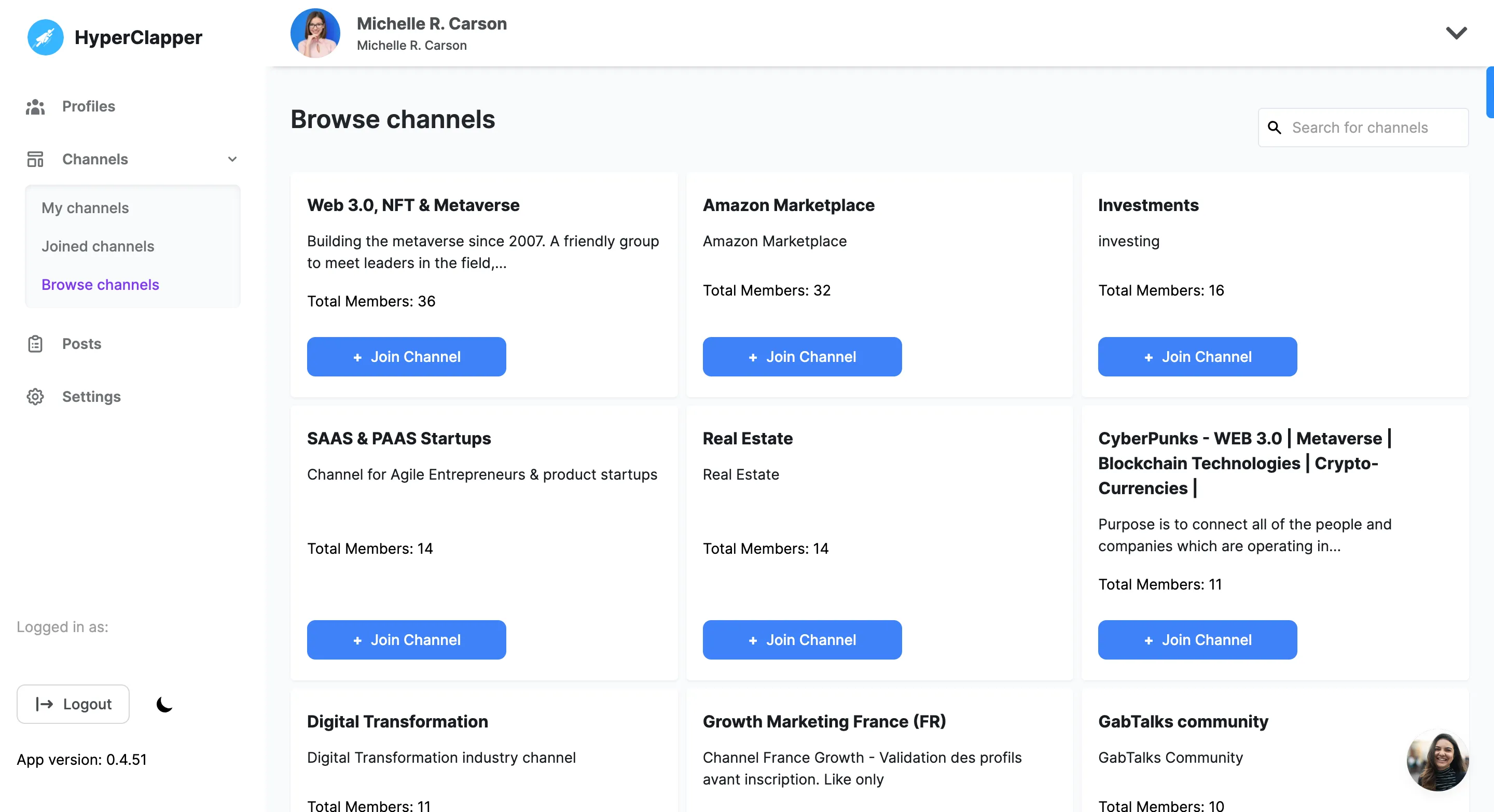
Find groups that are relevant to your content and join them. It’s even easy to create a pod of your desire and engage with people who are in your industry.● Filter pods by location, Industry, SSI Score, and followers.
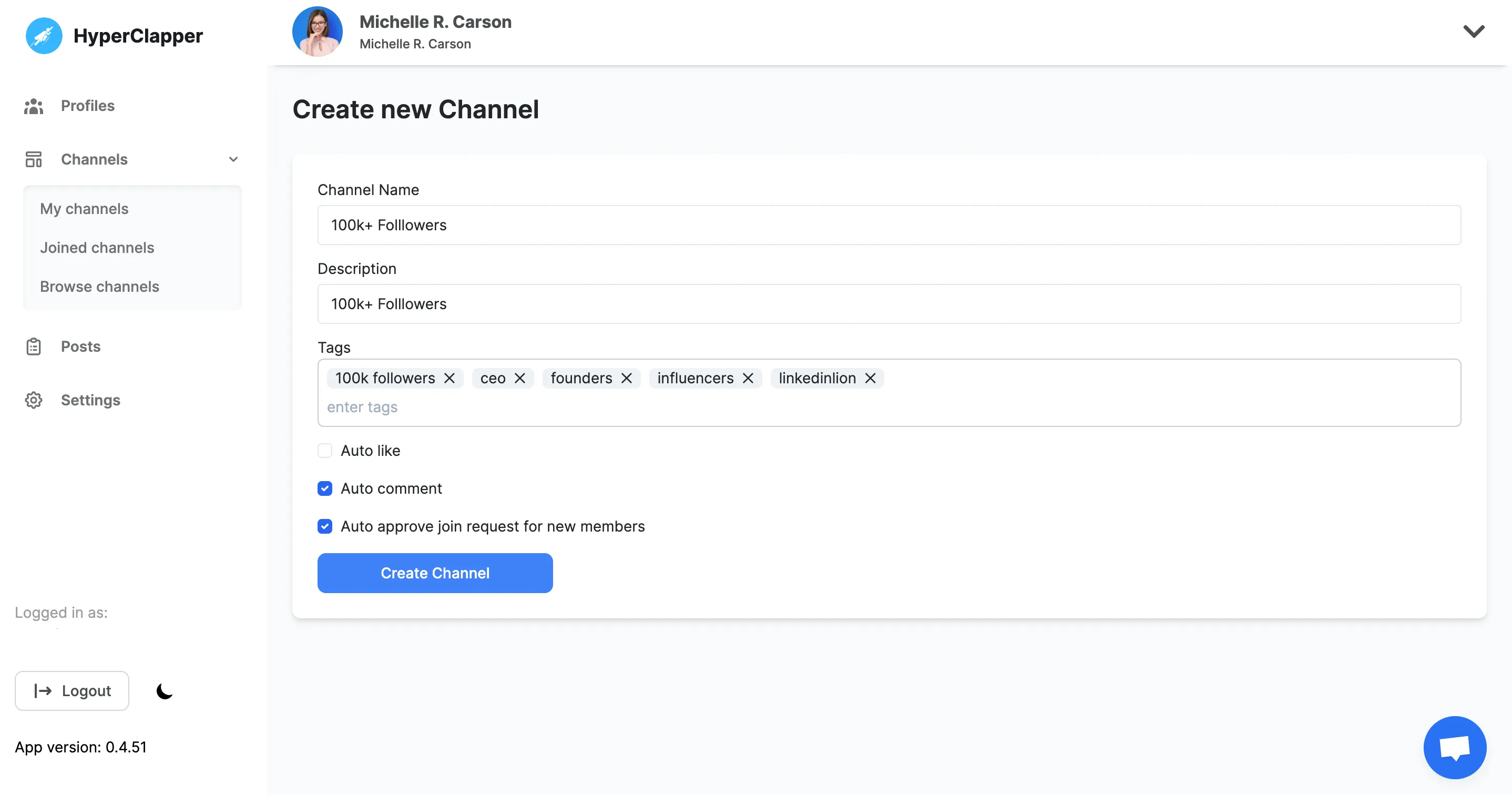
● Create your own pods with multiple tags on them.
Find groups that are relevant to your content and join them. It’s even easy to create a pod of your desire and engage with people who are in your industry.
● Filter pods by location, Industry, SSI Score, and followers.
● Create your own pods with multiple tags on them.
People from pods or groups will automatically start to like and comment on your LinkedIn posts.● Pick from the list of pods that are relevant to you
● Pick and edit quality comments that people will leave on your post
Just sit and relax! Your post will start getting 10x views. You will notice in real-time people will start engaging with your content and leave likes and comments that will push your post to a bigger audience.● Track your real-time post views, likes, and comments.


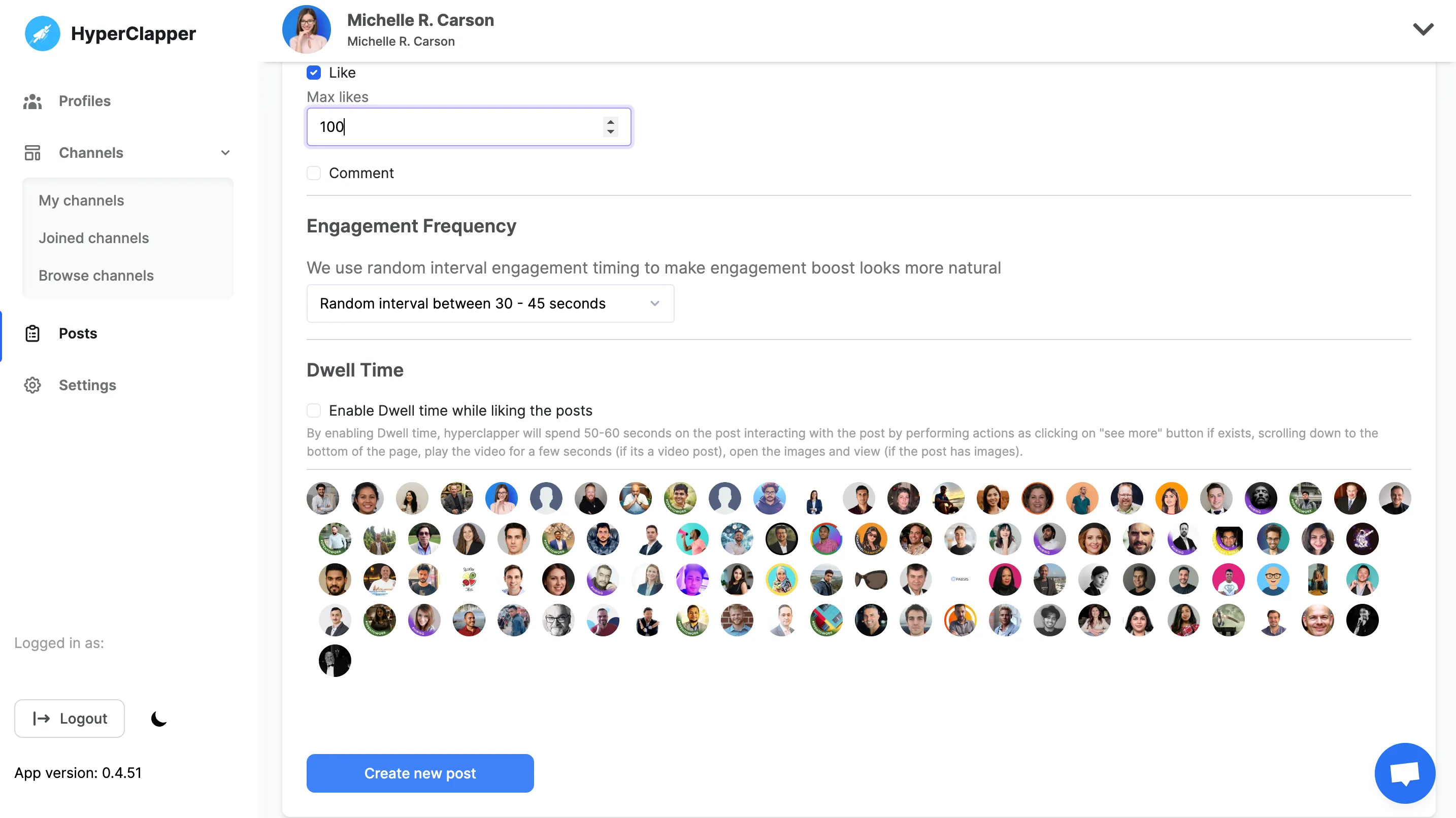
A Dwell time has been added to make HyperClapper the best Linkedin engagement tool, Every post shared on HyperClapper gets real activities by other members, like Reading whole post, Swiping Pdf, Watching full shared video etc.
This helps in increase of Linkedin post impression and boosting the post further.
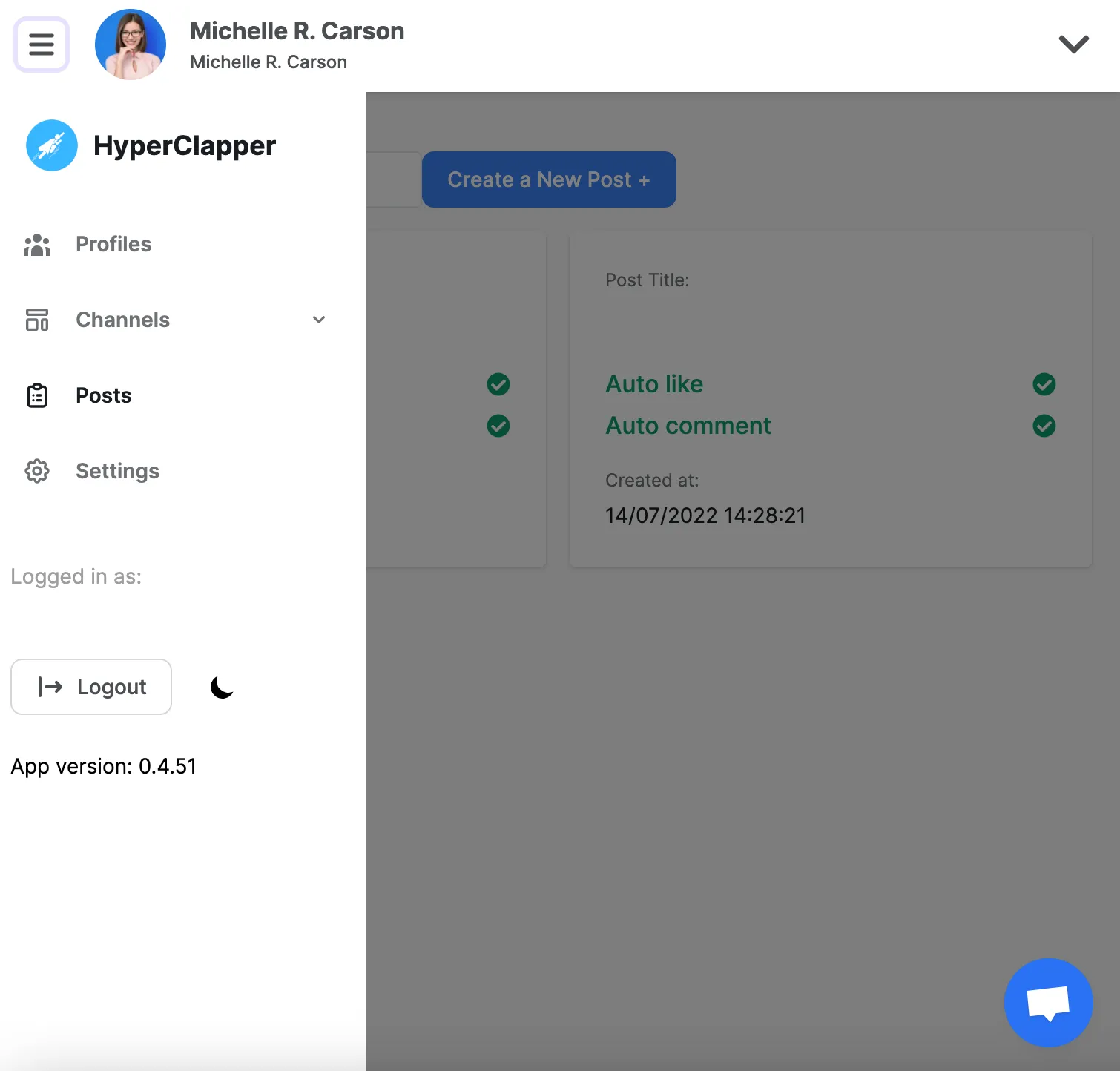

Discover your post real-time engagement, Average Post Views, Comments, engagement rate and past months report.

Each member of pods has full control over how they want to engage and We added human behavior that limits spam and detections.

Increase your organic reach and engagement by Generating auto Ai comments and reply based on your Linkedin Post description powered by GPT-4
Make sure you are logged in with your Linkedin profile on chrome and installed the extension, Click on connect new profile button to connect your active Linkedin profile.
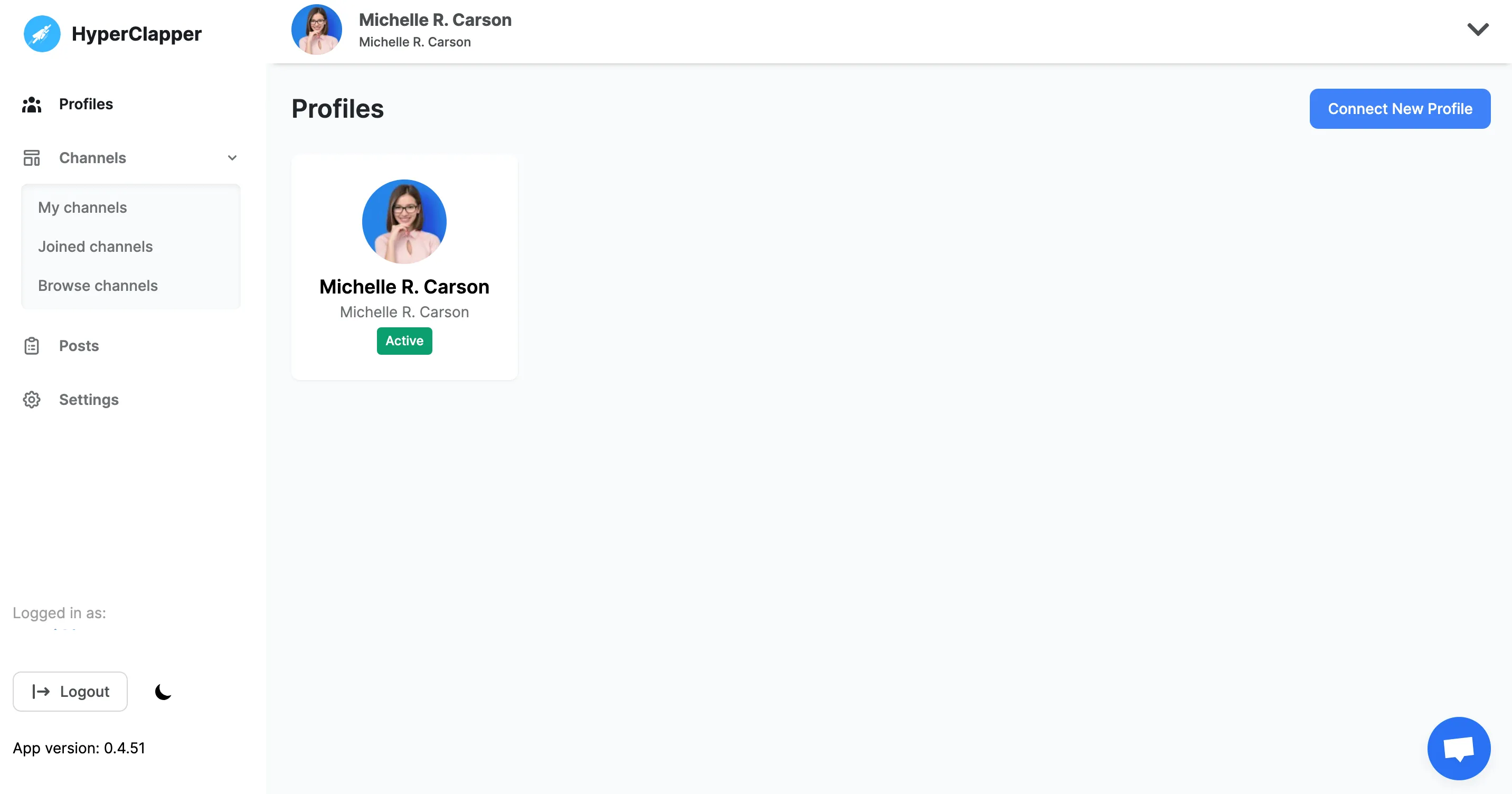
Find groups that are relevant to your content and join them. It’s even easy to create a pod of your desire and engage with people who are in your industry.
● Filter pods by location, Industry, SSI Score, and followers.
● Create your own pods with multiple tags on them.
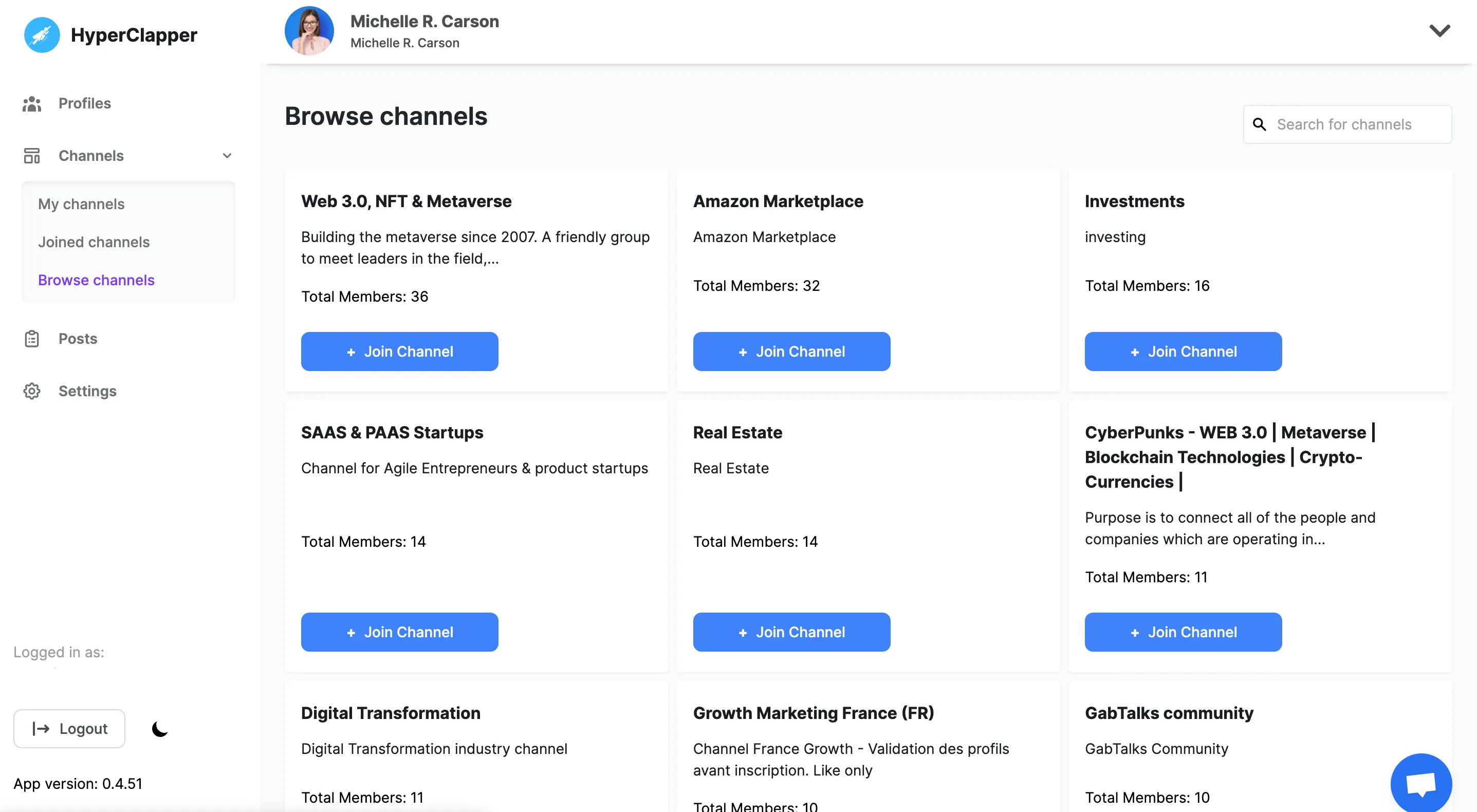
People from pods or groups will automatically start to like and comment on your LinkedIn posts.
● Pick from the list of pods that are relevant to you
● Pick and edit quality comments that people will leave on your post
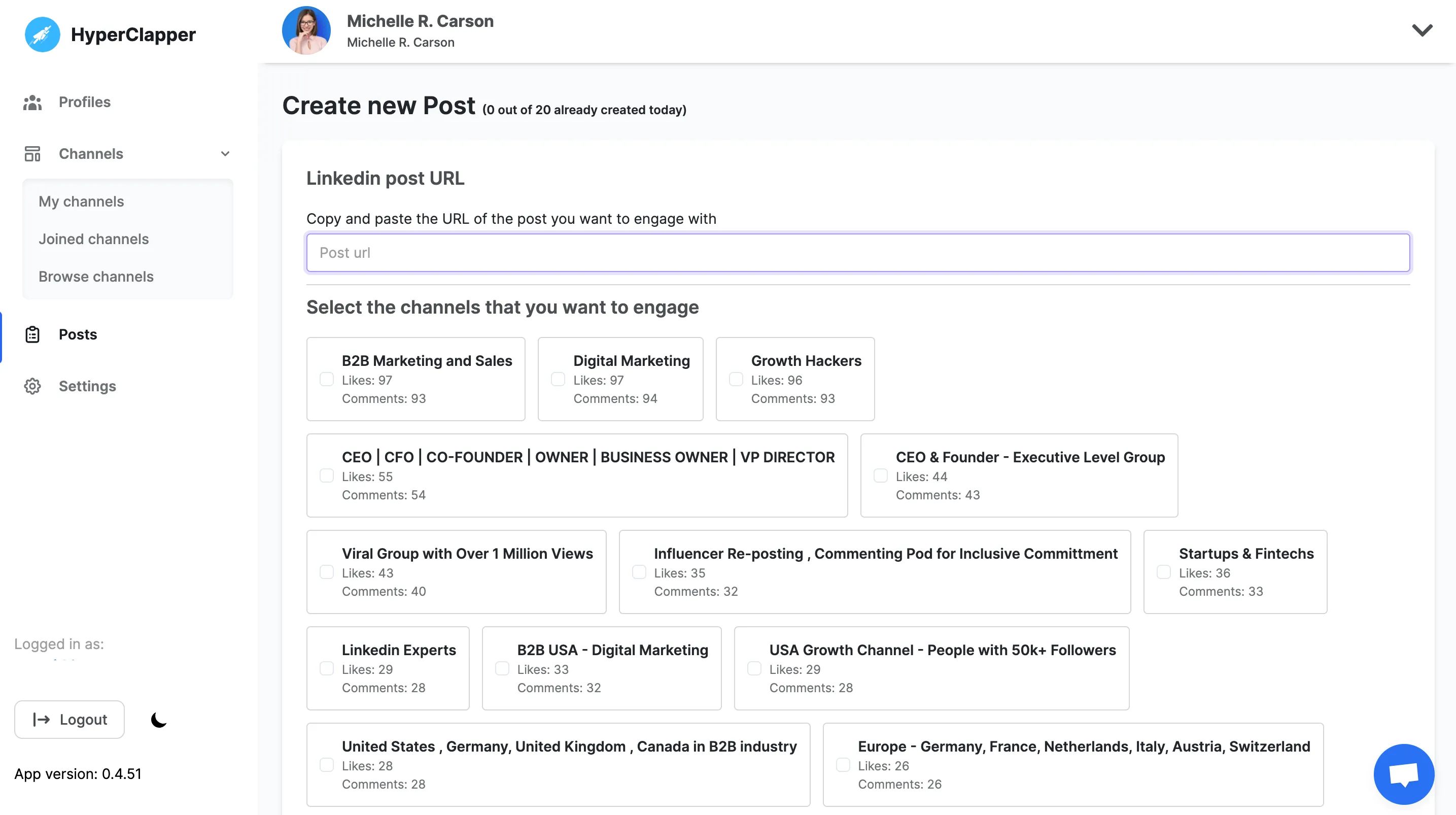
Just sit and relax! Your post will start getting 10x views. You will notice in real-time people will start engaging with your content and leave likes and comments that will push your post to a bigger audience.
● Track your real-time post views, likes, and comments.
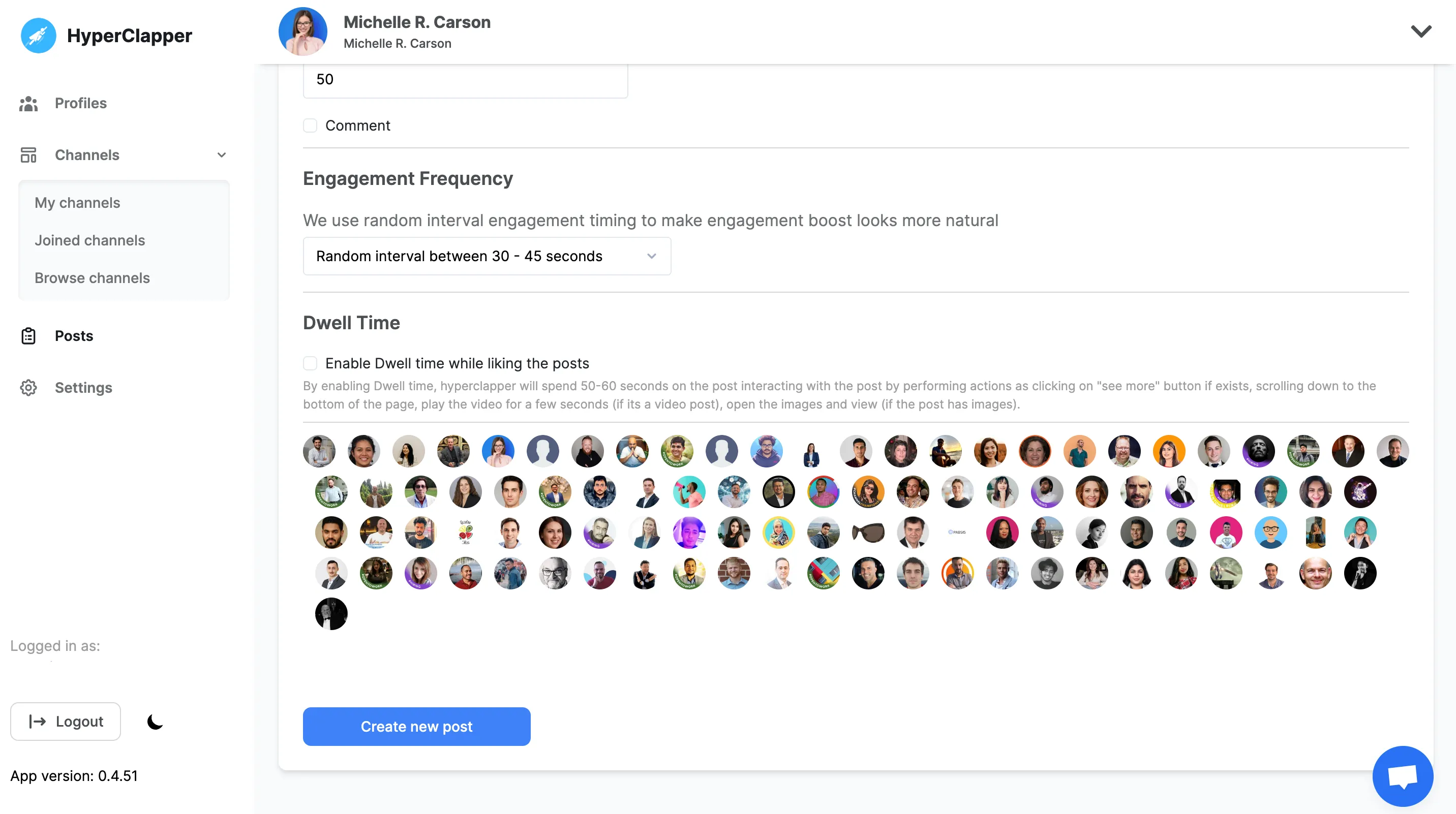

Quality engagement can help your content to reach potential customers, You can choose who will engage with your content by Location, SSI score, Followers, and Industry.

Increase your organic reach and engagement by Generating auto Ai comments and reply based on your Linkedin Post description.

We let you post 5 comments on the top of your engagement so that you can easily get more traction on social links.

You can build your own company pod with your team to boost your content. So that you don’t pay huge bucks on Social Media ads.

You can outreach to the people who engaged with your post to increase your conversion rate

Improve your LinkedIn feed by engaging with quality audience using quality comments







A LinkedIn headline generator is an AI-powered tool that helps you create a professional, keyword-optimized headline for your LinkedIn profile.
It analyzes your role, skills, and goals to generate headlines that improve profile visibility, recruiter searches, and profile clicks.
HyperClapper’s LinkedIn Headline Generator creates headlines that are clear, human-sounding, and optimized for LinkedIn search.
LinkedIn allows:
220 characters on desktop~240 characters on mobile
For best results, keep your headline between 150–200 characters so it displays correctly across all devices without getting cut off.
To write a professional LinkedIn headline:
1.Start with your role or expertise
2.Add your specialization or niche
3.Include results, metrics, or value if possible
4.Use keywords recruiters actually search for
Using an AI LinkedIn headline generator makes this faster and more effective.
Yes, if done correctly.
HyperClapper’s AI is trained to generate natural, professional, human-sounding LinkedIn headlines, not robotic or resume-style text.
You can also tweak or combine multiple suggestions to match your voice.
You should update your LinkedIn headline whenever:
your role changes
your career focus shifts
you start job hunting
you launch a new product or service
Many professionals update their headline every 3–6 months for best results.
Yes.
Your LinkedIn headline plays a major role in:
LinkedIn search rankings
recruiter keyword searches
profile discovery
This tool helps you write SEO-friendly LinkedIn headlines that are more likely to appear in searches.
Headline : 1-line hook shown everywhere on LinkedIn
Summary (About section) : your longer story and experience
Your headline grabs attention; the summary builds trust.
Both should align, but the headline matters first.
Yes.
Executives and founders can use this tool to highlight:
leadership scope
company impact
scale or metrics
mission and vision
Example: “Founder @ SaaSCo | Scaling remote teams | $10M ARR”
Yes.
HyperClapper’s LinkedIn Headline Generator is 100% free and does not require sign-up or a credit card. You can generate multiple LinkedIn headlines instantly and copy them directly to your profile.
A strong LinkedIn headline clearly explains:
what you do
who you help
the value or result you bring
The best LinkedIn headlines use relevant keywords, avoid buzzwords, and focus on outcomes instead of generic traits like “passionate” or “hard-working.”
Yes — significantly.
Your LinkedIn headline is shown:
in search results
in comments
in connection requests
in messages
A well-optimized headline increases profile views, connection requests, recruiter messages, and inbound opportunities.
A LinkedIn headline generator is useful for:
job seekers
founders & startup teams
freelancers & consultants
sales & marketing professionals
developers & designers
students & career switchers
executives & leadersIf
if you want more visibility on LinkedIn, this tool helps.
Use keywords related to:
your job title
your industry
tools or skills you specialize in
outcomes you deliver
Example: “Product Manager | B2B SaaS | User Growth | Data-Driven”This improves LinkedIn SEO and discoverability.
Yes.
You can generate multiple headline variations, compare them, and choose the one that fits your goal — job search, networking, authority, or clients.
Most people struggle to write headlines that are:
clear
keyword-rich
non-generic
An AI headline generator helps you avoid common mistakes, save time, and get better results — even if you later edit the output.
Yes.
Career switchers can generate headlines that:
explain their transition
highlight transferable skills
avoid confusion
Example: “Ex-Finance Analyst → Product Manager | SaaS & Data”
Grab 3 free boosts on your next LinkedIn post — real likes & comments from 5,000+ creators. No card, cancel anytime.



 +5k
+5k
