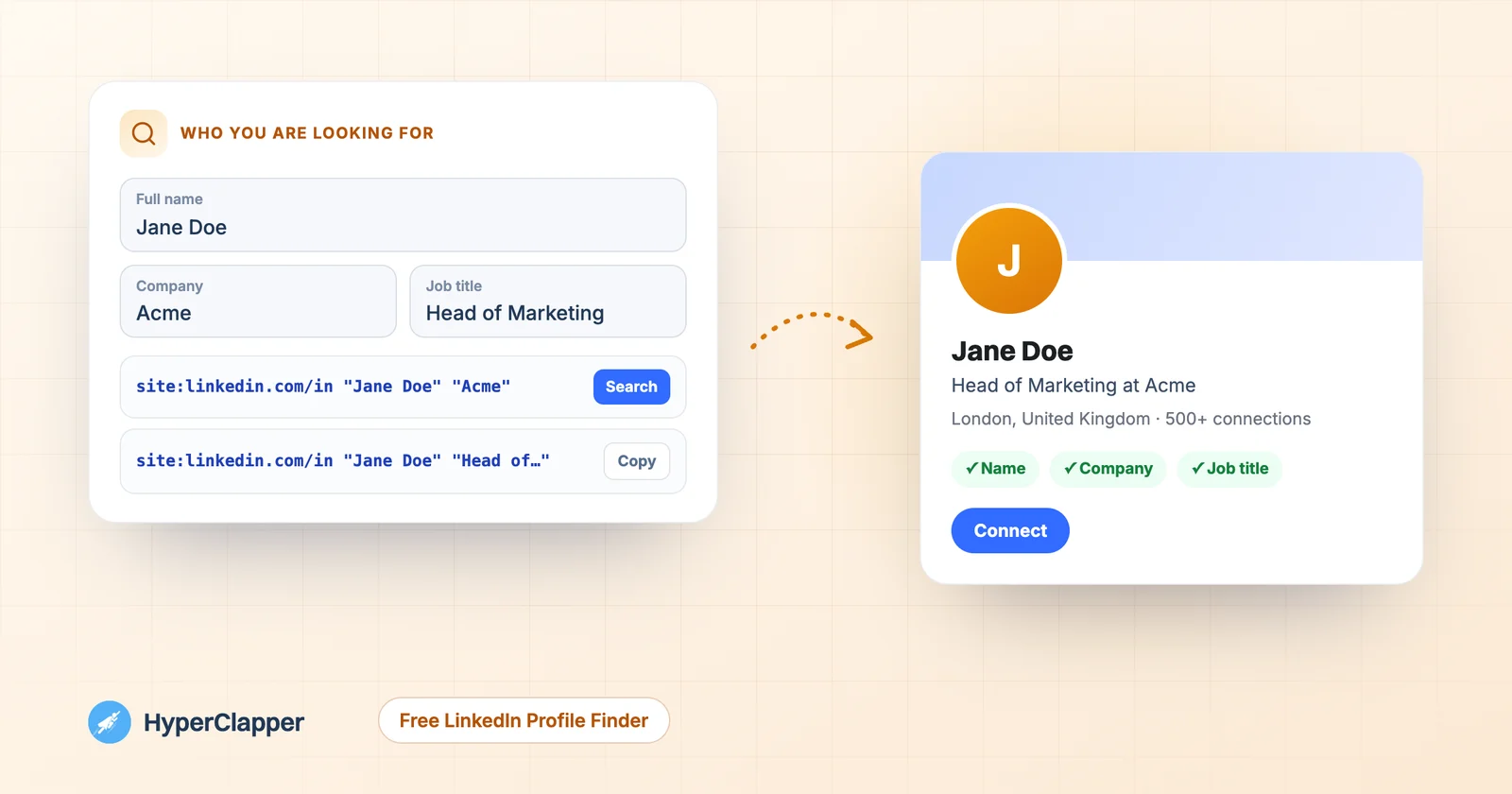
Type a name and whatever else you know, like the company, job title, city or school. You get ready-made searches that look only at public LinkedIn profiles, from the most exact to the broadest, so you find the right person in a click or two.
✓Free, no sign-up or login✓Runs in your browser, nothing you type is stored✓Google, Bing, DuckDuckGo and LinkedIn in one place
Free LinkedIn profile finder
Find a LinkedIn profile by name and company
Type a name and anything else you know about the person. You get ready-made searches that look only at public LinkedIn profiles, from the most exact to the broadest. Nothing you type is sent to us or stored.
Search with
Found them? Make your own profile worth finding.Get real likes and comments from LinkedIn professionals in the first hour after you post.
You met someone at an event, got an email from a new client or want to thank a speaker, and all you have is a name and maybe a company. Typing the name into LinkedIn often gives you dozens of people with the same name, and a plain Google search mixes in news, other sites and old pages.
This tool builds precise searches for you. It combines the name with the company, job title, city or school in the exact format search engines understand, so the results show only public LinkedIn profiles. It also suggests common versions of the name, like Mike for Michael, and gives you a link to LinkedIn's own people search.
It does not scrape LinkedIn, log in for you or collect anything. Every search opens on Google, Bing, DuckDuckGo or LinkedIn itself, and only shows what people have chosen to make public. For tips on LinkedIn's own search filters, see our guide to LinkedIn people search.
At a glance
You give itA name, plus company, job title, city or school
You getReady-made searches for Google, Bing, DuckDuckGo and LinkedIn
Use the name they go by at work. If you only know a first name, add the company and job title so the search still has enough to go on.
2
Add what else you know
Company, job title, city or school. Each detail adds a more exact search. With no name at all, a company and job title find people in that role.
3
Pick a search engine and click
Choose Google, Bing or DuckDuckGo, then click Search on the first row. If it finds nothing, move down the list to broader searches.
4
Check it is the right person
Compare the current job, photo, city and shared connections before you reach out. Then connect with a short, personal note.
Features
What the tool gives you
Everything runs in your browser. There is nothing to install and no account to create.
Searches ranked by precision
Name plus company first, then name plus job title, city or school, then the name on its own, so you start with the search most likely to land on the right profile.
Nickname and middle name versions
For names like Michael, Elizabeth or Mary Ann Smith it adds Mike, Liz, Beth or Mary Smith in one search, so a nickname on the profile does not hide it.
Company mode
No name? Type a company and a job title to find who holds that role, optionally in one city. Useful for finding the right contact at a business.
Copy or open in one click
Open each search in a new tab or copy it to paste somewhere else, such as a search engine you prefer.
LinkedIn search link
A direct link to LinkedIn's people search with the same details, which also finds profiles hidden from search engines when you are signed in.
Private by design
Nothing you type is sent to HyperClapper or stored. The tool only builds links; the search happens on the site you choose.
Guide
How the searches work
Each search uses two simple tricks that every major search engine supports.
Only LinkedIn profiles
Starting a search with site:linkedin.com/in tells the search engine to show only pages whose address starts with linkedin.com/in, which is where personal profiles live. Company pages, posts and job ads are left out.
✓site:linkedin.com/in limits results to personal profiles
✓It also covers country addresses like uk.linkedin.com
✓It works on Google, Bing and DuckDuckGo
Exact phrases in quotes
Putting the name and company in quotation marks asks for that exact wording. "Jane Doe" will not match a page that only mentions Jane Smith and John Doe. The tool adds the quotes for you and removes any you type, so the search never breaks.
OR for name versions
When a name has common short forms, the tool joins them with OR inside brackets, such as ("Mike Smith" OR "Michael Smith"). The search engine then accepts either version. This approach is often called X-ray search; our LinkedIn X-ray search guide covers more advanced strings.
Guide
Finding someone the respectful way
Looking up a professional profile is normal: it is what LinkedIn is for. A few habits keep it fair to the person you are looking for.
Use public information only
This tool only searches what people chose to make public on LinkedIn. It does not guess emails, phone numbers or private details, and it does not scrape or store anything.
✓Search for a professional reason, such as networking, hiring or following up
✓Do not use what you find to contact people in bulk
✓If someone has hidden their profile, respect that and ask them directly
They may see that you looked
When you open a profile while signed in to LinkedIn, the person may see that you viewed it, depending on your profile viewing settings. If you open it while signed out of LinkedIn, your name is not shown in their list of viewers.
Reach out with context
When you find the right person, send a connection request with a short note that says where you met or why you are getting in touch. A personal note makes it much more likely that they accept.
Guide
When you cannot find the profile
If none of the searches work, one of these is usually the reason.
Their profile is hidden from search engines
LinkedIn members can turn off public visibility under Edit public profile & URL. Their profile then does not appear on Google or Bing. Use the LinkedIn search link in the tool while signed in instead.
They use a different name
People often use a nickname, a married name, a middle name or a different spelling at work. Try the version with only the last name and company, or the company and job title without a name.
They are not on LinkedIn, or the details changed
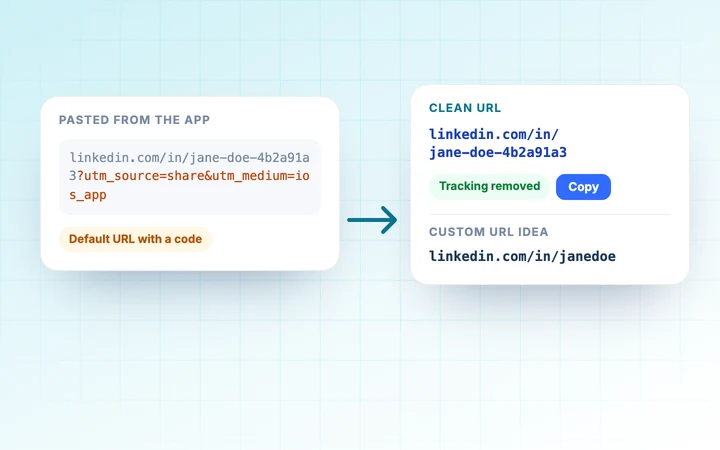
Not everyone has a profile, and people change jobs. Search with an older company or a past school, or ask a shared contact. Asking the person for their link is often fastest; if they share it, our LinkedIn URL Generator turns any copied link into a clean one.
Watch
How to get more followers on LinkedIn with HyperClapper
A short walkthrough of how a good post plus a strong first hour helps you grow.
Questions people ask about the LinkedIn Profile Finder
Can I find someone's LinkedIn profile by name and company?+
Yes. Type the name and company into the tool and click the first search. It shows public LinkedIn profiles that match both, which usually narrows it down to the right person.
Is this LinkedIn profile finder free?+
Yes. It is free with no sign-up and no limit. It builds search links in your browser and the searches run on Google, Bing, DuckDuckGo or LinkedIn.
Can I find a LinkedIn profile with only a name?+
Yes, but common names return many people. Add a city, job title or school if you know one, and use the name versions the tool suggests.
Will the person know I looked them up?+
Searching does not notify anyone. If you open their profile while signed in to LinkedIn, they may see that you viewed it, depending on your profile viewing settings.
Why can't I find someone on Google?+
They may have hidden their profile from search engines in their LinkedIn settings, use a different name at work, or not be on LinkedIn. Try the LinkedIn search link while signed in, or ask them for their profile link.
Can I find people at a company without a name?+
Yes. Leave the name empty and type the company and a job title. The tool builds searches for people in that role at that company, and you can add a city to narrow it down.
Does this tool scrape LinkedIn or store my searches?+
No. It never logs in to LinkedIn, collects profiles or sends what you type anywhere. It only creates search links that you choose to open.
Found them? Now make sure they notice you.
HyperClapper gets real likes and comments from LinkedIn professionals on your posts right after you publish, so the people you connect with see you in their feed.