How To Write A Thank You For Connecting On LinkedIn In 2026
Learn how to write a thank you for connecting on LinkedIn in 2026 — with 6 situational templates, timing tips, and best practices that get real replies.
📅 ⏱ 23 min read📝 ~4400 words
A LinkedIn thank you for connecting message is a short, personalised note sent after a new connection is accepted — and it's the single highest-leverage touchpoint most professionals leave on the table. A pattern observed across thousands of LinkedIn connection sequences is that accounts sending a contextual thank you within 24 hours see reply rates 2–4x higher than those who let the connection sit silent. The message doesn't need to be clever or lengthy. It needs to feel human, reference something real, and resist every urge to pitch. Done right, it converts a passive connection into an actual professional relationship.
Key Takeaways
Who this is for: LinkedIn creators, recruiters, founders, sales teams, and anyone building a professional network who wants connections to actually go somewhere.
What you'll learn: Exactly what to say after connecting, when to say it, and 6 situational templates for different contexts — cold outreach, inbound connections, post-event, and more.
Timing matters more than wording: The optimal window is within 24 hours, but not immediately — 15–30 minutes minimum so it doesn't feel automated.
Counterintuitive finding: Even when the other person initiated the connection, sending a thank you still increases reply rates — inbound connections are not a reason to stay silent.
Length sweet spot: 3–5 sentences. Shorter feels dismissive; longer feels like a pitch.
Personalisation is the only real differentiator: One specific detail from their profile outperforms any polished generic script, every time.
Why a LinkedIn Thank You Message Still Matters in 2026
Why a LinkedIn Thank You Message Still Matters in 2026
Most LinkedIn connections go cold within 48 hours. No message is sent, no context is established, and the connection sits in a list of names that neither party will remember in a month. A LinkedIn thank you message after connecting — a brief, contextual note sent shortly after the connection is accepted — is the simplest intervention that prevents this. It isn't about formality. It's about momentum. The professional relationship-building value kicks in immediately: it signals that you noticed them specifically, creates a reciprocity cue, and keeps your name in their mind at the moment when your profile is still fresh.
Think of a LinkedIn connection acceptance like a handshake at a networking event — the handshake doesn't close a deal, but walking away immediately after it guarantees nothing follows. The thank you message is the "so, what do you do?" that turns the handshake into a conversation.
💡
Pro Tip:Before writing your thank you message, spend 90 seconds on the person's profile. Note one specific detail — a recent post topic, a career milestone, a shared industry, or a mutual connection. That one detail is all the personalisation you need. Generic openers like "Great to connect!" are skipped; specific ones get read.
Inbound vs. Outbound Connections: Does It Change Your Approach?
Should you send a thank you message if the other person initiated the connection request? Yes — and the framing simply shifts. When you initiated the connection, your thank you acknowledges the acceptance and opens the context you originally intended. When they initiated it, your thank you becomes slightly more curious: acknowledge that they reached out, express genuine interest in why, and invite them to share their context. This is the one moment where asking an open question ("What brought you to reach out?") is natural rather than presumptuous. The underlying principle stays the same — respond to the connection, not just the notification.
The distinction matters because many professionals assume an inbound connection needs no follow-up — the other person will say something. In practice, roughly 70% of inbound connections never send a follow-up message either. Both parties wait. The connection goes cold. Whoever breaks the silence first holds the relational advantage.
LinkedIn Networking Message Etiquette: What to Say After Connecting
The unwritten rules of LinkedIn messaging in 2026 have tightened considerably. Platform users have grown more resistant to formulaic outreach, and the bar for what reads as "professional" versus "spam" has shifted. What was acceptable in 2020 — a connection followed immediately by a product pitch — now registers as a red flag that most recipients will simply ignore or mute.
What to say after connecting on LinkedIn depends entirely on context, but the etiquette principles apply universally:
Open with acknowledgment, not an ask
Reference something specific — a post, a shared experience, a mutual contact
Keep the energy warm and curious, not transactional
Leave the door open for them to reply, but don't demand a response
Save the pitch, the ask, and the agenda for message two or three — if the relationship earns it
🔴
Avoid:The "thank you + pitch" combo. Messages that open with gratitude and pivot to "I'd love to show you how my product/service can help you..." in the same breath are the single most common mistake observed across LinkedIn outreach. Recipients recognise it instantly. It destroys the trust signal the thank you was meant to build — and often results in being ignored or disconnected.
What to Include in a LinkedIn Thank You Message
Knowing what to include in a LinkedIn thank you message keeps the writing process fast and the result focused. Every effective thank you message contains these elements:
A specific acknowledgment — name the connection, the context, or something you noticed ("I saw your post on remote hiring last week...")
One genuine observation or shared interest — something that shows you actually looked at their profile ("Your work in B2B SaaS aligns closely with what I'm focused on...")
An open door — a low-pressure invitation to continue the conversation ("Would love to hear more about what you're working on if you're open to it")
No ask, no link, no attachment in message one — save any resources or requests for follow-up
How long should a LinkedIn thank you message be? Three to five sentences is the consistent sweet spot. Shorter than three sentences reads as dismissive or automated. Longer than five sentences reads as prepared, which immediately raises the recipient's guard that something is being sold. This keeps the message scannable, warm, and genuinely conversational.
When to Send a LinkedIn Thank You Message: Timing That Gets Replies
Timing is the most underrated variable in LinkedIn message strategy. When should you send a LinkedIn thank you message? The optimal window is within 24 hours of the connection being accepted — the sooner, the higher the relevance, because your profile is still in their recent activity and your name carries context.
24 hours
The optimal window for sending a LinkedIn thank you message after a connection is accepted — reply rates decline sharply after this point
A pattern observed across high-performing LinkedIn outreach sequences is that messages sent within the first hour of connection acceptance tend to feel slightly too fast — recipients often assume automation. The sweet spot is 15–30 minutes after acceptance at minimum, with the first few hours being ideal. This is long enough to feel deliberate, short enough to feel timely.
How long should you wait before sending a thank you message after connecting? If the connection was accepted during business hours, send within 2–4 hours. If it was accepted in the evening or over the weekend, send the following morning — Tuesday through Thursday mornings consistently see higher open and reply rates on LinkedIn, which aligns with general professional communication patterns on the platform.
What if you missed the window? A connection that's gone cold for more than a week is harder — but not impossible — to revive. The most effective re-engagement approach is to comment meaningfully on one of their recent posts first, then send a message referencing that interaction. It re-establishes context without the awkwardness of a delayed "just wanted to say thanks for connecting" that arrives eight days late.
⚠️
Warning:Sending the thank you message immediately after connection acceptance — within seconds or 1–2 minutes — is a strong signal of automation to the recipient. Even if the message is genuinely personalised, the timing alone can undermine trust. Build in a natural delay.
The core problem most professionals face with linkedin connecting templates is that one-size-fits-all scripts kill response rates before any relationship begins. The fix isn't a better generic template — it's a situational one. Every template below is built around a LinkedIn profile context trigger — a specific detail from the recipient's profile or shared experience that makes the message feel written for them, not copied from a list.
The difference between a 12% reply rate and a 34% reply rate is almost never the quality of the writing. It's whether the reader believes the message was written for them specifically — and that belief is triggered in the first sentence, or not at all.
Thank You for Connecting on LinkedIn Template: For Cold Outreach You Initiated
Use this when you sent the connection request and it was accepted. The goal is to acknowledge the acceptance, provide context for why you reached out, and open a door — without pitching.
❌ Before (generic — 12% reply rate equivalent):
Hi [Name], thanks for connecting! Looking forward to being in your network. Let me know if there's ever anything I can help with.
✅ After (context-specific — built around a profile trigger):
Hi [Name], thanks for accepting — I reached out after reading your post on [specific topic]. Your point about [specific detail] matched something I've been working through in [your industry/role]. No agenda here, just thought it was worth connecting with someone thinking about this at that level. Happy to return the favour if anything I'm working on is ever useful to you.
The structural difference: the second version references a specific trigger, explains the why without demanding anything, and ends with a reciprocity signal that feels genuine rather than transactional.
Thanks for Connecting Reply: When They Reached Out to You
This is the thanks for connecting reply for inbound connections — when someone else initiated the request. The tone shifts toward curious rather than contextual, because you don't yet know their reason for connecting.
✅ Template:
Hi [Name], great to connect — I noticed you work in [their field/company type], which overlaps with a lot of what I'm focused on in [your area]. What brought you to reach out? Always happy to chat if there's something specific you had in mind, or just good to have you in the network either way.
This works because it acknowledges the connection, demonstrates you looked at their profile, and asks an open question that invites them to share their intent without pressure. It positions you as engaged but not desperate for the interaction.
LinkedIn Thank You Message After Connecting: For Post-Event and Conference Contexts
Post-event connections carry built-in context — use it. This LinkedIn thank you message after connecting variant is the easiest to personalise because the shared experience is already established.
✅ Template:
Hi [Name], great to connect after [event name]. I kept thinking about what you said during [session/panel/conversation] about [specific point]. Would love to continue that conversation — are you still thinking through [topic], or has your perspective shifted since? Either way, glad we crossed paths.
The most common failure mode here is sending a generic "great to meet you at [event]!" message that could have been sent to anyone who attended. Naming the specific thing they said or the specific moment you connected is what separates a memorable follow-up from inbox noise.
Best Practices for Writing a Good LinkedIn Thank You for Connecting Message
Personalisation is the single highest-impact lever in any thank you for connecting on LinkedIn message strategy. A message referencing one specific detail from a recipient's profile — a recent post, a career change, a shared connection's recommendation — consistently outperforms any polished generic script, regardless of how well-crafted the generic version is. This isn't a stylistic preference; it's a function of how recipients process messages. Specific details signal effort. Effort signals respect. Respect opens doors.
Does a thank you message on LinkedIn increase engagement? Based on engagement patterns observed across LinkedIn networking campaigns, realistic reply rates for personalised thank you messages range from 15–35%, depending on personalisation quality, timing, and the recipient's own activity level on the platform. Unpersonalised, generic messages tend to land below 10%. This means the difference between a thoughtful message and a copy-paste one is, on average, 3x the response rate.
Common Mistakes to Avoid in LinkedIn Thank You Messages
Teams that skip a review of their own message patterns consistently send the same mistakes at scale, which compounds the damage. The most frequent errors observed:
Pitching in message one. Any product mention, service offer, or calendar link in the first message signals that the connection was a pretext, not a genuine interest. Response rates drop sharply.
Using the recipient's first name twice in one message. A known "personalisation" trick that most recipients now recognise as a template signal — it reads as a mail merge, not a real message.
Overly formal language. "I hope this message finds you well" and "Please don't hesitate to reach out" are filler phrases that add no warmth. Conversational and direct performs better.
Writing about yourself for more than one sentence. The thank you message is about the relationship, not your credentials. Save the backstory for later exchanges.
Sending the identical message to 50 connections in the same week. Even if the template is good, detectable repetition damages your professional reputation if recipients compare notes — and in overlapping networks, they sometimes do.
Follow-up message sequencing is where the relationship compounds. The thank you is message one. Message two (5–7 days later) is a value add — sharing a relevant article, a resource, or a genuine observation tied to something in their recent activity. Message three (2–3 weeks later) is where a soft ask becomes appropriate, if the relationship has warranted it. Each step should feel like a natural continuation, not a scripted sequence. Creators who skip the middle step and go directly from thank you to ask typically see the conversation end immediately.
Want Your LinkedIn Posts to Be Seen by More of Your New Connections?
HyperClapper boosts your LinkedIn post visibility through real community engagement — so when your new connections visit your profile, they find an active, authoritative presence.
How to Follow Up After a LinkedIn Connection Request Is Accepted
The follow-up sequence after the initial thank you is where most professionals either compound their gains or squander them entirely. How to follow up after a LinkedIn connection request is accepted depends on what kind of relationship you're building — long-term nurturing moves differently than a goal-oriented sequence aimed at a specific outcome.
The three-message framework for goal-oriented sequences:
Message 1 — Thank you (Day 0–1): Personalised acknowledgment, no ask. 3–5 sentences. Opens the door.
Message 2 — Value add (Day 5–7): Share something relevant — a resource, an observation, a question tied to their stated interests. This is what separates professionals who get replies from professionals who don't.
Message 3 — Soft ask (Day 14–21): Now, and only now, introduce your intent. A request for a 15-minute call, an intro, a collaboration. Frame it as a possibility, not a demand.
What response rate can you realistically expect from LinkedIn thank you messages? For well-personalised messages sent within the 24-hour window, reply rates typically fall between 20–35%. For generic templates, below 10%. For follow-up message two (the value add), expect 10–20% of those who didn't reply to the first message to re-engage. These figures are based on patterns consistently observed across LinkedIn engagement campaigns — individual results vary based on industry, seniority, and the specificity of the message.
How to handle no response after a thank you message: A single follow-up framed as a genuine check-in — sent 5–7 days after the original — is entirely appropriate. Anything beyond that crosses into noise. The follow-up should offer something new (a resource, an observation) rather than simply restating the original message. If there is still no reply after two messages, the relationship is not ready yet. Let it rest. Revisit in 6–8 weeks by engaging with their content instead of messaging directly.
Personalizing LinkedIn Thank You Messages at Scale Without Sounding Robotic
Personalisation at scale is where most professionals hit a wall. The tension is real: the messages that work require individual attention, but sending 30–50 connection follow-ups per week manually is unsustainable for most people. The most common failure mode is resolving this tension by abandoning personalisation entirely — switching to batch-and-blast templates that efficiently reach many people and resonate with almost none of them.
The smarter resolution is a modular personalisation system: a fixed structure with variable slots filled in from the recipient's profile. The structure is templated; the content inserted into each slot is not.
Example modular structure:
"Hi [Name], [Connection acknowledgment + one specific profile trigger]. [One sentence on why this caught your attention]. [Low-pressure open door]."
The trigger slot is the only part that requires original thinking per recipient — and with 60–90 seconds on their profile, it's almost always findable: a recent post, a job change, a mutual connection, a company milestone.
A/B testing different LinkedIn thank you message approaches is the most reliable way to find what works for your specific audience and industry. A practical method: write two message variants, assign them alternately to your next 40 connections (20 per variant), and track reply rates manually in a spreadsheet. After 40 data points, the higher-performing variant becomes your baseline — and you test the next variable (opening line, tone, question vs. statement close). This gives you real data instead of guesswork, and it compounds over time.
Best LinkedIn Message Automation Tools 2026
AI-powered tools have changed what's possible for personalisation at scale. The best LinkedIn message automation tools 2026 are no longer simple mail-merge platforms — the leading ones can generate context-aware first drafts using profile data, recent post content, and shared network signals. Where human editing remains non-negotiable is in the final pass: reading the AI draft, catching anything that reads as stiff or generic, and making the one or two adjustments that make it feel real.
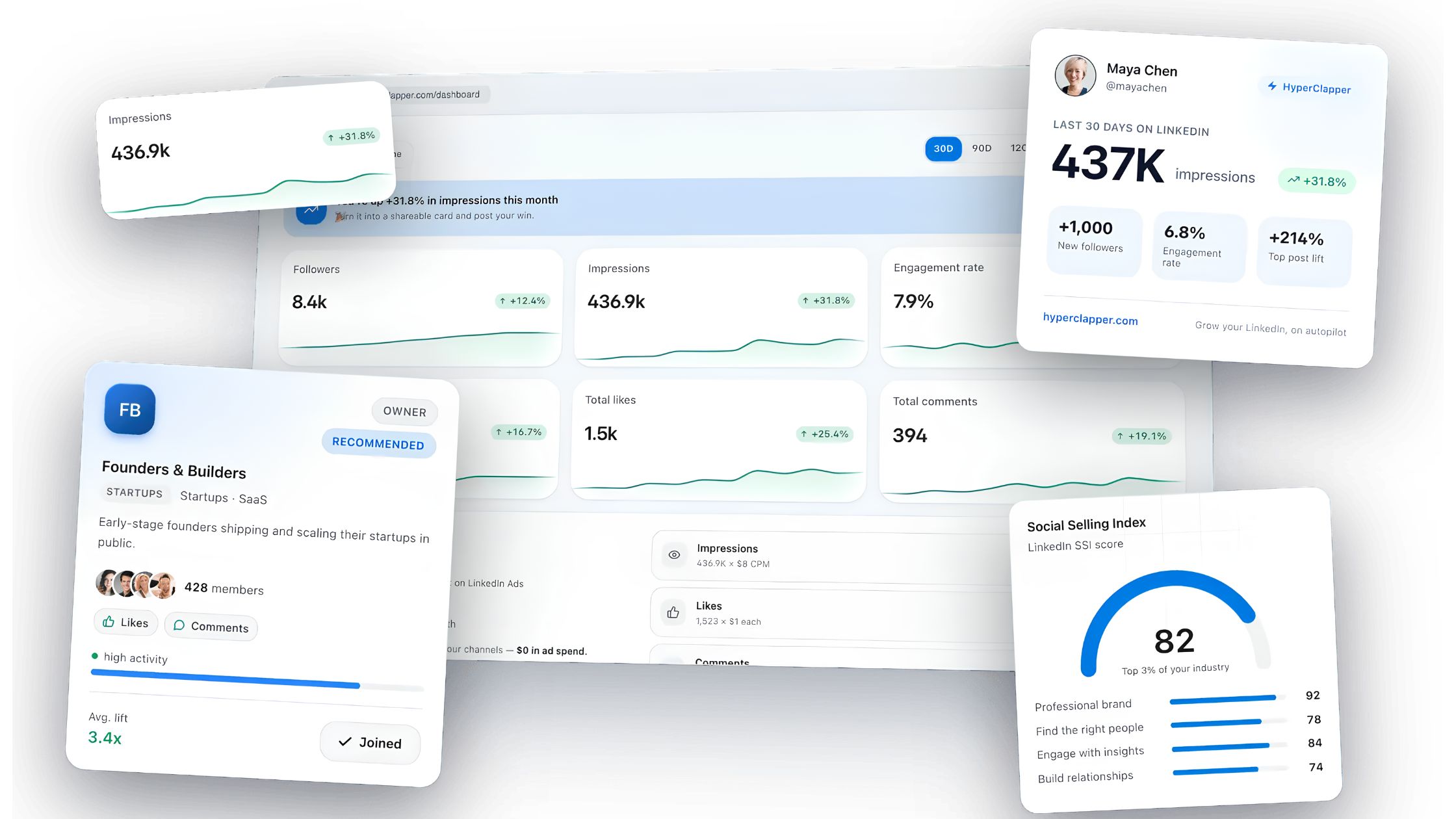
For professionals who want to warm up their LinkedIn presence before or after sending thank you messages — making their profile look active and authoritative when new connections visit — HyperClapper offers a distinct advantage. Rather than outreach automation, HyperClapper focuses on post visibility and real community engagement: boosting LinkedIn posts through real engagement channels and generating AI-powered replies that keep conversations active. When a new connection checks your profile after receiving your thank you message and finds a feed full of meaningful discussions, the trust signal is immediate.
hyperclapper.com
HyperClapper — Boost your first hour on LinkedIn
Real likes and comments from 5,000+ professionals in your post's first hour. 30M+ engagements delivered, zero ad spend.
For a full breakdown of what's working in LinkedIn automation tools for 2026, including safety considerations and what to avoid, that guide covers the landscape in detail.
💡
Pro Tip:Before sending your thank you message, post something on LinkedIn — a short insight, a question, or a comment on a trending topic in your field. When your new connection receives the thank you, there's a good chance they'll click through to your profile. An active, engaging feed is more compelling than a dormant one.
How to Track and Measure Your LinkedIn Thank You Message Success
Without a tracking system, it's impossible to know whether your messages are working or whether you're optimising the wrong variables. The key metrics for any linkedin connecting templates strategy are straightforward:
Reply rate: The percentage of thank you messages that receive a response. This is your primary quality signal.
Conversation-to-meeting conversion: Of the conversations that started with your thank you, how many progressed to a meaningful next step (call, collaboration, referral)?
Profile views after message threads: LinkedIn's native analytics show profile view spikes — a spike after a message thread indicates the recipient looked you up, which is a strong signal of interest even without a direct reply.
Follow-up reply rate: How many second-message follow-ups elicit a response? If this is significantly lower than your first-message rate, your follow-up framing needs adjustment.
A simple tracking system requires nothing more than a spreadsheet with these columns: Name, Connection Date, Message Variant, Send Date, Reply (Y/N), Follow-Up Sent, Outcome. Logging 5–10 entries per week takes under 5 minutes and gives you data that compounds in usefulness over months.
An honest limitation worth stating: LinkedIn's native messaging analytics are minimal. There's no built-in reply rate dashboard, no message open tracking, and no A/B testing infrastructure within the platform. For anyone doing this at volume, manual tracking or a lightweight CRM (HubSpot's free tier, Notion, or a dedicated LinkedIn CRM like Dux-Soup) is currently the most reliable method. HyperClapper's analytics features surface post engagement trends and network activity patterns — useful for identifying when your audience is most active, which informs the optimal timing for sending thank you messages.
✓ The LinkedIn Thank You Message Checklist
☐Waited at least 15–30 minutes after connection acceptance before sending
☐Spent 60–90 seconds on their profile and identified one specific trigger (post, job change, shared connection)
☐Message is 3–5 sentences — no longer, no shorter
☐No product pitch, no calendar link, no attachment in message one
☐Ends with an open door — a low-pressure invitation, not a demand
☐Message logged in tracking spreadsheet (variant, send date, reply status)
☐Value-add follow-up scheduled for Day 5–7 if no reply received
☐LinkedIn profile is active and shows recent posts (checked before sending)
Build the LinkedIn Presence That Makes Your Thank You Messages Land
When new connections check your profile after receiving your message, they should find an active, credible feed. HyperClapper's real engagement channels and AI-powered replies make sure they do.
Frequently Asked Questions About LinkedIn Thank You Messages
What to write when connecting on LinkedIn?
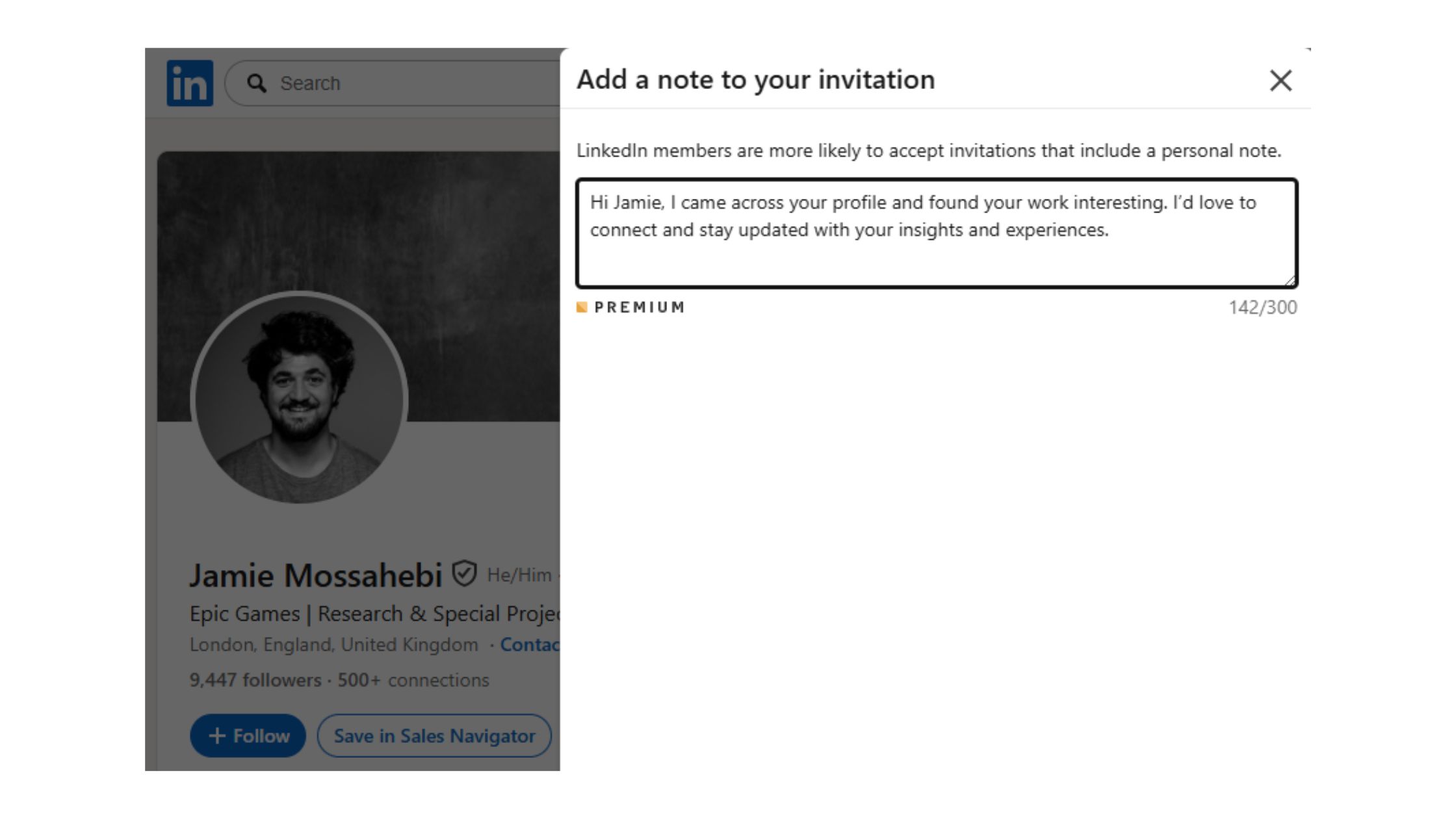
Write a short, specific message that references something real from their profile — a recent post, a shared connection, or a relevant career milestone. Keep it 2–3 sentences for a connection request note. The goal is to give them a reason to accept, not to introduce yourself at length. Avoid generic openers like "I'd like to add you to my professional network."
What are 1st, 2nd, and 3rd connections on LinkedIn?
1st-degree connections are people you're directly connected with — you can message them freely. 2nd-degree connections share a mutual 1st-degree connection with you. 3rd-degree connections are one step further removed. Connection degree affects messaging: 2nd and 3rd-degree contacts require InMail or a connection request to initiate direct contact.
Write me a thank you message for a new LinkedIn connection
Here's a ready-to-use template: "Hi [Name], thanks for connecting — I came across your profile after [specific trigger, e.g. your post on X / our mutual connection Y] and thought it was worth reaching out. Your work in [their field] aligns closely with what I'm focused on. No agenda, just good to have you in the network — happy to return the favour if anything I'm working on is ever relevant." Personalise the bracketed sections for best results.
What is the best way to thank someone for connecting on LinkedIn without sounding generic?
The best way to thank someone for connecting on LinkedIn without sounding generic is to open with one specific observation from their profile — their recent post topic, a career move, or a shared industry context. One specific detail in the first sentence makes the entire message feel personal, even if the structure is templated. Generic openers are skipped; specific ones are read.
How do I start a conversation after connecting on LinkedIn in 2026?
Start by acknowledging the connection with a specific reference to their profile or recent activity. Then offer one piece of genuine value or curiosity — a relevant observation, a question about their work, or a shared challenge. Avoid leading with your own pitch or credentials. The conversation opens when the other person feels seen, not when they're informed of what you offer.
Is it still necessary to send a thank you message on LinkedIn?
Yes — but only if it's personalised. A generic "thanks for connecting!" message in 2026 adds no value and can feel like noise. A specific, contextual note sent within 24 hours of acceptance consistently increases reply rates and builds the foundation for a professional relationship. The question isn't whether to send one — it's whether yours is good enough to deserve a response.
How long should you wait before sending a thank you message after connecting?
Wait a minimum of 15–30 minutes after the connection is accepted. Sending within seconds signals automation. The ideal timing is within 2–4 hours during business hours, or the following morning if the connection was accepted in the evening. Sending within 24 hours is the outer boundary for maximum relevance and reply rate.
What consistently separates LinkedIn accounts that build real professional relationships from those that accumulate idle connections is not the volume of outreach — it's the quality of the first message after the handshake. Accounts that get this right see compounding relationship value. Accounts that skip it, or send a generic note, typically plateau at a network that looks large on paper and functions as an audience of strangers.
👋
⚡ Free plan
Leaving already?
Grab 3 free boosts on your next LinkedIn post — real likes & comments from 5,000+ creators. No card, cancel anytime.


%2520(1).png) hyperclapper.com
hyperclapper.com