
A pattern observed across thousands of LinkedIn outreach campaigns is that the tool rarely causes the account restriction — the user's behavior before the tool does. Scrab.in was a browser-based LinkedIn profile scraping tool that extracted prospect data — names, titles, emails, company info — directly from LinkedIn search results and Sales Navigator exports. It was popular among B2B lead generation teams for its affordability and simplicity. But understanding what Scrab did, why LinkedIn flagged tools like it, and what the critical pre-automation mistakes are is far more valuable than a simple tool swap. If you're evaluating a scrabin alternative, the decision you make about how you use any LinkedIn automation tool matters more than which one you pick.
- Scrab.in was a lightweight LinkedIn scraper — it auto-scrolled search results and exported CSVs, but operated by automating browser actions LinkedIn now aggressively detects.
- Most account restrictions come from user behavior, not the tool — ignoring LinkedIn's activity thresholds is the #1 cause of bans in 2026.
- LinkedIn automation safety depends on method and volume — cloud-based tools at human-level activity face significantly lower risk than aggressive browser extensions.
- Scraping and engagement automation are fundamentally different risk categories — the best scrabin alternative depends on what you actually need: data collection or visibility growth.
- Engagement-first tools like HyperClapper build pipeline through inbound visibility rather than cold outreach, compounding over time without triggering LinkedIn's detection systems.
- No tool produces pipeline without strategy — ICP clarity, tested messaging, and consistent follow-up are prerequisites, not optional extras.
- What Is Scrab and What Did It Do on LinkedIn?
- Common LinkedIn Mistakes That Get Accounts Restricted
- Is LinkedIn Automation Safe? Understanding Risk and Compliance
- Scrab vs. Other LinkedIn Automation Tools: Head-to-Head Comparison
- How to Grow LinkedIn Visibility Without Risking Your Account
- LinkedIn Outreach Automation in Practice: Realistic Results and Metrics
- Frequently Asked Questions About Scrab, LinkedIn Automation, and Account Safety
What Is Scrab and What Did It Do on LinkedIn?
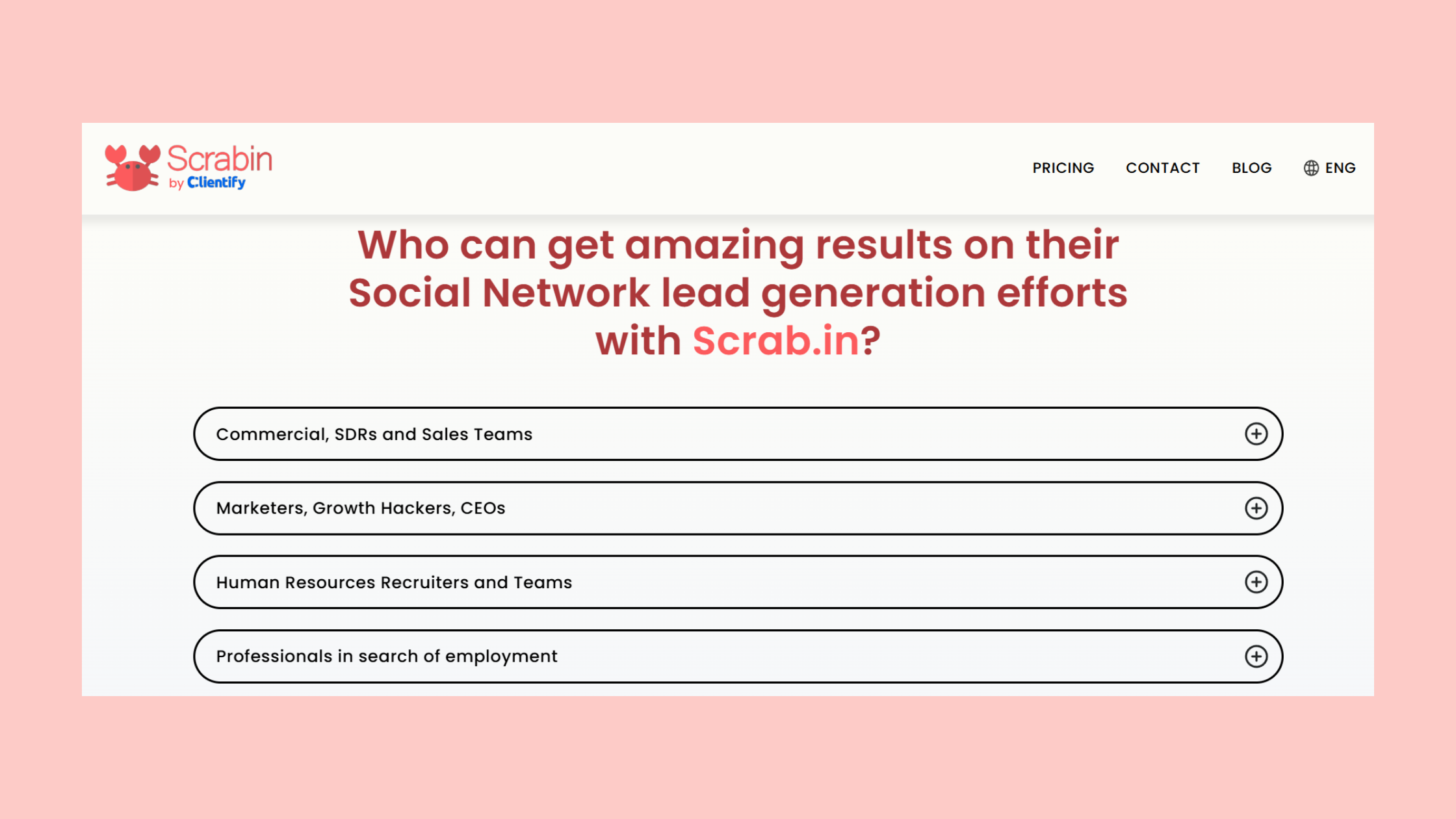
What is Scrab — specifically, what is Scrab LinkedIn tool — is the question most users start with, and it's the right one to answer completely before evaluating anything else. Scrab.in was a browser extension that plugged into Chrome and automated the manual process of scrolling through LinkedIn search results to collect prospect data. It captured names, job titles, company names, profile URLs, and in some cases email addresses, then packaged everything into a downloadable CSV ready for import into a CRM or outreach sequence.
What Does Scrab Do on LinkedIn? Core Features Explained
What does Scrab do on LinkedIn breaks down to three core actions: automated scrolling, structured data extraction, and CSV export. A user would run a LinkedIn Sales Navigator or standard search, activate the extension, and Scrab would auto-scroll through pages of results — mimicking a human browsing but at machine speed. The output was a clean prospect list without manual copy-pasting.
This made it genuinely useful for B2B teams building cold outreach lists quickly. For its price point (substantially lower than enterprise tools like Apollo or Lusha), it filled a real gap. The core features included:
- Bulk profile data extraction from LinkedIn search and Sales Navigator
- Email enrichment through third-party data matching
- CSV export compatible with most CRM and outreach tools
- Basic filtering by job title, company size, and location
What Happened to Scrab.in? Why Users Are Looking for Alternatives
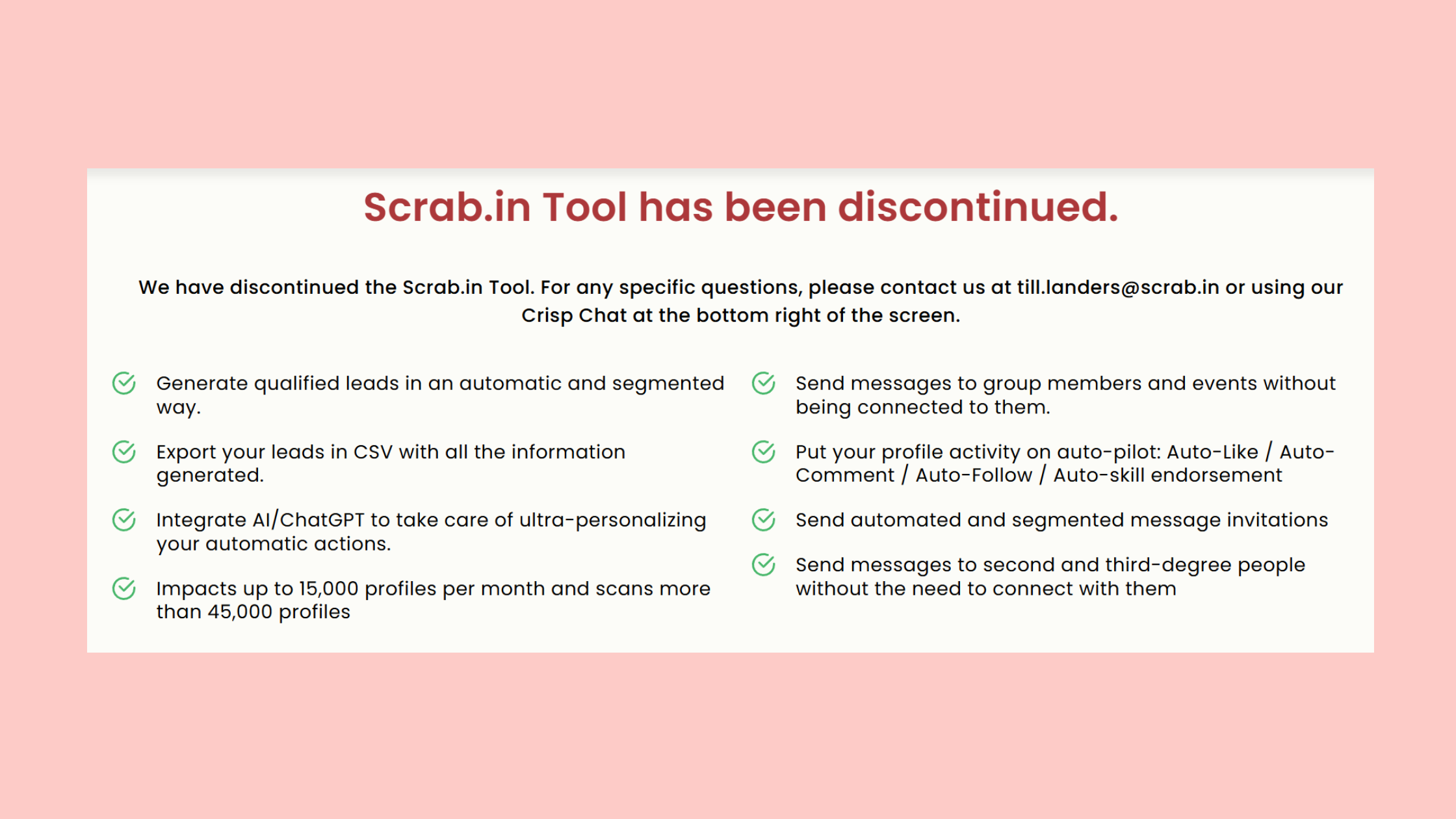
Scrab.in was discontinued — users who try to access it today find the service unavailable. The tool operated by automating browser actions, which put it directly in the crosshairs of LinkedIn's 2024–2026 enforcement wave targeting automated data collection. Scrab.in discontinued status is the primary reason its former users are now searching for a replacement.
The deeper issue is structural: LinkedIn has consistently moved to detect and block tools that simulate browsing behavior at non-human speeds. Any LinkedIn profile scraping tool operating as a browser extension faces this structural vulnerability — it's not a matter of if LinkedIn detects it, but when.
Common LinkedIn Mistakes That Get Accounts Restricted (Before You Touch Any Tool)
The most common failure mode isn't choosing the wrong tool — it's arriving at the tool with an account already on LinkedIn's watch list. LinkedIn's trust scoring system evaluates account health across dozens of behavioral signals before any automation enters the picture. An incomplete profile, a fresh account, or a sudden spike in activity can trigger restrictions independently of any tool use.
LinkedIn Connection Request Limits and What Happens When You Exceed Them
What are LinkedIn connection request limits is one of the most searched questions among outreach practitioners — and the answer has changed significantly. LinkedIn tightened its limits in 2023 and maintained them through 2026. The general guideline for standard accounts is roughly 100 connection requests per week, though LinkedIn applies this dynamically based on account age, SSI score, and prior behavior.
Accounts that exceed this threshold don't always get a hard block immediately. Instead, LinkedIn often applies a soft restriction — connection requests stop going through, but the user isn't notified clearly. Teams running automation discover this only when reply rates collapse. Accounts that repeatedly hit this wall face progressively harder restrictions, up to temporary suspension of outreach features.
The practical rule: start at 20–30 requests per day maximum on a new or warmed-up account, ramp over 4–6 weeks, and never exceed 80 per day even on aged accounts.
Why Is My LinkedIn Account Restricted? The Real Causes in 2026
Why is my LinkedIn account restricted is a question that almost always has one of five root causes — and most of them have nothing to do with the automation tool itself:
- Incomplete profile: Accounts without a photo, headline, and at least 3 experience entries are flagged as low-trust and hit limits faster
- Too many ignored connection requests: If fewer than 20% of sent requests are accepted, LinkedIn's algorithm interprets this as spam behavior
- Generic outreach messages: Identical messages sent at volume trigger spam detection, regardless of whether they were sent manually or by a tool
- Rapid activity spikes: Going from 5 connections per day to 80 overnight signals automation regardless of the tool used
- New account, high activity: Accounts less than 90 days old face much tighter limits — automation on a fresh account is a near-certain restriction
For a deeper walkthrough on growing on LinkedIn without getting your account restricted, the account health fundamentals matter more than tool choice in almost every case observed.
Is LinkedIn Automation Safe? Understanding Risk, Compliance, and the 2026 Policy Reality
Is LinkedIn automation safe to use — the honest answer is: it depends on what type of automation, at what volume, and with what underlying account health. Automation is not a binary safe/unsafe question. It's a spectrum.
The distinction that matters most in 2026 isn't whether you use automation — it's whether your automation pattern is distinguishable from a human being having a productive day on LinkedIn.
Safe LinkedIn Automation: Cloud-Based vs. Browser Extension Tools
Safe LinkedIn automation compliance in 2026 starts with understanding the architectural difference between tool types. Cloud-based tools — tools that operate via LinkedIn's API or through a dedicated IP address separate from your browser — are inherently lower-risk than browser extensions, which operate inside your active LinkedIn session and are exposed to the same detection systems as your personal browsing behavior.
Think of it this way: a browser extension is like having an assistant sitting at your desk using your login — every action they take shows up in your activity log. A cloud-based tool is more like a secure separate channel that keeps your primary session clean.
The key compliance factors for LinkedIn account restrictions automation avoidance:
- Use tools that enforce daily activity limits automatically
- Choose tools with randomized delay intervals between actions
- Avoid tools that run 24/7 — human LinkedIn use clusters around business hours
- Never run scraping and outreach automation simultaneously on the same account
LinkedIn Profile Scraping Tools: Legal and Ethical Boundaries
Is it safe to scrape LinkedIn data for outreach involves both platform policy and legal considerations. LinkedIn's Terms of Service explicitly prohibit automated data collection. The hiQ Labs v. LinkedIn case established important precedents around publicly available data, but that ruling doesn't override LinkedIn's right to suspend accounts that violate its ToS. The practical risk isn't a lawsuit — it's losing your account.
The ethical dimension matters too: bulk-scraped data collected without consent sits in a gray area under GDPR and similar frameworks. Teams sending outreach to scraped European contacts without a legitimate interest basis face real compliance exposure. Understanding LinkedIn scraper tool limits and safe tactics is essential groundwork before committing to any data collection workflow.
Scrab vs. Other LinkedIn Automation Tools: Head-to-Head Comparison for 2026
Teams that relied on Scrab.in for lead generation now face a market with options at very different price points, safety architectures, and use-case fits. The best LinkedIn scraper for lead generation in 2026 isn't the cheapest or the most feature-rich — it's the one that matches your team's ICP clarity, tech stack, and risk tolerance.
| Tool | Best For | Risk Level | Price Range | Type |
|---|---|---|---|---|
| Scrab.in | Lightweight scraping | High (discontinued) | ~$15–30/mo | Browser extension |
| Apollo.io | Full sales intelligence + outreach | Medium (API-based) | Free–$99+/mo | Cloud + extension |
| Phantombuster | Flexible scraping + automation | Medium–High | $56–$560/mo | Cloud-based |
| Evaboot | Sales Navigator CSV cleaning | Medium | $49–$149/mo | Browser extension |
| HyperClapper | Post visibility + inbound pipeline | Low (engagement-based) | Competitive | Cloud-based |
Best Scrab.in Alternatives for LinkedIn Lead Generation in 2026
The Scrab vs other LinkedIn automation tools evaluation should start with use-case clarity. If your primary need is raw data extraction from Sales Navigator, Evaboot or Apollo's prospecting layer are the most direct functional replacements. If your need is sequence-based outreach automation, tools like Lemlist or Reply.io with LinkedIn integration are the better fit. And if your goal is sustainable LinkedIn pipeline growth — not just a contact list — engagement-first platforms are worth serious consideration as a primary or complementary strategy.
A recurring pattern among teams that have replaced Scrab.in is that they initially choose a like-for-like scraper replacement, hit the same LinkedIn account risk issues within 60–90 days, and then pivot to a blended approach: lighter-touch data sourcing combined with content and engagement-driven inbound.
LinkedIn Outreach Best Practices: What the Best Tools Build In
LinkedIn outreach best practices that separate high-performing campaigns from average ones consistently include the same core elements, regardless of tool choice:
- Personalization at the message level: Reference a specific post, shared connection, or recent company event — not just first name
- Acceptance rate monitoring: If below 20%, stop and audit your targeting or messaging before sending more requests
- Volume pacing: Ramp activity over 3–4 weeks; never start at full capacity
- Profile optimization first: A compelling headline, banner, and About section doubles acceptance rates on cold requests
- Follow-up sequence: A minimum of 3 touchpoints (connection, value message, soft ask) before closing a sequence
The best LinkedIn automation tool for lead generation is one that enforces these practices structurally — not one that makes it easy to bypass them at scale.
How to Grow LinkedIn Visibility Without Risking Your Account: The Engagement-First Alternative
Most coverage of LinkedIn automation tools focuses exclusively on outreach — but LinkedIn's algorithm distributes content, not just connection requests. Teams that invest in post visibility and profile engagement generate inbound connection requests, warm the cold audience before any outreach sequence starts, and build a compounding asset that outreach alone never creates.
This aligns with a pattern consistently observed across high-performing LinkedIn accounts: posts that receive strong engagement in the first 60–90 minutes after publishing receive algorithmic distribution boosts that compound reach far beyond the original poster's network. In practice, a 500-connection account with strong early engagement can reach 15,000–30,000 impressions on a single post. This means the visibility gap between a large and small network closes dramatically when early engagement is optimized — and it's why LinkedIn engagement pod tools have become a core growth lever for creators and sales professionals alike.
LinkedIn Engagement Pod Tools vs. Scraping Tools: Which Actually Builds Pipeline?
Scraping tools extract data — they don't create demand. LinkedIn engagement pod tools are communities of professionals who agree to engage with each other's content, amplifying algorithmic reach. The pipeline mechanism is different: instead of cold outreach to a scraped list, visibility-driven growth creates warm inbound interest from people who've already seen your thinking.

Tools like HyperClapper take this model and systematize it: users submit their LinkedIn posts, select engagement channels (each channel represents roughly 50 potential engagements from real users), and receive authentic likes and comments that signal quality to LinkedIn's distribution algorithm. HyperClapper's AI-powered replies extend the conversation depth on posts — because LinkedIn rewards meaningful discussion, not just basic reaction counts. For professionals who've experienced account restrictions from scraping tools, this approach sidesteps the detection risk entirely while building something more durable than a CSV export.
%2520(1).png) hyperclapper.com
hyperclapper.comHow to Prepare Your LinkedIn Profile Before Using Any Automation Tool
How should I prepare my LinkedIn profile before using automation tools is a question most tool vendors skip entirely. Creators who skip this step typically find that even compliant tools underperform because the profile converts poorly on any resulting traffic or connection attempts.
✓ LinkedIn Profile Pre-Automation Checklist
- ☐Professional headshot (not a logo) — acceptance rates on cold requests drop roughly 30–40% without one
- ☐Keyword-optimized headline that clearly states who you help and how
- ☐Featured section with a proof element — case study, testimonial, or lead magnet
- ☐At least 3 completed experience entries with descriptions (not just job titles)
- ☐SSI score above 55 before starting any outreach automation
- ☐At least 500 connections (organic) before scaling any automation activity
- ☐2FA enabled on your LinkedIn account before any tool accesses it
Build LinkedIn Visibility Without the Ban Risk
HyperClapper connects your posts with real engagement communities — no scraping, no outreach automation, no account risk.
See How HyperClapper WorksLinkedIn Outreach Automation in Practice: Realistic Results, Metrics, and What to Expect
One of the most consistent gaps in LinkedIn automation tool reviews is the absence of real performance data. Tools get compared on feature lists and pricing tables — almost never on actual campaign outcomes. Here's what realistic benchmarks look like for compliant LinkedIn outreach automation in 2026, based on patterns observed across multiple campaigns:
- Connection acceptance rate: 15–25% on personalized requests with a strong profile; drops to 8–12% on generic messages
- InMail open rate: 30–45% on well-targeted sequences; 15–20% on broad, untargeted sends
- Cold message reply rate: 8–15% with strong ICP targeting and personalization; under 3% on templated blasts
- Account restriction risk: Near-zero for accounts under 50 requests/day with a warmed profile; elevated significantly above 80/day
What this tells you is that the difference between a 15% and 3% reply rate is almost entirely targeting and message quality — not the tool. Teams that obsess over finding the "best" scraper while running generic outreach consistently underperform teams with a mediocre tool and a precise ICP. This is also how to generate leads on LinkedIn without getting banned in 2026 — strategy first, tool second.
Engagement-focused approaches show a different return curve: slower lead velocity in weeks 1–4, but by weeks 8–12, algorithmic reach compounds and inbound interest accelerates. Think of it as the difference between buying traffic and building an audience — one stops when you stop paying, the other keeps working.
Free and Low-Cost LinkedIn Lead Generation Options for Small Teams and Solopreneurs
Are there any free or lower-cost alternatives to SalesRobot for small teams or solopreneurs — yes, and several viable options exist at different price points. For purely manual-but-organized prospecting, LinkedIn Sales Navigator's built-in list saving and alerting features (from $99/month) replace basic scraping for many use cases. For lightweight outreach automation, free tiers on tools like Phantombuster or Expandi provide limited monthly actions suitable for solopreneurs testing a new ICP.
For content-driven pipeline, HyperClapper's channel-based engagement model offers a cost-effective entry point for solopreneurs and small teams — the ROI case is strong specifically because you're building compounding visibility rather than burning through a contact list. For LinkedIn auto-connect without getting banned, the practical approach combines a small, highly targeted outreach list with strong content that warms the audience before the connection request lands.
The tools that survive LinkedIn's enforcement cycles are consistently the ones that work with LinkedIn's incentive structure — rewarding content quality and genuine engagement — rather than against it.
Frequently Asked Questions About Scrab, LinkedIn Automation, and Account Safety
What is Scrab and how does it help with LinkedIn prospecting?
Scrab (Scrab.in) was a browser-based LinkedIn profile scraping tool that auto-scrolled search results and Sales Navigator pages to extract prospect data — names, titles, company info, and emails — into a downloadable CSV. It helped B2B teams build prospect lists quickly, but it has since been discontinued, primarily due to LinkedIn's escalating detection of browser-automation tools.
What LinkedIn mistakes can get my account banned?
The most common causes of LinkedIn account restrictions are sending connection requests that get ignored at high rates (under 20% acceptance), using identical message templates at volume, running automation on accounts under 90 days old, and spiking activity levels abruptly. Incomplete profiles — no photo, minimal experience — also trigger faster restrictions, independent of any tool use.
Is it safe to scrape LinkedIn data for outreach?
Scraping LinkedIn data violates LinkedIn's Terms of Service and carries real account suspension risk. The legal dimension is also complex — bulk-scraped European contact data without legitimate interest documentation creates GDPR exposure. The safer approach in 2026 is using official API-connected data providers or Sales Navigator exports within LinkedIn's permitted usage parameters, combined with human-level activity volumes.
How should I prepare my LinkedIn profile before using automation tools?
Before running any automation, ensure your profile has a professional photo, a keyword-rich headline, at least 3 detailed experience entries, and an SSI score above 55. Enable two-factor authentication and build to 500+ organic connections first. A strong profile doubles connection acceptance rates and reduces the behavioral signals that trigger LinkedIn's restriction systems when automation begins.
What are the best Scrab.in alternatives for LinkedIn lead generation in 2026?
The best Scrab.in alternative depends on your goal. For raw data extraction, Apollo.io and Evaboot are the most reliable replacements. For full outreach automation, Lemlist and Reply.io with LinkedIn integration provide safer, cloud-based sequences. For visibility-driven pipeline growth without scraping risk, HyperClapper's engagement channel model builds inbound interest through post amplification rather than cold data collection.
How do legitimate LinkedIn automation tools avoid bans in 2026 after LinkedIn's policy updates?
Legitimate tools avoid bans by operating cloud-based (not as browser extensions), enforcing daily activity caps automatically, randomizing delays between actions, and limiting simultaneous use of scraping and outreach functions on the same account. Tools that respect LinkedIn's behavioral thresholds — staying under 50–80 actions per day, clustering activity in business hours — face significantly lower detection risk than tools that optimize purely for volume.
How to use LinkedIn scraping without getting banned
The most reliable way to use LinkedIn scraping tools without getting banned is to pair any data collection with a well-aged account (90+ days, 500+ connections), limit extraction sessions to short windows that mimic human browsing speed, use a dedicated cookie session separate from your primary LinkedIn login, and never run scraping and outreach automation simultaneously on the same account.
Ready to Build Sustainable LinkedIn Pipeline?
HyperClapper gives creators, founders, and sales teams real engagement, AI-powered replies, and post visibility growth — without the account risk that comes with scraping tools.
Start Growing on LinkedIn →What consistently separates LinkedIn accounts with real, compounding reach from accounts with a long contact list but flat engagement is not any single tool choice — it's the combination of a strong profile, compliant activity levels, content that earns algorithmic distribution, and outreach that lands on a warm audience. Accounts that get all three right compound. Accounts that skip the profile and content work and go straight to high-volume outreach automation typically plateau — or disappear entirely — regardless of which scraping tool they chose.



