LinkedIn lead generation without getting banned is possible — but only when you understand precisely what LinkedIn's detection systems are looking for. A pattern observed across thousands of outreach campaigns is that most account restrictions aren't caused by automation itself: they're caused by the speed and uniformity of the behaviour. Professionals who treat LinkedIn like an email blast tool — sending 150 identical connection requests before lunch — get flagged within days. Those who mirror the natural, varied pace of human networking rarely encounter restrictions, even at meaningful scale. This guide breaks down the exact limits, detection triggers, safe strategies, tool comparisons, and real outreach templates you need to generate B2B leads on LinkedIn in 2026 without risking your account.
- Who this is for: B2B sales reps, founders, marketers, and recruiters who want LinkedIn leads without risking a restricted account.
- LinkedIn's weekly connection request limit is approximately 100–120 per week in 2026 — far lower than it was pre-2023.
- Detection is behavioural, not just technical — LinkedIn flags accounts based on speed, repetition, and session patterns, not just tool signatures.
- Manual outreach + content visibility is the highest-ROI, lowest-risk combination available in 2026.
- Automation tools carry nonzero ban risk even when marketed as "safe" — the risk varies significantly by architecture.
- Counterintuitive finding: Accounts that post consistently and generate genuine engagement receive more outreach headroom algorithmically than accounts with zero content activity.
- LinkedIn Lead Generation Without Getting Banned: Why This Is Everyone's #1 Fear in 2026
- LinkedIn Lead Generation 2026: How the Platform and Its Rules Have Evolved
- How LinkedIn Detects Automation Bots and Flags Your Profile as Spam
- How Many LinkedIn Messages Can I Send Per Day — and the Weekly Connection Request Limit Explained
- Safe LinkedIn Outreach Strategies That Actually Generate B2B Leads
- How to Do LinkedIn Outreach Without Automation Tools: The Manual Strategy That Scales
- LinkedIn Prospecting Without Automation Ban: Step-by-Step Outreach Sequence With Templates
- Is LinkedIn Automation Safe in 2026? Risks, Limitations, and What the Data Actually Shows
- Best LinkedIn Lead Generation Tools 2026: Comparing Expandi, Dux-Soup, and Safer Alternatives
- Generate B2B Leads on LinkedIn: Real Examples, ROI Data, and What Good Results Actually Look Like
- How to Avoid LinkedIn Account Restriction During Outreach: A Safety Checklist for 2026
- Common Mistakes to Avoid When Doing LinkedIn Lead Generation in 2026
- Frequently Asked Questions About LinkedIn Lead Generation Without Getting Banned
LinkedIn Lead Generation Without Getting Banned: Why This Is Everyone's #1 Fear in 2026
The single most common pain point among B2B sales reps and marketers in community discussions is painfully specific: they launch a lead generation campaign, go to bed optimistic, and wake up to a restricted account. The pipeline they spent weeks building disappears overnight. This fear is not irrational — LinkedIn has tightened enforcement significantly over the past 24 months, and account restrictions for outreach-related activity are more common in 2026 than at any previous point in the platform's history.
LinkedIn's enforcement has evolved from reactive (responding to reports) to proactive (machine-learning classifiers that flag abnormal behaviour before any human complaint is filed). Automation bans, connection request throttling, and spam flags are now triggered algorithmically — meaning you can be restricted without a single prospect ever reporting you.
The good news is structural. LinkedIn's detection systems are looking for inhuman behaviour patterns — not for any specific tool or intent. Professionals who understand what those patterns look like can generate high-quality leads safely at meaningful scale. The goal of this guide is to give you the exact knowledge to do that.
Here's what you'll walk away with:
- The exact connection request and message limits LinkedIn enforces in 2026
- A technical breakdown of how LinkedIn detects automation and spam
- Safe, proven outreach strategies including templates that convert
- An honest comparison of LinkedIn automation tools and their real ban risk
- A concrete safety checklist to protect your account during any campaign
The accounts that generate the most LinkedIn leads in 2026 are not the ones with the most aggressive automation — they are the ones with the most credible presence. Visibility earns outreach permission that cold volume never can.
LinkedIn Lead Generation 2026: How the Platform and Its Rules Have Evolved
LinkedIn's relationship with automation tools has followed a predictable arc: tolerance, crackdown, and then systematic enforcement. Early scrapers and Chrome extensions in 2016–2019 operated in a largely grey zone. By 2021, LinkedIn began actively detecting and restricting accounts using tools like Dux-Soup and similar Chrome-based scrapers. By 2023, cloud-based tools became the dominant approach — harder to detect, but still not invisible. In 2026, the platform's detection capabilities have matured to the point where behavioural fingerprinting catches most tool-based activity regardless of architecture.
LinkedIn Algorithm Changes 2026: What's Different This Year
Three changes define LinkedIn's 2026 enforcement environment. First, behavioural fingerprinting has become significantly more sophisticated — LinkedIn now analyses session-level data including mouse movement entropy, click interval consistency, and scroll velocity to distinguish human users from automated ones. Second, IP-level monitoring has expanded to flag accounts that operate from data centre IPs or show session patterns inconsistent with their stated location. Third, LinkedIn's machine-learning spam classifiers now process message content for repeated phrase patterns, not just volume — meaning identical or near-identical connection notes get caught even at low send volumes.
The shift in what works reflects this enforcement reality. Inbound lead attraction strategy — building a profile and content presence that draws qualified prospects inbound — now consistently outperforms spray-and-pray automation blasts for pipeline quality and account safety simultaneously. Organic engagement signals like consistent commenting, post reactions, and content sharing also serve as positive trust indicators that give accounts more algorithmic headroom for outreach activity.
LinkedIn Terms of Service Outreach Rules: What You're Actually Agreeing To
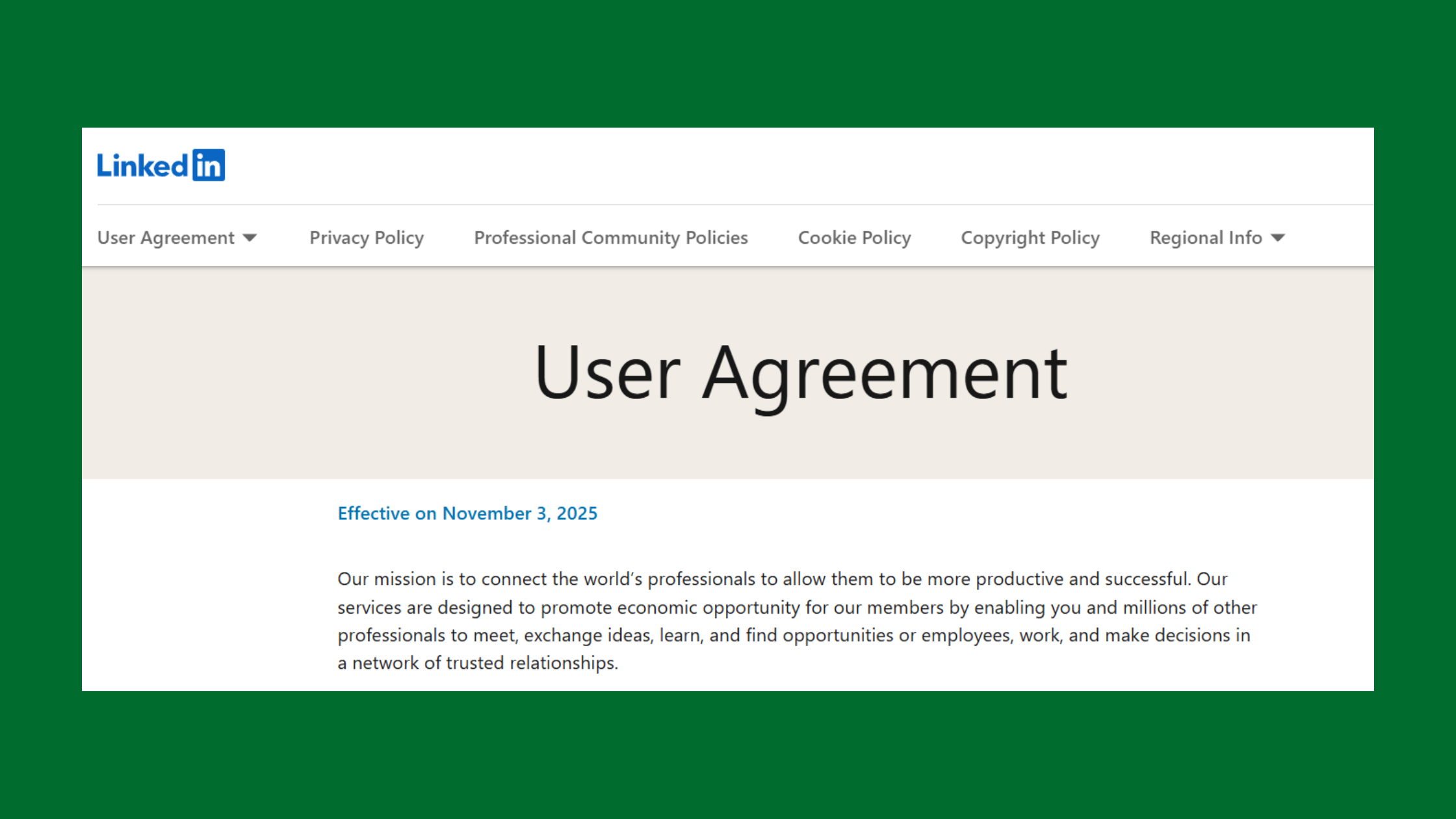
LinkedIn's User Agreement explicitly prohibits scraping, unauthorized automated messaging, and creating fake engagement. Specifically, the agreement forbids using software, bots, or other automated means to access the platform, send messages, or collect data without LinkedIn's written consent. Violating these terms does not require malicious intent — even well-intentioned outreach automation tools breach these terms by default unless they hold a formal partnership agreement with LinkedIn.
Understanding this is not a reason to abandon LinkedIn as a lead gen channel. It is a reason to approach it strategically rather than recklessly.
Now that the platform's enforcement environment is clear, the next question is exactly how LinkedIn identifies automation in practice — which is where most guides fall short on specifics.
How LinkedIn Detects Automation Bots and Flags Your Profile as Spam
LinkedIn detects automation through a layered system that combines technical fingerprinting, behavioural analysis, and network-level signals — and understanding each layer is essential for anyone trying to scale LinkedIn outreach without triggering restrictions.
At the technical layer, LinkedIn monitors:
- Mouse movement patterns and click intervals — human users show natural micro-variation; bots show machine-precise regularity
- Session timing and activity bursts — humans take breaks, vary their pace, and navigate non-linearly; automation tools execute actions in structured sequences
- IP consistency and geolocation plausibility — a LinkedIn account based in London that suddenly operates from a US data centre IP raises an immediate flag
- API call fingerprints — cloud-based tools that use LinkedIn's private API leave distinct call signatures that differ from standard browser traffic
Chrome extension scrapers face an additional detection vector: DOM manipulation signatures. When an extension programmatically reads or modifies LinkedIn's page structure, it leaves traces in browser header data and JavaScript execution patterns that LinkedIn actively scans for. This is why Chrome-based tools are categorically higher risk than cloud-based alternatives — the detection surface is larger and harder to mask.
What Triggers a LinkedIn Account Restriction or Ban
Based on patterns observed across outreach campaigns that ended in account restrictions, the most consistent triggers are:
- Sending more than 20–25 connection requests in a single session without natural browsing activity between them
- Identical or near-identical connection note text sent to more than 15–20 people — LinkedIn's phrase detection catches this even at low volume
- Visiting 300+ profiles per day without corresponding engagement activity (likes, comments, messages)
- A connection acceptance rate below 15–20% — a high pending-to-accepted ratio signals spam behaviour to LinkedIn's classifiers
- Operating from a new or recently reactivated account without a warm-up period — trust score is zero and tolerance for unusual activity is minimal
- Receiving multiple "I don't know this person" responses to connection requests — each one increments a spam score that LinkedIn tracks at account level
How to Recover a LinkedIn Account That Has Already Been Restricted
If your account has been restricted, the recovery path depends on severity. For a soft restriction or temporary limit on connection requests, the approach is:
- Stop all outreach immediately — continuing activity during a soft restriction accelerates progression to a hard ban (allow 48–72 hours minimum)
- Clear pending connection requests — go to your sent invitations and withdraw any that have been pending for more than 3 weeks, reducing your pending ratio
- Engage organically for 7–14 days — comment on posts, react to content, and update your profile before resuming any outreach
- Appeal via LinkedIn's official Help Centre if you believe the restriction was a false positive — provide context about your legitimate professional purpose
- Resume at 20% of your previous volume and rebuild gradually over 4–6 weeks
For a full account ban, LinkedIn's appeal process can reinstate accounts that were suspended in error — but it's a slower process and not guaranteed. Prevention is categorically easier than recovery.
Understanding what triggers a ban is only half the picture — the other half is knowing the exact numeric limits LinkedIn enforces before those triggers fire.
How Many LinkedIn Messages Can I Send Per Day — and the Weekly Connection Request Limit Explained
LinkedIn enforces several distinct limits that vary by account type, account age, and recent behaviour — and conflating them is one of the most common errors that leads to restrictions.
LinkedIn Weekly Connection Request Limit: The Numbers You Need to Know
LinkedIn introduced a weekly connection request cap in 2021 and has maintained and refined it through 2026. Here is how the limit breaks down in practice:
- Safe zone (0–80 per week): Well within limits; very low restriction risk when spread across 5 days
- Caution zone (80–100 per week): Approaching the cap; acceptable rate becomes critical — below 20% acceptance accelerates risk
- Danger zone (100–120 per week): At or near LinkedIn's published cap; any additional behavioural signals will trigger a limit
- Restriction zone (120+ per week): Exceeds the cap; connection requests begin failing silently or account receives a formal restriction
Can LinkedIn ban you for too many connection requests? Yes — though the mechanism is more nuanced than a hard cutoff. It's the combination of volume, velocity, acceptance rate, and message uniformity that triggers enforcement. Sending 80 requests with a 35% acceptance rate across 5 days carries far lower risk than sending 80 requests in 4 hours with a 10% acceptance rate.
For direct messages, the limits by account tier are:
- Free account: No hard daily message limit to existing connections — but aggressive volume (50+ messages per day to cold connections) triggers spam classifiers
- Premium (Career/Business): 5–15 InMail credits per month depending on plan tier
- Sales Navigator: 50 InMail credits per month, with the option to earn additional credits for responses
- Recruiter Lite: 30 InMail credits per month
Connection request velocity — the rate at which you send requests within a session — matters more than raw weekly numbers. Spreading 80 requests across 5 days (16 per day) with natural browsing between each batch is dramatically safer than sending 80 in a single 3-hour session.
With the limits firmly established, the next priority is building an outreach strategy that generates real pipeline within those boundaries.
Safe LinkedIn Outreach Strategies That Actually Generate B2B Leads
The highest-performing LinkedIn lead generation strategies in 2026 share a common architecture: they build inbound pull before relying on outbound push. Accounts that generate consistent engagement from their own content receive more algorithmic trust — and that trust translates directly into more outreach headroom.
Account Warm-Up Protocol: How to Prepare Before Starting Any LinkedIn Outreach
An account warm-up protocol is a structured period of organic activity designed to establish a positive behavioural baseline before launching any outreach campaign. Think of it as building a credit score — you need a track record before the system extends you credit.
The warm-up protocol for a new or recently reactivated account runs over 3–4 weeks:
- Week 1: Complete your profile to 100% (photo, headline, summary, 3+ work experiences, 5+ skills). Post once or twice. React to 10–15 posts per day. Send zero connection requests to strangers.
- Week 2: Begin sending 5–10 connection requests per day to people you have genuine shared context with (colleagues, event attendees, group members). Post 2–3 times. Comment substantively on target accounts' posts.
- Week 3: Scale to 15–20 connection requests per day. Engage with your new connections' content. Post 3–4 times. Begin sending personalized welcome messages to accepted connections.
- Week 4+: Operate at full target volume (up to 20 per day / 100 per week). Your account now has an established behavioural baseline.
Teams that skip this step consistently see higher restriction rates in the first 30 days of a campaign — sometimes within the first week. The warm-up period is not optional for new accounts.
LinkedIn Connection Request Personalization: Templates That Convert Without Getting Flagged

LinkedIn connection request personalization refers to including a specific, contextual note in your connection request that references something genuine about the recipient. A single specific detail — a post they wrote, a mutual connection, a shared event — triples acceptance rates compared to generic notes, and dramatically reduces the probability that recipients click "I don't know this person."
Effective personalization formula: [Specific trigger] + [Why you're connecting] + [Zero pitch]
Example: "Hi [Name] — saw your post on [topic] last week and it matched exactly what our team has been working through. Would love to connect and stay in touch."
What makes this work: it references something real (the post), states a clear reason (shared relevance), and makes no ask. Recipients who receive this type of note accept at 40–60% rates in most B2B contexts, compared to 10–20% for generic notes.
%2520(1).png) hyperclapper.com
hyperclapper.comSafe outreach strategies set the foundation — but combining them with a structured manual system is what makes them scalable without automation risk.
How to Do LinkedIn Outreach Without Automation Tools: The Manual Strategy That Scales
Manual outreach in 2026 carries zero ban risk, consistently higher reply rates than automated sequences, and produces relationships with meaningfully better long-term conversion quality. The objection most people raise is time — but a well-designed manual system requires only 30 focused minutes per day to generate a consistent pipeline.
LinkedIn Lead Generation Without Automation Tools: A Day-by-Day Outreach Plan
Here is how a repeatable daily manual outreach system works in practice:
Daily 30-minute block structure:
- Minutes 1–10 (Content engagement): Comment substantively on 3–5 posts from target accounts. Not "Great post!" — a 2–3 sentence response that adds a perspective or asks a question. This builds familiarity before any connection request.
- Minutes 11–20 (Connection requests): Send 10–15 personalized connection requests to qualified prospects. Use the personalization formula above. Reference their content, a shared group, or a mutual connection.
- Minutes 21–30 (Follow-up and pipeline review): Message newly accepted connections with a welcome note. Check on 2-day-old pending conversations. Update your prospect tracking spreadsheet.
For prospect sourcing without third-party scrapers, LinkedIn's own tools are surprisingly powerful:
- LinkedIn's native search with Boolean filters — combine job title, company size, industry, and location for highly targeted lists
- LinkedIn Sales Navigator — adds account-level filtering, buyer intent signals, and lead list saving that significantly accelerates prospecting precision
- LinkedIn event attendee lists — event attendees are warm prospects who have self-selected around a topic relevant to you
- LinkedIn Group members — Groups surface professionals with declared interest in specific topics or industries
What separates top performers here is combining the manual outreach system with a consistent content publishing schedule. Accounts that publish 3–4 times per week see inbound connection requests from qualified prospects — reducing the outbound volume needed to hit the same pipeline targets.
For sales reps looking to implement this as a formal 5-touch sequence rather than ad-hoc daily activity, the next section provides the exact structure and copy.
LinkedIn Prospecting Without Automation Ban: Step-by-Step Outreach Sequence With Templates
A structured 5-touch LinkedIn outreach sequence — executed manually with appropriate spacing — consistently outperforms single-message cold outreach and carries no automation ban risk. Here is the full sequence with timing and copy for each step.
LinkedIn Cold Outreach Without Getting Flagged: Message Templates and Timing
Touch 1 — Connection Request (Day 1):
"Hi [Name] — your post on [specific topic] stood out. The point about [specific detail] is something we've been navigating too. Would be good to connect."
Character limit: Under 300 characters. Short, specific, no pitch.
Touch 2 — Welcome Message (Day 2–3 after connection accepted):
"Thanks for connecting, [Name]. I work with [type of company] on [broad problem area]. Happy to share anything useful if it ever comes up — no agenda here."
Goal: Establish you as a non-threatening, value-oriented contact. Zero selling.
Touch 3 — Value-Add Message (Day 7):
"Thought of you when I read this — [link to a relevant article, report, or your own post]. Given what you mentioned about [topic], it seemed worth passing on."
Goal: Give before you ask. One genuinely useful thing. No strings.
Touch 4 — Soft Ask (Day 12):
"[Name] — I've been working with a few [job title]s at [company type] on [specific problem]. If that's something on your radar, I'd love to share what's been working in a quick call. Worth 20 minutes?"
Goal: Clear ask, specific context, low-pressure framing.
Touch 5 — Final Follow-Up (Day 18):
"Last one from me, [Name] — if the timing isn't right, no worries at all. If [problem] ever becomes a priority, happy to reconnect then."
Goal: Leave the door open. No pressure. Preserves the relationship.
LinkedIn Sales Navigator Safe Outreach: Maximizing Reach Within Platform Rules
LinkedIn Sales Navigator is the highest-leverage tool available for safe, high-volume LinkedIn lead generation in 2026. Unlike third-party automation tools, Sales Navigator is a first-party LinkedIn product — meaning its usage cannot trigger a Terms of Service violation. Its InMail system gives you 50 message credits per month to contact people you're not connected to, with the bonus that InMails that receive a reply return the credit for reuse.
The most effective Sales Navigator outreach approach combines:
- Account-based lead lists — target companies meeting your ICP criteria (size, industry, tech stack, growth signals)
- Job change alerts — new decision-makers in target accounts are 3–4x more responsive to outreach in their first 90 days
- TeamLink connections — warm introductions through your colleagues' first-degree connections, dramatically improving response rates
- Smart Links for content sharing — share content with built-in tracking to see which prospects engage
For a detailed breakdown of how Sales Navigator integrates into a broader LinkedIn automation strategy, see our guide on LinkedIn analytics and automation tools for marketers and sales teams.
Is LinkedIn Automation Safe in 2026? Risks, Limitations, and What the Data Actually Shows
No LinkedIn automation tool is completely risk-free in 2026. The honest answer — which most tool vendors will not give you — is that every automation tool operates in a Terms of Service grey zone, and ban risk exists on a spectrum based on tool architecture, usage behaviour, and account history.
LinkedIn Automation vs Manual Outreach Comparison: Honest Pros and Cons
The risk spectrum by tool architecture, ranked from highest to lowest ban risk:
- Chrome extension scrapers (Dux-Soup, Phantombuster browser extension mode) — highest risk; detected via DOM manipulation and browser header signatures
- Hybrid tools with cloud + browser components — moderate-high risk; cloud component reduces some detection surface but browser integration still exposes signatures
- Cloud-based tools with randomized delays (Expandi, Waalaxy, MeetAlfred) — moderate risk; better at mimicking human behaviour but not immune to IP fingerprinting and API signature detection
- First-party LinkedIn tools (Sales Navigator, LinkedIn Campaign Manager) — lowest risk; operating within LinkedIn's own ecosystem
The hidden cost that ROI calculations for automation tools rarely include is pipeline disruption. If your account is restricted mid-campaign — when you have 200 active conversations in various stages of the 5-touch sequence — every one of those conversations goes cold. The revenue impact of a 30-day restriction for an active B2B sales rep typically exceeds the monthly cost of any tool by a factor of 10 or more.
Automation makes sense when your target list is large (500+ prospects per campaign), your account has a well-established trust history, and you're using a cloud-based tool with conservative limits configured. Manual outreach is the smarter play for accounts under 6 months old, campaigns targeting high-value enterprise accounts where relationship quality matters more than volume, or any situation where a restriction would be catastrophic to your current pipeline.
Want LinkedIn visibility that generates inbound leads — with zero ban risk?
HyperClapper boosts your posts with real engagement from real professionals — helping you build the content credibility that makes outreach far more effective.
Explore HyperClapperBest LinkedIn Lead Generation Tools 2026: Comparing Expandi, Dux-Soup, and Safer Alternatives
Choosing the right tool for your LinkedIn lead generation strategy requires understanding what each tool actually does at a technical level — not just what its marketing page claims about safety.
Expandi vs Dux-Soup LinkedIn Safety Comparison
| Tool | Architecture | Ban Risk Level | Best For | Starting Price |
|---|---|---|---|---|
| Expandi | Cloud-based | Moderate | Agencies, high volume | ~$99/mo |
| Dux-Soup | Chrome extension | High | Low-volume prospecting | ~$11.25/mo |
| Phantombuster | Cloud + API | Moderate-high | Data scraping, multi-platform | ~$56/mo |
| Waalaxy | Cloud-based | Moderate | LinkedIn + email sequences | ~$40/mo |
| MeetAlfred | Cloud-based | Moderate | Multi-channel sequences | ~$59/mo |
| HyperClapper | Engagement platform | Very Low | Content visibility, inbound leads | See site |
LinkedIn Automation Tool Safe Alternative: Engagement-Led Lead Generation
A growing number of B2B teams are moving away from traditional outreach automation entirely in favour of engagement-led visibility — a strategy where consistent, high-quality content amplified by real engagement drives inbound enquiries from qualified prospects, eliminating the ban risk of outreach automation altogether.
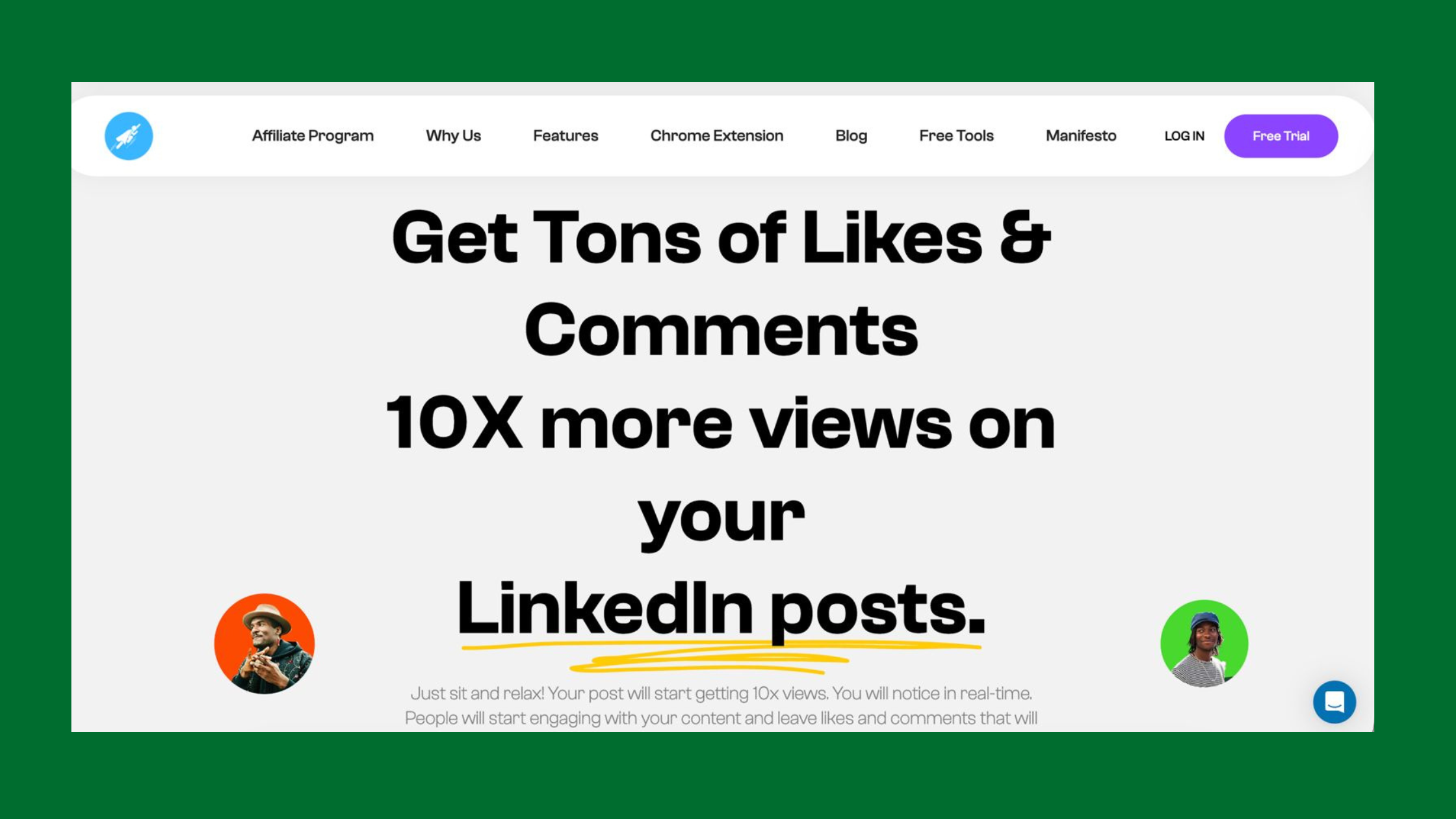
This is the model that platforms like HyperClapper are designed around. Instead of automating outbound messages, HyperClapper amplifies your content through real engagement channels — connecting your posts with groups of professionals who engage authentically, generating the organic engagement signals that LinkedIn's algorithm rewards with broader distribution. More distribution means more qualified professionals seeing your content. More qualified professionals seeing your content means inbound connection requests and DMs — without a single cold outreach message sent.
The most durable LinkedIn lead generation strategy is one where prospects reach out to you. Content that consistently reaches 5,000–10,000 impressions per post generates a steady flow of inbound conversations that no outreach sequence can replicate in quality.
Before connecting any automation tool to your account, run through six safety questions:
- Is the tool cloud-based or does it require a Chrome extension?
- Does it use randomized delays between actions, and can you configure the timing?
- Does it operate from a dedicated IP associated only with your account?
- Does it support message variability (rotating templates, spintax)?
- Does it enforce LinkedIn's weekly connection request cap automatically?
- What is the tool's track record on LinkedIn's 2025–2026 enforcement updates?
For a comprehensive comparison of safe LinkedIn automation tools updated for 2026, see our LinkedIn automation safe growth blueprint.
Understanding tool safety is valuable context — but what most guides skip is what success actually looks like in numbers. Here's what realistic LinkedIn lead gen performance benchmarks look like.
Generate B2B Leads on LinkedIn: Real Examples, ROI Data, and What Good Results Actually Look Like
Most LinkedIn lead generation content skips the numbers. Here are the realistic benchmarks that a well-run manual + content strategy produces in a B2B context:
How Top B2B Sales Reps Generate LinkedIn Leads Without Automation Bans
A recurring pattern among B2B founders and sales reps who generate consistent LinkedIn pipeline without restrictions is the same: they invest in content before outreach. A B2B SaaS founder pattern that appears consistently in high-performing accounts looks like this:
- Months 1–2: Post 4x per week on topics directly relevant to their ICP. No outreach. Warm up the account and build an audience.
- Month 3: Begin manual outreach — 10–15 personalized connection requests per day — referencing their own posts as conversation starters. Acceptance rates run 40–55% because prospects have already seen their content.
- Months 4–6: Content generates 5,000–15,000 impressions per post. Inbound connection requests start arriving from qualified prospects. Outreach volume can stay conservative because inbound fills the gap.
- Month 6+: 20–40+ qualified discovery calls per month with zero automation tools and zero restriction risk.
This is what B2B marketers LinkedIn demand generation looks like in 2026 when it's done well. It's slower to start than a blast automation campaign — but the pipeline compounds over time and never risks a catastrophic account restriction.
To measure ROI from your LinkedIn lead generation campaigns, track five metrics:
- Connection acceptance rate (target: 30%+ for personalised outreach)
- Message reply rate (target: 10%+ on 5-touch sequences)
- Call booking rate (replies → booked calls; target: 20–30%)
- Prospect-to-opportunity rate (calls → qualified pipeline; target: 40–60%)
- Content impression growth (month-over-month; target: 15–20% growth)
For tracking without paid analytics tools, a simple spreadsheet capturing daily outreach volume, weekly acceptance rates, and monthly call bookings gives you enough data to optimise your approach. LinkedIn's native analytics dashboard provides content impression and profile view data at no cost. For deeper insights, see our breakdown of LinkedIn analytics tools for marketing and sales teams.
Good metrics are only useful if your account stays active and unrestricted — which is why a formal safety checklist matters as much as any outreach strategy.
How to Avoid LinkedIn Account Restriction During Outreach: A Safety Checklist for 2026
The most reliable way to avoid LinkedIn account restriction is to treat outreach safety as a process, not an afterthought. The following checklist — which we call The LinkedIn Outreach Safety Protocol — covers pre-campaign, during-campaign, and ongoing monitoring steps that protect your account through any lead generation activity.
✓ The LinkedIn Outreach Safety Protocol
- ☐Profile completeness: Verify your profile is 100% complete with a professional photo, detailed headline, and at least 3 work experiences before starting any campaign
- ☐Warm-up status: Confirm your account has been active for at least 3–4 weeks with organic posting and engagement before launching outreach
- ☐Daily limits configured: Set maximum of 15–20 connection requests per day, never more than 100 per week regardless of tool or manual approach
- ☐Message variability confirmed: No two connection notes are identical — use at least 5 rotating templates with personalisation tokens
- ☐Pending invitations cleared: Withdraw connection requests pending for more than 3 weeks before starting a new campaign — keep your pending ratio low
- ☐Acceptance rate monitoring: Check weekly — if it drops below 20%, pause outreach and reassess targeting or message quality before resuming
- ☐Session behaviour: Never send more than 15–20 connection requests in a single unbroken session — browse naturally between batches
- ☐Content activity maintained: Post at least 2x per week during any active outreach campaign to maintain organic engagement signals
- ☐Red flag monitoring: Watch for identity verification prompts, CAPTCHA screens, or sudden drops in profile views — these are early warning signals
- ☐90-day pipeline view: Build pipeline across a full quarter — never try to fill a month's quota in a single week of aggressive outreach
Build LinkedIn Pipeline Without Automation Risk: Long-Term Strategy Over Short-Term Blasts
The most durable LinkedIn lead generation programmes operate on a 90-day pipeline horizon rather than trying to fill a calendar with meetings in a single week. Accounts that adopt a volume-over-time approach — building 20–30 new relationships per week consistently over 12 weeks — typically produce more qualified pipeline at the end of 90 days than accounts that blasted 500 connection requests in week one and spent weeks 2–8 recovering from a restriction.
For teams managing LinkedIn outreach at scale across multiple account owners or sales reps, see our guide on LinkedIn follow-up automation that doesn't get banned for the exact multi-rep framework.
Common Mistakes to Avoid When Doing LinkedIn Lead Generation in 2026
After seeing restriction patterns across campaigns at scale, the same four mistakes appear repeatedly — and each one is entirely avoidable with the right preparation.
Mistake #1: Launching any tool on a new or recently reactivated account without a warm-up period. New accounts have zero established behavioural baseline. LinkedIn's classifiers treat any unusual activity on a new account as a high-confidence spam signal. Even 20 connection requests per day on a brand-new account can trigger a soft restriction. The 3–4 week warm-up protocol above is not optional.
Mistake #2: Sending identical or near-identical connection notes at volume. LinkedIn's spam classifier processes phrase patterns across the platform — not just within your account. If a phrase is being used by multiple accounts simultaneously (which happens when users copy-paste templates from the same blog post), the phrase itself gets flagged. Rotate your templates and add genuine personalisation every time.
Mistake #3: Connecting with people far outside your target ICP to inflate connection count. A pattern consistently observed among restricted accounts is a deliberate strategy of connecting with anyone to hit 500+ connections quickly. The problem: these out-of-ICP connections have low acceptance rates and are more likely to click "I don't know this person." Both outcomes increment your spam score. Quality targeting protects your account as much as it improves your results.
Mistake #4: Ignoring the "pending sent invitations" queue. LinkedIn tracks the ratio of sent invitations to accepted invitations at account level. A high pending ratio is interpreted as spam-sending behaviour — you're reaching out to people who don't want to connect. Clear pending invitations older than 3 weeks regularly, especially before starting new outreach campaigns. This single habit keeps your pending ratio healthy and reduces restriction risk significantly.
Build the content presence that makes every outreach message land harder
HyperClapper amplifies your LinkedIn posts with real engagement from real professionals — giving you the visibility and credibility that turns cold outreach into warm conversations. For founders, sales reps, and marketers who want pipeline without the ban risk.
Start Generating Leads SafelyFrequently Asked Questions About LinkedIn Lead Generation Without Getting Banned
Can LinkedIn ban you for too many connection requests?
Yes — LinkedIn can restrict your account for exceeding connection request limits or triggering spam signals through volume and uniformity. The current weekly cap sits at approximately 100–120 connection requests for standard accounts in 2026. A restriction isn't always an immediate hard ban — it often begins as a soft limit where requests fail silently. The risk compounds when high volume is combined with low acceptance rates (below 20%) or identical message text. Staying under 80 per week with personalised notes and a healthy acceptance rate is the safest operating range.
What is the safest way to generate leads on LinkedIn in 2026 without getting my account banned?
The safest LinkedIn lead generation strategy in 2026 is a combination of consistent content publishing and manual personalised outreach — with no third-party automation tools. Publish 3–4 times per week on topics relevant to your ideal customer, engage thoughtfully on prospects' posts before connecting, and send 10–15 personalised connection requests per day. This approach carries zero Terms of Service risk, generates inbound interest from qualified prospects, and compounds in effectiveness over time. If you choose to use an engagement amplification platform like HyperClapper to boost your content's reach with real community engagement, you increase inbound lead flow without adding any outreach automation risk.
Is it safe to use LinkedIn automation tools for lead generation in 2026?
LinkedIn automation tools are not risk-free in 2026 — all of them operate in violation of LinkedIn's Terms of Service to varying degrees, and ban risk exists on a spectrum based on tool architecture and usage behaviour. Cloud-based tools (Expandi, Waalaxy, MeetAlfred) carry moderate risk when configured conservatively. Chrome extension tools (Dux-Soup) carry higher risk due to their browser-level detection surface. No tool is zero-risk. The key questions are whether the tool uses randomized delays, operates from a dedicated IP, supports message variability, and respects LinkedIn's weekly limits automatically. For accounts where a restriction would be catastrophic to current pipeline, manual outreach or engagement-led content strategies are the lower-risk alternative.
How do I recover a LinkedIn account that was restricted for outreach?
To recover a restricted LinkedIn account, stop all outreach activity immediately and allow 48–72 hours before taking any further steps. Then withdraw all pending connection requests older than 3 weeks to improve your pending ratio. Spend 7–14 days engaging only organically — liking, commenting, and posting — before resuming any outreach. If you believe the restriction was applied in error, submit an appeal through LinkedIn's Help Centre with context about your legitimate professional activity. When you resume outreach, start at 20% of your previous volume and build back gradually over 4–6 weeks. Accounts that resume at full volume immediately after a restriction typically trigger a second, stricter restriction within days.
How many connection requests can I send on LinkedIn per week before getting banned?
LinkedIn's current weekly connection request limit is approximately 100–120 for standard accounts. The safe operating range is 80 or fewer per week, spread across 5 working days (16 per day maximum). Sending requests in natural session patterns — with organic browsing activity between batches — reduces risk even at the upper end of this range. Acceptance rate matters as much as volume: maintaining a 30%+ acceptance rate signals legitimate networking behaviour and provides significant protection against restriction triggers, even when approaching the weekly cap.
Is LinkedIn automation legal under GDPR, and what compliance steps are required?
LinkedIn automation for lead generation involves collecting and processing personal data — name, job title, company, contact details — which falls under GDPR jurisdiction for EU-based professionals and organisations. Under GDPR, processing personal data for direct marketing requires a legitimate legal basis (typically legitimate interest or consent) and transparent disclosure of how data is used. Scraping LinkedIn profiles in bulk almost certainly violates GDPR's data minimisation and purpose limitation principles, in addition to LinkedIn's own Terms of Service. For GDPR compliance, you should: document your legitimate interest assessment, store only data you actively use, provide a clear opt-out mechanism, and never scrape personal data from profiles without a compliant legal basis. Consulting a GDPR-qualified legal professional is advisable before running any large-scale LinkedIn prospecting operation in Europe.
How do top B2B sales reps generate LinkedIn leads without automation bans?
Top B2B sales reps generating consistent LinkedIn pipeline without automation restrictions share a common approach: they invest in content presence before outreach volume. They publish consistently (3–5 times per week), comment substantively on target accounts' posts to build familiarity, and send personalised connection requests at conservative volumes (10–15 per day). They use LinkedIn Sales Navigator for precision targeting — which is a first-party tool with no ban risk — and build their outreach sequences manually using rotating personalised templates. They also measure acceptance rate and reply rate weekly, pausing and adjusting whenever either metric drops below target thresholds. What separates these accounts from restricted ones is discipline over volume: they consistently generate 20–40 qualified conversations per month at sustainable pace rather than blasting for short-term volume and paying the restriction price.
What consistently separates LinkedIn accounts that build durable B2B pipeline from those that chase volume and hit restrictions is not any single tactic — it is the underlying architecture of visibility before outreach, quality before quantity, and patience over sprinting. Accounts that combine genuine content presence, conservative personalised outreach, and the safety disciplines outlined here see compounding results across a 90-day horizon. Accounts that skip any one of these three dimensions typically plateau or get restricted regardless of the tools they use or the effort they invest.



