
The best Taplio alternative for most LinkedIn creators isn't the one with the most features — it's the one you can actually set up, post from, and see traction with inside a single sitting. A pattern observed across hundreds of creators switching LinkedIn tools is that the decision almost never comes down to capability gaps. It comes down to two things: price and whether the AI output sounds remotely human. Taplio starts at $39/month and scales to $199/month for its Pro plan (according to ColdIQ, 2026), and its Trustpilot rating sits at 2.4/5 — a signal that real users aren't satisfied with what they're getting for that spend. If you're looking for a faster, cheaper, and more authentic-feeling tool, this guide ranks the leading options honestly.
- Who this is for: LinkedIn creators, founders, coaches, recruiters, and agencies frustrated with Taplio's pricing or AI quality.
- What you'll learn: Which tools are genuinely faster to set up, which cost less, and which produce content that actually sounds like you.
- Why it matters: Choosing the wrong tool means either overpaying for features you don't use or posting robotic content that hurts your personal brand.
- Most counterintuitive finding: The fastest Taplio alternative isn't primarily a writing tool — it's an engagement platform that can get your first boosted post live in under 10 minutes.
- Top picks at a glance: HyperClapper (engagement + speed), Supergrow (AI writing quality), AuthoredUp (content formatting), Postwise (scheduling + writing).
- Free options exist: HyperClapper, Supergrow, and AuthoredUp all offer entry points significantly below Taplio's pricing.
- Why People Are Switching From Taplio in 2026
- What Makes a Great Taplio Alternative?
- Taplio Competitors Ranked: Best Alternatives Tested in 2026
- Does Taplio Have a Free Alternative? Pricing Compared
- How to Set Up a Taplio Alternative in Under 10 Minutes
- Who Should Use Which Taplio Alternative?
- Frequently Asked Questions About Taplio Alternatives
| Tool | Best For | Setup Speed | Starting Price | Engagement Features |
|---|---|---|---|---|
| HyperClapper | Real engagement + fast setup | <10 minutes | Free tier available | ✅ Real channels + AI replies |
| Supergrow | AI writing quality | ~15 minutes | Free tier available | Limited |
| AuthoredUp | Content formatting + analytics | ~10 minutes | Free tier available | None |
| Postwise | AI writing + scheduling | ~15 minutes | ~$29/month | None |
| Taplio | All-in-one (costly) | ~30+ minutes | $39–$199/month | Limited |
Why People Are Switching From Taplio in 2026

The pattern here is consistent: creators don't leave Taplio because they find a better tool first. They leave because the frustration with Taplio's cost-to-output ratio builds to a tipping point. According to MagicPost (2026), Taplio's AI starts at $69/month on its standard plan and its Trustpilot rating sits at just 2.4/5 — a striking gap between pricing ambition and user satisfaction.
Taplio Pricing Too Expensive? Here's What You're Actually Paying For
At $39–$199/month, Taplio pricing too expensive is one of the most searched complaints about the platform. What you're paying for is a bundled suite: AI post writing, scheduling, a CRM layer, and some engagement features. For enterprise teams or high-volume agencies, that bundle has value. For solo creators, coaches, and early-stage founders, it's paying for infrastructure you'll never fully use.
The most common failure mode here is subscribing to a full-featured tool when 80% of your actual workflow only needs two things: writing assistance and post visibility. Tools that charge separately for what you actually need tend to win this segment on value — you pay for results, not features you skip past every login.
The 'Robotic Post' Problem: Why AI LinkedIn Post Quality Matters
AI-generated LinkedIn post quality is where Taplio loses users emotionally, not just financially. A recurring pattern among LinkedIn creators trying to build a personal brand is that they publish one AI-drafted post, cringe at how generic it reads, and spend the next 45 minutes manually rewriting it — erasing any time-saving benefit. Personal brand growth on LinkedIn depends entirely on voice consistency. When your AI tool produces content that sounds like it came from a corporate press release, it actively works against you. The best Taplio alternative for LinkedIn solves this by training on your tone, not just the platform's average voice.
These twin frustrations — Taplio pricing too expensive and robotic output — explain why searches for "Taplio alternative" and "cheap LinkedIn growth tool" have climbed steadily heading into 2026. The market wants what Taplio promises, not what Taplio delivers.
What Makes a Great Taplio Alternative? (The Criteria That Actually Matter)
Four pillars separate a genuinely useful Taplio alternative from one that just looks good in a feature comparison table. Meet all four and you have a tool worth paying for. Miss one and you're back searching in three months.
- Fast setup: A LinkedIn scheduling tool quick setup benchmark is under 10 minutes from account creation to first post live. Anything longer adds friction that kills consistency.
- AI writing quality: Output should sound like a slightly more polished version of you — not a LinkedIn thought leader from 2019. Test the AI on a real topic you'd post about before committing.
- Engagement capability: A tool that helps your post get seen is worth more than one that simply queues it. LinkedIn algorithm reach and visibility are directly tied to early engagement signals — a scheduler that doesn't help with distribution is half a solution.
- Affordable, scalable pricing: The best tools let you start free and pay only for the engagement volume you actually need, rather than locking you into a flat monthly rate for features you use 20% of.
LinkedIn Scheduling Tool Quick Setup: The 10-Minute Benchmark
The 10-minute benchmark isn't arbitrary. It's the point at which a new user can validate whether a tool fits their workflow before committing. Tools that require OAuth connections, content calendar setup, team invitations, and onboarding surveys before letting you post a single thing will lose casual evaluators immediately — and casual evaluators are the exact solo creators and founders this market is competing for. What consistently works is a stripped-back onboarding that lets you connect your LinkedIn account, paste or generate a post, and send it live before the tool asks you to configure anything else.
The fastest path to a decision about any LinkedIn tool is getting your first post live and watching what happens. Everything else is theoretical until that moment.
Taplio Competitors Ranked: The Best Alternatives Tested in 2026
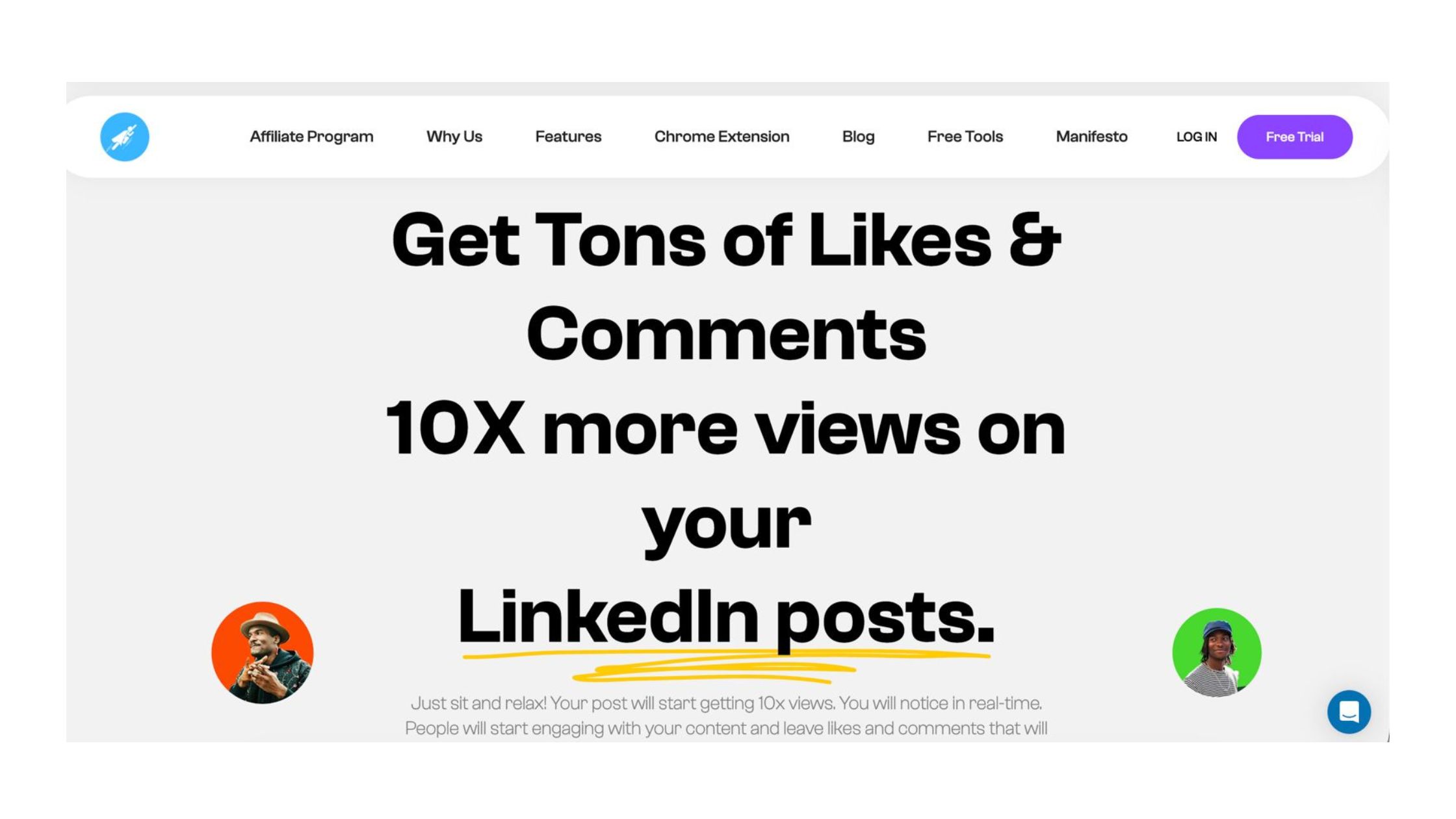
According to Supergrow (2026), the best Taplio alternatives in the market right now are evaluated on whether they're safer, more affordable, and built to sound like the individual creator — not a generic LinkedIn voice. Here's how the main contenders stack up across those four criteria established above.
Taplio vs Supergrow and Taplio vs Postwise: Head-to-Head on Speed and AI Quality
Taplio vs Supergrow comes down to one trade-off: Taplio offers a broader feature set, but Supergrow consistently produces AI writing that users report sounds closer to their own voice. Supergrow's free tier lets you test the AI writing engine before paying anything — a meaningful advantage when AI post quality is the primary reason you're leaving Taplio. The MeetSona (2026) analysis of tools for founders specifically names Supergrow as a top recommendation for those who prioritise voice-matched content.
Taplio vs Postwise is a closer fight on scheduling. Postwise is a dedicated AI LinkedIn post writer and scheduler with a cleaner interface and a lower starting price (~$29/month). It wins on pure writing speed and scheduling reliability but has no engagement features — your posts still need to earn traction the organic way. If your LinkedIn content creation tool for creators goal is to write faster and queue consistently, Postwise delivers. If you also need your posts to actually reach an audience, it leaves that gap open.
AuthoredUp occupies a different niche entirely. It's a content formatting and analytics tool — essentially a browser extension that helps you structure posts better and track historical performance. It doesn't generate content and has no scheduling. But teams that use AuthoredUp alongside a separate writing tool consistently see improvements in post structure and engagement readability.
HyperClapper: The Taplio Alternative Built for Real LinkedIn Engagement
Where most Taplio alternatives focus on writing or scheduling, HyperClapper targets the distribution problem directly. It's an engagement pod platform — a tool that connects your posts to real channels of users who like and comment, generating the early engagement signals the LinkedIn algorithm rewards with broader reach.
The channel model is straightforward:
- 1 channel ≈ ~50 possible engagements per post
- 2 channels ≈ ~100 possible engagements
- 3 channels ≈ ~150 possible engagements
Beyond likes and comments, HyperClapper's AI Replies feature generates and posts contextual responses on your LinkedIn posts — keeping the conversation thread active well beyond the initial 90-minute engagement window. LinkedIn rewards meaningful conversations, not just basic likes; AI replies that sustain thread depth consistently extend a post's algorithmic distribution window. Its Content Guard system also filters for risky or controversial content before anything goes live, a genuinely undervalued feature for brand safety. For a deeper comparison on engagement platforms, see HyperClapper vs Podawaa.
Get real LinkedIn engagement without the Taplio price tag
HyperClapper connects your posts to real engagement channels and AI replies — first post boosted in under 10 minutes.
Try HyperClapper FreeDoes Taplio Have a Free Alternative? Pricing Compared Honestly
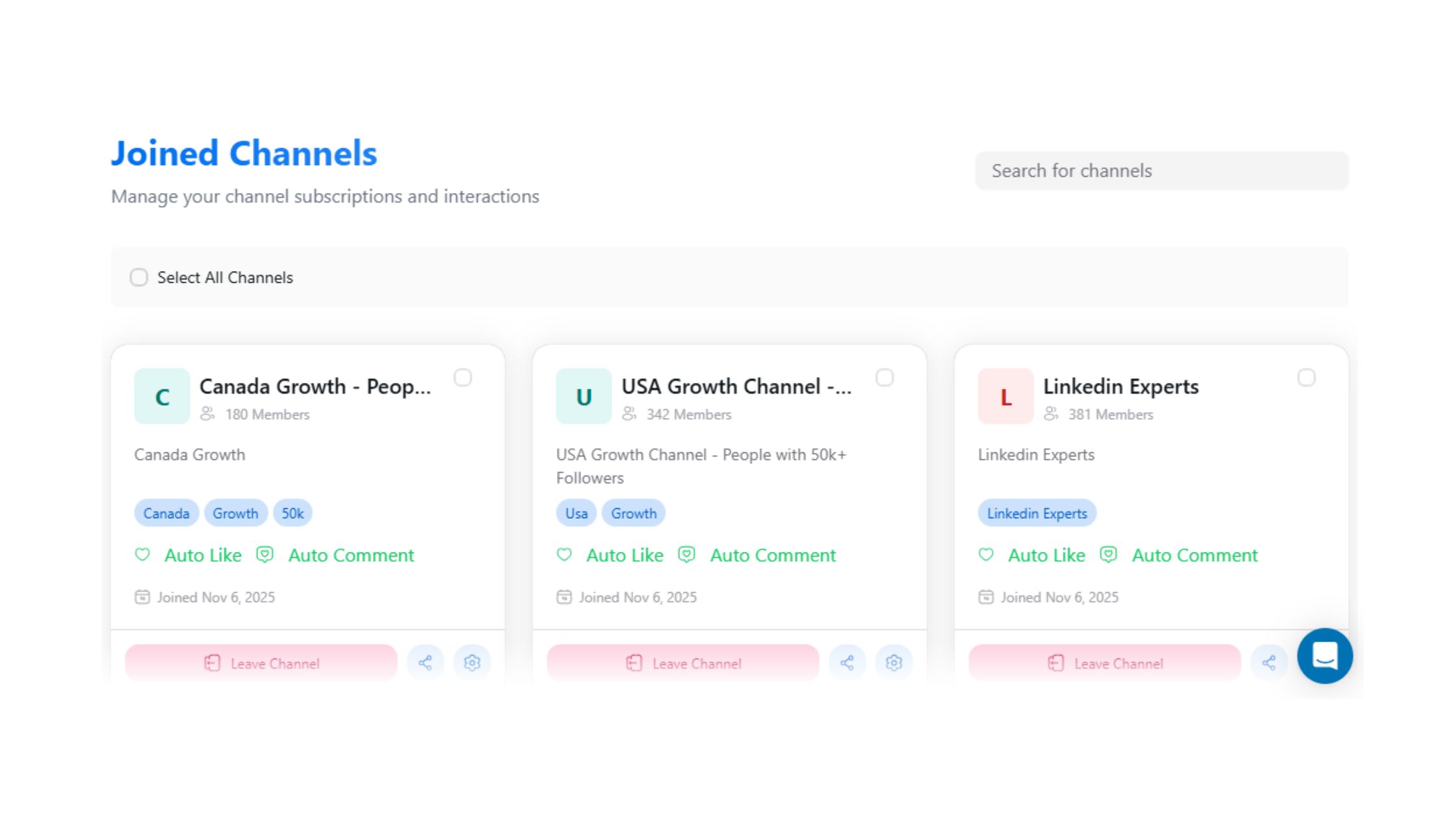
Yes — several strong Taplio alternatives offer genuine free tiers, not just dashboard previews. The critical question is whether the free tier lets you do anything meaningful: schedule a post, boost engagement, or generate AI content. Here's the honest breakdown:
- HyperClapper: Free entry tier with access to engagement channels and AI replies. Paid plans scale by channel volume — you pay for what you actually use, making it the most natural fit for solo creators who want to grow LinkedIn audience with automation without enterprise overhead.
- Supergrow: Free tier includes AI writing credits. Limited scheduling but useful for testing AI output quality before committing.
- AuthoredUp: Free browser extension with core formatting features. No AI writing or engagement tools on the free plan.
- Postwise: No meaningful free tier — starts at ~$29/month. Worth it for volume writers; not worth it for casual creators.
- Taplio: $39–$199/month with no free tier. Highest cost, lowest satisfaction rating among users tested.
What separates a useful free tier from a fake one is simple: can you post real content and measure what happens? Free tools that cap scheduling frequency to zero or AI credits to a single paragraph are essentially time-gated demos. Budget for at least a starter paid plan if LinkedIn growth is a serious priority — but the good news is that the best cheap LinkedIn growth tool options in 2026 start well under $20/month at entry level.
How to Set Up a Taplio Alternative and Get Your First Post Live in Under 10 Minutes
Using HyperClapper as the primary example, here's the fastest path from zero to first post boosted. This mirrors the setup flow that works across most alternatives — adapt the specifics to whichever tool you choose.
- Create your account (2 minutes) — Go to hyperclapper.com, sign up with email or Google. No credit card required for the free tier.
- Connect your LinkedIn account (1 minute) — Authorise via LinkedIn OAuth. This is read/post access only — HyperClapper doesn't scrape or message on your behalf.
- Paste or write your post (3 minutes) — Add your content directly. If you're using an AI LinkedIn post writer like Supergrow, draft there first and paste in. Keep it under 1,300 characters for optimal reach.
- Select your channels (1 minute) — Choose 1–3 channels depending on how much engagement you want. Start with 1 channel for your first post to benchmark traction before scaling.
- Toggle AI Replies on (30 seconds) — This keeps your thread active after the initial engagement wave. Highly recommended — LinkedIn's algorithm rewards post depth, not just surface-level likes.
- Check Content Guard settings (30 seconds) — HyperClapper's moderation system flags sensitive content before it goes out. Confirm it's active.
- Boost your post (30 seconds) — Hit submit. Your post is live and the engagement channels are activated.
Total: under 10 minutes. If you're curious how this compares to a pure engagement approach, the detailed walkthrough at Boost Your LinkedIn Engagement Rate in Under 10 Minutes covers the performance logic behind each step.
The most common mistake: switching tools but keeping the same irregular posting habits. Creators who skip this step typically find that even the best engagement platform can't rescue a post published once every three weeks with no consistent thread to build on. The tool change only pays off when paired with a 3–4x weekly posting rhythm.
Growing Your LinkedIn Audience With Automation: What Works and What Risks Your Account
Growing your LinkedIn audience with automation is legitimate when done through real engagement — real people liking and commenting through a community platform — and risky when done through bots, fake accounts, or mass connection requests. The difference isn't subtle: LinkedIn's trust and safety team has become significantly better at detecting bot-driven activity, and accounts flagged for inauthentic engagement have faced post suppression or temporary restrictions. Tools like HyperClapper focus on safer, smoother engagement specifically because aggressive automation is a short-term play with account-damaging downside.
For a comparison of engagement pod safety standards, the Podawaa alternative analysis covers this risk framework in detail — including what happened to Podawaa and why platform safety controls now matter more than raw feature count when choosing an engagement pod platform.
LinkedIn growth that doesn't risk your account
HyperClapper uses real engagement channels and Content Guard to keep your activity safe, natural, and effective.
Start Free — No Card NeededWho Should Use Which Taplio Alternative? (Matched by Use Case)
There's no single winner here. The right tool depends on whether your priority is writing better content or distributing it more effectively — and in most cases, the answer is both, which means the sharpest move is combining two lightweight tools rather than buying one expensive all-in-one.
- Founders and coaches building a personal brand: Prioritise AI writing quality and engagement boosting. The Supergrow + HyperClapper combination covers both pillars — Supergrow handles the LinkedIn content creation tool for creators side, HyperClapper handles the LinkedIn algorithm reach and visibility side. This combination costs less than Taplio's entry plan.
- Agencies managing multiple client LinkedIn pages: You need company page support, multi-account dashboards, and LinkedIn content scheduling automation. HyperClapper's company page boosting and replies features address this directly — and the agency-focused comparison guide covers multi-account workflows in detail.
- Recruiters and sales teams: Engagement visibility matters more than post frequency here. A tool that surfaces posts to relevant audiences through real engagement pods delivers more pipeline value than a pure scheduler. HyperClapper's channel-based engagement model is specifically well-suited to this use case.
- Creators on a budget: Start with HyperClapper's free tier or Supergrow's free writing credits. Validate which LinkedIn tool works faster than Taplio for your specific workflow, then upgrade based on actual engagement results — not feature lists.
Teams that stop trying to find one tool that does everything — and instead pick one tool for writing and one for distribution — consistently outperform users who spend more on a bundled platform that does both averagely.
The honest caveat: no single tool wins every category. The question isn't "what is the best alternative to Taplio" in the abstract — it's which combination of fast, affordable tools covers your specific gaps. What separates top performers on LinkedIn isn't the tool they use; it's using the right tool for the right job and posting consistently enough that the algorithm can reward them.
✓ Taplio Alternative Selection Checklist
- ☐Tested the AI output on a real post topic before subscribing
- ☐Confirmed the free tier lets you actually post (not just preview)
- ☐Verified the tool uses real engagement — not bots or fake accounts
- ☐Set up Content Guard or safety moderation before first post
- ☐Committed to posting at least 3x per week for the first 30 days
- ☐Activated AI Replies to sustain post thread depth after publishing
- ☐Checked analytics after first 5 posts to identify top-performing formats
Frequently Asked Questions About Taplio Alternatives
What is the fastest Taplio alternative I can start using today?
HyperClapper is the fastest Taplio alternative to set up and use immediately. You can create an account, connect LinkedIn, and have your first post boosted through real engagement channels in under 10 minutes — no credit card required for the free tier. It's purpose-built for speed and doesn't front-load setup with complex configuration.
Which LinkedIn tool lets me write and schedule posts in under 10 minutes?
For pure writing and scheduling speed, Postwise and Supergrow are the fastest options. Both have streamlined AI writing flows that produce a draft from a prompt in under 2 minutes. Pair either with HyperClapper for engagement boosting and you cover writing, scheduling, and distribution in a single lean workflow.
Is there a simpler and cheaper tool than Taplio for LinkedIn growth?
Yes. HyperClapper, Supergrow, and AuthoredUp all offer free tiers or paid plans that start significantly below Taplio's $39–$199/month range. For most solo creators, a Supergrow free account for writing plus HyperClapper's starter tier for engagement costs less than Taplio's cheapest plan — and covers the two things that actually drive growth.
What do LinkedIn creators use instead of Taplio in 2026?
According to Supergrow's 2026 analysis, the most common alternatives used by creators are Supergrow, AuthoredUp, Postwise, and HyperClapper — with the specific choice driven by whether the creator's priority is writing quality, content formatting, scheduling, or real engagement distribution.
How long does it take to set up a Taplio alternative?
Most top Taplio alternatives take 10–15 minutes from account creation to first post live. HyperClapper is the fastest at under 10 minutes for a boosted post. Taplio itself typically requires 30+ minutes of onboarding — CRM configuration, content calendar setup, and team settings — before you can post anything meaningful.
Is it safe to use LinkedIn automation tools in 2026?
Safety depends entirely on what kind of automation you're using. Real engagement platforms — where actual users like and comment through a community — carry far lower risk than bots or connection-spamming tools. HyperClapper specifically focuses on safer, smoother engagement rather than aggressive automation, and its Content Guard system adds an additional layer of brand safety moderation before posts go live. See the guide on what happened when Podawaa was banned for a clear picture of where the risk lines are drawn.
What is AuthoredUp and is it a good Taplio alternative?
AuthoredUp is a LinkedIn browser extension for content formatting, post analytics, and performance history — not a full Taplio replacement. It doesn't schedule, generate AI content, or boost engagement. It's best used alongside a writing tool and an engagement platform, not as a standalone alternative. Its free tier is genuinely useful for improving post structure and readability.
Does Taplio have a Chrome extension?
Yes — the Taplio Chrome extension lets users access AI writing suggestions and engagement features directly from their LinkedIn feed. Several alternatives offer similar browser extensions: AuthoredUp is the most widely used for in-browser LinkedIn content editing, while Kleo and other tools provide feed-level assistance without requiring a full platform login.
What consistently separates LinkedIn accounts that grow from accounts that plateau isn't which tool they pay for — it's whether their tool solves the right problem. Taplio reviews consistently show users who wanted better distribution but got a writing tool, and users who needed cheaper pricing but got a feature-bundled subscription. The alternatives that win in 2026 are the ones that do one or two things very well, very fast, and for a price that makes continued use an easy decision.



