
The most effective linkedin self-promotion techniques are not about broadcasting your achievements — they are about showing up consistently with genuine expertise so the right people find you before you ever reach out to them. A pattern observed across high-performing LinkedIn accounts is that the professionals gaining the most traction are not the loudest ones; they are the most relevant ones. They post with purpose, engage before they publish, and treat their profile like a search-optimised landing page rather than a digital résumé. This guide covers everything from profile setup to content strategy to algorithm mechanics — and most importantly, how to promote yourself on LinkedIn without it feeling forced or self-aggrandising.
- For: Professionals, creators, founders, and job seekers who want stronger LinkedIn visibility without resorting to cringe-worthy self-promotion.
- What you'll learn: Profile optimisation, content strategy, algorithm mechanics, networking habits, and which paid tools are actually worth it.
- Why it matters: According to Refine Labs, personal LinkedIn profiles drive 2.75x more impressions and 5x more engagement than company pages — your individual voice is your biggest asset.
- Most counterintuitive finding: Posting less often but engaging more deeply in comments consistently outperforms high-volume, low-engagement posting strategies.
- Algorithm truth: The first 60–90 minutes after publishing decide whether your post reaches hundreds or tens of thousands of people.
- Free beats paid: For personal branding alone, a strong free content strategy outperforms LinkedIn Premium in almost every scenario.
- What LinkedIn Self-Promotion Actually Means
- LinkedIn Profile Optimisation Tips That Make You Stand Out
- LinkedIn Content Strategy: What to Post, How Often, and How the Algorithm Works
- LinkedIn Networking Tips to Grow Connections
- Is LinkedIn Premium Worth It for Job Seekers?
- Frequently Asked Questions About LinkedIn Self-Promotion
What LinkedIn Self-Promotion Actually Means (And Why Most People Get It Wrong)
Self-promotion on LinkedIn is not bragging — it is deliberately sharing your expertise, wins, and perspective so the right people can find and trust you. The emotional friction around this is real, and most guides skip it entirely. A recurring pattern among professionals trying to build visibility on LinkedIn is that they oscillate between silence and overclaiming: either they say nothing for fear of looking arrogant, or they post tone-deaf "humbled to announce" updates that alienate their audience both ways.
The honest reframe: every time you share a genuine lesson, a specific opinion, or a behind-the-scenes insight from your work, you are not promoting yourself — you are providing value that happens to build your credibility. That is the distinction between LinkedIn self-promotion that earns trust and the kind that damages it.
LinkedIn rewards professional credibility signals — endorsements, recommendations, consistent posting, and completed profile sections — more than one-off milestone announcements. Think of your LinkedIn presence as a slow-burn content asset, not a press release machine.
The Benefits of Consistent LinkedIn Personal Branding
Consistent LinkedIn personal branding tips in practice: posting 3–5 times per week over 90 days compounds into a searchable archive of expertise that works for you 24/7. Inbound connection requests, speaking invitations, and job opportunities show up for people who have been consistently visible — not necessarily for those with the most followers. LinkedIn personal branding for winning clients starts with this long-game mindset.
Risks and Limitations to Know Before You Start
The most common failure mode is treating LinkedIn like a broadcast channel — posting updates without ever engaging with anyone else's content. The platform's algorithm interprets zero outbound engagement as low-relevance, which suppresses your distribution even when your content is genuinely good. Set aside 15 minutes before publishing to comment on 5–8 posts in your niche; the algorithm rewards accounts that participate, not just publish.
The professionals gaining the most traction on LinkedIn are not the loudest ones — they are the most consistently relevant ones. Showing up with purpose beats showing up often.
LinkedIn Profile Optimisation Tips That Make You Stand Out in 2026
Your profile is your 24/7 landing page, and most people waste it. The three highest-leverage elements — headline, About section, and Featured section — need to answer one question instantly: "Who do you help and how?" If a visitor cannot answer that in under 10 seconds, your profile is losing you opportunities every single day.
LinkedIn profile optimisation tips for 2026 centre on LinkedIn SEO: weaving your target keywords naturally into your headline, About section, and job description titles. This is how you increase LinkedIn profile views from search — both within LinkedIn's own search and increasingly from Google, which indexes public LinkedIn profiles directly.
- Headline: Go beyond your job title. Use the format: "[What you do] → [Who you help] → [The outcome]". Example: "B2B Content Strategist → Helping SaaS Founders Grow Pipeline Through LinkedIn"
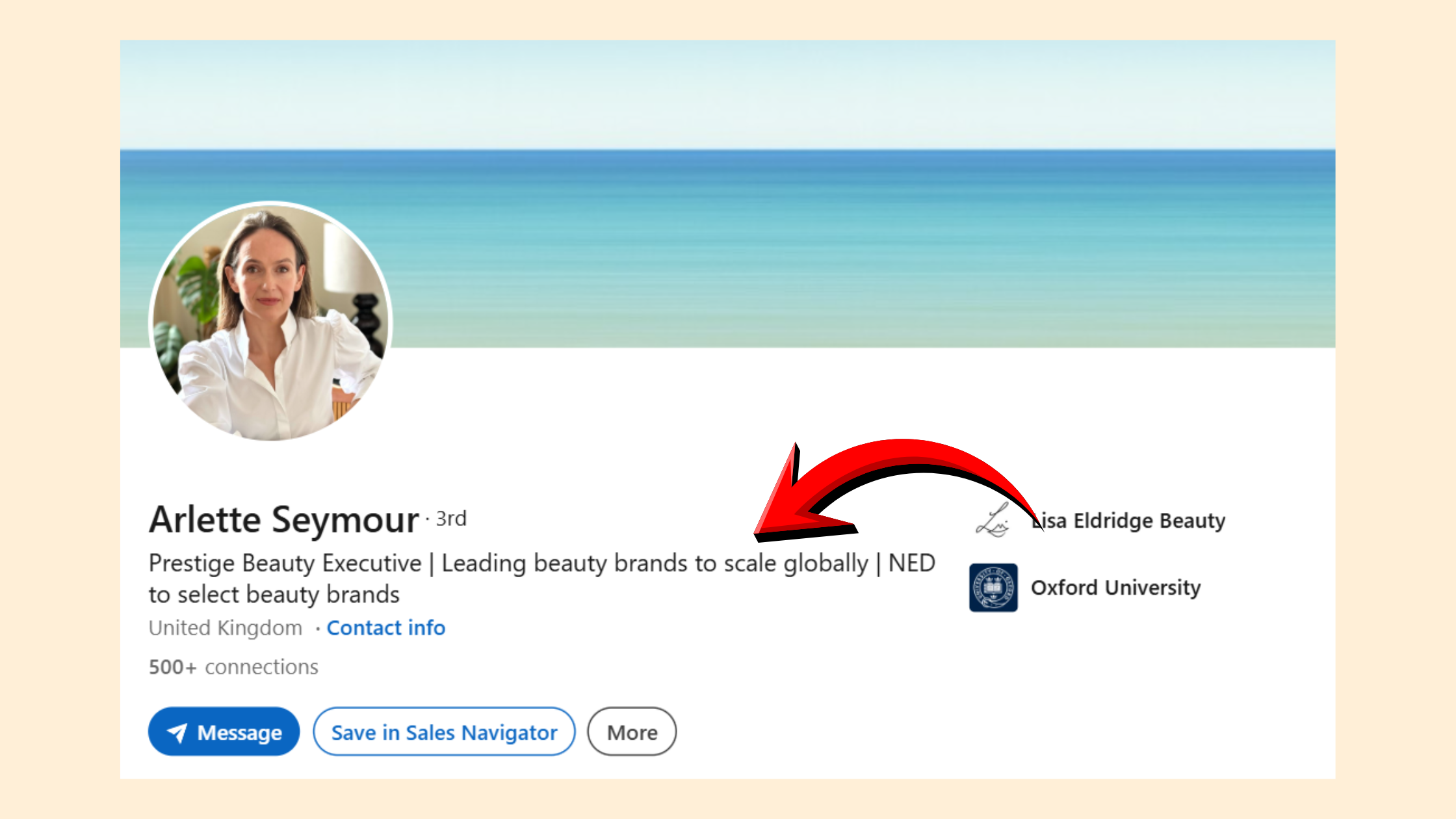
Linkedin profile Headline - About section: Open with a single sentence that names your niche. Use the second paragraph for social proof (clients, outcomes, industries). End with a clear call to action.
- Featured section: Pin your best post, a lead magnet, or a case study — not your company's homepage.
- Professional photo and banner: A professional LinkedIn profile photo increases profile clicks measurably; a branded banner reinforces your positioning at a glance.

Professional photo and banner on LinkedIn
On how to make your LinkedIn profile stand out to recruiters specifically: recruiters filter by keyword matches in the headline and job descriptions. If "growth marketing" or "enterprise sales" is not in your headline, you will not surface in filtered searches even if your experience is a perfect fit.
Does LinkedIn SSI Score Matter for Visibility?
The LinkedIn Social Selling Index (SSI) is a score from 0–100 measuring your profile completeness, content activity, network quality, and engagement. Does LinkedIn SSI score matter for visibility? Directly, no — LinkedIn has confirmed SSI does not influence post distribution. Indirectly, yes: the behaviours that raise your SSI (completing your profile, posting consistently, building a quality network) are the same behaviours that do improve algorithmic reach. Track SSI as a proxy for habits, not as a ranking signal.

For a full walkthrough of profile settings and optimisation tactics, the ultimate LinkedIn optimisation guide covers every element in detail.
LinkedIn Content Strategy: What to Post, How Often, and How the Algorithm Works
Wondering why is no one seeing your LinkedIn posts? The answer is almost always the same: insufficient early engagement. LinkedIn's algorithm scores each post within the first 60–90 minutes after publishing. Posts that collect reactions and comments quickly get pushed to second- and third-degree connections; posts that sit quiet get buried. This is the single most important mechanic to understand.
According to Brenton Way's 2026 LinkedIn marketing statistics, carousel posts (PDF documents) generate 278% more engagement than video, and posts with images receive 98% more comments than text-only posts. This means your LinkedIn content strategy for professionals should prioritise visual formats — especially carousels — as default, not as occasional experiments.
What should I post on LinkedIn to get noticed? Content types that consistently earn reach:
- Lessons learned from failure — specific, honest, and relatable; these outperform win announcements every time
- Contrarian takes backed by evidence — a clear "everyone says X, but here's what the data shows" framework
- Concise how-to frameworks — numbered lists or carousels that readers save and share
- Milestone posts with a genuine question — inviting others to share their experience creates comment depth that the algorithm rewards
- Personal context woven into professional insight — a fitness habit that changed how you manage energy, or a parenting moment that reframed a business decision. Real context builds real trust.
How Often Should I Post on LinkedIn?
How often should I post on LinkedIn? The data-supported sweet spot is 3–5 times per week. Consistency matters more than volume — accounts that drop below 3 posts per week see algorithmic reach decay, and recovering typically takes 3–4 weeks of consistent publishing to restore distribution. Daily posting without meaningful comments on your own posts often plateaus quickly because volume without depth signals to the algorithm that your content isn't generating real conversation.
Using Creator Mode, Newsletters, and LinkedIn Live to Amplify Reach
Creator Mode unlocks LinkedIn's native newsletter tool — a compounding asset that notifies all your followers with each edition, building a subscriber list you own inside the platform. LinkedIn Live video drives 24x more comments than standard video. Neither requires a large audience to start; in fact, building a newsletter from 0 to 1,000 subscribers within your first six months of consistent posting is a realistic target for professionals in well-defined niches.
Boosting Post Visibility and Measuring What Works
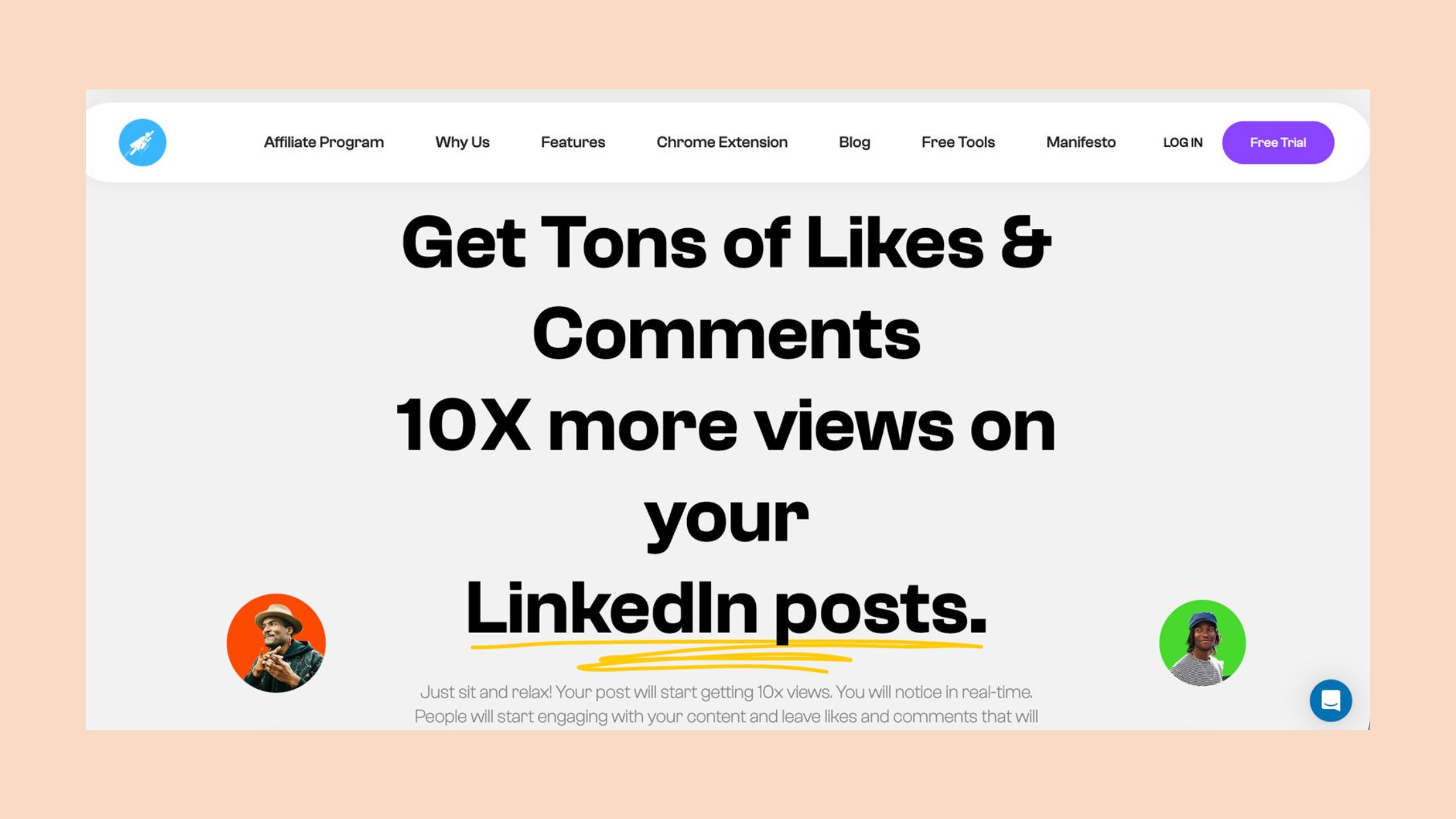
For professionals who want to accelerate early engagement (the critical first-90-minutes window), tools like HyperClapper are built specifically for this. HyperClapper connects your posts with real engagement channels — groups of relevant professionals who like and comment on your content — which signals quality to the algorithm and expands distribution without bot activity or fake engagement. For a deeper look at the LinkedIn content strategy for personal brand building, the structured approach matters as much as the tools you use.
Want your next post to reach 3–5x more people?
HyperClapper connects your LinkedIn posts with real engagement channels so they gain traction in that critical first 90-minute window.
Boost Your Next Post →LinkedIn Networking Tips to Grow Connections and Build Reciprocal Engagement
Reciprocal engagement culture is the engine underneath every successful LinkedIn growth story. The mechanic: comment thoughtfully on others' posts before you publish your own. This warms the algorithm to your account, builds genuine goodwill with the people you engage, and often results in those same people reciprocating when your post goes live. Teams that build this habit consistently see their average post reach increase within 2–3 weeks — without changing their content at all.
LinkedIn networking tips to grow connections from zero: target micro-niches rather than spraying connection requests broadly. Sending 20–30 highly targeted requests per week — to people who work in your exact niche, attend events you attend, or engage with the same voices you follow — outperforms mass connection campaigns in both acceptance rate and subsequent engagement quality.
- Always personalise connection requests with one sentence explaining why you are connecting — "I noticed your post on [topic] and wanted to connect" converts significantly better than the default message

Personalise connection requests - Engage in LinkedIn Groups in your niche — not with promotional posts, but with genuine answers to questions
- Request recommendations from clients and managers strategically: two or three specific, recent recommendations carry more credibility weight than a dozen generic ones
- Endorse skills reciprocally — the social proof mechanism genuinely influences how profiles surface in search
Common Mistakes to Avoid When Promoting Yourself on LinkedIn
The biggest mistakes observed across accounts that plateau despite consistent effort:
- Posting without a hook — the first line of every post is what users see in the feed; if it doesn't earn the "see more" click, the post effectively never existed
- Only posting achievements — wins without context feel like press releases; frame achievements as lessons with a takeaway others can use
- Ignoring analytics — LinkedIn's native analytics show exactly which posts drove profile visits and follower growth; what you don't measure, you can't improve
- Treating LinkedIn like Twitter — short reactive takes without professional depth rarely build lasting thought leadership positioning on this platform
For a detailed look at tools that complement a networking and outreach strategy, the guide to LinkedIn tools and automation for outreach walks through the safety considerations and feature distinctions worth knowing before you choose one.
Is LinkedIn Premium Worth It for Job Seekers and Professionals in 2026?
LinkedIn Premium gives job seekers three genuinely useful advantages: InMail credits to message people outside your network, applicant ranking insights (seeing where you stand against other applicants), and the Open to Work frame that signals availability to recruiters using Recruiter tools. For someone actively job hunting over a 3–6 month period, the ROI calculation is straightforward — one successful introduction via InMail can justify the subscription.
For content creators, founders, and professionals focused on personal branding, the value proposition weakens considerably. LinkedIn Premium is worth it for job seekers in active search mode; for organic growth and visibility, the algorithm does not favour Premium accounts in post distribution. Free features — Creator Mode, newsletters, native analytics — deliver more leverage for less cost.
On best LinkedIn automation tools for outreach: the critical distinction is between tools that use real community engagement (like HyperClapper's channel-based model) versus tools that automate connection requests and messages at scale. The latter category risks account restrictions; the former works with the platform's mechanics rather than against them. Evaluate any tool by its safety controls and whether engagement comes from real accounts in relevant niches.
✓ The LinkedIn Self-Promotion Checklist
- ☐Headline answers: who you help + the outcome (not just your job title)
- ☐About section opens with a niche statement and ends with a call to action
- ☐Creator Mode enabled (activates newsletters, live video, follower layout)
- ☐Professional photo + branded banner image uploaded
- ☐Posting 3–5x per week; external links placed in first comment, not post body
- ☐Commenting on 5–8 niche posts before each of your own publications
- ☐Personalised connection request sent to every new contact (1 sentence minimum)
- ☐Checking LinkedIn analytics weekly to identify which post types drive profile visits
- ☐At least 2 recent, specific recommendations from clients or colleagues visible on profile
Build real LinkedIn visibility — without bots or fake engagement
HyperClapper connects your posts with real engagement channels so the algorithm sees immediate traction and distributes your content further — all through genuine community interaction.
Try HyperClapper Free →Frequently Asked Questions About LinkedIn Self-Promotion
What is the fastest way to get noticed on LinkedIn as a professional?
Publish a carousel or image post with a strong first-line hook, then spend 15 minutes commenting on 5–8 posts in your niche before your post goes live. Early engagement in the first 60–90 minutes is what the algorithm uses to decide distribution. Combining a visual format with pre-seeded engagement activity is the fastest observable path to expanded reach.
How does the LinkedIn algorithm decide who sees my posts?
The LinkedIn algorithm scores your post immediately after publishing based on early engagement velocity — reactions, comments, and shares in the first 60–90 minutes. High early engagement triggers broader distribution to second- and third-degree connections. Per Digital Applied (2026), external links and engagement bait are now penalised by up to 60% in reach.
What are the most effective LinkedIn personal branding tips for 2026?
LinkedIn personal branding tips that consistently move the needle: optimise your headline with niche keywords, enable Creator Mode, publish carousels and newsletters regularly, and build a commenting habit before posting. Personal brand storytelling — weaving real personal context into professional insight — outperforms generic industry commentary in both engagement and memorability.
How can I promote myself on LinkedIn without seeming self-promotional?
Frame every post around value the reader can use, not the achievement itself. "I closed our first $100k deal — here's the 3-step process I used" is valuable. "Humbled to announce…" is not. Teach what you know from the work you do — the credibility builds naturally. How to get noticed on LinkedIn authentically is less about hiding your wins and more about packaging them as transferable lessons.
What type of LinkedIn content gets the most engagement and reach?
Carousel posts (PDF documents) generate 278% more engagement than video, according to Brenton Way (2026). Beyond format, first-person lessons-learned posts and contrarian takes backed by evidence consistently outperform general industry news or company announcements in reach, comments, and profile visits driven.
How do you measure the ROI of self-promotion efforts on LinkedIn?
Track four metrics weekly in LinkedIn's native analytics: post impressions, profile views, search appearances, and follower growth. ROI on LinkedIn self-promotion is best measured over 60–90 day windows, not post-by-post. Inbound connection requests from target-audience profiles and direct messages referencing your content are the highest-signal qualitative indicators that your strategy is working.
How often should I post on LinkedIn?
3–5 times per week is the evidence-supported sweet spot for most professionals. Dropping below 3 posts per week typically causes algorithmic reach decay within 10–14 days, requiring several weeks of consistent publishing to recover. Quality and consistency matter more than raw frequency — one well-crafted post beats five rushed ones every time.
What consistently separates accounts with compounding LinkedIn reach from those that plateau is not a single tactic — it is the combination of a keyword-optimised profile, a content strategy that teaches rather than announces, and a networking habit that gives before it takes. Accounts that align all three see compounding visibility. Those that rely on only one typically stall, regardless of how good their content is.



