
The linkedin post inspector is LinkedIn's official URL debugging tool — it forces LinkedIn's crawler to re-scrape a URL and update its cached link preview metadata. That's it. It does not boost reach, fix algorithmic suppression, or influence how many people see your post. A recurring pattern among marketers and founders troubleshooting low post performance is conflating a metadata problem (broken link preview) with a distribution problem (the algorithm showing your post to fewer people) — and expecting the debugger to fix both. It fixes only the first.
- The LinkedIn Post Inspector refreshes cached metadata and Open Graph previews — it has zero effect on feed algorithm reach.
- Running the debugger after posting does not update that live post's preview — only future shares of the same URL benefit.
- LinkedIn does not penalize external links as policy, but its algorithm deprioritizes posts that pull users off-platform.
- The most reliable reach workaround: post link in the first comment, not the post body.
- Fixing your link preview is a hygiene step — real reach requires early engagement signals, strong hooks, and consistent posting.
- Most counterintuitive finding: a "successful" re-scrape in Post Inspector does not guarantee your preview updates for existing shares — cache propagation takes 30–60 minutes and sometimes longer.
- What the LinkedIn Post Inspector Actually Is (And What It Isn't)
- How to Use the LinkedIn Link Debugger Step by Step in 2026
- Does LinkedIn Penalize External Links? The Algorithm Truth in 2026
- Common Mistakes and Limitations When Using the LinkedIn URL Inspector
- Best LinkedIn Analytics and Reach Tools to Pair With the Debugger in 2026
- FAQ: LinkedIn Post Inspector, Link Previews, and Post Reach
What the LinkedIn Post Inspector Actually Is (And What It Isn't)
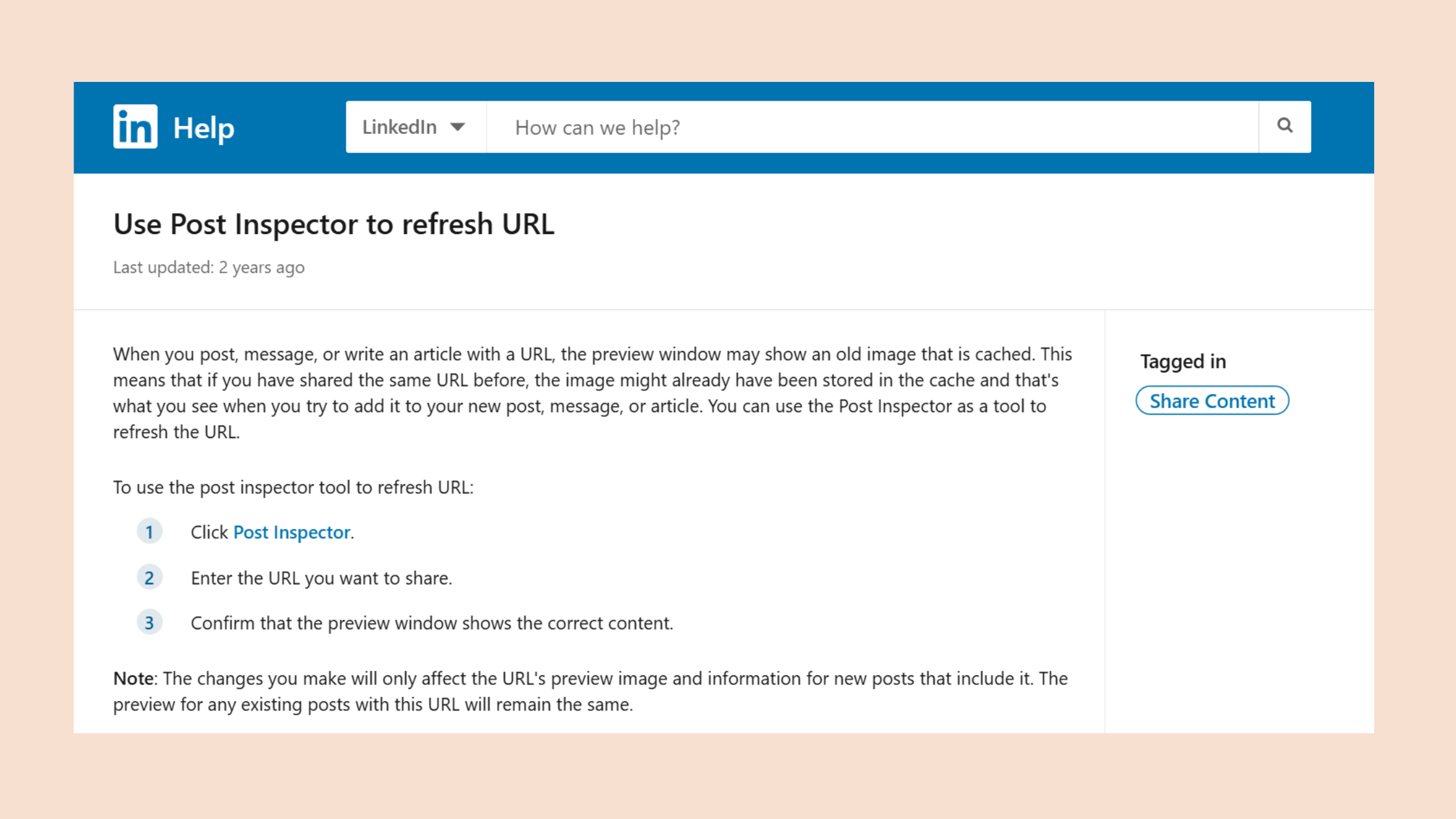
The linkedin post inspector tool is a free, official utility at linkedin.com/post-inspector that acts as a linkedin link checker and Open Graph debugger. When you paste a URL and hit Inspect, LinkedIn's social media crawler — LinkedInBot — visits that URL, reads its Open Graph meta tags, and stores the result. The tool then shows you exactly what LinkedIn will render as a link preview when someone shares that URL in a post.
What it is not: a reach booster, an analytics dashboard, a linkedin card validator for engagement quality, or any kind of fix for algorithmic distribution. The most common failure mode observed across community discussions is users running the linkedin debug tool expecting their post impressions to recover — and seeing no change, because the tool was never designed to touch the algorithm.
What Open Graph Meta Tags Does LinkedIn Prioritize?
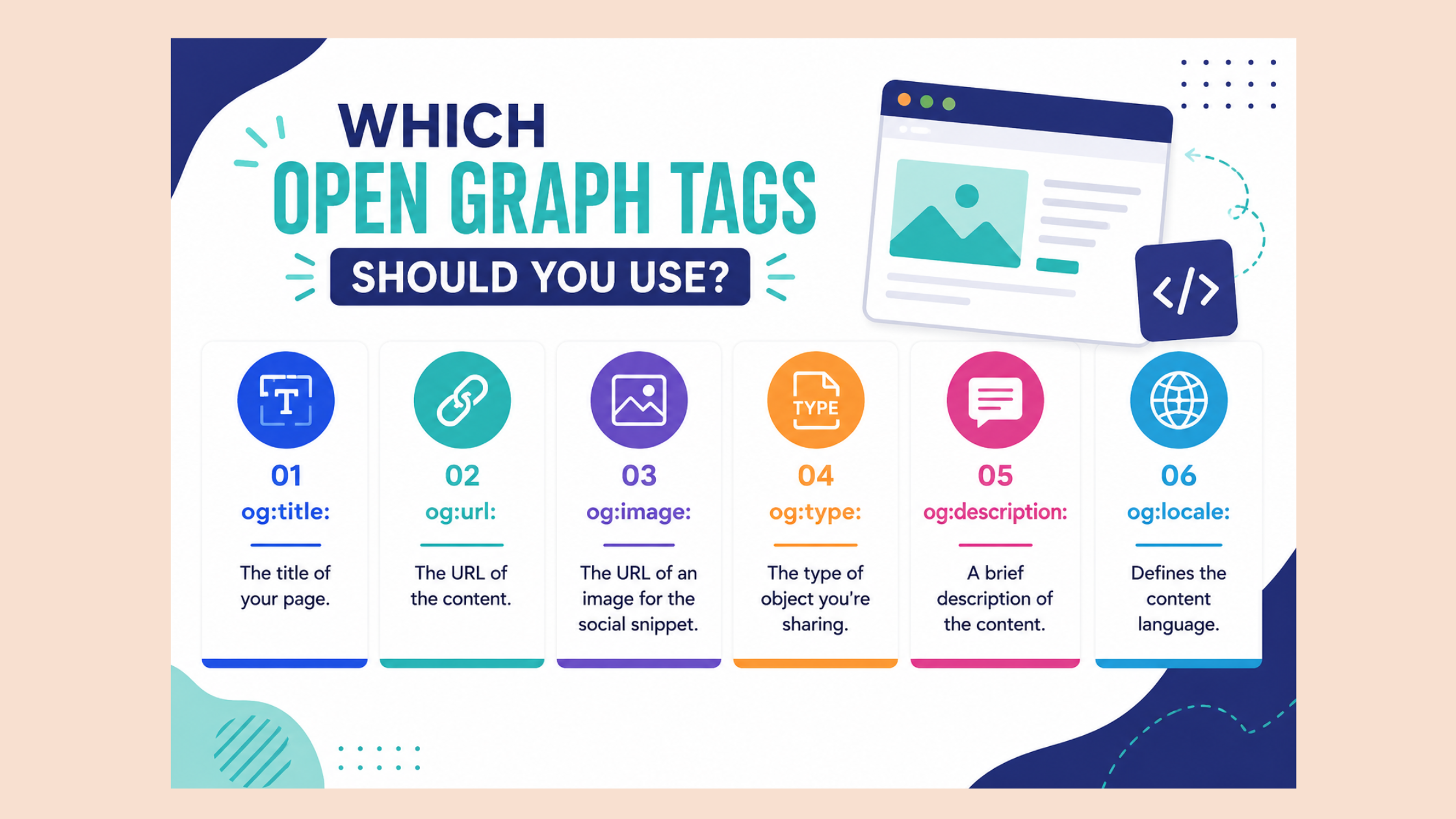
Open Graph meta tags are HTML snippets that tell social crawlers what title, description, and image to display in a link preview. LinkedIn's crawler prioritizes four tags above all others:
- og:title — truncated at 150 characters by LinkedIn
- og:description — used as the preview subtitle
- og:image — must be at least 1200×627px; smaller images render poorly or not at all
- og:url — the canonical URL LinkedIn uses to de-duplicate shares
Missing or malformed versions of any of these four will produce a broken, text-only, or mismatched preview. The linkedin post inspector surfaces exactly which tags are present, which are missing, and which have format issues — treat every warning as a required fix, not a cosmetic suggestion.
LinkedIn Post Inspector vs. Facebook & Twitter Debuggers
The facebook post inspector (officially the Facebook Sharing Debugger) and Twitter's Card Validator operate on the same Open Graph concept but run entirely separate crawlers with their own independent caches. A successful re-scrape on Facebook does nothing to LinkedIn's cached data, and vice versa. If you manage content across platforms, you need to run each platform's tool separately — there is no universal cache clear. The linkedin debugger is the only tool that touches LinkedIn's preview data.
The linkedin post inspector and the Facebook Open Graph debugger share the same concept — Open Graph re-scraping — but they are completely separate systems. Clearing your cache on one has zero effect on the other.
With the tool's purpose and scope clear, the next step is using it correctly — because the sequence matters more than most guides acknowledge.
How to Use the LinkedIn Link Debugger Step by Step in 2026
Using the linkedin link debugger correctly takes under two minutes — but the timing relative to your post publish is critical.
- Navigate to linkedin.com/post-inspector while logged into LinkedIn.
- Paste your URL into the linkedin link checker field — use the exact URL you plan to share, including any UTM parameters.
- Click "Inspect" — LinkedInBot fetches the page and returns the scraped og:title, og:description, og:image, and any tag warnings within seconds.
- Review the results panel — treat every warning as a mandatory fix item, not a cosmetic notice.
- Fix your Open Graph tags on the source page if needed, then return and click "Re-inspect" to force a fresh scrape with updated metadata.
- Validate in a post draft — open a new LinkedIn post, paste the URL, and confirm the rendered preview matches what the tool showed. This is the fastest confirmation method.
How to Properly Implement Open Graph Meta Tags Before You Debug
The most efficient use of the linkedin post inspector starts at the page level, not the tool level. Before you ever open the debugger, confirm these tags exist in your page's <head>:
og:title,og:description,og:image, andog:urlare present and populated- og:image is at minimum 1200×627px and publicly accessible (no authentication required)
- Your page returns an HTTP 200 status — redirects can confuse LinkedIn's crawler
- LinkedInBot is not blocked by your robots.txt or bot-blocking middleware
When the LinkedIn Link Preview Still Won't Update After Re-Inspecting
The most reported community frustration with the linkedin inspector is the "successful scrape, broken preview" pattern — the tool confirms it read your metadata correctly, but the old image or title keeps appearing. When this happens:
- Squarespace, Odoo, and some custom CMS platforms add bot-blocking headers that prevent LinkedInBot from reaching the final rendered page — the fix is whitelisting the LinkedInBot user-agent at the server or CDN level.
- CDN-level caching can serve cached HTML to the crawler even after you updated the page — purge your CDN cache before re-inspecting.
- Existing post shares are not retroactively updated — re-scraping only affects future shares. The live post's preview is locked at publish time.
Does LinkedIn Penalize External Links? The Algorithm Truth in 2026
LinkedIn does not algorithmically penalize external links as a written policy — but its feed ranking model deprioritizes posts that cause users to leave the platform. The distinction matters. LinkedIn's algorithm scores posts heavily on dwell time and on-platform engagement signals: reactions, comments, and reposts. A link post that pulls users to an external page accumulates fewer on-platform signals in the critical first 60–90 minutes after publishing, which functionally reduces distribution — not because of a penalty, but because it scores lower on the signals that drive feed visibility.
LinkedIn doesn't penalize links. It rewards on-platform engagement. The result looks identical — but the fix is completely different.
According to LinkedIn pulse data (2026), short posts have seen a 17% increase in reach while very long posts have lost 13% of theirs — a signal that the algorithm increasingly rewards content optimized for on-platform reading, not outbound clicks.
The practical workaround: post the external link in the first comment, not the post body. This preserves the post's reach potential while still directing engaged readers to your content. This is a widely tested approach that does not violate platform guidelines — it simply keeps the post body free of signals that reduce dwell time scoring.
Why Is My LinkedIn Post Reach So Low? Common Non-Debugger Causes
Teams that diagnose low reach as a metadata problem — and fix their Open Graph tags — are often disappointed when impressions don't recover. The real causes are usually upstream of the debugger:
- No early engagement in the first 60–90 minutes after posting — LinkedIn's algorithm uses this window to decide initial distribution width
- Posting frequency drops below 3x per week — accounts that post less frequently see algorithmic reach decay that can take 3–4 weeks of consistent posting to recover
- Weak hook text — the first 2 lines before "see more" determine whether users pause or scroll past
- Posting at off-peak hours for your specific audience timezone
- No comments or reactions in the first hour — even 3–5 early comments significantly extend initial distribution
The linkedin post inspector is a hygiene tool — it ensures your content is technically correct. What happens after that is entirely a reach and engagement question.
Common Mistakes and Limitations When Using the LinkedIn URL Inspector
Four mistakes account for most of the frustration reported in the LinkedIn Post Inspector community discussions — and each one reflects a different misunderstanding of what the tool actually does.
- Mistake 1 — Running the debugger after posting: re-scraping after a post is live does not update that post's preview. The metadata fix only applies to future shares of the same URL.
- Mistake 2 — Assuming one re-scrape is permanent: LinkedIn's cache has its own time-to-live (TTL). If you update your page's metadata weeks later, you need to re-inspect again — a single debug session is not a permanent fix.
- Mistake 3 — Confusing a metadata fix with a reach fix: the linkedin card validator confirms your preview renders correctly, not that LinkedIn will distribute your post widely. These are entirely separate systems.
- Mistake 4 — No actionable feedback on failure: Post Inspector provides no error codes when it fails silently. When it "works" but the preview still doesn't update, users get no guidance — this is the tool's most significant limitation.
How HyperClapper Addresses What the Debugger Can't Fix
The linkedin post inspector solves the metadata layer. Early engagement — the layer the algorithm actually scores — requires a different approach. What separates posts that break through from posts that plateau is the volume and quality of engagement in the first 90 minutes after publishing.
HyperClapper works by connecting your posts to real engagement channels — groups of relevant professionals who react and comment on your content. Each channel delivers around 50 genuine engagements, seeding the early-signal window that drives broader algorithmic distribution. Combined with AI-powered replies that keep conversations active over days (not just hours), it addresses exactly the reach failure modes that Post Inspector cannot touch. For a full breakdown of how LinkedIn's engagement tools compare, see this guide to LinkedIn analytics and automation tools for marketers.
✓ The LinkedIn Post Inspector Pre-Publish Checklist
- ☐Open linkedin.com/post-inspector and paste your URL before publishing
- ☐Confirm og:title, og:description, og:image, and og:url are all present and correct
- ☐Verify og:image is at least 1200×627px and publicly accessible
- ☐Click Re-inspect after any tag edits and wait 30–60 minutes before posting
- ☐Validate the final preview in a LinkedIn post draft before publishing
- ☐If using an external link, consider posting it in the first comment instead of the body
- ☐Have an early engagement plan ready for the first 90 minutes post-publish
Best LinkedIn Analytics and Reach Tools to Pair With the Debugger in 2026
The linkedin debugger and the linkedin link debugger handle one job: metadata hygiene. Reach requires a stack of complementary tools working in sequence.
| Tool | Best For | Key Limitation |
|---|---|---|
| LinkedIn Post Inspector | Fixing cached link preview metadata | Zero reach impact |
| LinkedIn Native Analytics | Impression and reach tracking | No engagement amplification |
| HyperClapper | Early engagement seeding + AI replies | Not a metadata tool |
| Lempod / Podawaa | Pod-based engagement | Bot risk, no content moderation |
For content creators and professionals focused on sustainable LinkedIn visibility, the most effective workflow observed across high-performing accounts is: use Post Inspector to confirm metadata → post with link in first comment → seed early engagement through real channels → track reach trajectory in native analytics. For a broader view of the tool landscape, this comparison of LinkedIn tools covering schedulers, carousels, and analytics covers each category in detail. And for safety-conscious professionals, the safe LinkedIn analytics tools guide is worth reviewing before choosing any engagement platform.
No tool replaces genuinely relevant content that earns organic comments. Every analytics and reach tool amplifies existing content quality — it does not substitute for it.
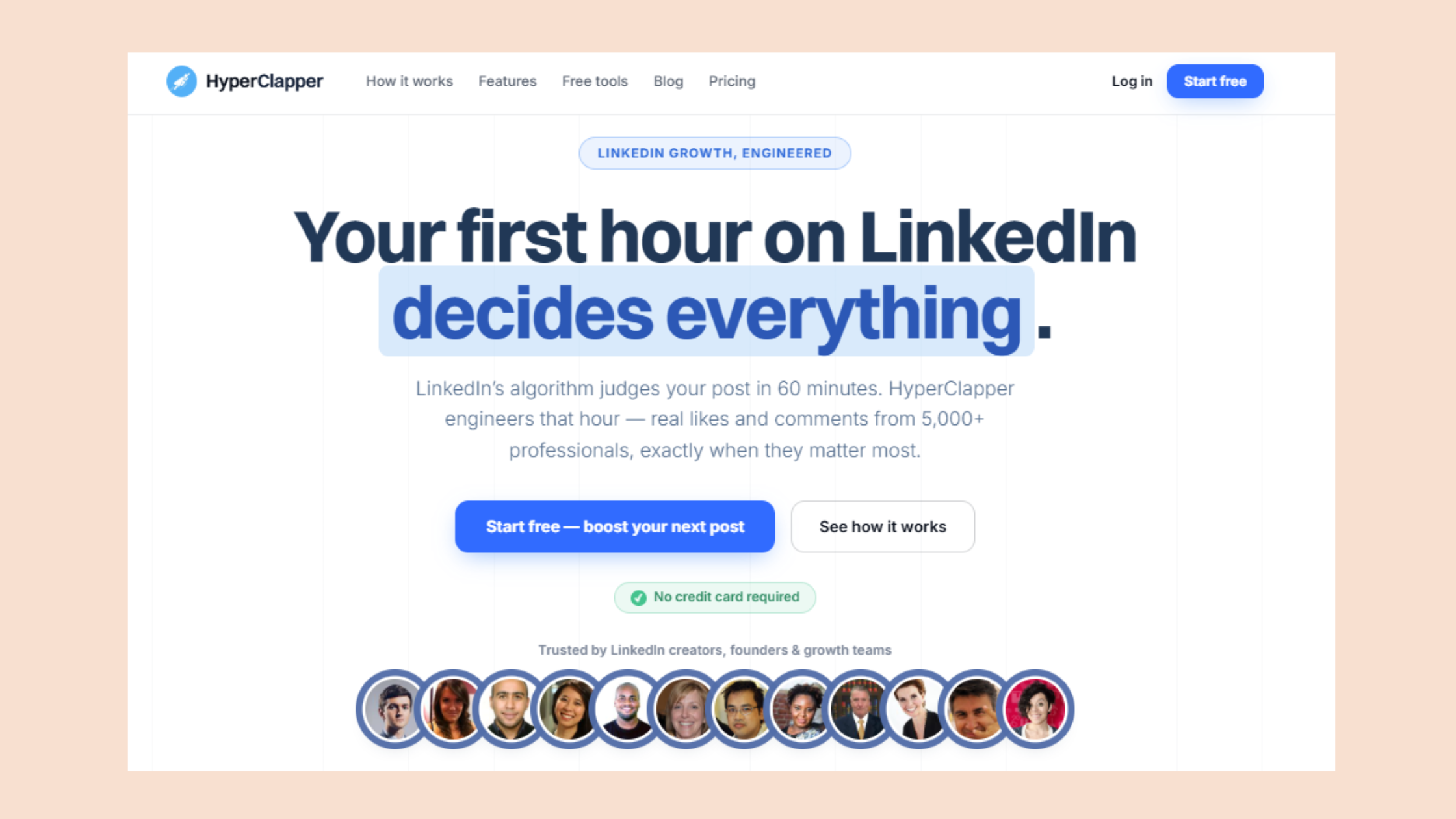
Fix Your Reach — Not Just Your Link Preview
HyperClapper seeds early engagement from real professionals so your posts reach more people in the critical first 90 minutes.
See How HyperClapper WorksFAQ: LinkedIn Post Inspector, Link Previews, and Post Reach
How do I use the LinkedIn Post Inspector?
Go to linkedin.com/post-inspector, paste your URL into the field, and click Inspect. LinkedIn's crawler scrapes the page and returns the og:title, og:description, og:image, and any tag warnings. Fix any issues on your page, then click Re-inspect to confirm the update. Do this before posting — not after.
How do I clear the cache in LinkedIn Post Inspector?
Paste your URL into the tool and click the "Re-inspect" button after your initial Inspect. This forces LinkedIn's crawler to discard its cached version and scrape the current page metadata fresh. Allow 30–60 minutes for the updated preview to propagate fully before publishing your post.
Does refreshing a LinkedIn post preview with the debugger reset its reach or engagement?
No. Using the linkedin post inspector does not reset, reduce, or affect a post's reach or engagement in any way. The tool only updates LinkedIn's cached metadata for future URL shares. It has no connection to the feed algorithm or impression tracking — these are entirely separate systems.
Why do LinkedIn posts with external links get less reach than text-only posts?
LinkedIn's algorithm scores posts on on-platform engagement signals — reactions, comments, dwell time. External links pull users off-platform, reducing those signals in the critical first 90 minutes. This lowers the post's distribution score. The fix: post the link in the first comment rather than the post body to preserve feed reach while still driving traffic.
Is the LinkedIn Post Inspector the same as the Facebook Open Graph debugger?
No. The linkedin post inspector and the facebook post inspector (Facebook Sharing Debugger) both re-scrape Open Graph metadata, but they run on completely separate crawlers with independent caches. A re-scrape on one platform has no effect on the other. You must run each platform's tool separately.
Can fixing my LinkedIn link preview with Post Inspector improve my post performance?
Indirectly, yes — but not in the way most people expect. A broken or missing preview image can reduce click-through rates and make posts look unprofessional, which depresses engagement. Fixing it removes a friction point. However, the linkedin post inspector does not improve algorithmic distribution. Reach improvement requires early engagement signals, strong hook copy, and consistent posting frequency.
What are the most common mistakes people make with the LinkedIn Post Inspector?
The four most common mistakes: running the debugger after the post is already live (the fix doesn't apply retroactively), assuming one re-scrape is permanent (cache TTL means you must re-inspect after future page edits), expecting it to improve reach (it only fixes metadata), and not whitelisting LinkedInBot on CMS platforms like Squarespace that block crawlers by default.
What consistently separates accounts with real LinkedIn reach from accounts that plateau — regardless of how clean their link previews are — is early, sustained engagement in the first 90 minutes of every post. The debugger handles technical hygiene. Everything else is a distribution problem, and those two categories require completely different solutions.



