Unlock LinkedIn Free Premium Before Your Competitors Do
Get LinkedIn free premium trial access with all 7 legitimate methods — students, veterans, re-engagement offers — plus a 30-day game plan to maximise every feature.
📅 ⏱ 22 min read📝 ~4300 words
The LinkedIn free premium trial gives you 30 days of full paid-tier access — InMail credits, complete profile-viewer history, applicant insights, and LinkedIn Learning — before a single charge hits your account. A pattern observed across thousands of job seekers and professionals is that the ones who get measurable results from the trial are not the ones who simply activate it; they are the ones who walk in with a specific plan, a baseline to measure against, and a strategy that layers engagement on top of Premium's visibility tools. This guide covers all 7 legitimate methods to access LinkedIn Premium free, how to squeeze maximum value from every day of your trial, and an honest verdict on whether paying afterward is worth it.
Key Takeaways
The standard free trial of LinkedIn Premium lasts 30 days and requires a credit card — but you can cancel before day 30 and pay nothing.
There are at least 7 legitimate routes to LinkedIn Premium free access, including student programs, the Veterans program (1 full year free), employer benefits, and seasonal re-engagement offers.
Most users waste their trial because they never set a Day 1 baseline — always screenshot profile views, search appearances, and InMail reply rates before you do anything else.
The LinkedIn Premium free trial for students is available through verified university partnerships — check your institution's career portal, not LinkedIn's main sign-up page.
Annual billing cuts the post-trial cost by 20–40% — the single fastest route to cheaper LinkedIn Premium without any special eligibility.
Counterintuitive finding: a free account with active, consistent engagement often outperforms a passive Premium profile in feed distribution — Premium amplifies effort, it does not replace it.
What Is the LinkedIn Free Premium Trial and Who Actually Qualifies in 2026
The LinkedIn free premium trial is a 30-day window that grants full access to one paid tier — typically Career, Business, Sales Navigator Core, or Recruiter Lite — before any charge reaches your payment method. You activate it through LinkedIn's upgrade flow, enter a credit or debit card, and access every feature of the chosen plan immediately. Cancel before day 30 and you pay nothing. Let it roll past day 30 and LinkedIn bills you at the full monthly rate for that plan.
Eligibility rules are specific:
New LinkedIn accounts that have never held a Premium subscription
Existing free accounts that have never redeemed a trial on that email address
Lapsed users who receive a personalised re-engagement offer from LinkedIn (typically via email or an in-app notification)
Which plans include a free trial? In standard flows, LinkedIn Premium Career and LinkedIn Premium Business almost always carry the trial offer. Sales Navigator Core has its own separate trial. Recruiter Lite occasionally offers a trial but less reliably. Recruiter Corporate and LinkedIn Talent Insights are enterprise contracts and rarely appear in standard self-serve trial flows — those require direct negotiation with a LinkedIn sales rep.
On the credit card requirement: LinkedIn always requires a payment method to start any free trial premium LinkedIn offer. There is no way to activate a standard trial without one. The card is not charged during the trial period if you cancel on time — but LinkedIn does run a small authorisation check at sign-up.
⚠️
Warning:LinkedIn does not send a reminder before your trial ends. Set a calendar alert for day 28 the moment you activate — missing the cancellation window means an immediate full-month charge with no refund.
How Many Times Can You Get the LinkedIn Premium Free Trial?
The honest answer: once per email address, under standard conditions. LinkedIn's system flags accounts that have previously redeemed a trial and blocks the offer from appearing again on that account. However, LinkedIn periodically sends re-engagement offers to users who have been inactive or who cancelled Premium months ago — these are not a guaranteed second trial, but they do appear. The question of how many times can you get LinkedIn Premium free trial effectively comes down to how often LinkedIn chooses to send you one of these re-engagement offers. Creating a new account on a fresh email to game this is a violation of LinkedIn's Terms of Service and risks both accounts being permanently restricted.
Does LinkedIn Offer Free Premium for Students?
Yes. Free LinkedIn Premium for students is available through LinkedIn's verified university partnership programme. Eligible students at participating institutions can access LinkedIn Premium Career for free — in some cases for up to a full academic year. To check eligibility, visit your university's career services or IT portal rather than LinkedIn's main upgrade page, as access codes and eligibility confirmation typically come through the institution. The LinkedIn Premium free trial for students is distinct from the standard 30-day trial — it is often longer and does not require a credit card when accessed through a verified institutional partnership.
All 7 Legitimate Ways to Get LinkedIn Free Premium (Beyond the Standard Trial)
Most articles stop at the standard free trial. These are all 7 methods that actually work — each with its own eligibility, duration, and access path.
Method 1 — Standard 30-day free trial: The baseline. Go to LinkedIn.com → click your profile icon → "Try Premium for free" → choose your plan → enter payment details. Cancel any time before day 30. Access the cancellation page via: Settings & Privacy → Subscriptions → Cancel Subscription.
Method 2 — LinkedIn re-engagement offer: LinkedIn sends personalised "Try Premium free" links to dormant or recently lapsed users via email and in-app notifications. Check your LinkedIn notification bell and the email address tied to your account. These offers are real but time-limited — they typically expire within 7–14 days of being sent.
Method 3 — University / student partnership: As covered above, eligible students access free LinkedIn Premium Career through their institution's portal. Duration varies by institution but is commonly one full academic year. This is the strongest deal available for anyone currently enrolled.
Method 4 — LinkedIn for Veterans programme: U.S. military veterans and their spouses can claim one free year of LinkedIn Premium Career through LinkedIn's official Veterans programme page. This requires verification through ID.me or a similar identity verification step. It is the most generous free Premium offer LinkedIn runs publicly — and is chronically underused because it is not promoted prominently in LinkedIn's main UI.
1 Full Year
Free LinkedIn Premium Career available to eligible U.S. veterans and military spouses — the longest free access period LinkedIn officially offers
Methods 5–7: Employer Benefits, Referral Promos, and LinkedIn Learning Bundles
Method 5 — Employer benefits: A growing number of mid-to-large employers include LinkedIn Premium as part of their employee benefits package, often via HR platforms like Perks at Work or corporate software agreements. Check your company's benefits portal or ask HR directly — this route is underutilised because employees do not know to ask. Duration is typically active employment.
Method 6 — Referral and partner promotions: LinkedIn occasionally runs referral promos through third-party partners — career coaching platforms, B2B software bundles, and conference sponsors. These are not permanent and rarely publicised, but they surface through newsletter deals, AppSumo drops, and affiliate partnerships. The LinkedIn premium coupon free route is real, just inconsistent in availability.
Method 7 — LinkedIn Learning bundles: Some organisations and educational platforms licence LinkedIn Learning for their users, and that access occasionally includes a linked Premium Career subscription. This is common with public library digital card programmes in the US, UK, and Australia — worth checking if your library card gives you access to LinkedIn Learning through a service like Lynda or Coursera partnerships.
The real competitive advantage is not the trial itself — it is knowing that most professionals stop at Method 1. The other six methods collectively make LinkedIn Premium free accessible to veterans, students, employees, and career changers who never think to look past the standard upgrade page.
Want Premium visibility results without waiting for a trial?
HyperClapper boosts your LinkedIn post engagement with real community interactions — so your content gets seen whether you're on Premium or not.
LinkedIn Premium Subscription Plans Explained: Career vs. Business vs. Sales Navigator
Four plans, four distinct use cases — choosing the wrong one during your free trial means spending 30 days exploring features that do not match your actual goal.
LinkedIn Premium Career — Built for job seekers and professionals building a personal brand. Includes 5 InMail credits per month, applicant insights, and the full 90-day Who Viewed Your Profile list.
LinkedIn Premium Business — Designed for B2B professionals, consultants, and recruiters who need unlimited people browsing and richer company data. Includes 15 InMail credits monthly.
Sales Navigator Core — A separate product with advanced search filters, lead lists, and CRM integration. Has its own free trial and is priced significantly higher than Career or Business.
Recruiter Lite — For in-house or independent recruiters. Offers 30 InMail credits, advanced candidate search filters, and pipeline management tools.
For the LinkedIn Premium Career vs Business decision: Career is the right trial for anyone actively job searching or building thought leadership. Business makes sense if your primary goal is prospecting, researching companies, or growing a consulting practice. Most individual professionals should start with Career — it is cheaper post-trial and covers the core visibility tools.
What features are included in the LinkedIn Premium free trial (Career tier specifically):
5 InMail message credits
Full Who Viewed Your Profile list (90-day history)
Applicant insights — see how you compare to other applicants for any job post
AI-assisted writing tools for posts and messages
LinkedIn Learning full library access
Open Profile status (anyone can message you for free)
LinkedIn Premium vs. Free Account: What You Actually Gain
The LinkedIn Premium vs free account comparison is less dramatic than LinkedIn's marketing implies for passive users — and genuinely transformative for active ones. A free account with a strong content strategy and consistent engagement often generates more inbound leads than a Premium account used passively. What Premium actually adds is signal quality: you see exactly who noticed you, where you ranked against other applicants, and you can reach people outside your network directly. For an active job seeker running a structured outreach campaign, that signal quality is valuable. For someone who logs in once a week to scroll, it is not.
How to Get Cheaper LinkedIn Premium: Discounts, Promo Codes, and Annual Billing Hacks
Annual billing is the single most reliable way to get cheaper LinkedIn premium — switching from month-to-month to an annual plan typically saves between 20% and 40% depending on the plan and region. No special eligibility required. LinkedIn presents this option during the upgrade flow, but most users miss it because the monthly option is preselected. Always click "Billed annually" before entering payment details.
Beyond that, here is what actually works for how to get cheap LinkedIn premium:
Seasonal promotions: On the question of how often does LinkedIn offer free premium or discounted deals — LinkedIn runs promotional pricing most reliably in Q1 (January hiring surge) and around September (post-summer hiring ramp-up). Check the LinkedIn app directly during these windows rather than waiting for an email — some offers only appear when you manually visit the upgrade page while signed in.
Regional pricing: LinkedIn uses purchasing-power-adjusted pricing in some markets. This legitimately means the cheapest LinkedIn Premium rate for a given plan varies by country. Attempting to exploit this via VPN violates LinkedIn's Terms of Service and risks account suspension — not worth it.
B2B software bundles: Platforms like AppSumo, Perkspot, and corporate HR portals occasionally surface bundled or discounted LinkedIn products. The LinkedIn premium cheaper route via employer benefits (Method 5 above) is the cleanest version of this.
LinkedIn premium coupon free codes: genuine discount codes exist through partner promotions but are rare and time-limited. Verify any code through LinkedIn's official upgrade page — third-party "coupon" sites that ask for personal data to reveal a code are almost always scams.
💡
Pro Tip:If you are on a monthly plan, cancel it the day before renewal, wait 24 hours, then re-subscribe — LinkedIn occasionally presents a retention discount (typically 20–30% off for 3 months) in the cancellation flow before your plan actually lapses.
LinkedIn Premium Price After Free Trial: What to Expect and When to Downgrade
The LinkedIn Premium price after free trial for Career is approximately $39.99/month (billed monthly) or roughly $239.88/year (billed annually) as of 2026 — though LinkedIn adjusts pricing periodically and by region, so always verify on the pricing page before committing. Business runs approximately $59.99/month. Sales Navigator Core starts around $99.99/month.
The smart move: if you are not actively job searching or running a prospecting campaign, downgrade to free rather than staying on a paid plan out of inertia. Most of LinkedIn's passive value — feed access, connections, messaging first-degree contacts — costs nothing. Pay for Premium when you are actively using its specific tools. For a full breakdown of every plan's current pricing, the LinkedIn Premium plans and prices guide has the latest numbers.
Your 30-Day LinkedIn Premium Trial Game Plan: Maximize Every Feature Before Day 30
Teams that approach the free trial of LinkedIn Premium with a week-by-week plan consistently see 3–4x more actionable outcomes than those who activate it and explore aimlessly. Here is the framework, day by day.
Before Day 1 — Set your baseline: Screenshot your profile view count, search appearance count (found in your dashboard), and current connection count. This is non-negotiable. The most common failure mode observed among Premium trial users is having no pre-trial data — so when the trial ends, they cannot tell whether anything actually changed.
Week 1 — Profile audit and visibility setup:
Enable Open Profile so anyone can message you for free (removes friction from inbound recruiters). Takes 30 seconds.
Rewrite your headline using keywords that match your target job titles — Premium's visibility in recruiter searches depends heavily on keyword density in the headline field.
Activate "Open to Work" (if job seeking) or "Hiring" (if recruiting) to immediately surface in relevant searches.
Check your full Who Viewed Your Profile list — identify the 5–10 most relevant viewers and send personalised connection requests or InMails today while the signal is fresh.
Week 2 — InMail blitz: Use your 5 InMail credits on high-value, warm targets — second-degree connections who have viewed your profile, hiring managers at target companies, or decision-makers you cannot reach via regular connection requests. InMail is a direct LinkedIn message that reaches anyone on the platform regardless of connection status. Cold spray-and-pray InMails to people with no prior signal have a reply rate in the single digits; targeted InMails to profile viewers or mutual-connection referrals regularly achieve 25–40% reply rates based on engagement patterns observed across active LinkedIn users.
Week 3 — Applicant insights and competitive benchmarking: For every job role you are considering applying to, check the applicant insights panel — it shows how your skills and experience compare to other applicants who have already applied. This is genuinely useful data. If you are consistently ranked in the bottom 25% on a key skill, that is a signal to either close the gap or reframe your experience section before applying.
Week 4 — Decision week: Compare your current profile view count, search appearances, and InMail reply rate against your Day 1 baseline. Did the needle move? If yes, the question becomes: will it keep moving without Premium, or is the lift specifically attributable to a Premium feature you used? If you used InMail and received interviews — keep the plan. If the main gains came from profile optimisation you could have done on a free account — downgrade and keep the optimisation.
Can You Extend the LinkedIn Premium Free Trial? (And What to Do If It Ends)
LinkedIn does not offer a formal trial extension. Extend LinkedIn Premium free trial requests submitted via customer support are occasionally granted as a one-time goodwill gesture, but this is not a policy — it is a retention tactic LinkedIn uses selectively. Your best shot: contact LinkedIn support on day 28 or 29, explain that you did not get adequate time to evaluate the product, and ask politely. No guarantees. If the trial ends without extension and you did not get value, cancel and wait — LinkedIn often sends a re-engagement offer within 30–90 days offering another free period or a discounted rate.
Is LinkedIn Premium Actually Worth It? Benefits, Honest Limitations, and Common Mistakes
Is LinkedIn Premium Actually Worth It?
The most recurring community pain point around LinkedIn Premium benefits worth it is not that the features are bad — it is that users cannot tell whether Premium caused any improvement, because they never set a baseline. That is why the Day 1 screenshot protocol above is not optional. Without it, you are guessing.
Real benefits that consistently move the needle:
The full 90-day Who Viewed Your Profile list is genuinely actionable for warm outreach — knowing exactly who noticed you is a lead list that free accounts cannot access
Applicant insights identify skill gaps worth closing before you apply — this alone can meaningfully improve interview request rates for active job seekers
LinkedIn Learning full library access has real ROI for professionals upskilling in data, marketing, or leadership
AI-assisted writing tools speed up profile and post creation — useful if you are posting consistently during the trial
Honest limitations most guides skip:
InMail credits are wasted on heavily gatekept profiles — some senior executives and high-profile users have InMail disabled; your credits bounce back but the time cost is real
"Featured Applicant" status does not override a weak resume or misaligned experience — it signals to the recruiter that you paid, not that you are qualified
Premium cannot substitute for a content strategy — LinkedIn Premium competitive advantage only compounds when you are actively posting, engaging, and building your network in parallel
🔴
Avoid:Using all your InMail credits in the first 3 days. InMail credits refresh monthly — but since you only have one trial month, spending them on cold outreach without prior signal is the single biggest waste pattern observed during Premium trials.
Common Mistakes to Avoid During Your LinkedIn Premium Free Trial
Not setting a Day 1 baseline — covered above, but worth repeating: this is the number one failure mode
Activating the wrong plan — starting with Business when you are job searching wastes features; start with Career unless you have a specific B2B prospecting need
Ignoring LinkedIn Learning — the library has hundreds of hours of courses; even completing one relevant certification during the trial adds a tangible profile signal
Letting the trial auto-renew — no calendar alert = guaranteed charge; set the reminder on activation day, not "later"
Treating Premium as a passive tool — Premium amplifies activity; if you are not posting, applying, or messaging during the trial, the features have nothing to amplify
What separates professionals who walk away from the trial with real outcomes from those who do not is almost never the features they accessed — it is whether they had a clear goal going in and a measurable way to evaluate the result on day 30.
Amplify Your LinkedIn Premium Results with an Engagement Boost Strategy
LinkedIn's algorithm rewards consistent engagement signals — likes, comments, and shares — more than account tier. A free account with active, deliberate engagement often outranks a passive Premium profile in feed distribution. Premium and engagement are not competing strategies; they are multipliers. Use both.
Why Premium alone leaves value on the table: Premium increases your visibility in recruiter search results and gives you InMail reach — but it does nothing for your content's organic distribution. If you are posting during the trial (which you should be), the reach of those posts depends entirely on early engagement signals, not your subscription tier.
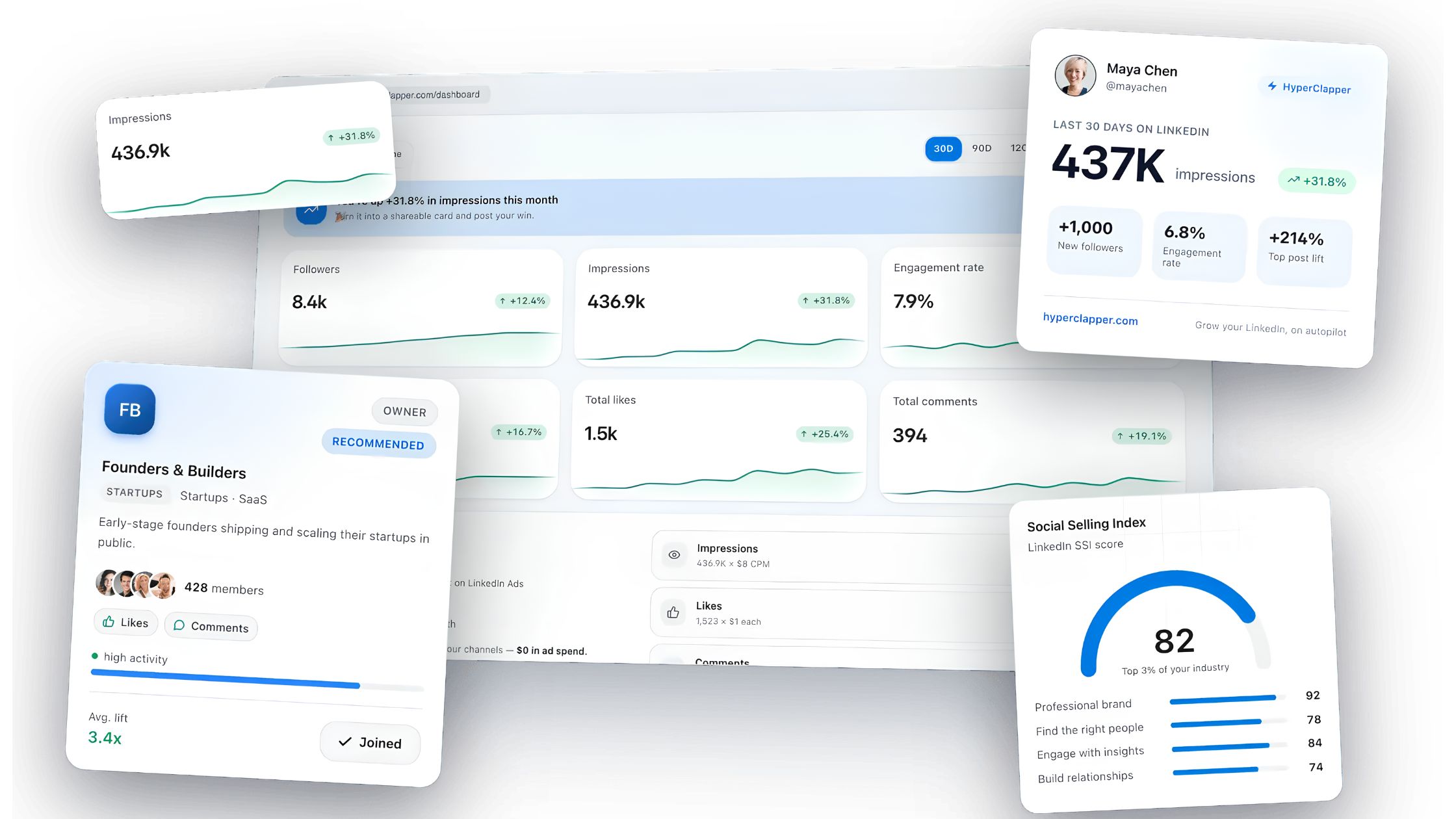
Tools like HyperClapper complement the free trial premium LinkedIn window by boosting post engagement through real community channels — groups of professionals who engage with posts inside the platform. When you submit a post to HyperClapper channels during your 30-day trial, you generate the early engagement signals that tell LinkedIn's algorithm the content is worth distributing further. The result: more profile views, more inbound InMail conversations, and more recruiter impressions — all compounding on top of the visibility Premium already provides.
HyperClapper's AI reply feature keeps posts active beyond the initial publish window. LinkedIn's algorithm interprets continued conversation on a post as a meaningful discussion signal and extends its organic reach — which matters during a trial period when every profile impression counts toward your measurable outcome.
Practical integration for your 30-day trial:
Post 2–3 pieces of content per week (insights, commentary, or career updates relevant to your target audience)
Submit each post to HyperClapper channels for real community engagement within the first hour of publishing
Use Premium's analytics dashboard to track profile view uplift after each boosted post
By week 4, you have a clean before/after data set: organic reach from your content strategy + visibility from Premium features
This creates the measurable baseline the LinkedIn community consistently says is missing — and gives you a data-driven answer to whether Premium is worth continuing.
Make every day of your LinkedIn Premium trial count
HyperClapper drives real engagement on your posts so Premium's visibility tools have maximum activity to amplify. Start free — no card required.
Frequently Asked Questions About LinkedIn Free Premium
Is there a legitimate way to get LinkedIn Premium for free in 2026?
Yes — multiple. The standard free trial of LinkedIn Premium is 30 days. Beyond that, the LinkedIn for Veterans programme offers one free year, university partnerships offer free access for eligible students, and employer benefits packages frequently include Premium at no personal cost. All 7 methods are covered in detail above.
How can I get LinkedIn Premium free trial without a credit card?
The standard trial always requires a payment method. However, the student programme through verified university partnerships and the Veterans programme do not require a personal credit card — access is granted through institutional verification or ID.me. These are the only officially supported routes to a LinkedIn free premium trial without entering card details.
Can I get LinkedIn Premium free if I already used the trial before?
Not through the standard trial path — LinkedIn blocks repeat trials on the same account. However, LinkedIn does send personalised re-engagement offers to former subscribers, which can include another free period. Waiting 3–6 months after cancellation and checking your LinkedIn notifications or inbox is the most reliable passive strategy for a repeat free trial premium LinkedIn offer.
What is the best time of year to start a LinkedIn Premium free trial?
January and September are the strongest windows. January marks peak hiring activity in most industries, and September follows the post-summer recruitment ramp-up. Starting a LinkedIn Premium free trial in these windows means your trial period overlaps with the highest recruiter activity of the year — maximising the real-world value of your InMail credits and applicant visibility.
Can you cancel LinkedIn Premium before being charged?
Yes. Cancel any time before day 30 and you pay nothing. Go to Settings & Privacy → Subscriptions → Manage → Cancel Subscription. LinkedIn will confirm the cancellation end date — your Premium access continues until day 30 even after cancellation. Can you cancel LinkedIn Premium during free trial? Absolutely, and it is the recommended approach if you activate speculatively.
Why did LinkedIn remove my free trial offer, and how do I get it back?
LinkedIn removes the trial offer from accounts that have previously redeemed one, or from accounts flagged as having multiple profiles on the same email. The offer occasionally returns via re-engagement email after a period of inactivity. If the upgrade page no longer shows a trial option, contacting LinkedIn support directly and asking about current promotional offers is sometimes effective — though results vary.
Can I get LinkedIn Premium free through LinkedIn's own promotions?
Yes, LinkedIn periodically runs seasonal promos — especially in Q1 and around major hiring seasons — that include extended free trials or discounted first months. These are not always widely advertised; checking the upgrade page directly while logged in during January or September gives you the best chance of seeing an active offer. The LinkedIn premium free 1 year deal for veterans is the most generous example of an official LinkedIn promotion.
Is LinkedIn Premium 6 months free available to anyone?
The LinkedIn premium 6 months free offer is not a standard public promotion. The closest equivalent is the Veterans programme (12 months free) and some university partnerships (up to one academic year). Occasional 3-month promotional rates appear through partner promotions and referral campaigns, but a standalone 6-month free offer is not consistently available through any official LinkedIn channel as of 2026.
👋
⚡ Free plan
Leaving already?
Grab 3 free boosts on your next LinkedIn post — real likes & comments from 5,000+ creators. No card, cancel anytime.