Is Your LinkedIn Data Export Tool Actually Safe to Use?
Learn whether your LinkedIn data export tool is actually safe — covering ToS risks, GDPR compliance, session-token vs credential tools, and the safest export methods in 2026.
📅 ⏱ 19 min read📝 ~3700 words
A pattern observed across thousands of recruiter and sales workflows is that the most dangerous moment isn't when someone clicks "export" — it's when they install an unfamiliar Chrome extension and hand over LinkedIn session access without reading a single permission scope. The question of whether can you export search results from LinkedIn safely isn't just technical — it's a risk management decision that affects your LinkedIn account, your data, and potentially your legal compliance. Most LinkedIn data export tools work, technically. The real question is: at what cost, and under what risk?
Key Takeaways
LinkedIn native export covers your own data only — it does NOT export search results or filtered recruiter lists.
Third-party LinkedIn data export tools range from compliant (rate-limited, session-based) to dangerous (credential-harvesting). The difference is rarely obvious at install time.
LinkedIn's ToS explicitly prohibits scraping — even of public data — and enforcement includes account restriction, not just legal action.
GDPR applies to any export involving EU-resident profile data used for outreach or CRM enrichment, regardless of LinkedIn's own rules.
The safest strategy separates data export tools from engagement tools — never use the same account for aggressive extraction and your primary brand presence.
Counterintuitive finding: Sales Navigator's built-in CSV export is often the safest high-volume export path — not because it's free, but because it's contractually permitted and rate-limited by LinkedIn itself.
What LinkedIn Data Export Actually Means (and What Most People Get Wrong)
What LinkedIn Data Export Actually Means
Most people use "LinkedIn data export" to mean two completely different things — and conflating them is where the trouble starts. Use Case 1 is exporting your own account data: your connections list, messages, profile history, and activity. Use Case 2 is exporting search results — filtered lists of profiles you've discovered through LinkedIn's search, Boolean queries, or Sales Navigator. These two workflows carry entirely different risk profiles, different tool requirements, and different legal implications.
LinkedIn's native export delivers your own data cleanly. It does not export search result pages, recruiter searches, or Boolean filter outputs. That gap is the root of the community pain point: users hit LinkedIn's export wall, discover Sales Navigator adds cost without solving the CSV problem neatly, and then reach for third-party tools they don't fully vet.
What Data Can You Actually Export from LinkedIn Natively?
LinkedIn's native Settings & Privacy export gives you access to a defined set of your own account data. What's included:
Your connections (name, current company, current role, connected date)
Messages and InMail history
Profile data (education, experience, skills)
Endorsements and recommendations received
Followed hashtags, companies, and groups
Ad targeting data and job application history
What is NOT included: search results, filtered profile lists, recruiter pipeline exports, or any data belonging to profiles you've viewed but not connected with. This is the LinkedIn data portability limitation that most export guides gloss over.
Step-by-Step: How to Export LinkedIn Data Using Native Settings
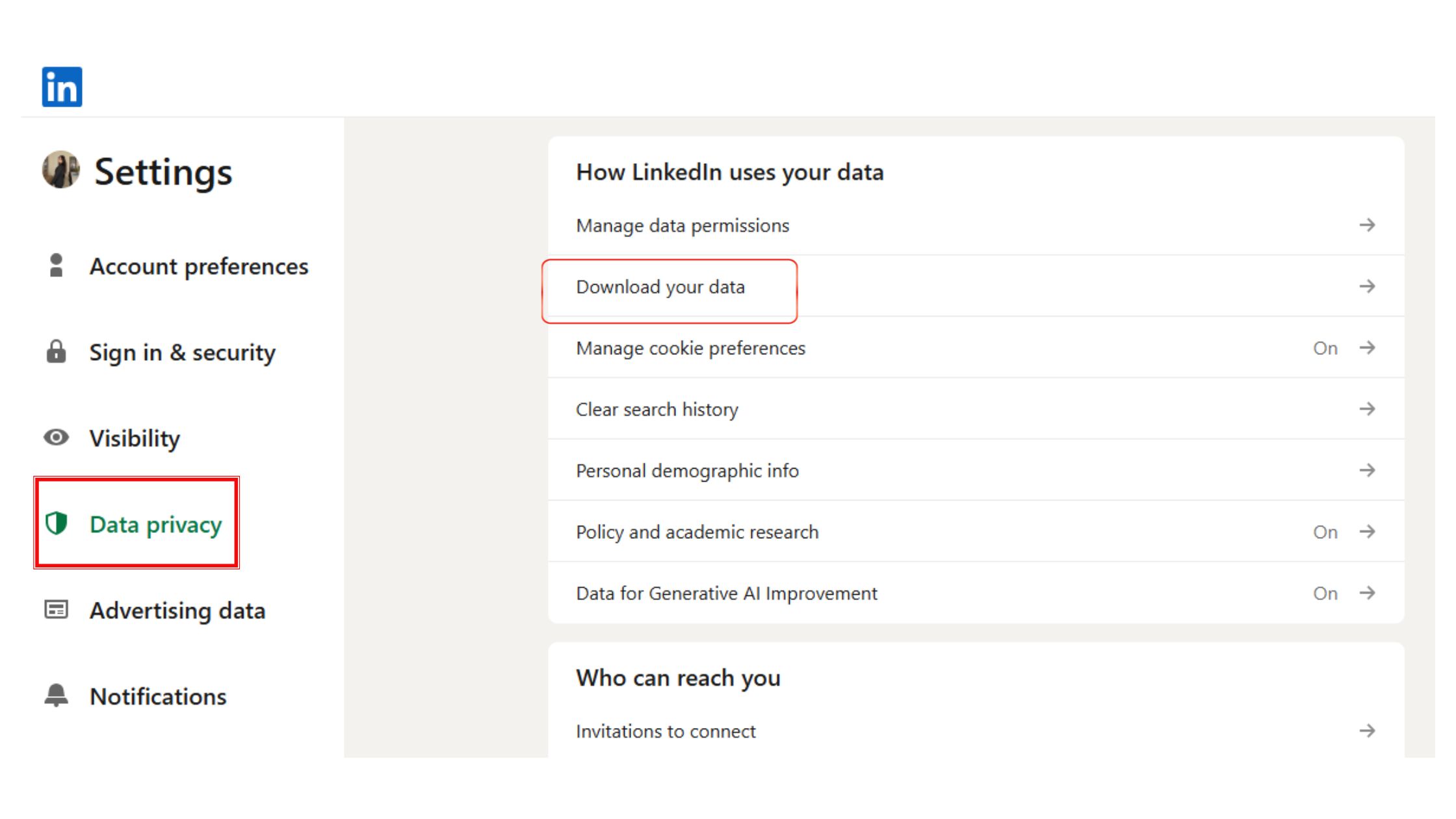
Go to LinkedIn.com and click your profile photo → Settings & Privacy
Navigate to Data Privacy → Get a copy of your data
Select the data categories you want (Connections, Messages, etc.)
Click Request archive — LinkedIn emails a download link within 10 minutes for fast data, or up to 24 hours for a full archive
Download the ZIP file. Connections data arrives as a .CSV file ready for Excel
💡
Pro Tip:The "Fast File" option in LinkedIn's archive request gives you connections and profile data in minutes. Only request the full archive (messages, all activity) when you genuinely need it — it triggers a more thorough internal review process.
This native route covers your own connection data cleanly and legally. But if you need to export a filtered search of 800 prospects you found through Boolean search — that's a different problem requiring a different solution.
Third-Party LinkedIn Data Export Tools: How They Work and How Risky They Actually Are
Third-party LinkedIn data export tools operate through two primary mechanisms. Session-token tools — typically Chrome extensions — read your active LinkedIn browser session without storing your credentials. Credential-based tools require your actual LinkedIn username and password. The second category is a hard red flag. No legitimate data export tool needs your LinkedIn password to function.
Do LinkedIn Export Tools Steal Your Password?
The direct answer: session-token tools do not. Credential-based tools could — and even if they don't misuse your credentials today, storing them centrally makes them a breach target. Tools that ask for your LinkedIn login credentials expose you to:
Session hijacking — your account accessed by the vendor's infrastructure
Credential theft — stored passwords vulnerable to vendor-side data breaches
LinkedIn account takeover — login from unusual IPs triggers LinkedIn security alerts and forced password resets
The rule is simple: if a LinkedIn data export tool asks for your email and password at setup, stop. Close the tab.
Does LinkedIn Detect Third-Party Data Tools?
Yes — LinkedIn actively detects unusual data collection behavior using rate limiting, behavioral fingerprinting, and bot detection signals. Specifically, LinkedIn flags:
Profile view velocity exceeding human browsing speed (2–4 profiles/minute is human; 50+ is a bot signal)
Repeated search query patterns with identical filter combinations
The tools that survive LinkedIn's detection aren't faster — they're slower. The safest export tools are the ones deliberately rate-limited to mimic human browsing, not optimized for bulk speed.
LinkedIn Native Export vs. Third-Party Tool: A Clear Comparison
Method
What It Exports
Ban Risk
Cost
GDPR Safe
LinkedIn Native Settings
Your own data only
None
Free
✅ Yes
Sales Navigator CSV Export
Lead lists (up to 2,500)
Very Low
Subscription ($99+/mo)
⚠️ Depends on use
Session-Token Chrome Extension
Search results, profiles
Medium
Freemium–$50+/mo
⚠️ Requires care
Credential-Based Scraper
Bulk profiles at scale
High
$50–$300+/mo
🔴 No
Manual Copy-Paste + Template
Any visible data
None
Free (time cost)
✅ Yes
Safest LinkedIn Data Export Tools in 2026
When evaluating safest LinkedIn data export tools, the tools that consistently appear in the lower-risk tier share three traits: they operate on Sales Navigator (not raw LinkedIn search), they use session tokens rather than credentials, and they enforce their own export rate limits. Evaboot is the most cited option in this category — it runs on Sales Navigator lead lists and exports clean, deduplicated CSVs. Phantombuster offers broader LinkedIn automation but sits at higher risk due to its range of scraping "phantoms." Both require careful configuration.
For recruiters and sales teams who don't want to navigate these trade-offs, the detailed comparison of how to export LinkedIn search results to Excel walks through each method with specific setup steps.
LinkedIn Terms of Service, Legal Risk, and What 'Data Scraping' Actually Violates
Roughly 9 in 10 professionals who use third-party LinkedIn export tools have never read LinkedIn's User Agreement on automated data collection. That's not a criticism — the document runs thousands of words — but it matters because LinkedIn terms of service data scraping provisions are clear and broadly written.
Is It Legal to Export LinkedIn Data?
The legality question splits into two distinct tracks that are frequently conflated:
Legal under law: The hiQ Labs v. LinkedIn Ninth Circuit ruling (2022) found that scraping publicly accessible LinkedIn data does not violate the Computer Fraud and Abuse Act (CFAA). This is often cited as a "green light" — it is not. It means LinkedIn cannot use the CFAA against scrapers of public data. It says nothing about GDPR, CCPA, or LinkedIn's own contract terms.
Legal under LinkedIn's contract: LinkedIn's User Agreement explicitly prohibits scraping, automated data collection, and using bots without express written consent — even for public data. Violating this is a contract breach, not a criminal act, but it gives LinkedIn full authority to terminate your account.
So: you may be legally shielded from criminal liability while still being contractually exposed and at genuine risk of an account ban. These are not the same protection.
900M+
LinkedIn users worldwide — making it the world's largest professional data set, and the reason its terms around data extraction are heavily enforced
LinkedIn, with over 900 million users globally, has both the scale and the commercial incentive to enforce its data terms aggressively — its advertising and Sales Navigator revenue depends on controlling access to that data.
LinkedIn Data Privacy Risks and GDPR Compliance
If you're exporting EU-resident profile data for outreach or CRM enrichment, GDPR Article 6 applies — you need a lawful basis for processing. The most commonly claimed basis is "legitimate interest," but this requires a documented balancing test showing your interests don't override the data subject's rights. Storing exported LinkedIn data in a CRM without this documentation is a regulatory exposure, independent of LinkedIn's ToS. LinkedIn data privacy risks in this context are real and enforceable — GDPR fines have been issued for exactly this category of data misuse.
LinkedIn Account Banned for Data Export: How Real Is the Risk?
Teams that run bulk profile exports without rate limiting consistently see one of three outcomes: a temporary "commercial use" limit (soft restriction), a forced CAPTCHA loop, or a permanent account restriction. The first trigger is typically around 80–100 profile views per hour from a free account. Sales Navigator raises this ceiling significantly — but does not eliminate it. The most common failure mode is users who hit a soft restriction, ignore it, retry immediately, and escalate to a permanent ban within 48 hours.
⚠️
Warning:Never use your primary founder, recruiter, or company admin LinkedIn account for bulk export testing. A ban on that account wipes your posting history, connection network, and LinkedIn Page admin access simultaneously.
How to Export LinkedIn Search Results to Excel: Every Realistic Method
LinkedIn search results CSV export does not exist as a native feature. LinkedIn intentionally blocks direct export of search result pages — this is a deliberate product decision, not a technical oversight. For recruiters and sales teams, this creates a genuine workflow gap that forces a choice between four approaches, each with a different risk and data quality profile.
How to Export LinkedIn Contacts to Excel Without Getting Banned
The four realistic methods, ranked from lowest to highest risk:
Manual copy-paste with a structured Excel template — Zero ban risk, fully compliant, painfully slow beyond 50 records. Use a template with columns: Full Name | Title | Company | Location | LinkedIn URL | Connection Degree | Notes. Viable for targeted lists under 100 people.
LinkedIn native Settings export (connections only) — Free, safe, GDPR-defensible for your own data. Delivers a CSV of your 1st-degree connections with name, company, role, and connection date. Does not include email addresses unless the connection shared them. Usable for CRM data enrichment of your existing network.
Sales Navigator Lead List CSV export — The safest high-volume compliant path for search result exports. Build your list using Boolean filters (Boolean search filter output in Sales Nav supports AND/OR/NOT operators across title, company size, geography, seniority). Export via the native "Export to CSV" button. Cap is 2,500 records per export. Requires a Sales Navigator subscription ($99+/month).
Session-token Chrome extension (e.g., Evaboot) on Sales Navigator — Adds data cleaning and deduplication on top of Sales Navigator exports. Works within Sales Navigator's permitted environment, making it lower risk than scraping raw LinkedIn search. Cost: approximately $29–$49/month. Still requires careful rate management.
For a step-by-step walkthrough of the Sales Navigator export process specifically, the guide on LinkedIn data export to CSV/Excel in 2026 covers exact filter configurations and deduplication steps post-export.
Free vs. Paid LinkedIn Account: Export Depth Differences That Matter
Free LinkedIn accounts can export their own connection data via Settings — but hit a "commercial use limit" when browsing profiles at scale, restricting search result viewing to approximately 100 profiles per month before the wall appears. Premium Business raises this limit. Sales Navigator removes it for lead list searches and adds the native CSV export. Recruiter adds deeper talent pipeline exports. The practical implication: if you need to export filtered search results regularly, a free account is not a viable tool. The cost isn't optional — it's the price of operating within LinkedIn's terms.
5 LinkedIn Export Mistakes That Get Accounts Restricted (and How to Avoid Them)
What separates professionals who use LinkedIn data tools without incident from those who lose their accounts is rarely the tool itself — it's the operational mistakes around it. These five mistakes account for the overwhelming majority of account restrictions seen across export workflows.
✓ The LinkedIn Safe Export Checklist
☐Use a secondary LinkedIn account for all bulk export activity — never your primary brand account
☐Verify your export tool uses session tokens, NOT your LinkedIn password
☐Set export speed to 2–4 profile views per minute maximum (human browsing speed)
☐If you hit a soft limit, pause for 24 hours — never retry immediately
☐Document your GDPR lawful basis before loading EU-resident data into any CRM
☐Review the tool vendor's privacy policy — confirm they do not sell or store your exported data
☐Clean exported data for duplicates and incomplete records before CRM upload
Mistake 1: Using a tool that requires your LinkedIn password. This is the highest single-point risk. Even if the vendor is trustworthy today, centralised credential storage is a breach liability. Use session-token tools only.
Mistake 2: Running exports at bot speed. Scraping 500 profiles in 10 minutes is one of LinkedIn's clearest bot signals. Human browsing averages 2–4 profile views per minute. Compliant tools enforce this limit internally — if yours doesn't, configure it manually or find one that does.
Mistake 3: Hitting a limit and retrying immediately. LinkedIn's commercial use detection is cumulative. Retrying after triggering a soft limit compounds the behavioral signal and accelerates escalation to a hard restriction. Pause for a minimum of 24 hours.
Mistake 4: Exporting EU data without a GDPR plan. A CRM data enrichment pipeline built on LinkedIn exports is a legitimate workflow — but only with documented lawful basis. "We find it useful" is not a GDPR lawful basis. "Legitimate interest with documented balancing test" is.
Mistake 5: Using your primary account for bulk exports. The account you use for posting thought leadership, engaging with your network, and managing your company page is your most valuable LinkedIn asset. Never conflate that account with bulk export activity. The ban risk is real — and a ban wipes everything simultaneously.
🔴
Avoid:Handling duplicate or incomplete data post-export by uploading it directly to a CRM "to clean later." Duplicates compound in CRM systems and degrade email deliverability scores over time. Clean the CSV in Excel first — sort by email domain, remove blank rows, and flag profiles missing a current company before import.
LinkedIn Engagement Safety in 2026: Why Your Export Tool Choice Affects More Than Just Data
The tool ecosystem risk is holistic in a way most guides understate. Your LinkedIn account is a unified asset: the same profile you use for bulk data exports is the one you post from, build community with, and generate inbound from. A ban triggered by aggressive scraping activity doesn't restrict your export capability — it eliminates your entire LinkedIn presence.
This is the strategic case for separating tools by function. Use a compliant, rate-limited linkedin data export tool for data collection workflows. Use a purpose-built engagement platform for post visibility, community reach, and brand growth. Never conflate the two — the risk profiles are fundamentally different.
For professionals building LinkedIn visibility, tools like HyperClapper represent the opposite end of the risk spectrum from data scrapers. HyperClapper focuses on real community engagement through channels — groups of real users who engage with posts — AI-powered replies, and post boosting. It's a LinkedIn data export tool alternative in the sense that it addresses LinkedIn growth without touching data extraction at all. No session hijacking. No credential sharing. No scraping. Its Content Guard system moderates for risky content categories, and its engagement model is built to work within LinkedIn's ecosystem rather than against it.
HyperClapper
The benchmark for evaluating any LinkedIn tool isn't whether it works today — it's whether it's designed with explicit safety rails that will still work six months from now when LinkedIn tightens detection.
When evaluating LinkedIn data export tool alternatives more broadly, consider whether the tool's business model depends on staying compliant. Tools that compete on bulk speed have an incentive to push boundaries. Tools that compete on safety and community quality — like HyperClapper for engagement — have the opposite incentive. That structural difference matters more than any feature list.
For teams comparing broader LinkedIn automation tool alternatives, the same evaluation framework applies: credentials vs. session tokens, rate limiting as a feature vs. an afterthought, and whether the vendor has a transparent data handling policy.
Grow Your LinkedIn Without the Data Risk
HyperClapper builds your LinkedIn visibility through real engagement — no scraping, no credential sharing, no ban risk.
Frequently Asked Questions About LinkedIn Data Export Tools
How Can I Export My LinkedIn Data to Excel?
Go to LinkedIn Settings & Privacy → Data Privacy → Get a copy of your data, select "Connections," and request the archive. LinkedIn emails a CSV download link within minutes. This exports your 1st-degree connections with name, company, title, and connection date — ready to open directly in Excel. For search result exports, Sales Navigator's native CSV export is the safest alternative.
Are LinkedIn Data Export Tools Safe to Use Without Getting Banned?
Session-token tools operating on Sales Navigator at human browsing speeds carry low ban risk. Credential-based scrapers or high-speed bulk profile tools carry high ban risk. The safest approach uses LinkedIn's native Settings export for your own data and Sales Navigator's built-in CSV export for lead lists — both are within LinkedIn's terms and carry minimal restriction risk when used within their designed caps.
Do LinkedIn Export Tools Steal Your Password?
Legitimate session-token tools do not require or store your LinkedIn password — they read your active browser session. However, tools that ask for your LinkedIn email and password at setup are a credential risk, regardless of vendor claims. If a LinkedIn export tool asks for your login credentials directly, do not use it. No compliant export tool requires this.
Does LinkedIn Allow Third-Party Tools to Download Connection Data?
LinkedIn's User Agreement explicitly prohibits automated scraping and bot-based data collection without written consent. The one exception is tools that use LinkedIn's official API — but the public API no longer provides access to member profile data at scale. Sales Navigator's built-in CSV export is LinkedIn-sanctioned. Third-party tools operating outside the official API are technically in violation of LinkedIn's ToS, even if they avoid legal liability under the CFAA.
Can Using a LinkedIn Scraping Tool Expose My Personal Data?
Yes — in two ways. First, tools that store your session token or credentials can expose your LinkedIn account to third-party access. Second, any tool that processes EU-resident profile data you've exported creates a GDPR data controller obligation for you. The vendor's data handling practices — whether they store, sell, or process your exported lists — are a separate and equally important privacy risk to evaluate before installing any Chrome extension.
What Should I Look for in a Trustworthy LinkedIn Export Tool?
Four criteria separate trustworthy tools from risky ones: (1) session-token authentication, not credential storage; (2) built-in rate limiting that mimics human browsing speed; (3) a clear, readable privacy policy that explicitly states they do not sell or retain your exported data; and (4) operation on Sales Navigator rather than raw LinkedIn search, which keeps the tool within a contractually permitted environment. If a tool doesn't clearly satisfy all four, the risk profile is higher than most users assume.
What Are the Risks of Using LinkedIn Automation Tools?
The primary risks are account restriction or permanent ban from LinkedIn, credential theft if the tool requires your login, GDPR liability for mishandling exported EU-resident data, and reputational damage if bulk outreach from scraped lists triggers spam complaints. Secondary risks include vendor-side data breaches exposing your session tokens and the loss of your entire LinkedIn presence — posts, connections, company page admin access — if your main account is banned.
Build LinkedIn Visibility the Safe Way
HyperClapper's real engagement channels and AI-powered replies grow your LinkedIn reach without any of the export tool risks. Real people, real engagement, no scraping.
After seeing this pattern across recruiter workflows, sales teams, and agency operations, the clearest finding is this: professionals who separate their data export workflow from their engagement and brand-building workflow protect both. Those who treat LinkedIn as a single account to push hard in every direction — scraping, posting, outreach, all from the same profile — routinely lose everything when the scraping triggers a restriction. The separation isn't just cautious — it's the structural choice that makes every other LinkedIn activity sustainable. For those focused on visibility growth without the extraction risk, exploring safer LinkedIn automation alternatives and outreach tool options that operate within platform guidelines is the logical next step.
👋
⚡ Free plan
Leaving already?
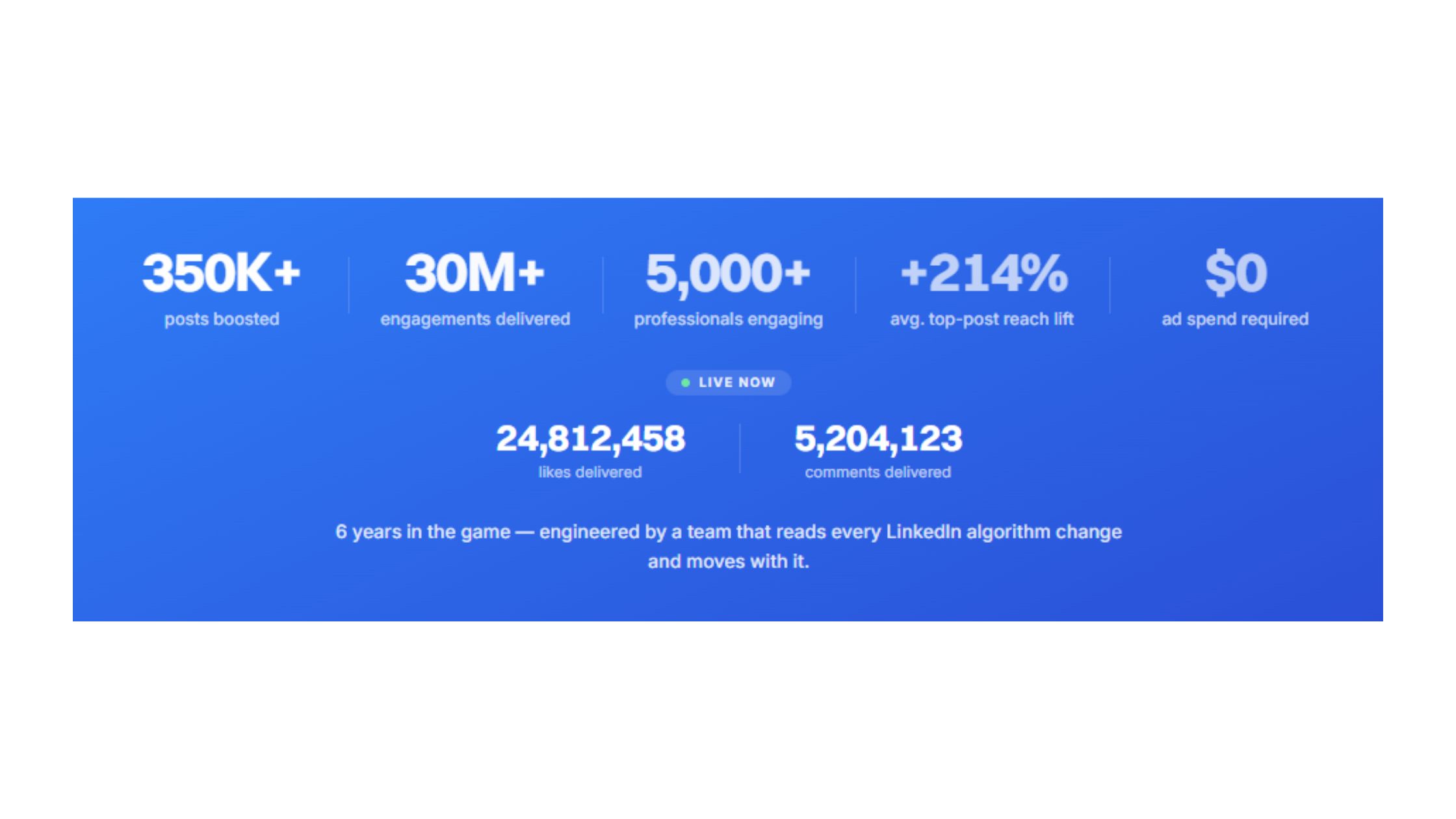
Grab 3 free boosts on your next LinkedIn post — real likes & comments from 5,000+ creators. No card, cancel anytime.