Hypelio vs ContentIn: Which Is Better for LinkedIn?
Hypelio vs ContentIn compared: LinkedIn post scheduler, AI writing, analytics, pricing and client workflows. Find the best LinkedIn content tool for 2026.
📅 ⏱ 12 min read📝 ~2200 words
The right LinkedIn post scheduler depends entirely on one question: are you managing your own brand, or someone else's? A pattern observed across agencies and solo creators alike is that most LinkedIn scheduling tools are built for one of these two jobs — but rarely both. Hypelio is built for multi-account management with authentic voice preservation; ContentIn is built for individual creators who want a fast, lightweight posting workflow. This comparison covers LinkedIn post generation, scheduling, analytics, client workflows, and pricing so you can make a confident choice without trial-and-error wasted time.
Hypelio is best for agencies, ghostwriters, and founders managing multiple LinkedIn profiles with client approval workflows.
ContentIn suits solopreneurs and individual creators who want a simple visual content calendar and AI post drafts.
Neither tool schedules all LinkedIn content formats natively — carousels and Articles have specific limitations worth knowing before you commit.
Hypelio's story bank builds AI drafts from your own voice recordings; ContentIn relies on generalised prompts and templates.
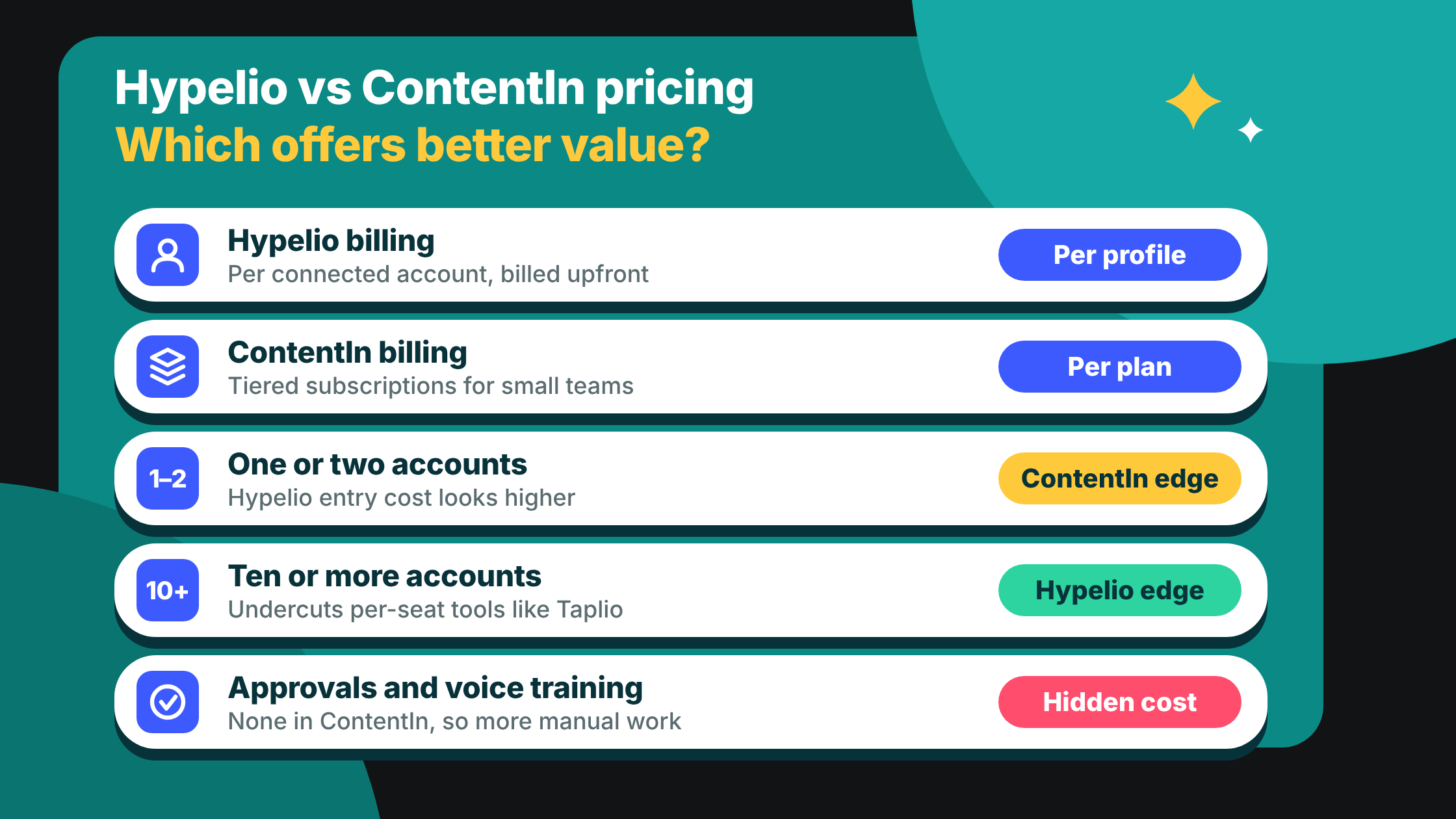
Pricing structures differ fundamentally: Hypelio charges per connected account (better for agencies at scale); ContentIn uses tiered subscriptions (lower entry cost for solo use).
The single most counterintuitive finding: scheduled posts do not automatically underperform — timing and content quality matter far more than the scheduling method.
Hypelio is a LinkedIn content management platform built around one core idea: AI drafts should sound like the person posting, not like a language model. Its story bank captures voice recordings verbatim, so when it generates a draft, it draws from the user's own phrases and speech patterns. That matters enormously when you're managing ten client accounts — each with a different professional identity.
ContentIn is a ContentIn LinkedIn scheduling tool aimed at individual creators. It offers a visual content calendar, AI-assisted post writing from prompts and templates, and straightforward scheduling. Fast to set up and easy to use. It does not try to be a multi-account platform.
What Is ContentIn as a LinkedIn Scheduling Tool?
ContentIn is designed for creators who want to plan, write, and schedule LinkedIn posts in one place. The drag-and-drop calendar gives a clear weekly and monthly view of what's going out. Its AI writing assistant generates post ideas from prompts — useful for speed, though the output requires editing to sound genuinely personal.
What Makes Hypelio a Different Kind of LinkedIn Content Tool?
The story bank is the defining Hypelio LinkedIn content tool feature. Record a voice note — say what you'd post if you were just talking to someone — and Hypelio builds the draft from that. Combined with multi-account workspaces where each profile keeps its own voice, calendar, and analytics, it's a fundamentally different product from a standard scheduler.
Feature Face-Off: LinkedIn Post Generator, Scheduler, and Content Calendar
Teams that compare LinkedIn content creation tools side by side often focus on the scheduling calendar — but that's not where the real differences emerge. The genuine gap is in AI writing quality and format support.
Can You Schedule LinkedIn Posts with ContentIn — and What Are the Limits?
ContentIn LinkedIn post scheduling guide and supported content formats
Yes, you can schedule LinkedIn posts with ContentIn — but with caveats. A recurring pattern among users of both native and third-party LinkedIn schedulers is hitting unexpected walls with specific content formats. Here's the practical breakdown:
Text posts: Schedule natively or via any third-party tool — no issues.
Single-image posts: Supported by most tools including ContentIn and Hypelio.
Carousel/document posts: Cannot be scheduled via LinkedIn's native scheduler. Third-party tools vary — verify before building your workflow around carousels.
LinkedIn Articles: Cannot be scheduled natively or via most third-party tools. Publish manually.
Video posts: Supported by select third-party tools; check upload size limits per platform.
⚠️
Warning:Discovering a format isn't supported mid-workflow is one of the most common time-wasters in LinkedIn content management. Confirm format compatibility with your chosen tool before building a content calendar around it.
Multi-Account Management and Client Approval Workflow
This is where the tools diverge most sharply. ContentIn is designed for one or two profiles. Hypelio's multi-account workspaces let you manage 10, 20, or 50+ LinkedIn profiles under one login — without ever asking clients for their passwords.
The client approval workflow is equally critical for agencies: drafts are sent via a link for sign-off before anything publishes. ContentIn has no equivalent feature. For ghostwriters managing client accounts, that absence alone is a dealbreaker.
💡
Pro Tip:If you manage more than two LinkedIn accounts, calculate your true cost per managed account including time spent on approvals and reporting. Hypelio's per-account pricing typically comes out ahead of per-seat tools at five or more profiles.
LinkedIn Analytics Tools: How Each Platform Measures Your Growth
LinkedIn analytics tools split cleanly by audience here. Hypelio's one-click client-ready reporting dashboard aggregates impressions, engagement rate, and follower growth per account into a shareable report — no manual exports, no spreadsheet assembly. For agencies billing monthly, that alone saves several hours.
ContentIn provides basic post-level metrics: views, likes, comments. Sufficient for a solo creator tracking their own growth. Not sufficient for anyone presenting performance data to a client.
Which LinkedIn Tool Is Better for Personal Branding?
For personal branding as a solo creator, ContentIn's lightweight analytics are genuinely adequate — you're watching your own numbers, and the data is easy to interpret. For a founder using a ghostwriter, Hypelio wins: the story bank preserves authentic voice, and the reporting proves ROI to anyone scrutinising the investment. LinkedIn algorithm engagement timing is factored into Hypelio's scheduling; both tools let you post at optimal times, but Hypelio calibrates per account rather than applying a one-size schedule.
Hypelio Pricing vs ContentIn Pricing: Which Offers Better Value?
Hypelio vs ContentIn pricing comparison and which offers better value for LinkedIn teams
Hypelio pricing vs ContentIn pricing is not a straightforward comparison — the models are structured differently by design.
Hypelio charges per connected LinkedIn account, billed upfront. At low volume (one or two accounts) the entry cost looks higher. At scale — ten or more accounts — it undercuts per-seat alternatives like Taplio or Supergrow substantially, because you're not paying per user, you're paying per profile managed.
ContentIn uses tiered subscriptions aimed at individuals and small teams. Lower starting price. But the per-seat model scales less favourably once an agency adds accounts, and there's no approval workflow or voice training to offset the labour costs those features eliminate.
Price-per-post is the wrong metric. The right metric is price-per-managed-account including time saved on approvals, voice editing, and reporting.
Common Mistakes to Avoid When Choosing a LinkedIn Content Tool
🔴
Avoid:Choosing a tool based on headline price without accounting for missing features. A ContentIn alternative or Hypelio alternative with a lower sticker price but no approval workflow can easily cost more in unbilled hours within the first month.
✓ LinkedIn Tool Selection Checklist
☐Confirm it supports the content formats you actually post (carousels, documents, video)
☐Count how many LinkedIn profiles you manage — price per account vs per seat
☐Verify whether a client approval workflow is included or requires a workaround
☐Check if AI writing uses your own voice/phrases or generic model outputs
☐Confirm analytics can be exported or shared in a client-ready format
Hypelio vs ContentIn: Verdict and Best LinkedIn Content Tool for 2026
The best LinkedIn content tool 2025–2026 depends entirely on your situation. What separates top performers here is not picking the most feature-rich tool — it's picking the right tool for the job they're actually doing.
Choose Hypelio if you manage more than two LinkedIn accounts, work with clients, need approval workflows, or want AI drafts that actually sound like the person posting. It's the strongest choice for agencies, ghostwriters, and founders who treat LinkedIn as a managed professional asset.
Choose ContentIn if you're a solopreneur building your own personal brand, want a visual drag-and-drop calendar, and don't need multi-account infrastructure or client reporting.
Is Hypelio worth it for LinkedIn growth? For anyone managing more than their own account: yes. The story bank, approval workflow, and reporting dashboard deliver a return that generic schedulers cannot replicate. For a single creator, ContentIn's lighter footprint is a reasonable fit — and a free LinkedIn post scheduler like LinkedIn's native tool handles the basics if budget is the primary constraint.
Manage LinkedIn at scale — without losing the human voice
Hypelio handles multi-account scheduling, client approvals, and reporting — all from one workspace, without ever needing client passwords.
Who Should Consider a ContentIn Alternative or Hypelio Alternative?
Consider a ContentIn alternative for LinkedIn if you've outgrown single-account scheduling and need approval workflows or deeper analytics. Consider a Hypelio alternative LinkedIn tool only if your use case is genuinely a single personal account with no client deliverables — in which case ContentIn or even LinkedIn's native scheduler may suffice. The most common failure mode is agencies starting on a solo-creator tool and rebuilding their whole workflow six months later when client demands increase.
How to Edit Scheduled Posts on LinkedIn
Knowing how to edit scheduled posts on LinkedIn is worth covering separately — it catches many users off-guard. If you scheduled a post natively via LinkedIn, go to your profile, click "Posts & Activity", then filter for "Scheduled Posts". From there you can edit the content or change the publish time before it goes live. If a post was scheduled via a third-party tool like Hypelio or ContentIn, edit it inside that tool — not in LinkedIn directly, or you risk a sync conflict. One important limit: LinkedIn does not allow editing a post after it has been published, only before. Build a review step into your workflow before the publish time, not after.
Hypelio
Frequently Asked Questions About Hypelio vs ContentIn and LinkedIn Scheduling
What are the main differences between Hypelio and ContentIn for LinkedIn content creation?
Hypelio is built for multi-account management with a voice-trained AI that drafts posts from your own recordings, plus a built-in client approval workflow and agency-grade reporting. ContentIn is a solo-creator tool with a visual content calendar and prompt-based AI writing. The core difference: Hypelio preserves authentic voice at scale; ContentIn prioritises speed and simplicity for one profile.
Which LinkedIn scheduling tool should I use if I am a solopreneur?
For a solopreneur, ContentIn is the more practical fit — lower entry cost, easy visual calendar, and AI drafts that are fast to edit. If you also want a linkedin post generator that learns your style over time and you're willing to invest slightly more, Hypelio's story bank still works well for solo use.
Does Hypelio or ContentIn offer better AI-generated LinkedIn post suggestions?
Hypelio generates posts from voice recordings and your own stored phrases via the story bank — the output sounds like you because it literally starts from your words. ContentIn generates from prompts and templates, which is faster but produces more generic drafts. For voice authenticity, Hypelio is the stronger choice; for speed with moderate customisation, ContentIn works.
Can I automate my LinkedIn posts?
Yes — both Hypelio and ContentIn automate post scheduling. Content calendar automation handles the publish timing; you still write (or approve) the content. Full automation of writing and posting without review is possible but not advisable — posts that bypass a human check tend to miss tone and context. Keep approval in the loop.
Do scheduled posts get less views?
The short answer: not meaningfully, when done correctly. Earlier data suggested an 8–15% reach reduction from scheduling, but that figure is from 2023 and LinkedIn's distribution model has since evolved. According to Buffer's analysis of 4.8 million LinkedIn posts, timing matters far more than the scheduling method itself — posting at the right time for your audience outweighs any tool penalty.
How to schedule LinkedIn posts?
Natively: create your post, click the clock icon in the composer, pick a date and time, and confirm. Via a third-party tool: connect your LinkedIn profile, draft in the tool's editor, set the publish time, and the tool pushes it live. For agencies managing multiple accounts, a dedicated linkedin post scheduler like Hypelio handles this per-profile with audience-optimised timing built in. See also: Hypelio's LinkedIn MCP integration for advanced scheduling workflows.
Is ContentIn or Hypelio better for growing a LinkedIn audience in 2026?
Both tools support consistent posting, which is the primary growth driver — according to MeetEdgar's 2026 analysis, posting six or more times per week earns roughly 1,182 more impressions per post than posting once weekly. For personal brand growth, ContentIn is adequate. For growing multiple client audiences simultaneously while maintaining distinct voices, Hypelio is the better-suited platform.
👋
⚡ Free plan
Leaving already?
Grab 3 free boosts on your next LinkedIn post — real likes & comments from 5,000+ creators. No card, cancel anytime.