Learn how to conduct prospect company research on LinkedIn to find buying signals, personalize sales calls, and use the best sales intelligence tools in 2026.
📅 ⏱ 13 min read📝 ~2500 words
Prospect company research is the systematic process of gathering intelligence about a buyer — their company, role, priorities, and context — before any sales interaction. A pattern observed consistently across high-performing sales teams is that the reps who convert at the highest rates don't just know more about their prospects — they know the right things: the two or three signal-based details that make a conversation feel tailored rather than templated. Most guides tell you to "check their LinkedIn and Google the company." This one shows you what to actually look for.
Key Takeaways
Who this is for: SDRs, AEs, founders, and anyone doing B2B sales with limited pre-call prep time
What you'll learn: How to extract organizational buying signals from LinkedIn company pages — not just profile-skim
The 10-minute protocol: A fast research sequence for high-volume callers that actually changes what you say on the call
Tools covered: ZoomInfo, Apollo, Clay, Cognism, and LinkedIn Sales Navigator — with honest trade-offs
Most counterintuitive finding: The best pre-call research insight often isn't on the prospect's own profile — it's on their company's hiring page
How to use it live: Research should shape your opener and your questions, not sit in a tab you never look at again
What Prospect Research Actually Means (And Why Most Guides Get It Wrong)
Prospect research for sales is not the same as Googling someone's name. The difference between passive research — skimming a profile to confirm someone exists — and signal-based research is the difference between knowing a prospect's title and knowing they just hired three enterprise sales directors in 60 days. One tells you who to call. The other tells you why they'll take the call.
The most common failure mode in pre-call prep is treating research as a box to check rather than a tool to change behaviour. Reps who skim for 90 seconds and then deliver a generic pitch are doing theatre, not preparation. The goal is narrower: find the one or two details that make your opening sentence feel like it was written specifically for this person, on this day.
What Should You Research About a Prospect Before Calling
At minimum, you want answers to five questions before you dial:
What does the company actually do, and who do they sell to?
What is this person's role, and do they have buying authority?
Has anything material changed at the company in the last 90 days?
What pain is likely top-of-mind for someone in this role at this stage of company growth?
What is one specific, non-generic hook I can open with?
Notice that four of those five questions don't require a sales intelligence tool. They require attention. The tools accelerate what you already know to look for — they don't replace the thinking.
LinkedIn Research for Sales Prospecting: Reading Company Page Signals That Reveal Buying Intent
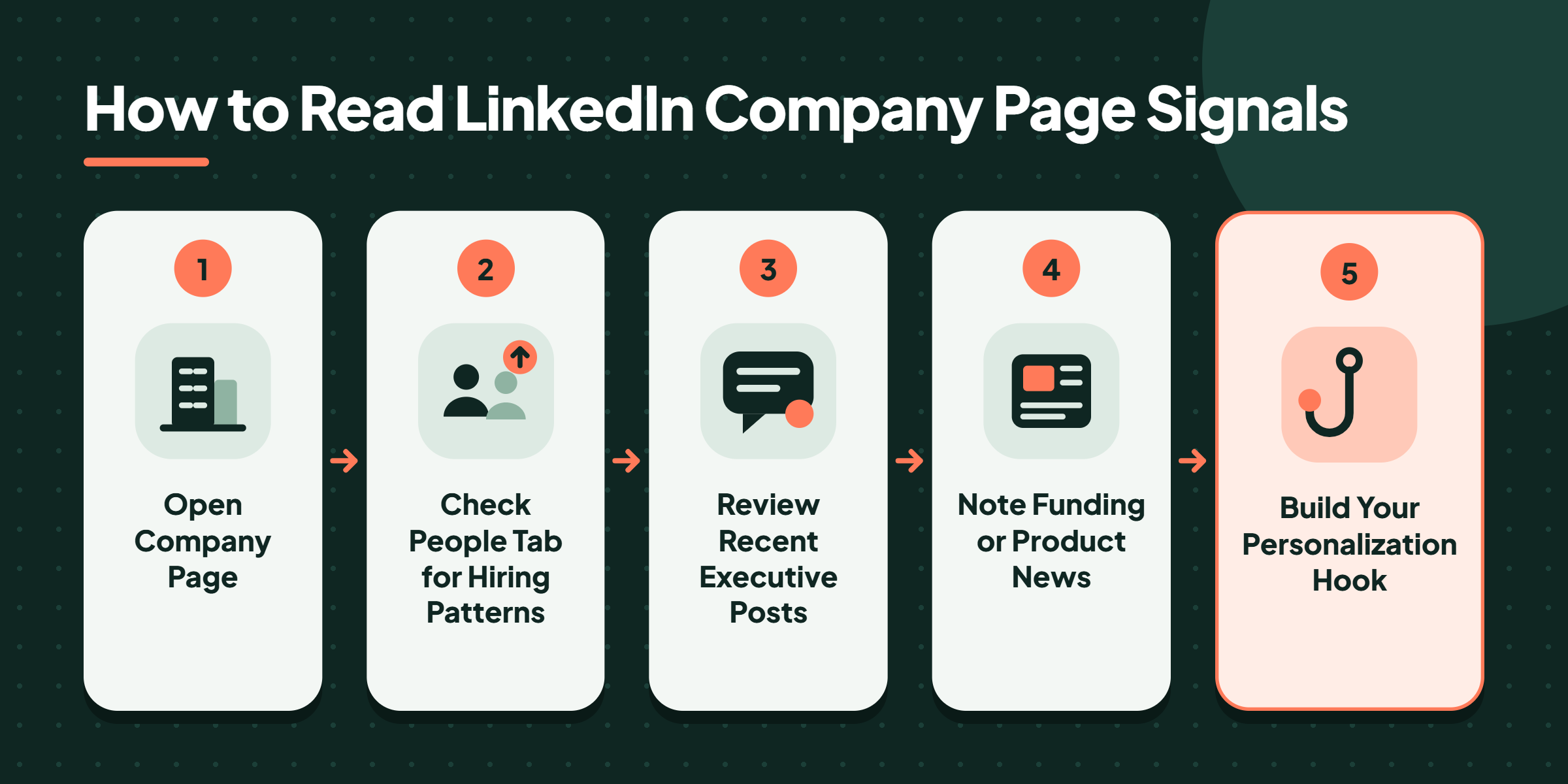
How to Read LinkedIn Company Page Signals
According to ZoomInfo's LinkedIn prospecting guide, 80% of B2B social media leads originate on LinkedIn — which means your prospects are already leaving a trail of organizational signals on a platform you're almost certainly underusing for LinkedIn research for sales prospecting.
80%
of B2B social media leads come from LinkedIn — the platform most salespeople use only for profile-checking
Most salespeople look at a prospect's LinkedIn profile. Fewer look at the company page. Almost none look at the company page's People tab with any analytical intent. That's the gap worth closing.
How to Research a Prospect's LinkedIn Profile for Sales Conversations
Employee headcount growth patterns are one of the clearest organizational buying signals available publicly. A company that grew from 80 to 140 employees in six months is in active scaling mode — budget is flowing, new vendors are being evaluated, and your timing is likely better than average. Specifically:
Engineering/ops hiring spike → scaling infrastructure, likely evaluating new tools
C-suite or VP-level new hires → strategic shifts, new priorities being set — existing vendor relationships often get re-evaluated
Customer success hires → retention pressure, often signals recent growth that needs managing
Recent executive activity monitoring is equally useful. If the VP of Operations just published two posts about supply chain resilience and one about vendor consolidation, that's a sales call personalization trigger — not just a conversation starter. It tells you what's on their mind before they say a word.
The most actionable LinkedIn research insight isn't what a prospect says about themselves — it's what their company's hiring pattern says about where they're headed next.
How LinkedIn Visibility Supports Your Research-to-Outreach Loop
There's a two-way dynamic here worth noting: while you're researching prospects on LinkedIn, your own LinkedIn presence is either building or undermining your credibility. When a prospect looks you up after receiving your outreach — which they almost always do — a visible, active profile with real engagement signals legitimacy. Tools like HyperClapper help sales professionals and founders maintain consistent LinkedIn visibility through real community engagement, so their profile holds up to scrutiny when it matters most.
Pre-Call Planning Checklist: What to Know Before a Sales Call and How Long to Spend
How long should you spend researching a prospect? The honest answer depends on where the lead sits in your pipeline — but here's a practical framework used consistently by high-performing teams:
Cold outreach / first touch: 10 minutes maximum
Warm leads (prior engagement or inbound): 20–30 minutes
High-value accounts with multiple stakeholders: 45 minutes, spread across the buying committee
Spending 45 minutes on a cold call that has a 15% chance of connecting is a poor ROI trade-off. Spending 8 minutes on a warm lead who already replied to your email is equally wrong in the other direction.
💡
Pro Tip:The 10-minute SDR protocol: 3 minutes on the LinkedIn profile, 3 minutes on the company page (People tab + recent posts), 2 minutes on a Google news scan, 2 minutes writing one personalization note. That's the full sequence — stick to it.
✓ Pre-Call Planning Checklist for Sales
☐Confirm company size, industry, and approximate revenue range
☐Identify prospect's role, seniority, and likely decision-making authority
☐Check LinkedIn company page for recent hiring patterns by department
☐Scan for trigger events: funding rounds, product launches, leadership changes
☐Review the prospect's recent LinkedIn posts or comments for stated priorities
☐Write one specific personalization hook before the call — not during it
☐Prepare your planned opening question tied to what you found
Where to Find Information About a Prospect Beyond LinkedIn
Where to Find Information About a Prospect Beyond LinkedIn
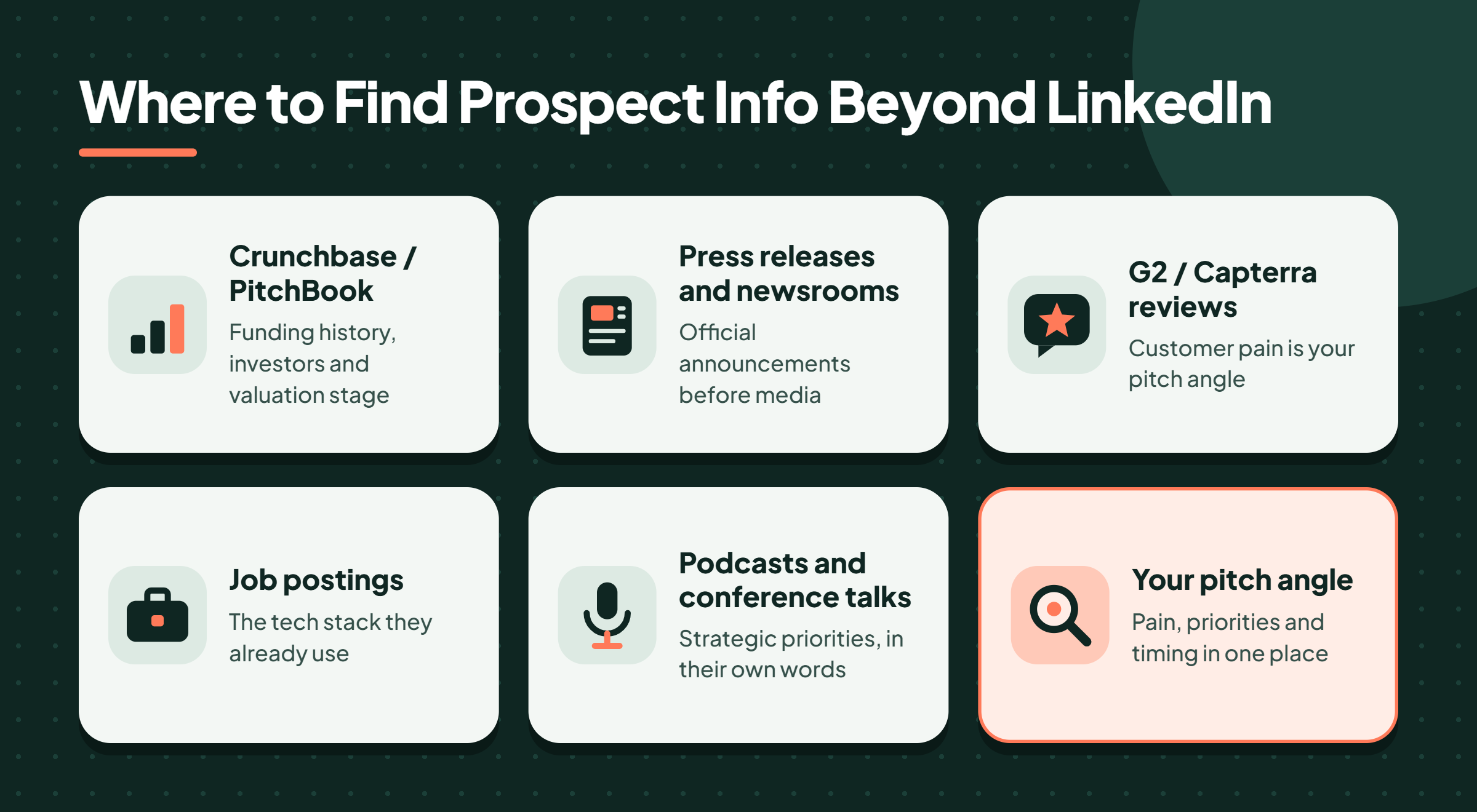
Where can I find information about a prospect when LinkedIn isn't enough? Several reliable sources consistently surface signal-rich data:
Company press releases and newsroom pages — official announcements before they hit media
G2 / Capterra reviews — what their customers love and complain about (pain = your pitch angle)
Their own job postings — the tech stack they list tells you what tools they already use
Podcast appearances or conference talks — executives reveal strategic priorities in long-form interviews that never make it into their LinkedIn bio
Armed with the right research sources, the next layer is the tools that make gathering that intelligence faster — and more scalable.
Best Sales Intelligence Tools for Prospect Research in 2026
Sales intelligence platforms aggregate contact data, company firmographics, intent signals, and technographics to accelerate pre-call research. No single tool does all of this perfectly — which is why the most effective teams combine two sources rather than relying entirely on one.
ZoomInfo vs Apollo for Sales Prospecting
Tool
Best For
Data Strength
Price Point
ZoomInfo
Enterprise teams, deep firmographic data
Broad US coverage, strong intent data
High (enterprise pricing)
Apollo
SMBs, startups, outreach sequences
Large contact database, built-in sequencing
Accessible (free tier available)
Clay
Custom enrichment, waterfall logic
Flexible multi-source enrichment
Mid-range, usage-based
Cognism
GDPR-compliant European prospecting
Strong EU coverage, phone-verified data
Mid-to-high range
LinkedIn Sales Navigator
Account-based research, signal monitoring
Real-time LinkedIn data, alerts
Mid-range per seat
According to Cleverly's LinkedIn Statistics report, small and midsize businesses using Sales Navigator saw an average 19% increase in sales opportunities and a 35% increase in pipeline. In practice, that lift comes directly from better prospect intelligence surfacing more relevant conversations — not from the tool doing the selling.
⚠️
Warning:No sales intelligence tool guarantees data accuracy. Email bounce rates and outdated job titles are common friction points — always cross-reference at least two sources before a high-stakes call, and never trust a single platform's data as ground truth.
Common Mistakes to Avoid When Using Sales Research Tools
Teams that invest in sales intelligence tools but don't change their call behaviour typically see minimal ROI. The tool surfaces the signal — the rep still has to interpret it and act on it. Pulling a contact's email from Apollo and sending the same templated sequence you'd send without it is not prospect research. It's a faster version of the same generic approach.
With the right data in hand, the question becomes how to convert that intelligence into a conversation that actually moves — which is where personalization mechanics become critical.
How to Personalize a Sales Call Using Your Research — Including Discovery Questions That Work
Research that stays in your notes isn't research — it's trivia. How you use prospect research during a call determines whether the prep was worth the time. The mechanic is straightforward: every signal you found during research maps to either your opener, a discovery question, or an anticipated objection. That's the full translation layer.
Here's how the mapping works in practice:
Funding round signal → "I saw you closed a Series B last quarter — teams scaling that fast usually run into X challenge around Y. Is that something you're navigating right now?"
New VP of Sales hired 60 days ago → "With [name] coming in recently, is the team re-evaluating how you approach [area]?"
Executive post about pipeline efficiency → "You mentioned pipeline visibility in a recent post — is that a current focus area, or more of a longer-term initiative?"
These aren't scripts. They're sales call personalization triggers converted into questions. The difference between a generic BANT question ("What's your budget?") and a research-informed question ("You recently expanded into enterprise — how is that changing your approach to procurement cycles?") is the difference between a prospect who answers and a prospect who leans in.
Personalization built on real intelligence shortens sales cycles because it signals you understand their world before they have to explain it — and buyers notice that immediately.
🔴
Avoid:Opening with "I did some research on your company and noticed..." followed by a generic pitch. Prospects hear this phrase constantly and immediately discount whatever comes after. Let the research show through your questions, not your disclaimer.
For teams building their LinkedIn presence as part of a broader outreach strategy, maintaining visible, credible activity on the platform matters as much as the research itself. HyperClapper's LinkedIn prospecting strategies walk through how consistent engagement supports both your research loop and your inbound credibility with prospects who look you up. What consistently separates reps who convert warm LinkedIn leads from those who don't is not the quality of their opening line — it's how visibly active and credible their own profile looks to a prospect doing a 30-second reverse research check.
Build the LinkedIn Presence That Makes Your Research Land
HyperClapper helps sales professionals and founders get real LinkedIn engagement so their profiles hold up when prospects look them up after a cold outreach.
Frequently Asked Questions About Prospect Research Before a Sales Call
What information should I gather about a prospect before a B2B sales call?
Gather company size, industry, and recent trigger events (funding, hires, product launches), plus the prospect's role and decision-making authority. Add one or two personalization hooks drawn from their LinkedIn activity or company page signals. Five focused data points beat a full dossier — the goal is a tailored opener and two informed discovery questions, not encyclopaedic knowledge.
How can I quickly research a prospect when I only have 10 minutes before a call?
Use this sequence: 3 minutes on the LinkedIn profile (role, tenure, recent posts), 3 minutes on the company page (headcount trend, recent hires by department), 2 minutes on a Google news scan (funding, press, product launches), 2 minutes writing one specific personalization note. Stick to this structure — it produces better calls than 20 unstructured minutes of browsing.
What does a good pre-sales call research process look like for an SDR?
A strong SDR research process is repeatable and time-boxed. The core loop: identify the trigger event that made this prospect worth calling, confirm they have authority or strong influence over the buying decision, find one specific hook to open with, and prepare two questions that assume familiarity with their context. The whole process runs 10 minutes for cold leads, 20–30 for warm ones.
How do I use a prospect's LinkedIn profile to prepare for a sales conversation?
Look beyond the headline. Check their activity tab for recent posts and comments — these reveal what's on their mind right now. Review their career history for context on their domain expertise. Then shift to their company page and check the People tab for hiring patterns. The combination of individual signals and organizational signals gives you a conversation angle that feels genuinely relevant rather than researched.
How do you use prospect research during a call — not just before it?
Map each research finding to a specific question or response before the call starts. During the conversation, reference signals naturally rather than announcing you researched them. If they confirm a pain you expected, go deeper — don't just move to the next script item. Research gives you a hypothesis; the call is where you test it. The best reps treat their prep notes as a conversation map, not a script.
ZoomInfo vs Apollo — which is better for sales prospecting research?
Apollo is the stronger choice for most SMB and startup sales teams — it offers a large contact database, built-in sequencing, and a free tier that makes it accessible without enterprise budget. ZoomInfo is better for enterprise teams that need deeper firmographic data, intent signals, and CRM integrations at scale. For teams doing primarily LinkedIn-based research, Sales Navigator often provides more relevant, real-time signal than either.
What to know before a sales call beyond basic company info?
Know the buying context, not just the company. That means: who else is likely involved in the decision, what alternatives they may already be evaluating, and what a "win" looks like for the specific person you're talking to — not just for their company. Role-specific pain differs significantly from company-level pain, and conflating the two is one of the most common reasons discovery calls stall.
👋
⚡ Free plan
Leaving already?
Grab 3 free boosts on your next LinkedIn post — real likes & comments from 5,000+ creators. No card, cancel anytime.