How to Write LinkedIn Emails That Avoid Spam Filters
Learn how cold LinkedIn messages work, avoid spam filters, and generate real replies. Templates, psychology, legal limits, and follow-up cadences — all in one guide.
📅 ⏱ 34 min read📝 ~6700 words
Cold linkedin messages fail at two distinct levels — the filter level and the psychology level — and most guides only fix one of them. At the filter level, LinkedIn's spam detection reads your subject line, link density, send velocity, and account health before your message even reaches a human inbox. At the psychology level, the recipient decides in roughly two seconds whether your message is worth their attention. A pattern observed across thousands of outreach campaigns is that the writers who understand both layers consistently generate 3–5× more replies than those optimising for either one in isolation. This guide breaks down every layer — from spam trigger mechanics to message response psychology — so you can write cold messages that land, get read, and get responses without copying anyone else's template.
Key Takeaways
Two failure modes: cold LinkedIn messages fail because of spam filters OR because of psychology — this guide covers both.
Spam filters are multi-layered: LinkedIn scans link density, send velocity, keyword flags, and your account health — not just message content.
Ideal length: 50–100 words for DMs and connection notes; 150–200 words maximum for InMail.
The counterintuitive finding: shorter, highly personalised messages consistently outperform polished long-form scripts in reply rate.
Follow-up sweet spot: 2–3 follow-ups, adding new value each time — not "just bumping this up."
Legal matters: GDPR compliance affects how you collect and process prospect data for LinkedIn outreach in the EU.
What Is a Cold LinkedIn Message (and Why Most of Them Fail)?
What Is a Cold LinkedIn Message
A cold LinkedIn message is any unsolicited message sent to someone you have no prior relationship with, with the goal of starting a professional conversation, pitching a service, requesting a job referral, or building a connection. It is the LinkedIn equivalent of a cold email — except the platform's social context, spam filters, and message types create a fundamentally different set of rules.
Most cold messages on linkedin fail not because the sender lacks skill, but because they conflate two separate problems. The first is deliverability — will LinkedIn's algorithm even surface the message in the recipient's inbox? The second is psychology — once it lands, does the first sentence make the recipient feel the message is worth their time? Fixing only one of these is why most outreach guides produce mediocre results.
The freeze point that comes up repeatedly in communities like Reddit is not ignorance of the concept — it is the opening line. Writers know they should personalise; they stall on how to do it without sounding like they Googled "how to compliment someone." The answer lies in understanding what the recipient is actually filtering for, which this guide breaks down section by section.
Cold Message vs. InMail vs. Connection Request Message — Which Is Which?
These three message types are distinct — and each carries different deliverability and response dynamics:
Direct Message (DM): Only available to first-degree connections. High deliverability, no cost, but requires a prior connection.
InMail: LinkedIn's paid message system that lets you contact second- and third-degree connections directly without connecting first. Available via LinkedIn Premium and Sales Navigator. Subject lines are available — a major open-rate lever. Credits are limited (typically 5–50/month depending on plan).
Connection Request Note: A 300-character message attached to a connection invitation. The cheapest form of cold outreach — but also the most scrutinised. LinkedIn caps weekly connection sends at approximately 100 invitations, with tighter enforcement on newer accounts.
Understanding which tool to use for which scenario is the first decision in any outreach strategy — and getting it wrong wastes both credits and time.
💡
Pro Tip:Use connection request notes for relationship-adjacent outreach (mutual connections, alumni, shared group members) and save InMail credits for senior decision-makers with restricted inboxes. DMs should come after you've created a warm touchpoint — such as a genuine comment on their content.
How LinkedIn Spam Filters Actually Work in 2026
How LinkedIn Spam Filters Actually Work in 2026
LinkedIn's spam detection operates at two distinct layers simultaneously — and most senders only know about one of them. The first is algorithmic: LinkedIn scans your message for link density, keyword patterns, send velocity, and account-level trust signals before delivery. The second is human: if enough recipients mark your messages as spam or ignore them entirely, LinkedIn's system downgrades your account's message deliverability over time.
The algorithmic layer — the LinkedIn InMail spam filter — evaluates several signals at once:
Keyword flags: Certain phrases in subject lines and body text are flagged automatically (more on this below).
Link density: One or more links in a first-touch message raises the spam probability score significantly.
Send velocity: Sending 50 nearly identical messages in a 48-hour window triggers automated review.
Sender account health: Your Social Selling Index (SSI) — LinkedIn's proprietary score from 0–100 measuring profile quality, network building, engagement, and relationship building — directly influences whether your messages are prioritised or quietly deprioritised in recipient inboxes.
LinkedIn message deliverability tips therefore start with account hygiene, not message copy. A well-crafted InMail sent from a thin, low-SSI account will underperform a decent message from a complete, active profile every time.
The most reliable path to LinkedIn message deliverability is not clever copywriting — it is an account that has earned trust through consistent, genuine activity before any cold message is ever sent.
Spam Trigger Words and Phrases to Avoid in LinkedIn Messages
These are the spam trigger words to avoid in LinkedIn messages — confirmed by patterns across flagged outreach campaigns:
"Guaranteed results" or "guaranteed ROI"
"Limited time offer" or "Act now"
"Free trial" (especially in subject lines)
"I wanted to reach out" (algorithmically associated with mass outreach templates)
"Mutual benefit" or "synergy"
"Just checking in" (as a follow-up opener)
All-caps words anywhere in the subject line or first sentence
"Partnership opportunity" (overused to the point of automatic suspicion)
"Quick question" as a subject line — it was effective in 2019; it is now one of the most-flagged InMail subject lines
🔴
Avoid:Opening a connection request note with "I came across your profile and was impressed" — this phrase is now so common in automated outreach that recipients treat it as a spam signal, not a compliment. It also wastes 50 of your 300 characters saying nothing.
Does LinkedIn Flag Messages With Links as Spam?
Yes — including a link in a first-touch cold message on LinkedIn meaningfully increases the probability that it will be flagged or ignored. LinkedIn's system treats links in initial messages (particularly from lower-SSI accounts) as a signal associated with phishing, unsolicited promotion, and automated spam. Beyond the algorithm, the psychology compounds: recipients who see a link in an opener from a stranger instinctively distrust the message.
The practical rule: no links in first-touch messages. Once a recipient replies, you have established consent and context — sharing a link at that point is natural and expected. When you do share links in later messages, LinkedIn's native sharing format (attaching a post rather than pasting a raw URL) performs better for both deliverability and click-through.
The Psychology Behind Cold LinkedIn Messages That Actually Get Replies
The Psychology Behind Cold LinkedIn Messages That Actually Get Replies
A recurring pattern among professionals trying to write their first cold message is that they focus on avoiding sounding salesy — but the actual filter every recipient runs is far simpler: Is this relevant to me right now, and does responding require more energy than it's worth? That is the complete decision tree. Relevance, specificity, and low-friction ask framing are the three pass conditions. Miss any one and the message gets archived, regardless of how polished the writing is.
The message response psychology at work here is rooted in cognitive economics. People do not read cold messages looking for reasons to engage — they read them looking for reasons to dismiss. Your job as the writer is to eliminate every possible dismissal trigger in the first two sentences while simultaneously giving the recipient a clear, low-cost reason to respond.
Outreach personalization signals — the specific details that signal genuine human attention — are the most effective dismissal-prevention mechanism available. These include:
Referencing a specific post the recipient published (with a specific line or idea from it, not just "I read your post")
Naming a shared connection and the context of that connection ("I worked with [Name] at [Company] and they mentioned your work on…")
Identifying a specific mutual challenge or industry trend they are visibly engaged with
Acknowledging a recent company milestone, hire, or product launch
What does not count as personalisation: their job title, their company name, or their years of experience. These are available in seconds from a profile scan and signal template-filling, not genuine interest.
LinkedIn Conversation Starters That Don't Sound Like a Pitch
Social proof positioning — establishing your credibility without triggering "sales pitch" defences — works best as a single, specific sentence rather than a paragraph of credentials. The pattern that works: name one concrete outcome or context that is directly relevant to the recipient's world, not a general statement of your expertise.
Weak: "I'm a marketing consultant with 10 years of experience working with B2B SaaS companies."
Strong: "I helped three Series A SaaS teams cut CAC by 30% last year by fixing their onboarding email sequences."
The second version is shorter, specific, and directly relevant to someone who runs or markets a SaaS product. It does not brag — it demonstrates. That distinction is what separates social proof from self-promotion.
70%
of professionals prefer receiving personalised LinkedIn messages over generic outreach
A pattern consistently observed across high-performing outreach accounts is that messages referencing something specific — a post, a comment, a shared connection's recommendation — generate reply rates roughly two to three times higher than messages using the same template with the name swapped. The personalisation signal does not need to be elaborate. It needs to be real.
How to Write LinkedIn InMail Subject Lines That Get Opened
How to Write LinkedIn InMail Subject Lines That Get Opened
Subject lines are the single biggest open-rate lever for InMail — and the most consistently under-invested element in cold LinkedIn outreach. Most professionals treat them like memo titles ("Introduction from [Name]" or "Partnership Inquiry") when they should be treating them like email subject lines: the sole purpose is to create enough curiosity or relevance that the recipient opens the message.
Knowing how to write LinkedIn InMail subject lines that perform starts with keeping them under 50 characters. LinkedIn truncates subject lines in mobile notifications, which is where most InMail previews are first seen. Subject lines over 60 characters lose their key phrase before the recipient even opens the app.
High-performing subject line formats, based on patterns across well-performing campaigns:
Mutual context reference: "[Shared Connection] suggested I reach out" — immediately lowers the "who is this?" barrier
Specific value hook: "Cut [Company]'s onboarding drop-off by 20%?" — specific, relevant, and opens a question they want answered
Curiosity gap: "Your [specific post topic] — quick thought" — references something real and signals a human wrote this
Direct relevance signal: "[Industry] challenge I think you'd find useful" — low-friction and specific enough to avoid generic filtering
Subject line patterns that trigger LinkedIn InMail spam filters include all-caps words, excessive punctuation (three exclamation marks is an automatic trust-destroyer), and phrases like "Quick question," "Partnership opportunity," or "Exclusive offer." These phrases pattern-match to mass automation tools and are associated with high spam-report rates.
On A/B testing subject lines: change one variable per test, run a minimum of 50 sends per variant before drawing conclusions, and measure open rate and reply rate at 7-day intervals — not 24-hour snapshots. Subject line tests with fewer than 50 sends per variant produce noise, not signal.
💡
Pro Tip:Test subject lines on your 20 most-targeted prospects before rolling out to your broader list. The feedback from that small group — open rates, reply rates, and any "how did you find me?" questions — tells you whether your subject line reads as relevant or intrusive.
The Ideal Structure and Length for a Cold LinkedIn Message
How long should a LinkedIn cold message be? The direct answer: 50–100 words for direct messages and connection request notes; 150–200 words maximum for InMail. Every sentence above that limit needs a justification, and in most cases, it does not have one.
The cognitive load argument for brevity is simple: a longer message signals that the sender values their own words more than the recipient's time. On mobile — where over 70% of LinkedIn messages are read — a long unbroken block of text is physically harder to engage with. Short messages, particularly well-structured ones, read as confident. Long messages read as insecure or automated.
The Four-Part Anatomy of a High-Reply Cold Message
Teams that structure their messages consistently around these four components see measurably better reply rates than those writing freeform:
Personalised hook (1–2 sentences): Reference something specific to them — a post, a shared connection, a company milestone. This is the single most important sentence in the message.
Relevant context (1 sentence): Establish why you are reaching out and why it matters to them — not to you.
Single clear value (1–2 sentences): What is the one thing you can offer, share, or explore together that is relevant to their world right now?
Low-friction ask (1 sentence): Ask for a reply, a quick reaction, or a one-question response — not a 30-minute call. The ask should require less than 60 seconds of effort from the recipient.
What makes a LinkedIn email look like spam structurally is the opposite of this: opening with your own credentials, using wall-of-text formatting with no white space, including multiple CTAs ("let's connect, schedule a call, or check out my website"), and attaching links or files in the first message. Any one of these reduces reply rate. Multiple of these effectively guarantee the message goes unread.
How to Personalize at Scale Without Automation Tools
Personalising at scale without automation is a batch-research process, not a per-message writing exercise. The method that works consistently:
Batch your research in advance (30 minutes per 10 prospects): For each prospect, note one specific thing — a recent post topic, a company announcement, a shared interest. Write it in a simple spreadsheet column labeled "personalisation hook."
Write one template frame with a single variable placeholder for the hook: "Saw your post on [HOOK] last week — [reaction or relevant observation]."
Fill the hook variable manually for each send. The rest of the message can follow a consistent structure.
Send in batches of 20–25 per day to stay inside LinkedIn's velocity tolerance without triggering spam signals.
This approach gives each recipient a message that reads as individually written — because the most important part of it is — while keeping the process manageable for a single person without automation tools. The goal is not to look personalised. It is to be personalised where it counts most.
Cold LinkedIn Message Templates and Real Examples That Work in 2026
The following are real-world linkedin email examples — each annotated to explain the reasoning behind every structural choice, not just the language. Read them as frameworks, not scripts. The goal is to understand the why so you can write your own.
A cold linkedin message template that works is not magic language — it is a structure that reliably passes both the spam filter and the psychological filter. Here are five, by use case.
LinkedIn Connection Request Message Templates
Use Case 1: Job Outreach (how to cold message on LinkedIn for job)
Weak version: "Hi Sarah, I'm currently looking for a product manager role and noticed you work at [Company]. Would love to connect and learn more about any openings you might have. Thanks!"
Strong version: "Hi Sarah — I saw your team recently launched [specific product feature]. I've spent the last two years solving the same onboarding drop-off problem at [similar company], and I'm curious how you approached [specific aspect]. Would love to connect — your work is directly in line with where I'm headed next."
Why it works: The strong version frames the sender as someone with relevant experience and genuine curiosity, not a job seeker asking for a favour. The ask (connect) is low-friction. The relevance is specific. When exploring how to cold message on linkedin for job opportunities, this framing shift — from "can I have something?" to "I noticed something relevant to you" — is the single most impactful change you can make.
Use Case 2: B2B Sales Outreach
Weak version: "Hi James, I work at [Company] and we offer a solution that helps businesses like yours improve their sales process. Would you be open to a quick call to discuss?"
Strong version: "Hi James — your comment on [person]'s post about SDR ramp time caught my attention. We recently cut ramp time by 40% for a team at [similar company] by restructuring their first 30 days. Happy to share what changed if it's useful."
Why it works: References a real, specific thing (their comment on a specific post). Leads with an outcome, not a product. Closes with a low-friction offer ("happy to share") rather than a calendar request.
Use Case 3: Recruiting Outreach
Strong version (300-character connection note): "Hi Alex — your work on [specific project or skill listed on profile] is exactly the profile we're building for a senior role on our [team] at [Company]. No pressure at all — just wanted to connect in case the timing is ever right."
Why it works: Uses outreach personalization signals (specific project), removes pressure immediately ("no pressure at all"), and positions the connection as a long-term relationship, not a transaction.
Use Case 4: Partnership or Collaboration
Strong version (InMail): "Hi Maria — I've been following your newsletter on [topic] for a few months. We serve a very similar audience with different content, and I think a joint piece could be genuinely useful for both readerships. Would a short email exchange to explore it make sense?"
Why it works: Shows prior genuine attention (following the newsletter). Makes the mutual benefit concrete and specific. Asks for an email, not a call — lowest possible friction.
Use Case 5: Content Collaboration
Strong version: "Hi Tom — your breakdown of [topic] was one of the clearest I've read. I'm producing a piece on [related angle] for [audience] and think your perspective on [specific sub-topic] would add real depth. Would you be open to contributing a paragraph or two?"
Why it works: Genuine flattery that is specific (not generic). Makes the ask incredibly small ("a paragraph or two"). The recipient gains exposure with minimal time investment.
What Cold Messaging Reddit Threads Actually Reveal About What Works
Conversations about cold messaging linkedin reddit and broader LinkedIn communities consistently surface the same insight: what recipients remember is not the message that followed the "perfect template" — it is the one that made them feel genuinely seen. The complaints are almost always identical: "This message could have been sent to anyone," "They didn't even look at my profile," and "They immediately asked for a 30-minute call." The rare positive accounts describe messages that referenced something specific, asked for almost nothing, and felt like they came from a real human. That is the full picture. Specificity, brevity, and a light ask — consistently the three elements communities praise.
Want Your LinkedIn Posts to Warm Up Cold Prospects Before You Message?
When prospects recognise your name from their feed, cold messages convert faster. HyperClapper builds that visibility through real community engagement — so your outreach lands with context, not confusion.
LinkedIn Cold Outreach Best Practices: Connection Limits, Timing, and Deliverability
LinkedIn cold outreach best practices start with understanding the platform's enforcement limits — because violating them does not just reduce your reply rate, it can restrict your account entirely. LinkedIn caps connection request invitations at approximately 100 per week for established accounts, with significantly tighter limits on newer profiles (often 20–30 per week until the account ages and engagement history builds). Exceeding these limits triggers restrictions that suppress all outreach deliverability, not just new connections.
What the weekly limit means in practice: most individual professionals should think of connection outreach as a 15–20 per day activity, not a weekly batch. Spreading sends across the week reduces velocity flags and keeps your acceptance rate high — which is itself a deliverability signal. Accounts with acceptance rates below 30% see their subsequent invitations deprioritised.
Optimal send timing based on patterns observed across outreach campaigns: Tuesday through Thursday, 8–10am in the recipient's local time zone, consistently outperforms Monday (when inboxes are flooded), Friday (when people are winding down), and weekends (when professional mode is off). The Wednesday morning window is particularly consistent for decision-maker outreach.
Additional LinkedIn message deliverability tips that are frequently skipped:
Never send the exact same message text verbatim to more than 10 people. LinkedIn's system detects duplicate content at scale.
Warm up new accounts gradually over 4–6 weeks before scaling outreach — send 5–10 invitations per day initially.
Profile completeness is a pre-send requirement, not an optional improvement: a profile at 100% completeness with an active recent post history performs materially better than a thin profile in deliverability testing.
Use LinkedIn Sales Navigator filters to target prospects who are "open to connection" — this subset accepts invitations at roughly 2× the rate of the general population.
A recurring pattern among high-volume outreach practitioners is that the professionals who maintain the cleanest deliverability are those who treat their LinkedIn account as a long-term asset rather than a disposable outreach tool. Every message sent from a strong, active, engaged profile carries more weight than the same message sent from a dormant one.
Follow-Up Sequences: How Many Messages to Send Before Stopping
The most effective follow-up cadence is: 2–3 messages total, spread over 14 days, each adding new value rather than restating the original ask. That is the sweet spot across cold LinkedIn outreach data. More than 3 follow-ups without a reply damages your sender reputation and risks a spam report. Fewer than 2 leaves significant reply potential on the table — the majority of positive replies to cold messages come after the first follow-up, not the initial send.
Here is the specific structure that consistently outperforms alternatives:
Message 1 (Day 1): The initial cold message using the four-part anatomy described above.
Message 2 (Day 5–7): A short follow-up that opens with new value — a relevant article, a data point, a question directly related to their work — not "just following up on my last message." The phrase "just following up" is both a spam signal and a trust signal in the wrong direction.
Message 3 (Day 14): A breakup message. This closes the loop respectfully: "I don't want to keep landing in your inbox — I'll take this as a 'not right now.' If anything changes, I'm easy to find." A well-written breakup message sometimes generates replies that no previous message did, because it removes all pressure.
The new value rule for follow-ups deserves emphasis: each message must include something the previous one did not. A data point about their industry. A specific question they would need to think about to answer. A brief case study from someone they might know. This rule eliminates the "bumping this to the top of your inbox" pattern that reads as entitled and lazy — and it keeps your messages interesting enough that recipients who did mean to reply actually do.
Re-engagement after silence: if 90 or more days have passed with no reply, it is appropriate to reach out again — but only with genuinely fresh context. A new company milestone, a relevant industry event, or a shared connection update justifies another touchpoint. Recycling the original message is not fresh context.
Follow-up dynamics differ by message type:
InMail follow-ups: A single follow-up is standard. A second follow-up is appropriate for high-value prospects. Three InMail messages without a reply is the hard ceiling.
Connection request follow-ups: If the request is accepted but no reply comes after your connection message, a DM follow-up at day 7 with new value is appropriate. If the request is ignored for 14+ days, withdraw it and do not re-send immediately.
DM sequences: Given the more personal context of DMs (they are already connected), the tone should be conversational and the cadence slightly tighter — but the new value rule applies equally.
Common Cold Messaging Mistakes That Destroy Reply Rates
The most common failure mode across cold LinkedIn outreach is structural, not stylistic: the message leads with the sender's credentials, company, or offer before establishing any relevance to the recipient. This "me-first" structure is the single largest reply-rate killer — and it is identifiable in roughly 8 out of 10 cold messages seen in the wild. Recipients scan the first sentence to answer one question: "Is this about me or about them?" A message that opens with "I'm [Name], [Title] at [Company]" answers that question immediately, and not in the sender's favour.
Additional mistakes that appear consistently across underperforming outreach:
Over-automation tells: Merge field errors ("Hi [First Name]"), phrases like "I came across your profile" that pattern-match to bulk tools, and sending the same message text to 200 people in the same week — LinkedIn's system flags all three, and experienced recipients spot them immediately.
Asking for too much too fast: Requesting a 30-minute call in a first-touch message is a conversion killer. The cognitive cost of scheduling is high; the cost of replying to a question is low. Ask for a reply, not a commitment.
Ignoring the mobile experience: A consistently underappreciated factor — messages that read well on desktop often look like walls of text on mobile. Short paragraphs (2–3 sentences maximum), line breaks between ideas, and no embedded tables or bullets in connection notes are mobile-first basics that most senders skip.
Generic openers from automation: "I hope this message finds you well" and "I noticed you're doing great things at [Company]" are the fastest possible ways to signal that a human did not write this message.
⚠️
Warning:Accounts that receive a high volume of spam reports — even a handful within a short window — face automated restrictions that can suppress all message deliverability for weeks. One poorly targeted bulk send can damage months of carefully built account health.
The failure mode that is most costly long-term is treating LinkedIn cold outreach as a numbers game rather than a quality game. Sending 200 generic messages will typically produce fewer replies than 40 highly personalised ones — and the 200-send account risks platform restrictions while the 40-send account builds a reputation as a thoughtful communicator. What separates top performers here is the discipline to send less and personalise more, even when volume feels like progress.
LinkedIn Sales Navigator vs. InMail for Cold Outreach: Which Should You Use?
LinkedIn Sales Navigator gives advanced filtering, saved lead lists, real-time account alerts, and a significantly higher InMail credit allowance than standard Premium — making it worth its cost for teams sending 50 or more targeted messages per week with structured follow-up processes in place. For individual professionals doing careful, targeted outreach under 20 messages per week, standard InMail is sufficient. The tool should match the workflow, not the aspiration.
Option
Best For
InMail Credits
Key Advantage
LinkedIn Premium Career
Job seekers doing targeted outreach
5/month
InMail to recruiters and hiring managers
LinkedIn Premium Business
Individual professionals (under 20 sends/week)
15/month
Who viewed your profile + expanded search
LinkedIn Sales Navigator
Sales teams (50+ sends/week)
50/month
Advanced filters, lead lists, CRM sync
Connection Request Note
Anyone targeting second/third-degree connections
Free (300 chars)
No cost; relationship-appropriate opener
On best LinkedIn outreach automation tools: the distinction between what is safe and what risks account restrictions is clear. Scheduling tools and CRM sync for LinkedIn outreach messages and InMail notes are generally safe — they assist the human sending process rather than replacing it. Auto-connect bots, auto-message sequences, and profile-scraping tools all violate LinkedIn's Terms of Service and carry real restriction risk, particularly as LinkedIn's detection capabilities have strengthened through 2024 and 2025.
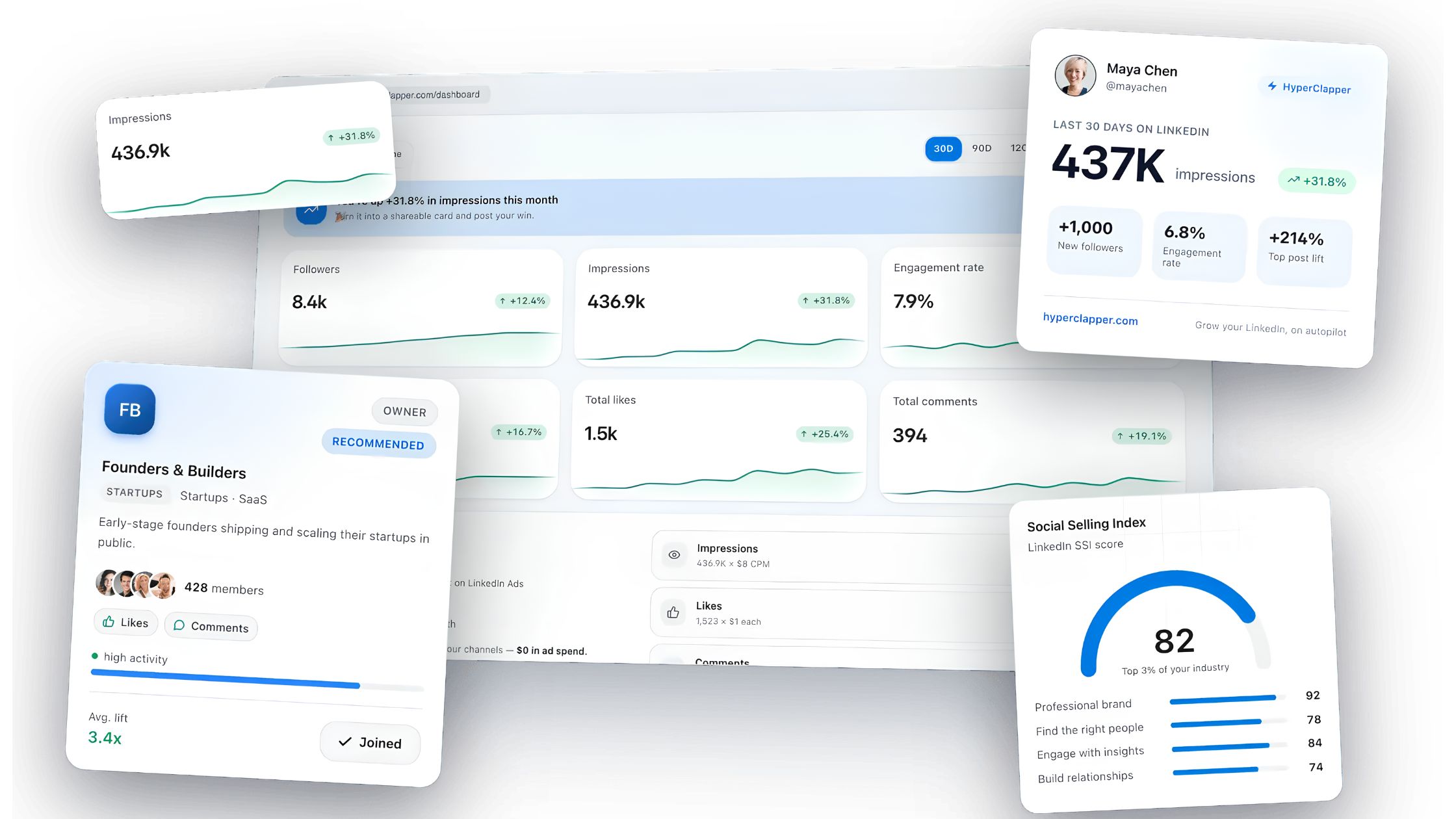
Where HyperClapper fits into this picture: rather than automating the outreach itself, it builds the visibility and credibility that makes cold outreach more effective. When prospects have already seen your posts in their feed — boosted through real community engagement — your cold message lands as a name they recognise rather than a stranger's request. That recognition alone reduces the "who is this?" friction that kills otherwise solid cold messages. For content creators and sales professionals building LinkedIn presence, this engagement-first approach complements cold outreach in a way that direct automation cannot replicate.
hyperclapper.com
HyperClapper — Boost your first hour on LinkedIn
Real likes and comments from 5,000+ professionals in your post's first hour. 30M+ engagements delivered, zero ad spend.
Benefits, Risks, and Legal Limits of LinkedIn Cold Messaging
Cold messaging on LinkedIn offers something few other outreach channels can match: direct access to decision-makers without a gatekeeper. Email has spam folders and busy assistants. Phone calls are increasingly screened. LinkedIn messages, when sent with genuine personalisation, land in a professional context where recipients are already in a relationship-building mindset. The open rate advantage — LinkedIn messages are widely reported to outperform cold email open rates by a significant margin, in the range of 3–5× — reflects this contextual difference.
The risks, however, are platform-specific and compounding:
Account restriction: A high volume of spam reports within a short window triggers automated restrictions. LinkedIn does not publicly share the exact thresholds, but a complaint rate above 10–15% on connection requests is associated with invitation restrictions lasting days to weeks.
SSI score damage: Ignored messages, unaccepted connection requests, and low engagement on your own posts all reduce your SSI — which in turn reduces the deliverability of future messages. The damage is gradual but cumulative.
Platform Terms of Service: LinkedIn's User Agreement explicitly prohibits using bots or automated tools to send connection requests or messages without prior written consent. The grey zone in 2026 is scheduling tools that assist human senders — the explicit prohibition is on tools that act as the sender.
GDPR and legal compliance is the gap that most cold outreach guides skip entirely. In the European Union, processing a prospect's personal data (their name, job title, company, and contact details) for the purpose of outreach constitutes data processing under the General Data Protection Regulation (GDPR). The practical implications for LinkedIn outreach:
You need a legitimate legal basis for processing prospect data — "legitimate interests" is the most common basis used by B2B outreach professionals, but it requires a balancing test.
You must be able to respond to subject access requests and deletion requests from prospects in the EU.
Storing prospect data in a CRM or spreadsheet for retargeting without a clear retention policy creates compliance exposure.
If you are uncertain, a brief consultation with a GDPR-qualified professional is worth the cost relative to the potential fine.
Measuring What Actually Matters: Metrics Beyond Reply Rate
Reply rate is the metric most people track — and it is the least useful one for improving strategy. A 25% reply rate that converts no meetings is worse than a 10% reply rate that converts 30% of replies to calls. The numbers that actually drive decisions are further down the funnel.
Benchmark ranges for 2026, based on patterns observed across well-run B2B outreach programs:
Pipeline conversion from meeting booked: highly variable by industry and offer, but 15–25% is a reasonable B2B benchmark for qualified prospects
What this tells you: if your reply rate is 20% but your meeting booking rate from replies is 5%, the problem is not your cold message — it is your follow-up conversation or your targeting. If your acceptance rate is under 25%, the problem is your targeting, your profile, or your connection note — not your InMail copy. Diagnosing the right metric in the right place is what separates outreach practitioners who improve from those who keep A/B testing subject lines when the real issue is targeting.
A simple outreach tracking structure that requires no CRM:
Column A: Prospect name + LinkedIn URL
Column B: Message type (InMail / DM / Connection note)
Column C: Date sent
Column D: Opened? (InMail only)
Column E: Replied?
Column F: Meeting booked?
Column G: Outcome (pipeline / closed / no fit)
This sheet gives you reply rate, meeting rate, and pipeline conversion in under five minutes of weekly review. For those integrating with CRM tools, see the guide on LinkedIn analytics and automation tools for marketers and sales teams for more structured pipeline tracking options.
On A/B testing systematically: change one variable per test, run a minimum of 50 sends per variant, and measure at 7-day intervals (not 24-hour snapshots, which produce misleading data). The variables worth testing in priority order: subject line first, opening hook second, closing ask third. Do not test all three simultaneously — it makes attribution impossible.
✓ The LinkedIn Cold Message Pre-Send Checklist
☐Profile is 100% complete with a professional photo, headline, and recent activity
☐Message contains a specific, genuine personalisation hook (not just their job title)
☐No links included in this first-touch message
☐Message is under 150 words (under 100 for connection notes)
☐The ask requires less than 60 seconds of effort from the recipient
☐No spam trigger words or phrases in subject line or opener
☐Send timing is Tuesday–Thursday, 8–10am recipient local time
☐Daily send volume is under 25 messages to avoid velocity flags
☐Follow-up plan is defined: day 5–7 (new value), day 14 (breakup message)
Build the Profile Authority That Makes Cold Messages Convert
Cold outreach lands better when prospects already know your name. HyperClapper's real engagement channels and AI-powered replies build the LinkedIn presence that makes your outreach feel familiar, not cold.
Frequently Asked Questions About Cold LinkedIn Messages and Spam Filters
Can I cold message people on LinkedIn?
Yes — with nuance. First-degree connections can be messaged freely via DM. Second- and third-degree connections require InMail credits (paid) or a connection request note (free, 300 characters). Always check the recipient's profile for messaging preferences — some users restrict who can send them InMail, and sending to restricted accounts wastes credits.
How to tell if a LinkedIn message is real or fake?
Key red flags: no profile photo or a stock-photo-looking image, zero mutual connections, overly generic compliments ("I love your work!"), an external link in the very first message, broken English combined with urgency language ("respond ASAP"), and profiles created recently with few connections. Legitimate outreach almost always comes from profiles with activity history.
What are the best practices for writing LinkedIn messages that don't get flagged as spam?
Personalise the opener with something specific to the recipient, exclude links from first-touch messages, keep send velocity under 25 per day, maintain a high connection acceptance rate (above 30%), and send from a complete, active profile. Avoid spam trigger words in subject lines and do not send identical text to multiple people in the same week.
How can I improve my LinkedIn InMail open rate without triggering spam filters?
Test subject lines under 50 characters using curiosity-gap or mutual-context formats. Avoid "Quick question," "Partnership opportunity," and all-caps words. Send from a fully complete profile during business hours (Tuesday–Thursday, 8–10am recipient time). Warm up accounts gradually before scaling InMail volume — profile health directly affects open-rate performance.
Which words or phrases cause LinkedIn messages to be marked as spam?
"Guaranteed," "limited time," "free trial," "I wanted to reach out," "mutual benefit," "just checking in," "synergy," "partnership opportunity," and "Quick question" (as a subject line) are the most consistently flagged phrases. All-caps words anywhere in the message, excessive exclamation marks, and phrases associated with mass outreach templates also trigger both algorithmic and human spam signals.
Is it safe to include links in LinkedIn cold outreach messages?
No — not in first-touch messages. Including a link in an opening message meaningfully raises spam probability for both LinkedIn's algorithm and the recipient's instinctive trust filter. Wait until after the recipient replies before sharing any link. When you do share links, LinkedIn's native sharing format (attaching a post) performs better than pasting raw URLs.
How long should a LinkedIn cold message be?
50–100 words for direct messages and connection request notes; 150–200 words maximum for InMail. Every sentence above 200 words needs a clear justification. Shorter messages consistently outperform longer ones in cold outreach — brevity signals confidence and respects the recipient's time, which are both psychological pass conditions for generating a reply.
Why does my LinkedIn message go to spam?
The most common triggers: links in a first-touch message, spam trigger words in the subject line or opener, sending high volumes of near-identical messages in a short window, or a low-SSI account with thin profile completeness. Human reports also suppress deliverability — even a few spam reports from a single campaign can restrict future message reach.
How do LinkedIn spam filters work?
LinkedIn's spam detection operates at two layers: an algorithmic layer that scans keyword flags, link density, send velocity, and sender account health before delivery; and a human reporting layer where recipient spam reports feed back into the system to downgrade the sender's future deliverability. Both layers must be managed for consistent inbox placement.
What should linkedin messaging examples include to generate replies?
Every high-reply example includes four elements: a personalised hook referencing something specific to the recipient, one sentence of relevant context, a single clear value statement, and a low-friction ask that requires less than 60 seconds to respond to. Messages that skip the personalised hook — or lead with the sender's credentials — consistently underperform regardless of how polished the rest of the copy is.
The single insight that separates professionals who get consistent replies from those who don't is not a better template — it is understanding that the recipient decides in two seconds whether the message is about them or about you. Get that right, and the template barely matters.
After seeing this pattern play out across cold outreach campaigns of every scale and industry, what consistently separates accounts with strong reply rates from accounts with impressive send volumes is not the sophistication of the copywriting — it is the discipline to do less, better. Accounts that send 40 highly personalised, well-timed messages per week with a structured follow-up cadence and a healthy sender profile outperform accounts sending 400 generic messages every single time. For additional tools and strategies to complement your LinkedIn outreach, explore Mailshake alternatives and sales automation outreach tools that integrate with a quality-first approach.
👋
⚡ Free plan
Leaving already?
Grab 3 free boosts on your next LinkedIn post — real likes & comments from 5,000+ creators. No card, cancel anytime.


%2520(1).png) hyperclapper.com
hyperclapper.com