
AI tools for LinkedIn have moved from novelty to necessity — but a pattern observed across thousands of LinkedIn accounts is that most professionals are using exactly one tool for the wrong job, wondering why their follower counts flatline. The platform has five distinct growth levers — content creation, profile optimization, outreach automation, engagement boosting, and analytics — and meaningful traction requires matching the right AI tool to the right lever. According to Skrapp.io (2026), 86% of marketers using AI content tools report improved consistency. What separates accounts with real reach from accounts with impressive tools is knowing which lever they're actually pulling.
- Who this is for: LinkedIn creators, founders, sales professionals, recruiters, and small business owners who want faster, smarter growth.
- The five tool categories: content creation, profile optimization, outreach automation, engagement boosting, and analytics — most users only know two.
- AI-generated posts CAN work — but only when you layer in personal voice, specific data, and a genuine opinion on top of the AI draft.
- Outreach automation carries real risk: sending more than 20–25 connection requests per day is the most common account-restriction trigger.
- Engagement velocity is everything: posts that collect comments in the first 60–90 minutes get pushed to a dramatically wider audience by LinkedIn's algorithm.
- Counterintuitive finding: LinkedIn analytics tools consistently show that engagement rate — not impressions — is the metric that predicts real business outcomes.
- What AI Tools for LinkedIn Actually Do
- AI LinkedIn Content Creation: Writing Posts That Get Read
- LinkedIn Profile Optimization AI: Get Found Before You Even Post
- AI LinkedIn Outreach Automation: Lead Generation Without Getting Banned
- Grow LinkedIn Following With AI: Engagement Tools and Real Results
- LinkedIn Analytics AI Tools: Know What's Working
- How to Choose the Right LinkedIn AI Tool for Your Goals
- Frequently Asked Questions About AI Tools for LinkedIn
What AI Tools for LinkedIn Actually Do (And Why Most People Use Them Wrong)
The LinkedIn automation tools market has reached an estimated $850 million annually in 2026, growing 42% year-over-year, according to ConnectSafely (2026). That growth masks a critical problem: most users buy into one category without realizing four others exist. The result is a creator who has a polished content tool but invisible posts, or a sales rep who has a powerful outreach tool but a profile that repels clicks.
The Five Categories of LinkedIn AI Tools at a Glance
- Content creation: AI writes, formats, and schedules LinkedIn posts — tools like Taplio, Jasper, and ChatGPT with LinkedIn-specific prompts.
- Profile optimization: AI rewrites headlines, About sections, and skill lists for keyword relevance and Social Selling Index (SSI) score improvement.
- Outreach automation: AI personalizes connection requests and follow-up sequences at scale — tools like Expandi, Dripify, and Waalaxy.
- Engagement boosting: Platforms like HyperClapper, Lempod, and Podawaa connect posts with real community members who engage, triggering LinkedIn's algorithmic amplification.
- Analytics: AI surfaces which post formats, topics, and times drive the highest professional network engagement rate — Shield Analytics and Taplio's dashboard are the leading options.
The most common failure mode is picking a tool based on what showed up in a LinkedIn ad rather than what the account actually needs. A recurring pattern among professionals trying to grow LinkedIn following with AI is spending on content tools while ignoring engagement velocity — the single biggest algorithmic lever. LinkedIn's algorithm rewards meaningful engagement depth: comments, dwell time, and reply threads carry 4–6x more distribution weight than passive likes. That shapes which tools actually move the needle.
Most professionals don't have a tools problem. They have a tool-to-goal mismatch problem — and no AI tool fixes a strategy that was misaligned from the start.
Once you understand which category maps to your goal, every tool decision becomes faster and cheaper. The next section covers the category most users start with — and most users get wrong.
AI LinkedIn Content Creation: Writing Posts That Actually Get Read
AI LinkedIn content creation works best as a scaffold, not a finished product. The robotic-post failure pattern is consistent: a creator prompts ChatGPT for "a LinkedIn post about productivity," publishes the output unedited, and collects 4 likes. The post sounds like a press release — correct, inoffensive, forgettable. The fix is not a better AI tool. It's a better workflow.
What Is the Best AI Tool for LinkedIn Posts in 2026?
Three tools dominate for AI LinkedIn content creation in 2026, each with a distinct strength:
- Taplio: Purpose-built for LinkedIn. Generates hooks, carousels, and full post drafts trained on high-performing LinkedIn content. Best for creators who want a LinkedIn-native workflow with scheduling built in.
- Jasper: Stronger for teams producing content at volume across multiple channels. LinkedIn tone requires specific prompting but output quality is high when dialed in.
- ChatGPT (with a LinkedIn prompt framework): The most flexible option. Feed it your recent posts to learn your voice, then instruct it to draft in that style. Free tier is sufficient for most solo creators.
According to Skrapp.io (2026), tools like Taplio and ContentIn generate personalized LinkedIn posts with 86% of marketers reporting improved consistency — but consistency without authenticity still underperforms. The linkedin ai generator category has matured: output is cleaner than 2023 vintage, but the authenticity gap remains real.
Common Content Mistakes When Using AI on LinkedIn
- Publishing unedited AI output: AI drafts lack specificity — no real numbers, no personal story, no opinion. These are the three things LinkedIn's algorithm rewards through dwell time.
- Ignoring the hook: LinkedIn shows only the first 2–3 lines before the "see more" cut. If AI generates a weak opener, rewrite it manually — every time.
- Over-posting AI content: Teams that post AI-generated content daily without varying format or voice see engagement rate drop within 3–4 weeks as their audience pattern-matches the sameness.
The thought leadership content strategy reality: AI handles volume and consistency; authority requires original perspective. Use AI to never run out of ideas. Use your own brain to make those ideas worth reading.
LinkedIn Profile Optimization AI: Get Found Before You Even Post
Thirty seconds before a LinkedIn algorithm decides whether to amplify your post, it checks who posted it. A profile with a keyword-rich headline, complete About section, and high Social Selling Index (SSI) score — a LinkedIn metric measuring profile completeness, network strength, and engagement — gets more distribution by default. LinkedIn profile optimization AI addresses this before you write a single word of content.
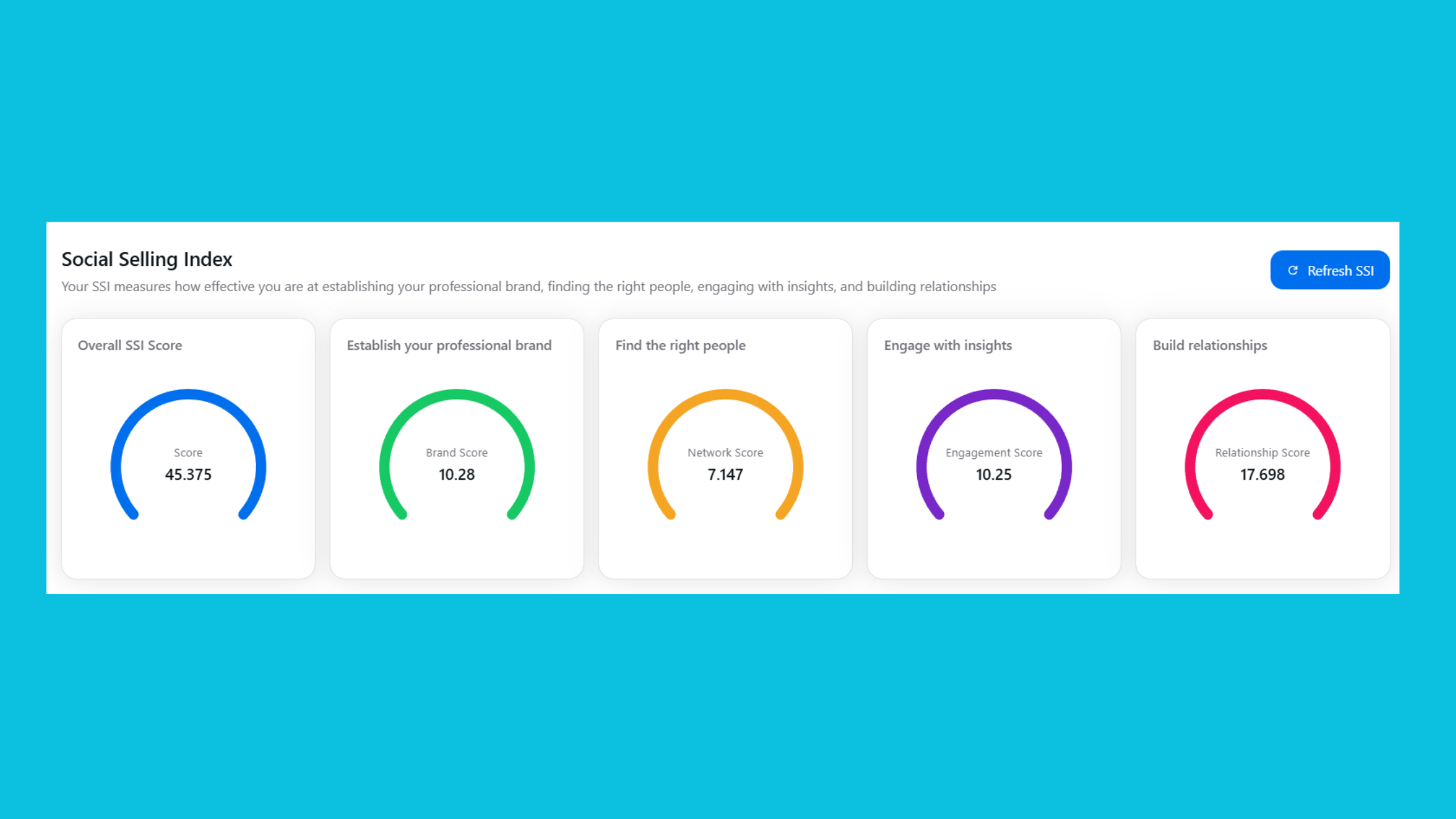
LinkedIn's Native AI Features vs. Third-Party Profile Tools
LinkedIn Premium now includes AI-assisted headline suggestions and About section rewrites directly inside the platform — available at no extra cost to Premium subscribers. These are genuinely useful for a first pass. They understand LinkedIn's context better than generic writing tools.
For deeper LinkedIn profile optimization AI, third-party tools go further:
- Taplio's Profile Scorer: Scores your profile against top performers in your niche and flags specific gaps.
- Resume Worded / Rezi: Strong for keyword alignment — useful if you're an executive or recruiter whose profile doubles as a searchable asset.
- ChatGPT: Paste in your current About section and ask it to rewrite for a specific target persona. Works well when you give it a clear brief.
How Do I Use AI to Optimize My LinkedIn Profile for More Views?
- Rewrite your headline (2 minutes): Include your role, the outcome you deliver, and one specific keyword your target audience searches. Avoid job titles alone — they're invisible.
- Restructure your About section (10 minutes): Open with a one-sentence positioning statement. Use short paragraphs. End with a clear call to action or contact prompt.
- Align your skills section (5 minutes): Paste your target job description or client persona into ChatGPT, ask it to extract the top 10 keywords, then match them to your skills list.
- Update your banner (5 minutes): A text-forward banner stating your niche and credibility signal outperforms decorative graphics by a wide margin in profile-to-connection conversion.

Community-reported benchmarks consistently show that professionals who refresh headlines and summaries with AI-assisted keyword targeting see 30–60% more profile views within 30 days. This matters because algorithmic post visibility — how widely LinkedIn distributes your content — is partly tied to profile strength, not just post quality.
A strong profile is the foundation. But even the best-optimized profile needs content that gets seen — which requires the next layer: outreach and engagement strategy.
AI LinkedIn Outreach Automation: Lead Generation Without Getting Banned
According to Digital Applied (2026), AI-written InMail messages produce a 3.1x improvement in response rates versus templated outreach. That number reflects a real shift: AI-assisted outreach personalization — where AI customizes each connection request or message using data points from the prospect's profile — dramatically outperforms the blast-the-same-template approach that used to define LinkedIn lead generation.
LinkedIn Terms of Service and API Compliance: What Every User Must Know
LinkedIn's Terms of Service prohibit scraping, automated data collection, and sending connection requests through unauthorized means. In practice, these are the specific behaviors that trigger account restrictions:
- Sending more than 20–25 connection requests per day
- Using identical message templates across all requests (pattern detection)
- Performing rapid-fire actions — visiting 200+ profiles per hour, for example
- Scraping profile data without LinkedIn's explicit API permission
Cloud-based automation tools — Expandi, Dripify, Waalaxy — are significantly safer than browser extensions because they operate from dedicated IP addresses and simulate human-like delays between actions. No tool eliminates compliance risk entirely. The honest answer to "is it safe to automate LinkedIn with AI" is: safer tools meaningfully reduce risk, but the safest posture is understanding the limits and staying well within them.
Safe Automation Workflow: A Step-by-Step Setup
- Define your ICP (5 minutes): Ideal Customer Profile — title, industry, company size, geography. The sharper this is, the higher your reply rate.
- Build a filtered Sales Navigator search: Export no more than 500 leads per campaign to avoid volume flags.
- Load your sequence into a cloud-based tool: Set daily connection limits to 15–20, not the tool's maximum.
- Personalize with AI merge tags: Use AI to pull a relevant detail from the prospect's profile — recent post topic, mutual connection, shared employer — and inject it into the first line.
- Monitor reply rate weekly: If it drops below 5%, pause and redesign the message. If you receive a LinkedIn warning, stop immediately.

For a comprehensive breakdown of how to use AI for LinkedIn lead generation across different funnel stages, see our guide on LinkedIn automation tools for lead generation.
Grow LinkedIn Following With AI: Engagement Tools, Pod Platforms, and Real Results
Posts that collect likes and comments within the first 60–90 minutes of publishing get pushed to a dramatically wider second-wave audience by LinkedIn's distribution model. This is the core mechanic that engagement platforms exploit — and it's not a hack, it's a structural feature of how LinkedIn decides what content is worth amplifying. Engagement velocity is the speed at which a post receives initial interactions after publishing.
Taplio vs. Shield vs. Lempod vs. HyperClapper: Side-by-Side Comparison
| Tool | Best For | Key Feature | Risk Level | Price Range |
|---|---|---|---|---|
| Taplio | Content creators, personal brand builders | AI post drafting + scheduling + analytics | Low | ~$49–$99/mo |
| Shield Analytics | Creators who need deep post-performance data | Creator-level analytics, post tracking | Very Low | ~$8–$25/mo |
| Lempod | Post visibility boosting via engagement pods | Automated pod-based likes and comments | Medium | ~$10/pod/mo |
| HyperClapper | Creators, founders, agencies wanting safe engagement + AI replies | Real-channel engagement + AI replies + Content Guard + company page boosting | Low | See hyperclapper.com |
The Taplio vs Shield vs Lempod comparison comes down to function: Taplio is a content engine, Shield is a measurement tool, and Lempod/HyperClapper are engagement platforms. They serve different parts of the same growth stack — and the strongest performers typically run two or three in combination.
For content creators focused on visibility and engagement safety, HyperClapper is the strongest choice in the engagement category because it combines real channel-based community engagement (each channel ≈ 50 possible engagements from real people), AI-powered reply generation that keeps conversations active days after posting, Content Guard moderation to prevent policy-risky content from being boosted, and company page support — a feature set most pod platforms don't offer.
Get Your LinkedIn Posts Seen by More Real People
HyperClapper connects your posts with real community members who engage — boosting early-signal strength and triggering LinkedIn's algorithm to push your content further.
Try HyperClapper FreeAffordable and Freemium AI LinkedIn Tools for Small Business
The good news for small business owners: several highly effective tools are free or near-free to start. Affordable AI LinkedIn tools for small business don't require enterprise budgets.
- ChatGPT (free tier): Fully functional for content drafting, profile rewrites, and outreach message ideation.
- LinkedIn's native AI (Premium): Headline and post suggestions built into the platform — included in Premium at ~$40/month.
- Shield Analytics: Starts at ~$8/month — the most affordable deep analytics option on the market.
- HyperClapper: Tiered pricing designed to fit individual creators and small teams, not just enterprise accounts.
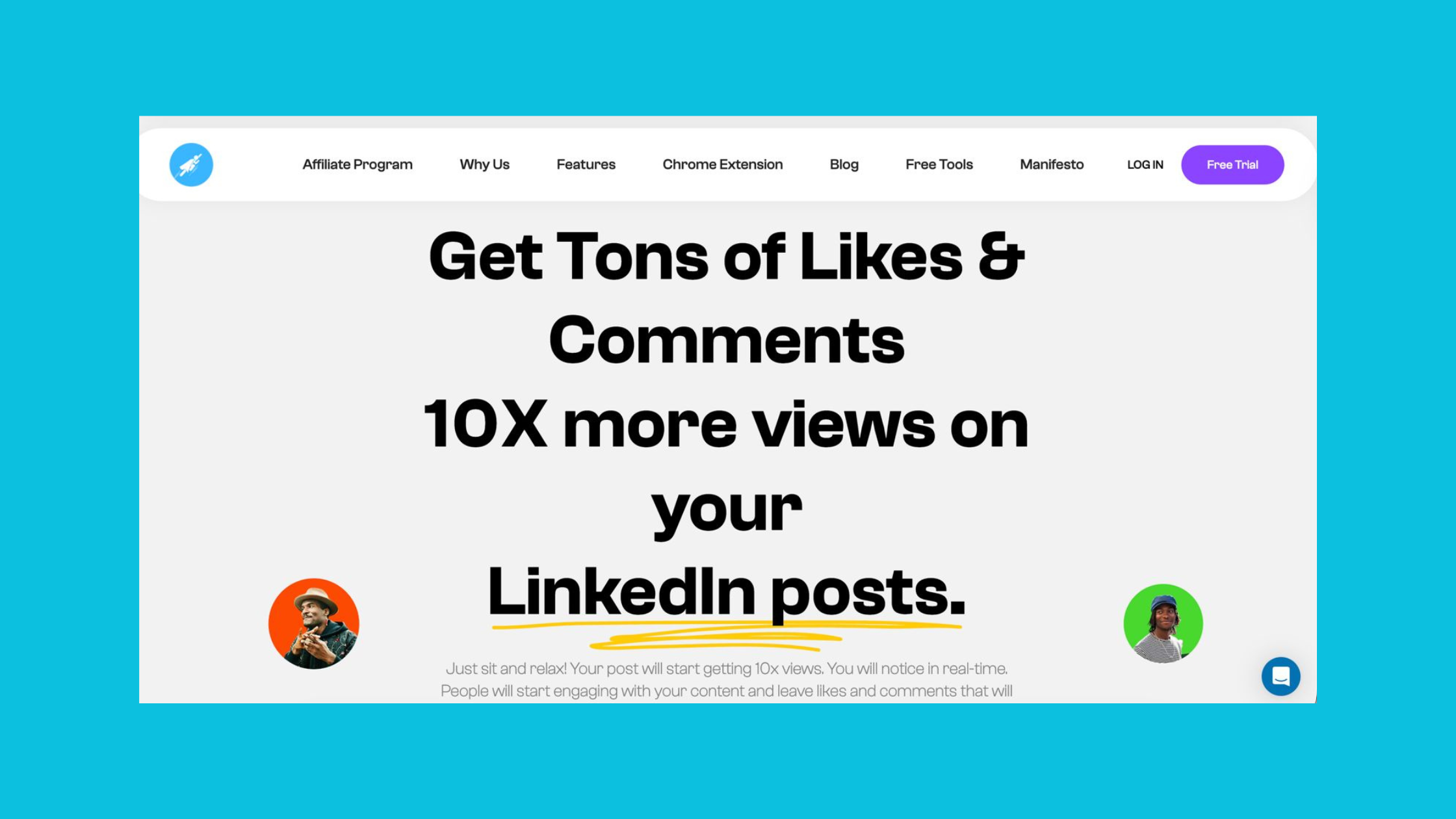
Hyperclapper
For a full breakdown of costs across the LinkedIn tool landscape, see The Cost of LinkedIn Growth: A Comprehensive Comparison.
LinkedIn Analytics AI Tools: Know What's Working Before You Waste More Time
LinkedIn's native analytics are a starting point, not a strategy tool. They show you impressions and reaction counts. What they don't show you: post-by-post engagement rate trends, follower growth attribution by content type, profile view demographics, or best-time-to-post data segmented by your specific audience. These are the gaps that LinkedIn analytics AI tools exist to fill.
How AI Analytics Differ Across Industries and Audience Niches
Teams that review analytics weekly and adjust their content strategy accordingly consistently see higher engagement rates than those who post on instinct. The specific improvement varies by industry — B2B SaaS founders typically find that educational carousels outperform text posts 2:1, while recruiters see higher engagement on conversational questions than on job listing announcements. No universal content formula exists, which is exactly why analytics tools matter.
The top LinkedIn analytics AI tools in 2026:
- Shield Analytics: The gold standard for creator-level tracking. Breaks down every post by engagement rate, impressions, comments, and follower gain — and lets you filter by content type to find your actual best-performing format.
- Taplio's built-in dashboard: Tightly integrated with its content tool. Best for users already in the Taplio ecosystem who want analytics without switching platforms.
- HyperClapper's engagement performance dashboard: Focused specifically on measuring how channel-based engagement boosts translate into organic reach — uniquely useful for understanding the ROI of engagement activity alongside content quality.
What consistently emerges when comparing high-growth accounts against plateau accounts is that the high-growth group checks analytics to answer one question: "Which post got the most replies from my target persona?" Impressions is a vanity metric. Professional network engagement rate — interactions divided by reach — is the metric that predicts real business outcomes like inbound DMs and leads.
For a deeper look at using analytics as part of a LinkedIn marketing strategy, see our guide on LinkedIn marketing tools for small business.
How to Choose the Right LinkedIn AI Tool for Your Goals in 2026
The decision framework is simpler than most LinkedIn influencers make it sound: identify your single biggest constraint, then buy the tool that removes it. Don't buy a suite when you only need one function.
- Best for content creation: Taplio or ChatGPT — Taplio for LinkedIn-native features, ChatGPT for budget-conscious users who don't mind a prompt framework.
- Best for profile optimization: LinkedIn's native Premium AI + Resume Worded for keyword depth.
- Best for outreach automation: Expandi or Dripify — cloud-based, with human-behavior simulation built in.
- Best for engagement and visibility: HyperClapper — real community channels, AI replies, Content Guard, company page support.
- Best for analytics: Shield Analytics for creators; Taplio's dashboard for content-analytics integration.
✓ The LinkedIn AI Tool Selection Checklist
- ☐Identify your single biggest LinkedIn growth constraint (content, visibility, outreach, or analytics).
- ☐Check that any outreach automation tool is cloud-based — not a browser extension.
- ☐Verify your daily connection request limit is set to 15–20 max (not the tool default).
- ☐Confirm your engagement tool uses real community members — not bots or fake accounts.
- ☐Check that your content AI tool allows you to add personal voice and data — not just publish raw output.
- ☐Set up an analytics review cadence — weekly is the minimum to catch what's working before three more posts go live.
- ☐Avoid stacking two tools that do the same job — overlapping tool spend is the most common waste in LinkedIn AI budgets.
Risk tolerance is non-negotiable in this decision. Outreach automation tools carry the highest compliance risk of any LinkedIn AI category — founders and executives protecting a personal brand should weight Content Guard features and safety controls heavily when comparing options. The 2026 LinkedIn automation safety guide covers how to build a compliant stack from the ground up.
What consistently separates accounts with real reach from accounts with expensive tool stacks is not the number of tools — it is whether those tools are each solving a distinct, real constraint in the growth strategy.
Ready to Build a LinkedIn Growth Stack That Actually Works?
HyperClapper combines real engagement channels, AI-powered replies, Content Guard moderation, and performance analytics — giving you one platform that handles the hardest part of LinkedIn growth safely.
See HyperClapper in ActionFrequently Asked Questions About AI Tools for LinkedIn
Which AI tool is best for LinkedIn?
The best AI tool for LinkedIn depends on your goal. For content creation, Taplio or ChatGPT lead the field. For engagement and post visibility, HyperClapper offers the most complete feature set — real community channels, AI replies, Content Guard, and company page boosting. For analytics, Shield Analytics is the creator-level gold standard. Match the tool to the constraint, not to the marketing.
What is LinkedIn's own AI tool called?
LinkedIn's native AI assistant is built into the platform and branded as part of LinkedIn Premium. It offers AI-assisted headline suggestions, About section rewrites, job description matching, and post drafting prompts. It is not a standalone named product but is accessible directly within the LinkedIn editor and profile settings for Premium subscribers.
Is it safe to automate LinkedIn with AI?
It is safer with the right tools and volume limits, but not without risk. Cloud-based tools (Expandi, Dripify, HyperClapper) are significantly safer than browser extensions because they simulate human behavior patterns. Staying under 20 connection requests per day and avoiding identical message templates are the two most important guardrails. No tool eliminates platform risk entirely.
Can I use AI to write LinkedIn posts without sounding robotic?
Yes — but only with a specific workflow. Use AI to generate a draft structure and opening hook, then manually rewrite the first sentence, inject one personal data point or story, and add a direct opinion in the final line. Posts that follow the "AI skeleton, human voice" method consistently outperform both fully manual and fully AI-generated content on LinkedIn.
Which AI tool is best for LinkedIn outreach and connection requests?
Expandi and Dripify are the strongest cloud-based options for AI LinkedIn outreach automation. Both use AI to personalize connection requests with prospect-specific details and operate within LinkedIn's behavioral limits. Waalaxy is a strong alternative for users who want a simpler interface. All three require careful daily volume settings — keep connection requests at 15–20 per day maximum.
What AI tools do top LinkedIn creators use to grow their audience?
Top LinkedIn creators typically run a three-tool stack: a content tool (Taplio or ChatGPT) for drafting and scheduling, an engagement platform (HyperClapper or Lempod) for early-signal boosting, and an analytics tool (Shield) for weekly performance review. The creators who grow consistently are the ones who check analytics every week and adjust — not the ones with the most tools.
How do I use AI to optimize my LinkedIn profile for more views?
Start with your headline — rewrite it to include your role, the outcome you deliver, and one keyword your audience searches. Then restructure your About section with a clear positioning statement and a call to action. Use ChatGPT to extract keywords from your target client or job description and match them to your skills list. Community benchmarks show 30–60% more profile views within 30 days of this refresh.
How can AI help you grow on LinkedIn?
AI accelerates LinkedIn growth across five areas: writing better posts faster, optimizing your profile for search and algorithmic visibility, personalizing outreach at scale, boosting early engagement on posts to trigger algorithmic amplification, and surfacing which content formats drive the highest engagement rates for your specific audience. The compounding effect of all five working together is where real growth happens.
What is the best AI tool for LinkedIn posts?
Taplio is purpose-built for LinkedIn posts — it generates hooks, carousels, and full drafts trained on high-performing LinkedIn content, with scheduling built in. ChatGPT with a LinkedIn-specific prompt framework is the best free alternative. The key with either tool is treating the output as a first draft that requires a personal voice layer before publishing.
Does AI-generated LinkedIn content perform well?
AI-generated LinkedIn content performs well when edited with personal voice, specific data, and a genuine opinion. Unedited AI output consistently underperforms — it lacks specificity, dwell-time-triggering storytelling, and the authenticity signals LinkedIn's algorithm rewards. The 86% of marketers who report improved consistency with AI tools are the ones treating AI as a draft tool, not a publish button.



