
The follow vs connect linkedin decision trips up professionals more than almost any other platform mechanic — not because the definitions are complicated, but because nobody explains which one to press when you're staring at a specific profile. A connection is a mutual, accepted, two-way relationship: both people agree, and LinkedIn labels you 1st-degree contacts. A follow is one-directional — you see their posts without them accepting anything. A pattern observed across thousands of LinkedIn profiles is that the most strategic networkers treat these as two distinct tools rather than two versions of the same button, deploying each based on context, goal, and the other person's profile type. Get this distinction right, and your reach compounds. Miss it, and you'll accumulate followers who never engage or connections who never respond.
- Connections are mutual and two-way — both parties must agree; followers are one-directional and require no acceptance.
- Connections get stronger feed priority by default; followers amplify viral content once it gains momentum.
- A Follow-only button means the person has Creator Mode on, hit LinkedIn's 30,000 connection limit, or restricted their settings.
- For B2B growth, connections win for relationship depth; followers win for content reach at scale — top profiles use both deliberately.
- Creator Mode doesn't kill networking — users can still connect via the More menu; it just reorders what the profile promotes.
- The most counterintuitive finding: following someone first before requesting a connection meaningfully improves acceptance rates when you then personalise the request with a reference to their content.
- The Real Difference Between LinkedIn Connections and Followers
- How the LinkedIn Algorithm Treats Followers vs Connections Differently
- Follow vs Connect LinkedIn: A Practical Decision Framework
- LinkedIn Creator Mode: Followers vs Connections and What Changes
- Which Is Better for LinkedIn Growth: Connections or Followers?
- Common Mistakes That Kill Your LinkedIn Growth Strategy
- Frequently Asked Questions: LinkedIn Connections vs Followers
The Real Difference Between LinkedIn Connections and Followers

Connections vs followers LinkedIn — here's the technical ground truth. When you connect with someone, LinkedIn creates a mutual 1st-degree link: both parties see each other in searches, can message directly, and automatically follow each other's content. A follower relationship is asymmetric: you subscribe to someone's updates without them needing to accept, and crucially, without gaining direct message access or 1st-degree status.
This distinction matters immediately for one common misconception: is following the same as connecting on LinkedIn? No — and the direction of difference is important. Every connection automatically creates a follow in both directions. But following someone does not make you connections. You can follow 10,000 people; that doesn't give you the ability to message any of them for free or appear in their 1st-degree network searches.
Both connections and followers can see your posts in their feed — but the algorithm weights these audiences differently (more on that in the next section). The platform's feed gives first-degree connections stronger default priority, while follower content gets amplified only when early engagement signals are strong.
Why Some Profiles Only Show a Follow Button (No Connect Option)
This is one of the most-searched questions around connecting vs following on LinkedIn, and the answer has three distinct causes. When a profile shows only Follow with no Connect button visible, it's because:
- LinkedIn Creator Mode is enabled — the profile owner has deliberately set Follow as their default CTA to grow a broadcast audience
- The 30,000 connection limit has been reached — LinkedIn caps connections at 30,000; beyond that, new visitors can only follow
- Privacy settings restrict connection requests — the user has set their profile to accept connection requests only from people who know their email, or has disabled the option entirely
A recurring pattern among users encountering a Follow-only profile is assuming the person is ignoring them or being exclusive. In most cases it's a setting, not a signal. The right move: follow them, engage with their posts genuinely, and if you build rapport, they'll often initiate the connection themselves.
LinkedIn's 30,000 Connection Limit and the 500 Follower Display Cap
LinkedIn's 30,000 connection limit is hard and non-negotiable — once reached, your profile can only gain followers. Separately, LinkedIn displays follower counts as "500+" until a threshold is crossed, then shows the exact number — this 500 follower display cap is purely cosmetic and doesn't restrict anything functionally. For profiles approaching the connection ceiling, the strategic pivot is intentional: prune inactive or irrelevant connections periodically to preserve capacity for high-value relationships. See our guide on LinkedIn connection limits and how to grow without restrictions for a full breakdown.
How the LinkedIn Algorithm Treats Followers vs Connections Differently
LinkedIn's feed algorithm does not treat connections and followers equally — and understanding this gap is what separates accounts with genuine reach from accounts with impressive-looking numbers that underperform on every post.
LinkedIn connection and follower reach behave differently at each stage of a post's lifecycle. When you publish, LinkedIn first distributes the content to a sample of your 1st-degree connections. If that sample engages well (comments especially, not just likes), distribution expands — first to more connections, then to followers, then potentially to 2nd and 3rd-degree networks through viral amplification. Followers enter the distribution curve later. This means a post with zero early engagement from connections rarely reaches followers in meaningful volume, regardless of how many followers you have.
The algorithm doesn't care how many followers you have — it cares how many of the first 200 people who saw your post stopped scrolling long enough to react.
Do LinkedIn Followers See Your Posts — and How Often?
Do LinkedIn followers see your posts? Yes — but conditionally. Followers receive your content in their feed only when the algorithm determines the post has enough early engagement momentum to warrant broader distribution. A post that receives strong engagement in its first 60–90 minutes gets pushed to follower feeds. A post with flat early engagement often stays confined to a smaller slice of your connection base. According to Contentin.io's LinkedIn engagement analysis, posts with images get 2x more comments and videos get 5x more engagement than text-only posts — both formats trigger the kind of early engagement signal that drives follower-feed distribution.
According to LinkedIn's own platform data, members who share content receive 4x more profile views than those who don't — this means the act of posting consistently drives both follower growth and connection requests organically, regardless of which side you're optimising for. In practice, this creates a compounding loop: better content → more engagement → wider follower reach → more inbound connection requests from warmed-up viewers.
Engagement signals from connections carry more algorithmic weight than passive follows. A comment from a 1st-degree connection in the first hour is worth more to LinkedIn's distribution engine than 50 passive followers clicking "like" two days later. This is why the LinkedIn follower vs connection reach gap exists — it's not favouritism, it's the algorithm rewarding relationship depth as a proxy for content relevance.
Follow vs Connect LinkedIn: A Practical Decision Framework
Most professionals understand the definitions of linkedin following vs connection perfectly well. Where they freeze is in a real moment: profile open, two buttons available, and no clear instinct about which serves them better. This framework resolves that.
Think of the Follow button as a soft handshake and the Connect button as a formal introduction. You wouldn't walk into a networking event and introduce yourself to every person in the room simultaneously — you'd observe first, find common ground, then approach with something specific to say.
Should I follow or connect on LinkedIn? Here's the if-then logic that works:
Connecting vs Following on LinkedIn by Goal and Profile Type
| Your Situation | Best Action | Why It Works |
|---|---|---|
| Cold profile, no shared context | Follow first | Surfaces their content; gives you context for a smarter request later |
| Shared event, comment thread, or mutual connection | Connect with a personalised note | Warm reason = higher acceptance; note references the shared context |
| Thought leader / content creator you want to learn from | Follow only | You get their content without imposing; comment meaningfully over time |
| Prospect in your ICP (ideal customer profile) | Follow → engage 2–3 posts → connect | They'll recognise your name; acceptance rates rise significantly |
| Profile shows Follow-only button | Follow, then engage | Respect their setting; authentic engagement often prompts them to connect first |
Does Following Someone First Improve Connection Request Acceptance Rates?
The short answer is yes — consistently, when combined with genuine engagement. Teams that follow a prospect, comment thoughtfully on 2–3 of their posts, and then send a personalised connection request referencing their content see meaningfully higher acceptance rates than cold requests. The warm-up creates name recognition. When your connection request arrives, the recipient already associates your name with relevant, considered commentary rather than a stranger's profile photo. For a deeper look at growing your network with this approach, see our guide on growing your LinkedIn network effectively.
LinkedIn Creator Mode: Followers vs Connections and What Changes
Enabling Creator Mode is the single setting that most fundamentally reshapes the follow vs connect dynamic on your profile. Creator Mode is a LinkedIn profile setting that switches your default CTA button from "Connect" to "Follow," repositioning you as a content publisher rather than a networker-first professional.
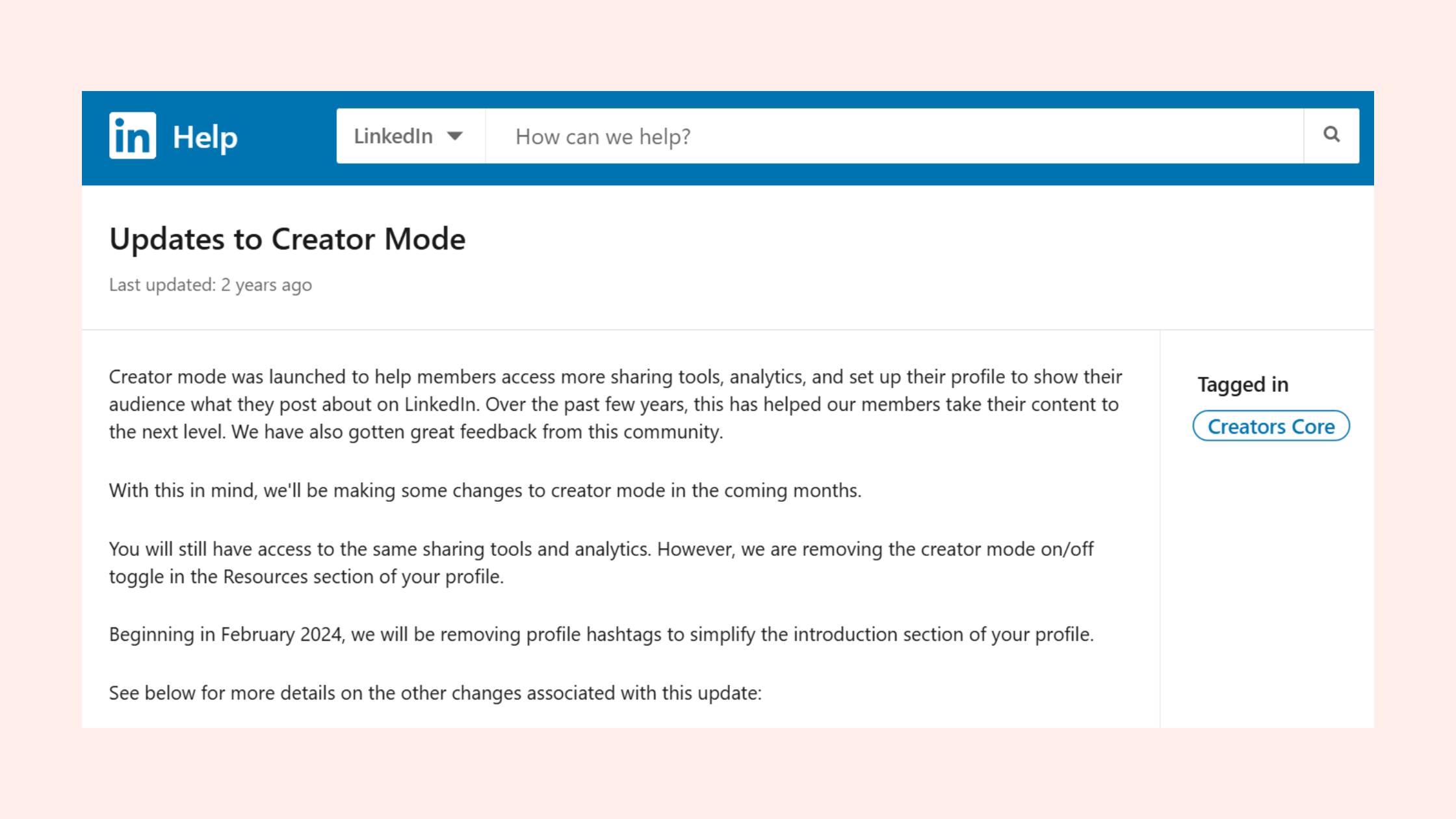
LinkedIn creator mode followers vs connections — here's exactly what shifts when you flip it on:
- Your follower count appears more prominently than your connection count — signalling broadcast authority to profile visitors
- The Connect option moves under the More menu, not eliminated — visitors who genuinely want to connect still can
- You unlock newsletter creation, hashtag following analytics, and LinkedIn Live access
- Your content is distributed with a slightly different weighting — Creator profiles are part of LinkedIn's editorial ecosystem, which can boost organic reach for consistent publishers
How to Switch Your LinkedIn Profile from Connection-Only to Follow Mode
Switching to follow-first mode via Creator Mode takes under two minutes. Here's the exact sequence:
- Go to your LinkedIn profile page (30 seconds)
- Scroll to the "Resources" section below your About section and click "Creator mode: Off" (15 seconds)
- Select up to 5 hashtags representing your content topics (1 minute)
- Toggle Creator Mode on and click Done (15 seconds)
Warning: Your profile button changes immediately — test how it looks from a logged-out browser to confirm the change is visible to non-connections.
What consistently separates creators who benefit from this switch from those who don't is posting frequency. Creator Mode without consistent content is a liability — it signals you're a publisher and then delivers nothing. Aim for at least 3 posts per week or the follower-first framing works against you.
Want Your Posts to Actually Reach Your Followers?
HyperClapper boosts your LinkedIn posts with real engagement from relevant professionals — so the algorithm pushes your content to followers, not just the first 50 people who scroll past it.
See How HyperClapper WorksWhich Is Better for LinkedIn Growth: Connections or Followers?
The question "which is better for LinkedIn growth connections or followers" has a clean answer only when you define what "growth" means for you. For different goals, the answer genuinely differs.
For B2B lead generation and sales: connections win. LinkedIn connections vs followers matter most in sales contexts because 1st-degree status unlocks free InMail-equivalent messaging, warm introduction pathways through mutual contacts, and CRM-level relationship tracking. According to Charle Agency's 2026 LinkedIn statistics, 35.5 million people have been hired through someone they connected with on LinkedIn — the relationship depth that connections create is directly monetisable in ways that follower counts are not.
For thought leadership and brand reach: followers win. There's no cap on followers, no acceptance friction, and a high-follower profile distributes content to a larger baseline audience on every post. The best LinkedIn growth strategy for B2B combines both: build a curated connection base of 500–2,000 highly relevant professionals (decision-makers, peers, partners), and let the follower base grow organically through content.
According to Kinsta's LinkedIn statistics roundup, 80% of B2B social media leads are generated on LinkedIn. In practice, this means B2B teams that neglect the connection relationship layer — focusing only on follower count as a vanity metric — tend to plateau at audience growth without converting that audience into pipeline. The difference between LinkedIn connection and follower is precisely the gap between reach and revenue.
How Many LinkedIn Connections Before Switching Focus to Followers?
A useful threshold observed across high-growth profiles: once you have 500+ first-degree connections in your target niche, you have enough of a seeded audience for your content to gain early traction on posts. At that point, shifting energy toward content quality and consistency — rather than volume connection outreach — tends to produce better compound returns. Your connections generate the early engagement signals that push posts to followers. More connections aren't always better after that; more relevant connections is what actually moves the needle. See more LinkedIn connection growth strategies for tactics to hit that threshold faster.
Is LinkedIn Premium Worth It for Growing Your Network?
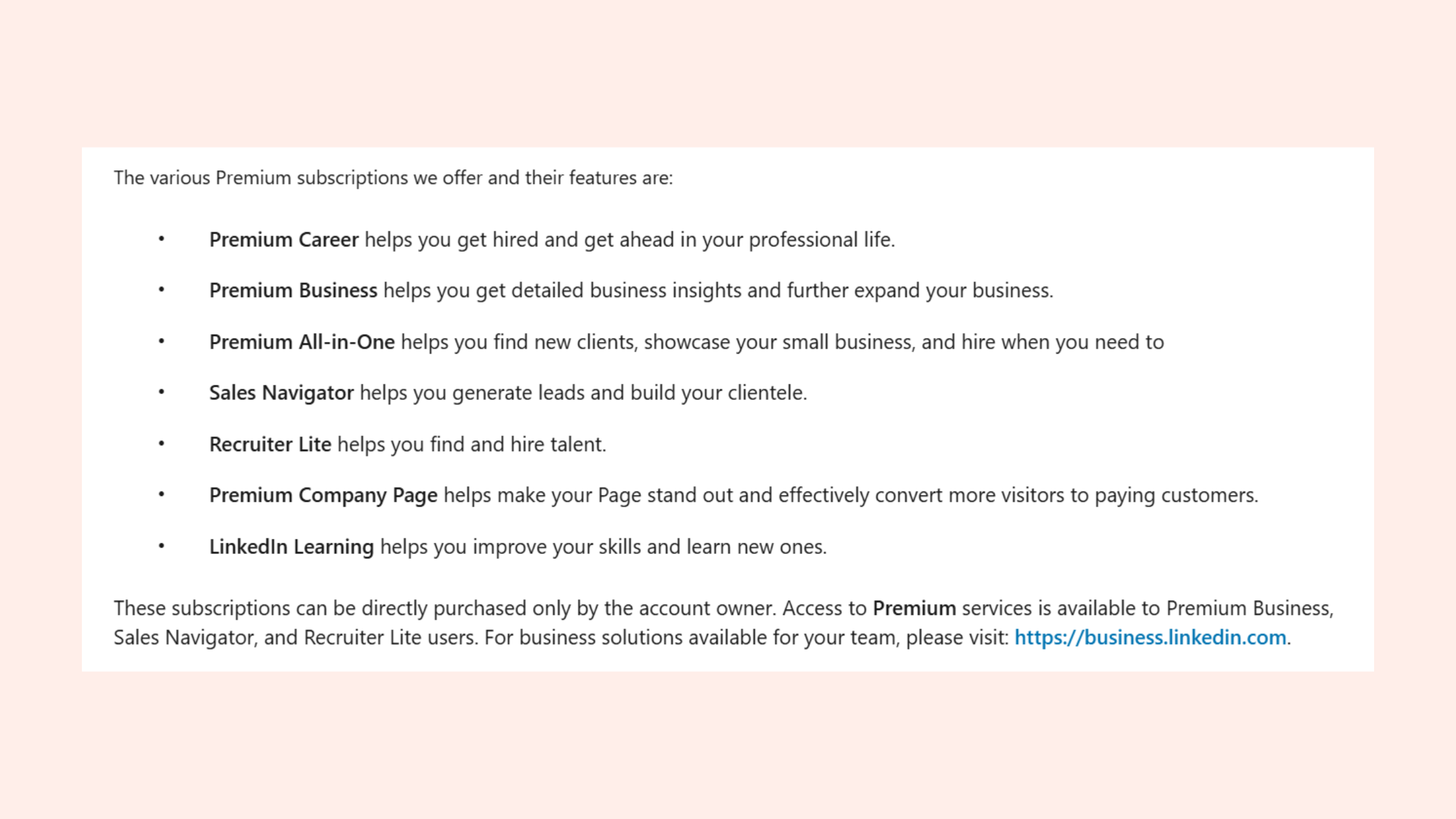
LinkedIn Premium worth it for growing network — this depends entirely on your goal. Premium's InMail credits are genuinely valuable if you're reaching out to profiles outside your network who don't accept cold connection requests. Who Viewed Your Profile data is useful for identifying warm inbound interest. But Premium doesn't change the algorithm's treatment of your content or increase follower reach. For most professionals focused on organic growth, consistent posting plus strategic connection building outperforms a Premium subscription used passively. The exception: recruiters and sales professionals who need volume outreach to non-connections — for them, InMail access often pays for itself within the first month.
Common Mistakes That Kill Your LinkedIn Growth Strategy
After analysing patterns across LinkedIn profiles at various growth stages, the most common failure mode isn't choosing the wrong button — it's treating the platform's social graph as a numbers game rather than a relationship architecture.
The mistakes that consistently suppress growth:
- Mass connection requests without personalisation — low acceptance rates trigger LinkedIn's spam filters and can restrict your account's outreach capability for weeks. A 15–20% acceptance rate is normal for cold requests; below 10% consistently is a warning sign.
- Treating follow and connect as interchangeable — following 500 people in a week and expecting relationship depth is the wrong mental model. Follow for content intelligence; connect for relationship capital.
- Ignoring follower engagement analytics — if your follower count grows but post engagement stays flat, your content isn't converting reach into relationship. That's a signal to change format, topic, or posting time — not to follow more people.
- Chasing follower count as a primary metric — a pattern consistently observed is that accounts with 50,000 followers but weak connection engagement underperform accounts with 3,000 connections and tight community relevance, in terms of both post reach and business outcomes.
What happens to follows and connections when you block or restrict someone on LinkedIn: blocking severs the connection and removes the follow relationship in both directions — silently and immediately. They lose access to your content; you lose theirs. Overusing block/restrict as an audience management tool can inadvertently shrink your engaged core audience, which depresses early engagement signals and reduces your overall post distribution.
How to Use Engagement Tools Without Risking Your Account
The safest way to build early engagement momentum — the kind that pushes your posts from connection feed to follower feed — is through real community engagement, not bot-driven automation. Tools like HyperClapper address this by connecting users with genuine engagement channels: real professionals who interact with your posts, supported by AI-powered replies that keep conversations active and deepen the comment threads that LinkedIn's algorithm rewards most.

The real competitive advantage on LinkedIn in 2026 isn't reach — it's the ability to generate genuine conversation on demand. That's what the algorithm amplifies, and that's what turns followers into connections and connections into clients.
✓ The LinkedIn Growth Strategy Checklist
- ☐Follow a target prospect before connecting — engage with 2–3 posts first
- ☐Always personalise connection requests with a specific, context-relevant note
- ☐Audit your connection list quarterly — remove zero-engagement contacts to preserve capacity
- ☐Post at least 3x per week consistently — below this, algorithmic reach decays within 10–14 days
- ☐Use images or video in posts — visual content generates 2–5x more early engagement signals
- ☐Protect the first 60–90 minutes post-publish — respond to every early comment to sustain momentum
- ☐If using Creator Mode, post consistently — a follow-first profile with sparse content works against you
- ☐Monitor follower engagement rate, not just follower count — flat engagement signals a content pivot is needed
Turn Your LinkedIn Content Into Consistent Growth
HyperClapper connects your posts with real engagement channels — so every post gets the early traction it needs to reach both your connections and followers at scale.
Start Boosting Your PostsFrequently Asked Questions: LinkedIn Connections vs Followers
Why is LinkedIn saying follow instead of connect?
LinkedIn shows only a Follow button when the profile owner has enabled Creator Mode, has reached the 30,000 connection limit, or has adjusted their privacy settings to restrict connection requests. It's a setting, not a personal rejection. You can still engage with their content, and many users find the Connect option under the "More" menu even on Creator-Mode profiles.
Should I connect or follow on LinkedIn?
Follow first when you have no warm reason to connect — it gives you their content and context without the awkward cold request. Connect when you have a shared reason (event, comment, mutual contact) and can write a personalised note. The most effective sequencing is: follow → engage genuinely → connect with a relevant note. Acceptance rates are significantly higher with this approach.
Does follow mean the same as connect on LinkedIn?
No. Is follow the same as connect on LinkedIn? Definitively not. Following is one-directional — you see their posts, they don't see yours unless they follow back. Connecting is mutual and creates a 1st-degree relationship: both parties see each other's content, can message for free, and appear in each other's network searches. Connecting automatically creates a follow in both directions; following does not create a connection.
Why would someone follow you on LinkedIn but not connect?
Most commonly because they find your content valuable but don't have a professional reason to be in your 1st-degree network — or because they prefer to observe before committing to a connection. It's also common when someone wants to avoid the mutual visibility a connection creates. Treat it as a warm signal: they're interested in your content, and consistent quality posting may convert them into a connection request over time.
What is the strategic difference between building LinkedIn connections versus gaining followers for professional growth?
Connections build relationship capital — direct messaging access, warm introduction pathways, and high-trust touchpoints that directly support sales, hiring, and partnerships. Followers build broadcast reach — no cap, no acceptance required, amplifying every post to a wider audience. The strategic answer for most professionals is both: a curated core of 500–2,000 relevant connections to seed algorithmic distribution, plus an open follower funnel for scale.
If I turn on LinkedIn Creator Mode, does it hurt my ability to network with connections?
No. Enabling Creator Mode moves the Connect option to the "More" dropdown — it doesn't remove it. Anyone who genuinely wants to connect can still do so. What changes is the default CTA: visitors see Follow first, which grows your audience passively. For active networkers, the workaround is simple: mention in your About section that you welcome connections, and interested parties will find the option.
Should a B2B marketer focus on LinkedIn followers or connections to increase content visibility?
For content visibility, followers scale further — but connections generate the early engagement signals that drive follower-feed distribution. The practical answer: prioritise building 500–1,000 highly relevant connections in your ICP first, then focus on content quality to grow followers organically. Without a strong connection base generating early engagement, follower reach rarely materialises regardless of how many followers you accumulate.
Can you follow someone on LinkedIn without them knowing, and does it affect your SSI score?
Yes — following someone on LinkedIn is not notified to them by default (though your name may appear in their "People who viewed your profile" list if your settings allow it). Following does not directly affect your Social Selling Index (SSI) score. SSI rewards connection growth, engagement activity, and relationship-building — passive following contributes minimally compared to genuine interactions and accepted connection requests.
What consistently separates accounts with compounding LinkedIn reach from accounts with impressive-looking metrics that go nowhere is not the ratio of followers to connections — it's the deliberate, contextual use of both. The accounts that get this right build a connected core that seeds every post, and a follower audience that amplifies the best ones. Miss either layer, and the platform's algorithm has no signal to work with. For a full breakdown of the followers vs connections strategy on LinkedIn, including how to audit your current network mix, the framework applies regardless of where you're starting from.



