
ReachOut.ai is an AI video personalization platform that generates prospect-specific video clips from a single recorded template — no re-recording per contact. A recurring pattern among sales teams evaluating this tool is that the demo looks compelling, the first campaign feels novel, and then results plateau in ways that are hard to diagnose. This ReachOut.ai review 2026 cuts through that cycle: what the tool actually delivers, where it consistently breaks down at scale, and what experienced outreach teams migrate to once they've tested it properly.
- ReachOut.ai works well at small-to-medium volume — but AI video quality degrades noticeably at scale, with lip-sync artifacts appearing in a meaningful share of renders.
- Unused monthly credits are forfeited at reset — a critical pricing detail most reviews skip entirely.
- Platform development has visibly slowed since 2024; unresolved feature requests and declining support responsiveness are the top complaints on G2 and Capterra in 2025–2026.
- Hand-recorded video consistently outperforms AI-cloned video on reply rate — AI wins only when volume makes manual recording impossible.
- Power users who leave typically move to Tavus or HeyGen for AI fidelity, or to Sendspark/Loom for authentic recording — with many adding a LinkedIn engagement layer (like HyperClapper) to amplify visibility rather than relying solely on cold email volume.
- The single most counterintuitive finding: plain-text hyper-personalized sequences frequently outperform AI video sequences on measurable reply rate.
- ReachOut.ai in 2026: What It Is and How It Actually Works
- ReachOut.ai Pricing 2026: What You Actually Pay
- What Works Well: Genuine Strengths
- ReachOut.ai Limitations Power Users Actually Hit
- Who Should Use ReachOut.ai (and Who Should Not)
- ReachOut.ai vs Competitors: Vidyard, Sendspark, Loom, and Beyond
- What Power Users Switch To After Leaving ReachOut.ai
- The Honest Bottom Line for 2026
- Frequently Asked Questions About ReachOut.ai
ReachOut.ai in 2026: What It Is and How It Actually Works
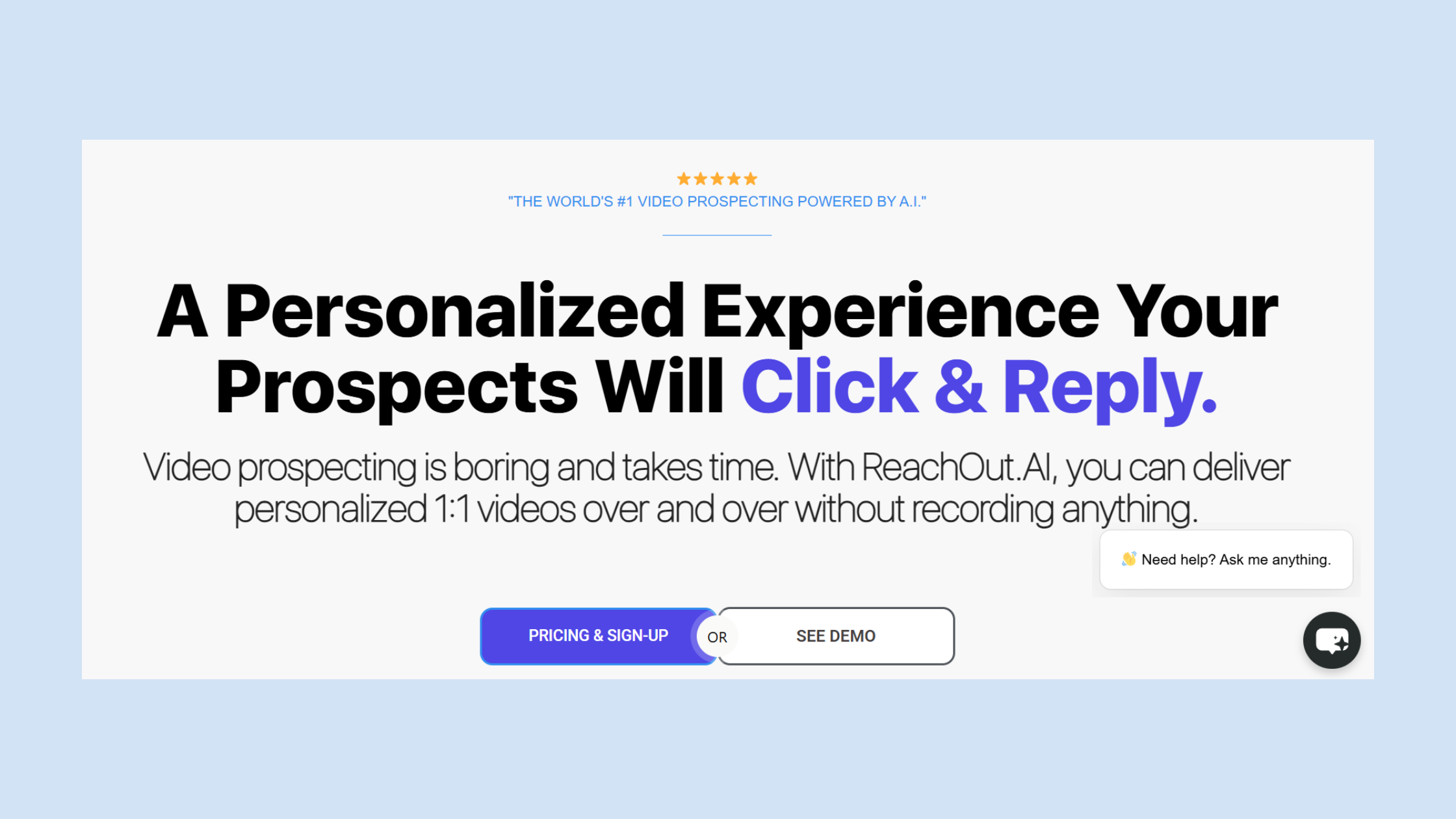
ReachOut.ai is an AI video personalization platform — software that takes one recorded video template and renders individual versions for each prospect, inserting their name, company, or other variables into the video itself via AI face and voice cloning. You record once. The platform does the rest. The core use case is cold email and LinkedIn outreach: embed a personalized video thumbnail (typically an animated GIF preview) in the first touchpoint to stand out in a crowded inbox and lift click-through rates.
In the broader sales stack, ReachOut.ai sits between your CRM or sequencing tool and the prospect's inbox. It is not a full outreach suite. It doesn't send emails, manage sequences, warm domains, or track pipeline attribution on its own — it generates the video asset that your sequencer (Outreach, Salesloft, Lemlist, etc.) then delivers.
The AI Video Personalization Workflow Step by Step
- Record your template (15–60 seconds) — a single video that will be cloned for all prospects. Quality of this recording directly determines quality of all downstream renders. (~30 minutes including re-takes)
- Upload your prospect list with the personalization variables you want rendered (name, company, role, etc.).
- The AI renders individual videos — cloning your face and voice to say each prospect's specific details. Batch rendering speed is the platform's genuine strength.
- Download or embed via link — most teams embed the animated thumbnail into email; some post the link directly.
- Track engagement — opens, clicks, and video watch time feed back into the dashboard.
Security and Data Privacy for AI Face and Voice Cloning
This is the gap most ReachOut.ai reviews completely ignore. The product's core mechanic requires you to submit biometric data — your face and voice — to a third-party cloud platform. Questions that matter before committing:
- Where is the biometric data stored, and for how long after you cancel?
- Is the platform compliant with GDPR, CCPA, or BIPA (Illinois Biometric Information Privacy Act)?
- What happens to your cloned likeness if the company is acquired or shuts down?
As of mid-2026, clear public answers to these questions are not readily available on the ReachOut.ai website. That is itself a signal worth weighing in the purchase decision.
ReachOut.ai Pricing 2026: What You Actually Pay and What You Get
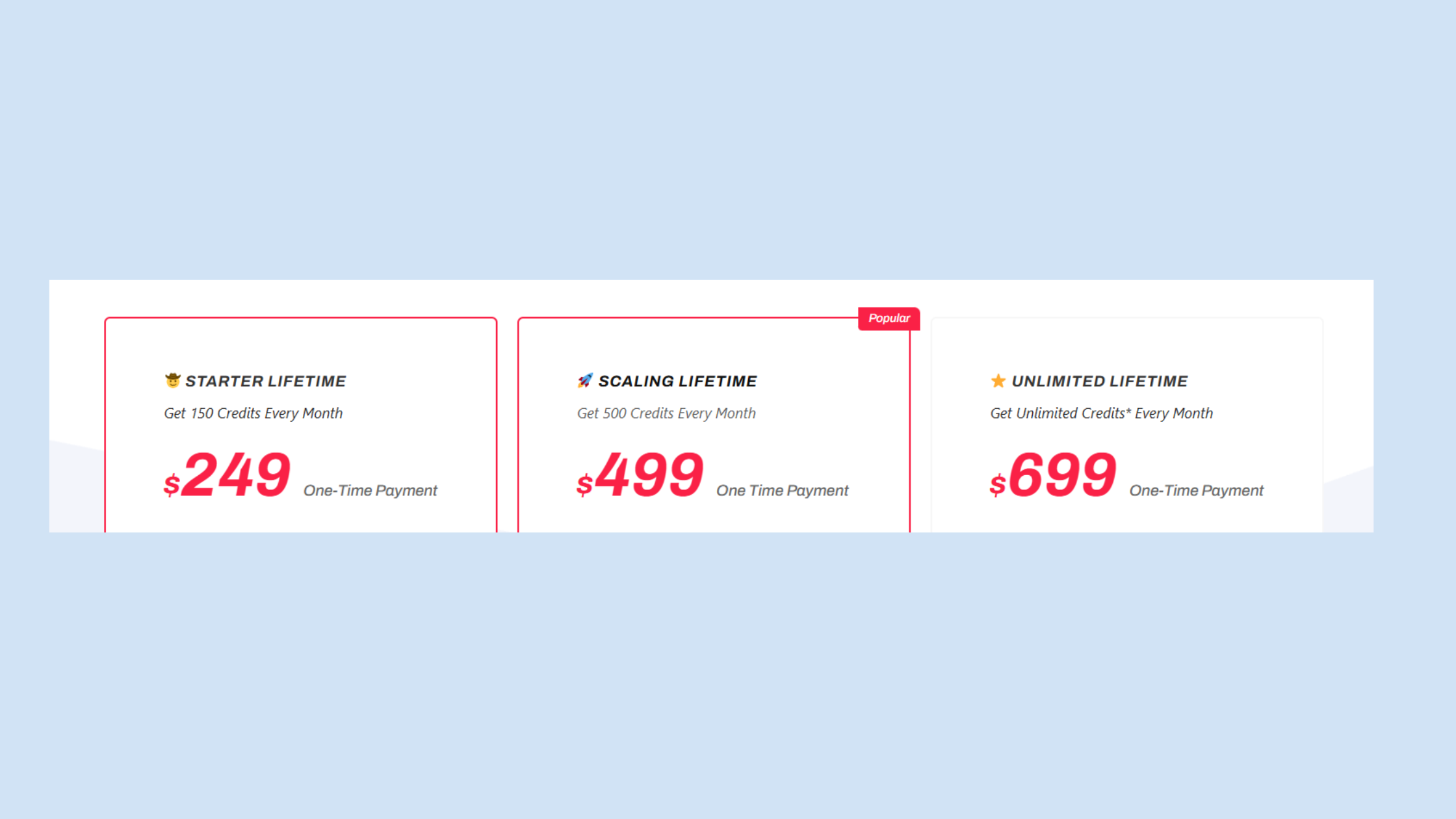
ReachOut.ai pricing is structured around monthly video credit allotments — each credit typically produces one rendered personalized video. Plans range from a starter tier at the low end to agency-level volumes, with per-video unit cost dropping as you commit to higher tiers.
The pricing detail that most reviews skip entirely: unused credits do not roll over on monthly plans. If your outreach cadence is irregular — campaigns pause, sequences get delayed, team is at a conference — you forfeit unused credits at the monthly reset. At higher tiers, this is real money lost with no recourse. No public refund policy is clearly documented on the site, which is a legitimate buyer risk given the product's slowed development pace in 2025–2026.
Is ReachOut.ai Worth It for Sales Teams on a Per-Lead Cost Basis?
The honest answer depends on volume and template performance. At 200–400 videos per month on a mid-tier plan, per-video cost lands in a range where the tool needs to show measurable lift to justify itself. According to Autobound's State of AI Sales Prospecting (2026), signal-personalized outreach achieves 15–25% reply rates compared to 3–5% for standard cold email — a meaningful gap. But that data applies to signal-based personalization broadly, not specifically to AI video cloning.
In practice, teams that run controlled A/B tests — video thumbnail variant versus plain-text personalized email — find that the video lift is real but smaller than the headline numbers suggest, typically a 20–40% improvement in click-through rather than a 5x reply rate lift. For a high-volume SDR team, that improvement can justify the cost. For a solo founder sending 50 emails a week, the math rarely works.
What Works Well: Genuine Strengths of ReachOut.ai
Speed at scale is the real value proposition here. Once a template clears quality review, generating 500 individualized videos takes hours, not days. For high-volume outbound teams where the bottleneck is prospect-facing creative production, that speed matters.
The clearest measurable lift ReachOut.ai delivers is through thumbnail GIF previews in email. Animated thumbnails in the email body — showing the video "playing" — consistently outperform static images for click-through. This is the single most documented win from the tool, and it holds across industries. The mechanism is simple: movement catches the eye in a static inbox, and a personalized freeze-frame (with the prospect's name or company website visible in the background) signals that the sender invested effort.
- Low barrier to first campaign: onboarding is fast, template recording takes under 30 minutes, and you can launch your first campaign the same day.
- Automated personalization at scale works well for top-of-funnel awareness sequences where light personalization — name and company mention — is sufficient signal to stand out.
- Dashboard analytics give per-video open and watch-time data, which is more granular than standard email open tracking.
The most common failure mode is treating the thumbnail lift as a proxy for pipeline. Click-through going up doesn't automatically mean reply rate going up — and it definitely doesn't mean closed deals going up. Teams that succeed with this tool track the full funnel, not just the video engagement metric.
ReachOut.ai Limitations Power Users Actually Hit
The limitations that surface in real campaigns are different from what you see in demo videos. Three patterns emerge consistently across G2, Capterra, and community discussions.
Deliverability, Reply Rate Benchmarks, and What Happens After 60–90 Days
AI video prospecting deliverability is a topic ReachOut.ai almost never addresses in its own documentation — and it's the question serious buyers most need answered. The tool does not manage your sending infrastructure. Domain health, warm-up status, and sender reputation are entirely your responsibility. But here's the compounding problem: AI video outreach works by increasing the volume of personalized touchpoints, which accelerates send volume — and accelerated send volume on a domain that isn't properly warmed or managed is the fastest route to spam folder placement.
After 60–90 days of active use, cold outreach domain health typically reflects the quality of the infrastructure you paired with the tool, not the tool itself. Teams that blame ReachOut.ai for deliverability drops are usually identifying the symptom, not the cause. That said, the tool's inability to flag or prevent infrastructure mistakes makes it a higher-risk choice for teams that don't have dedicated email infrastructure expertise.
On reply rate benchmarks for cold email: Pin's 2026 study of 5M+ outreach messages found AI-generated outreach replies at 5% on email versus 16.9% on LinkedIn, while hand-written notes hit 12.6%. The data confirms the gap between AI-automated and human-crafted outreach is real — and it narrows only when volume makes hand-crafted messages genuinely impossible.
AI Video Quality Ceiling and Platform Stagnation
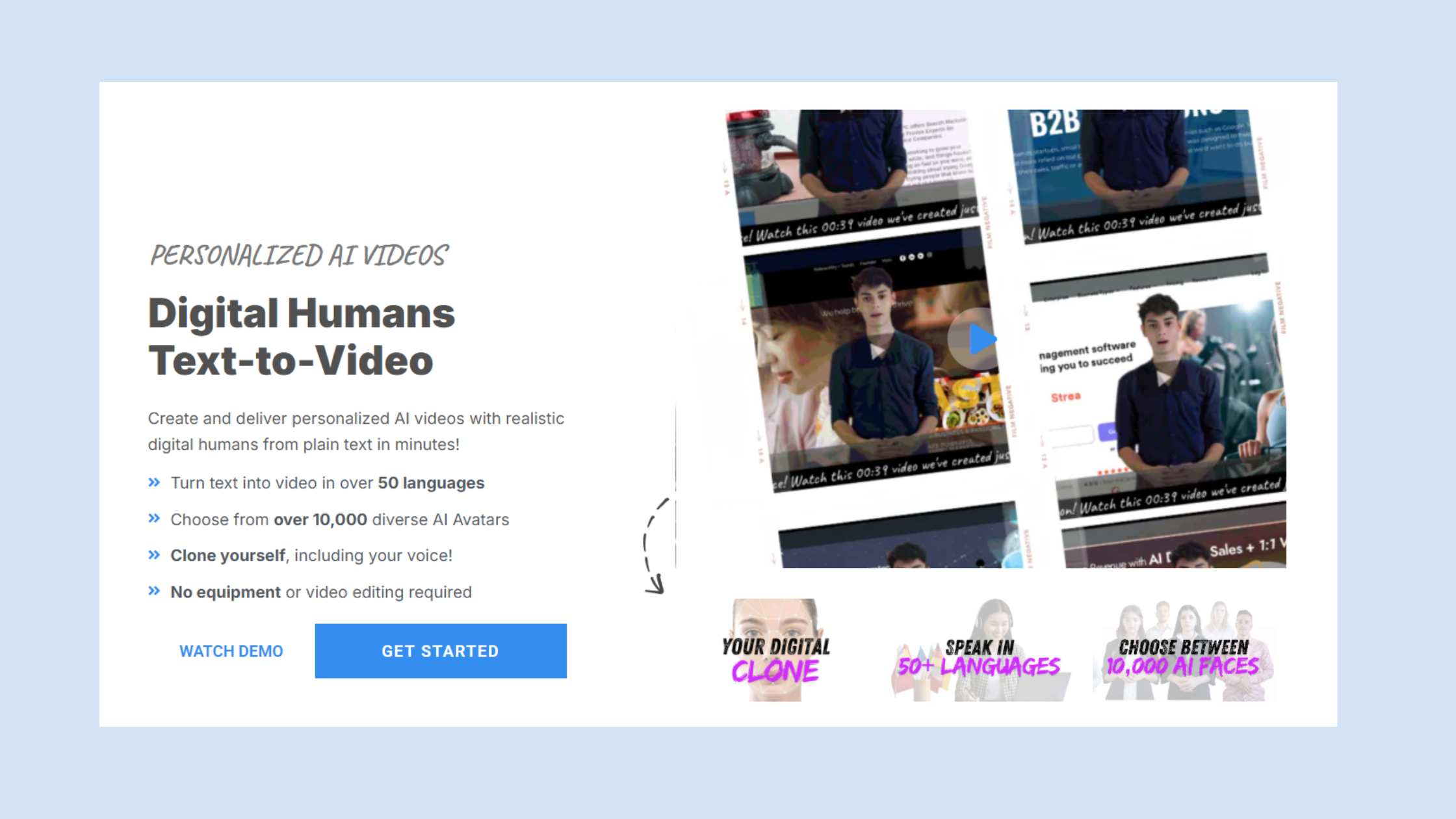
The quality ceiling is the most underreported limitation. At low to moderate render volume, ReachOut.ai outputs are convincing. At higher volumes — or with more complex template recordings — lip-sync artifacts and audio inconsistencies appear in roughly 5–15% of outputs depending on template complexity. In a 500-video batch, that's potentially 25–75 videos you'd want to QA before sending.
Platform development has visibly slowed. Feature requests submitted in 2024 remain unresolved as of mid-2026, and customer support responsiveness has declined — a pattern corroborated across multiple independent reviews on G2 and Capterra. What separates active platforms from stalled ones is the rate at which user-reported bugs get patched; by that metric, ReachOut.ai signals stagnation.
Common Mistakes to Avoid When Using AI Video Outreach Tools
- Using your primary sending domain without a dedicated outreach subdomain first — if sends go to spam, you've damaged your main domain.
- Skipping manual QA of rendered videos before a large campaign batch goes out.
- Treating video click-through rate as the primary success metric — always track to reply rate and pipeline, not to clicks.
- Not A/B testing against plain text — a number of teams have found plain-text hyper-personalized emails outperform video sequences on reply rate, especially for senior buyer personas.
Building LinkedIn visibility alongside your outreach stack?
HyperClapper helps sales teams, founders, and agencies get real LinkedIn engagement — likes, comments, and AI-powered replies — so your content compounds while cold email runs in the background.
See How HyperClapper WorksWho Should Use ReachOut.ai (and Who Should Not)
Teams that consistently extract value from ReachOut.ai share a profile: mid-market SDR teams running high-volume outbound, with a dedicated outreach domain already warmed, a sequencing tool already in place, and an existing process for A/B testing creative variants. They use ReachOut.ai as a creative layer on top of a working infrastructure — not as the infrastructure itself.
Also viable for:
- Agency prospecting at scale, where a single template covers many similar prospect profiles
- Recruiting outreach with high-volume candidate pipelines
- Conference follow-up sequences where a shared context (the event) makes a light-personalization template feel genuinely relevant
Not a good fit for:
- Solo founders or small teams without existing email infrastructure — the tool adds complexity without solving the foundational deliverability problem
- Regulated industries (finance, healthcare, legal) without first resolving the biometric data privacy questions
- Teams on tight budgets where the per-credit cost can't be justified by measured pipeline lift
Why do users stop using ReachOut.ai? The most consistent reasons aren't failure at launch — it's plateauing results after the novelty wears off, quality issues at volume, and the absence of meaningful product updates that would justify continued subscription cost. The tool delivers a real first-impression lift. It rarely delivers compounding long-term lift.
ReachOut.ai vs Competitors: Vidyard, Sendspark, Loom, and Beyond
The relevant comparison for 2026 is not just feature lists — it's video quality, deliverability safety, pricing transparency, active development, and whether the tool has a clear compliance posture. Here's how the main alternatives stack up.
| Tool | Best For | AI Cloning | Price Range | Active Dev? |
|---|---|---|---|---|
| ReachOut.ai | Mid-volume SDR teams | Yes (face + voice) | Mid | Slowing |
| Vidyard | Enterprise sales + SDRs | Partial (AI script) | Mid–High | Yes |
| Sendspark | Authentic video at scale | Limited | Low–Mid | Yes |
| Loom | Manual 1:1 outreach | No | Low | Yes |
| Tavus | High-fidelity AI cloning | Yes (highest quality) | High | Yes |
| HeyGen | AI avatar video at scale | Yes | Mid | Yes |
How Does ReachOut.ai Compare to Vidyard for Sales Outreach
Vidyard is the incumbent in sales video, and the comparison reveals what ReachOut.ai is and isn't. Vidyard's strength is its CRM integrations, sales enablement features, and analytics depth — it's built as a sales video platform, not just a video generator. How does ReachOut.ai compare to Vidyard on core outreach performance? Vidyard doesn't offer the same AI face-cloning for mass personalization that ReachOut.ai does — its AI features are more focused on script assistance and video trimming. For teams that want true 1-to-many AI personalization, ReachOut.ai still has a differentiated feature. For teams that want an integrated video sales tool with reliable support and active development, Vidyard wins on durability.
 vidyard.com
ReachOut.ai vs Sendspark and Loom for Sales Outreach
The ReachOut.ai vs Sendspark comparison comes down to philosophy. Sendspark prioritises authentic recorded video with dynamic elements — it lets you personalise a video landing page around the prospect's details without AI cloning your face. The output feels more genuine to most recipients and sidesteps the biometric data issue entirely. ReachOut.ai vs Loom for sales outreach is less of a direct comparison — Loom is a manual recording tool, not a personalization engine. But for 1:1 senior prospect outreach where quality matters more than volume, a thoughtful Loom recording consistently outperforms an AI-cloned equivalent. The choice between the two is a volume decision: Loom at 20 videos per week, ReachOut.ai at 200+.
What Are the Best ReachOut.ai Competitors and Alternatives in 2026
The best ReachOut.ai alternatives for 2026 depend on what specifically isn't working for your team. According to G2's competitor data (2026), Prisma is rated the top alternative overall at approximately 4.0 stars from 400+ reviewers, praised for campaign efficiency. Beyond G2's list:
- Tavus — highest AI video fidelity available, actively developed, premium pricing. Best for teams where render quality is the bottleneck.
- HeyGen — strong mid-market option with active feature development and a broader avatar library. The closest direct competitor on price and positioning.
- Sendspark — best for teams that want personalised video without AI cloning risk.
- Loom — best for 1:1 high-value outreach where authenticity matters more than volume.
For a fuller comparison of cold email and outreach tools beyond video, see our guide to the best cold email outreach tools and our Lemlist vs competitors breakdown.
What Power Users Switch To After Leaving ReachOut.ai
The migration pattern is consistent enough to call it a rule. Power users who leave ReachOut.ai cite the same combination: quality ceiling plus stalled product. Then they split into two camps.
Camp 1: Higher-fidelity AI. Teams that need AI video personalization at scale and can justify higher spend move to Tavus or HeyGen — both actively developed, both with demonstrably better render quality in 2026. The trade-off is cost; per-video economics on these platforms are higher, which changes the math on what volume justifies the tool.
Camp 2: Authentic recording workflows. A meaningful share of departing users abandons AI cloning entirely and moves to Sendspark or Loom-based workflows — recording shorter, more personal videos for smaller, better-targeted prospect lists. A/B data from practitioners consistently shows hand-recorded personalized videos outperform AI-cloned ones on reply rate; the gap narrows only when volume makes manual recording impossible.
The most counterintuitive migration pattern observed across mature outreach teams is the move away from video as a category entirely — toward plain-text hyper-personalized sequences that consistently match or beat video reply rates at lower operational cost and zero domain health risk.
For LinkedIn-focused teams, what do power users switch to after leaving ReachOut.ai? The post-ReachOut stack frequently adds a LinkedIn engagement amplification layer. Cold email volume doesn't compound — you send more to reach more. LinkedIn content engagement does compound: a post that gets strong early engagement reaches a progressively larger audience. Tools like HyperClapper address this by connecting posts with real engagement channels — real community members who like and comment — and adding AI-powered replies to deepen conversation signals.
Frequently Asked Questions About ReachOut.ai
Is ReachOut legit?
Yes, ReachOut.ai is a legitimate platform that delivers on its core promise of AI video personalization. However, biometric data privacy documentation is sparse, platform development has visibly slowed since 2024, and unused credits are forfeited monthly. Treat it as a real tool with real limitations, not a scam.
Is ReachOut.ai good for personalized video at scale?
Not reliably. ReachOut.ai performs well at small-to-medium volume, but lip-sync artifacts and AI quality degradation become noticeable as render volume increases. Power users consistently report that hand-recorded video outperforms AI-cloned video on reply rate, making scale the exact scenario where the tool struggles most.
What are the main drawbacks of ReachOut.ai for scaling outreach?
The three biggest scaling blockers are AI video quality degradation at high render volumes, a use-it-or-lose-it credit model that penalizes irregular campaign cadences, and slowed platform development with unresolved feature requests. Support responsiveness has also declined notably, based on G2 and Capterra reviews from 2025–2026.
What do power users switch to after leaving ReachOut.ai?
Most migrate to Tavus or HeyGen when AI video fidelity is the priority, or to Sendspark and Loom when authentic recorded video better fits their workflow. Many also add a LinkedIn visibility layer like HyperClapper alongside email outreach, rather than relying solely on cold email video volume.
Which AI video outreach tool is best for cold email in 2026?
Tavus leads on AI clone fidelity for high-volume cold email, while Sendspark wins for authentic recorded video with strong email integration. The counterintuitive finding for 2026 is that hyper-personalized plain-text sequences frequently outperform AI video sequences on measurable reply rate, regardless of which video tool you choose.
Does ReachOut.ai work for cold email outreach?
It generates the video asset but does not send emails, manage sequences, or warm domains — you still need a separate sequencing tool like Lemlist or Salesloft. The animated GIF thumbnail it produces can lift click-through rates, but integration friction adds setup time that not all teams account for upfront.
Is ReachOut.ai worth it for sales teams in 2026?
It depends on team size and volume needs — but that framing is the wrong lens. ReachOut.ai earns its cost for teams with consistent high-volume campaigns who have already tested hand-recorded video. For teams with irregular outreach cadences, the forfeited-credit model and slower platform development make alternatives a stronger investment.



