Learn how LinkedIn dwell time affects feed ranking in 2026, why it outweighs likes as a signal, and how to design posts that hold attention and earn wider reach.
📅 ⏱ 14 min read📝 ~2700 words
LinkedIn dwell time is the amount of time a user's screen rests on a post before they scroll away — and it has quietly become one of the most influential signals in LinkedIn's feed ranking. A pattern consistently observed across high-performing LinkedIn accounts is that posts designed to hold attention outperform visually similar posts that fail to create a reason to pause — sometimes by a wide margin. According to Closely, content with dwell times of 61+ seconds achieves an average engagement rate of 15.6%, compared to minimal engagement for posts viewed for only 0–3 seconds. The metric is invisible to creators — LinkedIn's native analytics don't expose it — which is exactly why so many professionals see underperforming posts and can't diagnose why.
LinkedIn dwell time feed ranking is real: the longer someone lingers on your post, the more LinkedIn interprets it as quality content worth amplifying.
Dwell time correlates with engagement at 15.6% — far higher than surface-level signals like a quick like.
You cannot measure dwell time directly in LinkedIn analytics — so you must engineer for it structurally.
The first two lines of any post are the single highest-leverage point for dwell time: they determine whether someone clicks "see more" or scrolls past.
Short posts are not penalised — but posts that earn zero dwell time are deprioritised regardless of length.
Tools like HyperClapper support dwell time indirectly by generating early engagement that signals quality to the algorithm.
15.6%
Average engagement rate for LinkedIn posts with 61+ seconds of dwell time
What Is LinkedIn Dwell Time (And Why It Matters More Than Likes)
Dwell time is a passive engagement signal — the duration a post remains visible and stationary on a user's screen before they scroll. Unlike a like (an active choice) or an impression (a pixel-level count), dwell time captures genuine reading behaviour. LinkedIn uses it as a proxy for real interest: if someone stopped scrolling, something in that post earned their attention.
What is dwell time in social media more broadly? It's a concept borrowed from web analytics — the time-on-page equivalent for feed-based content — and LinkedIn was one of the first major platforms to formalise it as a feed ranking input. The practical effect: posts that hold attention are rewarded with broader distribution, independent of how many explicit reactions they receive.
The invisible-metric problem is what makes this genuinely frustrating. Most creators can see their LinkedIn content not getting views, but LinkedIn's native analytics show impressions, clicks, and reactions — not how long anyone actually read. This leaves a critical diagnostic gap: is the post failing because it isn't reaching the right people, or because it's reaching them and failing to hold them?
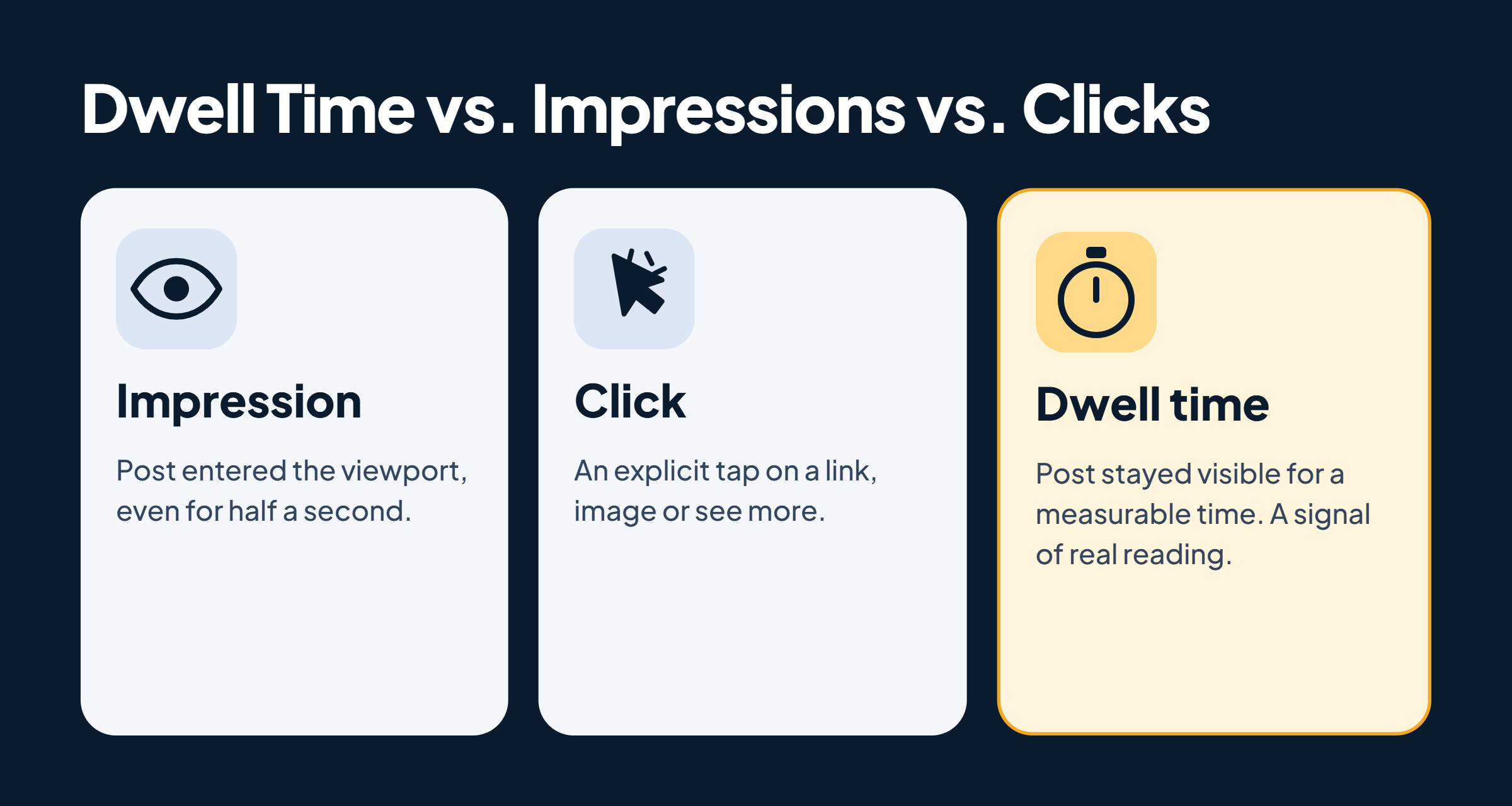
Dwell Time vs. Impressions vs. Clicks: What's the Real Difference?
Dwell Time vs. Impressions vs. Clicks
Impression: the post entered a user's viewport — even for half a second mid-scroll.
Click: the user actively tapped a link, image, or "see more" — an explicit signal.
Dwell time: the post stayed visible and stationary for a measurable duration — an implicit signal of genuine reading or consideration.
This distinction matters because impressions are easy to generate and clicks require friction. Dwell time is the signal in between — harder to fake, easier to earn through good writing, and more directly tied to whether a post deserves wider reach.
How the LinkedIn Feed Algorithm Uses Dwell Time to Rank Content in 2026
The LinkedIn dwell time algorithm works as a two-stage filter. First, LinkedIn distributes a post to a small test audience — typically your closest connections. Then it scores that initial distribution window using both explicit signals (reactions, comments, shares) and implicit signals like dwell time and content scroll depth (how far down a post a reader actually reads). Posts that perform well in that window earn a second, broader push.
According to Frontal, dwell time now correlates with engagement at 15.6%, compared to just 1.2% for surface-level interactions in earlier algorithm versions. This means how long someone views a LinkedIn post does affect reach — meaningfully and measurably.
The feed relevance score — LinkedIn's internal quality estimate for a piece of content — combines these signals with viewer context: their professional identity, their history of engaging with similar content, and the recency of the post. How LinkedIn decides what to show in the feed is essentially a weighted combination of "is this relevant to this viewer?" and "has this post already earned genuine attention from similar viewers?"
The LinkedIn algorithm now prioritises dwell time over surface-level engagement like likes. A post someone reads for 30 seconds outperforms one that earns ten quick likes from passive scrollers.
Does Time Spent on a LinkedIn Post Actually Affect Reach?
Yes — and the gap is larger than most creators expect. Does time spent on a LinkedIn post affect reach? According to Waalaxy, average dwell time for in-feed content sits around 2.68 seconds for standard posts — meaning most posts are scrolled past in under three seconds. Posts that hold attention beyond that threshold are already outperforming the majority. This is also why does LinkedIn penalise short posts is the wrong question: brevity is not the issue. A three-line post with a sharp hook that earns 10 seconds of reading outperforms a 500-word post that readers abandon after the opening line.
💡
Pro Tip:Check your best-performing posts for a common structural pattern — specifically where the first "see more" break falls. Posts that earn the click consistently front-load curiosity or tension, not context.
How to Keep People Reading LinkedIn Posts Longer: Tactical Content Design
The most common failure mode among creators trying to increase LinkedIn organic reach is treating the hook as an introduction rather than an open loop. Content hook architecture — the structural design of a post's first one to two lines — is the single highest-leverage point for dwell time, because LinkedIn collapses all posts behind a "see more" prompt. If those first lines don't create tension, surface a pain point, or promise a specific insight, the reader never sees the rest.
Which Content Formats Generate the Most Dwell Time on LinkedIn?
Carousels consistently generate high dwell time — each swipe is a micro-commitment that extends time on the post. Polls force a moment of consideration before the viewer can scroll. Story-driven text posts (problem → insight → resolution) reward readers who reach the end with a payoff, creating natural incentive to keep reading. Attention retention formatting matters across all formats: two-to-three sentence paragraphs, strategic white space, bolded pattern interrupts, and numbered lists all slow the reader's scroll by visually signalling that more value is ahead.
How Tools Like HyperClapper Support Dwell Time Indirectly
Dwell time cannot be purchased directly — but the conditions that allow it to influence the algorithm can be engineered. HyperClapper supports this by generating early LinkedIn post engagement signals — real likes and comments from relevant users — in the critical first distribution window. When the algorithm sees early meaningful engagement, it broadens the post's reach to a larger audience. More viewers means more chances to earn genuine dwell time. It's the difference between a post that gets suppressed before its target audience ever sees it, and one that earns its shot at organic distribution. HyperClapper's AI-powered replies also extend the conversation depth of a post over time, reinforcing the signal that the content is worth engaging with — not just scanning.
Engineer better LinkedIn visibility — not just better content
HyperClapper gives your posts the early engagement signal they need to reach a wider audience and earn real dwell time.
Common Mistakes That Kill LinkedIn Dwell Time (And How to Fix Them)
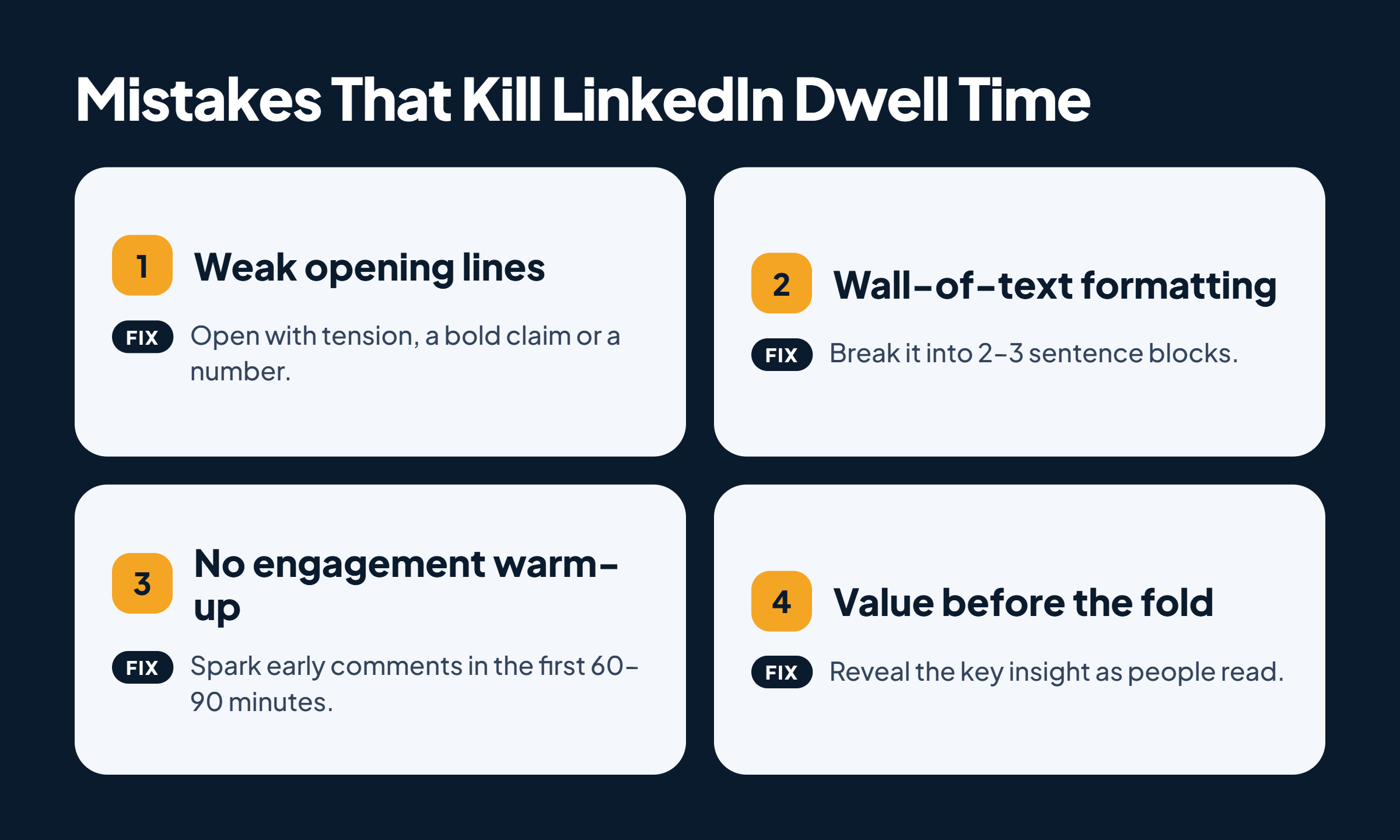
Common Mistakes That Kill LinkedIn Dwell Time
Four patterns show up repeatedly in underperforming LinkedIn posts — and each one has a structural fix.
Weak opening lines. Starting with "I'm excited to share…" or a broad context-setting statement gives readers no reason to pause. Rewrite the first line as a tension statement, a counterintuitive claim, or a specific number. The first line is the entire argument for why someone should read line two.
Wall-of-text formatting. Dense paragraphs are skipped, not read. Breaking content into two-to-three sentence blocks dramatically improves content scroll depth and signals to the reader that effort was put into readability — which itself earns trust and time.
Posting without an engagement warm-up. When the first wave of viewers scrolls past quickly — because the post has no early social proof — the algorithm reads those weak dwell-time signals and suppresses distribution. This is why posting timing and early engagement coordination matter: the first 60–90 minutes after publishing are disproportionately important for comments and likes as ranking signals.
Front-loading all value before the fold. Posts that give away the insight in the first two lines remove the incentive to keep reading. Structure content so the strongest specific insight is revealed through reading, not summarised before it.
⚠️
Warning:Artificially padding post length to "force" scroll depth backfires. Readers who sense filler disengage faster than they would have on a shorter post — and the algorithm's implicit signals capture that drop-off accurately.
Understanding what kills dwell time is half the equation — the other half is knowing where the limits of optimising for it actually lie.
Risks and Limits of Optimising for LinkedIn Dwell Time
Over-engineering for dwell time produces content that feels manipulative. Artificially cliffhanging every post, padding length to force scroll depth, or structuring every update as a dramatic narrative erodes audience trust faster than it builds reach. Teams that treat dwell time as the only variable to optimise consistently see diminishing returns within four to six weeks — because their audience learns the pattern and stops engaging authentically.
The feed relevance score is a composite signal. Dwell time is one weighted input alongside the broader 2026 LinkedIn algorithm factors: reactions, comments, shares, connection strength, and content recency. Obsessing over scroll depth at the expense of post frequency or genuine topic relevance misses the picture. According to Hootsuite, posting weekly leads to a 2x lift in engagement — meaning consistency compounds reach in ways that optimising a single post's structure alone cannot replicate.
The invisible-metric problem also creates a misattribution risk. Creators who see their LinkedIn content not getting views sometimes assume dwell time is the problem when the real issue is audience targeting, topic mismatch, or posting cadence. Without direct measurement, every variable is a hypothesis. Test one structural element at a time — hook format, paragraph length, post ending — before drawing conclusions about what's driving or killing dwell time. For a fuller view of LinkedIn content visibility ranking factors, dwell time fits into a layered picture, not a single lever.
🔴
Avoid:Treating LinkedIn's algorithm as fixed. What maximises dwell time in 2026 — carousels, story-driven text, polls — may be weighted differently as LinkedIn shifts toward video and new content formats. Build habits around earning attention, not gaming a specific format.
Stop guessing why your posts underperform
HyperClapper's analytics and engagement channels give your content the early signal boost it needs — so the algorithm gets a fair chance to rank it.
☐Write your first line as a tension statement, specific number, or counterintuitive claim — not context.
☐Break every post into 2–3 sentence paragraphs with white space between — no walls of text.
☐Place your strongest insight mid-post or near the end — not in the opening two lines.
☐End with a genuine, specific question that invites a considered response — not a generic "what do you think?"
☐Post at a time when your target audience is active, and generate early engagement in the first 60–90 minutes.
☐Test one structural variable per post (hook format, paragraph length, carousel vs text) before drawing dwell time conclusions.
Hyperclapper
Frequently Asked Questions About LinkedIn Dwell Time
What is LinkedIn dwell time and why does it matter for ranking?
LinkedIn dwell time is the duration a post stays visible and stationary on a user's screen before they scroll away. It matters because LinkedIn uses it as a meaningful engagement signal — a proxy for genuine interest that influences whether the algorithm distributes a post to a wider audience beyond the initial test group.
How does LinkedIn use dwell time to rank posts in the feed?
LinkedIn factors dwell time into its feed relevance score alongside explicit signals like reactions and comments. Posts distributed to an initial audience that earn strong dwell-time signals are algorithmically scored as higher quality and pushed to a broader second wave of viewers — this is how LinkedIn dwell time feed ranking works in practice.
Does how long someone views a LinkedIn post affect how many people see it?
Yes. Posts that hold attention longer are rewarded with broader distribution. According to data from Closely, posts earning 61+ seconds of dwell time achieve a 15.6% average engagement rate — far above posts viewed for under three seconds. Time spent is one of the strongest implicit signals the algorithm weighs when deciding reach.
What content formats get the most dwell time on LinkedIn?
Carousels, polls, and story-driven long-form text posts consistently generate the highest dwell time. Carousels require active swiping — each slide is a dwell event. Polls force a moment of consideration. Long-form narrative posts reward readers who reach the end, creating scroll incentive. All three perform best when combined with strong hook architecture in the first two lines.
How is LinkedIn dwell time different from impressions and clicks?
How LinkedIn dwell time is different from impressions and clicks: impressions count any exposure, even a half-second scroll-past. Clicks are explicit actions. Dwell time is an implicit signal — it captures passive reading behaviour without requiring any deliberate action. That's what makes it a stronger quality signal: it's harder to generate accidentally and more directly tied to whether content earned genuine attention.
What changed with LinkedIn's algorithm in 2025 and beyond (xx com linkedin 2025)?
The xx com linkedin 2025 search reflects widespread curiosity about algorithm shifts from 2025 into 2026. The clearest change: LinkedIn moved away from rewarding surface engagement (likes, impressions) toward weighting deeper signals — dwell time, comment quality, and content scroll depth. An analysis of 1.8 million posts found organic reach fell by almost 50%, with dwell time and comments now dominating distribution decisions. For a full breakdown, see the LinkedIn algorithm 2026 guide.
How do I see how long I have been on LinkedIn, or track my post's dwell time?
LinkedIn does not expose dwell time in native analytics — for posts or personal usage. To track how long you've spent on the platform, check your phone's screen time or app usage settings (iOS Screen Time / Android Digital Wellbeing). For post dwell time, there is no direct metric: use engagement spikes and monitoring tools as indirect proxies for posts that earned genuine attention.
What consistently separates accounts with real reach from accounts with impressive follower numbers is not any single tactic — it is the combination of hook architecture, formatting discipline, and early engagement signals working together. Accounts that engineer for all three see compounding distribution. Accounts that optimise for one and neglect the others typically plateau, regardless of how much time they invest in content quality alone.
👋
⚡ Free plan
Leaving already?
Grab 3 free boosts on your next LinkedIn post — real likes & comments from 5,000+ creators. No card, cancel anytime.