Discover the best personal CRM apps in 2026 — Dex, Clay, Monica and more. Find the right crm personal tool for your network type, use case, and budget.
📅 ⏱ 11 min read📝 ~2200 words
A personal CRM is a lightweight system for tracking your conversations, follow-up reminders, and relationship context — a second-brain for people, not a sales pipeline. A pattern observed consistently across professionals who manage large networks is that memory alone fails them within 6–12 months of rapid growth: important contacts go cold, key context is forgotten, and weak ties that could have become strong ones simply disappear. The right crm personal tool fixes that — but only if it matches how you actually manage relationships.
Key Takeaways
Who this is for: Professionals, networkers, solopreneurs, and anyone managing 50+ contacts across multiple contexts
Best overall: Dex for professional networkers with LinkedIn-heavy contact bases; Clay for power users who want AI-enriched relationship intelligence
Most underrated pick: Monica — free, open-source, and built specifically for personal (non-professional) relationships
Biggest mistake: Choosing a tool based on features rather than the type of relationships you're actually managing
Counterintuitive finding: The best personal CRM system for most people is the simplest one they'll actually update — complexity kills the habit
Free options exist — but cloud-based free tiers raise data privacy questions worth considering before you log sensitive personal notes
What Is a Personal CRM — and Do You Actually Need One?
A personal CRM is relationship management software designed for individuals — not business sales teams. Where a business CRM tracks deals and revenue pipelines, a personal CRM tracks people: when you last spoke, what matters to them, what you promised to follow up on, and how your relationship has evolved over time. Think of it as a contact follow-up cadence system built around human context rather than commercial transactions.
What is personal CRM in practice? You log a coffee chat, add a note ("launching a podcast, interested in B2B SaaS"), set a reminder to reconnect in 30 days, and move on. The tool holds the context so your brain doesn't have to. Over months, this turns casual acquaintances into genuine network assets — without the awkward "sorry, I forgot your name" moment.
💡
Pro Tip:Start with just 20–30 contacts in your personal CRM before scaling. People who import their entire address book on day one almost always abandon the tool within two weeks — the setup burden alone kills the habit.
How a Personal CRM Works Day-to-Day
The core loop is simple: log → note → remind. After any meaningful interaction — a LinkedIn message, a call, a meetup — you add a brief note and set a follow-up date. The personal crm tool surfaces that contact when the date arrives. No outreach falls through the cracks. Weak tie maintenance, which is the practice of periodically re-engaging with dormant but valuable contacts, becomes a systematic habit rather than a guilt-driven scramble every few months.
Best Personal CRM Apps in 2026: Top Picks by Use Case
The single most common mistake in picking a personal CRM app is choosing based on feature lists rather than relationship type. Before comparing tools, ask: Who am I managing and why? The answer determines everything.
Tool
Best For
LinkedIn Sync
Price (from)
Privacy Model
Dex
Professional networkers
✅ Native
~$12/mo
Cloud
Clay
Power users / relationship intelligence
✅ Enriched
Free tier + paid
Cloud
Monica
Personal life / friends & family
❌
Free (self-host)
Self-hosted option
Notion template
DIY organizers
❌
Free
Cloud / local
Dex Personal CRM: Built for Professional Networkers
Dex personal crm is the closest thing to a purpose-built LinkedIn companion for individual professionals. It automatically syncs your LinkedIn connections, surfaces people you haven't spoken to in a while, and lets you add relationship notes directly from a browser extension while you're already on someone's profile. For anyone whose network lives primarily on LinkedIn, this is a force multiplier — you get relationship context without ever leaving the platform. According to a 2026 comparison by Orvo, Dex is the top-rated dedicated personal CRM for professionals who want auto-syncing and a mobile-first experience.
Teams that use Dex consistently report that the LinkedIn sync alone removes the biggest friction point: manual contact import. When that step disappears, people actually maintain the habit.
Clay Personal CRM: Best for Relationship Intelligence Power Users
Clay personal crm takes a different approach — it's less about simple follow-ups and more about relationship intelligence, which is the practice of enriching contact records with publicly available data (job changes, recent tweets, company news) to make every outreach more informed. If Dex is a clean notebook, Clay is a research assistant. It's the best personal crm system for power users who want deep context built automatically, not manually entered field by field.
The tools that last aren't the ones with the most features — they're the ones that fit so naturally into an existing workflow that updating them feels automatic, not like a chore.
Monica Personal CRM: Best for Friends, Family, and Privacy-First Users
Monica personal crm is open-source, free to self-host, and built specifically for managing personal relationships — birthdays, gift ideas, conversation history with friends, family milestones. It has no LinkedIn sync and no deal pipelines. What it does have is a clean, private space to record the human details that matter in personal relationships. For anyone uncomfortable storing sensitive personal notes in a commercial cloud, Monica is the answer.
Now that you know which tools fit which situations, here's where most people actually stumble — not in picking the tool, but in sustaining the habit after setup.
Key Benefits — and Real Limitations — of Using a CRM for Contacts
Pros and Cons of using a CRM
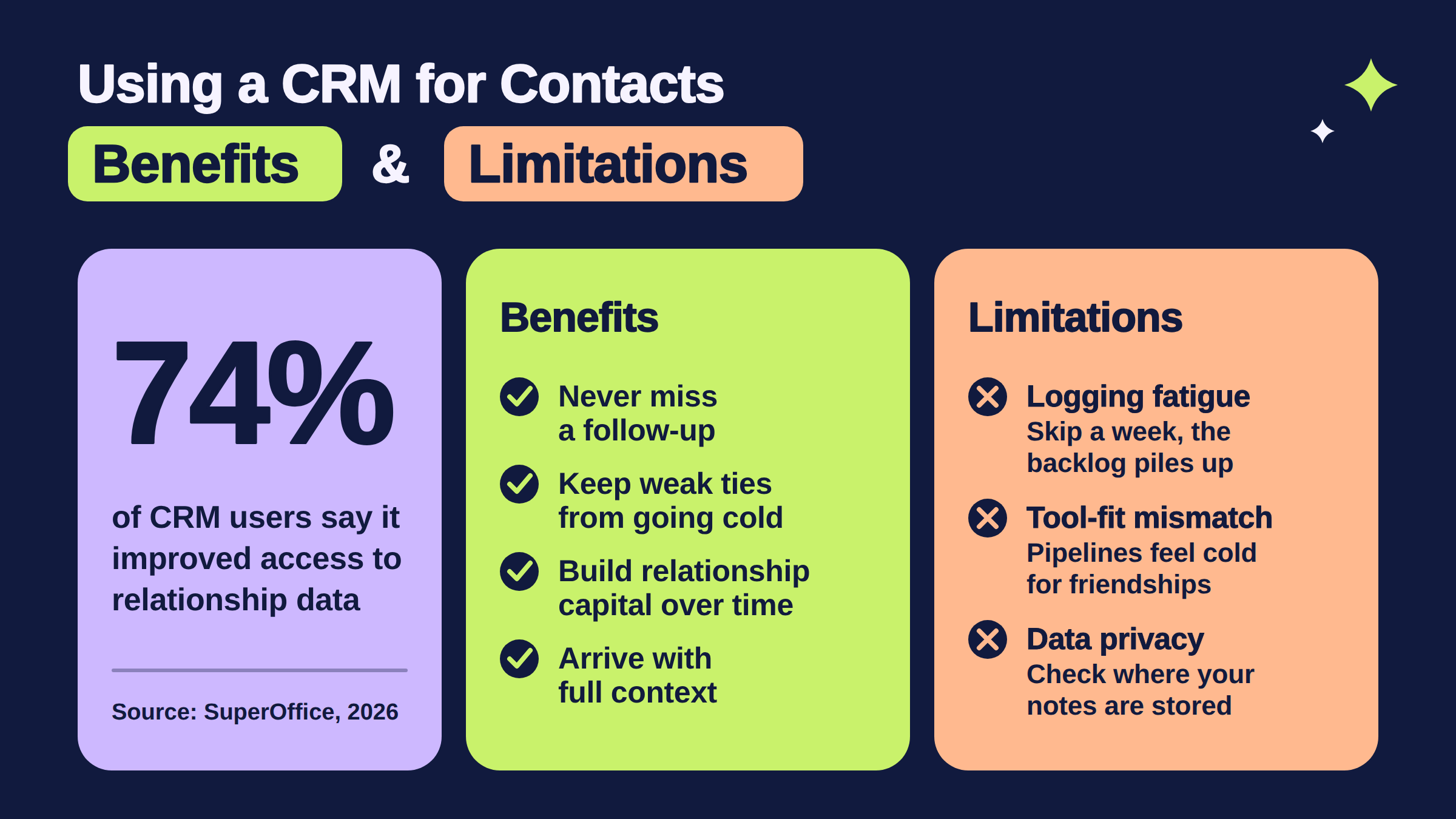
According to SuperOffice (2026), 74% of CRM users report improved access to customer data — and for personal use, the equivalent gain is relationship context: you stop treating every interaction as a first meeting.
74%
of CRM users say the tool improved their access to relationship data — the core value for personal networkers
The real benefits of a crm for contacts:
Never miss a follow-up — reminders replace memory
Maintain weak ties systematically before they go cold
Build genuine relationship capital over months and years, not just transactional exchanges
Arrive at every conversation with context — names, interests, last touchpoint remembered
The real limitations — and what kills most personal CRM habits:
Manual logging fatigue: Most personal crm software requires consistent input. Skip a week, and the backlog feels overwhelming.
Tool-fit mismatch: A recurring pattern among professionals trying to use business-style CRMs for personal friendships is that the pipeline metaphor feels cold — and they abandon it within 3–4 weeks.
Data privacy: Cloud-based free personal crm tools store your most sensitive relationship notes. For personal (non-professional) contacts, check where data lives before you log private details.
Common Mistakes to Avoid When Setting Up a Personal CRM
✓ Personal CRM Setup Checklist
☐Start with 20–30 contacts max — not your entire address book
☐Define your use case first: professional network, personal friends, or mixed?
☐Set a weekly 15-minute "CRM update" block in your calendar — no routine, no results
☐Choose a tool that integrates with where your network actually lives (LinkedIn, email, etc.)
☐Review data privacy settings before logging personal (non-professional) relationship notes
How to Choose the Right Personal CRM for Your Situation
How to pick your CRM by who you manage, not by features.
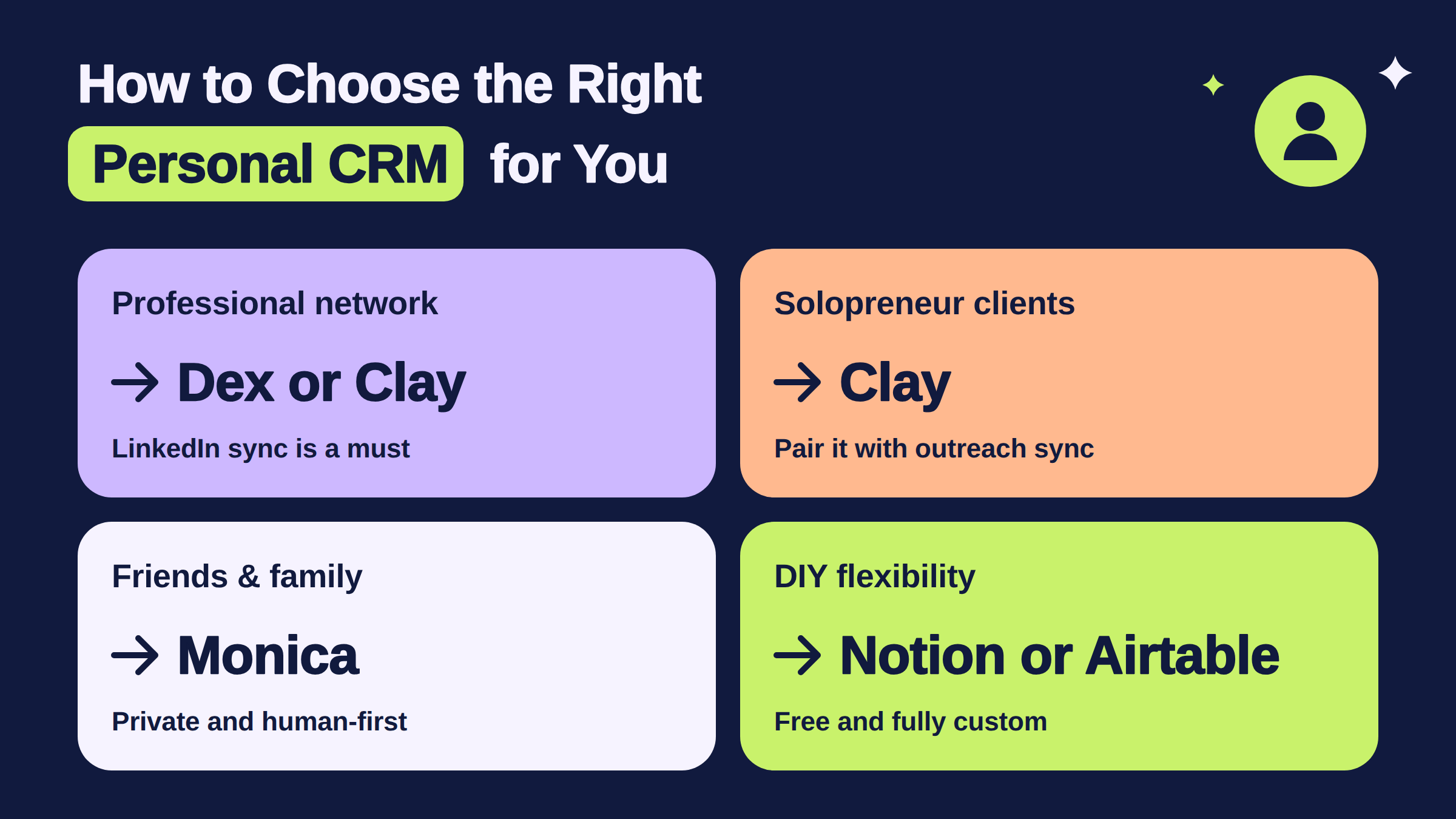
Start with the "who and why" question — the answer maps directly to the right tool type:
Professional network growth → Dex or Clay (LinkedIn sync is non-negotiable; manual import kills the habit)
Friends and family → Monica (private, human-first, no sales pipeline metaphors)
DIY flexibility → Notion template or Airtable base — free, fully customisable, zero recurring cost
For professionals whose primary network lives on LinkedIn, platform fit matters more than any other feature. A personal crm tool with native LinkedIn integration removes the single biggest adoption barrier: friction at the point of logging. If importing contacts is a manual copy-paste job, most people stop within two weeks.
For those actively building a public-facing LinkedIn presence, a personal CRM covers the private side of relationship management — the notes, follow-ups, and context. The public side — post visibility, engagement, and staying front-of-mind with your network at scale — is where tools like HyperClapper complement CRM efforts directly: by boosting LinkedIn post reach and keeping conversations active, HyperClapper turns your contact list into an audience that actually sees your content. Together, they cover both halves of network nurturing — the private relationship layer and the public visibility layer. You can read more about LinkedIn-to-CRM integration best practices for 2026 to connect both workflows.
Free vs. Paid Personal CRM: What You Actually Get
Free personal crm options (Monica self-hosted, Notion templates, Clay's free tier) give you the core loop — log, note, remind — without a subscription. What paid tools add is automation: auto-sync, data enrichment, smart reminders based on contact activity, and mobile apps that surface the right person at the right moment.
⚠️
Warning:Free cloud-based personal CRM tools monetise through data. Before logging sensitive personal relationship notes in a free tier, check the privacy policy — particularly whether contact data is used for advertising or sold to third parties.
The most common failure mode is choosing a free personal crm based on price and then upgrading to a paid tool three months later after the free tier proves too limited — paying for the migration friction twice. If your use case clearly requires LinkedIn sync or enrichment, start with the paid tool that does it natively. The time saved pays for the subscription quickly.
Building your LinkedIn network alongside your CRM?
HyperClapper boosts LinkedIn post visibility with real engagement — so the contacts in your CRM actually see your content.
Frequently Asked Questions About Personal CRM Apps
Is there a CRM for personal use?
Yes — several tools are built specifically for personal use rather than sales teams. Dex, Clay, and Monica are the most widely used personal crm apps in 2026, each designed for individuals managing their own contacts rather than business pipelines. Free options like Monica (self-hosted) and Notion templates also exist for budget-conscious users.
What is personal CRM?
A personal CRM is software that helps individuals track relationships, log conversations, set follow-up reminders, and store context about the people in their network. Unlike business CRMs focused on revenue pipelines, personal crm software is designed for network nurturing — keeping relationships warm without relying on memory alone.
Which CRM is best for individuals?
The best personal CRM for an individual depends on use case. Dex is best for professional networkers who want LinkedIn sync. Clay is best for power users who want AI-enriched relationship intelligence. Monica is best for managing personal friendships and family with full data privacy. There is no single best crm for personal use — context decides.
Can I use a personal CRM for both friends and professional contacts?
Yes, but most tools are optimised for one context or the other. Dex and Clay are built around professional networking. Monica is built for personal relationships. A mixed-use approach works best with a flexible tool like Notion — where you control the structure — or by maintaining two separate systems for different relationship contexts.
What's the difference between Dex and Clay personal CRM?
Dex personal crm is focused on clean, mobile-first contact tracking with native LinkedIn sync — ideal for staying on top of a professional network without complex setup. Clay personal crm adds AI-powered data enrichment, pulling public information about contacts automatically. Dex suits daily networkers; Clay suits power users who want deep relationship intelligence with less manual input.
Do personal CRMs work with LinkedIn?
Dex and Clay both offer LinkedIn integration — Dex through a browser extension that syncs connections directly, Clay through enrichment pipelines. Monica does not integrate with LinkedIn. For professionals whose network is LinkedIn-first, choosing a personal crm tool with native sync is the single most important feature — without it, manual logging quickly kills the habit. See also: safer LinkedIn CRM approaches with HyperClapper.
What consistently separates people who get lasting value from a personal CRM from those who abandon it within a month is not the tool they chose — it's whether they matched the tool's design philosophy to the actual type of relationships they're managing. Get that fit right, and even a simple Notion template will outperform a sophisticated platform used for the wrong purpose.
👋
⚡ Free plan
Leaving already?
Grab 3 free boosts on your next LinkedIn post — real likes & comments from 5,000+ creators. No card, cancel anytime.