A pattern observed consistently across LinkedIn accounts is this: the moment a creator adds a third-party tool to their workflow, their organic reach quietly drops — and they spend weeks blaming their content instead of the tool. LinkedIn tools businesses rely on most heavily — schedulers, automation platforms, outreach tools, engagement pods — are often the primary reason professional network visibility collapses. LinkedIn's algorithm is engineered to reward native human behavior, and most third-party tools produce behavioral signatures that look like exactly the opposite. The result is suppressed distribution, reduced content engagement rates, and in serious cases, account restrictions that take weeks to recover from.
- Not all LinkedIn tools are equal: scheduling tools using LinkedIn's official Marketing API carry far lower reach risk than browser-extension alternatives.
- LinkedIn's algorithm detects third-party behavior through timing patterns, action velocity, and session fingerprints — not just content quality.
- LinkedIn organic reach declining can be platform-wide compression OR self-inflicted tool damage — these are different problems with different fixes.
- LinkedIn automation tools to avoid: anything promising mass connection requests, cold DM sequences, or bot-based engagement pods — all degrade reach and risk account bans.
- Safe growth is possible through native posting, real engagement communities, and official-API tools — without paid ads or risky automation.
- Counterintuitive finding: free LinkedIn tools often carry higher reach risk than paid ones, because they rely on unofficial API methods to keep costs down.
- The Dirty Secret Behind Most LinkedIn Tools Businesses Actually Use
- How the LinkedIn Algorithm Detects and Penalizes Third-Party Tools
- Why Your LinkedIn Organic Reach Is Declining (And Tools Are Often the Culprit)
- The LinkedIn Tools Worth Using — And the Ones to Skip in 2026
- How to Improve LinkedIn Organic Reach Without Paid Ads or Risky Tools
- Pro Tips for Using LinkedIn Tools Without Destroying Your Account or Reach
- Frequently Asked Questions About LinkedIn Tools and Organic Reach
The Dirty Secret Behind Most LinkedIn Tools Businesses Actually Use
The market for linkedin tools businesses use is enormous and largely unregulated. Hundreds of platforms promise faster growth, automated outreach, and amplified visibility — and professionals buy them without understanding what they're buying into. The dirty secret is that a significant portion of these tools actively work against you the moment you connect them to your account.
What 'LinkedIn Automation' Actually Means in 2026
LinkedIn automation is software that executes actions on LinkedIn — posting, liking, commenting, connecting, messaging — without a human performing each action manually. That definition covers an enormous spectrum, from a simple post scheduler to a bot that cold-messages 500 prospects before breakfast.
A quick taxonomy of LinkedIn tool types helps clarify where the risk actually lives:
- Scheduling tools: Queue and publish posts. Risk varies by whether they use LinkedIn's official API or browser simulation.
- Outreach automation: Auto-send connection requests, DMs, and follow-up sequences. High risk — these are the most frequently flagged by LinkedIn's trust-and-safety systems.
- Engagement pods / pod tools: Groups where members automatically like and comment on each other's posts. Medium-to-high risk — LinkedIn has invested heavily in identifying and devaluing pod behavior.
- Lead generation tools: Scrape or enrich LinkedIn profile data. Often violate Terms of Service directly.
- Analytics tools: Track post performance and audience data. Generally low risk when using official APIs.
- Real engagement platforms: Connect creators with real humans who engage genuinely. Lower risk when built on compliant infrastructure.
The most common failure mode isn't choosing the wrong tool within a category — it's not knowing that entire tool categories are structurally harmful to organic reach, regardless of the brand name on the packaging.
The problem with most LinkedIn tools businesses use isn't a settings issue — it's a category issue. Some tool types are incompatible with algorithmic health by design.
Understanding which category your tool falls into is the single most important step before connecting anything to a LinkedIn account. That leads directly to how LinkedIn actually catches these tools in the act.
How the LinkedIn Algorithm Detects and Penalizes Third-Party Tools
LinkedIn's algorithm doesn't just read your content — it reads your behavior. Every action on the platform generates behavioral metadata: timestamps, action intervals, IP addresses, browser fingerprints, and session patterns. When that metadata looks inhuman, LinkedIn's trust-and-safety layer responds.
Native Posting vs. Third-Party Scheduling: What the Data Says
The question of LinkedIn native vs third-party posting is one of the most debated in the creator community — and the data consistently favors native. Tools that post through LinkedIn's official Marketing API (the sanctioned developer interface LinkedIn provides to approved partners) carry a dramatically lower suppression risk than tools that simulate browser behavior to post on your behalf.
The mechanism matters. When a browser-simulation tool posts for you, it generates a metadata signature that differs from a real LinkedIn session: the same IP fires actions at precise uniform intervals, the browser fingerprint may be headless (i.e., no normal user interface), and the session lacks the natural micro-pauses of human navigation. LinkedIn's systems flag these as non-native activity and reduce initial post distribution — often by 30–50% of normal reach in the first critical hours after publishing.
This is why many creators notice that does scheduling posts hurt LinkedIn reach is a nuanced question: it depends entirely on how the scheduling tool posts, not simply whether it schedules.
LinkedIn Automation Risks: Account Restrictions and Bans
LinkedIn automation risks escalate significantly with outreach tools. Automation that fires bulk connection requests, sends templated DMs at machine speed, or triggers likes and comments in rapid succession creates velocity spikes that LinkedIn's systems are specifically engineered to detect.
The consequences follow a tiered pattern:
- Soft suppression: Posts receive reduced distribution without any account notification. This is the most common outcome and the hardest to diagnose.
- Feature restriction: LinkedIn temporarily limits your ability to send connection requests or messages.
- Account warning: LinkedIn flags the account and requests verification.
- Account suspension or ban: Persistent violations result in temporary or permanent account removal.
For agencies managing multiple client accounts, the risk compounds. One flagged automation tool connected across multiple LinkedIn profiles can trigger network-level suppression affecting every account simultaneously.
Why Your LinkedIn Organic Reach Is Declining (And Tools Are Often the Culprit)

Teams that troubleshoot declining LinkedIn reach often discover two completely separate problems running simultaneously: platform-wide reach compression (a real phenomenon affecting all creators) and self-inflicted tool damage (entirely fixable). Conflating the two leads to the wrong diagnosis and the wrong solution.
LinkedIn organic reach declining across the platform is partly by design. According to ConnectSafely (2026), LinkedIn now has 1.3 billion members generating enormous content volume — which means the algorithm has become increasingly selective about what it distributes. More creators competing for the same feed space means baseline organic reach is structurally lower than it was three years ago. That's the platform problem.
Real Examples: When LinkedIn Tools Hurt Organic Reach
The self-inflicted damage is a different category entirely. A recurring pattern among creators trying to scale their LinkedIn presence is this: they connect a browser-extension scheduler for convenience, notice their reach drop over the following two weeks, and assume their content quality has declined. The scheduler was the cause, but the content got the blame.
Does LinkedIn suppress posts from scheduling tools? Yes — specifically tools that simulate browser behavior rather than using the official Marketing API. The suppression is typically silent: no notification, no warning, just a persistent reduction in initial distribution that compounds over time as LinkedIn's system builds a suppression signal profile for the account.
The compounding effect is particularly damaging. Once an account accumulates enough suppression signals from third-party tool behavior, even native posts can underperform for days or weeks afterward. Think of it as a trust deficit — the account has to rebuild its behavioral credibility before LinkedIn's algorithm restores normal distribution.
Knowing which tools cause damage is only half the equation — the more useful question is which tools are actually safe to use in 2026.
The LinkedIn Tools Worth Using — And the Ones to Skip in 2026
42% of companies use LinkedIn for marketing, according to Hootsuite (2026) — which means the tool decision isn't hypothetical. It directly shapes how well that marketing investment actually performs. The key differentiator between safe and harmful tools is simple: does the tool operate through LinkedIn's official Marketing API, or does it inject behavior through browser simulation?
- Best for scheduling without reach loss → LinkedIn's native scheduler or Buffer/Hootsuite (official API partners) — they use approved infrastructure that doesn't trigger suppression.
- Best for B2B lead generation → LinkedIn Sales Navigator — built by LinkedIn itself, zero ToS conflict, deep CRM integration.
- Best for real engagement amplification → HyperClapper — real humans in engagement channels, AI-powered replies, content moderation built in.
- Best for analytics → LinkedIn native analytics or Shield Analytics — clean data, no account risk.
- Avoid entirely → Browser-extension outreach bots, cold DM automation, bot-based engagement pods.
Best LinkedIn scheduling tools that don't hurt reach are those built on LinkedIn's official API: Buffer, Hootsuite, and LinkedIn's own native scheduler. These tools post through LinkedIn's sanctioned developer infrastructure, which means the platform treats those posts identically to manually published content. The reach risk difference between API-compliant and non-compliant schedulers is significant in practice — it is the single most impactful tool decision a creator makes.
For a deeper comparison of scheduling tools and their reach impact, the best LinkedIn scheduling tools guide covers the API-compliant options in detail.
LinkedIn automation tools to avoid share common characteristics:
- Promise mass connection requests (50-100+ per day)
- Automate cold DM sequences to prospects at scale
- Use browser extensions to simulate clicks without API authorization
- Offer "engagement pods" where bots or reciprocal automation deliver likes and comments
- Have no ToS compliance documentation or API partner verification
If you're evaluating alternatives to specific outreach tools, the guides on Waalaxy alternatives and Zopto alternatives cover the safer options in each category.
LinkedIn Sales Navigator: B2B Lead Generation Without Reach Risk
LinkedIn Sales Navigator is LinkedIn's own premium prospecting tool — it carries zero Terms of Service risk because it is the platform itself. For B2B lead generation strategy, it remains the most powerful compliant option available, with advanced search filters, lead tracking, CRM integration (Salesforce, HubSpot, and others), and social selling index tracking built in.
According to aggregated LinkedIn data cited on Reddit's AI Marketing community, Sales Navigator users report a 7% increase in deal closing success and an 18% boost in customer acquisition. In practice, these gains come from better prospecting precision — not automation shortcuts — which is exactly why they're sustainable.
Safe Engagement Tools: What Real Community Engagement Actually Looks Like
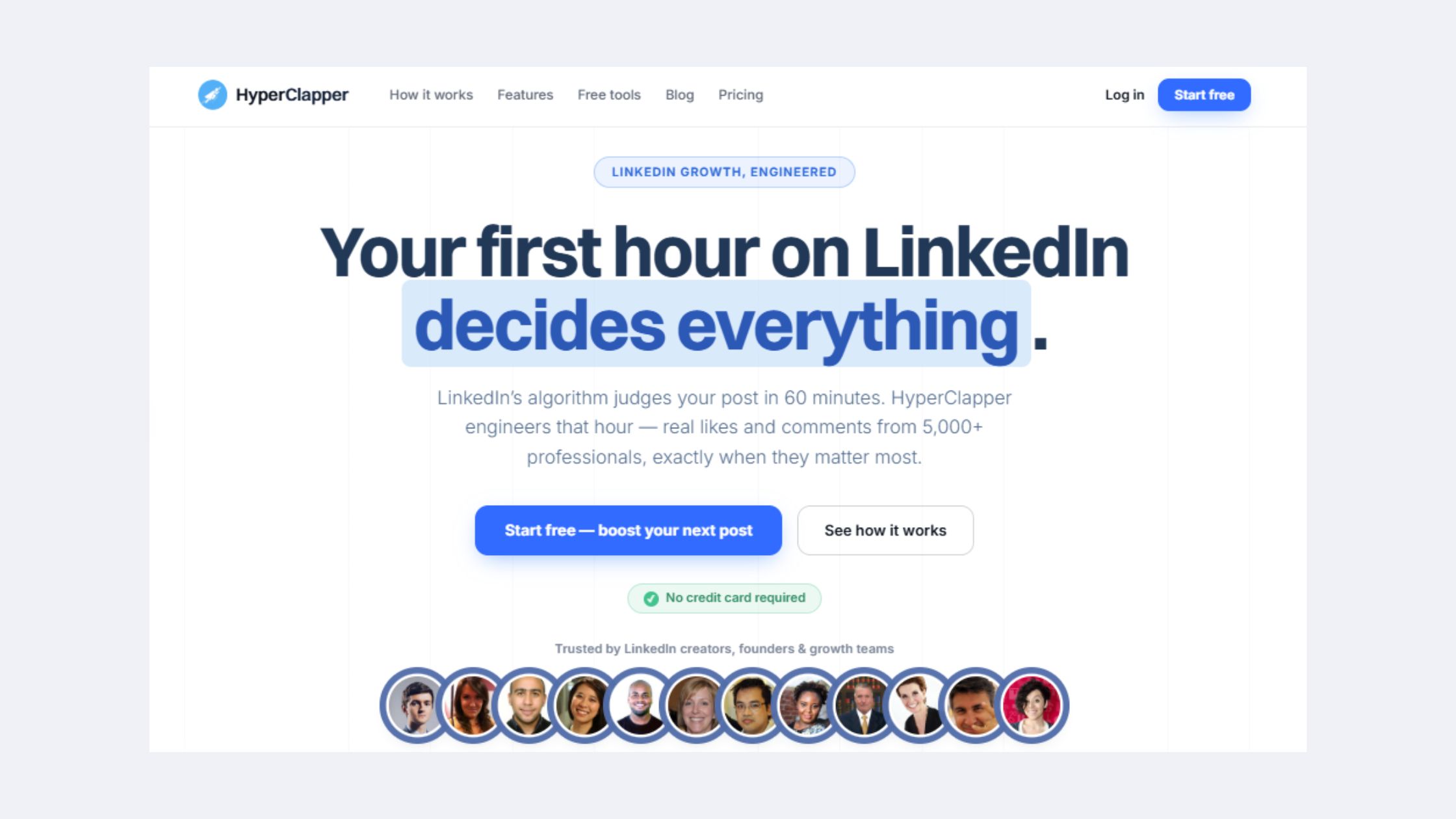
What separates a legitimate engagement platform from a bot-based pod is the presence of real human decision-making at the engagement level. Real engagement platforms like HyperClapper connect posts with actual LinkedIn users through opt-in engagement channels — not automated bots firing programmatic likes. HyperClapper's channels system (each channel providing roughly 50 genuine engagements from real users) combined with AI-powered replies creates the kind of meaningful conversation depth that LinkedIn's algorithm classifies as high-quality signal — not the velocity spike that pods trigger.
HyperClapper also includes a Content Guard moderation layer that filters posts for sensitive or risky content before distribution — a safeguard that pure automation tools lack entirely. For employee advocacy programs or company page management, the ability to add real replies from company pages (not bots) makes the engagement look natural because it is natural.
Want Real LinkedIn Engagement Without the Reach Risk?
HyperClapper connects your posts with real humans in engagement channels — no bots, no browser extensions, no suppression signals.
See How HyperClapper WorksHow to Improve LinkedIn Organic Reach Without Paid Ads or Risky Tools
Creators who skip the tool audit entirely and go back to fundamentals typically find their reach recovering within 2–3 weeks — which tells you something important about where reach actually comes from. The most durable path to professional network visibility is behavioral: native posting habits, content formats LinkedIn actively rewards, and genuine engagement that generates real conversation.
For a complete playbook, the guide on how to increase LinkedIn reach and engagement in 2026 without paid ads covers every technique below in detail. Here's the core framework.
Content engagement rate optimization starts before you publish. The factors that drive algorithmic distribution are:
- Format choice: Document posts (carousels) consistently outperform external links, which LinkedIn actively suppresses for taking users off-platform. In-feed video performs well for dwell time. Text-only posts with strong hooks often outperform heavily designed content.
- Hook structure: LinkedIn shows only the first ~2 lines before "see more." If the first line doesn't earn the click, distribution stops early.
- Posting at human-realistic times: Tuesday to Thursday, 7–9am or 12–1pm in your audience's local timezone, posted manually or through an API-compliant scheduler — not at 3:47am every day (a classic automation tell).
- Comment engagement within the first 60 minutes: Responding to early comments signals to LinkedIn's system that the post is generating real conversation, which expands distribution further.
Common Mistakes That Kill LinkedIn Reach (Even Without Automation Tools)
Even without automation, certain behaviors structurally damage reach. The most common ones observed across underperforming accounts:
- Posting external links directly in the post body: LinkedIn reduces distribution on posts that take users off the platform. Move links to the first comment instead.
- Inconsistent posting rhythm: Accounts that drop below 3 posts per week see algorithmic reach decay within 10–14 days — and recovery typically requires 3–4 weeks of consistent posting to rebuild.
- No engagement on other people's content: LinkedIn's social selling index tracks network engagement activity, not just posting. Accounts that only broadcast and never engage score lower on distribution priority.
- Ignoring the comment section entirely: Posts where the author never replies to comments signal low conversational value to the algorithm.
Pro Tips for Using LinkedIn Tools Without Destroying Your Account or Reach
After seeing this pattern across creators, agencies, and enterprise accounts alike, the single most effective protective action is also the simplest: verify API compliance before connecting any tool to your LinkedIn account. One check eliminates the majority of reach and ban risk.
✓ LinkedIn Automation Safety Checklist
- ☐Verify the tool uses LinkedIn's official Marketing API — check their website for "LinkedIn Partner" certification
- ☐Confirm daily action limits are set below LinkedIn's thresholds (connection requests: under 20/day; messages: under 50/day)
- ☐Ensure the tool uses randomized timing intervals — not fixed, machine-precise intervals between actions
- ☐Check that engagement features involve real humans — not bots or reciprocal automation
- ☐Review the vendor's ToS compliance documentation — any reputable tool publishes this publicly
- ☐For agencies: audit each client account separately — a flagged tool connected across multiple accounts risks network-level suppression
- ☐After connecting any new tool, monitor reach for 7–10 days — a consistent drop is a suppression signal, not a content issue
The safest tool stack for 2026 follows a clear principle: use LinkedIn's own infrastructure for everything it covers, compliant API partners for scheduling, and real-human engagement platforms for amplification.
- Scheduling: LinkedIn native scheduler or an official API partner (Buffer, Hootsuite)
- Prospecting: LinkedIn Sales Navigator — built by LinkedIn, zero ToS conflict, full CRM integration
- Engagement amplification: A real-engagement platform with human participants and content moderation — not a bot pod
- Performance tracking: LinkedIn native analytics or Shield Analytics
For a comprehensive breakdown of compliant automation tools across every category, the LinkedIn automation tools 2026 safe growth blueprint is worth reviewing before building your stack.
The question of is it safe to use LinkedIn automation tools doesn't have a binary answer — it depends entirely on which category, which specific tool, and how it's configured. The checklist above is how you make that determination before it costs you reach.
Is LinkedIn automation safe? The honest answer is: some categories are designed for safety, and some are designed for speed. The ones designed for speed are almost always the ones that destroy accounts.
Build Your Safe LinkedIn Tool Stack in 2026
HyperClapper gives creators, founders, and agencies real engagement, AI-powered replies, and reach amplification — with content moderation and human-paced delivery built in.
Start Growing Safely on LinkedInFrequently Asked Questions About LinkedIn Tools and Organic Reach
Why does using a LinkedIn scheduling tool reduce my post reach?
Most scheduling tools that reduce reach do so because they simulate browser behavior rather than using LinkedIn's official Marketing API. LinkedIn's algorithm detects this non-native behavioral signature and reduces the post's initial distribution window. Tools built on LinkedIn's official API — like Buffer or Hootsuite — do not carry this risk because LinkedIn treats those posts identically to manually published content.
Does LinkedIn's algorithm treat native posts differently than third-party tool posts?
Yes. LinkedIn's algorithm evaluates behavioral metadata — session fingerprints, timing patterns, IP consistency — alongside content quality. Native posts carry the full trust signal of a real human session. Posts from tools that mimic browser behavior generate anomalous metadata that LinkedIn's system flags, resulting in reduced distribution. Official API-partner tools largely avoid this because LinkedIn authorizes their posting method.
What are the risks of using automation tools on LinkedIn for content creators?
LinkedIn automation risks for content creators range from silent reach suppression (the most common) to feature restrictions and account suspension. Outreach automation carries the highest risk — mass connection requests and automated DM sequences create velocity spikes that LinkedIn's trust-and-safety system is specifically built to catch. Even engagement pods carry growing risk as LinkedIn has invested in identifying coordinated inauthentic behavior.
Can I grow on LinkedIn organically without using any tools?
Yes — and for many creators, going tool-free is the fastest way to recover suppressed reach. Native posting with strong hook structure, document formats, consistent 3x/week rhythm, and genuine comment engagement within the first hour of publishing can deliver significant organic growth. Tools add leverage only when they're compliant; non-compliant tools subtract reach rather than adding it.
Which LinkedIn tools are safest to use without risking account suspension?
The safest LinkedIn tools are those built by LinkedIn itself (Sales Navigator, LinkedIn's native scheduler) and official Marketing API partners (Buffer, Hootsuite). Real-engagement platforms with human participants and content moderation — like HyperClapper — carry far lower risk than bot-based pods or browser-extension outreach tools. Always verify API partner status before connecting any tool.
How do LinkedIn engagement platforms like HyperClapper differ from bot-based pods?
Bot-based pods use automated scripts to deliver likes and comments, creating velocity spikes that LinkedIn's algorithm identifies and devalues. HyperClapper operates through real humans in opt-in engagement channels — each channel delivering genuine engagement from real LinkedIn users, not bots. Combined with AI-powered replies that drive conversation depth and a Content Guard moderation layer, it creates engagement signals that look human because they are human.
How does LinkedIn's algorithm detect automation?
How does LinkedIn algorithm detect automation comes down to behavioral metadata analysis. LinkedIn tracks: uniform timing intervals between actions (machines are too precise), headless browser signatures, API calls outside the official Marketing API, geographic IP mismatches between session location and account location, and unnatural action velocity. Any combination of these signals triggers LinkedIn's trust-and-safety suppression response.
What consistently separates accounts with real, compounding LinkedIn reach from accounts with impressive follower counts but declining visibility is not any single tactic — it is the combination of compliant tooling, native posting behavior, and genuine engagement signals. Accounts that get all three right see reach compound over months. Accounts that rely on non-compliant tools to shortcut that process typically plateau, then decline, regardless of how good their content actually is.



