A recurring pattern among professionals evaluating LinkedIn automation tools is paralysis — not from a lack of options, but from a complete absence of honest safety guidance. The reviews cover pricing tiers and feature lists. None of them tell you what daily activity volumes actually trigger LinkedIn's detection algorithms. This guide fixes that. Octopus CRM handles your outreach pipeline; HyperClapper handles your content visibility. Together, they cover both halves of LinkedIn growth — and this walkthrough shows you how to run both safely, starting today.
- Two tools, two problems: Octopus CRM automates outreach and follow-ups; HyperClapper amplifies post visibility — they solve different halves of LinkedIn growth.
- Safety is the real differentiator: The tools that get accounts banned share a pattern — high volume launched too fast, no warm-up period, identical message timing.
- Full setup takes under 30 minutes — the barrier is knowing the right limits, not technical complexity.
- Counterintuitive finding: Running two complementary tools (outreach + engagement) is safer than stacking two outreach tools, because LinkedIn's detection is activity-type-specific.
- B2B results at safe limits: 20–30 new connections/day compounds to 400–600 first-degree connections per month with no manual effort.
- Content engagement matters more than most realise: According to LinkedIn (2024), companies posting at least weekly see a 2x lift in content engagement.
- Why LinkedIn Automation Tools Overwhelm Most Users
- What Is Octopus CRM and How Does It Work with LinkedIn?
- What Is HyperClapper Used For?
- Octopus CRM + HyperClapper Integration
- How to Set Up LinkedIn Automation in Minutes
- Is LinkedIn Automation Safe?
- Benefits and Real Results for B2B
- Frequently Asked Questions
Why LinkedIn Automation Tools Overwhelm Most Users (And How to Cut Through the Noise)
The most common failure mode when choosing linkedin automation tools is not picking the wrong tool — it is picking a tool without understanding what problem it actually solves. Outreach tools and engagement tools look superficially similar in comparison articles. They are not. One drives who discovers you; the other determines how many people see your content after they connect. Conflating them is why most setups underperform.
According to Clearout (2026), the LinkedIn automation market now spans tools starting at $167/month, with dozens of platforms competing across prospecting, sequences, content, and workflow categories. The volume alone explains the paralysis. What most comparison guides skip entirely is the risk dimension — specifically, what activity patterns LinkedIn's detection system flags, and how to stay well below those thresholds.
According to LinkedIn (2024), companies that post at least weekly see a 2x lift in engagement with their content. In practice, that lift is only captured if your posts actually reach enough of your network — which is exactly where engagement amplification tools become necessary alongside outreach automation. The two needs are sequential: build the audience, then make sure they see your content.
This guide takes a safety-first lens throughout. Every recommendation comes with specific daily limits and usage patterns — not vague "be careful" disclaimers — because that is the information practitioners actually need.
The real content gap in most LinkedIn automation guides is not the feature comparison — it is the complete absence of honest, specific safety thresholds. That gap is what causes bans.
What Is Octopus CRM and How Does It Work with LinkedIn?
Octopus CRM is a Chrome extension that layers a lightweight CRM directly onto LinkedIn, letting users automate connection requests, follow-ups, profile visits, and endorsement sequences without leaving the browser. It is one of the most widely used LinkedIn automation tools for B2B prospecting precisely because of how it handles the safety question: activity runs through your real browser session and IP address, not a separate cloud server — a meaningful structural advantage.
Core Features: Automate LinkedIn Connection Requests and Outreach Sequences
The core workflow to automate LinkedIn connection requests with Octopus CRM follows four stages:
- Profile visit — Octopus visits target profiles, which triggers a notification to the prospect (a warm signal before any message). ~30 seconds per visit.
- Connection request — personalised or templated invite sent with a daily cap you control. Recommended: 15–20 per day for new accounts, up to 30 for aged accounts.
- Follow-up message — triggered automatically once the connection is accepted. Set a delay of 1–2 days to mimic natural behaviour.
- Endorsement — optional step that adds a positive signal to the relationship before any sales conversation begins.
Octopus CRM vs Other LinkedIn Automation Tools
When comparing Octopus CRM vs other LinkedIn automation tools, the key differentiator is the Chrome extension architecture. Cloud-based tools (like some in the Octopus CRM alternatives category) operate from remote servers, which means LinkedIn sees activity originating from an IP that does not match your usual location. That mismatch is one of the clearest detection signals LinkedIn monitors. Octopus avoids it by design.
Octopus CRM pricing plans in 2026 range from a Starter tier for individual prospectors through Advanced and Pro tiers to an Unlimited plan for agencies managing multiple client accounts. The tiered structure makes it accessible for solo founders testing outreach as well as full B2B sales teams running sequenced campaigns at volume.
 octopuscrm.io
Now that the outreach layer is clear, the other half of the equation — content visibility — requires a different kind of tool entirely.
What Is HyperClapper Used For? LinkedIn Engagement Automation Explained
30 targeted connection requests sent on Monday mean nothing if your follow-up post on Wednesday reaches only 80 people. HyperClapper LinkedIn engagement automation solves that specific problem: it amplifies post visibility through real community engagement channels, ensuring that the audience you are building through outreach actually sees the content meant to build trust with them.
Engagement velocity is the speed at which a post receives likes and comments after publishing — and it is the primary signal LinkedIn's algorithm uses to decide whether to push content to a wider audience or let it decay. HyperClapper front-loads that velocity by connecting posts to channels — groups of real professionals who engage with each other's content in a coordinated way.
How the Channel and Pod System Works
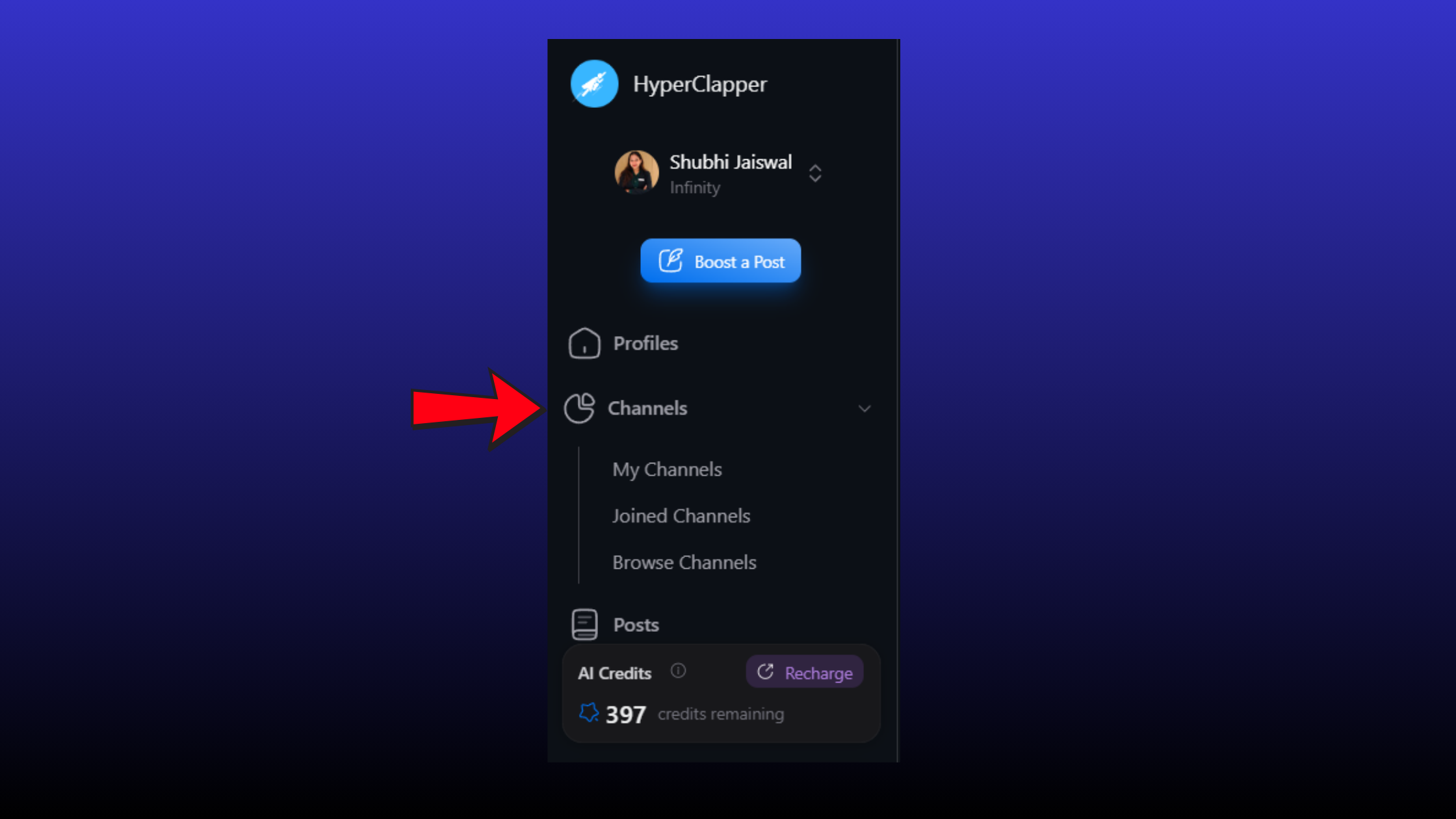
The channel system is HyperClapper's core mechanism, and it is what separates it from basic engagement pod strategy tools. An engagement pod is a group of professionals who mutually boost each other's content. HyperClapper structures this into named channels with predictable engagement volumes:
- 1 channel ≈ ~50 possible engagements per post
- 2 channels ≈ ~100 possible engagements per post
- 3 channels ≈ ~150 possible engagements per post
Beyond likes and comments, HyperClapper's AI-powered replies keep posts active for days after publishing — critical because LinkedIn algorithm detection patterns reward ongoing conversation depth, not just initial engagement spikes. A post that receives 20 thoughtful comments over three days outperforms one that gets 20 likes in the first hour and goes quiet.
HyperClapper also includes a Content Guard moderation layer that filters politically sensitive, violent, or controversial content before boosting — protecting accounts from policy violations at the content level, not just the activity level. For agencies managing multiple client profiles, this is a non-trivial safeguard. For more detail on how HyperClapper compares to other engagement platforms, see this HyperClapper vs LinkBoost comparison.
Octopus CRM + HyperClapper Integration: How the Two Tools Work Together
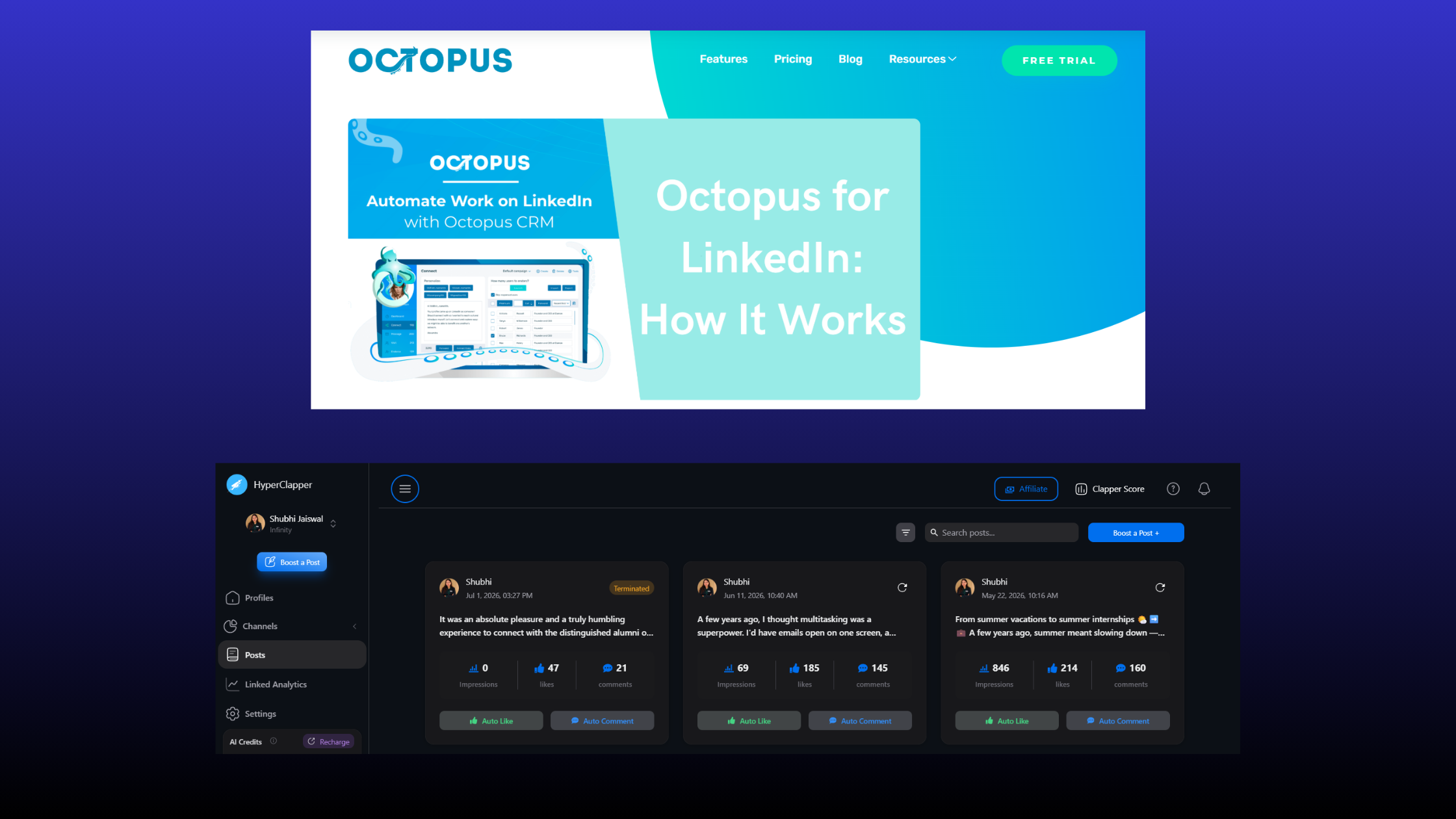
The Octopus CRM HyperClapper integration is strategic, not technical. There is no API handshake required. The two tools operate on entirely different LinkedIn activity types — outreach actions versus content engagement signals — which is precisely why running them simultaneously is lower risk than stacking two outreach tools.
Think of it as a two-lane funnel. Octopus CRM drives traffic into your network (who connects with you), while HyperClapper determines what those new connections see once they arrive (how credible and active your content looks). Separating these lanes is the key insight that most LinkedIn growth guides miss.
Organic LinkedIn Reach Amplification: The Full-Funnel Effect
The organic LinkedIn reach amplification that results from running both tools sequentially looks like this in practice:
- Octopus CRM sends 20 personalised connection requests to targeted B2B prospects on Monday.
- You publish a thought-leadership post on Tuesday.
- HyperClapper channels deliver 80–100 real engagements within the first 2 hours of publishing.
- LinkedIn's algorithm interprets the engagement velocity as a signal to distribute the post more widely — including to your new connections from step 1.
- Those new connections see a well-engaged, credible post from you before your follow-up message arrives later in the week.
- Octopus CRM sends the follow-up message. Response rate is higher because trust has already been established through content.
For LinkedIn automation tools for B2B specifically, this sequence addresses the trust gap that kills cold outreach: a prospect who receives a connection request and then sees a post with 60 real comments is a fundamentally different conversation than one who receives a connection request from a profile with no visible activity.
Boost Your LinkedIn Posts While Octopus CRM Builds Your Network
HyperClapper connects your posts to real engagement channels — so every new connection you make sees content that builds trust before your follow-up lands.
Try HyperClapper FreeHow to Set Up LinkedIn Automation in Minutes: Step-by-Step Guide
The full setup for both tools can realistically be completed in under 30 minutes. The barrier is not technical complexity — it is knowing which configuration decisions matter for safety before you launch anything.
Setting Up Octopus CRM: Automate LinkedIn Outreach Without Triggering Flags
This LinkedIn outreach automation setup guide covers the exact configuration steps that keep accounts under LinkedIn's radar:
- Install the Chrome extension from the Chrome Web Store and connect it to your LinkedIn account. (~2 minutes)
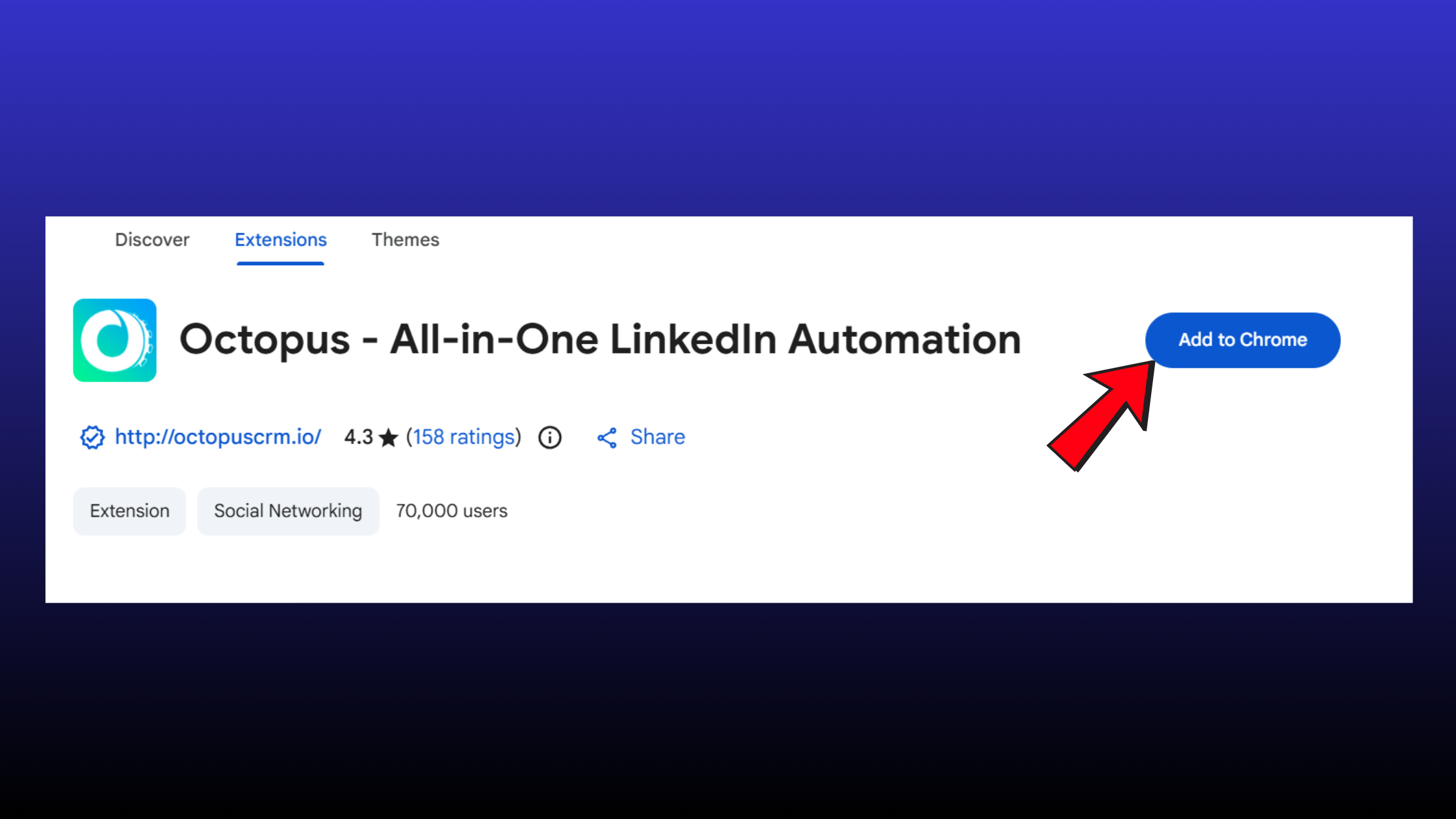
Setting Up Octopus CRM - Build your prospect list using LinkedIn's native search filters — job title, industry, geography, company size. Save the search results as your campaign audience.
- Create a campaign funnel inside Octopus CRM: select the campaign type (connect + message sequence is the most common), write your personalised message templates, and set the step delays to at least 24 hours between each action.
- Configure daily limits — this step is non-negotiable before launching. Recommended starting limits: 15–20 connection requests/day, 20–30 messages/day. Do not exceed these in the first 30 days regardless of account age.
- Run a warm-up week at 50% of your intended volume. Accounts that jump straight to full capacity from zero are flagged more reliably than any other pattern observed across automated outreach setups.
Setting Up HyperClapper: Boost Your First Post in Under 5 Minutes
The HyperClapper LinkedIn engagement automation setup is simpler by design — it does not require a Chrome extension or browser session management:
- Create your account at app.hyperclapper.com. (~1 minute)
- Connect your LinkedIn profile through the platform's secure authorisation flow.
- Publish your LinkedIn post normally — HyperClapper works on posts that are already live.
- Paste the post URL into HyperClapper and select the channels you want to activate. Start with 1 channel to observe the engagement pattern before scaling.
- Monitor the analytics dashboard to track impressions, comments, and engagement rate movement over the following 48 hours.
For company page management, HyperClapper's company page boosting and company page replies features allow agencies to run the same workflow across brand accounts — creating a consistent, active presence that supports individual rep outreach at the same time. See the full engagement pod comparison for how this stacks up against Podawaa, Lempod, and Alcapod.
Is LinkedIn Automation Safe? Risks, Limits, and How to Avoid a Ban
Teams that treat daily limits as ceilings rather than targets consistently avoid restrictions. The accounts that get flagged share a different pattern: they treat limits as minimums, push volume aggressively from day one, and use identical timing across every action. Is LinkedIn automation safe to use? Yes — within documented thresholds. The risk is not in the tools themselves; it is in how users configure them.
LinkedIn account safety thresholds are not published officially, but behavioural patterns observed across thousands of automated accounts converge on the same limits:
- Connection requests: 15–25/day for new or recently automated accounts; up to 30–40/day for accounts with 500+ connections and established activity history
- Messages: 20–30/day, with natural variation in timing (avoid sending at exact hourly intervals)
- Profile views: 80–100/day is generally safe; above 150/day starts generating risk signals
- Endorsements: 20–30/day; this action is low-risk but still rate-monitored
Can you automate LinkedIn without getting banned? Consistently, yes — but only if you treat LinkedIn's detection system as a behavioural analysis engine, not a simple volume counter. It is looking for patterns that look inhuman, not just high numbers.
Common Mistakes to Avoid When Automating LinkedIn
The most common failure modes, in order of how frequently they lead to restrictions:
- Launching at full volume on a new account. A brand-new LinkedIn account that sends 50 connection requests on day one is flagged immediately. Warm up over 2–3 weeks.
- Using a single message template at scale. Identical content sent to hundreds of people is the clearest bot signal in LinkedIn's detection stack.
- Running automation 24/7. Human LinkedIn users have session patterns. Activity at 3am local time from an account that normally logs in at 9am is a detection trigger.
- Stacking multiple outreach tools simultaneously. Two tools sending connection requests from the same account doubles the visible activity volume without doubling the daily allowance.
- Ignoring the warm-up period after a restriction notice. Accounts that receive a warning and immediately resume full-volume automation typically face a permanent restriction within 30 days.
✓ The LinkedIn Automation Safety Checklist
- ☐Set connection request limit to 15–20/day for the first 30 days
- ☐Use 3–4 message template variants within every campaign
- ☐Schedule automation to run only during normal business hours (your time zone)
- ☐Set minimum 24-hour delay between campaign steps (connect → message)
- ☐Complete a 1–2 week warm-up at 50% volume before running at full capacity
- ☐Never run two outreach tools simultaneously on the same account
- ☐Enable HyperClapper Content Guard before boosting any post on sensitive topics
- ☐Review campaign analytics weekly and reduce volume if connection acceptance rate drops below 20%
Benefits and Real Results: What to Expect from LinkedIn Automation for B2B
At safe operating limits, the compounding math of LinkedIn tools for lead generation is straightforward: 20–30 new targeted connections per day adds up to 400–600 new first-degree connections per month. That is 400–600 people who can now see your content organically, receive your messages without an InMail credit, and find your profile in first-degree search results — all from a daily activity block that takes zero manual time once configured.
When you layer HyperClapper onto that outreach foundation, the content effect multiplies the reach of each new connection. Platform data consistently shows that posts receiving early engagement signals reach 3–5x more feeds than equivalent content with no initial boost — meaning the audience Octopus CRM builds for you actually sees the content designed to convert them.
For B2B teams specifically, the combination shortens the sales cycle. A pattern observed across B2B LinkedIn campaigns is that response rates to follow-up messages are meaningfully higher when the prospect has seen at least one engaged post from the sender before the message arrives. The post functions as social proof. The message arrives in a warmer context. The trust-building work that normally requires multiple touchpoints over weeks is compressed into a single well-timed content + outreach sequence.
Agencies running multiple LinkedIn profiles report an additional benefit: HyperClapper's company page boosting creates a consistent brand-level presence that reinforces individual rep activity. The brand post and the personal message arrive from the same visible entity — they feel coordinated, not coincidental. For managed LinkedIn growth, that coherence is a real differentiator. You can explore how to grow your LinkedIn network with automated CRM for a deeper breakdown of connection management at scale.
Build the Audience. Then Make Sure They See Your Content.
HyperClapper amplifies your LinkedIn posts with real engagement from real professionals — so the network Octopus CRM builds for you actually converts.
Start with HyperClapperFrequently Asked Questions About LinkedIn Automation in 2026
What is the best LinkedIn automation tool in 2026?
There is no single best tool — the answer depends on your growth goal. For outreach and pipeline building, Octopus CRM is the strongest choice for its Chrome extension safety architecture. For content visibility and post amplification, HyperClapper leads because of its real engagement channels and AI-powered replies. For most B2B professionals, running both in sequence covers the full LinkedIn growth loop.
What are automation tools in LinkedIn, and what do they actually do?
LinkedIn automation tools are software platforms that handle repetitive LinkedIn tasks — sending connection requests, sequencing follow-up messages, visiting profiles, and boosting post engagement — on a scheduled or triggered basis. They fall into two categories: outreach tools (who sees your profile) and engagement tools (who sees your content). Most professionals need both.
What is the best way to automate LinkedIn outreach without violating terms of service?
The safest approach is to use a Chrome extension-based tool like Octopus CRM that operates through your real browser session, keep daily connection requests below 25, vary your message templates, and schedule activity only during normal business hours. LinkedIn's terms prohibit automation broadly, but enforcement targets behaviour patterns — high volume, identical content, and machine-like timing — rather than any specific tool category.
How do Octopus CRM and HyperClapper work together to grow a LinkedIn audience?
They operate on different activity layers. Octopus CRM builds your first-degree network through automated outreach — adding 400–600 targeted connections per month at safe limits. HyperClapper ensures that those connections see your content by amplifying post engagement signals that trigger LinkedIn's broader distribution. The result is a compounding loop: bigger audience + higher reach per post = faster authority growth.
Can I use multiple LinkedIn automation tools at the same time safely?
Yes, if the tools operate on different activity types. Running Octopus CRM (outreach) and HyperClapper (content engagement) simultaneously is lower risk than running two outreach tools, because LinkedIn's detection is activity-type-specific. What to avoid: two tools both sending connection requests from the same account — that doubles visible volume against a single daily allowance and reliably triggers flags.
What results can I expect from automating LinkedIn with CRM and engagement tools?
At conservative, safe limits: 400–600 new targeted first-degree connections per month from Octopus CRM, and 3–5x more post impressions per piece of content with HyperClapper channel engagement. For B2B teams, the combination typically shortens response timelines on follow-up messages because prospects have seen engaged content from the sender before the message arrives — reducing the friction of cold outreach significantly.
What are the best linkedin automation tools for free?
Truly free linkedin automation tools are rare and typically severely limited — most free tiers cap daily actions to 5–10, making them impractical for real prospecting. Octopus CRM offers a trial period. HyperClapper offers entry-level access to test channels before committing to a paid plan. For meaningful results, a paid tier is necessary within the first month of use.
Are there good linkedin message automation tools for personalisation at scale?
Yes — linkedin message automation tools like Octopus CRM allow dynamic personalisation tokens (first name, company, job title) inside templates, so each message reads as individual even at volume. The key practice is using 3–4 template variants per campaign to avoid the identical-content detection signal that flags accounts for automated messaging behaviour.
What consistently separates LinkedIn accounts that compound their reach from accounts with large follower numbers and flat engagement is not any single tool — it is the deliberate pairing of outreach automation with content amplification. Accounts that build the network but neglect post visibility plateau regardless of connection volume. Accounts that boost content but never grow their audience are shouting into a small room. The combination of Octopus CRM and HyperClapper closes that gap — and the practitioners who run both within safe limits are the ones whose LinkedIn presence looks genuinely organic, precisely because the activity is.



