A pattern observed across thousands of LinkedIn users is that the single most common barrier to finding profiles — your own or someone else's — is simply not knowing where to look. Your LinkedIn profile URL is buried under profile settings, not the main dashboard. And finding someone else's profile gets exponentially harder when you have only a name and a vague job title to go on. This guide covers both problems: how to find your own URL, how to find anyone on LinkedIn using every method available in 2026 — and how to make sure your profile is actually worth finding once you do.
- Your LinkedIn profile URL lives under Edit public profile & URL — not on the main dashboard.
- A customized vanity URL boosts your Google discoverability and looks far more professional on a resume or email signature.
- LinkedIn's native search, Google X-ray, and Boolean operators cover most search needs — no premium account required.
- For common names, layer filters (location, industry, school) to isolate the right person fast.
- LinkedIn profile scraper tools carry real account risk — understand the limits before using them.
- Finding someone is step one — your own profile needs to be optimized so the connection actually converts.
- How to Find Your Own LinkedIn Profile URL
- How to Find Someone on LinkedIn by Name, Email, or Almost Nothing
- Google X-Ray Search and Boolean Operators
- Best LinkedIn Profile Finder Tools
- Once You Find Them: Making the Connection Count
- Frequently Asked Questions About LinkedIn Profile Search
How to Find Your Own LinkedIn Profile URL (and Why It Matters in 2026)
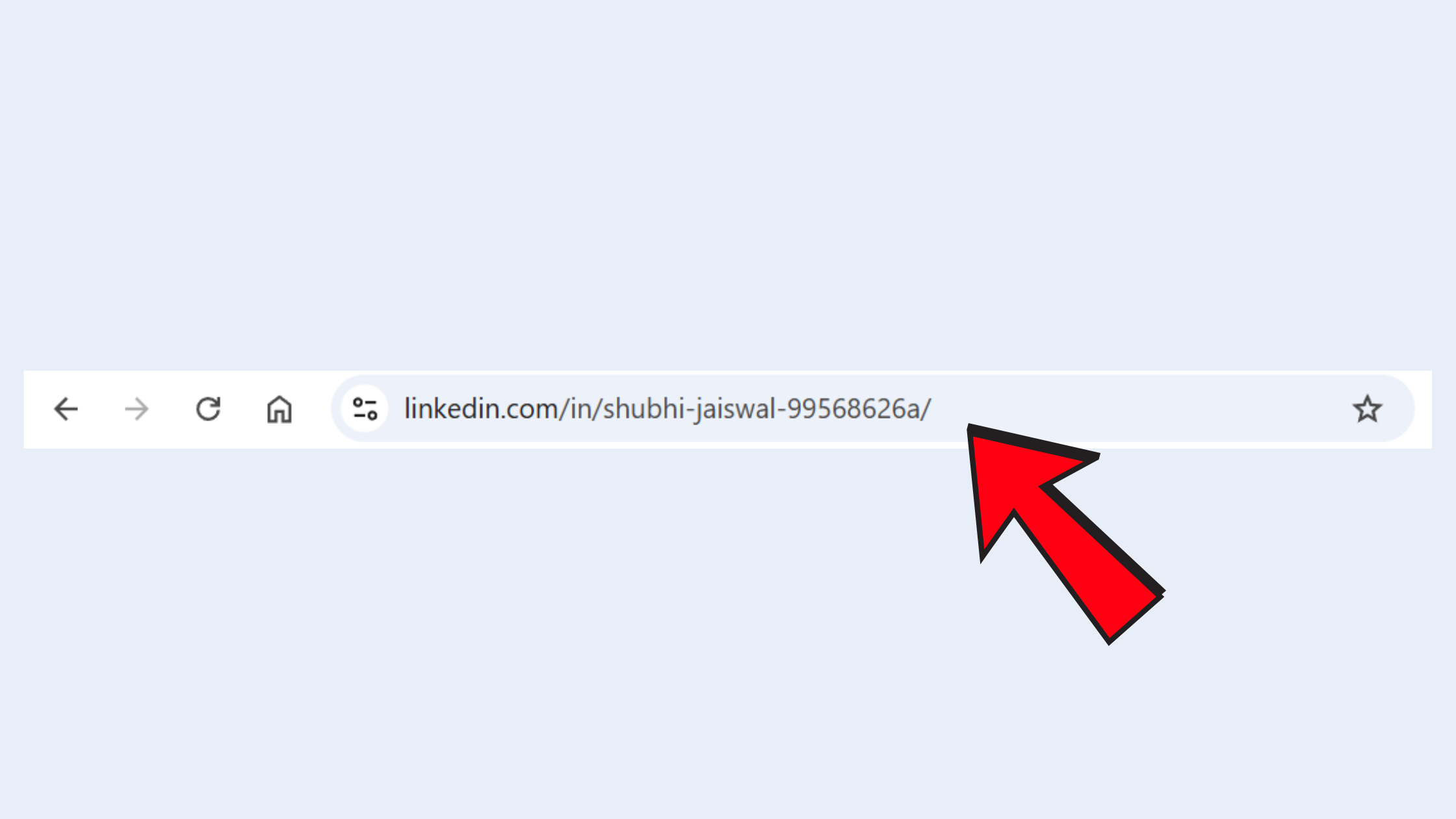
Your default LinkedIn URL is a random string of numbers and letters assigned at account creation — something like linkedin.com/in/john-smith-4839201. Most people never change it. That's a missed opportunity. A clean vanity URL — a customized LinkedIn profile address like linkedin.com/in/johnsmith — acts as a digital business card: shareable in email signatures, resumes, and bios without looking like a broken link.
According to LinkedIn Stats 2026, LinkedIn now has over 1.3 billion registered members. In that crowd, profile discoverability — how easily someone finds you via Google or LinkedIn search — is directly affected by your URL. A clean, name-based URL ranks better in Google for your name than a numeric one.
Step-by-Step: Find and Edit Your LinkedIn Profile URL on Desktop and Mobile
On Desktop:
- Click the Me icon at the top of your LinkedIn homepage.
- Click View Profile.
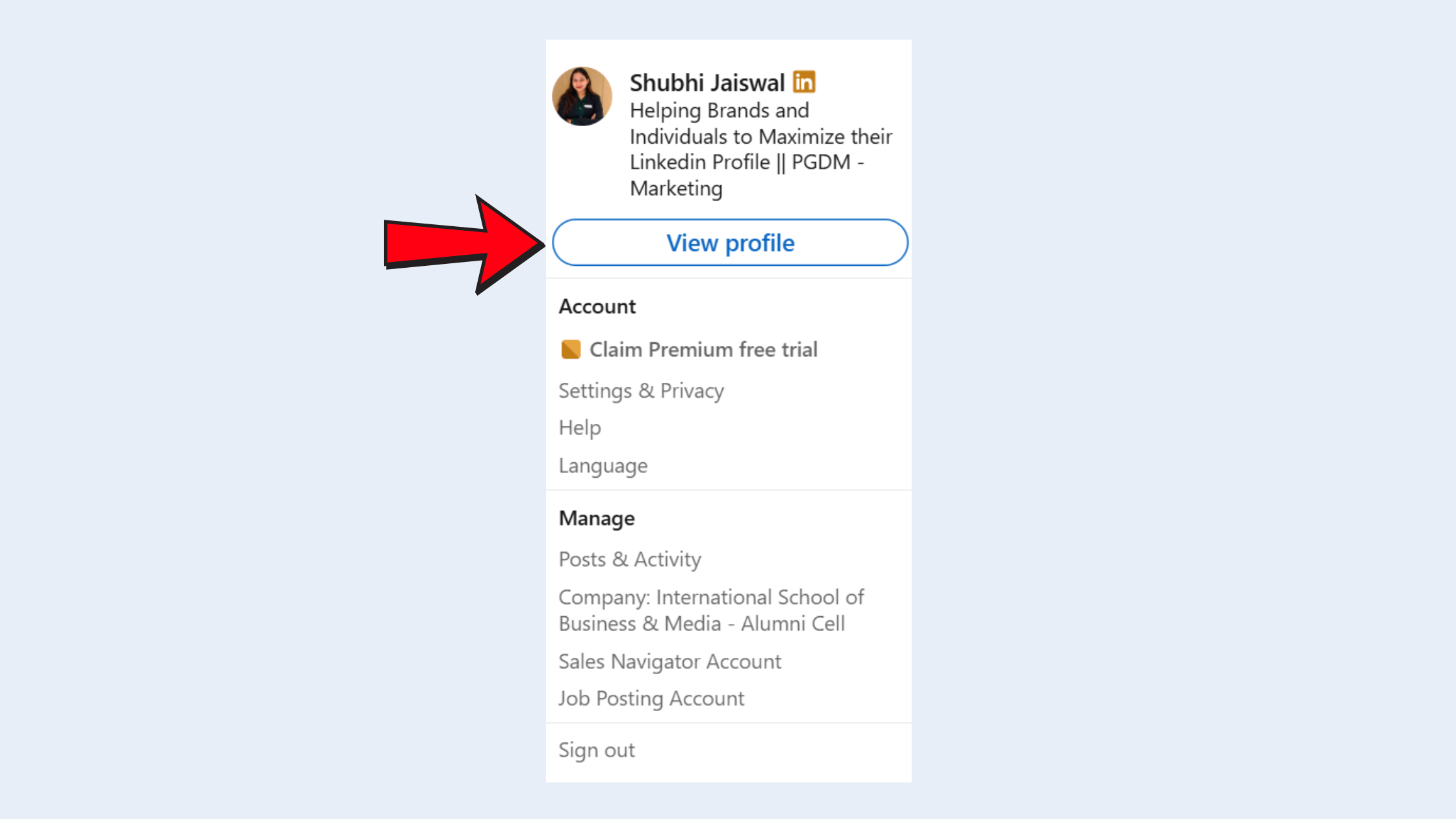
Find and Edit Your LinkedIn Profile URL on Desktop and Mobile - On the right rail, click Edit public profile & URL.
- Under "Edit your custom URL," click the pencil icon and type your preferred name string.
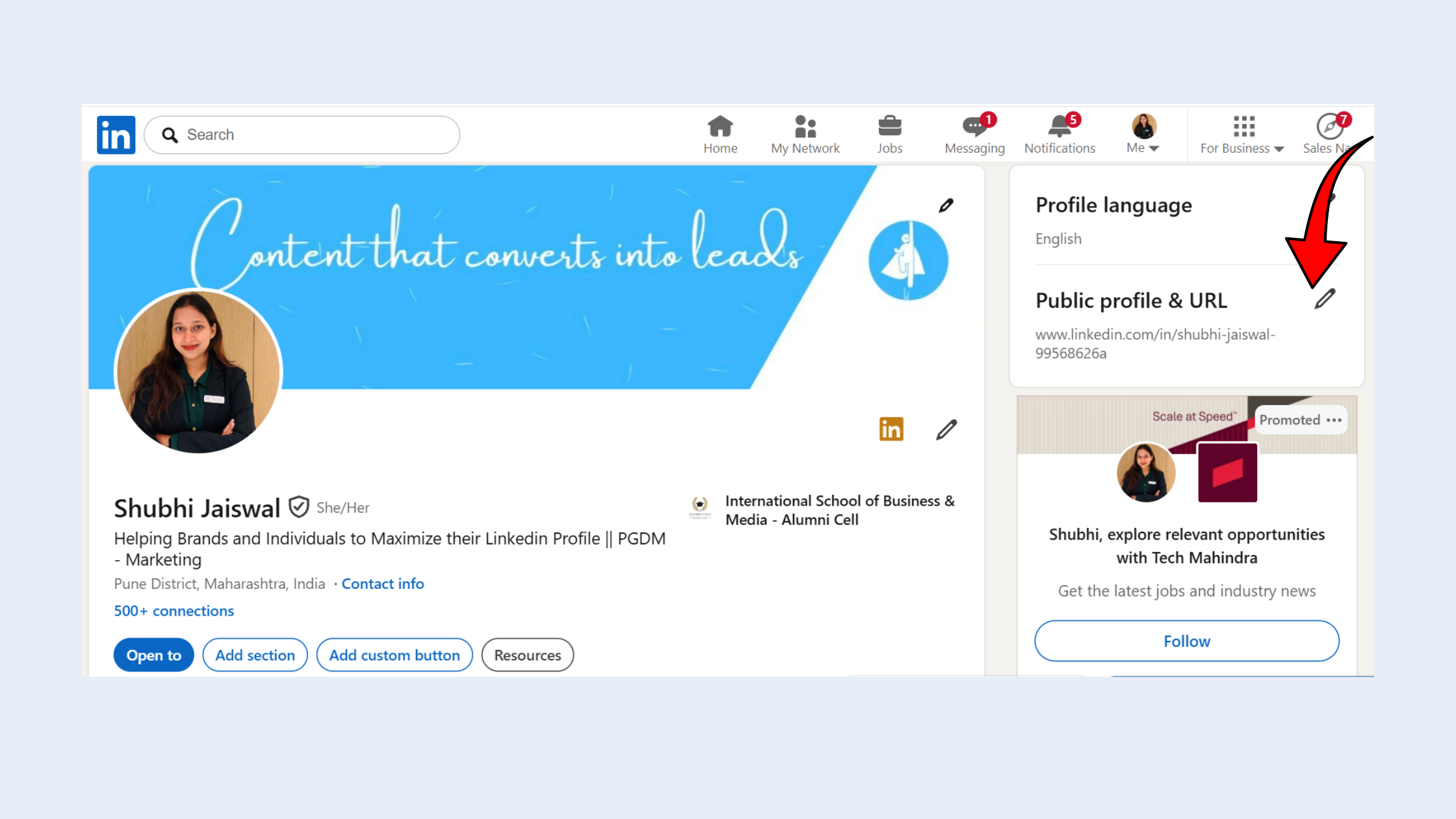
Edit your custom URL - Click Save. Your new URL is live immediately.
Where to find LinkedIn URL on app Android:
- Open the LinkedIn app and tap your profile photo (top left).
- Tap View Profile.
- Tap the three-dot menu (⋯) in the top right corner of your profile.
- Tap Share via link — this copies your current profile URL to your clipboard.
- To edit it, tap Edit on your profile, then Contact info, then the LinkedIn URL field.
Where to find LinkedIn URL on app Apple (iPhone/iPad):
- Tap your photo in the top left to open your profile.
- Tap the three-dot (⋯) icon at the top of your profile screen.
- Choose Share via link to copy your URL instantly.
- To edit: go to Edit profile → Contact info → LinkedIn and update the URL field.
linkedin.com/in/firstname-lastname or linkedin.com/in/firstnamelastname. Keep it under 30 characters, avoid numbers, and match it to how your name appears on your resume. Consistency across platforms strengthens your personal branding on LinkedIn.Now that you know how to find and optimize your own URL, here's how to find someone else's — even when you have very little to go on.
How to Find Someone on LinkedIn by Name, Email, or Almost Nothing
Teams that use LinkedIn's native search strategically — layering filters rather than relying on name alone — consistently locate the right profile in under two minutes, even for common names. Start with the LinkedIn people search bar, type the full name, then immediately apply filters: Current Company, Location, and Industry. Three filters on a common name narrows a list of 500 results to fewer than 10 in most cases.
Find someone on LinkedIn by name — your filter stack:
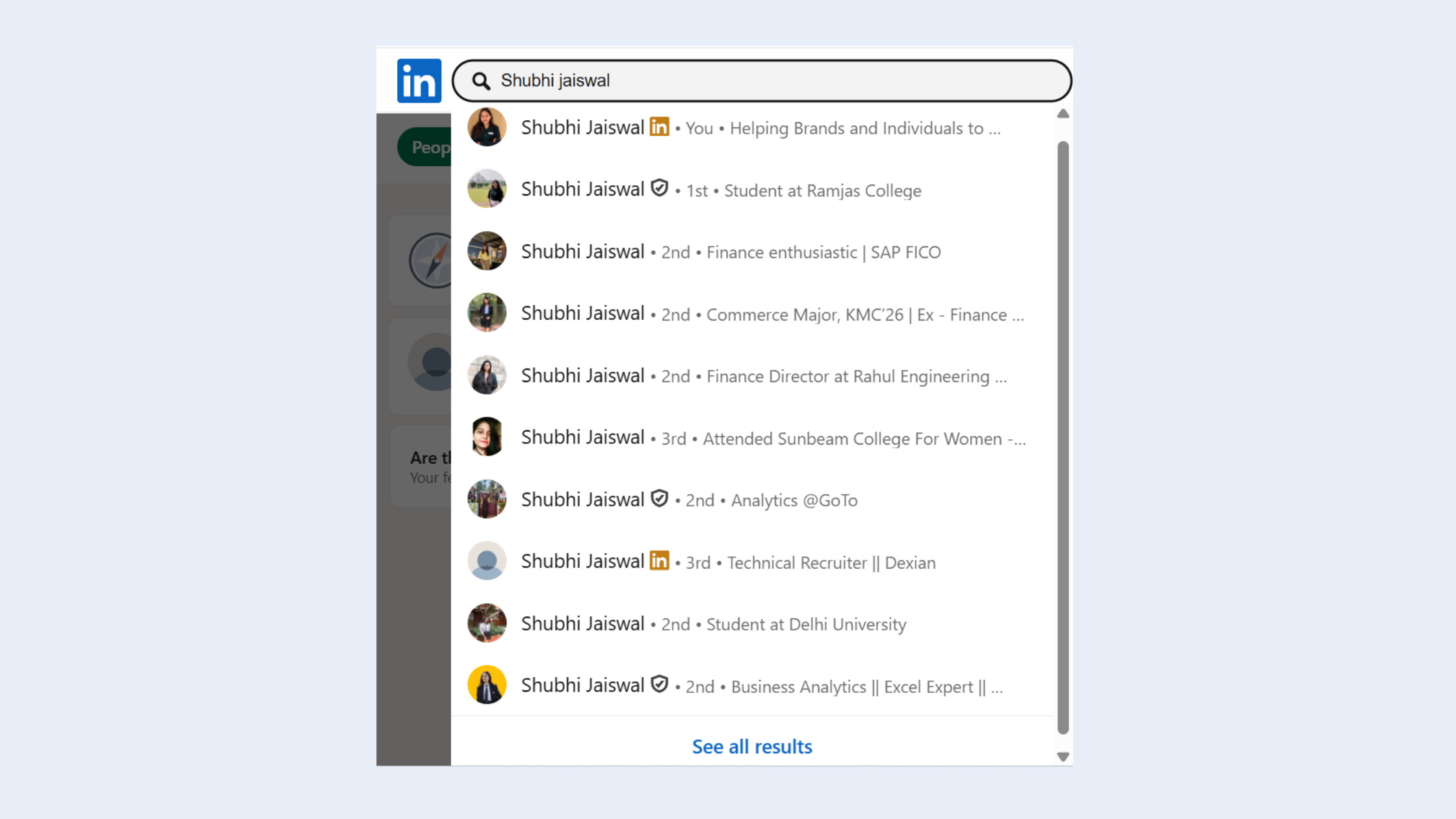
- Full name + current employer — works in roughly 9 out of 10 cases where you have both.
- Full name + location + industry — for people between jobs or with outdated profiles.
- Mutual connections — if you share a connection, LinkedIn ranks that profile higher naturally.
- School filter — underused, but eliminates duplicates fast when you know where someone studied.
If you have their email address: LinkedIn's "Add Connection" import will surface a match if that email is attached to an account. Third-party tools like Hunter.io can also cross-reference an email address to a LinkedIn profile, though match rates vary by domain.
When You Barely Have Anything: Finding Profiles with Minimal Info
Can you find a LinkedIn profile using just a job title and city with no name? Yes — use the People filter, set Title to the exact role, Location to the city, and sort results by 2nd-degree connections. Second-degree results are more likely to be active on LinkedIn and more likely to respond to outreach. This approach is how many recruiters surface cold leads without any prior contact information.
How do I find someone's LinkedIn profile if they have a common name and no photo? Layer every available filter — location, current company, industry, school — and look at activity signals in search results (number of mutual connections, whether they've posted recently). If you have a company name but no personal name, search the company page's "People" tab directly.
Google X-Ray Search and Boolean Operators: The Power User's LinkedIn Search Toolkit
What is LinkedIn X-ray search? X-ray search is the technique of using Google (or Bing) to index and surface LinkedIn profiles directly, bypassing LinkedIn's own search interface and its associated limits. Because LinkedIn profiles are public pages, Google indexes them — and Google's search operators let you filter them precisely.
Basic X-ray formula:
site:linkedin.com/in/ "Job Title" "City" "Company Name"
This single query can surface profiles that LinkedIn's own search buries — especially helpful when you want to find LinkedIn profile without account or have exhausted your monthly search allowance. You get results without logging in at all. For a deeper walkthrough, see our guide on how to view LinkedIn profiles without logging in.
LinkedIn Boolean search for people inside the LinkedIn platform itself is underused. The operators:
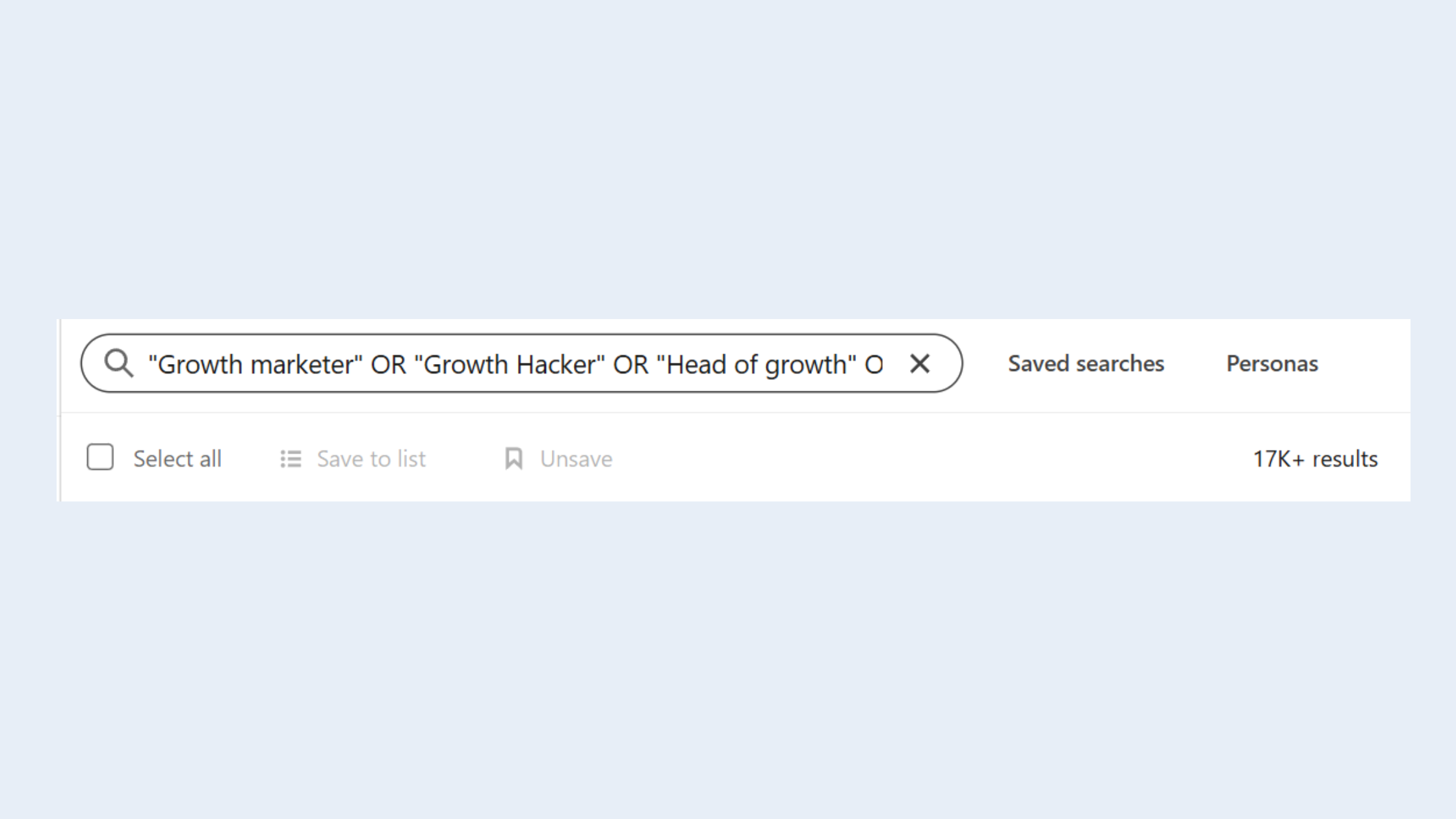
- AND — both terms must appear:
marketing AND director - OR — either term:
founder OR CEO - NOT — exclude a term:
engineer NOT intern - Quotes — exact phrase:
"product manager" - Parentheses — group logic:
(sales OR revenue) AND SaaS
Our full guide on Sales Navigator Boolean search covers advanced combinations that apply equally to free search. How do I search LinkedIn without a premium account? Boolean operators on the free tier cover the vast majority of search use cases — premium adds volume and saved searches, not fundamentally different access.
To find the LinkedIn profile URL of a specific person via Google: search "First Last" site:linkedin.com/in/. The first result is almost always their profile. Faster than browsing. Works from any device without logging in.
Finding LinkedIn Profiles Without a LinkedIn Account
Google X-ray is the cleanest method. Bing and DuckDuckGo also index LinkedIn profiles and sometimes surface results Google misses, particularly for users who have set their profile to public but opted out of Google indexing. If the profile is truly hidden from all search engines, it won't be findable this way — which brings us to the question of private profiles, covered in the FAQ below.
Best LinkedIn Profile Finder Tools: Free Options vs. Sales Navigator vs. Scrapers
Most professionals need one of three things: a free method that works reliably, a paid tool for high-volume work, or a scraper for bulk data. Each category has a very different risk profile.
| Option | Best For | Risk Level | Cost |
|---|---|---|---|
| LinkedIn native search + filters | Most individual searches | None | Free |
| Google X-ray / Boolean | Bypassing search limits | None | Free |
| Hunter.io / Skrapp | Email-to-profile matching | Low | Free tier available |
| LinkedIn Sales Navigator | High-volume recruiting / sales | None (within ToS) | ~$99+/mo |
| LinkedIn profile scraper tools (PhantomBuster, Evaboot) | Bulk data extraction | High — ToS violation | Paid |
LinkedIn Sales Navigator vs free search: Sales Navigator adds 40+ filters, saved lead lists, InMail credits, and removes the commercial use limit. For recruiters or sales teams running more than 100 targeted searches per month, it pays for itself quickly. For occasional searches, the free tier plus X-ray covers 80% of use cases. Our guide on how to use LinkedIn Sales Navigator free covers trial options and workarounds.
The most common failure mode with best LinkedIn profile finder tools is over-relying on scrapers without understanding the consequences. LinkedIn actively detects automated scraping behavior. Accounts flagged for it face temporary restrictions or permanent bans. The rule of thumb: if the tool requires your LinkedIn credentials and runs automated actions at scale, it's carrying risk. If it works via Google or official API, it's safer.
Common Mistakes to Avoid When Searching for LinkedIn Profiles
- Searching only by first name — always use full name plus at least one qualifier.
- Ignoring the company page People tab — it surfaces profiles hidden from general search.
- Assuming a blank result means the profile doesn't exist — it may just be private. Try X-ray.
- Running too many searches too fast — LinkedIn's algorithm flags unusual search patterns even on paid accounts.
Found the right profiles — now make sure yours stands out
HyperClapper helps LinkedIn creators and professionals boost post visibility through real community engagement and AI-powered replies — so your profile actually backs up the connections you're making.
See How HyperClapper Works →Once You Find Them: Making the Connection Count (and Growing Your Own Visibility)
What separates top performers on LinkedIn from people who just browse profiles is what they do after they find someone. A personalized connection request that references a shared context — mutual connection, a post they published, an event you both attended — converts at 3–5× the rate of a blank request. One sentence of genuine context is enough. "I came across your post on [topic] and thought your take on X was worth a follow" outperforms "I'd like to add you to my network" every single time.
But here's the part most guides miss: if your own profile isn't working for you, none of this matters. A recruiter who finds your profile via X-ray, a prospect who Googles your name, or a potential client who clicks your email signature link — they all land on the same page. If that page has a numeric URL, a missing headline, and no recent activity, the connection doesn't convert.
For professionals serious about LinkedIn profile search tips and long-term visibility, consistent posting and real engagement signals matter as much as profile completeness. LinkedIn's algorithm rewards accounts that post regularly and generate conversation — profiles with active posts rank higher in people search results than dormant ones with identical credentials.
Tools like HyperClapper are built precisely for this: helping LinkedIn creators, founders, and recruiters amplify post visibility through real community engagement and AI-powered replies across channels of real users. When someone finds your profile, your content — backed by visible engagement — becomes the proof of your professional online presence. This is where LinkedIn profile search tips and profile optimization converge: finding people is the start; being findable and credible is the sustainable advantage.
Creators who skip the post-engagement step typically find that even a great profile generates minimal inbound interest — because LinkedIn's distribution model suppresses accounts with low engagement signals, regardless of profile quality.
✓ LinkedIn Profile Discoverability Checklist
- ☐Customize your LinkedIn vanity URL to firstname-lastname format
- ☐Set your profile to Public and enable "Yes" for Google search indexing
- ☐Add your LinkedIn URL to your email signature, resume, and website bio
- ☐Use keywords in your headline that match how people search for your role
- ☐Post at least 3× per week to maintain algorithmic visibility
- ☐Respond to comments within the first 60 minutes of posting to boost distribution
- ☐Verify that your profile photo is present — profiles with photos get significantly more views
Turn profile visits into real engagement — not just views
HyperClapper connects your posts with real engagement channels — boosting likes, comments, and reach so your profile ranks higher in LinkedIn search and makes a stronger first impression.
Start Boosting Your LinkedIn PresenceFrequently Asked Questions About LinkedIn Profile Search
How do I copy my LinkedIn URL from the mobile app?
Open LinkedIn, tap your profile photo, then View Profile. Tap the three-dot (⋯) menu at the top right and select Share via link — this copies your profile URL to your clipboard instantly. Works the same on both Android and iOS. You can then paste it directly into any message, bio, or document.
How do I edit my LinkedIn profile URL?
On desktop, go to your profile → Edit public profile & URL (right rail) → click the pencil icon next to your URL and type your preferred custom string. On mobile, go to Edit Profile → Contact Info → LinkedIn URL. You can change it up to 5 times within 6 months, so choose carefully.
How do I find my LinkedIn profile URL on my iPhone?
Tap your profile photo to open your profile, then tap the three-dot icon (⋯) at the top right. Choose Share via link to copy the URL. To see the full URL text, paste it into any notes app. To edit it, go to Edit Profile → Contact Info → LinkedIn and update the URL field.
What is the fastest way to find a specific person's LinkedIn profile?
Google their full name with site:linkedin.com/in/ — for example: "Sarah Chen" site:linkedin.com/in/. This is faster than LinkedIn's native search, works without logging in, and bypasses search limits. If they have a common name, add their company or city to the query to narrow results immediately.
How can I find LinkedIn profiles for free without hitting search limits?
Use Google X-ray search (site:linkedin.com/in/ "title" "location") — it bypasses LinkedIn's commercial use limit entirely because it operates outside LinkedIn's platform. LinkedIn's Boolean search operators (AND, OR, NOT, quotes) also extend the value of each search so you find the right person faster and use fewer searches overall.
Is it possible to find someone on LinkedIn if they have a private profile?
Partially. If their profile is set to private, LinkedIn search will still show their name and headline but hide the full profile. Google X-ray won't index private profiles. If they've completely hidden their profile from search, there's no reliable way to view it without connecting first — or knowing someone who is already connected to them.
What are the best techniques recruiters use to find LinkedIn profiles quickly?
Experienced recruiters combine three methods: Boolean search on LinkedIn with title + location + NOT unwanted terms; Google X-ray for bypassing limits; and company People tab searches for targeting specific organisations. For high-volume work, Sales Navigator adds saved searches and 40+ filters that dramatically cut search time per hire.
Can you search LinkedIn profiles anonymously?
Yes — you can search and view public profiles anonymously by adjusting your visibility settings to Private mode before browsing. Go to Settings → Visibility → Profile viewing options → Private mode. Note: in Private mode, you also lose access to seeing who viewed your profile, and some features are restricted on free accounts.
How do I find someone's LinkedIn profile if they've changed their name?
Search by their current employer, location, and job title rather than their name. The company's People tab is especially useful here. If you knew their old name, Google X-ray with the old name may still surface their profile if their URL was set before the change and hasn't been updated.



