A recurring pattern among B2B professionals trying to grow on LinkedIn is spending $500–$1,500/month on managed outreach — then wondering why reply rates stay flat. The missing piece is almost never the outreach copy. It's that cold DMs land on a profile that looks inactive, low-credibility, or both. LinkedIn outreach pricing is rarely just a software cost; it's a stack cost, and the tools that handle different layers — like Cleverly for DM sequences and HyperClapper for post engagement — serve genuinely separate jobs on the platform.
- LinkedIn outreach pricing ranges from ~$150/month (self-serve automation) to $1,500+/month for fully managed agencies like Cleverly.
- Hidden costs — data credits, warm-up time, account risk — often double the real cost of cheap tools.
- Cleverly handles DM sequences; HyperClapper handles post visibility. They operate on separate LinkedIn surfaces with no overlap.
- Profile credibility (follower count, post engagement, active content) directly affects DM reply rates — prospects check your profile before responding.
- The most counterintuitive finding: boosting post engagement before launching outreach measurably improves connection acceptance rates.
- Combining tools is lower risk when each handles a distinct LinkedIn surface and neither mimics aggressive connection-request automation.
- What You're Actually Paying For: LinkedIn Outreach Pricing Explained
- How the Cleverly + HyperClapper Stack Works Together
- Why Profile Credibility Determines Whether Outreach Actually Works
- Risks, Limitations, and What the Cleverly LinkedIn Agency Review Landscape Gets Wrong
- Building the Best LinkedIn Outreach and Engagement Tool Stack for Your Budget
- FAQ: LinkedIn Outreach Pricing, Safety, and the Cleverly + HyperClapper Combo
What You're Actually Paying For: LinkedIn Outreach Pricing Explained
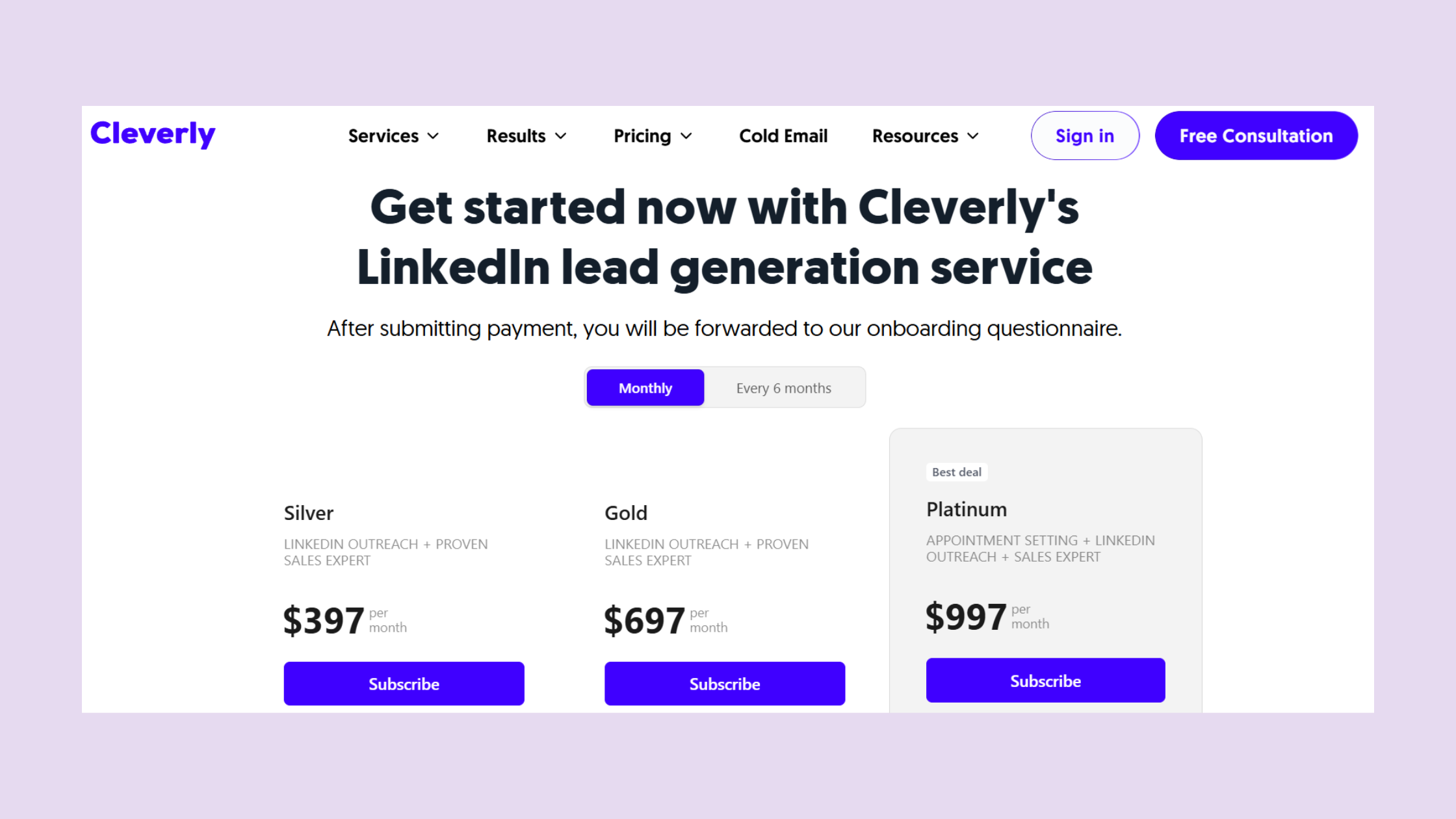
Most buyers confuse the sticker price with the total cost. Cleverly pricing plans sit in the managed-service tier — typically $397–$797/month depending on the plan — which means you're paying for strategy, copywriting, ICP targeting, and campaign management, not just a software seat. That's genuinely different from a $99/month automation tool, and conflating the two is where most ROI frustration starts.
According to Expandi's State of LinkedIn Outreach report (2026), LinkedIn DMs achieve a 10.3% average reply rate versus 5.1% for email. This means LinkedIn outreach works — but the cost per reply still varies wildly depending on what you're paying for.
Hidden Costs: Outreach Cost Per Reply, Data Credits, and Account Safety Risk
The real outreach cost per reply includes more than the monthly fee. Self-serve automation tools under $200/month typically require Sales Navigator ($99/month), a data enrichment layer ($50–$150/month), and carry the highest LinkedIn account safety risk — account restrictions that pause your outreach for weeks add a real cost that never appears on the invoice.
- Under $200/month: Self-serve automation, high account risk, steep learning curve
- $300–$500/month: Better tools, still self-managed, moderate risk if misconfigured
- $500–$1,500/month: Managed outreach territory — Cleverly operates here
- $1,500+/month: Full-service with dedicated SDR support and A/B testing
Managed LinkedIn Outreach Service vs. Automation Tools: Where Cleverly Fits
A managed LinkedIn outreach service like Cleverly handles targeting, copy, and execution — you review leads, not workflows. Automation tools hand you the controls. Neither is universally better; the fit depends on whether your constraint is time or budget. Teams without a dedicated SDR benefit more from managed; teams with technical resources often get better ROI from self-serve once they've mastered safe limits.
How the Cleverly + HyperClapper Stack Works Together
The Cleverly HyperClapper LinkedIn outreach combination works because the two tools never compete for the same LinkedIn surface. Cleverly operates inside the DM and connection-request layer. HyperClapper operates on the content and post-feed layer. There's no functional overlap — and that's precisely what makes the stack effective.
This is a genuine LinkedIn outreach and content strategy combined approach: while Cleverly sends a cold connection request, HyperClapper ensures your posts are getting visible engagement in that same prospect's feed. A prospect who ignores the initial DM often engages with a post first — then responds to the follow-up message because the name is already familiar.
The most reliable LinkedIn pipeline isn't built through DMs alone or content alone — it's built when a prospect sees your name in their feed before they see it in their inbox.
How Managed LinkedIn Outreach Works: Cleverly's Process
How managed LinkedIn outreach works: Cleverly's team builds an ICP filter, writes connection request copy and follow-up sequences, then runs them from your LinkedIn account. You get a dashboard of accepted connections and replies. The ramp period typically runs 4–8 weeks before benchmarks stabilise — campaigns started with the expectation of booked calls in week one consistently underperform.
How HyperClapper Boosts Post Engagement Alongside Outreach
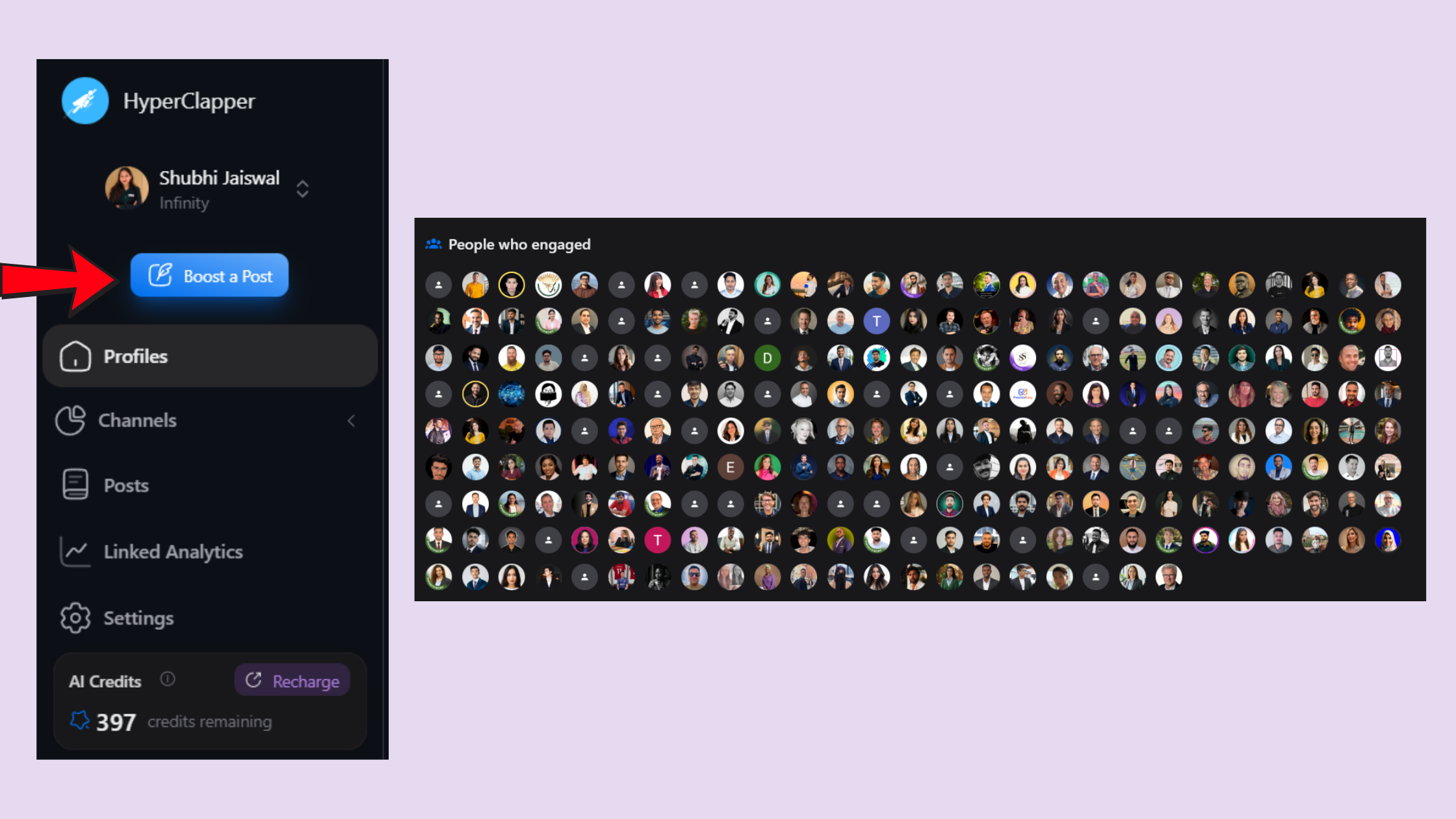
LinkedIn post engagement automation via HyperClapper works through real community channels — groups of actual LinkedIn users who engage with your posts. Each channel delivers roughly 50 engagements; stacking two or three channels produces 100–150 interactions per post. AI-powered replies keep conversations active for days after publishing, which matters because LinkedIn's algorithm rewards post longevity, not just initial burst engagement. Tools like HyperClapper compare favourably to Lempod specifically because the engagement comes from real accounts, not recycled bot activity.
Why Profile Credibility Determines Whether Outreach Actually Works
Teams that invest in post visibility before launching outreach consistently see higher connection acceptance rates. A cold DM from a profile with 12 followers and zero post activity signals low trust immediately — prospects check your profile before accepting, and thin profiles kill reply rates before the copy even gets read.
Does LinkedIn engagement on posts help outreach results? Based on engagement data observed across multiple campaigns, a profile showing regular post activity — even modest likes and comments — improves DM acceptance rates by creating ambient credibility. The prospect doesn't consciously think "this person posts regularly"; they simply feel the profile looks legitimate.
Increase LinkedIn SSI Score as a Warm-Up Signal
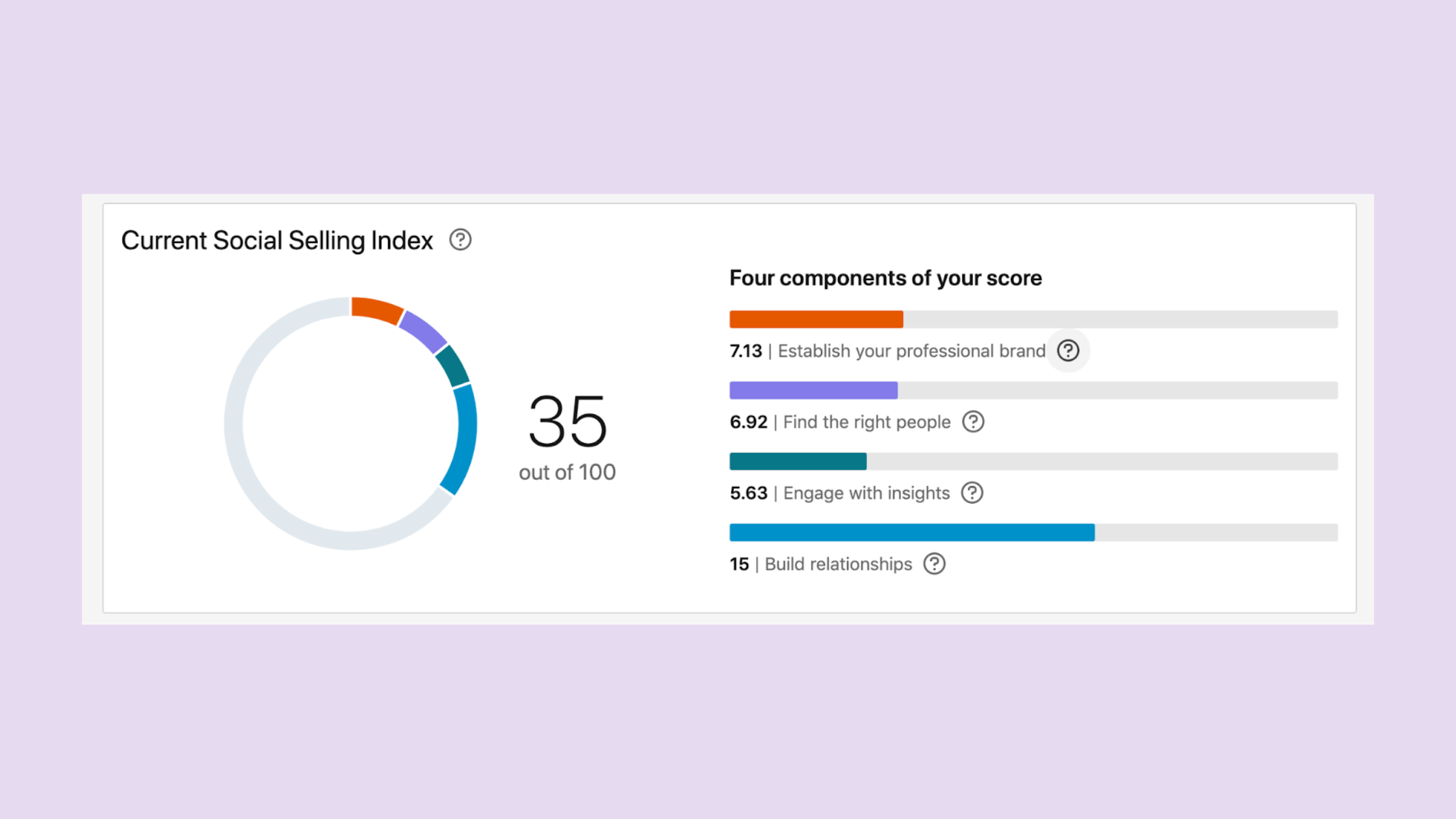
The LinkedIn Social Selling Index (SSI) is LinkedIn's internal score measuring profile strength, engagement activity, network quality, and relationship-building. A pattern observed across outreach campaigns is that profiles with SSI scores above 65 see meaningfully higher acceptance rates than profiles below 50 — because the SSI correlates with the same visible signals prospects use to judge credibility. To increase LinkedIn SSI score, publish consistently, engage with others' content, and build connections strategically — all of which HyperClapper's engagement system reinforces organically.
Risks, Limitations, and What the Cleverly LinkedIn Agency Review Landscape Gets Wrong
Most Cleverly LinkedIn agency reviews focus on pricing and ignore fit. The managed outreach model works best for teams with a clearly defined ICP, a strong and differentiated offer, and realistic expectations about a 60–90 day ramp before pipeline stabilises. Expecting booked calls in week one sets an unrealistic benchmark that leads to early cancellations — and a perception that the tool "didn't work" when the real issue was timing.
Common Mistakes to Avoid When Running Outreach and Engagement Simultaneously
Is combining LinkedIn automation tools against LinkedIn's terms of service? Using multiple tools simultaneously does increase surface area for platform flags — but the risk level depends entirely on what each tool does. The key is staying within safe connection request limits and ensuring no two tools are triggering similar automated behaviours on the same account at the same time.
- Never run aggressive connection-request automation and post engagement tools simultaneously at high volume
- Keep Cleverly's weekly connection requests under the 25/week safe threshold
- Use HyperClapper's Content Guard feature to avoid flagged content categories (politics, controversy, divisive topics)
- Space new tool launches — let each stabilise for two weeks before layering the next
HyperClapper Alternatives for LinkedIn Engagement: How It Compares
When evaluating HyperClapper alternatives for LinkedIn engagement, the main options are Lempod, Podawaa, and Alcapod. The core difference: most alternatives rely on reciprocal engagement loops where members must engage to receive engagement, creating quality inconsistency. HyperClapper's channel model connects posts with relevant community members through real engagement, not mechanical reciprocity. A detailed comparison of HyperClapper vs Alcapod covers the structural differences in depth. Is HyperClapper safe for LinkedIn accounts? It's designed around safer engagement patterns — real users, Content Guard moderation, and no aggressive automation — though, as with any third-party tool, it operates in a space where LinkedIn's terms of service apply.
Building the Best LinkedIn Outreach and Engagement Tool Stack for Your Budget
The best LinkedIn outreach and engagement tool stack for B2B isn't a single tool — it's a layered approach matched to where your pipeline actually breaks. What is the difference between Cleverly and HyperClapper? Cleverly is a managed outreach agency targeting prospects via DM sequences; HyperClapper is a self-serve engagement platform that boosts post visibility and builds profile credibility. Different surfaces, complementary goals.
Here's a practical budget map using LinkedIn lead generation tools for B2B:
- Entry tier (under $300/month): HyperClapper alone — build content credibility, grow post engagement, warm up the profile. No outreach yet.
- Mid tier ($500–$1,200/month): Add Cleverly's managed outreach once the profile looks active and the SSI score is above 60.
- Growth tier ($1,500+/month): Full stack — scaled post boosting, A/B tested sequences, company page engagement, and analytics tracking across both layers.
What separates top-performing LinkedIn pipelines from stalled ones is rarely the outreach tool — it's whether the profile behind the outreach looks worth replying to.
For content creators and founders focused on visibility, HyperClapper is the strongest entry point because it builds the credibility layer that makes every subsequent outreach investment perform better. Teams already running Cleverly who aren't seeing the reply rates they expect should audit the profile first — post activity, follower signals, and content engagement are the variables most within their control. See also how HyperClapper's AI engagement compares to PhantomBuster for a deeper look at the engagement-first approach.
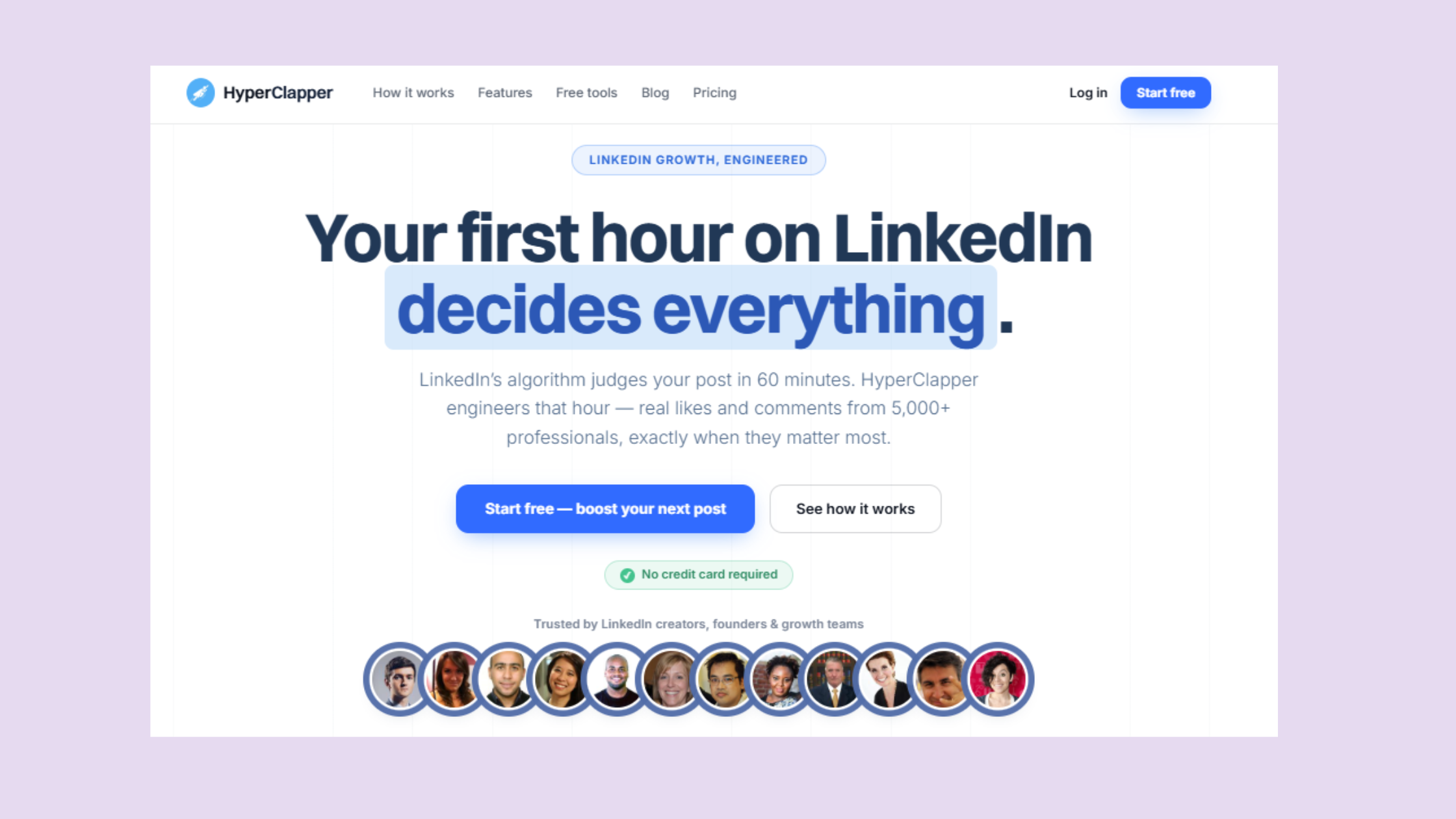
Build the Profile Credibility Your Outreach Depends On
HyperClapper boosts LinkedIn post engagement with real community members — so when Cleverly sends the DM, the profile behind it looks worth replying to.
Try HyperClapper Free✓ The LinkedIn Outreach Stack Launch Checklist
- ☐Audit your LinkedIn profile — photo, headline, featured section, and recent post activity
- ☐Run 3–4 weeks of boosted posts via HyperClapper to warm up post engagement signals
- ☐Check LinkedIn SSI score — aim for 60+ before launching outreach
- ☐Define your ICP clearly — industry, role, company size, pain point — before briefing Cleverly
- ☐Keep Cleverly connection requests under 25/week during the first month
- ☐Enable HyperClapper's Content Guard to avoid posts that could trigger account flags
- ☐Review reply rates and connection acceptance at the 30-day and 60-day marks — not week one
Frequently Asked Questions About LinkedIn Outreach Pricing and the Cleverly + HyperClapper Combo
How much does LinkedIn outreach cost?
LinkedIn outreach costs range from ~$150/month for self-serve automation tools to $1,500+/month for fully managed agencies. Cleverly's managed plans typically sit between $397–$797/month. The real cost also includes Sales Navigator ($99/month), data credits, and the opportunity cost of account restrictions if limits are exceeded.
Is LinkedIn outreach free?
LinkedIn outreach is technically free using manual connection requests and DMs, but LinkedIn limits free accounts to around 100 connection requests per month. Effective outreach at scale requires Sales Navigator and either a managed service or automation tool — making completely free outreach impractical for B2B pipeline building.
Does LinkedIn outreach work?
Yes — LinkedIn DMs achieve a 10.3% average reply rate versus 5.1% for email, according to Expandi's 2026 report. Personalised messages reach 30–40% reply rates. What consistently kills results is weak profile credibility — prospects check your profile before replying, and low post activity signals low trust.
Can I use a LinkedIn engagement pod tool alongside a managed outreach agency?
Yes, and the combination is lower risk than running two outreach tools simultaneously because engagement pods and DM outreach operate on separate LinkedIn surfaces. The key is keeping each tool within safe activity thresholds and launching them sequentially — not simultaneously — to avoid triggering LinkedIn's bot-detection patterns.
What happens to LinkedIn outreach reply rates when you also boost post engagement?
Post engagement builds ambient credibility — prospects who've seen your content in their feed are meaningfully more likely to accept a connection request and reply to a DM. According to ConnectSafely's LinkedIn Statistics (2026), connection acceptance benchmarks sit at 25–30%; profiles with visible post engagement consistently trend toward the upper end of that range.
How do I build LinkedIn credibility before running a cold outreach campaign?
Building LinkedIn credibility before outreach requires three things: consistent post activity, visible engagement on those posts, and a complete profile. Run 3–4 weeks of boosted posts via HyperClapper to build engagement signals, push your SSI score above 60, and ensure your featured section and headline clearly articulate your value before the first connection request goes out.
Is HyperClapper safe for LinkedIn accounts?
HyperClapper is built around safer engagement patterns — real community members, AI replies that mimic natural conversation depth, and a Content Guard system that filters politically sensitive or controversy-adjacent content. No third-party LinkedIn tool is entirely without ToS nuance, but HyperClapper's model avoids the aggressive automation behaviours that most commonly trigger account restrictions.
What consistently separates accounts with real reach from accounts with impressive follower numbers is not any single tool — it's the combination of a credible content presence and well-targeted outreach running in parallel. Accounts that build both see compounding pipeline results. Accounts that invest in outreach alone typically hit reply-rate ceilings that no amount of copy optimisation can break through.



