Learn why linkedin profile views stall with manual tactics and how HyperClapper's real engagement channels, AI replies, and analytics drive compounding visibility.
📅 ⏱ 15 min read📝 ~2900 words
LinkedIn profile views are intent signals — each view represents someone who found your profile through search, content, or a recommendation. A pattern observed across high-performing LinkedIn accounts is that profile visibility is not accidental: it is the direct result of keyword-optimised profiles, consistent content, and structured engagement working together. For most active professionals, 50–150 profile views per week signals healthy discoverability; creators and founders posting consistently can reach 500+ weekly. The gap between those two numbers almost always comes down to whether someone is working the algorithm or just hoping it notices them.
Key Takeaways
For: LinkedIn creators, founders, recruiters, marketers, and professionals who want more profile views and inbound opportunities
What you'll learn: Why manual LinkedIn tactics stall, how HyperClapper automates engagement safely, and how to turn profile views into real pipeline
Profile views are algorithmic signals — optimising your headline, Skills, and content consistency is what generates them at scale
Manual engagement breaks at ~20–30 posts/day — that ceiling is where most professionals plateau regardless of effort
HyperClapper uses real-person channels — not bots — making it structurally safer than most LinkedIn automation tools
Counterintuitive finding: LinkedIn Premium does not directly boost your search ranking — content and engagement do
LinkedIn Profile Views — By the Numbers
21x
More views for complete profiles vs bare-bones ones
3.2x
More views for users with 500+ connections
30%
More profile clicks from strong headline optimisation
20–30%
Of viewers return to your profile after you view theirs
What Actually Drives LinkedIn Profile Views in 2026
Profile views on LinkedIn are a direct measure of how often LinkedIn's algorithm surfaces you — in search results, "People You May Know," post feeds, and notification prompts. According to Cognism's 2026 LinkedIn statistics report, a complete LinkedIn profile generates 21x more profile views and 36x more messages than an incomplete one. That is not a marginal difference — it is the difference between being discoverable and being invisible.
21x
More profile views for complete LinkedIn profiles vs. incomplete ones
LinkedIn SEO: Headline, Summary, and Skills Optimisation
LinkedIn SEO is the practice of placing role-relevant keywords in your headline, About section, and Skills list so LinkedIn's internal search algorithm ranks your profile when recruiters or peers search those terms. Profiles with strong, keyword-rich headlines receive 30% more profile clicks according to Cognism's 2026 data. In practice, this means swapping a generic title like "Marketing Manager" for something like "B2B Marketing Manager | SaaS Demand Generation | LinkedIn Growth" — same role, three times the search surface area.
The Skills section is the most underused visibility lever on LinkedIn. Each skill you add is an indexed keyword; adding 10–15 relevant skills meaningfully widens the search queries your profile can appear in. The profile completeness score — LinkedIn's internal measure of how fully your profile is filled out — also directly affects how often the algorithm shows you in discovery surfaces. Every blank section is a missed ranking signal.
Creator Mode, LinkedIn Groups, and Discoverability Triggers
Creator Mode is a LinkedIn profile setting that shifts your profile from "connection-first" to "follow-first," enabling you to reach a wider audience beyond your direct network. Enabling it also unlocks access to LinkedIn newsletters and articles — both of which drive profile traffic independently of your post feed. Teams that publish a LinkedIn newsletter consistently see a measurable lift in profile views without any additional outreach, because subscribers receive direct notifications that link back to the publisher's profile.
LinkedIn Groups are another underused discoverability trigger. Actively contributing to relevant groups surfaces your name and profile link to members who would never encounter you in their main feed. It is not the fastest lever, but it compounds with every other tactic listed here.
Now that you understand what generates profile views, here's where most professionals hit their ceiling: the manual effort required to sustain these signals.
Manual LinkedIn Outreach Drawbacks vs. What HyperClapper Solves
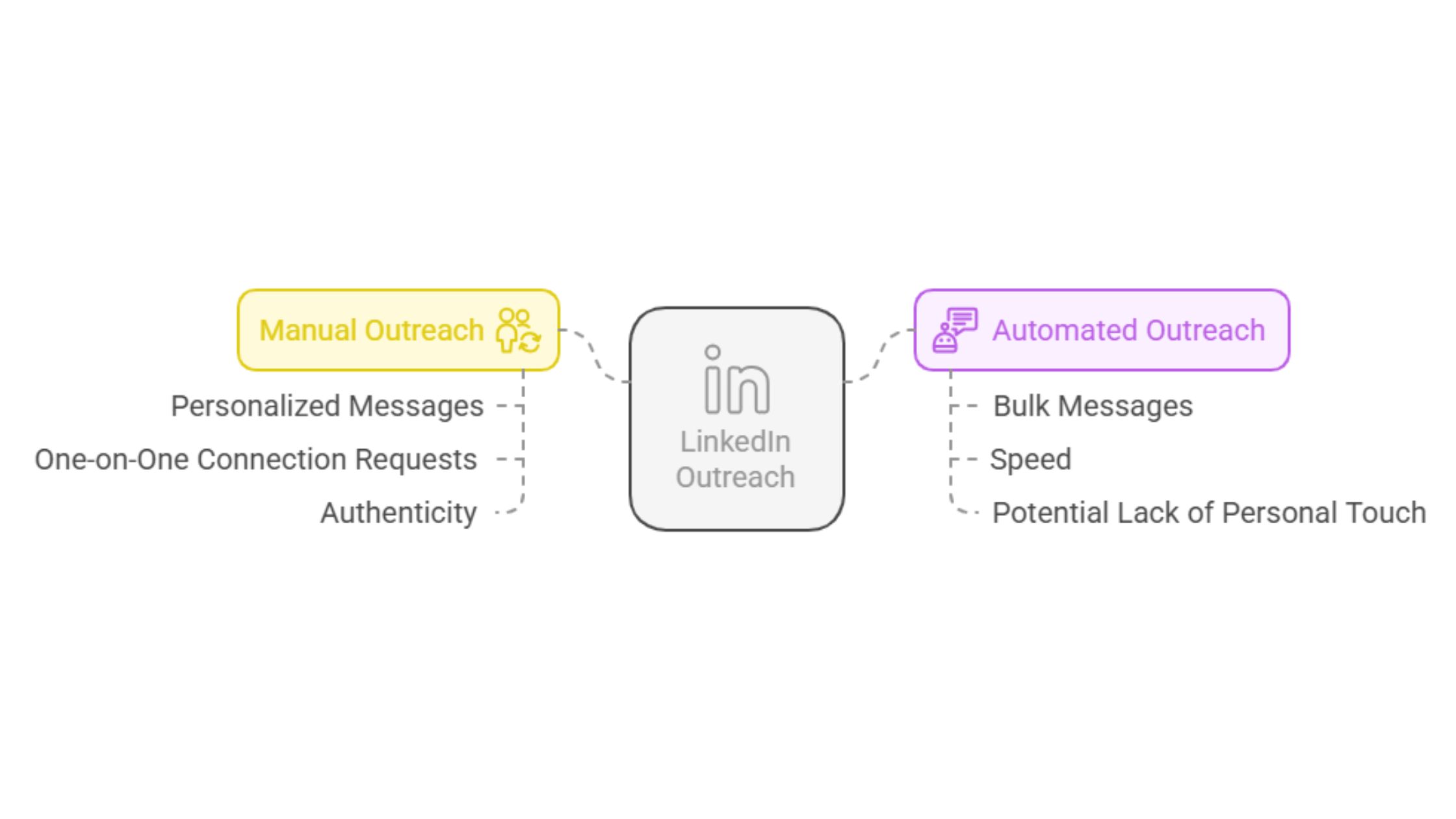
LinkedIn Outreach
The most common failure mode among LinkedIn professionals is starting strong — posting daily, engaging with comments, sending personalised connection requests — and then burning out within four to six weeks as the time investment becomes unsustainable. Manual LinkedIn outreach drawbacks are not about effort; they are about the structural limits of one person's attention.
⚠️
Warning:Accounts that drop below 3 posts per week see algorithmic reach decay within 10–14 days. Recovering that momentum typically takes 3–4 weeks of consistent posting — meaning a short break costs far more than the break itself.
Why is manual LinkedIn engagement not scalable? One person can meaningfully engage with roughly 20–30 posts per day before comment quality drops and the activity starts to feel mechanical. Consistent algorithmic visibility, however, requires engagement velocity — the speed and volume of interactions — that no single person can sustain manually. Manual tactics also suffer from timing dependency: missing the first 60–90 minutes after a post goes live dramatically reduces its reach, because LinkedIn's algorithm uses early engagement as a distribution signal.
Common Mistakes Professionals Make with Manual LinkedIn Tactics
Engaging in bursts, not consistently — the algorithm rewards steady cadence, not sporadic activity spikes
Prioritising vanity metrics over engagement depth — 3 thoughtful comments outperform 30 emoji reactions for algorithmic distribution
Ignoring the Skills and headline while investing hours in content — post reach is wasted if the profile that appears in views is unconvincing
Treating connection requests as outreach — volume-based connection sending without personalisation gets flagged and throttled by LinkedIn
HyperClapper vs manual LinkedIn tactics: where manual effort hits a ceiling at roughly 30 daily interactions, HyperClapper replaces the time-sensitive labour of engagement with structured channels that deliver real, consistent engagement on a predictable cadence — without the burnout.
How HyperClapper Works: LinkedIn Engagement Automation Explained
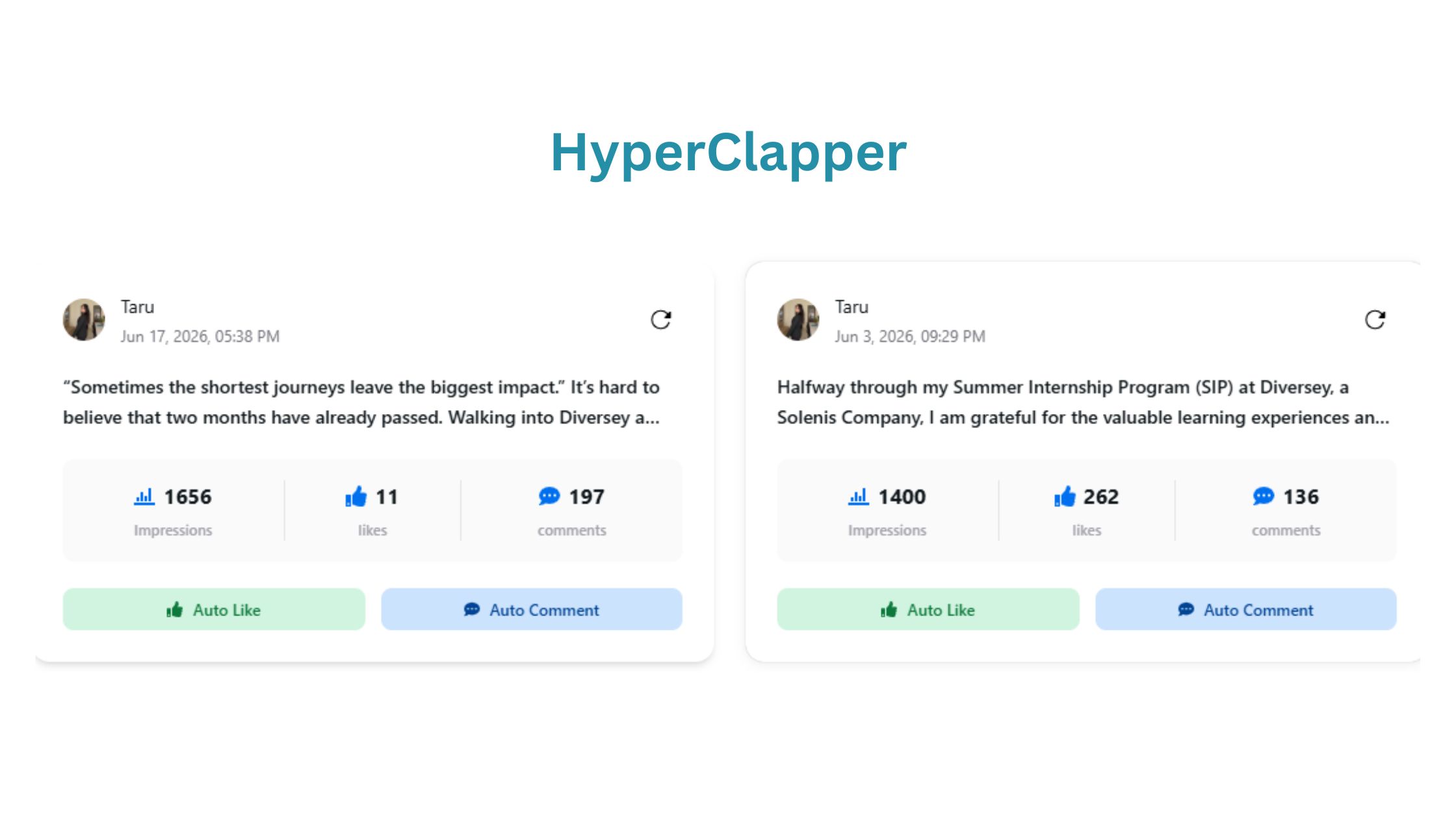
HyperClapper
HyperClapper LinkedIn automation works through real-person engagement channels — not bots or scripts. Each channel is a group of active LinkedIn members who engage with each other's posts; submitting your post to a channel of 50 members means 50 real people can like and comment on it. This is the structural difference between HyperClapper and traditional automation tools that simulate engagement through fake accounts.
What is a LinkedIn engagement pod? It is a coordinated group of professionals who support each other's content — HyperClapper formalises this concept with structured channels, AI-powered replies, and analytics, replacing the chaos of ad-hoc group chats with a repeatable system.
The workflow takes under two minutes:
Submit your LinkedIn post URL to the HyperClapper dashboard
Select one or more channels (1 channel ≈ 50 engagements, 3 channels ≈ 150 engagements)
Optionally activate AI Replies to generate contextual comment threads that deepen post engagement
Monitor results via the built-in analytics dashboard — views, likes, comments, and profile traffic
AI Replies and Feed More: Keeping Posts Active Beyond Day One
LinkedIn's algorithm rewards conversation depth — a post with 15 substantive comments outperforms one with 50 likes in terms of extended distribution. HyperClapper's AI Replies feature generates and posts contextually relevant comments that keep threads active. The Feed More function takes this further: users can inject additional AI replies days after the initial post, reactivating its algorithmic momentum at a point when most posts have gone completely cold.
HyperClapper also supports company page boosting and company page replies — a gap most LinkedIn pod automation tools leave entirely unaddressed. Brand accounts get the same structured engagement benefits as personal profiles.
Get Real Engagement on Your Next LinkedIn Post
HyperClapper channels connect your posts with real professionals — consistent engagement, without the manual grind.
LinkedIn Engagement Automation Benefits, Safety, and Risks
Consistent engagement automation produces four compounding advantages that manual effort structurally cannot: steady post velocity, predictable engagement volume, reduced time cost, and growing algorithm trust — all of which translate directly into more profile views on LinkedIn and more inbound opportunities over time.
💡
Pro Tip:Use HyperClapper's Content Guard feature to screen posts before boosting. Posts touching politics, conflict, or controversy tend to generate negative engagement that suppresses distribution — screening takes seconds and prevents a damaging algorithmic signal.
Is LinkedIn automation safe to use? Safety depends entirely on the method. Tools that scrape profile data, mass-send connection requests, or simulate bot clicks violate LinkedIn's Terms of Service and risk account restriction. HyperClapper avoids all three by routing engagement through verified real users rather than automated scripts — a meaningfully lower risk profile than most automation tools.
HyperClapper vs. Alternatives: Lempod, Podawaa, and LinkBoost
According to our comparison of top LinkedIn engagement tools, the primary distinction between HyperClapper and alternatives like Lempod, Podawaa, and LinkBoost comes down to three factors:
Real vs. simulated engagement — HyperClapper routes through actual LinkedIn members; some alternatives rely on semi-automated or recycled accounts
AI Replies — HyperClapper generates substantive comment threads; most alternatives stop at likes and basic comments
Content moderation — HyperClapper's Content Guard filters sensitive content before it reaches channels; alternatives offer no equivalent safety layer
Can automation replace manual LinkedIn networking? Not entirely. Automation handles scale and consistency — the parts that burn people out. Genuine relationship-building through direct messages, thoughtful replies, and real conversations still requires a human. Think of HyperClapper as the engine room, not the captain's seat.
🔴
Avoid:Using any LinkedIn automation tool — including HyperClapper — as a substitute for content quality. Engagement pods amplify good content; they cannot rescue posts that offer no genuine value. A poorly written post with 100 comments still underperforms a sharp post with 20.
Scaling LinkedIn Profile Growth: From Profile Views to Real Opportunities
30 million companies have LinkedIn pages, yet the vast majority of profile views flow to a small fraction of active, optimised accounts. According to ConnectSafely's 2026 LinkedIn statistics, users with 500+ connections receive 3.2x more profile views than those with fewer than 100. In practice, this means the connection and follower growth that comes from consistent, high-engagement content is not just a vanity metric — it is a direct multiplier on your overall visibility.
To scale LinkedIn profile growth, the approach that works consistently is layering three systems:
Profile SEO — optimised headline, complete About section, 10–15 targeted skills, professional photo and banner
Consistent content — minimum 3 posts per week, with the first 60 minutes of engagement protected (do not post and disappear)
Structured engagement support — using a tool like HyperClapper's engagement channels to ensure every post gets the early signal boost it needs to reach beyond your existing network
Creators who skip the third layer typically find that their content reaches the same 200–300 people indefinitely, regardless of how much time they invest in writing. The channel system is what breaks that ceiling.
Using Profile View Data Strategically for Networking and Outreach
How to see profile views on LinkedIn: navigate to your profile page and click "X people viewed your profile" below your connection count. Free accounts see a rolling 5-day view count and a limited viewer list; LinkedIn Premium surfaces the full 90-day list with company, job title, and how the viewer found you.
According to data from Bearconnect's LinkedIn profile view analysis, when you view someone's profile, approximately 20–30% will visit your profile in return. This means strategically viewing profiles of target prospects — recruiters, potential clients, collaborators — generates passive inbound visibility at no content cost.
How to check profile views on linkedin strategically: filter your viewer list by company or job title, identify patterns in who is finding you (are they the right audience?), and follow up with a personalised connection request within 24–48 hours of the view — the window when you are most memorable.
What consistently separates accounts with real reach from accounts with impressive follower counts is not any single tactic — it is whether their profile view data is being acted on or just admired.
✓ The LinkedIn Profile Visibility Checklist
☐Headline includes your role + 2–3 specific keywords your target audience searches
☐About section opens with a keyword-rich first sentence (not "I am a…")
☐Skills section has 10–15 role-relevant skills added and endorsed
☐Professional photo uploaded (complete profiles get 21x more views)
☐Creator Mode enabled if you post content regularly
☐Posting at least 3x per week and engaging within the first 60 minutes of each post
☐Profile view list reviewed weekly — follow up with relevant viewers within 48 hours
☐Engagement support system in place (HyperClapper or equivalent) for consistent post velocity
Turn Profile Views Into Pipeline — Not Just Vanity Metrics
HyperClapper combines real engagement channels, AI-powered replies, and analytics to help you grow LinkedIn visibility without burning out on manual effort.
Frequently Asked Questions About LinkedIn Profile Views
Can people see if you view their profile on LinkedIn?
Yes — by default, LinkedIn notifies users when someone views their profile, showing your name, headline, and how you found them. The exception is Private Mode: enabling it lets you browse anonymously, but you lose access to your own viewer list in return. Most professionals leave notifications on to benefit from reciprocal views.
How do I stop LinkedIn from showing I viewed someone's profile?
Enable LinkedIn private mode: go to Settings & Privacy → Visibility → Profile viewing options → select "Private mode." This hides your identity when you view profiles. The trade-off is that you can no longer see who has viewed your own profile — LinkedIn enforces this symmetry consistently.
How to turn off profile views on LinkedIn — does hiding them affect my visibility?
To turn off profile views on LinkedIn (i.e., stop others seeing you viewed them), switch to Private Mode as described above. This does not affect your profile's searchability or your own post reach — it only controls what viewers see when you browse. How to hide profile views on linkedin does not change your algorithmic ranking.
Can I check who visited my LinkedIn profile and use that data strategically?
Yes. Free accounts see a 5-day rolling view count and a partial viewer list. LinkedIn Premium shows the full 90-day list with company, title, and discovery source. Strategically, filter viewers by target company or role — then send a personalised connection request within 48 hours while your profile is still fresh in their memory.
How to see profile views on LinkedIn without Premium?
Free accounts can see profile views on LinkedIn for the past 5 days and a limited list of recent visitors. For the full 90-day history and detailed viewer analytics, LinkedIn Premium is required. The free data is still useful: look for patterns in the viewer job titles to assess whether your content is reaching the right audience.
What are the main advantages of using HyperClapper over posting manually on LinkedIn?
HyperClapper delivers consistent early engagement on every post — the signal LinkedIn's algorithm needs to push content beyond your existing network. Manual posting can produce the same result occasionally, but not reliably. The practical advantage is time: HyperClapper handles the engagement layer in minutes, freeing you to focus on content quality and real conversations.
Can I get penalised by LinkedIn for using an engagement automation tool?
LinkedIn's Terms of Service prohibit bots, scraping, and fake engagement. HyperClapper routes engagement through real verified users, not scripts, which places it in a materially different risk category. No tool is entirely without risk, but tools using real human engagement are structurally lower risk than those simulating activity. See our full LinkedIn automation safety guide for a detailed breakdown.
Is it worth paying for a LinkedIn automation tool instead of doing it manually?
For professionals posting 3+ times per week with growth goals, yes. The time cost of manual engagement — commenting, tracking, timing — compounds quickly. A structured tool like HyperClapper covers the consistency layer at a fraction of the hourly cost of doing it manually, and delivers more predictable results than relying on willpower alone.
What does it mean when someone views your LinkedIn profile repeatedly?
Repeated views typically signal genuine interest — a recruiter evaluating you, a prospect researching before reaching out, or a peer tracking your content. What to do when someone views your linkedin profile multiple times: send a light, personalised connection request acknowledging shared interests or context. Repeated viewing is a buying signal — treat it like one.
What to do if a recruiter views your LinkedIn profile?
If a recruiter views your profile, reach out within 24–48 hours with a brief, professional message — reference your shared field and express openness to a conversation. Do not wait for them to message first; most recruiters view dozens of profiles daily and appreciate the initiative. Make sure your headline and Skills sections are optimised before you reply, since they will re-check your profile.
What consistently separates accounts that convert profile views into real opportunities from those that just watch the number go up is the same pattern every time: they treat each view as the opening of a conversation, not the end of a process — and they have the engagement infrastructure to ensure those views keep arriving in the first place.
👋
⚡ Free plan
Leaving already?
Grab 3 free boosts on your next LinkedIn post — real likes & comments from 5,000+ creators. No card, cancel anytime.