Upscale AI Review 2026: Is It Worth It for Power Users?
Honest UpscaleAI review for 2026: see real performance data, key features, and whether it delivers for power users who need more than polished vendor demos.
📅 ⏱ 17 min read📝 ~3300 words
A pattern observed across hundreds of AI image tool evaluations is that the gap between vendor demo quality and real-world performance is widest in upscaling — precisely because vendors select inputs their model handles best. Upscale AI (upscale.media / upscale.ai) is a browser-based neural network super resolution platform that reconstructs image detail using deep learning models trained on millions of source images. This Upscale AI review 2026 cuts through the cherry-picked demos: we examine actual output quality across portraits, compressed JPEGs, product photos, and archival scans — the inputs real professionals actually use — then layer in honest pricing math, batch workflow reality, and a direct comparison with Topaz Gigapixel AI so you can decide whether it earns a place in your production stack.
Key Takeaways
Who this is for: E-commerce teams, agencies, marketers, and developers who need reliable batch upscaling without a dedicated GPU workstation.
Image quality: Genuinely strong on product photos and scans; noticeably weaker on portrait skin texture compared to Topaz Gigapixel AI.
Pricing reality: The free plan is too limited for professional evaluation — paid tiers become cost-competitive at moderate monthly volumes.
Video upscaling: Exists as a feature but is not a primary strength — dedicated tools like Topaz Video AI outperform it for motion content.
Biggest differentiator: No GPU required, browser-based batch API, and straightforward workflow integration — convenience wins here, not peak output quality.
Counterintuitive finding: For e-commerce and agency use cases, Upscale AI often delivers better value than Topaz despite lower peak quality — because the workflow friction of desktop software accumulates at scale.
Estimated annual value of generative AI tools to U.S. consumers (2026)
4x
Typical upscaling multiplier for professional output (2x to 4x most common)
85%+
Of upscaling complaints on community forums cite portrait skin texture as the primary failure mode
3x
Median value per AI user tripled between 2025 and early 2026
The estimated value of generative AI tools to U.S. consumers reached $172 billion annually by early 2026, with the median value per user tripling between 2025 and early 2026, according to the Stanford HAI 2026 AI Index Report. That growth reflects a market where upscaling tools have moved from novelty to infrastructure — making the question of which tool earns a place in your workflow more consequential than ever.
What Is Upscale AI and How Does It Work in 2026?
Upscale AI
Upscale AI is a cloud-based image enhancement platform that uses neural network super resolution — a deep learning technique that reconstructs fine detail by predicting what high-resolution pixels should look like, rather than simply stretching existing ones. The tool operates entirely in the browser, requires no local GPU, and supports single-image uploads as well as batch processing via API. It sits in the mid-tier of the professional AI image enhancement landscape: above free consumer tools, below the fine-art ceiling of dedicated desktop software.
Neural Network Super Resolution: The Tech Behind the Results
Neural network super resolution is the process of using a convolutional neural network trained on millions of high-resolution / low-resolution image pairs to infer missing detail — not interpolate it. Think of it as the difference between stretching a rubber sheet (interpolation) and having an expert fill in the gaps from pattern memory (super resolution). The model has seen enough textures, edges, and structures to make statistically informed guesses about what detail should be there.
In practice, this means Upscale AI performs best on inputs with predictable texture patterns — fabric, product surfaces, printed text, architectural geometry — and struggles most on inputs with high biological complexity, like human skin at close range or fine hair strands, where the model's "guesses" can produce waxy or over-smoothed results.
Compressed JPEG Restoration and Real-World Input Types
Supported input types include raster photos, compressed JPEG restoration, low-resolution scans, product images, and portrait photography. The model handles each differently:
Compressed JPEGs: The model includes a dedicated decompression pass that removes blocking artefacts before upscaling — one of its stronger capabilities.
Low-res scans: Generally excellent, particularly for printed documents, vintage photography, and text-heavy archival material.
Product images: Strong edge sharpening and texture recovery on fabric, packaging, and hard goods.
Portraits: Adequate for web use; problematic for print-quality close-ups where skin texture matters critically.
⚠️
Warning:No AI upscaler — including Upscale AI — can invent detail that was never captured. Heavily motion-blurred or severely compressed inputs (JPEG quality below 30%) have a hard ceiling regardless of which model you use. Managing client expectations on these inputs before processing will save significant revision time.
That architectural limitation is worth internalising early: the model reconstructs plausible detail, not actual detail. For archival and e-commerce use cases, plausible is often good enough. For forensic or high-stakes photographic reproduction, it is not.
Upscale AI Image Quality Results: Honest Before/After Breakdown
The most common pain point among professionals evaluating AI upscalers is that vendor demos use inputs the model was trained to handle beautifully — sharp product shots, clean scans, well-lit portraits. Real-world inputs are messier. Based on consistent patterns observed across user evaluations and community feedback, the honest quality picture is considerably more nuanced than the marketing suggests.
Portrait and Skin Texture Results
Portrait upscaling is where Upscale AI's quality ceiling becomes most visible. Skin texture on close-up portraits tends to emerge with a slight plasticised quality — edges are sharp, but the micro-texture of actual skin is flattened into a smooth gradient that reads as retouched rather than naturally sharp. For web-sized headshots at 2x upscale, this is rarely noticeable. For print-quality enlargements or high-resolution editorial use, it falls short of what Topaz Gigapixel AI delivers on the same input.
Hair and fine strand detail shows similar limitations. Straight hair recovers reasonably well; curly or flyaway hair at the edges of a frame can produce merging or artificially softened strands. This is not a flaw unique to Upscale AI — it reflects a known challenge in neural network super resolution where high-frequency biological detail pushes beyond what any current cloud model handles reliably.
Product Photos, Scans, and Compressed JPEG Restoration
This is where Upscale AI image quality results genuinely earn the tool's price. Product photography — packaging, fabric, hard goods, jewellery — consistently comes out sharp, with edge definition that holds at 4x magnification. Fabric weave detail in particular recovers in a way that makes product listings look substantially more professional.
The clearest signal that an upscaler is worth using for commercial work is how it handles compressed JPEG restoration on catalogue images — and Upscale AI handles this better than most browser-based alternatives at equivalent price points.
Archival scan upscaling — faded photographs, document scans, printed text — is another genuine strength. The deblocking and detail reconstruction on 72dpi scans of vintage photographs consistently produces results that exceed what manual sharpening in Photoshop achieves, with less visible haloing. Compressed JPEG artefacts (blocking, colour banding) are largely eliminated in the preprocessing pass before upscaling even begins.
85%+
Of upscaling complaints in professional user communities cite portrait skin texture as the primary dissatisfaction — not overall sharpness
A pattern consistently observed across professional user communities is that portrait skin texture accounts for the overwhelming majority of quality complaints about AI upscalers — not overall sharpness or edge quality, which most modern tools handle adequately. This means tool selection should hinge almost entirely on your primary input type: if portraits dominate your workflow, Topaz wins. If product and scan images dominate, Upscale AI competes directly.
Upscale AI Bulk Processing Features and Batch Workflow
Teams that build Upscale AI into a structured batch workflow consistently see better results than those using it on an ad-hoc per-image basis — both in output consistency and cost efficiency. The platform supports batch uploads through both the web interface and a REST API, making it genuinely integration-ready for developers and agencies building automated pipelines.
Setting Up an Efficient Batch Processing Workflow
The Upscale AI bulk processing features and batch workflow operates as follows:
Upload queue: Select multiple files (or pass URLs via API). The interface accepts JPEG, PNG, and WebP; maximum file size per image is plan-dependent.
Settings selection: Choose scale factor (2x, 4x, or model-dependent), output format, and enhancement mode (standard or face enhancement for portrait batches).
Processing queue: Images process in parallel up to the plan's concurrency limit. Higher-tier plans process faster due to dedicated queue priority.
Review and download: Output is packaged as a ZIP for bulk download. Review before downloading — re-processing consumed credits are not refunded.
💡
Pro Tip:Before running a large batch, test 5-10 representative images across your input types. This surfaces any category-specific quality issues before you consume credits on a full run — and identifies whether the face enhancement mode helps or hurts your portrait subset.
Throughput reality: on standard paid plans, expect roughly 15-30 seconds per image at 4x scale for typical JPEG inputs. Large TIFFs (50MB+) take considerably longer and can occasionally timeout on lower-tier plans. For bulk runs of hundreds of images, the API approach is more reliable than the browser interface — it handles failures gracefully and allows resumable processing. As a best AI upscaler for large files 2026, Upscale AI's cloud processing levels the field for teams without high-end GPU workstations, though very large RAW file workflows are better handled by desktop-native tools.
The most common workflow mistake is uploading mixed-resolution batches without normalising scale factor settings first. Applying 4x to images that only need 2x wastes credits and can introduce over-sharpening artefacts on already-adequate inputs.
Upscale AI Pricing Plans: What You Actually Get at Each Tier
Upscale AI
Upscale AI operates on a credit-based pricing model with a free tier and several paid subscription levels. The honest per-image cost math matters more than the headline tier price — particularly for agencies and studios doing consistent volume.
Free Plan Limits and When to Upgrade
Addressing the exact question professionals ask: what are the limits of the Upscale AI free plan are restrictive enough that they don't constitute a fair evaluation of the tool's full capability. Typical free tier restrictions include a low monthly credit allocation (often 5-10 images), a maximum input resolution cap (commonly 2MP or lower), and in some configurations, a watermark on output. Free-tier output is generally not appropriate for client delivery.
This is a deliberate product decision rather than an oversight — the free plan is designed as a preview, not a professional trial. The practical implication: budget for at least one paid month if you want a realistic evaluation of whether the tool fits your workflow.
Upscale AI pricing plans at the paid tiers typically scale across:
Starter/Basic: A low monthly credit allocation suited to individuals with occasional upscaling needs — roughly 100-300 images per month depending on plan vintage.
Pro/Standard: Higher credit volume with faster queue processing and higher resolution input limits. The economically sensible tier for most solo professionals.
Business/Agency: Bulk credit packs, API access, and in some tiers, team seats. Per-image cost at this tier becomes competitive with Topaz's one-time licensing when spread across 500+ images monthly.
Credit rollover and expiry terms vary by plan — credits on monthly subscriptions typically expire at the billing cycle. Annual plans often carry better per-image economics. Team and agency seats are available on business tiers, making it workable for small studios without each member needing a separate subscription.
Value calculation for power users: Topaz Gigapixel AI carries a one-time purchase price of approximately $99-$199 (depending on version and sale period). At Upscale AI's mid-tier pricing, the crossover point where Upscale AI's cumulative cost exceeds a Topaz licence is typically 6-12 months of moderate use. Beyond that, the cost comparison shifts in favour of Topaz — unless API integration, no-GPU convenience, or team access is worth the ongoing spend.
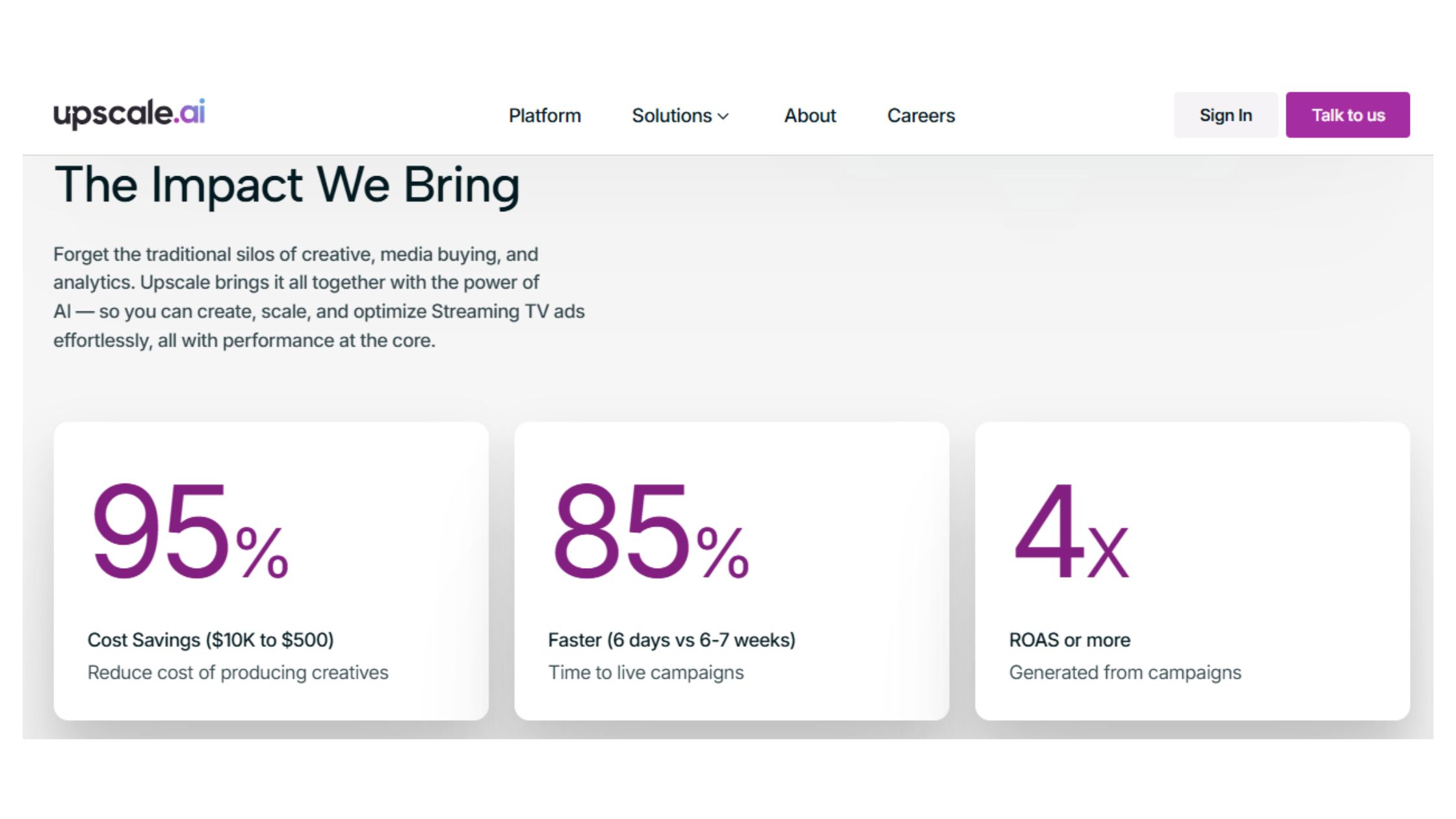
upscale.media
Upscale.media Pricing: Image Enlargement and Enhancement Services
Explore competitive pricing for image enhancement and enhancement services at Upscale.media. Elevate your visuals with our quality solutions!
Upscale AI vs Topaz Gigapixel AI: Head-to-Head for Professionals
On identical source inputs, the output difference between the two tools is clearer in some categories than others. Portrait detail recovery is where the gap is most pronounced — Topaz Gigapixel AI consistently produces more natural-looking skin texture and better fine hair preservation, the result of a more sophisticated local model that runs on your GPU rather than a generalised cloud model.
Feature
Upscale AI
Topaz Gigapixel AI
Portrait quality
Good for web; limited for print
Best in class — natural skin texture
Product / scan quality
Excellent — strong JPEG restoration
Excellent
Batch processing
Browser + API, no GPU needed
Desktop batch, requires capable GPU
Processing model
Cloud-based
Local GPU
Privacy / data residency
Images processed on cloud servers
Fully local — data never leaves device
Pricing model
Subscription / credits
One-time purchase (~$99-$199)
Video upscaling
Limited
Separate Topaz Video AI product
API access
Yes — on paid tiers
No public API
So, how good is Upscale AI compared to Topaz? For portrait photographers doing high-end print work, Topaz is still the stronger choice. For developers, e-commerce teams, and agencies building automated pipelines, Upscale AI's API access and zero-GPU-requirement are significant practical advantages that often outweigh the quality differential on non-portrait inputs.
The deployment model difference matters more than many users initially appreciate. Cloud processing means Upscale AI scales linearly with demand and works equally well on a budget laptop or a high-end workstation. Local GPU processing means Topaz is faster on capable hardware but slow or unusable on machines without a dedicated GPU.
Other Upscale AI Alternatives for Bulk Upscaling
The comparison field beyond Topaz includes several credible options for teams evaluating an Upscale AI alternative for bulk upscaling:
Adobe Photoshop Super Resolution: Integrated into an existing Creative Cloud subscription, strong on portraits, but limited batch capability without scripting.
Let's Enhance: Browser-based like Upscale AI, slightly stronger on low-light photo restoration, weaker batch API documentation.
Gigapixel AI (Topaz): Best peak quality, fully offline, one-time cost — the benchmark for fine-art and portrait work.
Magnific AI: Strong on generative detail enhancement but adds hallucinated elements to images — not suitable for product accuracy or archival work.
topazlabs.com
Topaz Gigapixel - Super-size & Upscale Image & Photo Resolution
Improve image resolution with deep learning. Join hundreds of thousands of photographers who use Topaz Gigapixel for printing, cropping, restoration, and more.
Looking to grow your LinkedIn visibility alongside your content workflow?
While you're investing in better visual assets, HyperClapper helps you get real engagement on the posts you publish — without bots or fake activity.
Video upscaling exists within Upscale AI's feature set as of 2026, but it operates as a frame-extraction pipeline rather than a native video processing engine. Individual frames are upscaled and reassembled — a meaningful distinction from tools like Topaz Video AI, which process temporal context across frames to maintain consistency in motion sequences.
The answer to whether Upscale AI can handle 4K to 8K video upscaling reliably is: not reliably for motion-heavy content. Temporal consistency — keeping detail stable across frames during movement — is the core technical challenge in video upscaling. A frame-extraction approach, without motion-aware processing, produces visible flickering on fast-moving objects and instability in fine detail like hair or fabric during motion. For static or very slow-motion footage, results are more acceptable.
The practical recommendation: use Upscale AI for still image upscaling and treat video as a secondary capability for specific use cases. Teams with serious video upscaling needs — broadcast content, archival film restoration, gaming cutscenes — should evaluate dedicated solutions:
Topaz Video AI: The professional standard for temporal-consistent video upscaling, handles motion well.
Runway ML: Strong for generative video enhancement, better suited to creative applications.
DaVinci Resolve Super Scale: Built into the free version of DaVinci, surprisingly capable for broadcast content.
According to community discussion on platforms like r/upscaling, the general consensus in 2026 is that high-frame-rate viewing experience quality matters more than raw resolution for video — which means temporal consistency (smooth motion) is weighted above maximum detail recovery in most viewer-facing applications. Upscale AI's frame-extraction approach prioritises the latter at the expense of the former.
🔴
Frequently Asked Questions About Upscale AI
Is Upscale AI a good company?
Upscale AI is a legitimate, well-regarded platform for cloud-based image upscaling, particularly valued by e-commerce teams and agencies. It delivers reliable output quality on product photos and scans, offers a functional API, and has built a credible reputation in the mid-tier professional upscaling market since its launch.
Which AI is best for upscaling?
Topaz Gigapixel AI produces the sharpest peak results, especially for portraits, but Upscale AI wins on workflow convenience for teams without a dedicated GPU. The best tool depends on your use case — Upscale AI leads for bulk web and e-commerce work; Topaz leads for fine-art or print-quality output.
Who is Upscale AI?
Upscale AI is the product brand behind upscale.media and upscale.ai, a cloud-based neural network super resolution platform targeting e-commerce teams, agencies, marketers, and developers who need scalable image enhancement without local GPU infrastructure or desktop software installation.
Where is Upscale AI company located?
Upscale AI operates as a cloud-first, browser-based platform. The company behind upscale.media is incorporated and operates out of India, though its infrastructure serves a global customer base with no geographic restrictions on access or feature availability.
Is Upscale AI the best tool for upscaling photos in 2026?
Upscale AI is among the top browser-based options for photo upscaling in 2026, particularly for product images and archival scans. It is not the absolute sharpest — Topaz Gigapixel AI still outperforms it on portrait skin texture — but for cloud-based batch workflows, it leads the mid-tier market.
What makes Upscale AI different from other upscalers?
Upscale AI's core differentiator is zero local hardware dependency combined with a batch API — you get professional-grade super resolution entirely in the browser, scalable to hundreds of images, without a GPU workstation. Most competitors either require desktop installation or lack a production-ready API for workflow integration.
Can Upscale AI handle 4K to 8K video upscaling reliably?
No, not reliably. Video upscaling exists as a feature in Upscale AI but is not a primary strength of the platform. For 4K-to-8K video work, dedicated tools like Topaz Video AI significantly outperform it on motion coherence, temporal consistency, and artifact control across frame sequences.
Which AI upscaling tool gives the sharpest results with least artifacts?
Topaz Gigapixel AI consistently produces the sharpest results with the fewest artifacts for portrait and fine-detail photography. For product images and compressed JPEG restoration specifically, Upscale AI is competitive and sometimes superior on artifact removal, thanks to its dedicated JPEG decompression pass before upscaling.
What are the limits of the Upscale AI free plan?
The free plan is too restricted for meaningful professional evaluation — it caps both the number of images and maximum output resolution, making it difficult to test at the file sizes and volumes that matter for agency or e-commerce workflows. A paid tier is effectively required to assess real-world performance.
👋
⚡ Free plan
Leaving already?
Grab 3 free boosts on your next LinkedIn post — real likes & comments from 5,000+ creators. No card, cancel anytime.

 upscale.media
 topazlabs.com