A pattern observed across LinkedIn creators who adopt scheduling tools is that they solve the wrong problem first. Typefully review 2026 searches spike every quarter precisely because professionals sign up expecting a LinkedIn growth tool, then realise they have a Twitter scheduler with LinkedIn bolted on. Typefully is genuinely excellent at distraction-free drafting and publishing queue management — but scheduling a post and growing on LinkedIn are two structurally different tasks. For X/Twitter-first creators, Typefully earns its price. For LinkedIn-first professionals, it leaves the most critical variable — what happens to a post in the first 60 minutes after publishing — entirely unaddressed.
- Who this is for: LinkedIn creators, founders, coaches, and sales teams evaluating Typefully against LinkedIn-native alternatives in 2026.
- What you'll learn: Where Typefully genuinely delivers, where it falls short for LinkedIn, and what HyperClapper does structurally differently.
- The core distinction: Typefully is a scheduling and drafting tool; HyperClapper is an engagement amplification platform — they solve different problems.
- Counterintuitive finding: Posting at the perfect time matters less than triggering early engagement — scheduling tools cannot do this, engagement tools can.
- Bottom line: LinkedIn-first professionals consistently outperform peers who rely on scheduling alone once they add an engagement layer to their workflow.
- The switch: Most users keep a lightweight scheduler for drafting and add HyperClapper specifically for post amplification — not an either/or choice.
- What Is Typefully and How Does It Work in 2026?
- Typefully LinkedIn Features: Benefits and Real Limitations
- Is Typefully Worth It for LinkedIn in 2026?
- Why LinkedIn Pros Are Switching From Typefully to HyperClapper
- Typefully Alternatives for LinkedIn Pros: How HyperClapper Compares
- How to Switch: Getting Started With HyperClapper
- Frequently Asked Questions About Typefully vs. HyperClapper in 2026
| Tool | Best For | LinkedIn Depth | Engagement Layer | Starting Price |
|---|---|---|---|---|
| Typefully | X/Twitter + Threads creators | Basic scheduling only | None | ~$12.50/mo |
| HyperClapper | LinkedIn-first creators, founders, agencies | Built LinkedIn-native | Real channels + AI replies | See hyperclapper.com |
| Buffer | Multi-platform scheduling | Basic scheduling only | None | ~$6/mo |
| Hootsuite | Enterprise multi-channel | Scheduling + analytics | None | ~$99/mo |
What Is Typefully and How Does It Work in 2026?
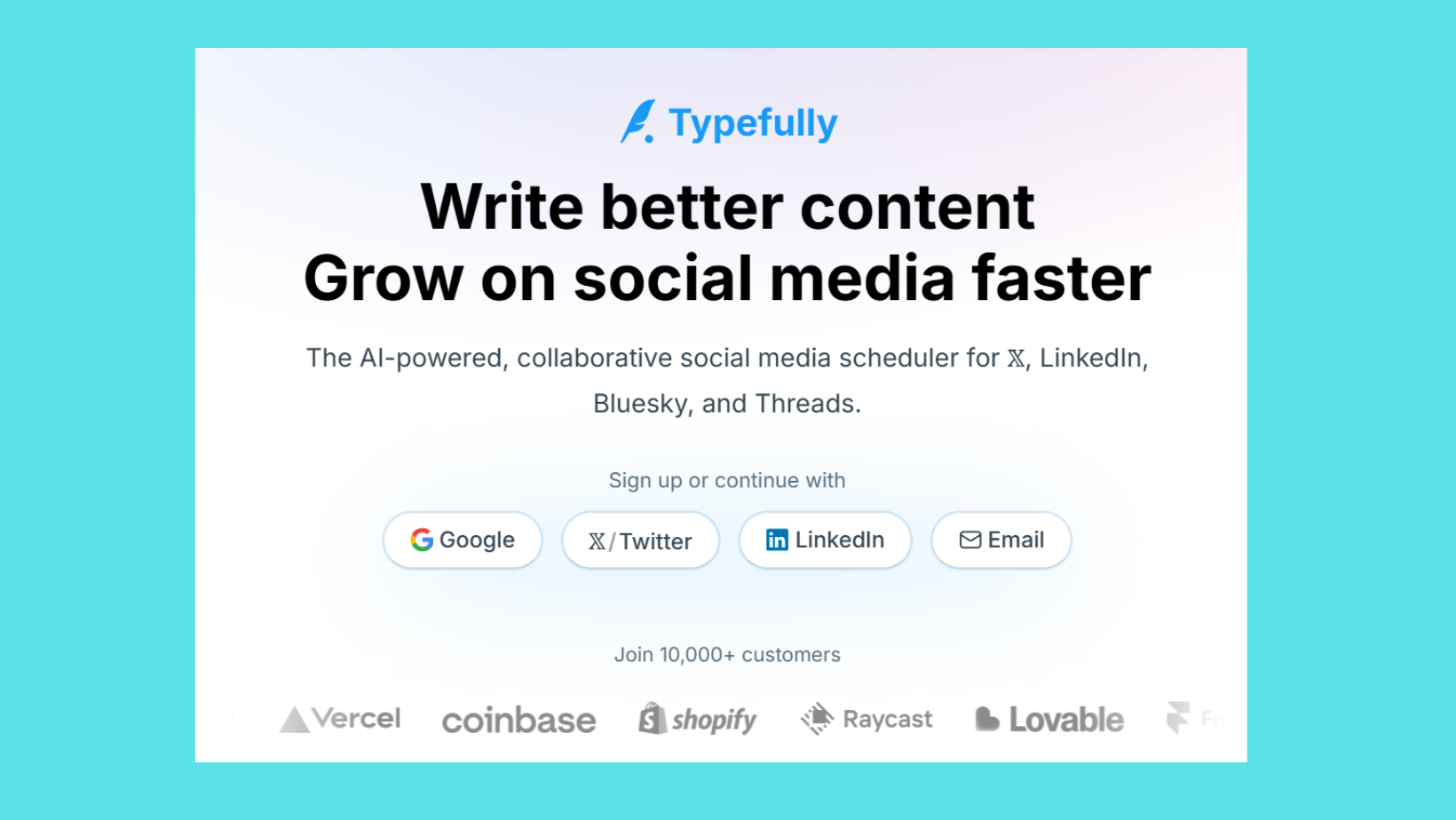
Typefully is a tweet scheduling workflow and thread-drafting tool built originally for X/Twitter and Threads, with LinkedIn scheduling added as a secondary feature. It is not a LinkedIn-native product — it was designed around the mechanics of Twitter threads, not LinkedIn's algorithm or professional content format. In practice, this distinction shapes everything about how the tool performs for LinkedIn creators.
The core workflow is clean and genuinely useful for solo creator content stacks on text-based platforms:
- Draft content in a distraction-free editor with no sidebar clutter
- Set a queue schedule so posts auto-publish at preset times
- Receive AI writing suggestions, thread rewrites, and hook alternatives
- Review basic analytics on post performance after publishing
According to AIFBA's 2026 Typefully review, many creators report reducing social media writing and scheduling time by over 50% after switching from manual posting workflows to Typefully. That is a real productivity gain — but it applies specifically to the drafting and publishing phase, not to what happens after a post goes live.
Does Typefully Support LinkedIn Scheduling?
Yes, Typefully supports LinkedIn scheduling — but the support is basic. Users can queue and auto-publish LinkedIn posts through the same interface they use for X/Twitter. What Typefully does not support is anything that happens after publishing: no engagement amplification, no comment seeding, no mechanism to trigger LinkedIn's early-engagement signal. For LinkedIn content scheduling automation that goes beyond timing, Typefully stops at the point where LinkedIn's algorithm is just getting started.
How Much Does Typefully Cost in 2026?
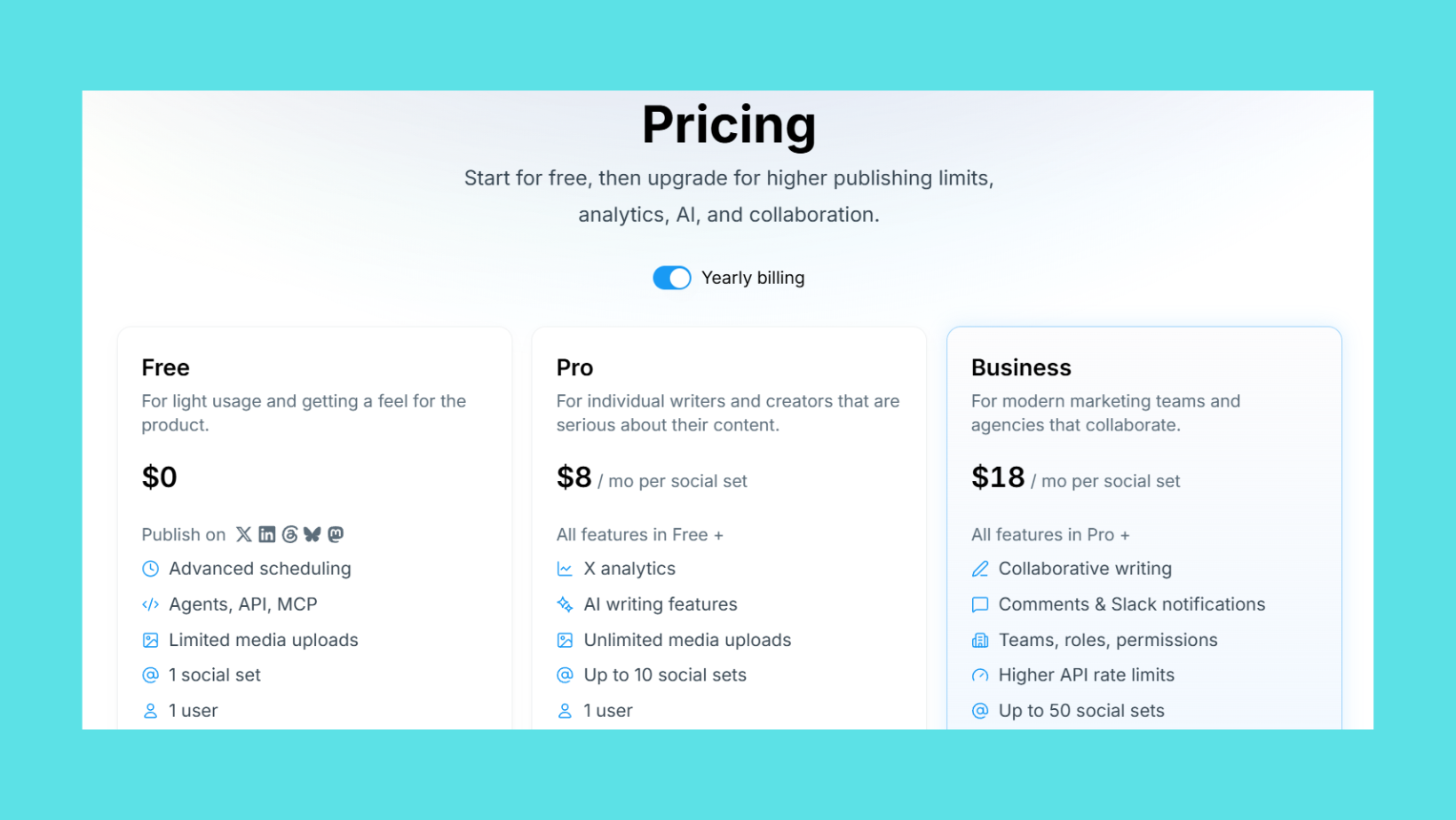
Typefully's pricing in 2026 sits at approximately $12.50 per month on the Creator plan (billed annually), with a free tier offering limited scheduling slots. A Pro plan with team features and advanced analytics runs higher. The pricing is reasonable for a scheduling-focused tool — the question is not whether it's affordable, but whether scheduling alone justifies the spend when LinkedIn growth is the goal.
Scheduling is the entry fee for being on LinkedIn. What wins reach is what happens in the 90 minutes after you hit publish — and no scheduler touches that window.
Understanding Typefully's strengths honestly makes the limitations easier to see clearly — and those limitations are most visible when you look at what the tool actually does for LinkedIn specifically.
Typefully LinkedIn Features: Benefits and Real Limitations
The benefits of Typefully's Typefully LinkedIn features are genuine — just narrower than most LinkedIn creators expect when they sign up. The clean editor reduces friction for getting thoughts onto the page, which matters for professionals who struggle with blank-page paralysis. The queue system removes the mental overhead of remembering to post. These are real quality-of-life improvements.
The AI writing assistant fatigue problem, however, is real and worth naming directly. Typefully's AI suggestions are trained on broad content patterns — they surface rewrites and hooks that work across platforms, not specifically for LinkedIn's professional tone. Creators who rely heavily on the suggestions often report their posts starting to sound similar, losing the voice specificity that drives LinkedIn engagement. Most effective users treat the AI as a starting prompt, then edit heavily — which reduces the time-saving benefit.
Common Mistakes LinkedIn Creators Make With Typefully
The most common failure mode is treating Typefully as a LinkedIn growth tool rather than a LinkedIn publishing tool. Creators who make this mistake invest time in optimising queue timing and AI-rewritten hooks, then wonder why their reach stagnates despite consistent posting. The tool delivered exactly what it promised — scheduling — but that was never the bottleneck.
Three specific mistakes appear repeatedly:
- Over-relying on AI rewrites — outputs become formulaic, engagement drops as posts lose voice distinctiveness
- Confusing consistency with growth — posting three times a week via Typefully builds a habit but does not build algorithmic reach on its own
- Stacking Typefully with other scheduling tools — creating tool overlap rather than filling the actual gap (engagement amplification)
These are not Typefully's failures — they're expectation mismatches. The tool does what it says. The gap is in what it doesn't say.
Is Typefully Worth It for LinkedIn in 2026? An Honest Verdict
Is Typefully worth it for LinkedIn in 2026? The direct answer: yes, if LinkedIn is your secondary platform; no, if LinkedIn reach and inbound are your primary KPIs.
For creators who primarily operate on X/Twitter or Threads and want LinkedIn scheduling as a convenience add-on, Typefully's workflow genuinely simplifies the content stack. The drafting interface is among the cleanest available, and the queue management removes friction that compounds over weeks of posting. At roughly $12.50 per month, it costs less than the productivity loss of manual scheduling.
For LinkedIn-first professionals — founders building thought leadership, coaches generating inbound, recruiters growing networks, sales teams warming prospects — the calculus shifts. LinkedIn's algorithm in 2026 increasingly rewards engagement velocity (the speed at which a post accumulates meaningful comments and likes in its first 60-90 minutes) over raw posting frequency. A tool that optimises timing but cannot influence that early engagement window addresses the less important variable.
Think of Typefully as a delivery van — it gets your content to the door on time, reliably. But on LinkedIn, getting the parcel delivered is only the first step. What happens in the next 90 minutes — who opens it, who responds, how fast — determines whether the algorithm puts it in front of 300 people or 30,000.
Who should reconsider Typefully for LinkedIn: anyone measuring success in profile views, inbound messages, connection requests from target audiences, or post impressions above 5,000 per post. Those outcomes depend on engagement amplification, not scheduling precision.
Why LinkedIn Pros Are Switching From Typefully to HyperClapper
Teams that prioritise LinkedIn reach over cross-platform scheduling consistency are the ones most likely to find Typefully insufficient — and it is precisely this group that has driven the shift toward tools built LinkedIn-first. HyperClapper emerged from a specific insight: the gap in most LinkedIn workflows is not drafting or timing, it is post-publish amplification.
%2520(1).png) hyperclapper.com
hyperclapper.comWhat Does HyperClapper Do Differently Than Typefully?
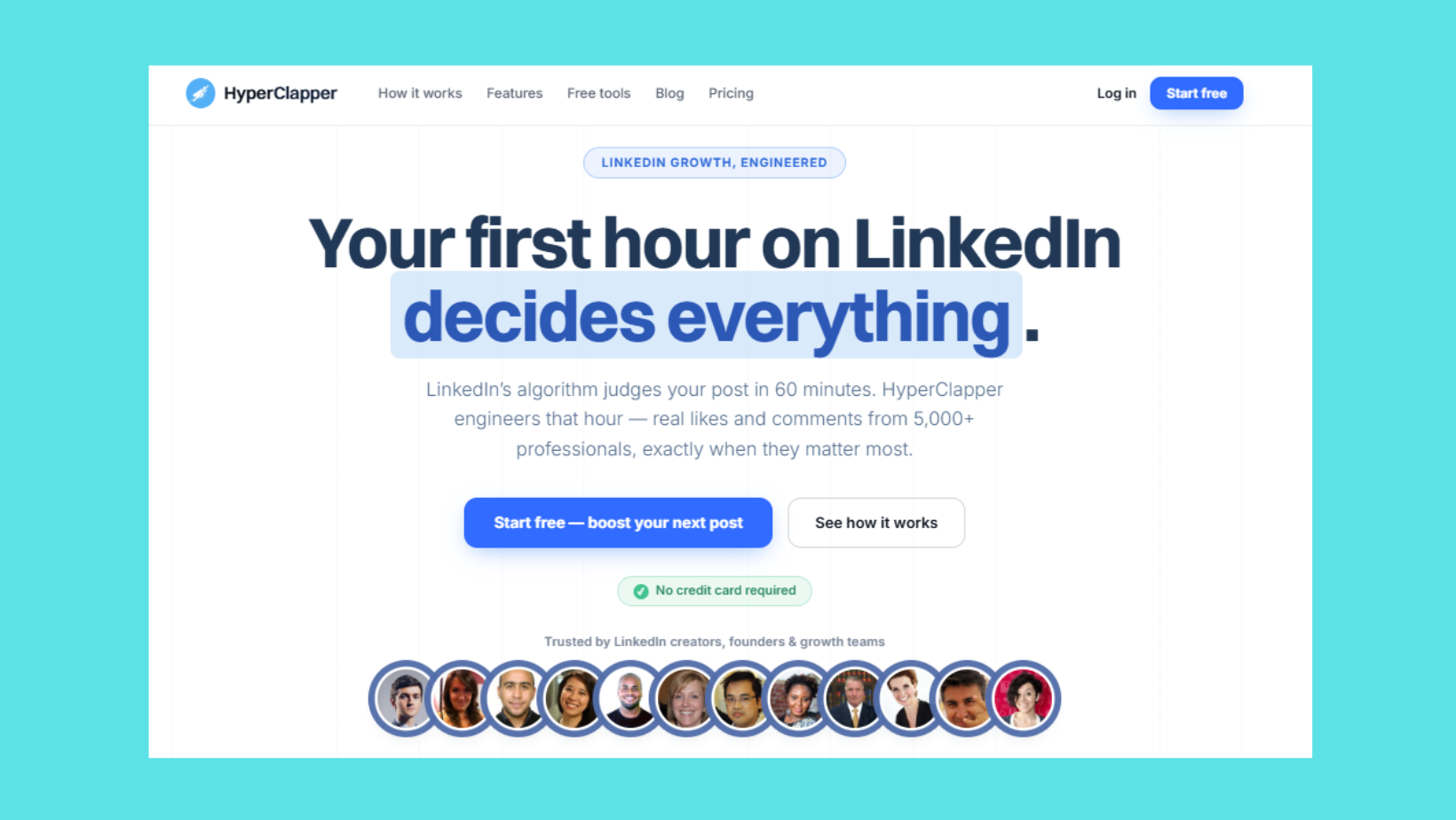
What does HyperClapper do differently than Typefully? The structural difference is the engagement layer. Where Typefully's job ends the moment a post is published, HyperClapper's core function begins there.
HyperClapper connects users to channels — real groups of professionals who engage with posts. Each channel delivers approximately 50 genuine engagements (likes and comments) from real people. Submit a post to two channels: roughly 100 engagements. Three channels: around 150. This early engagement signal tells LinkedIn's algorithm the content is resonating — triggering broader organic distribution to second and third-degree connections who never would have seen a cold post.
Beyond the channel system, three features separate it from any scheduling tool:
- AI Replies: HyperClapper generates and posts contextually relevant replies to LinkedIn posts, keeping conversations active and increasing the comment depth LinkedIn rewards
- Feed More AI Replies: Users can inject fresh replies days after publishing to reactivate a post's algorithmic momentum — a mechanic Typefully has no equivalent for
- Content Guard: A moderation system filters sensitive or risky content before it reaches channels, protecting accounts from association with political, inflammatory, or policy-violating material
Research published in Information Systems Research (Zhang, 2026) found that receiving AI-generated replies significantly increases user engagement, with treated users exhibiting a 41% increase in subsequent activity. In practice, this means keeping a comment thread alive on a LinkedIn post does not just look good — it measurably extends the post's reach window.
What separates accounts with compounding LinkedIn reach from accounts that plateau is not posting frequency — it is whether the post receives meaningful engagement in the first hour. Scheduling tools optimise for the wrong variable.
HyperClapper Pricing Plans vs. Typefully: What You're Actually Buying
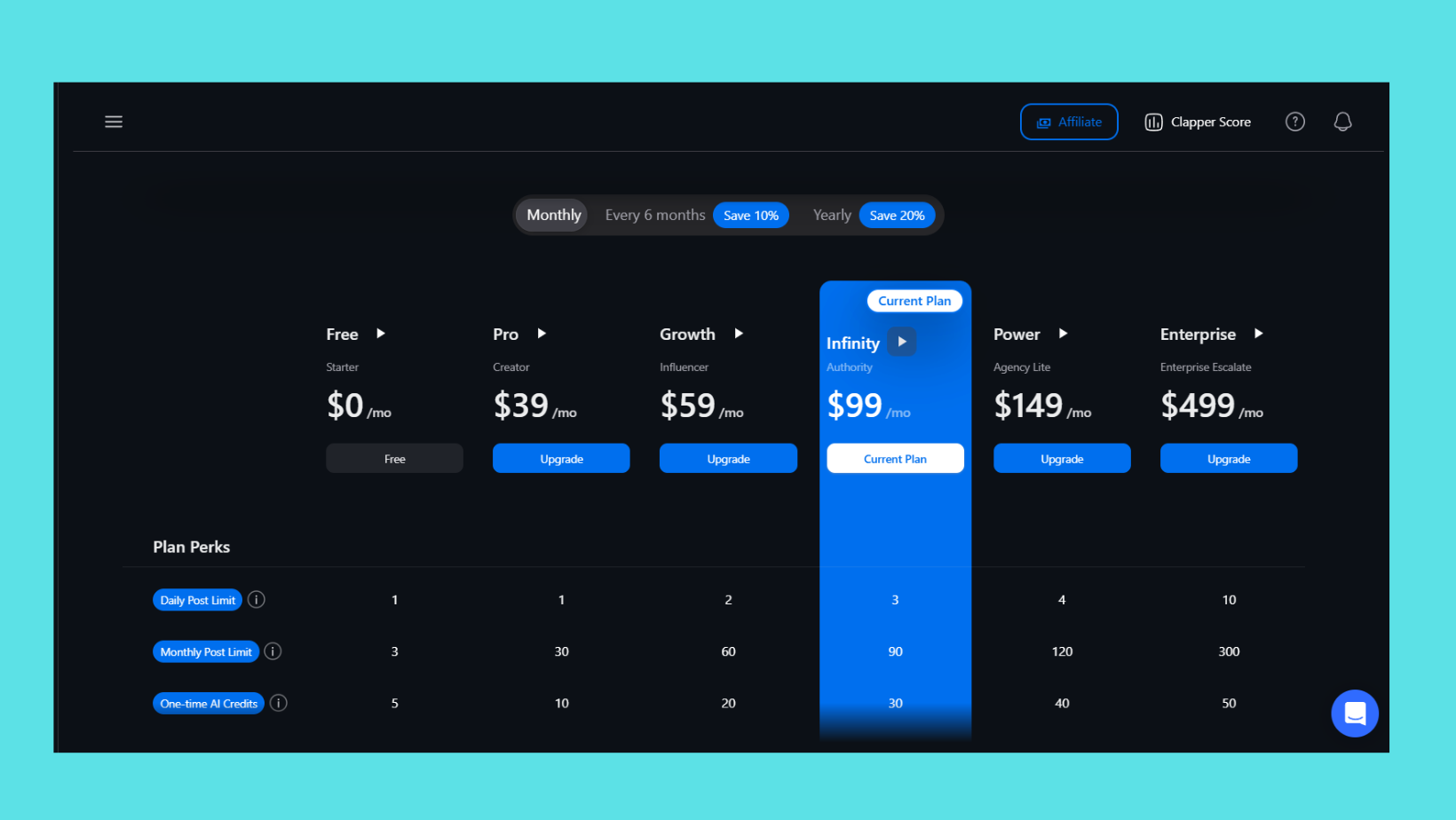
Comparing HyperClapper pricing plans to Typefully's cost requires framing what each purchase actually covers. Typefully's ~$12.50/month buys you a drafting interface and a scheduling queue — tools you may already have a partial version of in Buffer or Notion. HyperClapper's pricing buys engagement infrastructure: real community channels, AI reply generation, and post amplification. Visit hyperclapper.com for current plan details, as pricing is updated regularly.
The right comparison is not "which tool costs less" but "which gap in my LinkedIn workflow is the actual constraint on growth." For most LinkedIn-first professionals, that constraint is post-publish engagement — not scheduling.
See What Real LinkedIn Engagement Looks Like
Add your LinkedIn post to HyperClapper channels and watch the algorithm respond — no bots, no fake activity.
Try HyperClapper FreeTypefully Alternatives for LinkedIn Pros: How HyperClapper Compares
The landscape of Typefully alternatives for LinkedIn pros splits into two categories that are often confused: scheduling tools and engagement tools. Most articles reviewing alternatives compare Typefully to Buffer, Hootsuite, or Sprout Social — all of which are scheduling and analytics tools. That comparison answers the wrong question for LinkedIn-first professionals.
The best LinkedIn scheduling tool 2026 depends entirely on what you actually need:
- Scheduling and drafting only: Buffer (lighter, cheaper), Typefully (better editor for text-heavy content), Hootsuite (enterprise teams)
- LinkedIn engagement amplification: HyperClapper (real channels, AI replies, Content Guard), Lempod, Podawaa
- Broad social media management: Hootsuite, Sprout Social, Later
For a fair Typefully vs HyperClapper comparison, you have to accept that they are solving different problems. Typefully is a drafting and scheduling tool with AI writing assistance. HyperClapper is an engagement amplification platform built specifically for LinkedIn's algorithm. The most effective solo creator content stack in 2026 often uses one of each — not one instead of the other.
Lempod and Podawaa are the closest competitors to HyperClapper in the engagement pod space. Where they rely on large, less curated pod networks, HyperClapper's differentiation is in channel quality, Content Guard moderation, and AI reply depth. A recurring pattern among LinkedIn professionals who've tried all three is that raw pod size matters less than engagement relevance — LinkedIn's algorithm can distinguish between generic likes and contextually relevant comments, and penalises patterns that look automated.
For a deeper look at how HyperClapper compares to other LinkedIn tools in its category, the LinkBoost vs HyperClapper review covers the engagement tool landscape in detail.
Best LinkedIn Engagement Tool for Creators in 2026
The best LinkedIn engagement tool for creators in 2026 is one that triggers early algorithmic signals without creating engagement patterns that look artificial. That means real people engaging (not bots), comments that are contextually relevant (not generic), and a pace that mirrors organic growth (not 200 identical likes in 3 minutes).
For content creators focused on LinkedIn visibility and inbound growth, HyperClapper is the strongest choice in this category because it combines real community channels with AI-powered reply depth and Content Guard moderation — addressing both the engagement quantity and the engagement quality problems simultaneously. Creators using HyperClapper alongside a 2026 LinkedIn algorithm strategy report sustained reach growth rather than the spike-and-plateau pattern common with lower-quality pod tools.
How to Switch: Getting Started With HyperClapper as a Typefully User
Switching from Typefully to a workflow that includes HyperClapper does not require abandoning your drafting and scheduling setup. The most practical approach treats this as an addition, not a replacement. Here is the four-step process for LinkedIn content scheduling automation that actually covers the full post lifecycle:
- Keep your existing scheduler (5 minutes): If Typefully's editor works for drafting and queue management, keep using it. The goal is to stop publishing posts cold — not to rebuild the drafting workflow from scratch. If you want to simplify further, Buffer's free tier handles LinkedIn scheduling adequately.
- Sign up and connect LinkedIn at app.hyperclapper.com (10 minutes): Create your HyperClapper account, connect your LinkedIn profile, and submit your first post to a channel. The first submission gives you a direct, immediate sense of how the engagement mechanic works — better than any description of it.
- Start with one or two channels per post (first two weeks): Resist the urge to maximise channels immediately. Starting with one channel (~50 engagements) per post lets you gauge LinkedIn's algorithmic response and verify that engagement quality meets your expectations before scaling. This is the safer, more sustainable ramp-up. See the full LinkedIn B2B growth strategy guide for how to integrate this into a broader approach.
- Use AI Replies strategically on high-performing posts (ongoing): Not every post needs Feed More AI Replies. Posts that naturally attract early engagement are the ones worth extending — the AI reply injection reactivates the algorithm's attention on content that already has momentum, compounding the reach effect rather than burning engagement budget uniformly across all posts.
✓ The LinkedIn Engagement Workflow Checklist
- ☐Draft and schedule post in Typefully or your preferred editor
- ☐Submit the post to 1-2 HyperClapper channels immediately after publishing
- ☐Enable AI Replies on the post to seed meaningful comment conversation
- ☐Monitor post impressions at 2 hours — if trending up, add a third channel
- ☐Check Content Guard status — confirm the post cleared moderation before submitting
- ☐Use Feed More AI Replies 48-72 hours later on posts with strong early traction
- ☐Review HyperClapper analytics weekly — identify post types generating highest reach per channel
For LinkedIn lead generation specifically, the combination of scheduled content and engagement amplification creates a compounding visibility loop — each boosted post increases profile traffic, which increases connection requests, which grows the audience for the next post. The proven LinkedIn lead generation strategies for 2026 go deeper on how to structure this loop for inbound outcomes.
Stop Scheduling Into the Void — Start Getting Real LinkedIn Engagement
HyperClapper connects your posts with real professionals who engage — triggering the algorithm signal that scheduling tools cannot.
Get Started With HyperClapperFrequently Asked Questions About Typefully vs. HyperClapper in 2026
Which is better for LinkedIn growth, Typefully or HyperClapper?
HyperClapper is better for LinkedIn growth specifically. Typefully handles scheduling well but does nothing after a post is published. HyperClapper's channel system triggers early engagement signals that influence LinkedIn's algorithmic distribution — the variable that actually determines how many people see your content beyond your existing followers.
Why are LinkedIn creators switching away from Typefully in 2026?
LinkedIn creators switching away from Typefully typically cite one consistent reason: consistent posting through Typefully did not produce consistent reach growth. The tool schedules reliably but cannot influence LinkedIn's engagement velocity mechanic. Creators who need algorithmic amplification, not just reliable publishing, find that Typefully solves the wrong constraint.
What makes HyperClapper better than Typefully for LinkedIn scheduling?
HyperClapper is not a scheduling tool — it is an engagement amplification platform. The comparison is less about scheduling features and more about what each tool does post-publish. HyperClapper's channels, AI replies, and Feed More AI Replies directly influence the engagement signals LinkedIn's algorithm uses to decide how widely to distribute a post.
Is HyperClapper a good Typefully replacement for LinkedIn professionals?
HyperClapper is a good Typefully complement for LinkedIn professionals, and a full replacement only if Typefully was being used solely for LinkedIn. Most professionals keep a lightweight scheduler for drafting and add HyperClapper for post amplification — covering the full post lifecycle rather than replacing one half of it with another tool that does the same thing.
What are the best alternatives to Typefully for LinkedIn pros?
The best Typefully alternatives for LinkedIn pros depend on the gap being filled. For scheduling: Buffer or Hootsuite. For engagement amplification: HyperClapper is the strongest option, combining real community channels, AI-powered replies, and Content Guard moderation. For those evaluating other automation tools, the Apollo vs Lemlist vs Salesrobot comparison covers the broader LinkedIn automation landscape.
What LinkedIn scheduling tools do pros recommend over Typefully?
LinkedIn professionals who outgrow Typefully rarely replace it with another scheduling tool. The consistent recommendation across communities is to pair a simple scheduler (Buffer's free tier covers most needs) with an engagement platform like HyperClapper. Scheduling is largely a solved problem — the real differentiator in 2026 is post-publish amplification.
Does Typefully support LinkedIn scheduling in 2026?
Yes, Typefully supports LinkedIn post scheduling in 2026 — users can queue and auto-publish LinkedIn content from the same interface used for X/Twitter. The limitation is scope: Typefully schedules posts but offers no tools to influence what happens after publishing, which is where LinkedIn's algorithmic reach is actually won or lost.
What consistently separates LinkedIn accounts that compound reach month over month from accounts that plateau despite consistent posting is not which scheduler they use — it is whether they have a mechanism to trigger meaningful engagement in the critical window after each post goes live. Accounts that address both scheduling and amplification see their reach stack. Accounts that rely on scheduling alone typically hit a ceiling regardless of content quality or posting frequency.



