A twitter thread unroll tool transforms multi-tweet threads into single-page readable formats, making it easier to archive, share, and reference long Twitter conversations. These apps fetch thread data through Twitter's API or web scraping, reassemble tweets chronologically, and extract embedded media—solving the problem of ephemeral content preservation. The challenge most users face is finding a thread reader that doesn't require invasive account permissions or store your reading history indefinitely on third-party servers.
- What Is a Twitter Thread Reader App and How Does It Work?
- Best Twitter Thread Reader Apps in 2026: Privacy-Focused Comparison
- Twitter Thread Reader Data Privacy: What You Need to Know
- How to Read Twitter Threads Easily: Step-by-Step Methods
- Limitations and Risks of Twitter Thread Reader Apps
- Frequently Asked Questions About Twitter Thread Unroll
- Thread reader apps solve the problem of preserving Twitter threads in portable reference formats before they're deleted or become hard to find
- Most thread readers request OAuth permissions that allow broader account access than necessary—some can see your DMs, private tweets, and follower lists
- Client-side browser extensions and open-source tools process threads locally without sending your data to external servers
- Free twitter thread reader no login options exist, but they can't access protected accounts or threads from private profiles
- The safest approach combines minimal-permission tools with local archiving workflows rather than relying on cloud-based storage
- What separates privacy-respecting thread readers from data-hungry ones is whether they store your reading history and what third-party analytics they embed
What Is a Twitter Thread Reader App and How Does It Work?
A twitter thread reader is software that reformats multi-tweet threads into continuous, single-page text blocks for easier reading and archiving. These tools work by either calling Twitter's official API (with user authorization) or scraping the web version of Twitter to extract thread content. Once the data is retrieved, the app reassembles individual tweets in chronological order, preserves embedded images and videos through media extraction, and presents everything as a unified document.
In most cases observed across thread archiving workflows, users turn to these tools for three core reasons: preserving ephemeral content that might be deleted, creating portable reference formats for research or content curation, and sharing threads with people who don't use Twitter. Twitter's native interface forces users to scroll through nested replies and quoted tweets, making long threads—especially those spanning 10+ tweets—difficult to follow. Thread readers solve this by flattening the structure.
What happens when you don't use a thread reader? You lose access the moment the original poster deletes the thread, you can't search within the thread text efficiently, and quote tweet handling becomes a manual copy-paste nightmare. A pattern consistently observed across users trying to save Twitter threads for later reference is that they either screenshot each tweet individually (time-consuming and unsearchable) or bookmark the thread and hope it stays live—neither approach creates a true portable archive.
Best Twitter Thread Reader Apps in 2026: Privacy-Focused Comparison
The best twitter thread reader tools in 2026 split into three categories: server-based services that store threads in the cloud, browser extensions that process data locally, and open-source self-hosted solutions. Each trades convenience for privacy in different ways.
| Tool | Privacy Model | Account Required | Best For |
|---|---|---|---|
| Thread Reader App | Server-side processing, stores threads | No | Quick unrolls without login |
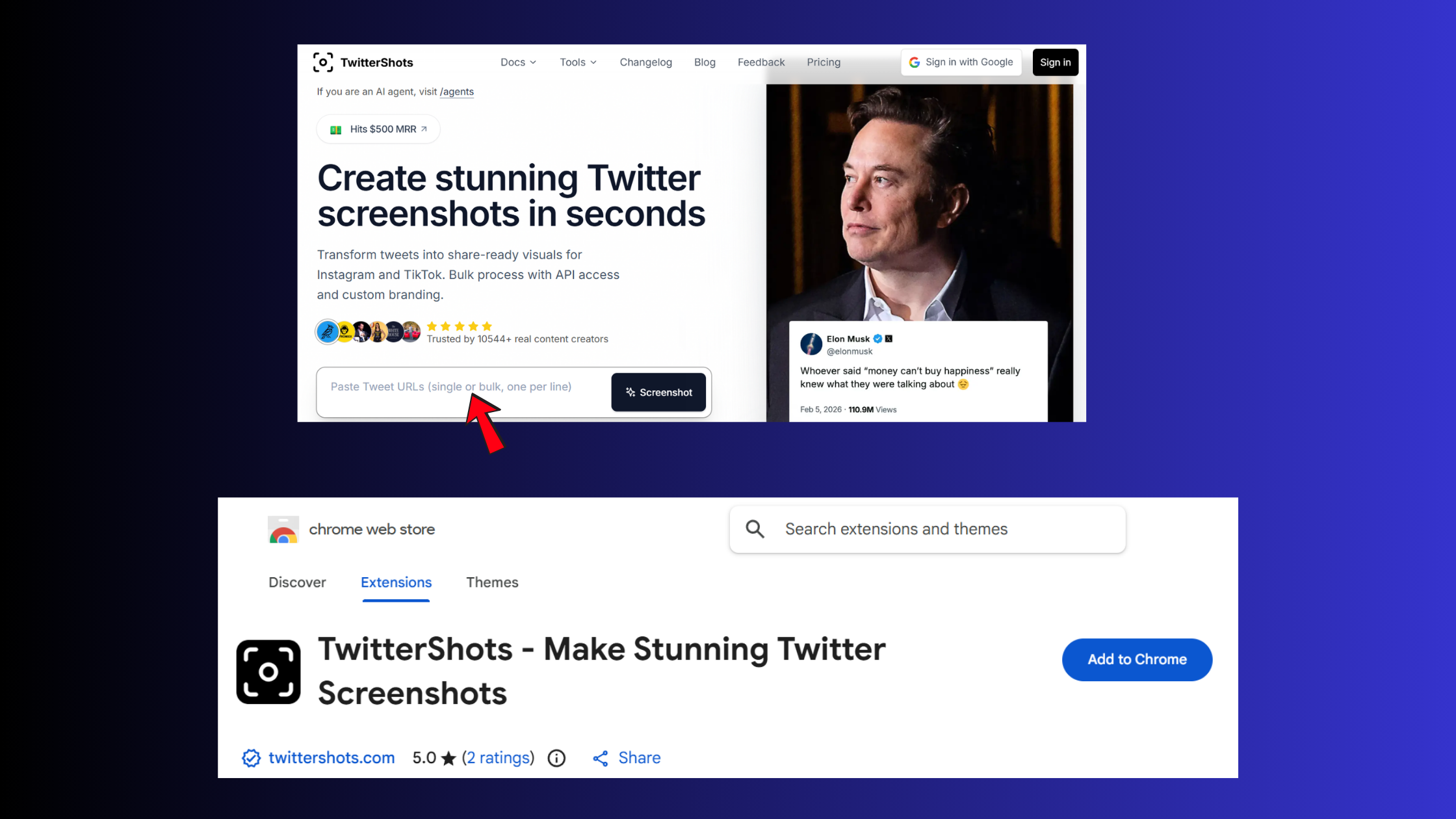
| TwitterShots Unroll | Generates PDF/images, no data retention | No | Archiving with visual fidelity |
| Browser Extensions (local) | Client-side only, nothing leaves device | No | Maximum privacy, no third-party servers |
| Open-source tools | Self-hosted, full control | Depends on setup | Technical users with strict privacy needs |
Thread Reader App (threadreaderapp.com) remains the most popular free option—it lets you read twitter threads without account access by simply pasting a tweet URL. The trade-off: every thread you unroll gets stored on their servers and indexed by search engines unless you manually request deletion. According to TwitterShots data (2026), free users can unroll up to 10 threads per day with no watermark, but the service retains your reading history indefinitely.
ThreadReader Alternative Tools Worth Considering
For users seeking a threadreader alternative with stronger privacy controls, browser-based tools offer compelling options. These work as bookmarklets or lightweight extensions that extract thread content directly in your browser and save it locally as HTML, Markdown, or plain text. The advantage: no account creation, no data uploaded to external servers, and instant archiving. The downside: they can't access protected accounts or threads you don't have permission to view.
Twitter thread reader open source projects like Nitter (self-hostable Twitter frontend) and custom Python scripts using Twitter's API provide maximum control but require technical setup. These are ideal for researchers, journalists, or teams who need safer engagement workflows without relying on commercial services that might change policies or shut down unexpectedly.
Thread Reader App Reviews: What Users Actually Experience
Across thread reader app reviews from Reddit and product forums, the most common complaint is formatting inconsistency—threads with heavy quote-tweet nesting or deleted replies often produce incomplete archives that require manual cleanup. Users also report that apps requesting write permissions (not just read-only) are asking for far more access than necessary to unroll a thread. In practice, a tool that only needs to read public tweet data should never request permission to post on your behalf.
Twitter Thread Reader Data Privacy: What You Need to Know
The question "why do thread readers need access to my twitter" boils down to OAuth permissions. When you connect your Twitter account to a thread reader app, you're granting it a token that allows API calls on your behalf. Most apps request read-only access, which theoretically limits them to viewing public tweets and your timeline. The problem: OAuth scopes are broad. Even "read-only" access can include your DMs, private tweets from protected accounts you follow, and your follower/following lists.
Do twitter thread readers store my data? It depends entirely on the service. Server-based tools like Thread Reader App cache every thread you unroll, indexed by URL, to speed up future requests and reduce API calls. This means your reading history—what threads you accessed, when, and how often—exists in their database. Some services anonymize this data; others use it for analytics or even sell aggregated usage patterns to third parties.
Can twitter thread readers see my private data? Yes, if you've granted them account access. Apps authorized through OAuth can see any content your logged-in account can access—including tweets from protected accounts you follow, your DM inbox, and your muted/blocked user lists. The safest approach is using tools that work without account login, processing only the public data visible to anyone visiting the thread URL.
What separates what is the safest twitter thread reader from the rest is client-side processing. Browser extensions that run entirely in your browser—fetching thread data from Twitter's public web interface and saving it locally—never send your data anywhere. You maintain full control, and there's no third-party server storing your archives. The trade-off: these tools can't access protected accounts or threads behind login walls unless you're already logged into Twitter in that browser session.
ThreadReader vs ThreaderApp Privacy Comparison
ThreadReader and the now-defunct ThreaderApp (shut down in 2021) took different privacy approaches. ThreadReader operates as a free service supported by optional donations, storing all unrolled threads publicly unless users explicitly request deletion. ThreaderApp required account login and stored threads privately by default, but its shutdown proved the risk of depending on a single commercial service for long-term archiving. When ThreaderApp closed, users who hadn't exported their saved threads lost access permanently.
How to Read Twitter Threads Easily: Step-by-Step Methods
How to unroll a twitter thread using dedicated apps:
- Copy the URL of any tweet in the thread (usually the first tweet works best)
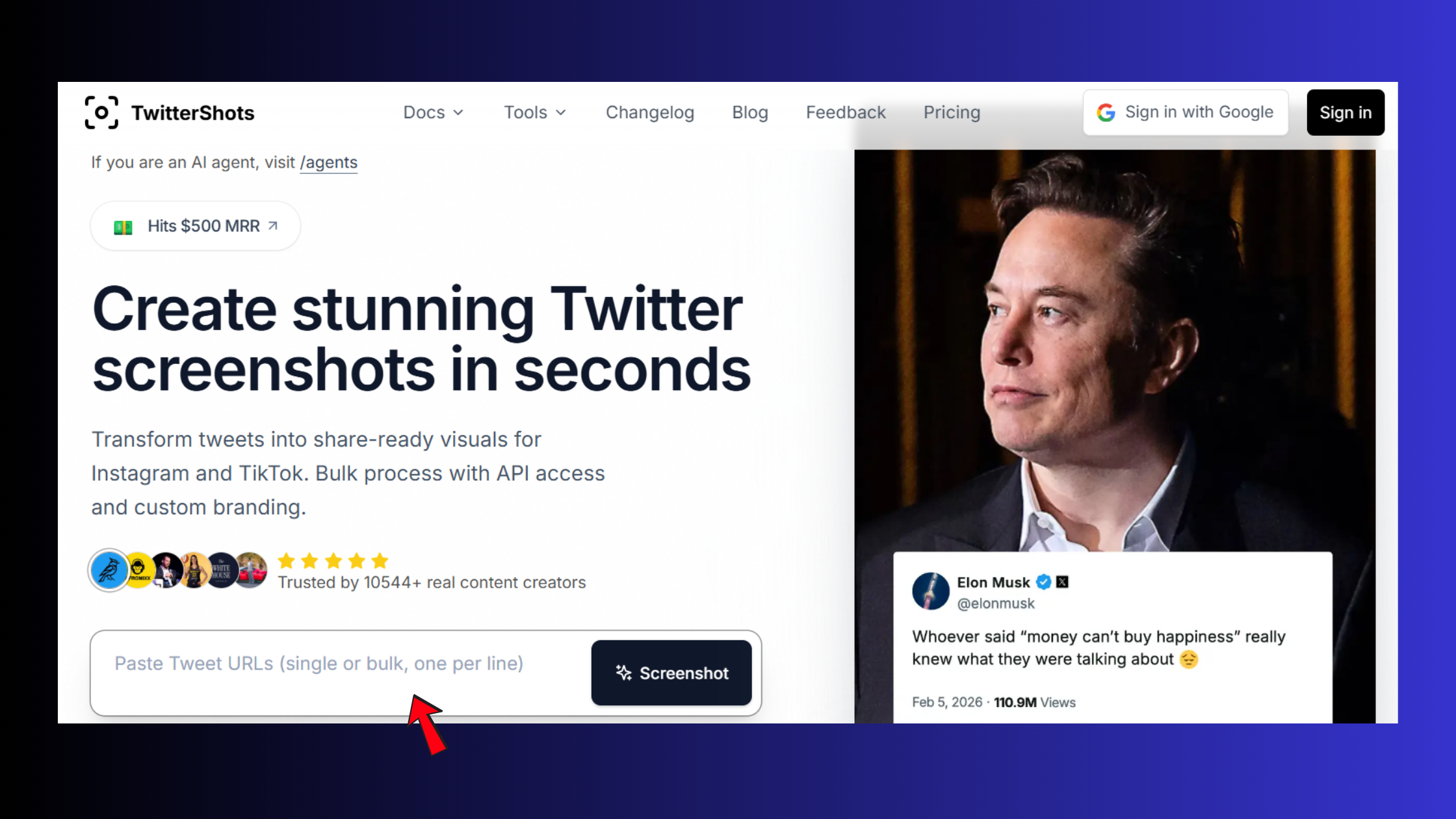
- Paste it into Thread Reader App or TwitterShots Unroll tool
- Click "Unroll" or "Generate"—the tool fetches the entire thread in 2-3 seconds
- Export as PDF, plain text, or share the generated URL
For users who want to avoid account connections entirely, browser bookmarklets offer a lightweight alternative. Dragging a bookmarklet to your browser's toolbar lets you unroll any thread with a single click while viewing it on Twitter. The thread content gets extracted, formatted, and saved locally—no external service involved. This is how you read twitter threads without account permissions while maintaining maximum privacy.
Manual workflows still work for quick saves: Twitter's native bookmark feature (the flag icon under any tweet) lets you save individual tweets, but you'll need to manually collect all tweets in a thread. Screenshot tools like Snagit or browser extensions for full-page captures can preserve threads visually, though the resulting images aren't searchable or editable. For long-term archiving, exporting threads as Markdown or HTML files ensures they remain readable even if Twitter changes its interface or the original thread gets deleted.
Common Mistakes to Avoid When Using Thread Reader Tools
The most common failure mode is trusting a single cloud service for critical archives without maintaining local backups. When a thread reader service shuts down (as ThreaderApp did) or changes its data retention policy, your saved threads can vanish. Best practice: use thread readers to create portable archives (PDF, HTML, Markdown), then store those files locally or in your own cloud storage where you control access.
Another mistake: assuming all thread readers handle embedded media equally. Some strip images and videos entirely, others embed them but lose alt-text, and a few preserve full context including quoted tweets. Before committing to a tool for long-term use, test it with a complex thread containing images, polls, and quote tweets to verify it captures everything you need. Similar to how account-based marketing on LinkedIn requires choosing tools that preserve context across interactions, thread archiving demands tools that maintain full fidelity.
Limitations and Risks of Twitter Thread Reader Apps
What are the privacy risks of using twitter thread reader apps? The primary risk is unauthorized access if a third-party app's servers are breached. Services that store your OAuth tokens become single points of failure—if an attacker compromises their database, they gain access to every connected Twitter account. This happened to multiple social media tools in 2024-2025, exposing millions of user tokens.
Technical limitations surface when Twitter changes its API structure or rate limits. Apps relying on official API access can break overnight if Twitter adjusts its policies, as happened repeatedly in 2023-2024. Rate limits block users who unroll more than 10-15 threads per hour, and apps can't access threads from protected accounts unless you're already an approved follower. Tools using web scraping (instead of the API) are more resilient to API changes but face their own fragility—any Twitter interface redesign can break the scraper until developers update it.
Functional gaps become obvious with complex threads. A thread with 30+ tweets, multiple branching reply chains, and heavy quote-tweet usage often produces messy output requiring manual cleanup. Some tools fail to preserve the original tweet timestamps or author metadata, making it impossible to cite the thread accurately later. According to research on X thread best practices (2026), the optimal thread length is 5-7 tweets—threads exceeding 15 tweets see completion rates drop below 40%, and thread readers struggle with proper reassembly at that scale.
Dependency risks are real. When ThreaderApp shut down in 2021, users who hadn't exported their archives lost access immediately. The lesson observed across multiple thread reader service shutdowns: never rely on a single commercial tool as your sole archive method. Maintain local copies in open formats (HTML, Markdown, PDF) that remain readable regardless of which services survive.

Frequently Asked Questions About Twitter Thread Unroll
What does unroll mean on Twitter?
Unroll means converting a multi-tweet thread into a single continuous page of text, making it easier to read without scrolling through Twitter's interface. Thread reader tools fetch all tweets in sequence and present them as one unified document.
How to unroll a thread?
Copy any tweet's URL from the thread, paste it into a thread reader app like Thread Reader or TwitterShots, and click "Unroll." The tool generates a single-page version in seconds, which you can then save, share, or export.
Which thread reader app is best for mobile users?
Thread Reader App works well on mobile browsers without requiring app installation. For iOS users, the Shortcuts app can automate thread unrolling with a custom shortcut. Android users can use browser-based bookmarklets for one-tap unrolling.
Can I use thread readers without a Twitter account?
Yes, tools like Thread Reader App and TwitterShots Unroll work without requiring login, but they can only access publicly visible threads. Protected accounts and private threads remain inaccessible.
Which twitter thread reader apps don't sell my data to third parties?
Open-source tools and client-side browser extensions process threads locally and store nothing externally. For cloud services, review their privacy policies—look for explicit statements about not sharing user data with third parties or advertisers.
What are the privacy risks of using twitter thread reader apps?
Risks include OAuth token breaches exposing your account, services storing your reading history indefinitely, apps requesting excessive permissions beyond what's needed to unroll threads, and third-party analytics tracking which threads you access.
How can I read long twitter threads without giving apps access to my account?
Use browser extensions that process threads client-side, paste thread URLs into no-login tools like Thread Reader App, or manually copy-paste thread text into a local document. All three methods avoid granting account permissions.
Are there any twitter thread readers that work entirely client-side without servers?
Yes, browser extensions designed to extract thread content directly from Twitter's web interface process everything locally. These tools fetch data your browser already has access to and save it on your device without external server communication.
What happens if a thread is deleted after I save it?
Cloud-based thread readers that cached the content will still display it. Local archives (PDF, HTML files) remain accessible indefinitely. If you only bookmarked the thread without archiving, you lose access when the original is deleted.
Can I export threads to other formats besides PDF?
Most tools support PDF export. Advanced options include Markdown (for note-taking apps), plain text, HTML (for self-hosted archives), and some tools offer direct integration with read-later services like Pocket or Notion.



