
Skylead is a cloud-based LinkedIn automation tool built for cold outreach — connection requests, message sequences, InMails, and email follow-ups running on remote servers while you focus elsewhere. A recurring pattern across sales communities is that teams buy Skylead for the time savings, then discover the risks only after their account gets flagged. According to GigRadar (2026), LinkedIn automation tools get 15–45% of accounts restricted within 6 months — and LinkedIn restricted over 1 million accounts in 2025 alone. This review covers what Skylead actually does well, where it creates real exposure, and what to consider before committing.
- Who this is for: SDRs, recruiters, and founders evaluating Skylead for outreach automation in 2026
- What you'll learn: The 5 specific risks that review articles consistently skip — plus honest benefits
- Biggest risk: Cloud automation triggers LinkedIn's detection on IP origin, velocity, and timing simultaneously
- Hidden cost reality: Skylead's advertised price excludes Sales Navigator, email credits, and team seats — total spend can run 2–3× the base rate
- Most counterintuitive finding: Account safety anxiety drives more purchase hesitation than price or feature gaps
- Bottom line: Skylead works for established profiles with disciplined limits — but the warm-up gap is a serious, underreported flaw
- What Is Skylead and How Does It Work?
- 5 Real Risks of Using Skylead Nobody Talks About
- Is Skylead Worth It? Honest Benefits and Common Mistakes
- Skylead Alternatives 2026: What to Use Instead (or Alongside)
- Frequently Asked Questions About Skylead and LinkedIn Automation
What Is Skylead and How Does It Work?

Skylead connects to your LinkedIn account (or LinkedIn Sales Navigator) and runs outreach sequences automatically — connection requests, follow-up messages, InMails, and email steps — entirely from remote servers. Because it operates in the cloud rather than inside your browser, you don't need to keep a tab open, but your actions appear to LinkedIn as originating from a server IP rather than your home or office network.
The core workflow is straightforward:
- Connect your LinkedIn account via Skylead's dashboard
- Upload a prospect list or build one using Sales Navigator filters
- Design a multi-step sequence with conditional logic (e.g., "if connected, send message; if not, try InMail")
- Set daily limits and let Skylead execute automatically
LinkedIn Sales Navigator integration is Skylead's headline targeting feature — it unlocks advanced filters for industry, company size, seniority, and intent signals. The catch: Sales Navigator is a separate LinkedIn subscription starting at around $99/month, not included in Skylead's plan.
Cloud-Based vs. Browser Extension: Why the Architecture Matters
Cloud-based automation (Skylead's approach) runs 24/7 without your device being on. Browser extension automation (tools like Dux-Soup) only runs while your browser is open. The tradeoff: cloud tools are more consistent but create a fixed, non-residential IP signature that LinkedIn's systems can pattern-match. Browser tools are slower but blend more naturally into organic browsing behavior. Neither is risk-free — but the IP origin question is one Skylead users frequently underestimate.
5 Real Risks of Using Skylead Nobody Talks About
Most Skylead reviews list features and pricing. What they skip is where the actual exposure lives. The pattern observed across user communities and review threads is consistent: people don't regret buying Skylead because of missing features — they regret it because of account restrictions they didn't see coming.
Why Did My LinkedIn Account Get Restricted After Automation?
LinkedIn account restriction risk is the most underreported consequence of using tools like Skylead. LinkedIn's detection systems look for three behavioral signals simultaneously:
- Requests originating from non-residential IP addresses
- Connection-request velocity above roughly 20–25 per day for newer accounts
- Activity occurring during off-hours for your account's usual timezone
Cloud automation hits all three triggers at once. The LinkedIn automation account ban risk isn't theoretical — it's the most repeated complaint in Skylead forums, Reddit threads, and G2 reviews.
Does Skylead Get Your LinkedIn Account Banned?
Skylead itself doesn't directly cause bans — your usage pattern does. The specific risks: missing a warm-up sequence, running at full volume immediately, and sending generic templates that generate high ignore/report rates. Accounts that skip the ramp-up phase and launch at 50+ daily actions from day one face the highest restriction rate. Established profiles (2+ years, 500+ connections) at conservative limits see far fewer problems — but Skylead does not enforce this distinction for you.
The single most common Skylead failure mode isn't the tool itself — it's the absent warm-up period combined with volume pressure from sales teams who want results before the account is ready for them.
Here are all five risks clearly:
- LinkedIn account restriction risk — cloud IP + velocity + off-hours timing trigger detection simultaneously
- Warm-up sequence gaps — Skylead doesn't enforce a genuine ramp-up; users self-govern, and most don't
- LinkedIn automation tool compliance 2026 — LinkedIn's ToS explicitly prohibits automated scraping and bulk messaging; enforcement has tightened materially this year
- Skylead pricing hidden costs — base plan excludes Sales Navigator (~$99+/month), email enrichment credits, and team seats; real cost is often 2–3× the advertised price
- Volume-over-relevance bias — automation pressure encourages more messages rather than better ones, which drops reply rates and damages sender reputation over time
Is Skylead Worth It? Honest Benefits and Common Mistakes
For the right profile, Skylead delivers genuine value. Teams running it well share three traits: established LinkedIn accounts, disciplined daily limits (under 30 connection requests/day, under 50 messages), and personalized templates rather than mass-blast copy.
What Are the Cons of Using Skylead?
Beyond the five risks above, the practical cons worth knowing before you buy:
- No free trial — you pay before you can evaluate safety on your specific account type
- Learning curve on conditional sequence logic — non-technical users spend significant setup time
- No post engagement or content visibility features — Skylead is pure outreach; brand building requires a separate tool
- Support response times are inconsistent during account restriction events — exactly when you need them most
The most common mistake: skipping the warm-up phase entirely and launching at full volume on day one. This single error accounts for the majority of restriction complaints in user communities. The second most common: treating automation as a replacement for personalization — generic templates at scale produce spam-level reply rates regardless of how sophisticated the sequencing tool is.
✓ Skylead Safe Setup Checklist
- ☐Account is at least 6–12 months old with 300+ connections before starting
- ☐Warm-up week 1–2: no more than 10–15 connection requests/day
- ☐Set active hours to match your real work timezone — never 24/7
- ☐Confirm whether your plan includes a dedicated (not shared) IP
- ☐Write personalized opening lines — no purely generic templates
- ☐Budget for Sales Navigator separately before committing to Skylead
Skylead Alternatives 2026: What to Use Instead (or Alongside)
The best LinkedIn automation tools 2026 landscape covers a wide range of risk profiles, use cases, and price points. Which tool makes sense depends entirely on whether your primary goal is outreach volume, content visibility, or both.
| Tool | Best For | Risk Level | Starting Price |
|---|---|---|---|
| Skylead | Multi-channel cold outreach | Medium–High | ~$100/mo (excl. Nav) |
| Dripify | Beginner-friendly outreach | Medium | ~$39/mo |
| Skylead vs Lemlist | Email-first outreach + LinkedIn steps | Medium | ~$59/mo |
| LinkedIn Helper | Budget outreach automation | Medium | ~$15/mo |
| Dux-Soup | Browser-based prospecting | Medium | ~$14.99/mo |
| HyperClapper | Post visibility + engagement growth | Lower | See site |
Skylead vs Lemlist is the most common comparison for email-heavy teams. Lemlist's email deliverability tooling is stronger; Skylead's LinkedIn-native sequencing is more sophisticated. If email is your primary channel with LinkedIn as a secondary touch, Lemlist has the edge. If LinkedIn is primary, Skylead's conditional logic wins — though the risk profile is higher.

Dripify is the most recommended entry point for teams new to LinkedIn outreach automation. Its default limits are more conservative, the interface is cleaner, and the learning curve is gentler. It lacks Skylead's advanced conditional branching but suits most small teams running under 200 prospects/month. Dripify is also cloud-based, so the IP detection risk still applies — just at lower velocity.
LinkedIn Helper is the budget option — a desktop-based tool (not full cloud) starting around $15/month. The lower price reflects fewer features, not necessarily lower risk. Dux-Soup runs as a browser extension, meaning it only operates while your Chrome tab is open, which naturally limits volume and mimics more organic timing. Both are viable for individual users with modest prospecting targets. You can see a detailed comparison in this LinkedHelper vs Skylead breakdown.
When a Safer LinkedIn Engagement Tool Makes More Sense
Skylead and its outreach competitors address one goal: getting more conversations started. They don't address the other half of LinkedIn growth — making sure your content reaches and resonates with your existing network.
According to Hootsuite's 2026 LinkedIn algorithm analysis, posting consistently leads to a 2× lift in engagement — and engagement in the first 60–90 minutes after publishing determines how broadly LinkedIn distributes a post. For creators, founders, and coaches, that visibility gap is where outreach tools fall short entirely.
Tools like HyperClapper address this specifically — real community engagement through channels, AI-powered replies that keep conversations active, and content boosting that works within LinkedIn's distribution model rather than against it. For professionals whose primary goal is brand visibility rather than cold outreach volume, this is a fundamentally different and lower-risk approach. See how it compares in this 2026 LinkedIn automation software guide.
Many serious LinkedIn users run both in parallel: an outreach tool for new pipeline, an engagement platform for content reach. That combination covers lead generation and linkedin tools for lead generation in the same workflow without concentrating all risk in one tool.
Want LinkedIn visibility without the outreach automation risk?
HyperClapper grows your post reach through real community engagement and AI-powered replies — no cold outreach, no account restriction exposure.
See How HyperClapper WorksFrequently Asked Questions About Skylead and LinkedIn Automation
What are the biggest risks of using Skylead for LinkedIn outreach?
The biggest risks are LinkedIn account restriction from cloud IP detection, the absence of an enforced warm-up sequence for new accounts, and hidden pricing costs that can reach 2–3× the advertised rate once Sales Navigator and email credits are added. Account restriction is the most commonly reported consequence in user communities.
Can Skylead get my LinkedIn account permanently banned in 2026?
Yes — though permanent bans are less common than temporary restrictions. LinkedIn typically issues a warning or 30-day restriction first. Repeated violations, especially at high volume, escalate to permanent account closure. Using Skylead on accounts under 6 months old or at volumes above LinkedIn's soft thresholds carries the highest ban risk in 2026.
Is Skylead compliant with LinkedIn's terms of service?
No LinkedIn automation tool that sends automated connection requests or messages is fully compliant with LinkedIn's Terms of Service. Skylead operates in a gray zone — it mimics human behavior patterns to reduce detection risk, but LinkedIn's ToS explicitly prohibit third-party automated activity. This is a known, accepted risk users take on when using any outreach automation tool.
Are there hidden fees or limitations in Skylead's pricing plans?
Yes. Skylead's advertised pricing covers the platform only — LinkedIn Sales Navigator (~$99+/month), email enrichment credits, and additional team seats are billed separately. Teams that factor in only the Skylead subscription price routinely underestimate total monthly spend. Always calculate the full stack cost before committing.
What is the best LinkedIn automation tool in 2026?
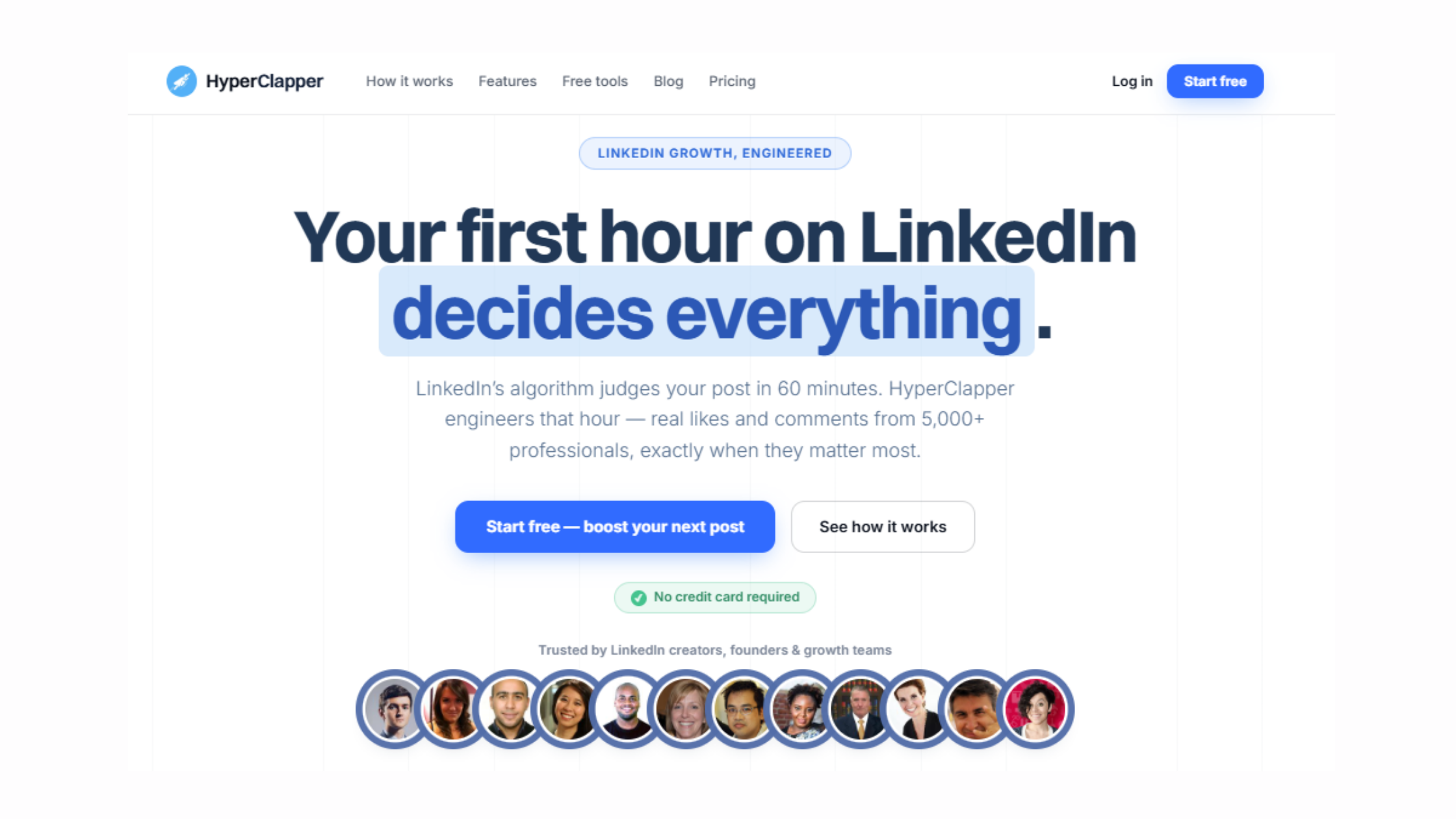
The best linkedin automation tool depends on your primary goal. For cold outreach sequences, Skylead and Expandi lead on feature depth. For beginner-friendly outreach, Dripify has more conservative defaults. For post visibility and engagement growth — a completely separate use case — HyperClapper is the stronger fit, using real community engagement rather than automated messaging.
Is there a free tool for LinkedIn post automation?
LinkedIn's native scheduling tool (available inside LinkedIn directly) is free and handles post scheduling without any third-party risk. For engagement amplification beyond scheduling, most platforms offering real engagement require a paid plan. Free tiers on engagement tools are typically limited to a small number of monthly boosts.
Is Skylead worth it for cold outreach?
Skylead is worth it for established LinkedIn accounts (2+ years, 500+ connections) running disciplined outreach at conservative daily limits with personalized templates. For new accounts, lean teams, or users primarily focused on content visibility rather than pipeline generation, the cost and risk profile makes alternatives like Dripify or HyperClapper more appropriate starting points.
What consistently separates accounts that grow through outreach from accounts that get restricted is not which tool they chose — it is whether they respected the warm-up period, kept volume below detection thresholds, and sent messages worth replying to. The tool is a delivery mechanism. The strategy is what determines the outcome.
For a broader comparison of outreach and engagement tools, the 2026 LinkedIn automation safe growth blueprint covers the full landscape, including tools like WeConnect and LinkBoost, with honest risk assessments for each.



