A linkedin automation tool that handles outreach without wrecking your account is harder to find than most guides admit. A recurring pattern among professionals trying to scale LinkedIn outreach is that they reach for a single automation tool, push volume too fast, and end up either restricted or generating zero replies — because they conflated outreach automation with engagement credibility. These are two distinct problems that require two distinct tools. The combination of HeyReach for sequenced multi-account outreach and HyperClapper for real post engagement is the architecture that consistently solves both — safely and at scale.
- Who this is for: agencies, sales teams, founders, and recruiters who need to scale LinkedIn outreach without account bans
- What you'll learn: how HeyReach and HyperClapper work together as a two-tool LinkedIn growth stack
- Safe daily limit: 20–30 connection requests per account per day is the practical safe threshold in 2026
- Why both tools matter: outreach volume without profile credibility dramatically lowers acceptance rates — the two problems need separate solutions
- Counterintuitive finding: boosting your content before launching an outreach sequence meaningfully improves connection acceptance rates — most teams skip this entirely
- Bottom line: a two-tool stack where HeyReach rotates outreach across accounts and HyperClapper builds visible engagement is the most defensible approach to LinkedIn automation at scale in 2026
- Why Most LinkedIn Automation Tools Leave You Confused (and at Risk)
- What Is HeyReach and How Does It Work for LinkedIn Automation
- What Is HyperClapper and What Is It Used For on LinkedIn
- How to Scale LinkedIn Outreach Safely With a HeyReach + HyperClapper Workflow
- How to Avoid LinkedIn Account Bans When Using Automation Tools
- Who Should Use the HeyReach + HyperClapper Stack
- Frequently Asked Questions About LinkedIn Outreach Automation in 2026
Why Most LinkedIn Automation Tools Leave You Confused (and at Risk)
The most common failure mode across LinkedIn automation setups is not choosing the wrong tool — it is choosing a tool without understanding which half of the problem it solves. Professionals and agencies alike spend weeks testing linkedin automation tool after tool, moving from one platform to the next after an account warning, never diagnosing the actual cause.
Generic automation tools treat LinkedIn like email blast software. They maximise connection volume, ignore LinkedIn account safety limits, and give no thought to how a prospect perceives a profile that has 2,000 connections but zero post engagement. The result is predictable: low acceptance rates, account flags, and a pipeline that looks busy but converts poorly.
The deeper problem is structural. Outreach and engagement are treated as one job. They are not. Outreach is about reaching the right people at the right time. Engagement is about looking credible when they arrive to check your profile. Conflating the two into one tool forces compromises on both.
A two-tool stack — HeyReach handling outreach and HyperClapper handling engagement — separates these responsibilities cleanly. Each tool does one thing well. Together, they create a multi-touch LinkedIn growth stack that is safer, more effective, and far more defensible against platform restrictions than any single all-in-one solution.
The accounts that scale LinkedIn outreach successfully are not the ones running the most volume — they are the ones where every prospect who receives a connection request also sees a credible, active profile when they click through to check.
What Is HeyReach and How Does HeyReach Work for LinkedIn Automation

HeyReach LinkedIn automation is built around one core insight that most tools miss: the safest way to run outreach at volume is to spread that volume across multiple LinkedIn accounts simultaneously, so no single account ever approaches the thresholds that trigger platform review.
HeyReach is a LinkedIn outreach platform designed specifically for agencies and sales teams managing outreach across multiple client accounts. Rather than running all connection requests and follow-ups through one profile, HeyReach rotates activity across a pool of accounts — each operating within safe daily limits — while coordinating the sequences centrally.
How HeyReach Works Mechanically
The mechanics are straightforward. You connect multiple LinkedIn accounts to HeyReach, define a cold outreach sequence cadence — the timing and messaging for initial connection requests, follow-ups, and InMails — and HeyReach distributes that activity proportionally across your account pool. If you have five accounts each safely sending 25 connection requests per day, you are reaching 125 prospects daily without any single account showing unusual activity patterns.
Key features include:
- Multi-account management with unified campaign dashboards
- Sequence builders for connection request → follow-up → InMail cadences
- Campaign analytics tracking acceptance rates, reply rates, and conversion by sequence step
- LinkedIn-native safety controls including daily send caps and working-hours-only scheduling
HeyReach Pricing Plans
HeyReach pricing plans are structured around the number of LinkedIn accounts you manage. Solo users and small teams typically start on entry-level tiers covering 1–3 accounts, while agencies operating across 10+ client accounts require higher-tier plans. Before committing, the key evaluation question is: how many LinkedIn accounts will be active in my outreach pool? That number determines your tier more than any feature set.
HeyReach vs Expandi: Which LinkedIn Automation Tool Wins for Agencies in 2026
The HeyReach vs Expandi LinkedIn automation comparison comes down to architecture. Expandi runs outreach through a single LinkedIn account per workspace, with safety controls focused on rate limiting that one account. HeyReach's native multi-account rotation is a fundamentally different approach — and for agencies running outreach across five or more client accounts, the distributed model wins on both safety and scalability. Teams that need multichannel sequences (LinkedIn + email) may find Expandi's integrations more developed, but for pure LinkedIn multi-account outreach strategy, HeyReach's architecture is the stronger fit.
What Is HyperClapper and What Is It Used For on LinkedIn
80% of B2B social media leads come from LinkedIn, according to testing data reviewed across multiple campaigns by Simular (2026). Yet the majority of outreach campaigns launch without any effort to make the sending profile look credibly active. That is the gap HyperClapper fills.
HyperClapper LinkedIn engagement works differently from any outreach tool. It is a channel-based post boosting platform where real users inside engagement communities — called channels — interact with your posts, generating genuine likes, comments, and conversation depth. One channel delivers approximately 50 real engagements; two channels, around 100. This is what what is HyperClapper used for really means in practice: building the visible social proof that makes a LinkedIn profile look active and trusted before a cold prospect ever lands on it.
Core Features That Matter for Outreach Support
- Channel-based post boosting — real engagement from real community members, not bots
- AI Replies — generates and posts contextually relevant replies to keep comment threads active
- Feed More AI Replies — re-activates posts days after publishing, extending their algorithmic lifespan

Feed More AI Replies feature on LinkedIn - Company Page Boosting — extends engagement to brand pages, not just personal profiles
- Content Guard — a moderation layer that filters out posts touching sensitive or high-risk topics before they go live in the engagement network
- Analytics — tracks engagement performance, post reach, and profile growth over time
What separates HyperClapper from generic engagement pods is the combination of real human engagement with AI-powered conversation depth. A post that has 40 likes and 12 substantive comments signals credibility to both the LinkedIn algorithm and to any prospect who visits the profile. That combination improves engagement velocity and post dwell time — two signals LinkedIn uses to decide how widely to distribute content.
You can explore how this works in practice in HyperClapper's guide on boosting LinkedIn followers and engagement.
How to Scale LinkedIn Outreach Safely With a HeyReach + HyperClapper Workflow
Teams that combine a dedicated outreach tool with a dedicated engagement tool consistently outperform teams running a single all-in-one platform — because they are solving two fundamentally different problems with tools actually designed for each. Here is the LinkedIn outreach automation workflow that makes this stack work.
Setting Up Your Cold Outreach Sequence Cadence in HeyReach
- Connect your LinkedIn accounts (minimum 2–3 for safe rotation; agencies typically run 5+). Estimated time: 15 minutes per account.
- Define daily send limits per account — stay at 20–30 connection requests per account per day. Never set HeyReach above this threshold without first monitoring acceptance rates for two full weeks. Warning: starting at 50+ per day on a new account almost always triggers a LinkedIn review within 7–10 days.
- Build your sequence — connection request → 3-day wait → follow-up message → 5-day wait → InMail or withdrawal. This cold outreach sequence cadence matches how human sales reps naturally space contact.
- Segment by campaign — one campaign per client or persona. Mixing audiences inside one sequence makes analytics unreadable and personalisation impossible.
- Schedule during working hours only — HeyReach allows time-of-day restrictions. Activity at 2 AM looks automated to LinkedIn's detection systems. Keep it 8 AM–6 PM local time.
Using HyperClapper to Build Profile Trust Before Outreach
The sequence here is non-negotiable: run HyperClapper first, then launch HeyReach. A profile with visible engagement history converts cold connection requests at a meaningfully higher rate — because a prospect who clicks through to verify your profile sees real posts with real comments, not a ghost account.
- Post 3–5 pieces of content on each sending profile in the two weeks before the outreach campaign starts.
- Boost each post through HyperClapper channels — 1–2 channels per post is sufficient for profile credibility. This generates 50–100 real engagements per post.
- Use AI Replies to populate comment threads with substantive conversation — this raises post dwell time and signals genuine professional interest to the algorithm.
- Continue posting and boosting during the outreach window — an active profile throughout the campaign sustains the credibility effect. Dropping content during the campaign undermines the profile trust you built.
HyperClapper's guide on boosting LinkedIn SSI through profile posts and outreach covers the deeper connection between content activity and LinkedIn SSI score impact — a metric that directly influences how LinkedIn treats your account's outreach activity.
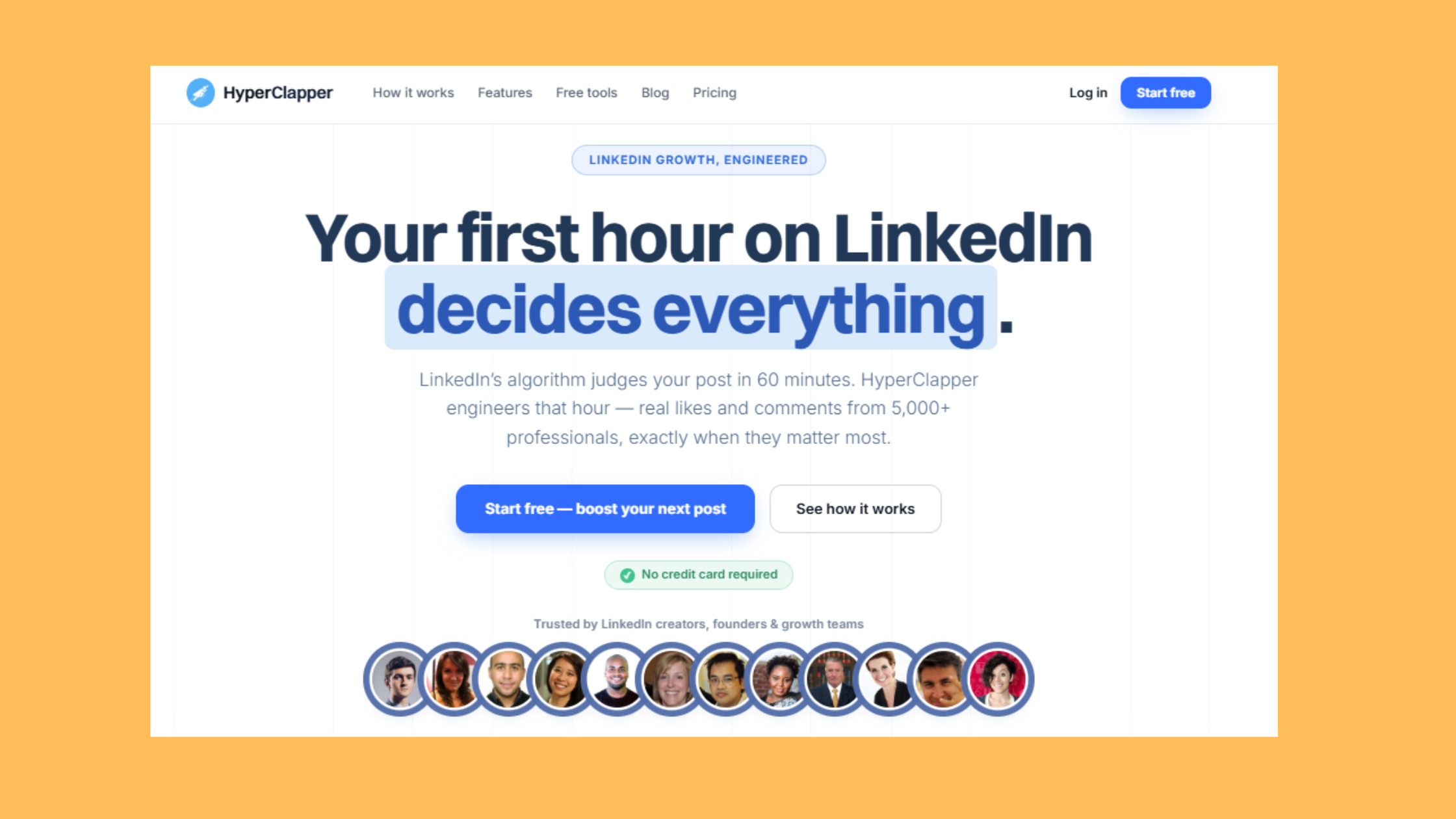
Build the Profile Credibility Your Outreach Campaigns Need
HyperClapper's real engagement channels help your LinkedIn profile look active and trusted — before a single connection request goes out.
Try HyperClapper FreeHow to Avoid LinkedIn Account Bans When Using Automation Tools
LinkedIn's detection model focuses on three signals above all others: sudden volume spikes, unnatural connection patterns, and low acceptance rates. Understanding which signal triggers which response is what separates accounts that scale safely from accounts that get restricted two weeks into a campaign.
LinkedIn Account Safety Limits in 2026 — Practical Reference
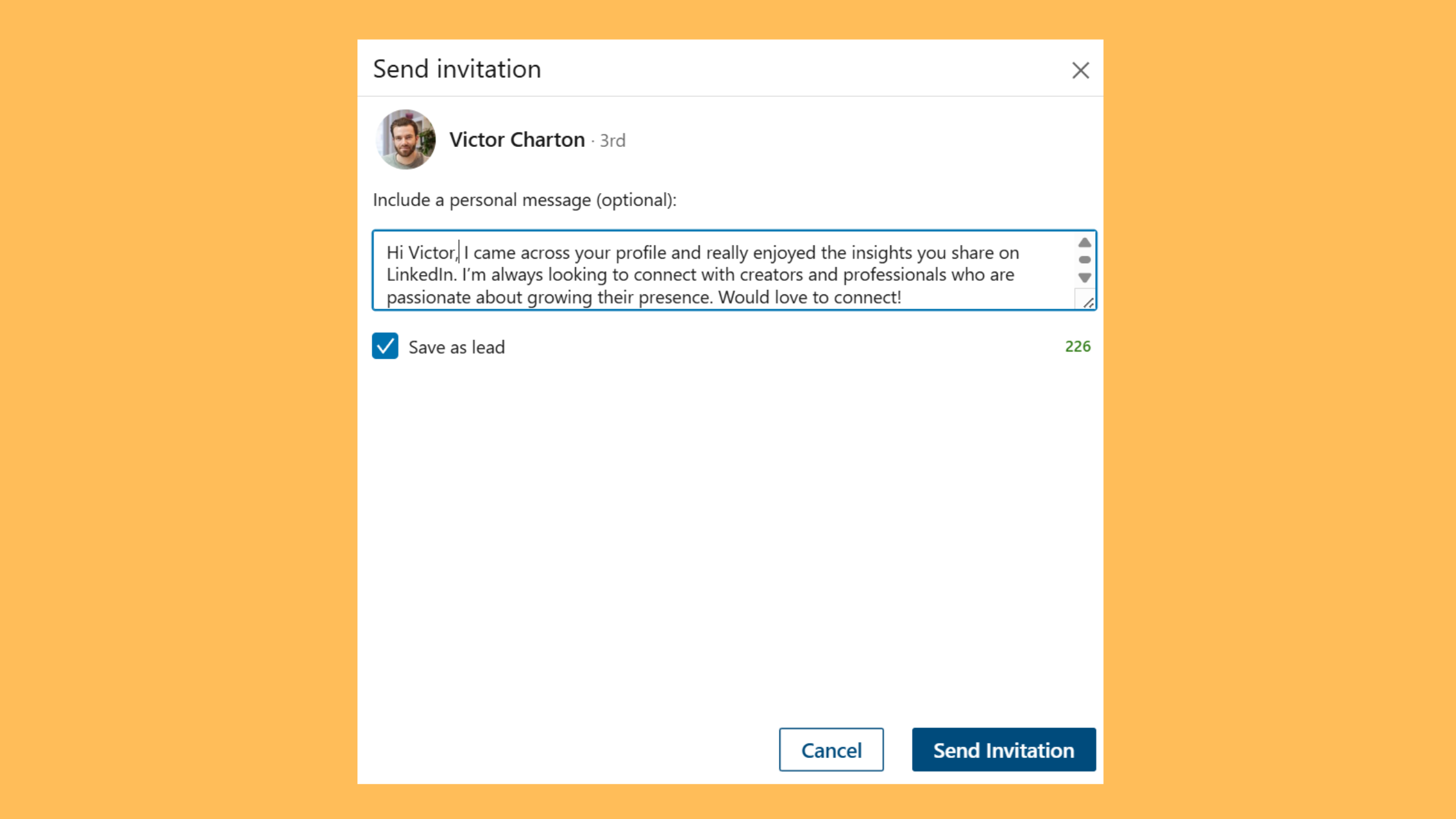
The question how many LinkedIn connection requests per day is safe has a clear answer: 20–30 per account per day is the consistent safe range observed across active outreach setups in 2026. Going above 50 per day on any single account — especially a newer or less-active one — meaningfully increases restriction probability.
| Activity Type | Safe Daily Limit | Risk Zone | Notes |
|---|---|---|---|
| Connection Requests | 20–30/account | 50+/account | Lower for accounts under 90 days old |
| InMails (Sales Navigator) | 10–20/day | 40+/day | Monthly InMail credit caps apply separately |
| Profile Views | 80–100/day | 200+/day | Correlates with connection request acceptance |
| Weekly Connections (per account) | 100–150 | 200+ | HeyReach rotation model is designed around this cap |
Common Mistakes to Avoid When Running LinkedIn Automation at Scale
The most common failure mode — seen consistently across agency LinkedIn setups — is treating account warmup as optional. A fresh LinkedIn account sent into a 30-connection-per-day sequence on day one has no engagement history, no post credibility, and a pattern of activity that looks nothing like a real professional. LinkedIn's systems flag the combination of high outreach volume and zero engagement history.
Avoid these specifically:
- Launching campaigns from accounts under 60 days old without a warmup period of at least 2–3 weeks at low volume
- Sending identical message templates across all accounts — LinkedIn detects message similarity at scale; vary the copy meaningfully between accounts
- Ignoring acceptance rate signals — if a campaign is running below 20% acceptance, the targeting or messaging is wrong; continuing at volume makes the signal worse, not better
- Withdrawing large numbers of pending requests at once — mass withdrawal spikes are a detectable anomaly; spread withdrawals over several days
The question can you use multiple LinkedIn accounts for outreach legally — and how to scale LinkedIn outreach without getting banned — both come down to the same answer: LinkedIn's Terms of Service prohibit creating fake accounts, but using legitimately owned or client-authorised accounts for outreach is a different matter. HeyReach's architecture is designed around real accounts operating within normal-looking behaviour patterns. The risk is not the tool — it is the volume, timing, and targeting decisions made inside it.
✓ The LinkedIn Automation Safety Checklist
- ☐Account is at least 60 days old before connecting to automation
- ☐Profile has 3+ published posts with real engagement before campaign launch
- ☐Daily connection request limit set to ≤25 per account
- ☐Campaign activity scheduled only during working hours (8 AM–6 PM)
- ☐Message templates varied meaningfully across accounts in the same campaign
- ☐Acceptance rate monitored weekly — pause campaign if below 20%
- ☐HyperClapper post boosts active on all sending profiles throughout campaign
- ☐SSI score reviewed monthly — score below 50 signals account health risk
Who Should Use the HeyReach + HyperClapper Stack
Not every LinkedIn user needs this level of infrastructure. But for specific use cases, the two-tool stack is not optional — it is the minimum viable setup for sustainable results.
The stack makes the most sense for:
- Growth agencies managing outreach for multiple clients — HeyReach assigns separate LinkedIn account pools per client, and HyperClapper boosts each client's content independently. Clean separation, safe scaling, no cross-contamination of campaigns. This is the clearest definition of best LinkedIn automation tools for agencies in practice.
- Sales teams with monthly pipeline volume targets above what a single account can safely deliver — multi-account rotation is the only safe path to genuine scale
- Founders building personal brand and lead generation simultaneously — HyperClapper handles content visibility while HeyReach handles the outreach side of the same growth objective. HyperClapper's insights on creative ways to boost engagement on LinkedIn posts are directly relevant here.
- Recruiters sourcing at scale who need both high outreach volume and a credible-looking profile that candidates will engage with
When it may be overkill: solo professionals sending under 20 connection requests per day, or those focused exclusively on inbound content marketing, do not need HeyReach's multi-account infrastructure. A single account managed carefully — with HyperClapper handling content visibility — is sufficient at that volume.
What separates top performers in LinkedIn lead generation from everyone else is not the automation tool they chose — it is whether they solved the credibility problem before solving the volume problem. Volume without credibility scales failure. Credibility first, then volume, is the sequence that compounds.
According to CoPilot AI's research on LinkedIn automation for lead generation, personalised InMails increase acceptance rates by 40%. In practice, that personalisation effect is amplified when the sending profile already has visible engagement history — a prospect reading a personalised message from a profile with active posts and genuine comments converts at a materially higher rate than the same message from a blank profile.
For teams ready to move beyond basic content boosting and into a full outreach-plus-engagement architecture, HyperClapper's guide on boosting your LinkedIn engagement rate in under 10 minutes is a practical starting point for the engagement side of the stack.
Ready to Make Your LinkedIn Profile Work Harder Than Your Outreach Tool?
HyperClapper gives your content real engagement from real people — so every prospect who receives your connection request sees a profile worth accepting.
Start With HyperClapperFrequently Asked Questions About LinkedIn Outreach Automation in 2026
What is the safest way to automate LinkedIn outreach at scale in 2026?
The safest approach combines multi-account rotation (using a tool like HeyReach to spread volume across several accounts) with active profile engagement (using HyperClapper to maintain visible post activity). Keep each account under 25 connection requests per day, schedule during working hours only, and build at least 2–3 weeks of content engagement before launching outreach sequences.
How do HeyReach and HyperClapper work together for LinkedIn lead generation?
HeyReach handles the outreach side — rotating connection requests and follow-up sequences across multiple LinkedIn accounts. HyperClapper handles the trust side — boosting post visibility and engagement so prospects see a credible, active profile when they click through. Together, they form a multi-touch LinkedIn growth stack where each tool solves the half of the problem the other cannot address alone.
What LinkedIn outreach limits should I follow to avoid account restrictions?
Stay at 20–30 connection requests per account per day, 10–20 InMails per day on Sales Navigator, and no more than 100–150 connections per account per week. Accounts under 90 days old should operate at the lower end of these ranges. Exceeding 50 connection requests per day on any single account meaningfully increases the probability of a platform restriction.
Can I run LinkedIn outreach on multiple accounts without violating terms of service?
LinkedIn's ToS prohibits creating fake accounts, but using legitimately owned or client-authorised accounts for outreach is a different matter. HeyReach is built around real accounts operating at normal-looking volumes. The risk comes from volume, timing, and behaviour patterns — not from the multi-account model itself. Always ensure each account in your pool is a real, verified LinkedIn profile.
How many LinkedIn connection requests per day is safe?
20–30 per account per day is the consistently safe threshold in 2026. This applies per individual LinkedIn account, not per campaign total. A 5-account HeyReach setup at 25 requests each reaches 125 prospects daily — while each individual account stays well within safe thresholds. Going above 50 per account per day is where restriction risk increases sharply.
What is HyperClapper and how is it different from a LinkedIn bot?
HyperClapper is a LinkedIn engagement platform that connects posts with real human users inside engagement channels — not bots or fake accounts. Real people engage with your content. AI replies add conversation depth. The Content Guard system filters sensitive content before it enters the network. It is designed for post visibility and profile credibility, not for outreach automation or account scraping.
What are the best linkedin automation tools for agencies managing multiple clients?
For agencies, the strongest architecture is a dedicated outreach tool with native multi-account support (HeyReach leads here) combined with a profile engagement platform (HyperClapper) to maintain credibility across each client's sending profile. The best linkedin automation tool for any agency is not a single platform — it is a coordinated stack where outreach and engagement are handled separately and safely.



