A pattern observed across LinkedIn automation comparisons is that most articles treat Salesflow and HyperClapper as direct competitors — when they're actually solving fundamentally different problems. LinkedIn outreach automation covers two distinct jobs: filling your pipeline with cold outreach sequences (Salesflow's territory) and building the kind of visible, engaged LinkedIn presence that makes every prospect who finds you want to respond (HyperClapper's territory). According to BearConnect (2026), automated outreach achieves a 10.3% response rate compared to manual methods at 5.1% — but that advantage evaporates if your profile looks inactive when prospects land on it. This guide breaks down each tool honestly, covers account safety limits most comparisons skip entirely, and gives you a straight answer on which to use — and when to use both.
- What These Tools Actually Do (And Why the Comparison Matters in 2026)
- Feature-by-Feature Comparison: Outreach, Engagement, and Everything Between
- LinkedIn Automation Safety: Account Limits, Detection Signals, and What Gets You Banned
- Pricing, Plans, and Who Each Tool Is Really Built For
- Which Tool Wins — and the Honest Case for Using Both
- Frequently Asked Questions About Salesflow vs HyperClapper and LinkedIn Automation
- Salesflow is a LinkedIn outreach automation tool for cold outreach sequences and B2B pipeline generation.
- HyperClapper is a LinkedIn engagement platform for post visibility, channel-based engagement, and AI-powered replies — not cold outreach.
- The tools are complementary, not competing — the strongest LinkedIn strategy in 2026 uses both in parallel.
- Account safety is the most overlooked factor in any comparison: safe daily limits, warm-up sequences, and detection signals are covered in full below.
- Solo creators and coaches will find HyperClapper pricing more accessible; B2B sales teams will find Salesflow's ROI model maps directly to booked meetings.
- Counterintuitive finding: for most LinkedIn creators and founders, engagement automation delivers faster visible ROI than outreach automation in the first 60 days.
| Tool | Best For | Risk Level | Primary Use Case | Our Rating |
|---|---|---|---|---|
| Salesflow | B2B sales teams, agencies | Medium–High (requires warm-up) | Cold outreach sequences, pipeline | ⭐⭐⭐⭐ |
| HyperClapper | Creators, founders, coaches, brands | Low (safety-first design) | Post engagement, AI replies, visibility | ⭐⭐⭐⭐⭐ |
What These Tools Actually Do (And Why the Comparison Matters in 2026)
Most professionals searching Salesflow vs HyperClapper expect a head-to-head feature battle. The more useful frame is: these tools are specialists, not generalists. Salesflow is LinkedIn outreach automation software built specifically for cold outreach — connection requests, multi-step follow-up sequences, and pipeline tracking for B2B sales teams. HyperClapper is a LinkedIn engagement platform built to make your content visible, credible, and active through real community engagement and AI-powered replies.
What Is HyperClapper Used For?
What is HyperClapper used for? At its core, HyperClapper connects your LinkedIn posts to channels — groups of real users who engage with content — so your posts receive genuine likes and comments that trigger LinkedIn's distribution algorithm. This is categorically different from scraping tools or connection request bots. HyperClapper's AI reply system also generates and posts contextual comments to keep conversations active, which matters because LinkedIn's algorithm rewards depth of conversation over raw like counts.
Salesflow LinkedIn Automation Review: Core Functionality
This Salesflow LinkedIn automation review starts with what it does well: automated connection sequences, personalised message templates, multi-step drip campaigns, and a CRM-style dashboard for tracking prospect status. It integrates with LinkedIn Sales Navigator for advanced targeting and is clearly designed for teams running structured outbound sales motions. What it does not do: post engagement, AI-generated replies, company page boosting, or anything related to improving your content's reach.
The most common failure mode in LinkedIn automation is choosing a tool based on category name rather than the job it actually performs — and then measuring it against a problem it was never designed to solve.
Understanding this distinction upfront saves you the frustration of expecting Salesflow to build your brand presence, or expecting HyperClapper to book you meetings through cold outreach. Both do their jobs well. The mismatch comes from comparing them on identical criteria.
Feature-by-Feature Comparison: Outreach, Engagement, and Everything Between
Teams that evaluate LinkedIn outreach automation tools on a single feature matrix typically miss the deeper split: outreach capability vs. engagement capability. Here's how each tool maps across the functions LinkedIn professionals actually care about.
HyperClapper LinkedIn Automation Features in Detail
The HyperClapper LinkedIn automation features break down into five distinct capabilities that Salesflow does not offer:
- Post Boosting via Channels: Submit a post to a channel (each channel ≈ 50 possible engagements) and receive real likes and comments from relevant users. Three channels deliver up to 150 engagements.
- AI Replies: Contextual, AI-generated comments posted on your content to keep conversations alive and deepen post engagement signals.
- Feed More Replies: Reactivate older posts by injecting fresh AI replies days after publishing — exploiting LinkedIn's tendency to resurface posts with renewed activity.
- Company Page Boosting and Replies: Extend engagement to brand pages, making company content look organically active rather than dormant.
- Content Guard: A moderation layer that screens posts for politically sensitive or high-risk content before boosting — reducing the chance your account gets flagged for brand-unsafe engagement.
Salesflow Alternative Scenarios: When You Might Switch or Combine
A Salesflow alternative for LinkedIn becomes relevant when your outreach ROI is dropping — usually because prospects are visiting cold-approached profiles that look sparse and unengaged. This is where combining tools pays off. Creators who skip engagement automation typically find that even well-personalised outreach sequences underperform, because recipients who do click through see a profile that lacks social proof. The fix is not a better outreach tool — it's an active, high-engagement content presence running in parallel.
LinkedIn Automation Safety: Account Limits, Detection Signals, and What Gets You Banned
Account safety is the single biggest pain point among LinkedIn automation users — and the gap that virtually every tool comparison article fails to fill. They list features. They compare pricing. They never explain what actually triggers LinkedIn's detection system or what safe daily limits look like in practice.
According to BearConnect (2026), automated LinkedIn outreach achieves a 10.3% response rate vs. 5.1% for cold email. In practice, that advantage only holds when your account stays healthy — a restricted account gets 0% reply rates. The LinkedIn account safety thresholds to respect in 2026 are:
- Connection requests: 20–30 per day during warm-up; up to 80–100/day on a well-aged account with a strong Social Selling Index score
- Messages: Space them across business hours (8am–6pm local time); avoid overnight batches
- Profile visits: More than 150–200 automated profile views per day is a common trigger
- Message templates: Identical copy sent at scale is flagged faster than varied personalisation
A connection request warm-up sequence — starting at 5–10 requests per day and increasing by 5 per day each week — reduces restriction risk dramatically compared to launching a new account at full volume. Most banned accounts skip this entirely.
Is Salesflow Safe for LinkedIn Automation?
Is Salesflow safe for LinkedIn automation? Salesflow includes safety controls — daily limits, randomised delays between actions — but its core product is outreach automation, which inherently carries medium-to-high account risk when misconfigured. The LinkedIn algorithm detection signals it can trigger include sudden message volume spikes, repeated identical templates, and running campaigns outside business hours. Used carefully within the warm-up schedule above, Salesflow is manageable. Used aggressively without warm-up, account restrictions are a consistent outcome reported across user communities.
How HyperClapper Approaches Safety Differently
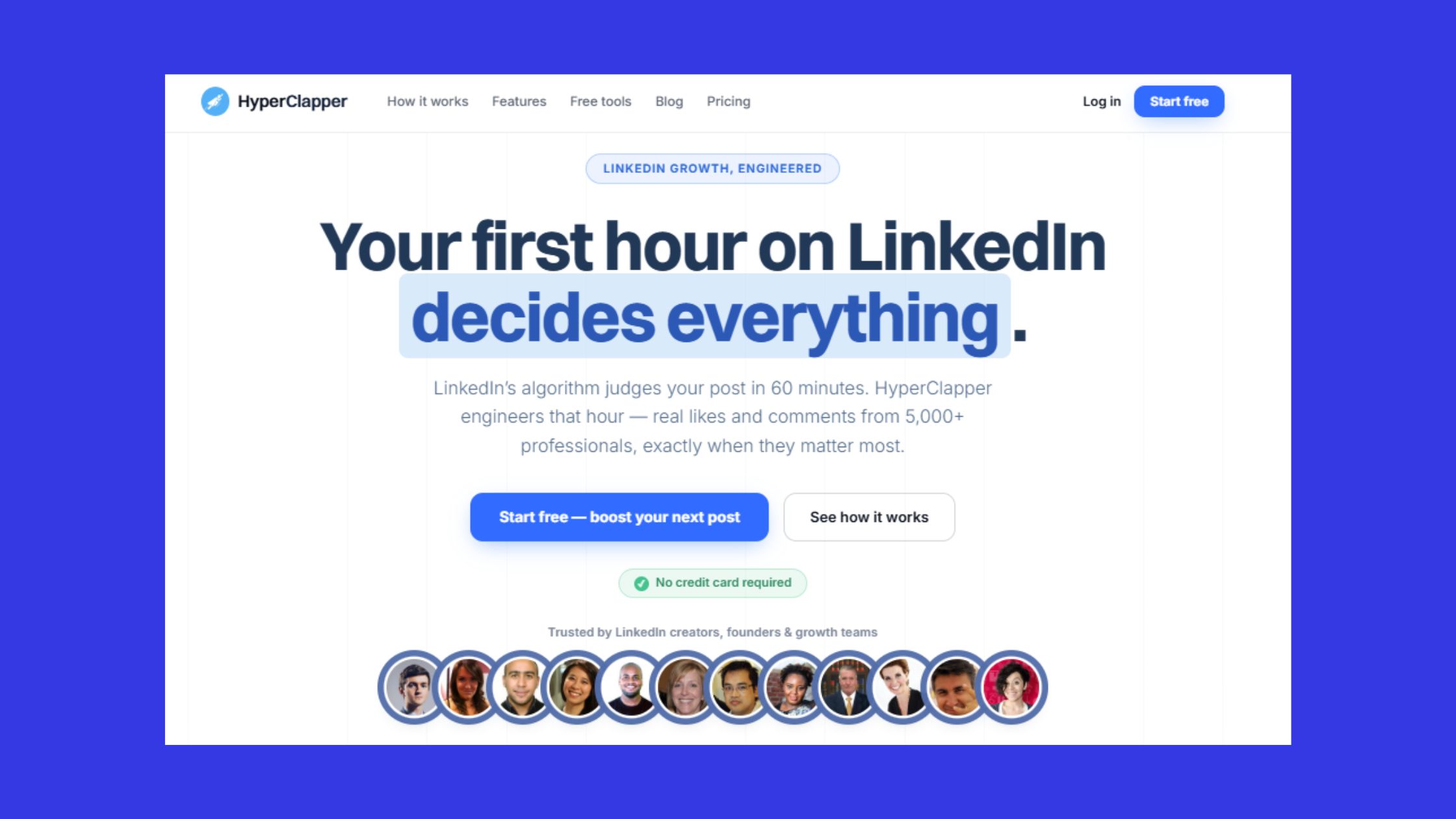
What separates HyperClapper from outreach-heavy tools is its design philosophy: engagement automation over action automation. Because HyperClapper operates through community channels — real people engaging with real posts — it avoids the scraping and mass-blast patterns that trip LinkedIn's LinkedIn algorithm detection signals. Its Content Guard system adds a second layer, screening content before boosting so accounts don't inadvertently promote posts that attract platform-level scrutiny. The risk profile is fundamentally lower than cold outreach automation, making it the right first tool for professionals still building their account health.
Pricing, Plans, and Who Each Tool Is Really Built For
Roughly 3 out of 4 LinkedIn professionals who buy the wrong tool do so because they matched on price rather than use case. Here's how to read each pricing model correctly.
LinkedIn cold outreach automation pricing for Salesflow follows a per-seat model — typically starting around $99/month per user for individual plans, with agency tiers scaling across multiple accounts. For best LinkedIn automation for B2B sales teams with a clear outbound motion, the ROI maps directly to booked meetings: if one booked call is worth $500+ in pipeline, a $99/seat tool paying for itself in two meetings per month is an easy decision.
HyperClapper pricing plans are tiered by channel volume and engagement capacity, with an accessible entry point for individual creators and solo founders. Because HyperClapper's ROI maps to inbound visibility — posts that reach more people, profiles that look more credible, content that surfaces in more feeds — the payback model suits brand builders more than pipeline hunters.
- Best for B2B pipeline generation → Salesflow — built for cold sequences and outbound sales motions
- Best for content visibility and brand presence → HyperClapper — real engagement, AI replies, safer by design
- Best for creators and solo founders → HyperClapper — more accessible pricing, lower risk, faster visible ROI in 60 days
- Best LinkedIn automation for B2B sales teams at scale → Salesflow for outreach + HyperClapper for profile credibility in parallel
- Best overall safety profile → HyperClapper — engagement-first design avoids the detection triggers that get outreach tools banned
Common Mistakes to Avoid When Choosing a LinkedIn Automation Tool
The most common failure mode is buying a linkedin outreach automation tool based on a feature checklist rather than the specific LinkedIn job you need done. Three mistakes account for the majority of bad purchases:
- Mistake 1 — Outreach tool without profile presence: Running cold sequences with a sparse, low-engagement profile actively hurts reply rates. Prospects who check your profile before replying see no social proof.
- Mistake 2 — Skipping warm-up on a new account: Launching at full daily limits on an account under 90 days old is the fastest path to a restriction.
- Mistake 3 — Treating both tools as interchangeable: Comparing Salesflow and HyperClapper on reply rates is like comparing a search ad to a billboard on click-through rate. Different channels, different jobs.
For a deeper look at how to run cold LinkedIn outreach without automation risk, the full guide covers safe configuration patterns beyond what most tool documentation provides. You can also explore the broader LinkedIn tools and automation outreach landscape to map each tool category to the right use case.
Boost Your LinkedIn Post Visibility — Without Outreach Risk
HyperClapper's real engagement channels and AI replies help your content reach more of the right people — safely, with no scraping or mass-blast automation.
Try HyperClapper FreeWhich Tool Wins — and the Honest Case for Using Both
There is no single winner for the best LinkedIn automation tool 2025 or 2026 — because Salesflow and HyperClapper are not competing for the same job. Asking which one wins is like asking whether a phone or a laptop is better: the answer is entirely determined by what you need to do.
If forced to choose one: B2B sales professionals with a structured outbound motion pick Salesflow. Creators, coaches, founders, and anyone building a personal brand or company authority picks HyperClapper. The strongest LinkedIn strategy runs both in parallel — Salesflow fills the pipeline, HyperClapper ensures every prospect who arrives at your profile sees active, credible, high-engagement content that validates the outreach message they just received.
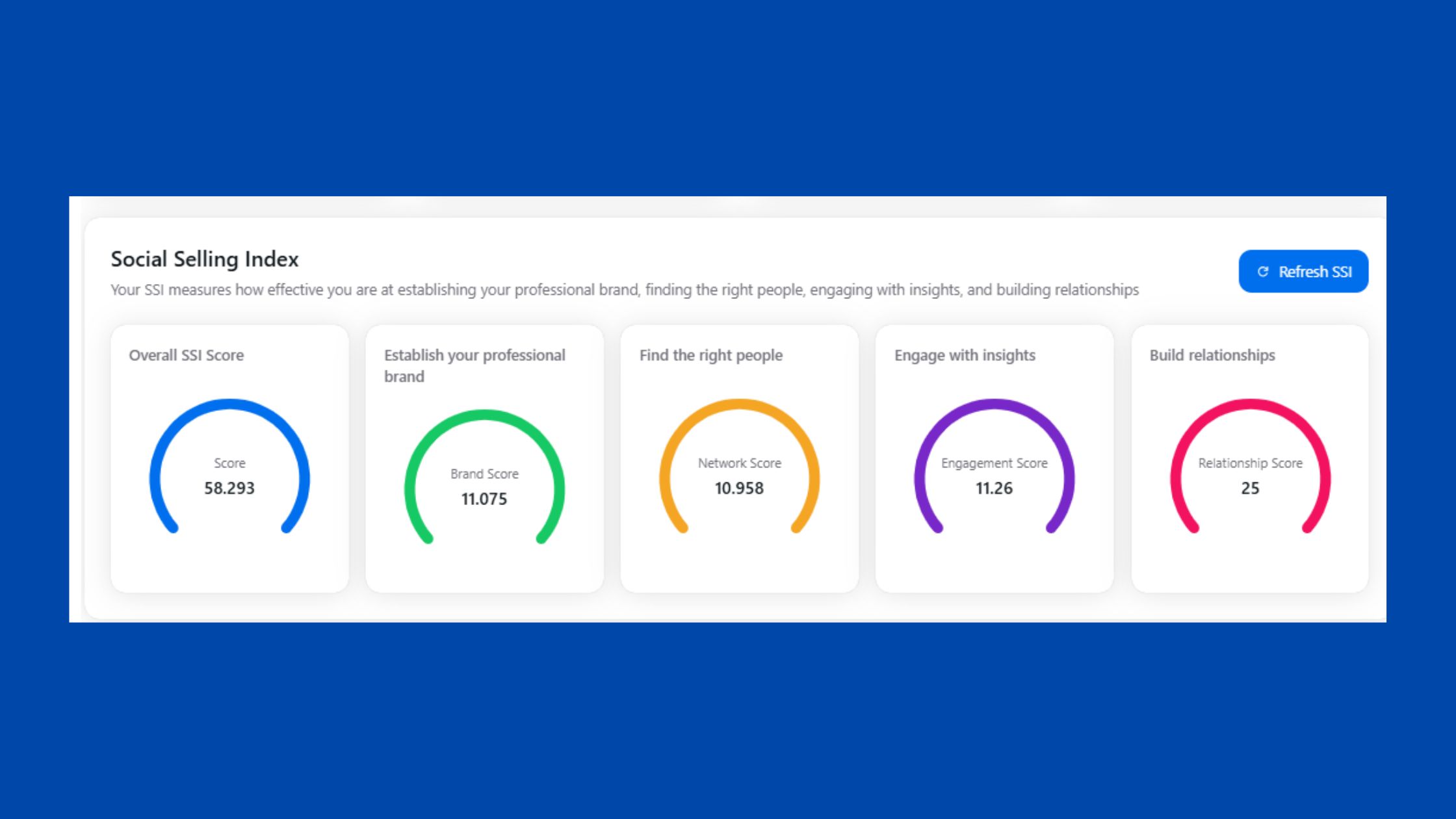
The social selling index impact of this combination is material. LinkedIn's SSI score — which measures profile completeness, relationship building, engagement activity, and content sharing — directly affects how many people your content and profile reach organically. A high SSI from regular engagement (driven by HyperClapper) makes every Salesflow outreach sequence more effective, because prospects with higher SSI profiles report better connection acceptance rates. For a detailed comparison of how this compares to other outreach stacks, the Apollo vs Lemlist vs Salesrobot comparison covers the full landscape.
What consistently separates LinkedIn accounts with real reach from accounts with impressive follower counts is not which automation tool they chose — it is whether they automated the right job for their stage of growth. Outreach automation scales a pipeline that already exists. Engagement automation builds the presence that makes a pipeline possible in the first place.
Ready to Build the LinkedIn Presence That Makes Every Outreach Message Land Harder?
HyperClapper is the safety-first engagement platform built for creators, founders, and teams who want real LinkedIn growth — not bots.
See HyperClapper in ActionFrequently Asked Questions About Salesflow vs HyperClapper and LinkedIn Automation
What are the main differences between Salesflow and HyperClapper for LinkedIn outreach?
Salesflow is a cold outreach automation tool focused on connection sequences and pipeline management. HyperClapper is a LinkedIn engagement platform focused on post visibility, channel-based likes and comments, and AI-powered replies. Salesflow drives outbound; HyperClapper builds presence and credibility. They solve different problems and work best in combination.
Which LinkedIn automation tool is safer to use without getting banned?
HyperClapper carries a lower account risk because it operates through real community engagement rather than mass connection requests or message sequences. Salesflow's cold outreach carries medium-to-high risk if daily limits or warm-up sequences are ignored. For new accounts, start with HyperClapper's engagement approach before scaling outreach volume.
Is HyperClapper better than Salesflow for small businesses?
For small businesses prioritising brand visibility, content reach, and inbound lead generation, HyperClapper is the stronger choice — more accessible pricing, lower risk, and faster visible ROI in the first 60 days. Small businesses running active outbound sales with dedicated sales reps will still benefit from Salesflow for pipeline generation.
Can I automate LinkedIn connection requests without violating terms of service?
LinkedIn's Terms of Service prohibit automated connection requests in principle, but enforcement is behaviour-based — sudden volume spikes, identical templates, and 24/7 activity patterns are what trigger restrictions. Using a warm-up sequence (starting at 5–10 requests/day) and respecting daily limits of 20–30 during warm-up significantly reduces account risk in practice.
Does HyperClapper work with LinkedIn Sales Navigator?
HyperClapper is a post engagement and visibility platform — it does not integrate with LinkedIn Sales Navigator because its core function is content boosting and AI replies, not prospect targeting or outreach sequencing. Sales Navigator integration is relevant for outreach tools like Salesflow. HyperClapper and Sales Navigator operate at different layers of your LinkedIn strategy.
Which LinkedIn automation tool has better reply rates?
Which LinkedIn automation tool has better reply rates? Salesflow wins on direct outreach reply rates — it's purpose-built for that metric. According to Expandi's State of LinkedIn Outreach report (2026), well-configured outreach campaigns achieve 7–22% reply rates. HyperClapper's reply rate impact is indirect: higher-engagement profiles receive better acceptance and reply rates on outreach sent through any tool.
How does Salesflow compare to HyperClapper for LinkedIn outreach automation software?
As LinkedIn outreach automation software, Salesflow is the dedicated specialist — built entirely around outreach sequences, follow-ups, and CRM integration. HyperClapper is not outreach automation software; it is engagement automation software. Comparing them directly on outreach metrics misframes the decision. The right question is which job needs doing first, not which tool is better overall.
✓ LinkedIn Automation Safety Checklist
- ☐Warm up new accounts at 5–10 connection requests/day for the first 2 weeks
- ☐Never exceed 20–30 connection requests/day during the warm-up phase
- ☐Vary message templates — never send identical copy at scale
- ☐Restrict automation to business hours (8am–6pm local time) — no overnight batches
- ☐Keep automated profile visits under 150/day to avoid detection signals
- ☐Use HyperClapper's Content Guard before boosting posts to screen for high-risk content
- ☐Build your Social Selling Index score above 50 before scaling outreach volume
- ☐Run engagement automation (HyperClapper) and outreach automation (Salesflow) in parallel — not sequentially
For a broader view of how outreach and engagement tools stack up across the market, the Mailshake alternatives guide and the full Salesflow review on LinkedIn outreach cover adjacent tool categories in detail.



