QuickMail Review: Is It Still Worth It for Outreach in 2026?
Honest QuickMail review for 2026: see if this deliverability-first cold email tool is still worth your money for outreach campaigns and lead generation.
📅 ⏱ 15 min read📝 ~2900 words
QuickMail is a cold email outreach platform built around deliverability-first sending — inbox rotation, per-sender throttling, and multi-inbox campaign management designed for teams who send at volume without burning their domains. A pattern consistently observed across high-volume cold email operations is that tools promising the most features often underperform on the one thing that actually matters: inbox placement. QuickMail's entire architecture bets on that insight. It is not an all-in-one prospecting suite. It is infrastructure for reliable sending — and whether that's the right fit for you depends entirely on what you're actually trying to do.
Key Takeaways
Who it's for: B2B agencies, SDR teams, and lead gen operators managing multiple sender identities — not solo users wanting an all-in-one tool.
Core strength: Inbox rotation, granular deliverability controls, and reliable sending infrastructure that holds up at agency scale.
Honest limitation: No built-in lead database, lighter CRM integrations than competitors, and a pricing model that stings high-volume senders.
Vs. Instantly/Lemlist: QuickMail wins on agency sub-account structure; loses on built-in prospecting and personalization depth.
Most counterintuitive finding: Deliverability differences between QuickMail, Instantly, and Smartlead narrow significantly when domain hygiene and warm-up are done correctly — the tool matters less than the setup.
Verdict: Strong infrastructure choice for teams who already have lists. Not the right pick if you want prospecting, enrichment, and sending bundled together.
According to QuickMail's own analysis of 65 million emails, the average open rate for cold emails sits at 44%, with the top 25% of campaigns hitting reply rates above 20%. According to Digital Applied (2026), email marketing delivers an average return of $42 per dollar spent — outperforming paid search and social advertising by a wide margin. And according to Robly (2025), an estimated 376 billion emails are sent and received every day, with that figure expected to climb past 408 billion by 2027. This means the infrastructure you choose to send through — and how reliably it protects your sender reputation — directly determines whether your outreach lands in inboxes or gets lost in spam.
$42
Average return per $1 spent on email marketing in 2026
What Is QuickMail and Who Is It Built For?
QuickMail
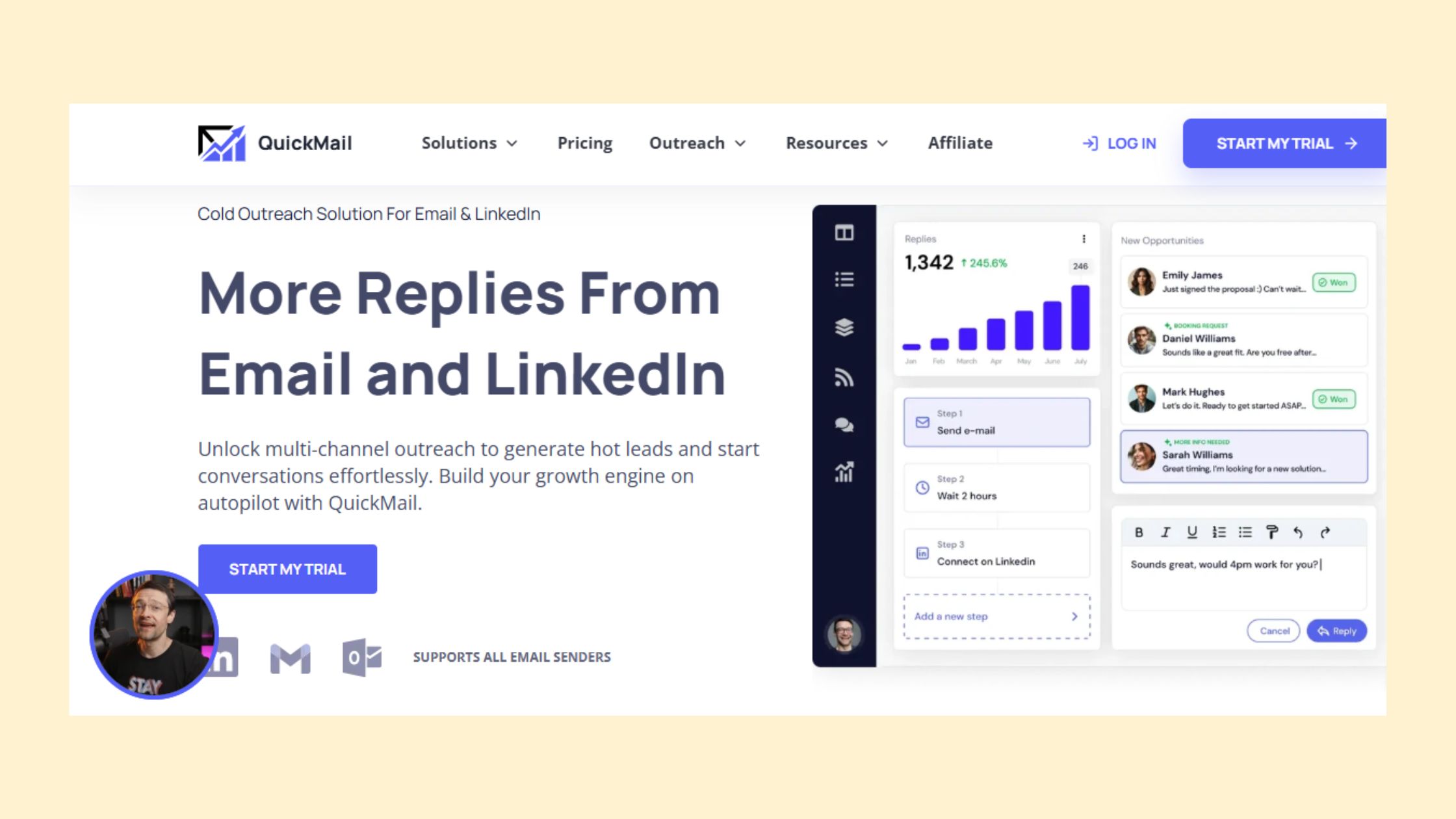
QuickMail is a cold email outreach tool — software that manages the sending infrastructure for outbound email campaigns, including inbox rotation, sequence automation, bounce handling, and email warm-up. It is not a prospecting database. You bring the list; QuickMail handles how the emails get there.
The primary audience is specific: B2B agencies managing multiple client campaigns, SDR teams running high-volume outbound, and lead gen operators who juggle multiple sender identities simultaneously. If you're operating one inbox and sending fewer than a few hundred emails a week, QuickMail is likely more infrastructure than you need. If you're managing five clients with separate domains and need each campaign isolated and properly throttled, it starts making a lot more sense.
Who is QuickMail best suited for? In practice, it fits three profiles well:
Agencies running outreach for multiple clients who need sub-account isolation
SDR teams at B2B companies who own their own lead lists and want sending control
Solo operators or founders doing high-volume outbound who prioritise deliverability over built-in prospecting
What QuickMail is deliberately not: an all-in-one platform. Unlike Instantly or Apollo, it doesn't include lead sourcing, enrichment, or LinkedIn touchpoints. That focus is a feature for teams who already have their workflows locked in — and a real gap for anyone who wants everything under one roof.
How QuickMail Works: The Core Sending Model
QuickMail connects directly to your email inboxes via Gmail, Outlook, or SMTP. You build sequences — multi-step email campaigns with conditional logic — and QuickMail distributes sends across your connected inboxes, staying within configurable daily limits per sender. The warm-up system (Auto-Warmer) gradually builds sending volume on new inboxes to establish sender reputation before campaigns go live. Bounce detection runs automatically, pausing sends to addresses that hard bounce so your domain health stays intact.
💡
Pro Tip:Connect at least 3 warmed inboxes before launching a campaign. Inbox rotation across multiple senders is where QuickMail's deliverability advantage actually materialises — running it on a single inbox misses the core benefit.
QuickMail Deliverability Features: How It Handles the Hard Part
How does QuickMail handle email deliverability? It uses a layered system: inbox rotation across multiple sender addresses, per-inbox daily send limits, native email warm-up via Auto-Warmer, automatic bounce detection, and unsubscribe handling — all configurable at the campaign level. In practice, this combination means a single campaign can distribute its sends across many inboxes, each staying well below spam trigger thresholds, while the warm-up system continuously maintains sender reputation management in the background.
The most effective cold email infrastructure isn't the one with the most features — it's the one that keeps your domains alive long enough to see results from a 6-month campaign.
Inbox Rotation and Sender Reputation Management
QuickMail inbox rotation is the feature that separates it from basic cold email tools. Sender reputation management is the ongoing process of maintaining the trust score associated with your sending domains and email addresses — and it's what determines whether emails land in the primary inbox or the spam folder.
QuickMail's rotation system distributes daily sends across connected inboxes according to per-inbox limits you set. A team with 10 inboxes and a 50-email-per-day limit per sender can run 500 sends daily without any single inbox triggering volume-based spam filters. The Auto-Warmer pairs with this by sending and replying to warm-up emails between connected accounts, gradually building each inbox's engagement history before real campaigns go live.
Teams that configure inbox rotation properly and run 4-6 weeks of warm-up before launching consistently see lower bounce rates and more stable inbox placement than teams who skip the warm-up phase — the difference in outreach sequence performance between a warmed and unwarmed inbox is significant.
Shared Inbox Compatibility and CRM Integrations
Does QuickMail work with Gmail and Outlook? Yes — both are natively supported, as is any SMTP-compatible provider. This means QuickMail works with third-party inbox providers like Google Workspace, Microsoft 365, or specialist cold email infrastructure. Shared inbox compatibility extends to SMTP configuration, so teams using dedicated sending domains through providers like Maildoso can connect those inboxes directly.
On CRM integrations: QuickMail connects natively with HubSpot and Pipedrive, and supports Zapier for broader ecosystem connectivity. What CRMs does QuickMail integrate with natively? The native list is HubSpot and Pipedrive — everything else routes through Zapier, which works but adds both cost and setup complexity. This is one of the tool's genuine gaps compared to all-in-one platforms with deeper native CRM ecosystems.
⚠️
Warning:QuickMail manages the sending layer — not your domain setup. Cold email deliverability features protect what you bring to the tool. If your sending domains have poor DNS records (missing SPF, DKIM, or DMARC configuration), QuickMail's rotation and warm-up won't compensate. Domain hygiene comes first.
QuickMail Pricing 2026: What You'll Actually Pay
QuickMail Pricing 2026
3 out of 4 cold email tool buyers focus on seat count when comparing pricing — and that's the wrong metric for QuickMail. QuickMail pricing 2026 is structured around active prospects per month, not seats. This model means a solo operator running a large list pays significantly more than someone running a small, targeted campaign, regardless of how many people are on the account.
As of 2026, QuickMail's plans break down roughly as follows:
Basic tier: Suited for solo operators — covers a smaller active prospect limit with core sending features included
Pro tier: Expands prospect limits, adds inbox rotation controls, and supports additional team members
Agency tier: Unlocks client sub-accounts, higher prospect caps, and priority support — this is where the pricing scales steeply
Has QuickMail changed its pricing or plans recently? Yes. Recent updates folded Auto-Warmer into paid plans rather than keeping it as a free add-on. The practical effect: new users who need warm-up — which is essentially everyone starting cold email — now hit a higher floor cost than they would have a year ago. This is worth factoring into your total cost of ownership comparison against tools where warm-up is included at all tiers.
Contract Flexibility and Cancellation Policy
QuickMail operates on monthly billing with no long-term contract requirement — you can cancel at any time. What happens to campaigns if you downgrade your plan? Active prospects above the new plan's limit are paused automatically. Campaigns themselves are not deleted, and all data is preserved — but sending stops until you either trim your active prospect list below the new tier's cap or upgrade back. This is a reasonable policy that avoids data loss, though it can catch users off guard mid-campaign if they downgrade without checking their active prospect count first.
✓ QuickMail Setup Checklist
☐Configure SPF, DKIM, and DMARC on every sending domain before connecting
☐Enable Auto-Warmer on all inboxes and run for 4-6 weeks before live campaigns
☐Set per-inbox daily send limits (start at 30-40/day and scale up gradually)
☐Verify and clean your lead list before uploading (aim for under 2% bounce rate)
☐Configure bounce detection thresholds and set campaign auto-pause rules
☐Connect CRM via native integration (HubSpot/Pipedrive) or Zapier before first campaign goes live
☐Check active prospect count before any plan change to avoid mid-campaign pauses
QuickMail Pros and Cons: An Honest Assessment
QuickMail pros and cons come down to one central tension: it's exceptionally good at what it does, and what it does is narrower than most competitors. That is not a criticism — it's the product decision that drives the whole architecture.
What works well:
Inbox rotation that genuinely distributes load across senders
Granular cold email deliverability features — per-inbox limits, bounce detection, warm-up all configurable
Agency sub-account structure that saves real time on client campaign management
Sequence builder with conditional logic (send next step only if no reply, etc.)
Clean Gmail, Outlook, and SMTP support with no notable shared inbox compatibility issues
What doesn't work as well:
No lead database — you source, verify, and manage all lists externally
Reporting is functional but lacks the visual polish needed for client-facing dashboards
Native CRM integrations stop at HubSpot and Pipedrive — Zapier fills the gap but adds cost
UI has a learning curve for non-technical users unfamiliar with inbox infrastructure concepts
Onboarding, Support, and Learning Resources
QuickMail's documentation is thorough for a tool of its complexity — there are detailed guides covering inbox warm-up, SMTP configuration, and sequence logic. The onboarding experience is self-serve heavy, which works for technical users and frustrates non-technical ones. Support responsiveness is rated well on higher plans; base-tier users consistently note slower response times and more reliance on documentation and community resources.
The most common failure mode among new QuickMail users isn't the tool — it's skipping the infrastructure setup steps. Users who launch campaigns without completing warm-up or configuring DNS records correctly then blame deliverability, when the actual issue predates their first send.
Common Mistakes to Avoid When Using QuickMail
Skipping warm-up: Launching campaigns on cold inboxes tanks sender reputation within days — recovery typically takes 3-4 weeks of disciplined warm-up activity.
Ignoring bounce rate thresholds: A bounce rate above 3-4% triggers spam classification at major email providers. QuickMail's auto-pause helps, but starting with a verified list matters more.
Over-rotating inboxes without verifying each one: More inboxes isn't always better — each one needs its own warm-up history and clean DNS setup to contribute positively.
Building your LinkedIn presence alongside cold email?
While QuickMail handles your email outreach infrastructure, HyperClapper builds your LinkedIn visibility in parallel — real engagement, AI-powered replies, and post reach that warms your brand before prospects hear from you.
QuickMail vs Instantly, Lemlist, and Other Cold Email Tools in 2026
Comparing these tools head-to-head is where most buyers get stuck — and the decision paralysis is understandable because the overlap is real. Here's the honest breakdown.
Tool
Best For
Deliverability Edge
Built-in Leads
Pricing Model
QuickMail
Agencies, multi-inbox operators
Strong — granular rotation controls
No
Per active prospect
Instantly
Solo senders, high-volume outbound
Strong — large inbox network
Yes (paid add-on)
Flat monthly
Lemlist
Personalisation-focused campaigns
Moderate — adequate, not specialised
Yes (built-in)
Per seat
Smartlead
Agencies needing inbox scale
Strong — comparable to QuickMail
No
Per active lead
QuickMail vs Instantly: Instantly is the stronger choice for solo operators who want a flat monthly price and don't need sub-account client isolation. Its built-in lead database (on higher plans) removes a sourcing step. QuickMail has the edge on agency sub-account management and sequence flexibility — but Instantly's simpler pricing model is genuinely more predictable for high-volume solo senders. For a deeper comparison, see this Lemlist vs Instantly breakdown.
QuickMail vs Lemlist: Lemlist wins clearly on personalisation — image personalisation, landing page integration, and LinkedIn touchpoints in sequences are features QuickMail doesn't attempt. QuickMail wins on deliverability infrastructure depth and inbox rotation granularity. These are different tools for different workflows, not direct substitutes. You can also explore how Lemlist stacks up against other cold email competitors for a broader view.
How does QuickMail perform against Instantly or Lemlist specifically on deliverability? According to a 1,000-lead test published by Sparkle.io, Instantly recorded a 44% open rate versus QuickMail's 17.8% in the same test. Importantly, both tests used the same list — the gap reflects setup differences and campaign conditions more than a fundamental tool disadvantage. What consistently determines outreach sequence performance is warm-up completeness and list quality, not the platform badge.
What Are the Best QuickMail Alternatives?
The best cold email software 2026 choice depends on what you're optimising for. Here's how to frame it:
Best for all-in-one (leads + sending): Instantly or Apollo
Best for agency infrastructure at scale: QuickMail or Smartlead
Best for LinkedIn-first outreach: A different category entirely — tools like HyperClapper handle
Frequently Asked Questions About QuickMail
How much does QuickMail cost?
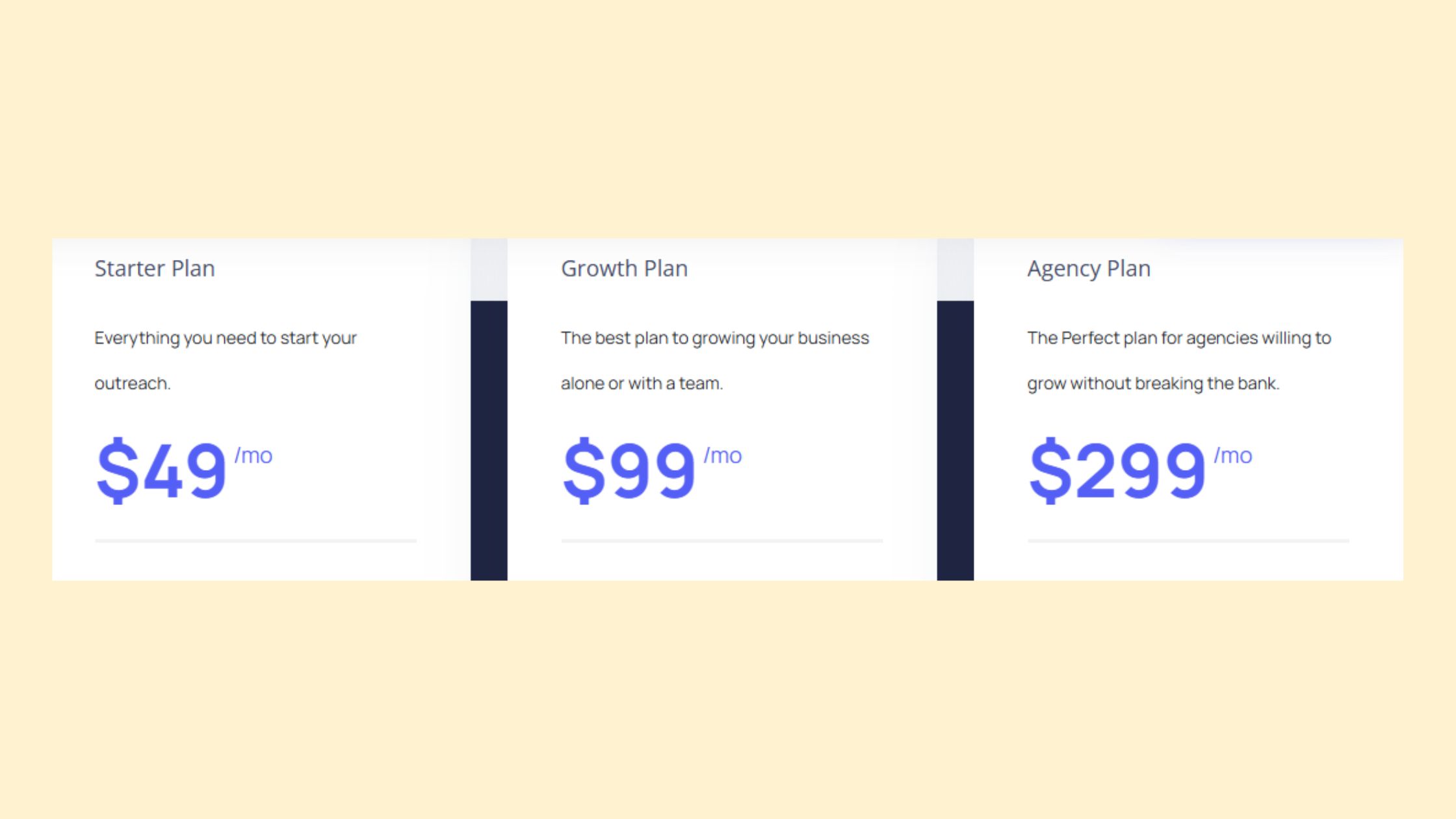
QuickMail's pricing scales with the number of active prospects in your account, not the number of inboxes or emails sent. Plans typically start around $49/month for smaller volumes, but costs rise noticeably at agency scale. High-volume senders often find the per-prospect model more expensive than flat-rate competitors like Instantly.
How does QuickMail work?
QuickMail connects to your Gmail, Outlook, or SMTP inboxes and distributes campaign sends across multiple sender addresses using inbox rotation. You upload your own lead list, build multi-step sequences with conditional logic, and QuickMail handles throttling, bounce detection, and warm-up automatically to protect your sender reputation.
What is quick mail service?
QuickMail is a cold email outreach platform focused on deliverability infrastructure rather than prospecting. It manages inbox rotation, sequence automation, warm-up, and bounce handling for B2B teams sending at volume. It does not include a built-in lead database — you supply the contacts and QuickMail handles reliable delivery.
Is QuickMail still a good tool for cold email outreach in 2026?
Yes, QuickMail remains a strong cold email outreach tool in 2026, particularly for agencies and SDR teams managing multiple sender identities. Its deliverability infrastructure holds up at scale, though it is not the right fit if you need built-in prospecting, enrichment, or LinkedIn touches bundled into the same platform.
What makes QuickMail different from other cold email tools?
QuickMail's primary differentiator is its agency-grade sub-account structure combined with granular inbox rotation and per-sender throttling controls. Where tools like Lemlist emphasise personalisation and Instantly bundles a lead database, QuickMail focuses exclusively on sending infrastructure — a deliberate trade-off that benefits teams who already own their lists and workflows.
Has QuickMail changed its pricing or plans recently?
QuickMail has adjusted its pricing structure in recent years, moving toward a prospect-based billing model that scales with active contacts rather than inbox count. This shift benefits lighter senders but increases costs for high-volume operators compared to flat-rate alternatives. Always verify current plan tiers directly on QuickMail's pricing page before committing.
Can QuickMail help improve cold email reply rates?
QuickMail can improve reply rates indirectly by protecting sender reputation through inbox rotation, warm-up, and bounce handling — keeping your emails out of spam. QuickMail's own analysis of 65 million emails shows top campaigns exceeding 20% reply rates, though copy quality and list hygiene remain the dominant factors, not the sending tool alone.
Does QuickMail work with Gmail and Outlook?
Yes, QuickMail connects natively with both Gmail and Outlook, as well as any custom SMTP inbox. You can mix provider types within the same campaign, which is particularly useful for agencies running client inboxes across different email hosts while keeping each sender's daily volume within safe limits.
👋
⚡ Free plan
Leaving already?
Grab 3 free boosts on your next LinkedIn post — real likes & comments from 5,000+ creators. No card, cancel anytime.