LinkedRadar vs HyperClapper: Which LinkedIn Tool Wins in 2026?
LinkedRadar vs HyperClapper compared for 2026: features, pricing, and which LinkedIn tool is genuinely safer for your account — outbound outreach or engagement.
📅 ⏱ 14 min read📝 ~2700 words
LinkedRadar and HyperClapper are both LinkedIn tools — but they solve completely different problems, and buying the wrong one is the most common mistake professionals make when evaluating this category. A pattern observed consistently across LinkedIn growth strategies is that outbound prospecting tools and content visibility tools get conflated during evaluation, leading to disappointment when a sales automation platform doesn't grow your audience, or an engagement tool doesn't fill your pipeline. LinkedRadar is built for outbound outreach: connection requests, message sequences, lead filtering. HyperClapper is built for content amplification: post boosting, real engagement channels, AI-powered replies. This comparison maps each tool to the use cases where it genuinely wins — and where the safety risks actually sit.
Key Takeaways
Different tools, different jobs: LinkedRadar = outbound lead generation; HyperClapper = content visibility and engagement growth.
Safety gap is real: LinkedRadar's outreach automation operates outside LinkedIn's official API — structurally higher risk than HyperClapper's community engagement model.
HyperClapper uses real people in engagement channels, not bots — reducing detection surface area significantly.
LinkedRadar suits sales teams and recruiters running high-volume connection outreach; HyperClapper suits creators, founders, and marketers building inbound authority.
Most counterintuitive finding: For small business lead generation, HyperClapper's inbound content model often outperforms outbound automation over a 90-day horizon — because content reach compounds while cold message response rates decay.
Both tools have pricing tiers scaled to usage volume, but their cost structures serve different strategies entirely.
What Are LinkedRadar and HyperClapper? (Quick Overview)
LinkedRadar and HyperClapper?
LinkedRadar is a LinkedIn outreach and lead generation automation tool focused on connection requests, message sequences, and CRM-style pipeline management — built for sales teams and recruiters who need volume. HyperClapper is a LinkedIn engagement platform that grows post visibility through real community engagement channels, AI-powered replies, and post boosting — built for creators, founders, and marketers who need reach.
The two tools solve fundamentally different problems. Understanding that upfront saves you from buying the wrong one entirely.
Quick Answer: Best LinkedIn Tool for Your Goal
Best for outbound prospecting → LinkedRadar — automated connection requests, message drips, lead pipeline management
Best for content visibility →HyperClapper — real engagement channels, AI replies, post boosting with lower account risk
Best for brand/company page growth → HyperClapper — company page boosting and company page replies are unique to its feature set
Best for recruiters sourcing candidates → LinkedRadar — lead filtering by title, industry, and location with built-in CRM
Best for small business inbound leads → HyperClapper — consistent content reach builds authority-driven inbound over time
LinkedRadar Review 2026: Features, How It Works, and Who It's For
LinkedRadar automates LinkedIn prospecting by scraping lead lists, scheduling connection requests, and running multi-step message drip sequences — all managed from a dashboard that operates outside of LinkedIn's native interface. According to Capterra (2026), LinkedRadar holds a 4.8 overall rating across 13 user reviews, with ease of setup and time savings cited as the primary positives. The most common complaints: LinkedIn detection risk and inconsistent message deliverability.
10x
Connection acceptance rate improvement claimed via GPT-4 personalised invitations
According to the LinkedRadar Chrome Web Store listing (2026), the tool claims to save more than 80% of prospecting time and achieve a 10x acceptance rate improvement using GPT-4 personalised invitations — rated 4.9 out of 5 from 1,900+ ratings. This means a sales rep spending 5 hours per week on manual LinkedIn outreach could theoretically compress that to under an hour. In practice, results vary significantly by industry and target audience quality.
LinkedRadar's Key Features Broken Down
AI-assisted message writing — GPT-4 powered personalisation for connection requests and follow-up sequences
Lead filtering — filter prospects by job title, industry, geography, and company size
Multi-step drip sequences — automated follow-up messages triggered by connection acceptance or non-response
Built-in CRM pipeline — track lead status, replies, and conversion stages without a separate CRM
CSV export — download lead lists for use in external tools or email platforms
Email finder — surface verified email addresses alongside LinkedIn profiles
⚠️
Warning:LinkedRadar does not work with Sales Navigator or Recruiter accounts by default — its lead scraping and sequence features operate on standard LinkedIn. Users with Sales Navigator licenses have reported feature conflicts and reduced functionality when combining both tools.
How Much Does LinkedRadar Cost? Pricing Plans 2026
LinkedRadar Pricing
LinkedRadar offers a free tier alongside paid plans scaled by the number of LinkedIn accounts and outreach volume. The free plan includes limited daily connection requests and basic message sequences — enough to test the tool but not enough for meaningful outreach at scale.
Free tier — limited daily actions, single account, basic features
Starter/Pro tier — higher daily send limits, full sequence automation, email finder access
Agency/Team tier — multi-seat management, multiple LinkedIn accounts, priority support
Exact pricing shifts regularly — current figures are on linkedradar.com. The cost structure is seat-oriented: you pay per LinkedIn account you want to automate, which scales linearly for agencies managing multiple client profiles.
Now that the feature set is clear, here's how LinkedRadar's safety profile stacks up — and where the real risk lives.
HyperClapper Review 2026: Features, How It Works, and Who It's For
HyperClapper
Teams that switch from passive posting to structured engagement channels consistently see earlier algorithmic traction — because LinkedIn's distribution model rewards posts that receive engagement quickly after publishing, not posts that eventually accumulate it. HyperClapper is built around this mechanic: users submit a post, select engagement channels, and receive real likes and comments from verified professionals inside the platform's network.
The engagement window after publishing is the highest-leverage moment in a LinkedIn post's lifecycle. Everything that happens in the first 60-90 minutes determines whether LinkedIn distributes the post broadly or buries it. HyperClapper is designed to work inside that window.
What Features Does HyperClapper Offer? Full Breakdown
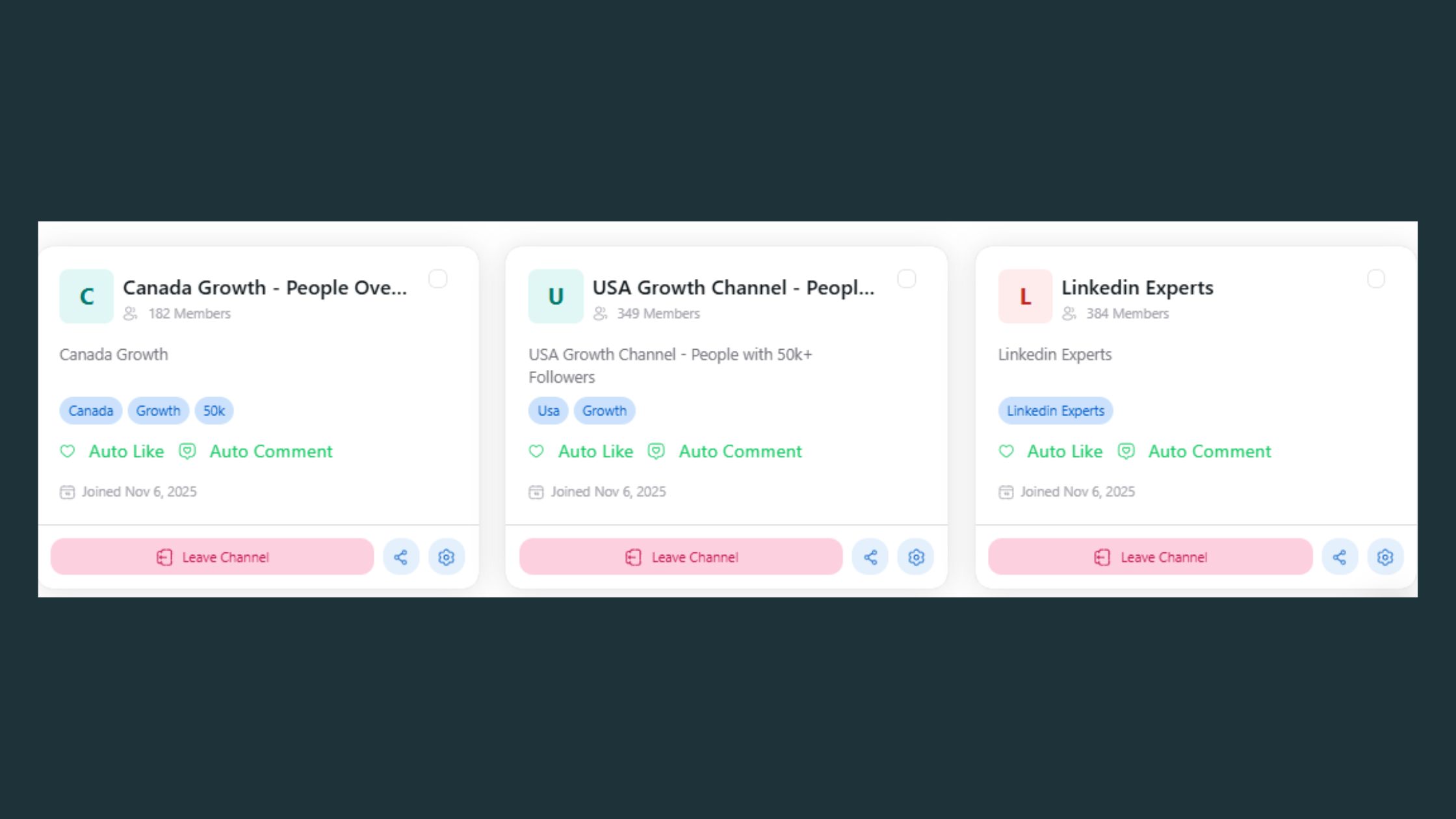
LinkedIn Post Boosting — submit a post, choose channels, receive real likes and comments from relevant professionals
Engagement Channels — each channel connects ~50 active users; stack channels for broader reach (1 channel ≈ 50 engagements, 3 channels ≈ 150)
AI Replies — generates and posts contextually relevant comments to keep conversation threads active beyond the initial boost window
Feed More AI Replies — re-activates older posts with fresh comments days later, exploiting LinkedIn's reward for sustained conversations
Company Page Boosting — extends post boosting to business page content, not just personal profiles
Company Page Replies — adds AI-generated responses from the company page, making brand engagement appear active and organic
Analytics — tracks engagement performance, post reach, and growth trends over time
Content Guard — moderation layer that screens posts for sensitive or policy-adjacent content (politics, violence, controversial events) before they enter the engagement workflow
💡
Pro Tip:Use Feed More AI Replies 48-72 hours after your initial boost. LinkedIn's algorithm interprets resumed engagement as a signal of renewed relevance — posts that see a second engagement spike often get a second distribution push to new audiences.
HyperClapper Pricing Plans 2026
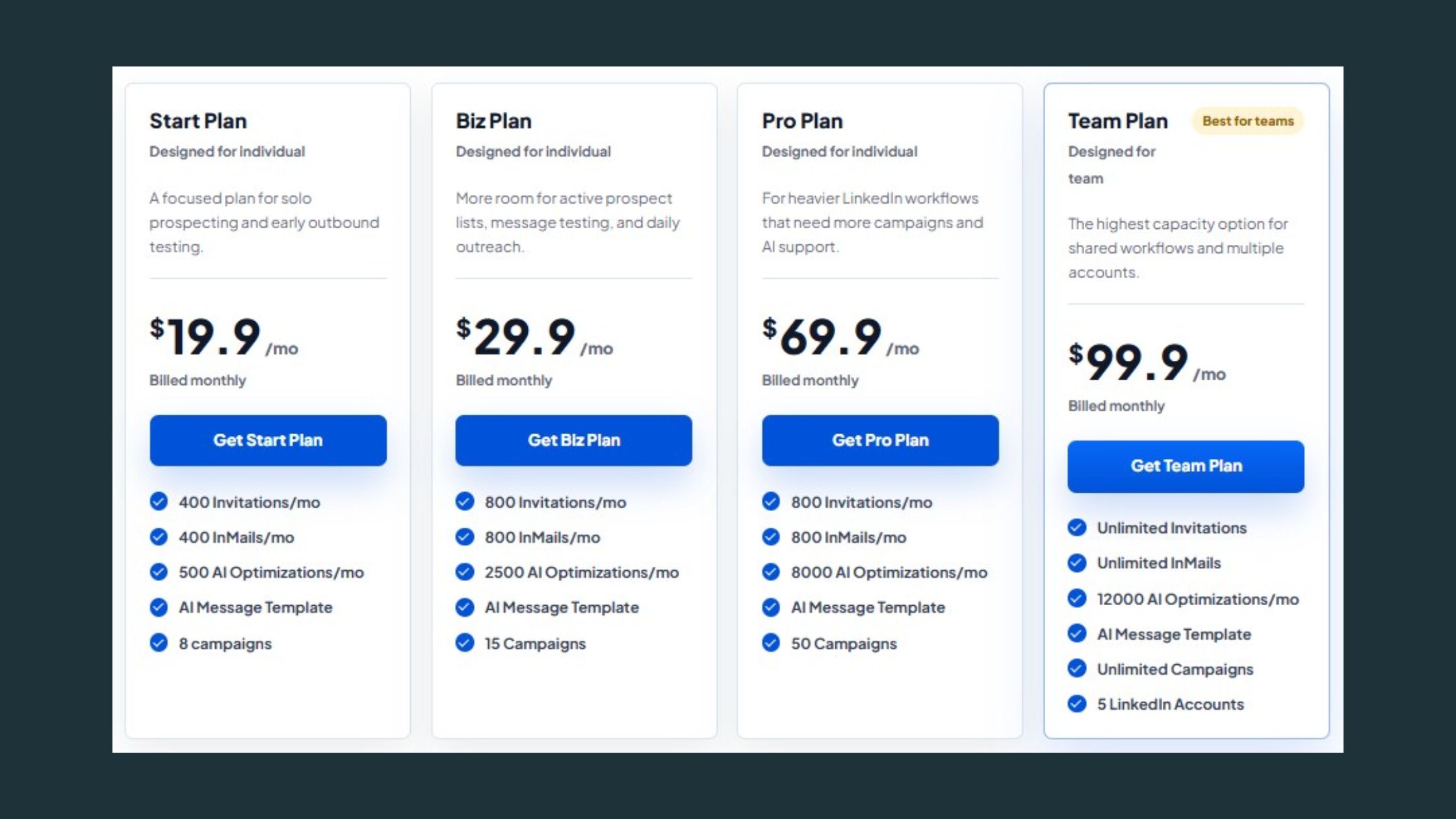
HyperClapper's pricing is structured around channel access and output volume rather than seats — a different cost logic than tools like LinkedRadar that charge per LinkedIn account managed. This makes HyperClapper more cost-efficient for solo creators and small teams who run a high volume of posts from a single profile, and competitive for agencies managing multiple brand accounts.
Starter plan — access to core channels, basic post boosting, limited AI replies per month
Growth plan — expanded channel access, higher AI reply volume, company page features
Agency/Pro plan — multi-account management, full analytics, priority content guard, dedicated support
LinkedIn Automation Safety 2026: Which Tool Is Safer for Your Account?
LinkedIn Automation
The single biggest fear among LinkedIn tool users is account restriction or permanent ban — and it's legitimate. LinkedIn actively detects third-party automation through session behaviour analysis, request rate patterns, and LinkedIn's User Agreement, which prohibits scraping and automated data collection without explicit permission.
LinkedIn Automation Safety — By the Numbers
4.8★
LinkedRadar Capterra rating (13 reviews, 2026)
70%
LinkedIn post reach received within first 24 hours
2–3x
More engagement for posts with visuals vs text-only
50%
Visibility growth in months for consistent creators
Is LinkedRadar Safe for LinkedIn Accounts? Honest Assessment
LinkedRadar markets itself as "the safest LinkedIn automation tool in the world" — a claim that appears across its Trustpilot and G2 listings. The tool does implement safety-oriented features: country-based proxy IP assignment, daily send limits, and pacing controls. These reduce detection probability compared to unsophisticated bots.
What the marketing doesn't say: LinkedRadar operates via browser extension or cloud session — both methods involve accessing LinkedIn outside its official API, which technically violates LinkedIn's Terms of Service regardless of how carefully requests are paced. The risk is managed, not eliminated.
What consistently separates lower-risk tool usage from higher-risk is not the tool's safety claims — it's the user's behaviour. Running maximum daily limits from day one, targeting the same lead segments repeatedly, and combining multiple automation tools on the same account are the patterns that trigger restrictions. LinkedRadar's recommended daily limit of 15 connections per day is conservative for a reason — exceeding it dramatically increases detection exposure.
🔴
Avoid:Stacking LinkedRadar with other automation tools on the same LinkedIn account. LinkedIn's detection systems flag abnormal aggregate behaviour patterns, not just individual tool signatures. Two moderate-risk tools running simultaneously can trigger the same response as one high-risk tool.
Is HyperClapper Safe for LinkedIn Accounts?
HyperClapper's engagement model does not involve automated outreach, connection spamming, or data scraping. It routes real users to engage with posts — structurally closer to a human engagement pod than a bot, which significantly reduces the surface area for LinkedIn's detection systems to flag.
The key distinction: HyperClapper doesn't automate actions on your behalf through a session hijack or browser extension — real people in channels are choosing to engage. This is the same mechanic as a private engagement group, which LinkedIn has not historically penalised. Content Guard adds a further compliance layer by filtering sensitive content before it enters the workflow. For professionals asking "Is HyperClapper safe for LinkedIn accounts?" — the honest answer is that it carries lower structural risk than any outreach automation tool, because its mechanism doesn't touch LinkedIn's messaging or connection systems.
The safety distinction matters most for decision-making: if account safety is the primary concern, the category of tool you choose matters more than the specific tool's safety marketing.
LinkedIn Lead Generation Tool Comparison: LinkedRadar vs HyperClapper vs Alternatives
For pure lead generation through outbound prospecting, LinkedRadar competes with Expandi, Dux-Soup, Lemlist (LinkedIn mode), and MeetAlfred — each with different risk profiles and feature depth. This is the best LinkedIn outreach automation software landscape in 2026:
Expandi is widely regarded as having stronger safety controls than LinkedRadar, using cloud-based sessions with more sophisticated human-behaviour simulation. Dux-Soup operates as a browser extension at a lower price point but with higher detection exposure. Lemlist adds email sequencing alongside LinkedIn outreach — useful for multichannel SDR workflows. See this full comparison of Apollo, Lemlist, and SalesRobot for deeper outbound tool analysis.
Which LinkedIn Tool Is Better for Lead Generation?
The most common evaluation mistake is treating "LinkedIn lead generation tool comparison" as a single category when it contains two distinct strategies. If your strategy is outbound — identify prospects, send connection requests, run message sequences — LinkedRadar is purpose-built for that workflow. If your strategy is inbound content-driven — publish authority content, attract profile views, convert followers into conversations — HyperClapper is the right lever.
For small business owners and solo founders, the inbound model often outperforms outbound automation over a 90-day window. Cold outreach response rates on LinkedIn typically run 5–15% for well-targeted campaigns. Content that reaches 5,000–10,000 professionals per post generates inbound interest at no incremental cost per contact. The compounding effect of content visibility — where each well-performing post builds on the last — is what the outbound category structurally cannot replicate. For a full breakdown of LinkedIn automation tools for lead generation, see HyperClapper's dedicated guide.
Want posts that actually get seen on LinkedIn?
HyperClapper's engagement channels put real professionals on your content — within the first hour that matters most to LinkedIn's algorithm.
Side-by-Side Comparison: LinkedRadar vs HyperClapper on Features, Pricing, and Fit
After seeing this across multiple LinkedIn tool evaluations, the pattern is that buyers consistently underweight the structural safety difference between outreach automation and engagement platforms — and overweight feature count. Here's the honest comparison across the axes that actually matter.
Factor
LinkedRadar
HyperClapper
Primary use case
Outbound prospecting
Content amplification
Account safety risk
Medium–High (outside official API)
Low (real user engagement)
Lead generation type
Outbound (cold connections)
Inbound (content-driven)
Company page support
Limited
Full (boosting + replies)
AI capabilities
Message personalisation
Reply generation + longevity
Analytics
CRM pipeline view
Post performance + growth
Pricing structure
Per LinkedIn account (seat-based)
Per channel/output volume
Sales Navigator compatible
Partial / conflicted
N/A (content tool)
Best audience
Sales teams, recruiters, SDRs
Frequently Asked Questions About LinkedRadar vs HyperClapper
Can I use LinkedRadar and HyperClapper on the same LinkedIn account?
Yes, since the two tools touch different LinkedIn systems — LinkedRadar automates connection requests and messages, while HyperClapper only routes real people to engage with your posts. The stacking risk applies to running several outreach automations at once, because LinkedIn flags abnormal aggregate outbound behaviour rather than content engagement.
Is LinkedIn automation legal in 2026?
Yes, LinkedIn automation is legal, but it breaches LinkedIn's User Agreement, which prohibits scraping and automated data collection without permission. That makes it a platform-enforcement issue rather than a legal one — the realistic consequence is account restriction or a permanent ban, not prosecution.
What is the difference between HyperClapper and a LinkedIn engagement pod?
HyperClapper works on the same basic mechanic as an engagement pod — real people engaging with your post — but adds structure pods lack: channels of roughly 50 verified professionals each, AI replies that extend conversation threads, moderation through Content Guard, and analytics. Manual pods rely on reciprocal favours and informal group chats.
What happens if LinkedIn restricts my account for using automation?
LinkedIn usually escalates rather than banning immediately — a temporary restriction on connection requests or messaging comes first, with permanent bans reserved for repeat or severe cases. Restrictions are triggered by behaviour patterns: running maximum daily limits from day one, targeting the same segments repeatedly, and stacking multiple automation tools.
Do I need a large following before HyperClapper is worth using?
No, but you do need to be publishing posts consistently — HyperClapper amplifies content that already exists rather than creating an audience from nothing. Engagement channels work by pushing early likes and comments into the first 60-90 minutes after publishing, which triggers broader distribution regardless of follower count.
Will AI-generated comments make my LinkedIn posts look fake?
They can if you rely on them alone — AI replies are designed to keep threads active between real engagement, not to replace it. The risk is generic, off-topic comments that readers spot immediately. Used to extend conversations that real people started, they read as normal thread activity.
👋
⚡ Free plan
Leaving already?
Grab 3 free boosts on your next LinkedIn post — real likes & comments from 5,000+ creators. No card, cancel anytime.