A pattern observed consistently across high-performing B2B sales teams is that LinkedIn prospecting ROI rarely comes from sending more messages — it comes from sending better ones, at the right moment, inside a structured follow-up arc. Most outreach fails not because LinkedIn is saturated, but because the message reads like a broadcast rather than a 1:1 observation. According to LinkedIn's own sales research, highly personalized messages see a 73% engagement rate compared to generic ones — yet the majority of outreach still leads with a pitch and skips the context entirely. The fix is a repeatable system: the right message type for each stage, a sequenced cadence, and clear metrics that tell you what's actually working.
- Who this is for: B2B sales reps, founders, recruiters, and marketers who want measurable pipeline from LinkedIn — not just more connections.
- What you'll learn: How to write messages that convert, build a 5-step follow-up cadence, measure ROI precisely, and pick the right tools for your volume.
- Why it matters: LinkedIn InMails generate an 18–25% response rate vs. 3% for cold email — but only when the approach is right.
- The counterintuitive finding: Posting content consistently before you send outreach messages measurably improves reply rates — because warm prospects already know who you are.
- The biggest gap most guides miss: What to say in messages 2, 3, and 4 — the follow-up arc is where most deals are actually won or lost.
- Tool reality: Free LinkedIn can drive strong B2B pipeline generation with the right messaging; Sales Navigator matters most above 50 targeted outreaches per week.
- What Is LinkedIn Prospecting and Why Most Messages Fail
- How to Write LinkedIn Prospecting Messages That Get Responses
- Building a Personalized Outreach Cadence: First Touch to Meeting
- LinkedIn Sales Navigator vs Free LinkedIn Prospecting
- How to Measure LinkedIn Prospecting ROI and Optimize What's Working
- B2B LinkedIn Pipeline Generation: Industry-Specific Strategies
- Frequently Asked Questions About LinkedIn Prospecting
What Is LinkedIn Prospecting and Why Most Messages Fail to Convert
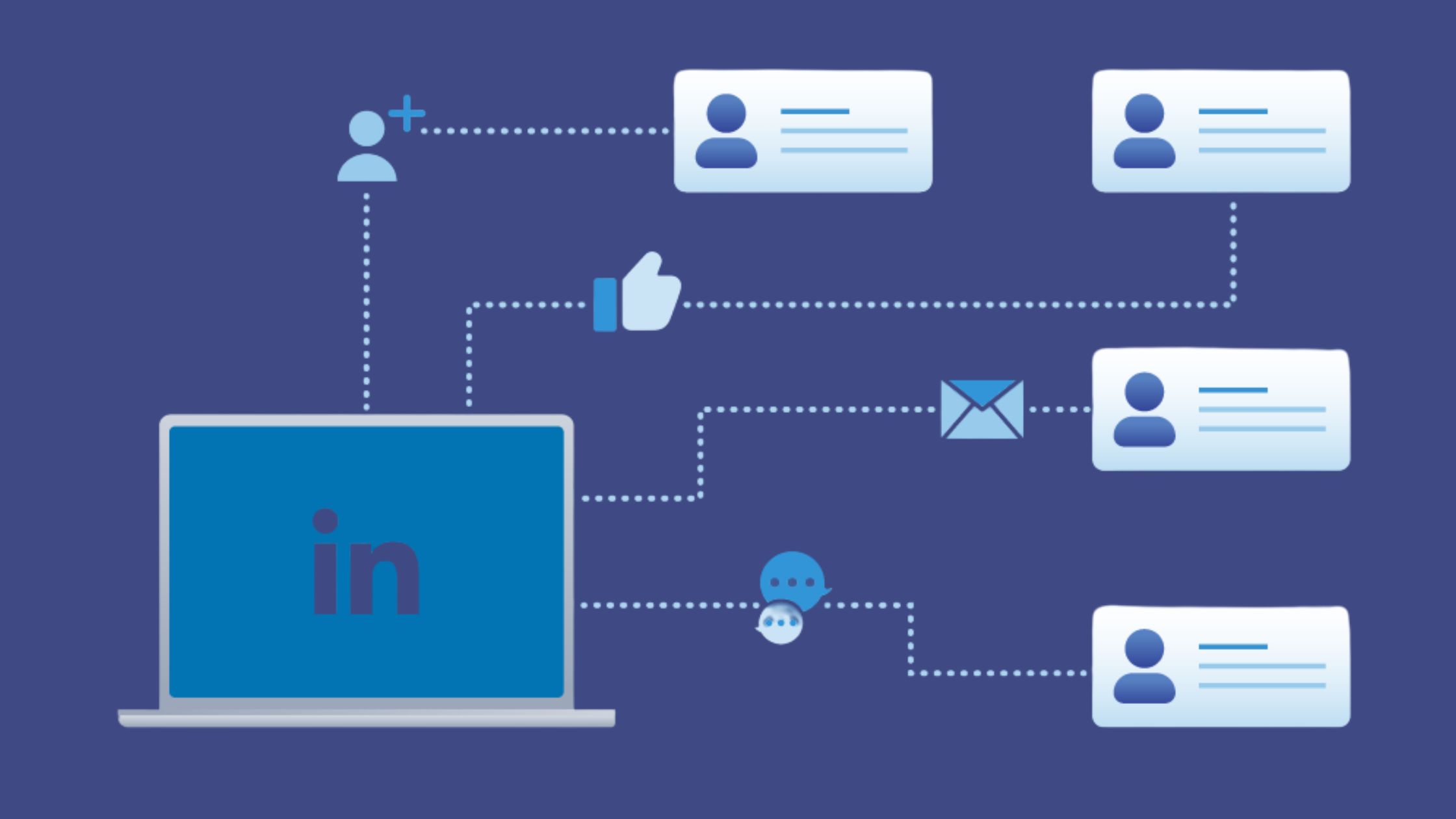
LinkedIn prospecting is a structured outreach process that combines connection requests, sequenced messaging, and social selling — distinct from passive networking or random cold outreach. The goal is to move a qualified stranger from "never heard of you" to a booked conversation through a deliberate series of touchpoints. Think of it as a sales funnel built entirely inside LinkedIn's messaging ecosystem.
Most outreach fails for four compounding reasons:
- Generic templates that reference no specific detail about the prospect
- Leading with a pitch in the first message, before any trust exists
- Ignoring buyer intent signals — job changes, recent posts, company news — that signal the right moment to reach out
- No follow-up arc — sending one message and disappearing when there's no reply
The single most common pain point seen across LinkedIn sales communities is the gap between "sent a connection request" and "had a real conversation." Most articles give you a template for message one and stop there. The follow-up sequence — messages 2, 3, and 4 — is where the majority of pipeline is actually created.
LinkedIn InMail vs Connection Request Messages: Which Converts Better?
LinkedIn InMail is a paid message type that reaches anyone on LinkedIn without requiring a prior connection — it's available through Premium or Sales Navigator accounts. Connection request notes are the 300-character messages sent alongside a connection invite, visible before the recipient accepts. Post-connection messages are standard inbox messages sent after someone accepts your request.
Each type operates differently and requires a different approach:
- Connection request note (300 chars): Ultra-short, curiosity-led. One specific observation + a soft reason to connect. No ask.
- InMail (subject 200 chars, body 1,900 chars): Subject line functions like an email subject — it determines open rate. Best for high-value prospects where a direct approach makes sense.
- Post-connection message (8,000 chars): Higher trust context. This is where the real conversation begins.
According to Biscred's research on LinkedIn outreach templates, InMails achieve a response rate of 18–25% compared to just 3% for cold email. In practice, connection request messages with a personalised note outperform InMails for first-touch warm prospects — the acceptance itself signals interest.
How to Write LinkedIn Prospecting Messages That Actually Get Responses
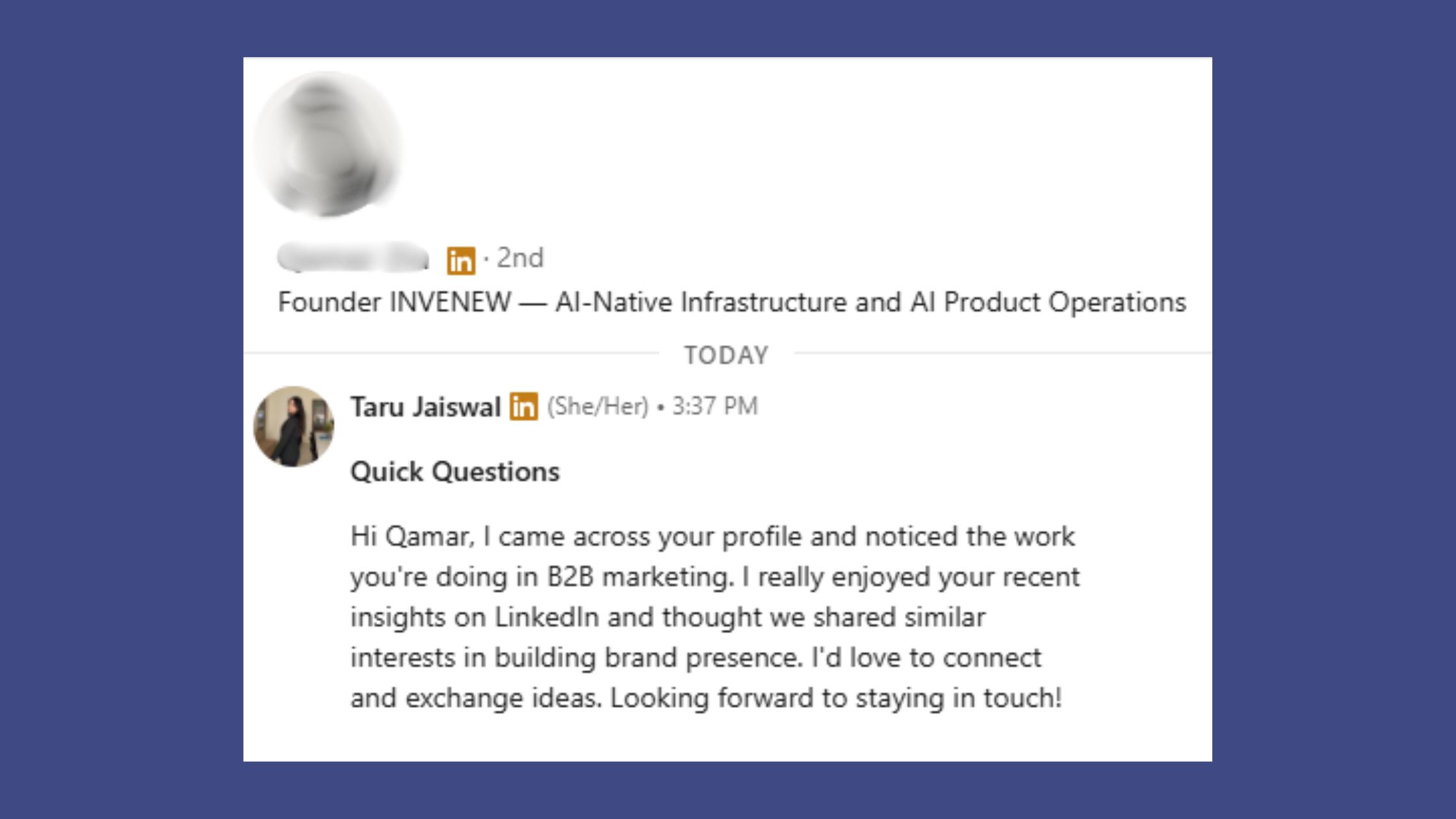
The anatomy of a high-converting linkedin prospecting messages template has three parts: a hyper-specific opener that proves you've done 60 seconds of research, a one-sentence value bridge connecting their situation to a relevant outcome, and a low-friction CTA that invites a reply rather than demanding calendar time.
The step-by-step writing process:
- Research first (2 minutes): Check their recent posts, job change date, company news, and mutual connections. Find one real, specific detail.
- Mirror their language: If their posts use words like "scale" and "efficiency," your message uses those words — not your own jargon.
- Open with the observation, not about yourself: "Noticed your team just expanded into DACH — congrats on the Series B" beats "I work with B2B SaaS companies like yours."
- One value sentence: Bridge their situation to a relevant outcome. Not a product pitch — a result they'd want.
- Soft CTA: "Would it be worth a 10-minute conversation?" outperforms a Calendly link in every first-message context observed.
The most reliable first-message CTA is a genuine question that requires a yes or no — not a commitment to a meeting, but a commitment to a conversation. Calendar links in message one reduce reply rates because they front-load the friction.
Personalized LinkedIn Connection Requests: Templates for Every Use Case
These six personalized LinkedIn connection requests templates are designed to be adapted, not copy-pasted. Replace the bracketed fields with real specifics — that's the entire point.
1. Cold connection request (300-char limit):
"Hi [Name] — saw your post on [specific topic]. The point about [specific detail] was exactly what my team is navigating. Would love to connect and follow your thinking on this."
2. Warm mutual connection:
"Hi [Name] — [Mutual connection] mentioned you when I asked who's doing interesting work in [space]. I'm exploring [relevant topic] and would love to connect."
3. Post-engagement follow-up (sent after liking/commenting on their post):
"Thanks for the discussion on [post topic] — your take on [specific point] gave me a different lens on [challenge]. Worth staying connected."
4. Job-change trigger:
"Congrats on the new role at [Company], [Name]. Curious how you're thinking about [relevant challenge] in the first 90 days — happy to share what we've seen work."
5. Content-led opening:
"I wrote something this week on [topic] that directly relates to what you shared about [their content]. Thought it might be relevant — let me know if it's useful."
6. LinkedIn sales message for active buyers:
"Hi [Name] — noticed [Company] recently posted for a [role that signals budget/initiative]. We've helped teams in similar positions [specific outcome]. Would a quick call make sense?"
What Are Realistic Response Rates for LinkedIn Outreach in 2026?
According to SalesBread's 2026 LinkedIn prospecting data, personalized LinkedIn campaigns achieve a 19.98% average reply rate, with 48.14% of those replies converting into qualified meetings or sales conversations. This means roughly 1 in 5 well-crafted outreach messages generates a reply — and 1 in 10 generates a meeting.
What this tells you: the gap between a generic blast and a personalized campaign is not marginal — it's roughly a 6–7x difference in reply rate. In practice, teams that invest 3–5 minutes per prospect in research and customization consistently see reply rates above 15%, while teams using identical templates across 100+ sends rarely break 3%.
Now that the message framework is clear, the next critical system is what happens after someone accepts — and what to do when they don't reply.
Building a Personalized Outreach Cadence: Follow-Up Strategy From First Touch to Meeting
Teams that map out a complete follow-up sequence before sending the first message consistently outperform those who improvise. A personalized outreach cadence is the pre-planned sequence of touchpoints — messages, timing gaps, and escalation logic — that moves a prospect from first contact to a booked conversation without coming across as desperate or robotic.
A proven 5-step LinkedIn outreach cadence:
- Day 1 — Connection request with personalised note: Reference one specific, real detail. No pitch. Under 300 characters.
- Day 3 — Thank-you message with a value observation: Once accepted, open with "Thanks for connecting" and immediately add one relevant observation about their situation — no ask yet.
- Day 7 — Share a relevant resource: An article, a stat, or a short insight directly relevant to a challenge they've mentioned. "Thought this was relevant given what you said about [X]."
- Day 12 — Direct ask: "I've been thinking about [their challenge] — would a 15-minute call be useful to explore whether [outcome] is relevant?" Specific, low-commitment, outcome-focused.
- Day 18 — Final follow-up with a door-open close: "I don't want to keep following up if the timing's off — no problem at all. If [topic] becomes relevant in Q3, I'm easy to find." This preserves the relationship without burning it.
How many follow-ups before stopping? 3–4 follow-up messages over 18–21 days is the documented sweet spot. Beyond that, LinkedIn outreach conversion rate drops below 2% and the risk of a "spam" report climbs sharply. The door-open close on Day 18 is not a failure — it's a long-term pipeline play. Prospects who aren't ready now often circle back 3–6 months later if the final message was respectful.
How Many LinkedIn Messages Can You Send Per Day Without Risking Restrictions?
LinkedIn does not publish official daily message limits, but patterns observed across high-volume outreach accounts indicate that 20–25 connection requests per day is the practical safe ceiling for free accounts. Above that, accounts begin to see temporary connection request blocks — typically a 4-week cooldown. For standard messages to existing connections, 50–80 per day is generally safe when spread across the day rather than sent in one burst.
The risk markers LinkedIn's algorithm watches for:
- High connection request volume with low acceptance rate (below 20%)
- Identical message text sent to many recipients in rapid succession
- Multiple "I don't know this person" reports on connection requests
- Sudden volume spikes — going from 5 messages/day to 100 overnight
The safest approach: ramp volume gradually, maintain message variation, and keep your acceptance rate above 25% by targeting relevant prospects rather than volume-spraying. For more on protecting your account during prospecting, see LinkedIn prospecting strategies to grow sales.
Make Your Outreach Visible Before It's Sent
Prospects who recognise your name from their feed reply at significantly higher rates. HyperClapper helps you build that visibility with real engagement on your posts — so your outreach lands warmer.
Boost Your LinkedIn VisibilityLinkedIn Sales Navigator vs Free LinkedIn Prospecting: Which Drives Better ROI?
LinkedIn Sales Navigator vs free LinkedIn prospecting is one of the most practically important decisions for anyone building pipeline on the platform. Sales Navigator costs approximately $99–$179/month per seat (Core to Advanced tier) and adds advanced lead filters, buyer intent signals, saved lead lists, CRM sync, and InMail credits. Free LinkedIn gives you Boolean search, 2nd-degree connection filters, and up to 100 search results per query.
The honest cost-vs-ROI breakdown: at a typical B2B deal value of $10,000+, Sales Navigator pays for itself with a single closed deal per quarter — but only if the outreach strategy underneath it is already converting. Sales Navigator amplifies a working system; it doesn't fix a broken one.
How to prospect effectively on LinkedIn without Sales Navigator:
- Use Boolean operators in the free search bar: "VP Sales" AND "SaaS" AND "Series B"
- Filter by 2nd-degree connections at a target company to find warm paths in
- Engage with post commenters in your target niche — they're pre-qualified by topic interest
- Use LinkedIn's Alumni filter to surface shared university or employer connections
- Join LinkedIn Events hosted by target companies — attendees are often ideal prospects
Who actually needs Sales Navigator: teams running 50+ targeted outreach messages per week, AEs managing large territories across multiple verticals, or anyone needing CRM integration for pipeline tracking. Solo founders and small teams can generate strong B2B LinkedIn pipeline generation with free LinkedIn if their messaging converts — the constraint is message quality, not data access.
Best LinkedIn Outreach Tools for Lead Generation in 2026
The best LinkedIn automation tools for prospecting depend on your use case and risk tolerance. Here's a functional comparison of the main approaches:
| Tool / Approach | Best For | Risk Level | Cost Range |
|---|---|---|---|
| Free LinkedIn (manual) | Founders, small teams, low volume | None | Free |
| Sales Navigator | High-volume AEs, CRM-integrated teams | None | $99–$179/mo |
| Cloud-based automation tools | Scaling outreach volume carefully | Medium | $30–$150/mo |
| Engagement platforms (e.g. HyperClapper) | Warming audiences before outreach | Low | Varies |
For a deeper look at LinkedIn outreach tools for lead generation, including how to evaluate automation safety, see the full guide on LinkedIn automation tools for lead generation.
Understanding which tools and approaches fit your volume sets the foundation — but the real ROI question is how you measure and improve what's already running.
How to Measure LinkedIn Prospecting ROI and Optimize What's Working
Roughly 7 in 10 teams running LinkedIn outreach have no formal measurement framework — they track "connections sent" and call it a pipeline metric. That's the most common failure mode in this space.
The LinkedIn prospecting ROI formula:
(Pipeline generated from LinkedIn outreach − Cost of tools and time) ÷ Cost of tools and time × 100
To make this real: if your Sales Navigator subscription + 5 hours/week of outreach time costs $600/month, and you generate $12,000 in pipeline with a 25% close rate ($3,000 in closed revenue), your ROI is ($3,000 − $600) ÷ $600 × 100 = 400%. If you're not tracking pipeline source, you can't calculate this — which is why CRM tagging by source is non-negotiable for teams serious about how to measure LinkedIn prospecting ROI.
The five metrics that actually matter for LinkedIn lead generation ROI:
- Connection request acceptance rate — benchmark: 30–50% for targeted outreach. Below 20% signals poor targeting or a weak note.
- Reply rate — benchmark: 15–25% for personalized sequences. Below 10% signals message quality issues.
- Conversation-to-meeting conversion rate — benchmark: 25–40% of replies leading to a meeting ask. Below that, the transition to a CTA is too abrupt.
- Meeting-to-opportunity rate — depends on ICP quality; typically 40–60% for well-targeted prospects.
- Cost per qualified lead — total outreach cost ÷ number of qualified meetings booked.
Social selling index (SSI) is LinkedIn's proprietary score (0–100) measuring profile strength, network quality, engagement, and relationship-building. A higher SSI correlates with better organic reach and improved InMail delivery rates — track it free at linkedin.com/sales/ssi. It's a useful leading indicator, not a lagging one.
Why Your LinkedIn Prospecting Is Not Converting: Common Mistakes to Fix
The most common failure modes — and their fixes:
- Leading with a pitch in message one: Replace with an observation about their situation. The pitch comes in message 3 or 4, after trust exists.
- Sending identical messages at scale: Even 80% identical messages with 20% personalisation outperform 100% identical blasts by a significant margin. Vary the opener at minimum.
- No A/B testing cadence: Test one variable at a time — opener, CTA phrasing, or message length. Run each variant for at least 50 sends before judging. Teams that A/B test systematically find a winning message variant within 4–6 weeks and see reply rates climb 30–50% relative to their baseline.
- Ignoring the LinkedIn spam filter: Messages flagged as spam (identical text, suspicious send velocity, multiple "I don't know" reports) are silently deprioritised in recipient inboxes. The visible sign: your InMail open rates drop for no obvious reason.
- Asking for too much too fast: "Would a 30-minute demo call work?" in message one is a high-friction ask. "Would it be worth a quick 10-minute conversation?" consistently converts better.
For deeper context on the full B2B LinkedIn marketing and sales strategy for 2026, the same principles apply at a broader content and positioning level.
B2B LinkedIn Pipeline Generation: Industry-Specific Strategies and Prospecting Tips
According to LinkedIn's own 2026 prospecting research, only 5% of your target audience is actively looking for a solution at any given moment. The other 95% are not in-market yet. This means the most valuable LinkedIn prospecting strategies are those that stay visible to the 95% while converting the 5% — not spray-and-pray volume tactics aimed at finding the 5% through sheer repetition.
Industry-specific message customisation by vertical:
- SaaS: Lead with a workflow pain point or inefficiency. "Teams your size typically spend X hours/week on [manual process] — have you found a way around that?"
- Recruiting: Lead with a candidate insight. "I've been talking to [role] candidates in [market] — there's a pattern in what they're prioritising right now that might be relevant for your open role."
- Professional services: Lead with a shared client challenge. "Working with a few firms in [sector] on [challenge] — the approaches are surprisingly different. Curious how you're handling it."
- Agencies: Lead with a specific, visible audit observation. "Noticed [Company's] LinkedIn page hasn't posted in 6 weeks — curious if that's intentional or just a bandwidth issue."
How Post Visibility and Engagement Amplify Prospecting Results
What separates top performers in LinkedIn prospecting from those running the same playbook with worse results is almost always content visibility. A recurring pattern among B2B sellers trying to build pipeline is this: prospects who've seen your posts in their feed before receiving your message reply at significantly higher rates than cold contacts who've never encountered you.
The LinkedIn lead generation tactics that compound over time:
- Warm the relationship before the message: Engage genuinely with a prospect's posts — a thoughtful comment, not a generic "Great post!" — in the 1–2 weeks before sending a connection request. Acceptance rates are measurably higher when the prospect already recognises your name.
- Publish content that creates inbound pull: Posts that speak directly to your ICP's challenges attract connection requests from ideal buyers — inbound conversations convert at 2–3x the rate of cold outreach.
- Use LinkedIn Events: Hosting or co-hosting a LinkedIn event in your niche builds pipeline without any cold outreach — attendees are pre-qualified, have opted in, and have a natural conversation opener.
The LinkedIn outreach conversion rate improvement loop works like this: better content visibility → more profile views from ideal prospects → warmer inbound connections → higher reply rates on outbound messages. The entire system reinforces itself. Teams that treat outreach and content as separate channels miss the compounding effect entirely.
The accounts with the highest LinkedIn prospecting ROI are rarely the ones sending the most messages — they're the ones whose targets already know them from their content before the first message arrives.
Tools like HyperClapper accelerate this loop by amplifying post visibility through real community engagement — so your content reaches ideal prospects before your outreach does, making every subsequent message land significantly warmer.
✓ LinkedIn Prospecting ROI Checklist
- ☐Define your ICP by seniority, industry, company size, and 2–3 buyer intent signals (job postings, content topics, recent company changes)
- ☐Map your full 5-step outreach cadence (Day 1, 3, 7, 12, 18) before sending the first message
- ☐Personalise every connection request note with at least one specific, real detail (under 300 characters)
- ☐Stay within 20–25 connection requests per day to avoid LinkedIn restrictions
- ☐Track the 5 core metrics: acceptance rate, reply rate, conversation-to-meeting rate, meeting-to-opp rate, cost per lead
- ☐Run an A/B test on your opener or CTA — minimum 50 sends per variant before judging
- ☐Tag all LinkedIn-sourced pipeline in your CRM to calculate true ROI monthly
- ☐Publish at least 2 posts per week targeting your ICP's challenges — warm the audience before the outreach begins
Turn Your LinkedIn Content Into a Prospecting Asset
HyperClapper drives real engagement on your posts so your ideal prospects see your content before your outreach arrives — making every message land warmer.
Start Growing Your LinkedIn ReachFrequently Asked Questions About LinkedIn Prospecting
How do I write a LinkedIn message to a prospect that gets a response?
Open with one hyper-specific detail you noticed about the prospect — a recent post, job change, or company news. Follow with a one-sentence bridge connecting their situation to a relevant outcome. Close with a low-friction question, not a calendar link. Messages that reference something real about the prospect convert at roughly 6–7x the rate of generic templates.
What LinkedIn prospecting strategies deliver the best ROI for B2B sales teams?
The highest-ROI LinkedIn prospecting strategies combine content visibility with sequenced outreach: publish posts targeting your ICP's challenges, engage with target prospects' content before messaging them, then run a 5-touch follow-up cadence over 18–21 days. Teams combining content and outreach see reply rates 2–3x higher than those running cold outreach alone — because prospects already recognise their name.
How do I calculate the ROI of my LinkedIn lead generation efforts?
Use this formula: (Pipeline generated from LinkedIn − Cost of tools and time) ÷ Cost of tools and time × 100. Track pipeline source in your CRM, estimate time cost at your hourly rate, and include tool subscriptions. A single closed B2B deal from LinkedIn typically generates 400–800% ROI on a standard Sales Navigator spend — but only when pipeline is properly attributed.
What is a good response rate for LinkedIn outreach, and how do I benchmark mine?
A good LinkedIn outreach response rate is 15–25% for personalized sequences. According to SalesBread's 2026 data, the average across personalized campaigns is ~20%. Below 10% signals a messaging or targeting problem. Above 30% typically indicates strong ICP focus and genuine personalisation at the opener level.
How long does it take to see results from LinkedIn prospecting?
Most well-structured LinkedIn prospecting campaigns produce first replies within 7–14 days and first booked meetings within 3–4 weeks. Pipeline impact typically shows in weeks 6–10 as the follow-up cadence completes. Account-level content visibility (building a warm audience first) takes 4–8 weeks but significantly improves every subsequent outreach campaign run after it.
How do you prospect on LinkedIn without Sales Navigator?
Use Boolean search operators in the free LinkedIn search bar ("VP Sales" AND "SaaS"), filter by 2nd-degree connections at target companies, engage with commenters on relevant posts in your niche, and use Alumni and Events filters to surface warm paths in. Solo founders and small teams regularly build strong B2B pipeline on free LinkedIn when message quality is high. See the full guide on LinkedIn Sales Navigator for lead generation to compare what you gain with an upgrade.
How to do prospecting on LinkedIn at scale without burning your account?
Cap connection requests at 20–25 per day, ramp volume gradually over 4–6 weeks, vary message openers across recipients, and maintain an acceptance rate above 20% by targeting relevant ICP prospects. Sudden volume spikes and identical messages sent in bulk are the two primary triggers for LinkedIn account restrictions — gradual, varied outreach avoids both.
When is the best time to send LinkedIn messages?
Tuesday through Thursday between 8–10am and 12–1pm in the prospect's local timezone consistently outperforms other send windows. Monday mornings and Friday afternoons show measurably lower open and reply rates across observed campaigns. For prospects in multiple time zones, schedule in batches by geography rather than sending at one global time.



