
Optimising your LinkedIn profile is not a one-time task — it is a system of interconnected decisions that determine whether LinkedIn's algorithm surfaces you in search results and whether the human who lands on your page takes action. A pattern observed consistently across high-performing profiles is that the professionals who see the most recruiter messages, inbound leads, and connection requests are not necessarily the most impressive on paper — they are the ones who have built every section of their profile to serve two audiences simultaneously: LinkedIn's search engine and the person reading the page. This guide covers the complete LinkedIn profile optimization process for 2026, from photo to URL, with specific guidance for job seekers, freelancers, career changers, and executives.
- LinkedIn profile optimization means configuring every section — photo, headline, About, experience, skills — so both the algorithm and human readers respond.
- Your headline is your most powerful SEO real estate on LinkedIn — job title alone wastes it entirely.
- LinkedIn's All-Star profile status is an algorithmic ranking signal, not just a vanity badge — incomplete profiles are actively suppressed in search.
- The profile-to-post engagement loop means a better profile and consistent posting compound each other over time.
- AI tools for LinkedIn profile optimization are valuable for drafting and keyword research, but generic AI output without authentic voice consistently underperforms.
- Most counterintuitive finding: LinkedIn profile views are more often lost to privacy and keyword mistakes than to a lack of qualifications.
- What LinkedIn Profile Optimization Actually Means
- Step-by-Step: How to Optimize Your LinkedIn Profile in 2026
- How the LinkedIn Algorithm Works in 2026
- How to Boost LinkedIn Profile Visibility and Increase Profile Views
- Common LinkedIn Profile Mistakes to Avoid in 2026
- AI Tools for LinkedIn Profile Optimization
- Optimization for Job Seekers, Freelancers, Executives, and Career Changers
- Frequently Asked Questions
What LinkedIn Profile Optimization Actually Means (And Why Most People Get It Wrong)?
LinkedIn profile optimization is the process of strategically configuring every section of your profile so the algorithm surfaces you in relevant searches and the person reading your page is compelled to connect, message, or hire. Most professionals update a job title or tweak their summary and wonder why nothing changes — that approach misses the system. Real optimization treats the profile as a living document with algorithm signals, keyword placement, social proof, and a clear call to action working together.
LinkedIn Profile vs Resume: Key Differences to Understand
Your LinkedIn profile is not a digital resume. A resume is a static, tailored document sent to a specific job. Your LinkedIn profile is a searchable, social proof document that compounds over time — recommendations accumulate, engagement signals build authority, and keyword-rich sections improve your ranking with every month you maintain them. This distinction shapes every optimization decision: you write your LinkedIn profile to be found first, then to convert.
When to Create and Optimize Your LinkedIn Profile
The best time to create and optimize your LinkedIn profile is before you need it. Professionals who build their profile during a job search are already behind — recruiters and clients discover profiles organically over weeks and months, not overnight. Optimize when you are employed, stable, and can write from a position of confidence rather than urgency.
The profiles that attract the best opportunities are rarely the ones built in a panic during a job search — they are the ones built consistently over months, well before a transition begins.
Now that you understand what optimization actually means, here is how to execute it section by section.
Step-by-Step: How to Optimize Your LinkedIn Profile in 2026?
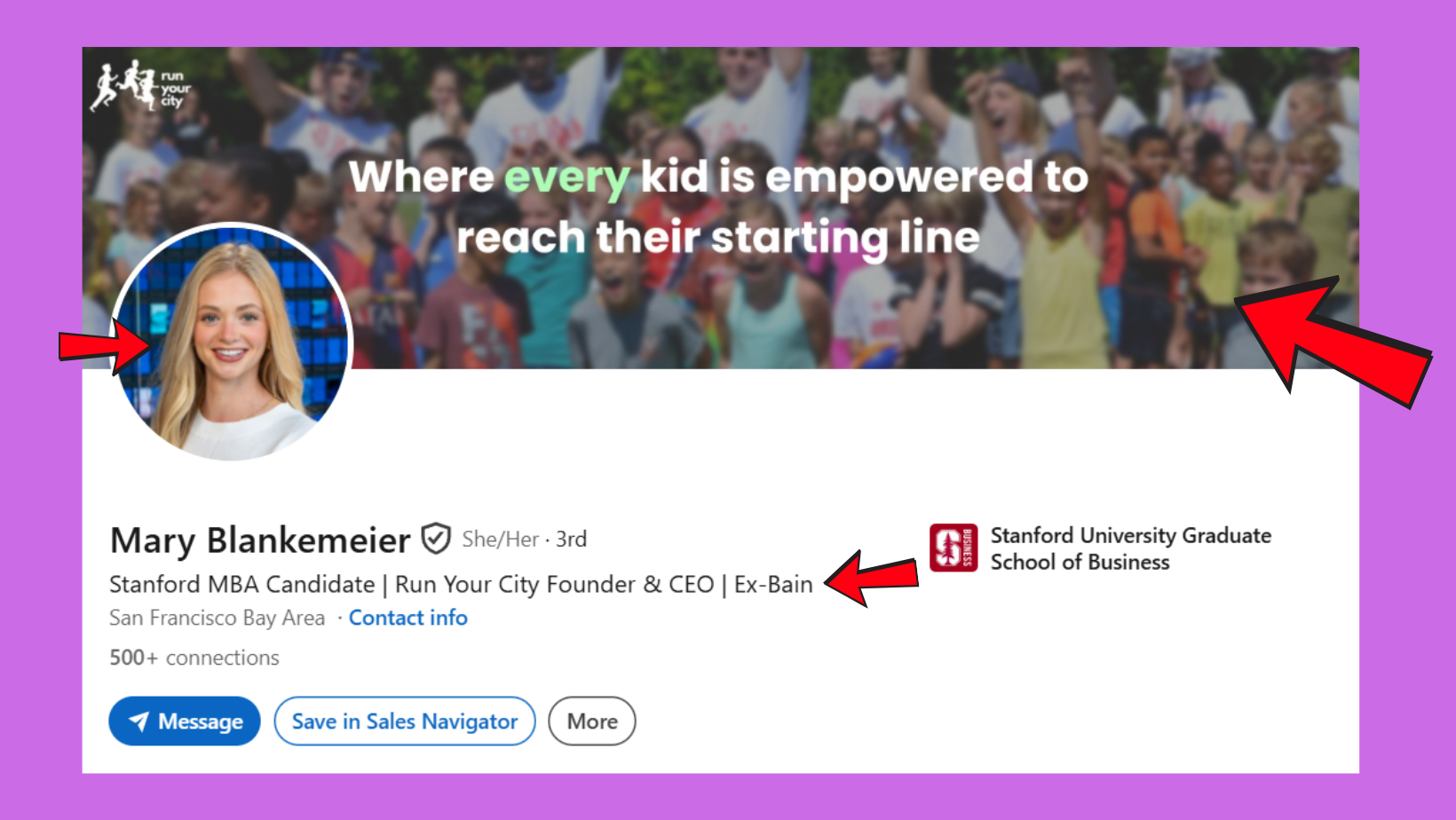
Achieving LinkedIn's All-Star profile status — the platform's completeness benchmark — requires filling every major section. Profiles at All-Star status rank measurably higher in LinkedIn search results than incomplete profiles. Here is the section-by-section approach.
Profile Photo, Banner, and First Impressions
According to LinkedIn internal data, profiles with professional photos receive 14 times more profile views than those without. Your photo should be a clear, recent, front-facing headshot with a clean background — not a cropped group photo. Your banner image is the most underused real estate on LinkedIn: use it to reinforce your positioning (a tagline, your company's brand, or an industry visual).
Writing a LinkedIn Headline That Ranks and Converts
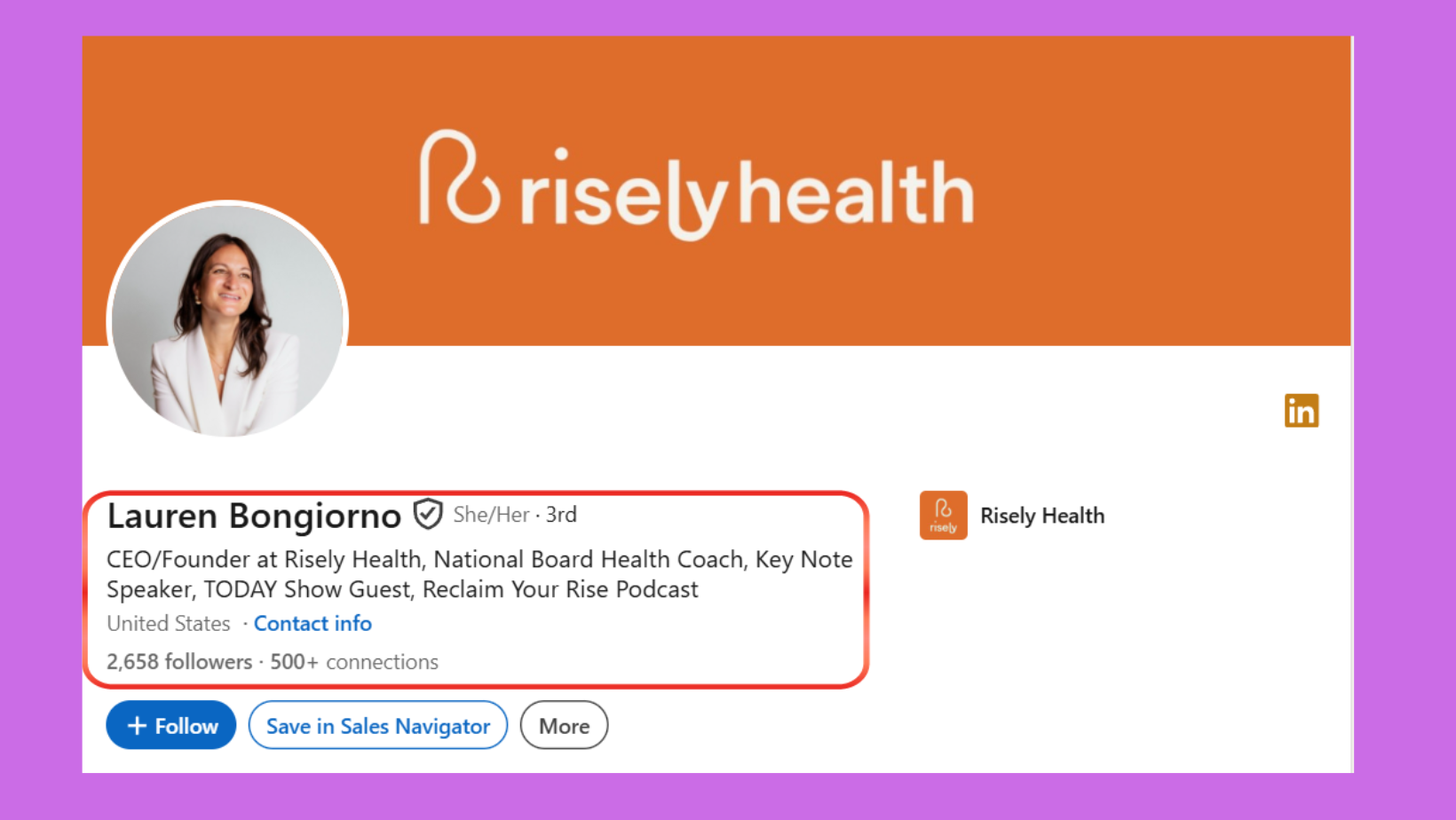
Your headline is the single most important field for LinkedIn SEO optimization. LinkedIn's search algorithm weights the headline above every other profile field — yet the majority of profiles waste this space with a job title alone. A strong headline for LinkedIn for job seekers or any professional follows this formula: [Role] + [Specific Value] + [Target Audience or Industry]. The headline character limit is 220 characters — use it.
For example: "B2B SaaS Sales Manager | Helping Tech Startups Build Pipeline from 0 to £1M ARR" outperforms "Sales Manager at Acme Corp" in both search ranking and conversion. This is what a good LinkedIn profile headline looks like — and it is almost never what people write by default.
How to Write a Compelling LinkedIn About Section
The About section is where your personal brand positioning lives. A compelling LinkedIn About section opens with a hook (a specific outcome you deliver or a problem you solve), follows with your professional story and credentials, and closes with a clear next step — what should someone do after reading this? Think of it as a short landing page, not a biography. Keep it to 3–4 short paragraphs, use line breaks for readability, and include 3–5 keywords from your target industry naturally distributed throughout.
To add your About section: click View your profile → click the pencil icon in the About section → write and save. You can also review these LinkedIn profile optimization tips for leads and sales to sharpen the conversion angle of your About copy.
Work History, Skills, Endorsements, and Recommendations
Your LinkedIn work history should read like achievement bullets, not job descriptions. Each role needs 2–4 bullet points starting with a strong verb and including a quantified outcome where possible. For skills, LinkedIn allows up to 50 — add at least 20 relevant skills to maximise search surface area. Endorsed skills rank higher in search results. Recommendations are the strongest social proof on LinkedIn: aim for at least 3, ideally from managers or clients who speak to specific outcomes.
Featured Section, Creator Mode, and LinkedIn URL Customization
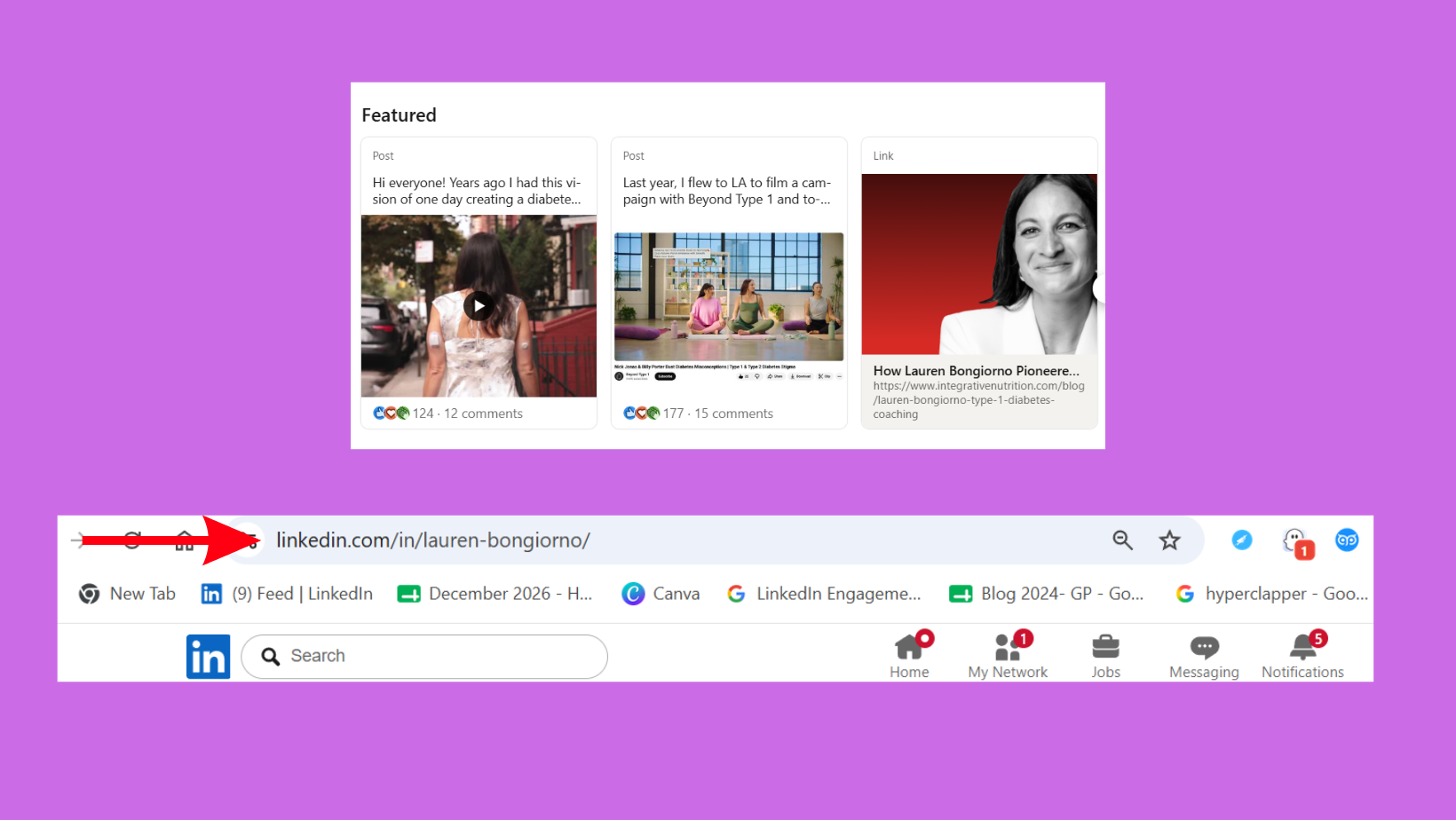
The Featured section lets you pin posts, articles, links, and media to the top of your profile — use it to showcase your best work, a case study, or a key article. LinkedIn URL customization (your vanity URL) makes your profile link cleaner and improves discoverability. To change your LinkedIn profile URL: go to View your profile → click the edit icon next to your public profile URL → type a custom slug (ideally your name or name + keyword). A customized URL is also easier to add to your CV, email signature, or website when you need to add your LinkedIn link.
With your profile sections fully optimized, the next lever is understanding how LinkedIn's algorithm decides who gets found.
How the LinkedIn Algorithm Works in 2026 (And How to Use It for Profile Visibility)?
LinkedIn's search ranking in 2026 works by matching a searcher's query against profile fields weighted in a specific order: headline > current job title > skills > About section > past experience. This means a keyword that appears in your headline carries significantly more ranking weight than the same keyword buried in a past role. Platform data consistently shows that profiles with target keywords in the top three fields rank on the first page of LinkedIn search results for those terms — profiles with keywords only in experience sections rarely do.
LinkedIn Keywords: How to Find and Place the Right Ones
The most effective approach to finding LinkedIn keywords for your industry: search for your target role on LinkedIn, open 5–10 profiles of people already in those roles, and note the language patterns they share — the job titles, skill labels, and phrases that repeat. Those are your keywords. Use a LinkedIn keywords tool or simply LinkedIn's own search suggestions (the autocomplete terms LinkedIn shows when you start typing a search are real keyword data). Place your top 3–5 keywords in your headline, About section opening, and skills list.
Profile Visibility Settings, Privacy Controls, and Notifications
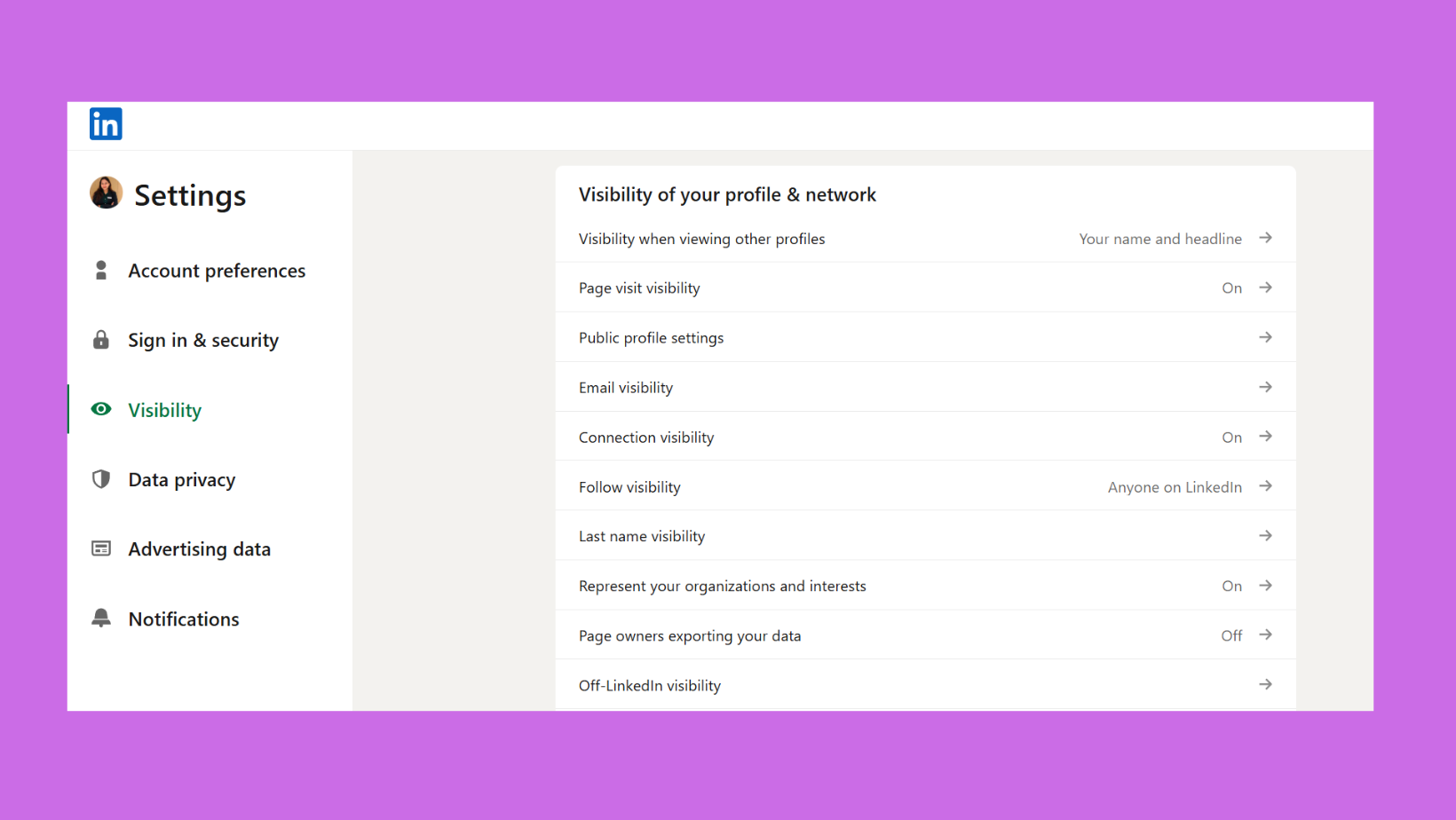
Profile visibility controls determine who can see your profile and whether your activity is public. A few settings matter most:
- Public profile visibility: set this to fully visible so your profile appears in Google search results — a significant source of profile traffic that most people disable accidentally.
- Profile viewing options: when you view someone's profile, they can see you visited. If you want to browse privately, switch to anonymous mode in Settings — but know this also hides who viewed your profile from you. (See the complete guide to who viewed your LinkedIn profile.)
- Activity broadcasts: when you update your LinkedIn profile, LinkedIn can notify your network. If you are making major edits, you can turn off activity broadcasts to avoid a flood of notifications mid-revision.
On the common question — does LinkedIn notify when you search someone? No. Searching for someone does not notify them. Viewing their profile does (unless you're in private mode). And when you update your profile, LinkedIn notifies your connections by default — you control this in Settings > Visibility > Share profile updates with your network.
The algorithm is only one side of the visibility equation — active engagement is the other, and it compounds the effect of a strong profile in ways that optimization alone cannot.
How to Boost LinkedIn Profile Visibility and Increase Profile Views?
Teams that combine a fully optimized profile with regular posting and commenting consistently see more found you through feed and found you through LinkedIn search attribution in their profile analytics — meaning the algorithm is surfacing them across multiple entry points, not just direct search. Profile optimization and content activity are not separate strategies; they amplify each other through what can be called The Profile-to-Post Engagement Loop: a stronger profile converts more visitors into connections → more connections mean greater post distribution → greater post reach drives more profile views → more profile views generate more connection requests.
Using LinkedIn Engagement Tools to Amplify Profile Reach
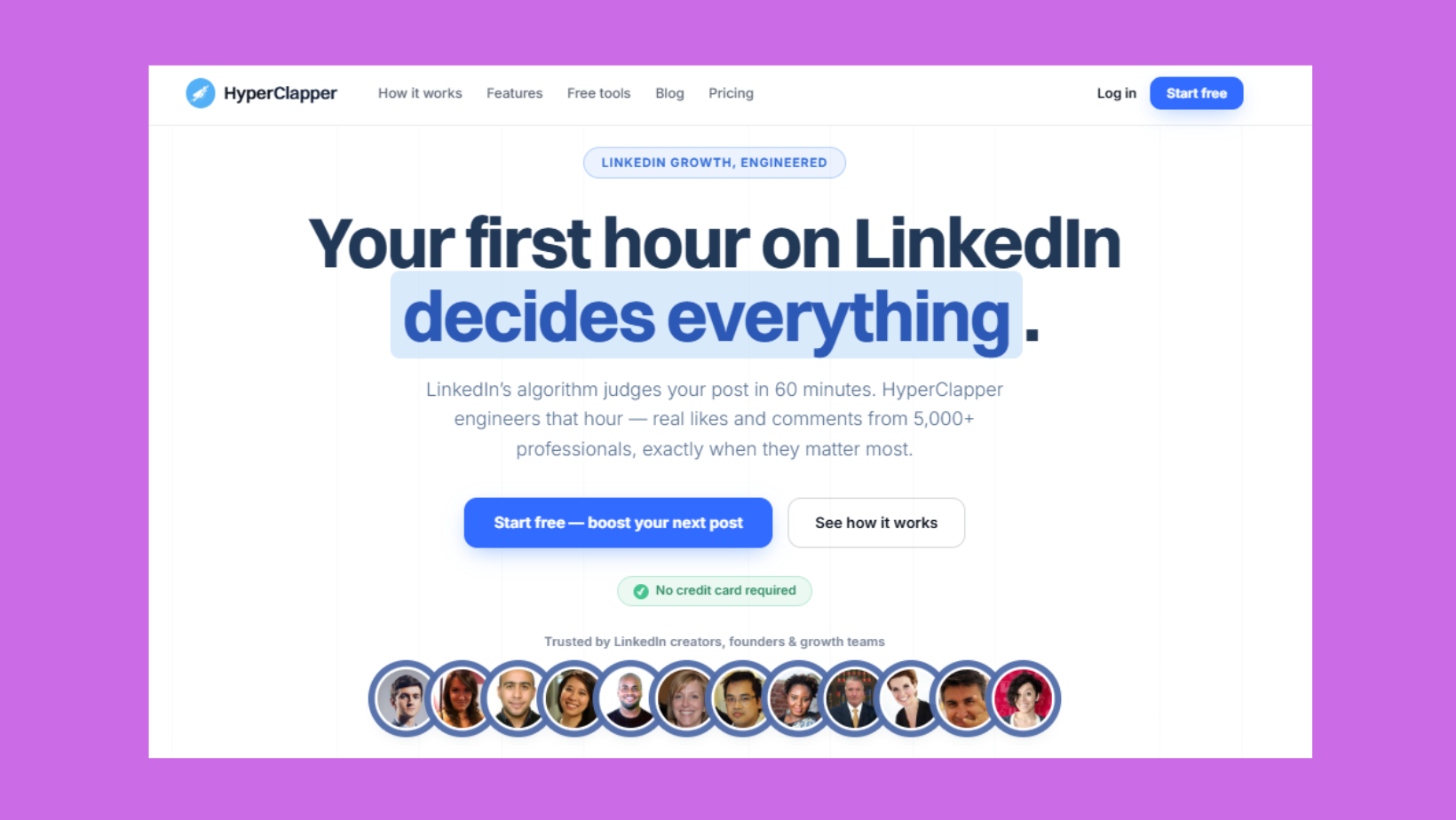
For professionals who post content, engagement on that content directly feeds profile traffic. Tools like HyperClapper help break the cold-start problem by connecting your posts with real engagement groups — so your content gets early likes and comments that signal quality to LinkedIn's distribution algorithm. More distribution means more profile views from people who discover you through your content rather than searching directly. This is particularly valuable for founders, coaches, and agency professionals who use content as their primary visibility strategy.
LinkedIn Networking Messages, Auto Replies, and Services Section
A strong profile generates inbound connection requests — but how you respond matters. A personalized LinkedIn networking message that references a specific shared context (a post, a mutual connection, or a relevant industry event) converts at a meaningfully higher rate than a generic "I'd like to connect." For high-volume inbound, LinkedIn's auto response feature lets you set an automated reply to connection messages — useful for consultants and recruiters managing volume. Activate your Services section (available in Settings) if you offer any freelance or consulting work — it makes your profile searchable in LinkedIn's service provider results, a separate discovery channel entirely.
Get More Eyes on Your LinkedIn Profile — Without Waiting for the Algorithm
HyperClapper connects your posts with real engagement groups to drive early likes, comments, and profile visits from relevant professionals.
See How HyperClapper WorksCommon LinkedIn Profile Mistakes to Avoid in 2026?
The most common failure mode is spending hours updating a LinkedIn profile only to receive zero recruiter messages, no connection requests, and no interview invitations — and concluding that LinkedIn simply doesn't work for them. In almost every case, the issue is traceable to a handful of predictable, fixable mistakes rather than a fundamental problem with the platform.
Visibility and Keyword Mistakes That Kill Search Rankings
- Job title as headline: wastes the highest-weight SEO field on LinkedIn
- No keywords in skills: LinkedIn's search algorithm uses skills as a ranking signal — fewer than 10 skills listed means far less search surface area
- Generic About section: opening with "I am a passionate professional" is invisible to both algorithms and humans
- Public profile set to private: prevents your profile from appearing in Google search results, cutting off an external traffic source entirely
- No custom vanity URL: a default LinkedIn URL looks unpolished in email signatures and CVs, and misses a minor but real SEO signal
Social Proof and Engagement Mistakes
Creators who skip the recommendations section typically find their profiles convert visitors to connections at a significantly lower rate than profiles with 3+ recommendations. Social proof on LinkedIn — endorsements, recommendations, and mutual connections — acts as trust validation for both recruiters and potential clients. A profile with no recommendations, no Featured content, and no recent activity signals professional stagnation, regardless of the quality of the underlying experience.
Fixing mistakes gets your profile back to baseline — the next step is using AI and specialized tools to actively push it above the competition.
AI Tools for LinkedIn Profile Optimization: What's Worth Using in 2026?
The most practical use of AI tools for LinkedIn profile optimization in 2026 is as a drafting and keyword research engine, not a replacement for authentic voice. Tools like ChatGPT (using the approach of how to optimize LinkedIn profile with ChatGPT) are most effective when you give them your existing profile content and ask for keyword gap analysis, alternative headline options, and About section rewrites — then edit the output to restore your natural tone. A LinkedIn profile score checker or LinkedIn profile optimizer tool (such as those built into platforms like Jobscan or LinkedIn's own completeness meter) can surface structural gaps quickly.
AI optimization tools are most valuable as a first draft and a keyword mirror — the profiles that actually convert are the ones where a human has edited the AI output back into a voice that sounds like a real person.
LinkedIn Creator Mode, Analytics, and Settings Worth Knowing
LinkedIn's analytics panel (visible under View your profile) shows you how many people viewed your profile, where they found you (found through LinkedIn search, found you through feed, found you through a LinkedIn profile, or found you through homepage), and what their job titles are. These signals tell you which part of your strategy is working. If the majority of visits come via found you through LinkedIn search, your keyword optimization is working. If most come via found you through feed, your content is driving discovery. Use these signals to double down on what's working rather than guessing. For a deeper breakdown of the LinkedIn algorithm changes in 2026, the platform has shifted significantly toward rewarding expertise signals over broad engagement.
The right optimization strategy also varies significantly depending on who you are and what you are trying to achieve — here is how to adapt the framework for your specific situation.
LinkedIn Profile Optimization for Specific Audiences: Job Seekers, Freelancers, Executives, and Career Changers?
What separates top-performing LinkedIn profiles from average ones is not superior credentials — it is the precision with which each profile section is configured for a specific goal and audience. The same professional optimizing for a sales role versus a speaking career versus a freelance consulting practice needs a fundamentally different profile architecture.
✓ LinkedIn Profile Optimization Checklist 2026
- ☐Professional headshot uploaded (not a cropped group photo)
- ☐Headline uses Role + Value + Audience formula (not just job title)
- ☐Custom vanity URL set (linkedin.com/in/yourname or yourname-keyword)
- ☐About section opens with a specific outcome or problem you solve
- ☐Work history includes quantified achievements, not just responsibilities
- ☐Minimum 20 skills listed; top skills aligned with target role keywords
- ☐At least 3 recommendations received (not just given)
- ☐Featured section includes best post, case study, or portfolio link
- ☐Public profile visibility set to fully visible (including Google indexing)
- ☐All-Star profile status confirmed in LinkedIn's profile completeness indicator
For LinkedIn profile optimization for job seekers in 2026: activate Open to Work on the recruiter-only setting (invisible to your current employer, visible to recruiters), complete every profile section to All-Star status, and ensure your headline and About section contain the exact job titles and skill keywords your target recruiters search. According to LinkedIn, complete profiles receive 40% more opportunities than incomplete ones.
For LinkedIn profile for career changers: lead your About section with transferable skills and outcomes rather than past job titles. Use the About section to explicitly narrate the transition — remove the ambiguity that makes recruiters hesitate. For LinkedIn optimization for freelancers: activate the Services section, treat your About section as a client-facing landing page, and build your Featured section with portfolio samples or measurable client results. You can find a deeper breakdown of these scenarios in the ultimate guide to LinkedIn optimization tips, tools, and strategies.
Executive and Sales Professional LinkedIn Profiles
Executive LinkedIn profile best practices differ from job seeker optimization in one critical way: the goal is authority, not discoverability. Executives should lean heavily into thought leadership content, a strong Featured section showcasing media appearances or key articles, and an About section that reads as a leadership philosophy rather than a career summary. For LinkedIn optimization for sales professionals, the profile functions as a pre-call credibility check — prospects will view it before every meeting, so the Featured section, recommendations, and headline should all reinforce the value you deliver to clients specifically.
Turn Your Optimized Profile Into a Visibility Engine
HyperClapper's real engagement channels and AI-powered replies help your content reach the right people — so your profile works harder with every post you publish.
Start With HyperClapperFrequently Asked Questions About LinkedIn Profile Optimization
How do I make my LinkedIn profile stand out to recruiters in 2026?
Start with a keyword-rich headline that includes your target role, your specific value, and your audience — not just your job title. Then reach All-Star profile status by completing every section, add 3+ recommendations, and use the Featured section to showcase your best work. Recruiters look at headline, photo, and About section first — optimize in that order.
Does LinkedIn notify people when you view their profile or update yours?
Yes, LinkedIn notifies profile owners when you view their profile — unless you switch to anonymous browsing mode in Settings. When you update your profile, LinkedIn notifies your network by default; turn this off in Settings > Visibility > Share profile updates if you want to edit quietly. Searching for someone does not trigger a notification.
What is a good LinkedIn headline and how long should it be?
A strong LinkedIn headline combines your role, a specific value proposition, and your target audience — for example, "Product Designer | Helping FinTech Startups Ship Faster." The character limit is 220; use at least 120–150 characters to maximise keyword coverage. Headlines that include only a job title consistently underperform in both search ranking and click-through rate.
Is LinkedIn Premium worth it for profile optimization and job searching?
LinkedIn Premium adds value for active job seekers through InMail credits, full visibility of who viewed your profile, and applicant ranking signals. However, it is not a substitute for a well-optimized free profile — a Premium account with a weak profile still underperforms a strong free profile in search. Treat Premium as an amplifier, not a fix.
How has the LinkedIn algorithm changed in 2026 and how should I adapt my profile?
The 2026 LinkedIn algorithm places greater weight on expertise signals — niche keyword depth, consistent posting in a specific topic area, and meaningful comment engagement — over broad surface-level activity. Profiles that demonstrate topical authority through a combination of strong keyword placement and regular content in a focused niche receive higher organic visibility than generalist profiles.
What's the difference between LinkedIn Creator Mode and a standard profile, and which should I use?
Creator Mode repositions your profile to prioritize your content: it moves your Featured section above your About section, replaces "Connect" with "Follow" as the default action, and adds a topic hashtag section. Use Creator Mode if you post content at least twice a week and want followers. Keep standard mode if you are primarily job searching and want connections as the primary conversion.
What sections of my LinkedIn profile do recruiters look at first?
Recruiters consistently view profiles in this order: headline, profile photo, current job title, About section, then work history. This means your first 150 characters of headline and your About section opening paragraph carry the most conversion weight. Optimize those two elements first before fine-tuning experience bullets or skill endorsements.
What consistently separates accounts that generate real inbound opportunities from those with impressive credentials but no traction is not any single section — it is the combination of keyword precision, profile completeness, and an active content presence working together. Profiles that get all three right see compounding visibility. Profiles that miss any one typically plateau regardless of how strong the underlying experience actually is.



