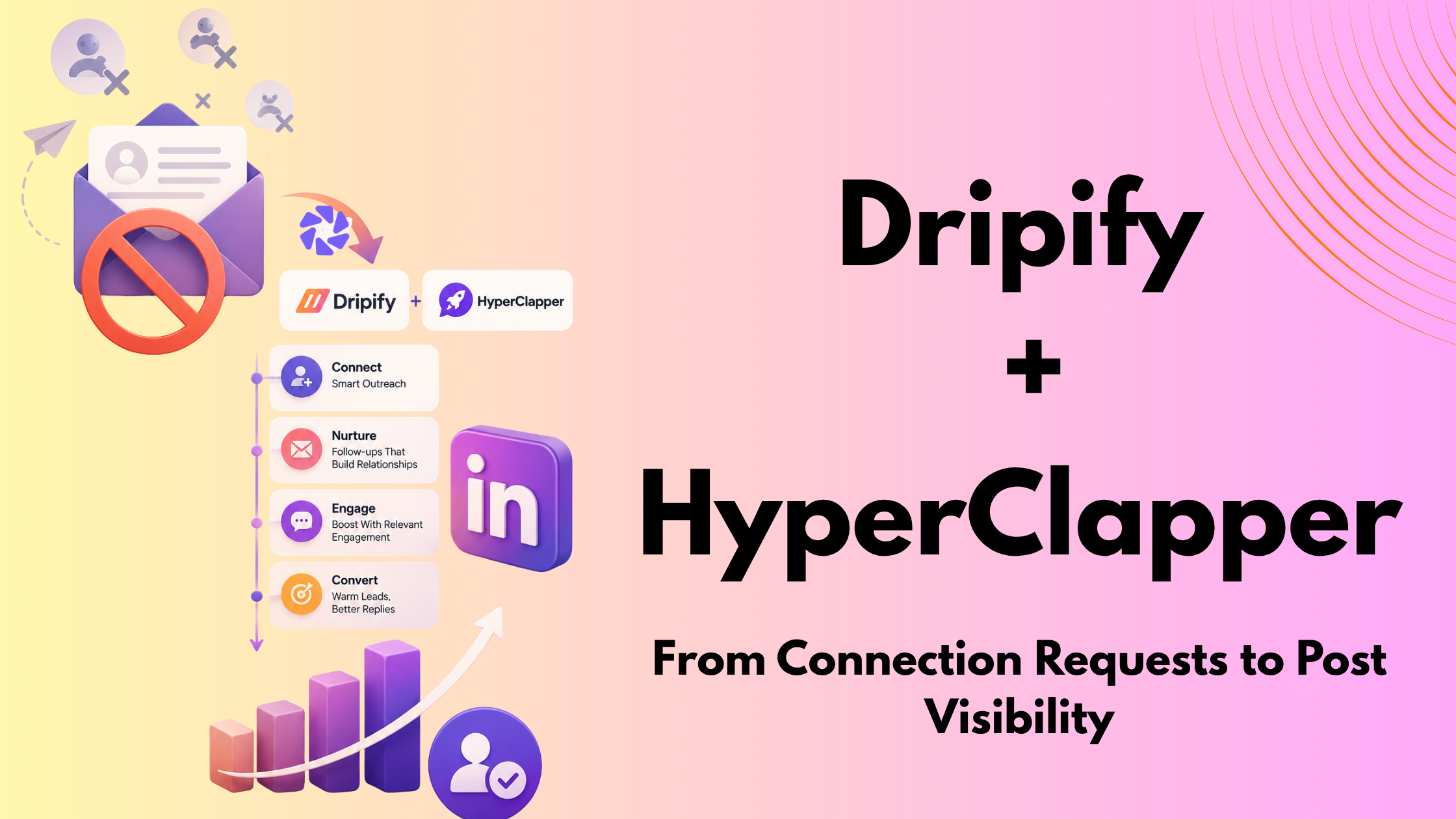
A pattern observed consistently across high-volume LinkedIn outreach campaigns is this: the accounts that struggle with low acceptance rates aren't sending bad messages — they're sending cold ones. LinkedIn outreach automation works best not as a volume play, but as a credibility play. The real lever is making your name familiar before your connection request ever lands. According to Expandi's State of LinkedIn Outreach H1 2026, LinkedIn reply rates average 10.3% — roughly double email's 5.1%. That gap closes fast when cold requests go unanswered. The solution is a two-tool stack: Dripify handles your outreach sequences; HyperClapper builds the profile credibility that makes those sequences actually land.
- Cold LinkedIn connection requests fail because recipients have no prior signal of your credibility — the default action is ignore.
- LinkedIn's algorithm treats low acceptance rates as a behavioral health signal that quietly throttles your reach.
- Warming up prospects for 5–10 days before connecting can roughly double your connection request acceptance rate.
- Dripify automates sequences; HyperClapper builds the profile credibility that makes those sequences convert.
- Safe daily limits: 20–25 connection requests per day with Dripify; boost every post with HyperClapper channels to maintain visible authority.
- The counterintuitive finding: automation safety in 2026 is less about the tool you choose and more about the volume you run and the profile signal you maintain.
- Why Cold LinkedIn Connection Requests Keep Failing in 2026
- How to Warm Up LinkedIn Prospects Before You Ever Hit 'Connect'
- How Dripify Works—And Where It Fits in a Safe Outreach Stack
- What HyperClapper Does—And Why It's the Missing Half
- The Dripify + HyperClapper Workflow: From Invisible to Inbound
- Frequently Asked Questions About LinkedIn Outreach Automation
Why Cold LinkedIn Connection Requests Keep Failing in 2026
Cold requests land in a vacuum. The recipient has no prior signal that you're credible, active, or worth their time — so the default is ignore. That's not a messaging problem. It's a familiarity problem. And in 2026, the cost of ignoring it is higher than most people realise.
LinkedIn's algorithm now factors connection request acceptance rates as a behavioral health signal for your account. A low acceptance rate doesn't just mean missed connections — it quietly throttles your organic reach and can trigger account warnings. The behavioral automation thresholds LinkedIn monitors aren't just about scraping tools; they flag any pattern that looks mechanically high-volume relative to your engagement baseline.
What LinkedIn's Algorithm Actually Flags
A recurring pattern among users who get restricted is that they weren't running sophisticated scraping tools. They were simply sending too many cold requests too fast. Community threads on this topic are dominated by accounts suspended for volume alone — 50, 80, 100 requests in a day without any prior engagement history to justify it.
The LinkedIn cold connection request mistakes that trigger flags most often are: no note, no prior engagement, high daily volume, and a sparse profile. Fix all four and the same outreach campaign performs dramatically differently. The fix isn't a better template — it's building familiarity before the request ever lands.
How to Warm Up LinkedIn Prospects Before You Ever Hit 'Connect'
Knowing how to warm up LinkedIn prospects before outreach is the single highest-leverage change most B2B sellers can make. Prospect warm-up means creating visible, positive touchpoints — likes, comments, post views — before a connection request, so your name already feels familiar when the notification arrives.
LinkedIn account warm-up sequences typically run 5–10 days and follow this pattern:
- Day 1–2: Follow the prospect and view their profile (triggers a notification).
- Day 3–5: Like or comment on two to three of their recent posts — genuine, specific engagement, not "Great post!"
- Day 6–8: React to a piece of content they shared from someone else.
- Day 9–10: Send the connection request with a note referencing the specific post or topic you engaged with.
This single shift can roughly double your connection request acceptance rate because you're no longer a stranger — you're a known face from their notifications. According to LinkedIn outreach benchmarks shared by Anna Svitlychna, personalised messages with context get 30–40% acceptance rates versus single-digit rates for generic cold requests. In practice, that's the difference between 3 new conversations per 100 requests and 35.
Safe Daily Limits and Sequencing Logic That Won't Get You Restricted
Keep connection requests at 20–25 per day maximum. Profile views: up to 80–100 per day. Messages to 1st-degree connections: up to 100 per day. These thresholds sit comfortably below what LinkedIn's behavioral filters flag, even on accounts that are actively growing. Per Overloop's 2026 LinkedIn automation guide, staying under LinkedIn's 80 invites/day cap (the platform's own stated limit) is a baseline — conservative accounts run at 25–30% of that ceiling and see far fewer restrictions long-term.
You can find a deeper breakdown of what LinkedIn actually tracks in its connection request limits guide — it covers the platform's current enforcement thresholds in detail.
How Dripify Works—And Where It Fits in a Safe Outreach Stack
Dripify is a cloud-based LinkedIn automation tool that runs drip sequences — automated connection requests, follow-up messages, profile visits, and endorsements — on a defined schedule. Because it operates via a dedicated IP address in the cloud rather than a browser extension, it mimics more natural session behavior, which reduces (but does not eliminate) detection risk.
As one of the most widely used linkedin outreach automation tools for B2B teams, Dripify's strengths are systematic follow-up cadences, A/B testing message variants, and managing outreach across multiple campaigns simultaneously. It is a genuine linkedin outreach automation tool built for scale.
Dripify vs. Expandi and Other LinkedIn Automation Alternatives
The Dripify vs Expandi LinkedIn automation comparison comes up constantly in B2B sales communities. Here's how the two actually differ in practice:
| Tool | Best For | Safety Approach | Key Gap |
|---|---|---|---|
| Dripify | Multi-step drip sequences, B2B sales teams | Cloud-based dedicated IP | No profile credibility building |
| Expandi | Hyper-personalized outreach, image/GIF variables | Cloud-based, smart limits | No engagement amplification |
| Waalaxy | LinkedIn + email multichannel sequences | Browser extension (higher risk) | No post visibility support |
| HyperClapper | Profile credibility + post engagement amplification | Real community channels, Content Guard | Not an outreach sequence tool (by design) |
A Dripify alternative with engagement automation doesn't really exist as a single tool — which is exactly why the two-tool stack covered below works so well. Sequence tools and credibility tools solve different problems.

What HyperClapper Does—And Why It's the Missing Half of Your Outreach Strategy
LinkedIn posts with strong early engagement see roughly a 2× increase in algorithmic distribution — a pattern consistent with how LinkedIn's feed model rewards content that triggers immediate reaction signals. What is HyperClapper used for? It is a LinkedIn engagement pod tool for B2B that solves the credibility problem cold outreach creates: when a prospect checks your profile after receiving a connection request and sees posts with substantive, genuine engagement, you look like an active authority worth talking to.

HyperClapper works through channels — groups of roughly 50 real members who engage with submitted posts. Select two channels and you're looking at approximately 100 potential engagements; three channels, around 150. This isn't fake activity — these are real people, which is what separates it from older pod tools like Lempod or Podawaa that relied on bot-heavy networks.
HyperClapper pricing and review details are available on the platform directly, but the key differentiators worth knowing from a strategy standpoint are:
- AI Replies — generates and posts contextual comments, keeping the conversation alive beyond the initial engagement burst
- Feed More AI Replies — extends a post's active conversation window days later, which LinkedIn's algorithm interprets as sustained interest

Feed More AI Replies with HyperClapper - Company Page Boosting — applies the same visibility amplification to brand content, not just personal profiles
- Content Guard — a moderation layer that filters flagged topics (politics, controversy, sensitive events) before they reach the post boost queue
The post visibility amplification effect directly strengthens your social selling index impact — LinkedIn's internal measure of how active and authoritative your profile appears — which in turn affects how widely your content gets distributed to second- and third-degree connections. Those are the exact same people your Dripify sequences are about to reach.
The most common failure mode in B2B LinkedIn outreach isn't a bad message — it's a profile that looks empty when the prospect checks it thirty seconds after receiving the request.
The Dripify + HyperClapper Workflow: From Invisible to Inbound in 2026
The Dripify HyperClapper LinkedIn outreach combination works because the two tools run parallel tracks that reinforce each other. HyperClapper builds continuous visible credibility; Dripify runs targeted sequences to the same audience seeing that credibility signal.
How to combine LinkedIn automation with engagement tools safely, step by step:
- Publish a post and boost it via HyperClapper channels. Select 2–3 channels to generate 100–150 real engagements over 24–48 hours. Add AI Replies to keep the conversation active.

Publish a post and boost it via HyperClapper - While engagement builds (hours 0–72), load your ICP audience into a Dripify sequence. Set the first step as a profile view — not a connection request yet.
- Dripify's profile-view step lands while your boosted post is circulating in their feed. They see an active, engaged profile — not a blank slate.
- Day 3–5: connection request fires with a note referencing a shared topic, your recent post, or their content.
- Day 7–10: follow-up message goes out via Dripify to anyone who connected but hasn't replied.
Keep Dripify volumes at 20–25 requests per day. Run HyperClapper on every substantive post you publish — at minimum, once per week. Monitor your acceptance rate weekly: if it drops below 30%, pause outreach and extend the warm-up window by 3–5 extra days before the request step.
Common Mistakes to Avoid When Running Both Tools Together
Teams that run both tools but skip the sequencing logic typically find that results are only marginally better than cold outreach alone. The timing is the strategy — not just the tool selection. Also: writing your connection request notes to reference your shared activity is what closes the credibility loop that both tools worked to create. A generic "I'd like to add you to my network" undoes the warm-up entirely.
✓ The Dripify + HyperClapper Launch Checklist
- ☐Profile optimised: headline, about section, and featured posts are current and credibility-building
- ☐HyperClapper channels selected and post submitted — minimum 2 channels for meaningful engagement
- ☐48-hour engagement window allowed before Dripify connection request step fires
- ☐Dripify daily request limit set to 20–25 (never above 40 on established accounts)
- ☐Connection request notes reference specific content or shared context — not generic
- ☐Acceptance rate monitored weekly — pause and extend warm-up if it drops below 30%
- ☐HyperClapper Content Guard enabled to prevent flagged topics from appearing in boosted posts
Build the profile credibility that makes your outreach convert
HyperClapper boosts your LinkedIn posts with real community engagement and AI-powered replies — so every prospect who receives your Dripify request already knows your name.
Start Boosting Posts FreeWhat consistently separates accounts with real inbound traction from accounts with high outreach volume is not the sophistication of their sequences — it's that their profile looks worth connecting with before the request arrives. The best linkedin outreach automation tools for B2B sales are the ones that address both sides of that equation simultaneously.
Frequently Asked Questions About LinkedIn Outreach Automation
Why do cold LinkedIn requests get ignored?
Cold LinkedIn requests get ignored because the recipient has no prior signal of your credibility or relevance — you're a stranger asking for access to their network. With no shared context, the path of least resistance is to ignore or decline. Acceptance rates on cold requests without notes typically fall below 10%, versus 25–40% for warm, contextualised requests.
Why is sending cold LinkedIn connection requests a bad strategy?
Cold requests don't just get ignored — they actively damage your account. LinkedIn's algorithm uses your request-to-acceptance ratio as a behavioral health signal. A sustained low acceptance rate can throttle your content reach and trigger account warnings. The bigger problem is systemic: cold outreach trains the algorithm to treat your account as low-quality, which compounds over time.
What is the best way to warm up a LinkedIn prospect before sending a connection request?
The most effective warm-up runs 5–10 days: follow the prospect, engage with two to three of their posts with specific comments, then send a request with a note referencing your shared activity. Pairing this with HyperClapper — so your own posts appear in their feed with strong engagement during the warm-up window — adds a second credibility signal before the request lands.
Can I use Dripify and HyperClapper together for LinkedIn outreach?
Yes — they complement each other directly. Dripify handles the outreach sequence (profile views, connection requests, follow-up messages); HyperClapper builds the post engagement and profile credibility that makes that sequence convert. The key is timing: let HyperClapper's engagement run for 48–72 hours before Dripify's connection request step fires.
How do LinkedIn engagement pods help improve outreach success rates?
LinkedIn engagement pods improve outreach by making your profile look active and authoritative before a prospect ever receives your request. When a prospect checks your profile and sees posts with genuine, substantive engagement, your credibility is established passively. HyperClapper's real-community channels function as a structured engagement pod with safety controls and AI replies built in.
Is LinkedIn automation safe in 2025 and 2026?
According to responsible automation guidelines for 2026, LinkedIn automation is safer when tools mimic human behavior patterns and stay within conservative volume thresholds. The risk isn't the tool itself — it's running at high volumes on accounts with low engagement baselines. Stay under 25 requests per day, warm up accounts over time, and monitor behavioral signals weekly.
What tools should I use instead of cold LinkedIn outreach in 2026?
The most effective stack for best LinkedIn outreach tools for B2B sales in 2026 combines a sequence tool (Dripify, Expandi) with an engagement credibility tool (HyperClapper). Run HyperClapper continuously to build post visibility and profile authority; use Dripify for targeted warm sequences at conservative volumes. This combination addresses both sides of what makes outreach convert — sequence and credibility. You can also review the full 2026 LinkedIn visibility playbook for a broader strategy framework.



