A pattern observed across thousands of LinkedIn posts is that the highest-performing content shares one structural habit: 1–3 strategically placed emojis at the hook, in the body, and at the CTA. LinkedIn emojis in post content outperform plain-text equivalents not because emojis are trendy, but because they function as visual anchors — stopping the scroll before the first word is read. The professional anxiety around using them ("will I look unprofessional?") is real, but it costs creators measurable reach. This guide cuts through that anxiety with context-specific rules: which emojis, where, how many, and for whom.
- For: LinkedIn creators, founders, marketers, coaches, and professionals building a personal brand
- What you'll learn: Exactly which emojis to use, where to place them, and how many — by context and industry
- Why it matters: According to IntoTheMinds (2024), posts with emojis show a 15.4% higher engagement rate — and 90% of all posts use 2 or fewer, meaning the bar for standing out is low
- Counterintuitive finding: Emoji placement matters more than emoji choice — the same emoji in the wrong position adds no measurable lift
- Context rule: The same emoji that builds a founder's brand can damage a CFO's credibility — industry and audience type decide the correct strategy
- Quick win: Swapping decorative emojis (😂 🥳) for signal emojis (💡 ✅ 👇) consistently improves both click-through and comment rates
- Why LinkedIn Emojis Are a Real Engagement Lever in 2026
- Are Emojis Professional on LinkedIn? The Honest Answer by Context
- Best Emojis to Use on LinkedIn and Where to Place Them
- LinkedIn Post Formatting Tips: Using Emojis for Readability and Structure
- LinkedIn Content Strategy: Building a Consistent Emoji Style
- Common Emoji Mistakes That Kill LinkedIn Engagement
- How HyperClapper Amplifies Posts That Use Emojis Strategically
- Frequently Asked Questions About LinkedIn Emojis
Why LinkedIn Emojis Are a Real Engagement Lever in 2026
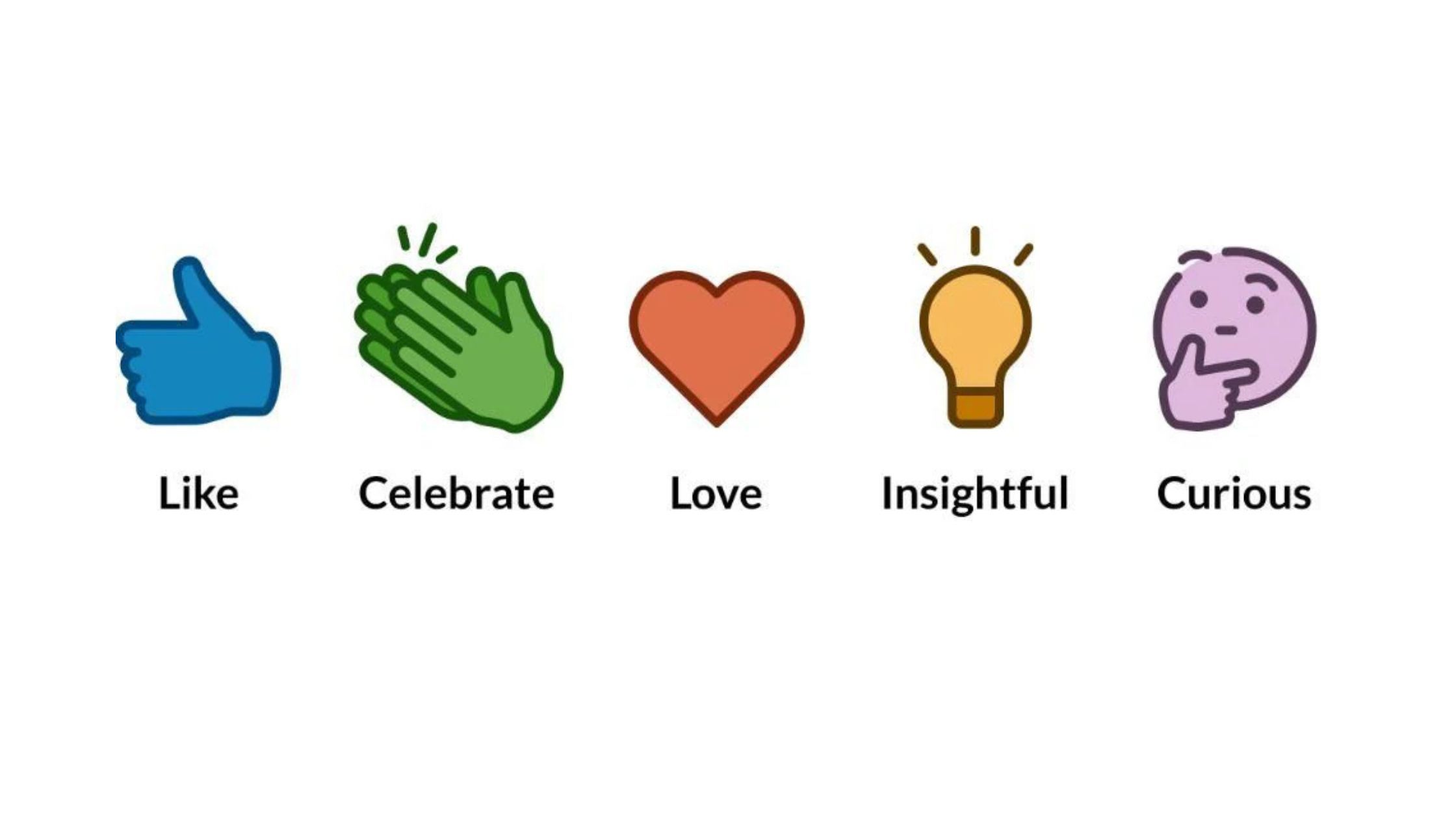
Most professionals treat LinkedIn emojis as a style choice. They are actually a formatting tool — one of the few visual signals available in a platform that strips markdown. The scroll-stopping effect happens before the reader processes the text. That behavioral reality is the foundation of every emoji strategy that actually works.
Do Emojis Help the LinkedIn Algorithm?
Do emojis help the LinkedIn algorithm? Directly, no — LinkedIn has not confirmed emoji-specific ranking signals. Indirectly, yes — and the mechanism matters. LinkedIn algorithm engagement signals are triggered by dwell time, comments, and click-through. Emojis increase all three by making posts easier to scan. A post that earns 20 comments in the first 90 minutes gets significantly wider distribution than one that earns 5. The emoji is the trigger for the signal, not the signal itself.
According to IntoTheMinds (2024), posts with emojis deliver a 15.4% higher engagement rate on LinkedIn. This means for every 100 interactions a plain-text post receives, the emoji-formatted equivalent earns roughly 115 — compounding over time into meaningfully larger audiences.
Emoji vs. No-Emoji Posts: What the Data Shows
The data picture is nuanced. An analysis of 1.2 million posts by MagicPost (2025) found emoji usage in LinkedIn posts peaked at 64.1% in 2024, then slipped to 60.3% in 2025 — suggesting the market is self-correcting away from overuse. Meanwhile, ConnectSafely (2026) found that among users generating 10 or more leads monthly, 73% use 0–2 emojis per post. The top performers keep emojis minimal and intentional.
What this tells you is that emoji saturation has already happened — which means strategic restraint is now the differentiator, not emoji use itself. Posts that stand out in 2026 use fewer, better-placed emojis than the average creator.
The question is never "should I use emojis?" It's "which emojis, in which positions, for which audience?" Get that right and you earn the lift. Get it wrong and you blend into the noise.
Understanding the data is step one. The harder question — the one most guides skip entirely — is whether emojis are actually appropriate for your specific professional context.
Are Emojis Professional on LinkedIn? The Honest Answer by Context
Are emojis professional on LinkedIn? The honest answer is: it depends entirely on context, and conflating those contexts is the most common mistake creators make. A 💡 in a thought-leadership post reads as structured and helpful. The same 💡 in a cold InMail to a Fortune 500 CFO reads as informal and low-effort. Professionalism is not a property of the emoji — it is a function of audience, surface, and message type.
Industry-Specific Emoji Guidance: Finance vs. Tech vs. Creative
Teams that segment their emoji strategy by industry consistently see better results than those applying a single approach across all content. Here is how the pattern breaks down:
- Finance, law, enterprise B2B: Limit to 1 structural emoji maximum per post (✅ or 🔹 as a bullet marker). Avoid emojis entirely in DMs and InMail. Recruiter first impression bias is measurably stronger in these verticals — even a single casual emoji in an outreach message can suppress response rates.
- Technology and SaaS: 1–3 signal emojis per post are well-received. Audiences are emoji-literate and respond positively to structured formatting using ✅ 🚀 💡 🔑. Use them in posts but stay minimal in cold outreach.
- Marketing, creative, coaching: The widest latitude. 2–4 emojis per post are standard and expected. Decorative and expressive emojis perform better here than in other sectors because the audience actively signals warmth as a professional attribute.
Emojis in DMs, InMail, and Connection Requests
Direct messages are a different surface from feed posts. Feed posts compete for attention with dozens of alternatives — emojis help. DMs arrive in a direct conversation context where the reader expects professional tone calibration, not visual formatting. The most consistent pattern across high-volume outreach is: no emojis in connection request notes, no emojis in first-touch InMail, and use emojis in follow-up messages only once a conversational tone has been established. Breaking this rule in finance, legal, or enterprise audiences typically costs 15–25% of reply rates — not from offense, but from the subtle credibility signal it sends.
With the professional context rules clear, the next question is practical: which specific emojis actually perform, and where in a post should they go?
Best Emojis to Use on LinkedIn and Where to Place Them
Not all emojis perform equally on LinkedIn, and the gap between signal emojis and decorative emojis is significant. Signal emojis — those that prime the reader for a specific content type — consistently outperform emojis that express emotion or add color. The best emojis to use on LinkedIn are the ones that do a structural job.
The highest-performing emoji categories by function:
- Insight markers: 💡 🔑 — signal that what follows is actionable or important
- Action markers: ✅ 👇 ➡️ — direct the eye or prompt a next step
- Structure markers: 🔹 ▶️ ◾ — replace bullet points and add scannable hierarchy
- Momentum markers: 🚀 📈 — signal growth, progress, or transformation content
- Low performers: 😂 ❤️ 🥳 🎉 — emotional emojis underperform in professional content because they soften authority rather than signaling structure
How Many Emojis Should You Use on LinkedIn?
How many emojis should I use on LinkedIn? The data-supported answer is 1–3 per post for most contexts. According to IntoTheMinds (2024), 90.42% of all LinkedIn posts contain 0, 1, or 2 emojis — and only 1.5% include more than 10. The lead-generating top performers at ConnectSafely (2026) cluster in the 0–2 range. In practice: one emoji in the hook, one as a structural marker mid-body, one at the CTA is the formula that earns lift without triggering quality filters.
Posts with 6 or more emojis are consistently associated with lower reach — not because of a hard algorithmic penalty, but because heavy emoji use correlates with the low-effort, templated content that generates low dwell time and few comments. The algorithm's quality signals penalise the outcome, not the emojis themselves.
Emoji Rendering on LinkedIn Desktop vs. Mobile
Creators who skip this step typically find their posts look polished on mobile but broken on desktop — or vice versa. LinkedIn renders emojis using the operating system's native emoji font. On Windows desktop, several Unicode emoji sequences display as blank boxes or question marks if they fall outside the standard set. On iOS and Android, the same emojis render perfectly.
The practical rule: stick to emojis from the core Unicode blocks (faces, symbols, arrows, checkmarks, objects) and test on both surfaces before using a new emoji in a high-visibility post. Avoid flag emojis, compound emojis, and skin-tone modifiers for broad audience posts — these have the highest rendering inconsistency across LinkedIn's desktop client.
LinkedIn Post Formatting Tips: Using Emojis for Readability and Structure
LinkedIn strips markdown — bold, italics, and headers don't render natively in the feed. That makes emojis one of the only visual formatting tools available to creators. When used structurally, they do the job that headers and bullet formatting does everywhere else on the web. This is the core insight behind effective LinkedIn post formatting tips: emojis are not decoration — they are the formatting system.
The hook-body-CTA structure is the most reliable framework for emoji placement in a post:
- Hook (line 1): One emoji before or after the opening statement to stop the scroll. 💡 or 🚀 before a bold claim. ❓ before a provocative question. This is the highest-leverage placement.
- Body: Use structural emojis (🔹 ✅ ▶️) as bullet point replacements for lists of 3+ items. Limit to one type per post for visual consistency. Avoid emojis mid-sentence — they interrupt reading flow without adding structure.
- CTA (final line): One directional emoji (👇) pointing to the call-to-action. This is the second-highest-leverage position — it frames the ask as intentional and guides the eye.
Post formatting readability patterns observed across high-performing creator accounts consistently show that this three-zone approach — one emoji per zone — produces better comment rates than random emoji placement scattered throughout a post. The reason is cognitive: readers learn your formatting language quickly and begin scanning for the pattern.
How to Use Emojis in LinkedIn Profile Headlines and Experience Sections
Profile emojis follow different rules from post emojis. In your headline, a single emoji used as a divider or emphasis marker (| 🔑 or → 🚀) can increase scannability in search results — but it occupies valuable character space and may render awkwardly in some ATS systems used by recruiters. Use one maximum, place it at the end or as a section separator, and avoid it entirely if your target audience is in finance, law, or enterprise HR. In Experience sections, emojis work well as bullet substitutes (✅ at the start of each achievement line) since LinkedIn's Experience editor doesn't support native bullet points. Keep them consistent and choose symbols over expressive emojis.
Now that placement is clear, the bigger question is whether your emoji choices are adding up to a recognizable brand presence — or just random formatting.
LinkedIn Content Strategy: Building a Consistent Emoji Style
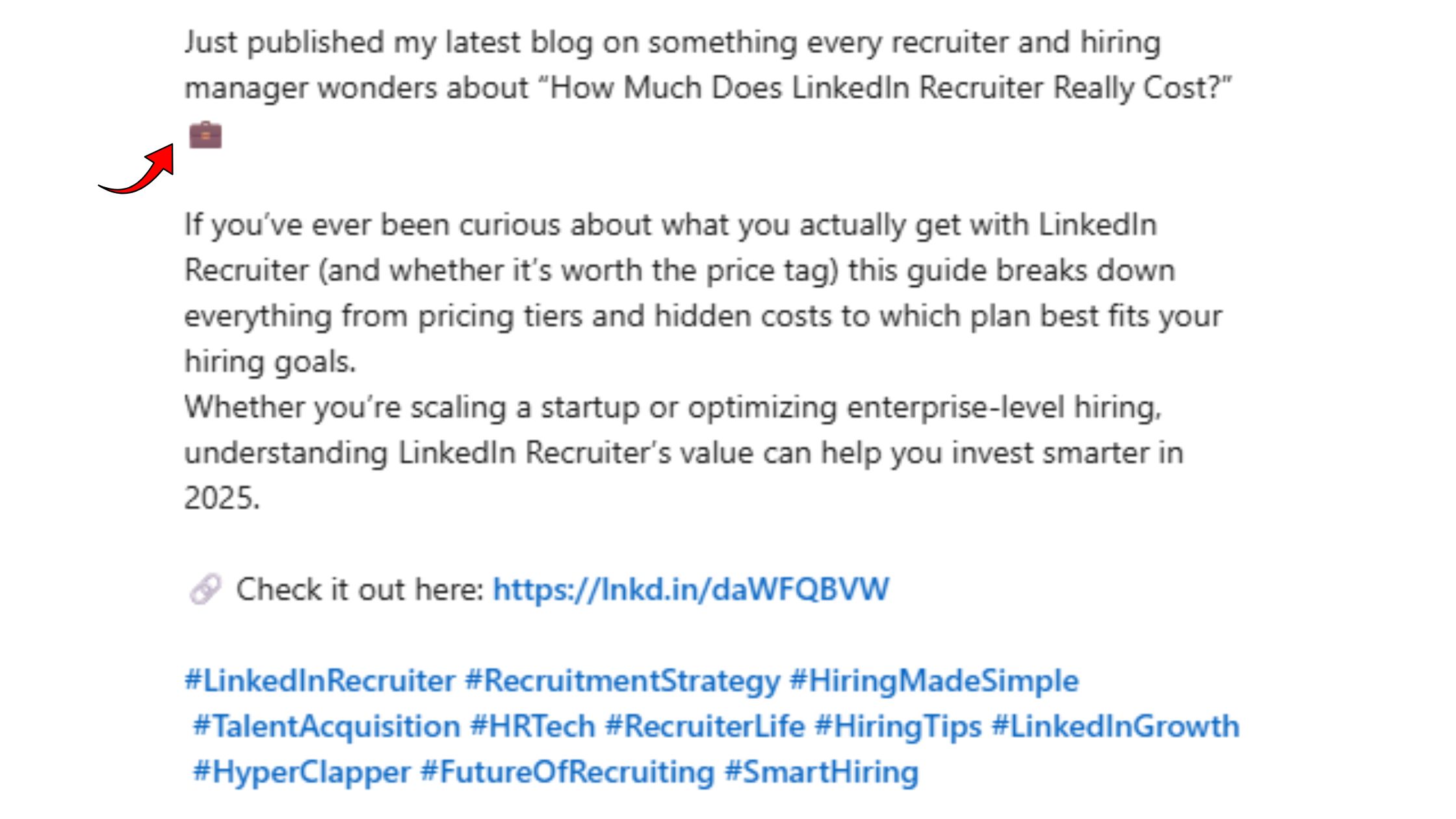
What separates top performers here is that they treat their emoji set as a content system decision, not a post-by-post choice. A creator who uses 💡 consistently to signal insight, 🔹 to structure lists, and 👇 to prompt engagement builds a recognizable visual pattern across their feed. Followers begin to associate the formatting with the creator before they read a word. That is personal brand visual identity working at scale.
How Top LinkedIn Creators Use Emojis Effortlessly
A recurring pattern among high-follower LinkedIn creators trying to scale consistently is the "emoji palette" approach — they define 3–4 emojis that appear across all their content and resist the temptation to rotate in new ones for variety. The consistency creates the brand signal. Variety destroys it.
The LinkedIn Emoji Palette Framework that top creators apply:
- One insight emoji — signals "pay attention to this" (💡 🔑)
- One structure emoji — replaces bullet points (🔹 ✅ ▶️)
- One momentum emoji — signals growth or progress content (🚀 📈)
- One CTA emoji — always appears before the call-to-action (👇 →)
Professional tone calibration happens when you define this palette around your audience's professional culture first. A SaaS founder's palette (🚀 💡 🔹 👇) communicates differently from a leadership coach's palette (✨ 💬 🔑 👇) — and both are intentional. The mistake most professionals make is picking emojis that they like rather than emojis that signal the right things to their specific audience.
For LinkedIn text formatting that compounds over time, emoji consistency is as important as posting frequency. A recognisable visual style trains your audience to pause on your content before reading it. That dwell-time increase feeds directly into algorithmic distribution.
Get Early Engagement on Every Post You Publish
HyperClapper connects your posts with real engagement communities — real likes, comments, and AI replies that signal post quality to LinkedIn's algorithm from the first hour.
Explore HyperClapperCommon Emoji Mistakes That Kill LinkedIn Engagement
The most common failure mode is treating emojis as decoration rather than as structural signals — placing them mid-sentence for emphasis rather than at structural positions. This produces posts that feel cluttered without delivering the readability benefit. Four specific mistakes account for the vast majority of emoji-related reach problems:
- Mistake 1 — Decorative placement: Emojis placed mid-sentence to add color rather than signal structure confuse readers and reduce the post's perceived authority. Every emoji should answer "what does this tell the reader about what comes next?"
- Mistake 2 — Emoji overload: Posts with 6+ emojis are consistently associated with lower organic reach. The mechanism is indirect: heavy emoji use correlates with low-effort templated content, which earns low dwell time, which suppresses distribution. Posts that drop below 3x engagement in the first hour typically require consistent output for 3–4 weeks to recover their distribution baseline.
- Mistake 3 — Audience mismatch: Using playful or expressive emojis in content targeting senior executives or conservative verticals undermines credibility instantly. The emoji doesn't need to be offensive — it just needs to feel out of register with the audience's professional culture.
- Mistake 4 — Rendering ignorance: Publishing with emojis that display as blank boxes on desktop makes the post look broken to a significant share of your audience. This is especially common with newer Unicode additions and compound character sequences.
When Emojis Actively Hurt Your LinkedIn Reach
Creators who skip this check typically find that emoji-heavy posts underperform despite following general best practices. The specific conditions where emojis hurt rather than help:
- In posts targeting recruiters or hiring managers in regulated industries — the professionalism signal is more important than the scannability benefit
- In posts during a credibility-building phase for a new account — a new profile with few followers and high emoji density reads as low-effort content
- In highly technical or research-heavy posts — emojis in posts citing data or academic evidence introduce a tonal dissonance that can reduce citation and share rates
- In any post where the emoji's meaning is ambiguous to your specific audience — if there's any chance the emoji reads differently than intended, remove it
✓ The LinkedIn Emoji Quality Checklist
- ☐Every emoji in the post serves a structural function (insight, structure, or CTA)
- ☐Total emoji count is 1–3 for professional audiences, max 4 for creative/marketing audiences
- ☐No emojis appear mid-sentence — all placements are at the start or end of a line/section
- ☐Emojis used match the industry culture and professional register of the target audience
- ☐Tested rendering on both LinkedIn desktop (Chrome/Windows) and LinkedIn mobile
- ☐The CTA line ends with a directional emoji (👇 or →) rather than a decorative one
- ☐No emojis in connection request notes or first-touch InMail to cold contacts
How HyperClapper Amplifies Posts That Use Emojis Strategically
A well-formatted post earns early engagement more reliably than an unformatted one — and early engagement is exactly what determines algorithmic distribution on LinkedIn. The first 60–90 minutes after publishing are disproportionately important: posts that accumulate meaningful reactions and comments in that window get pushed to second and third-degree connections. Posts that don't, get buried.
This is where HyperClapper fits into a content strategy built around smart emoji formatting. When a creator publishes a post with a strong hook emoji, clear structural formatting, and a 👇 CTA, the post is primed for engagement. HyperClapper's channel system connects that post with real community members who react and comment — giving the algorithm the early signal it needs to expand distribution beyond the creator's existing network.
The AI reply feature extends this effect. LinkedIn rewards posts that generate ongoing conversation, not just initial likes. After seeing this across multiple content verticals, the pattern is consistent: posts that receive substantive comments over 2–3 days maintain algorithmic reach far longer than posts with a spike of likes and silence. HyperClapper's AI replies keep that conversation thread active — signaling post depth to the algorithm even after the initial boost window closes.
For teams managing company pages, the combination of emoji-structured posts, real channel engagement, and company page replies creates a feed presence that looks organically active rather than manufactured — which directly supports LinkedIn content strategy for professionals focused on sustained visibility growth.
Frequently Asked Questions About LinkedIn Emojis
Which emojis should I add to my LinkedIn posts to get more likes and comments?
Signal emojis — 💡 ✅ 👇 🔑 🚀 — consistently outperform decorative ones like 😂 or 🥳 for likes and comments. Place one at your hook to stop the scroll, one mid-body to guide scanning, and one at your CTA to prompt action. Three well-chosen emojis outperform ten random ones.
Can using emojis on LinkedIn hurt my professional reputation?
Yes, in the wrong context they can. Finance, law, and enterprise B2B audiences are most sensitive — even one casual emoji in a cold InMail can suppress response rates. The emoji itself is neutral; your industry, audience, and message type determine whether it signals clarity or carelessness.
What is the best way to use emojis on LinkedIn without looking unprofessional?
Stick to signal emojis over expressive ones, limit yourself to one to three per post, and never open a sentence with an emoji mid-paragraph. Use them as structural markers — to flag a key point, introduce a list, or anchor a CTA — rather than as decoration or emotional punctuation.
Does the LinkedIn algorithm reward posts with emojis?
LinkedIn has not confirmed emoji-specific ranking signals, but emojis indirectly boost the signals it does reward. Posts with emojis earn more dwell time, comments, and click-throughs — and those engagement metrics trigger wider distribution. The emoji earns the engagement; the engagement earns the reach.
How do top LinkedIn creators use emojis to boost engagement effortlessly?
Top creators treat emojis as formatting tools, not decoration. They use one emoji at the hook to stop the scroll, one in the body to break up dense text, and one before the CTA to drive action. They also match emoji style to their industry and audit which specific symbols their audience responds to.
How many emojis should I use in a LinkedIn post?
One to three emojis per post is the sweet spot supported by data — 73% of users generating ten or more leads monthly use zero to two. More than three starts to feel cluttered and signals low effort. Strategic restraint is now the differentiator because emoji saturation has already peaked on the platform.
Where is the best place to put emojis in a LinkedIn post?
Placement matters more than emoji choice. The highest-impact positions are the opening line to interrupt the scroll before the text is read, the start of key body points to aid scanning, and immediately before your call to action. An emoji buried mid-sentence adds no measurable lift.



