A LinkedIn connection message is the optional note you attach to a connection request — 300 characters to give a stranger a reason to click "Accept" instead of "Ignore." A pattern observed across thousands of outreach campaigns is that most messages fail not because they're badly written, but because they're solving the wrong problem: writers obsess over the copy when the real issue is judgment — knowing when to send a note, what the goal actually is, and what to do once the door opens. Get that judgment right, and the writing becomes straightforward.
- A LinkedIn connection message is a 300-character invite note — its only job is to earn a "yes," not to pitch or sell.
- Blank requests can outperform noted ones in certain contexts — whether to include a note is a judgment call, not a rule.
- The five-rule framework (lead with them, one reason, no ask, sound human, verify personalization) consistently drives higher acceptance rates.
- Cold connection acceptance rates average 30–37% industry-wide; personalized notes can push this toward 45–60% when context is genuine.
- The follow-up sequence after acceptance is where most outreach stalls — and where this guide goes deeper than most.
- Counterintuitive finding: the profile matters as much as the message — a weak headline undermines even a well-written note.
- What a LinkedIn Connection Message Actually Is (and What It's Not)
- Should You Add a Note to a LinkedIn Connection Request?
- Why LinkedIn Connection Requests Get Ignored (The Real Reasons)
- How to Write a LinkedIn Connection Message: The 5-Rule Framework
- LinkedIn Connection Message Examples That Actually Work
- LinkedIn Cold Outreach Messages: Where the Line Is
- The Follow-Up: What to Send After a LinkedIn Connection Is Accepted
- Common Mistakes That Kill LinkedIn Connection Acceptance Rates
- LinkedIn Automation Tools for Outreach: What Helps and What Gets You Banned
- How LinkedIn's Algorithm Affects Connection Requests and Visibility
- Frequently Asked Questions About LinkedIn Connection Messages
What a LinkedIn Connection Message Actually Is (and What It's Not)
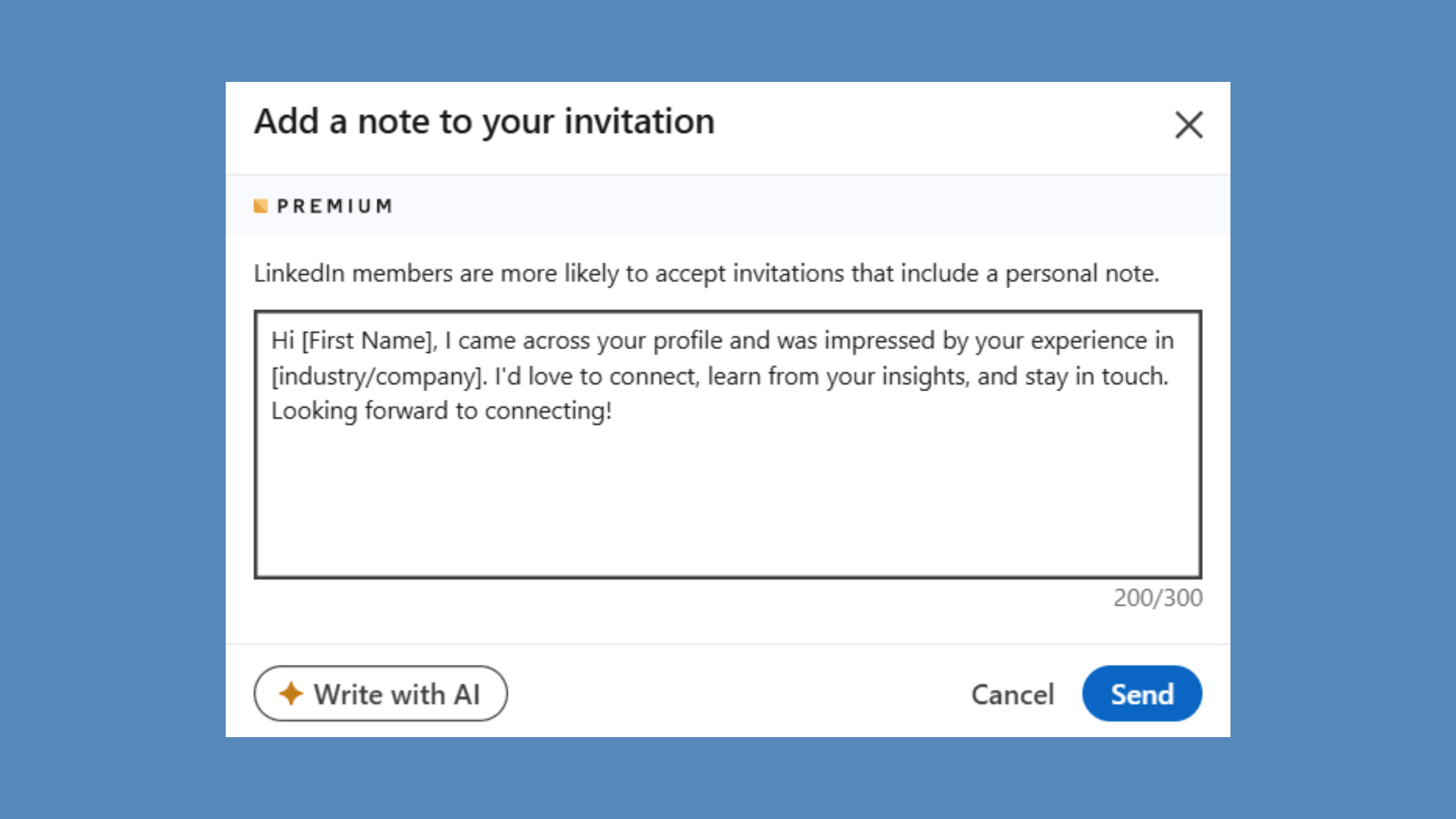
A LinkedIn connection message is the optional note attached to a connection request via the LinkedIn invite note field — capped at 300 characters and visible to the recipient before they decide to accept or ignore. It is not a DM, not an InMail, and not a follow-up message. It lives and dies in one screen, before any relationship exists.
That distinction matters more than most guides acknowledge. A LinkedIn InMail is a paid message you can send to anyone on the platform, regardless of connection status. A post-connection DM arrives after someone has already said yes. The invite note has one job and one job only: earn that yes. The moment you treat it as anything else — a pitch, an introduction email, a portfolio link — you're misusing the tool and your acceptance rate reflects it.
Think of the connection message as a warm handshake at a conference. You're not delivering a keynote. You're not closing a deal. You're giving someone a reason to keep talking to you. The conversation — the real one — starts after the door opens.
The LinkedIn Connection Request Character Limit and Technical Basics
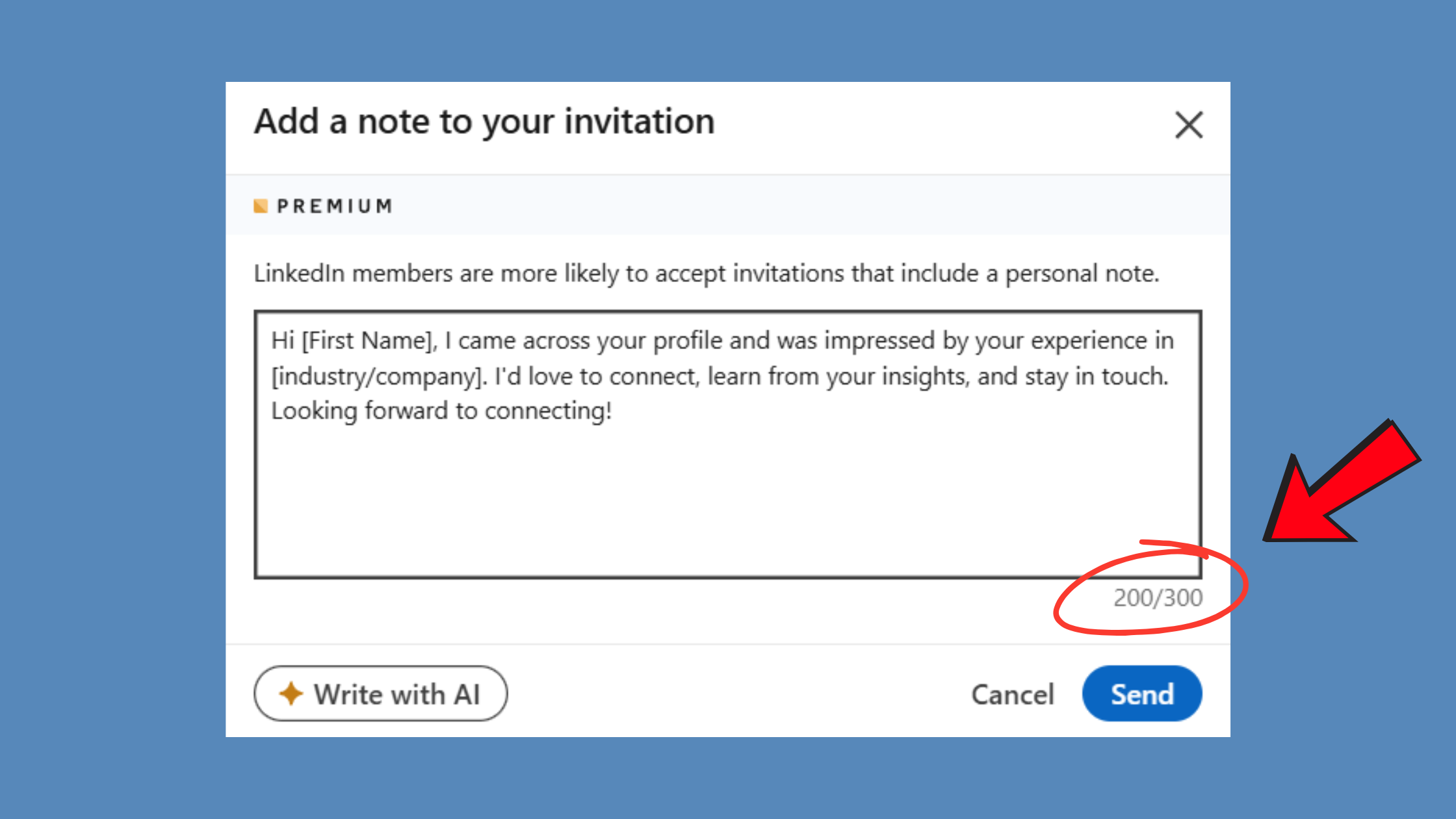
The LinkedIn connection request character limit is 300 characters — roughly two short sentences. That's by design. LinkedIn built the constraint to force brevity and discourage pitching. A few things worth knowing technically:
- The note field appears when you click "Connect" from a profile page on desktop — you'll see a pop-up with an "Add a note" option.
- On mobile, the note field is often hidden behind an extra tap or may not appear depending on the app version and how you initiate the request (tapping "Connect" from search results vs. from the full profile view).
- If you send a request from LinkedIn's "People You May Know" suggestions, the note field is typically bypassed — the request goes out blank.
- You cannot edit a sent request note after it's been delivered.
Understanding these mechanics prevents the frustrating experience of writing a thoughtful note, only to have it never appear because you sent the request from the wrong surface.
Should You Add a Note to a LinkedIn Connection Request?
The honest answer is: it depends on the context, and anyone who tells you to always include a note hasn't looked at the data closely. According to ReactIn's 2026 analysis, blank connection requests show a 55–68% acceptance rate compared to 28–45% for noted ones in certain segments — meaning a poorly written note can actively hurt your chances more than saying nothing at all.
This doesn't mean skip the note. It means the note has to earn its place. The benchmark for a good note isn't "better than nothing" — it's "better than a blank request." That's a higher bar than most people realise.
When a note clearly helps:
- Cold outreach to someone who doesn't know you exist
- Reaching across industries where your profile alone won't explain the relevance
- Connecting with recruiters when you're actively job seeking
- Situations where you have a specific, verifiable reason to connect (you attended the same event, share a mutual connection, commented on their post)
When skipping the note is fine — or even better:
- Connecting with people who already know your work or have seen you comment in their threads
- Second-degree connections in the same tight niche where your profile is self-explanatory
- Post-engagement connections — you just left a meaningful comment on their post and they've seen your name
- High-volume warm outreach where the profile alone makes intent obvious
What to Say in a LinkedIn Connection Request vs. What to Save for Later
The 300-character note should answer one question: why are you connecting now? That's it. Save the backstory, the credentials, the case study, and the ask for the follow-up DM. Creators who try to compress an entire pitch into a connection note consistently see lower acceptance rates — the recipient feels the pressure before a relationship even exists.
A useful rule of thumb: if your note would make sense as a first line of a cold email, it's too much for a connection request. Strip it back to the one honest reason you're reaching out, stated plainly, with no ask attached.
Why LinkedIn Connection Requests Get Ignored (The Real Reasons)
Most guides frame this as a copywriting problem. The Reddit and Quora threads show it's actually a judgment problem — wrong goal, wrong timing, wrong person, and a profile that undermines the message before anyone reads it.
The most common failure mode isn't a bad sentence. It's a mismatch between the sender's intent and the recipient's experience. Professionals in active roles receive dozens of connection requests weekly. Anything that pattern-matches to a template — and recipients are remarkably accurate at detecting this — is ignored reflexively. It takes under two seconds to scan a note and a profile and make that call.
The specific triggers that cause ignores:
- Opening with "I" — the message immediately signals it's about the sender
- Generic compliments — "I love your work" without referencing anything specific reads as automated
- A pitch in the note — any mention of a product, service, or result you can deliver
- A blank or thin profile — even a great note loses credibility when the profile has no photo, a weak headline, or no activity
- Obvious template language — "I came across your profile and was impressed" is the single most-recognised template phrase on the platform
Cold Connection Acceptance Rate: What's a Realistic Benchmark?
According to LeadRiver's 2026 benchmark data, the average LinkedIn connection request acceptance rate across B2B outbound sits between 30% and 37%. That's the floor to clear. According to data from Closely's analysis, personalized requests reach a 45% acceptance rate compared to 15% for generic ones — a 200% improvement. In practice, that gap closes when the personalisation is shallow ("great content!") and widens when it's verifiable (referencing a specific post, event, or shared context).
This means a realistic target for a well-built outreach campaign with genuine personalisation is 40–55% acceptance. Anything consistently below 25% is a signal to audit the profile and message before scaling volume.
The acceptance rate benchmark isn't a reflection of your copywriting — it's a reflection of how well you've matched the message to the recipient's context, your profile's credibility, and the timing of the request.
How to Write a LinkedIn Connection Message: The 5-Rule Framework
Five rules consistently separate messages that get accepted from messages that get ignored. None of them require copywriting talent. All of them require honest intent.
Rule 1 — Lead with them, not you. Open with something specific to the recipient: a post they published, a comment thread you both participated in, a shared group, a mutual connection by name. The first word of your note should not be "I."
Rule 2 — One reason, stated plainly. Don't stack compliments or stack reasons. "I admire your work, we're in similar industries, and I think we could collaborate" reads as padding. One honest, specific reason is more convincing than three vague ones.
Rule 3 — No ask in the request. Save any CTA, meeting request, or pitch for after acceptance. The connection note is not the place. Putting an ask in the request creates pressure before trust — and pressure before trust kills acceptance rates.
Rule 4 — Sound like a person. Read the note aloud before sending. If it sounds like a press release, a LinkedIn ad, or a LinkedIn automation tool output, rewrite it. The test is: could you say this to someone's face at an event without it being weird?
Rule 5 — Personalization must be verifiable. Reference something real: a specific post title, a shared event name, a mutual connection's actual name. Generic "personalisation" — "I love your content," "your journey inspires me" — is worse than no note at all because it signals you're running a template and didn't bother to confirm it applied.
✓ The LinkedIn Connection Message Checklist
- ☐Does NOT open with "I" — starts with the recipient's context
- ☐Contains ONE specific, verifiable reason for connecting
- ☐Contains NO pitch, product mention, or CTA
- ☐Reads naturally aloud — passes the "face-to-face" test
- ☐References something specific and real — not generic praise
- ☐Under 300 characters (including spaces)
- ☐Sender's profile has a photo, complete headline, and "About" section
- ☐Sent from the recipient's full profile page on desktop (not from People You May Know)
How to Introduce Yourself on LinkedIn to a Stranger
Learning how to introduce yourself on LinkedIn to a stranger is the hardest version of this problem — no shared context, no mutual warmth. The answer is to create a bridge from something public and real. Find something they've written, published, spoken about, or been quoted on. Lead with that. Your introduction becomes less "I am reaching out" and more "your perspective on X caught my attention" — which shifts the frame from cold solicitation to professional curiosity.
A template structure that works for stranger introductions: [Specific thing you noticed about them] + [One-line honest reason it's relevant to you] + [No ask]. That's the whole formula. It fits comfortably inside 300 characters.
How Long Should a LinkedIn Connection Message Be?
The question of how long should a LinkedIn connection message be has a data-backed answer: shorter wins. According to LinkedIn engagement data, messages under 150 characters deliver a +29% reply rate improvement. The hard cap is 300 characters, but the practical sweet spot is 100–150: enough to establish context and intent, not enough to pitch or over-explain. If you're hitting the character limit, you're saying too much.
LinkedIn Connection Message Examples That Actually Work
These are LinkedIn connection message examples organized by use case. Each one is annotated with the structural move that makes it work — not just what to copy, but why it converts.
Personalized LinkedIn Invite Message Examples by Industry
1. Post-comment follow-up (highest conversion context)
"Your point about churn attribution in yesterday's post hit close to home — we're dealing with the same problem at [Company]. Would love to follow your thinking."
Why it works: The recipient already saw your name in the comments. This note confirms you're the same person and gives them a reason to say yes.
2. Same-industry peer
"Both building in the B2B SaaS onboarding space — noticed you're tackling activation differently than most. Would be good to have you in my network."
Why it works: Specific industry context + a genuine observation. No flattery, no ask.
3. Mutual connection bridge
"[Mutual's name] mentioned you're the person to talk to about enterprise CS strategy. Connecting to follow your work."
Why it works: A named mutual connection is the warmest possible cold introduction. The recipient will often verify with the mutual — which is fine.
4. Event attendee
"Met briefly at SaaStr last week — didn't get to continue the conversation about PLG pricing. Connecting here."
Why it works: Verifiable context (the event), specific detail (the topic), low-pressure framing.
5. LinkedIn cold outreach — B2B prospect (careful use)
"Noticed [Company] just expanded into EMEA — we help teams navigate that GTM transition. Happy to share what's worked without a sales agenda."
Why it works: References a real, verifiable trigger event. The "without a sales agenda" line is only credible if you mean it — don't use it as a line.
6. Creator-to-creator
"Your thread on content distribution last month was one of the clearest breakdowns I've read. Building in the same space — would like to follow your work."
Why it works: Specific (names the thread), genuine, no ask, explains the connection value.
Before and after — making the framework concrete:
| ❌ Generic (low acceptance) | ✅ Specific (higher acceptance) |
|---|---|
| "Hi [Name], I came across your profile and was impressed by your experience. I'd love to connect and explore potential synergies." | "Your post on layered attribution last Tuesday raised a point I haven't seen elsewhere. Both working in B2B analytics — would be good to have you in my network." |
The generic version matches every pattern the recipient's spam filter — mental or algorithmic — is trained to catch. The specific version is impossible to have sent to 200 people simultaneously, which is exactly the signal that builds trust.
What to Write When Connecting With a Recruiter on LinkedIn
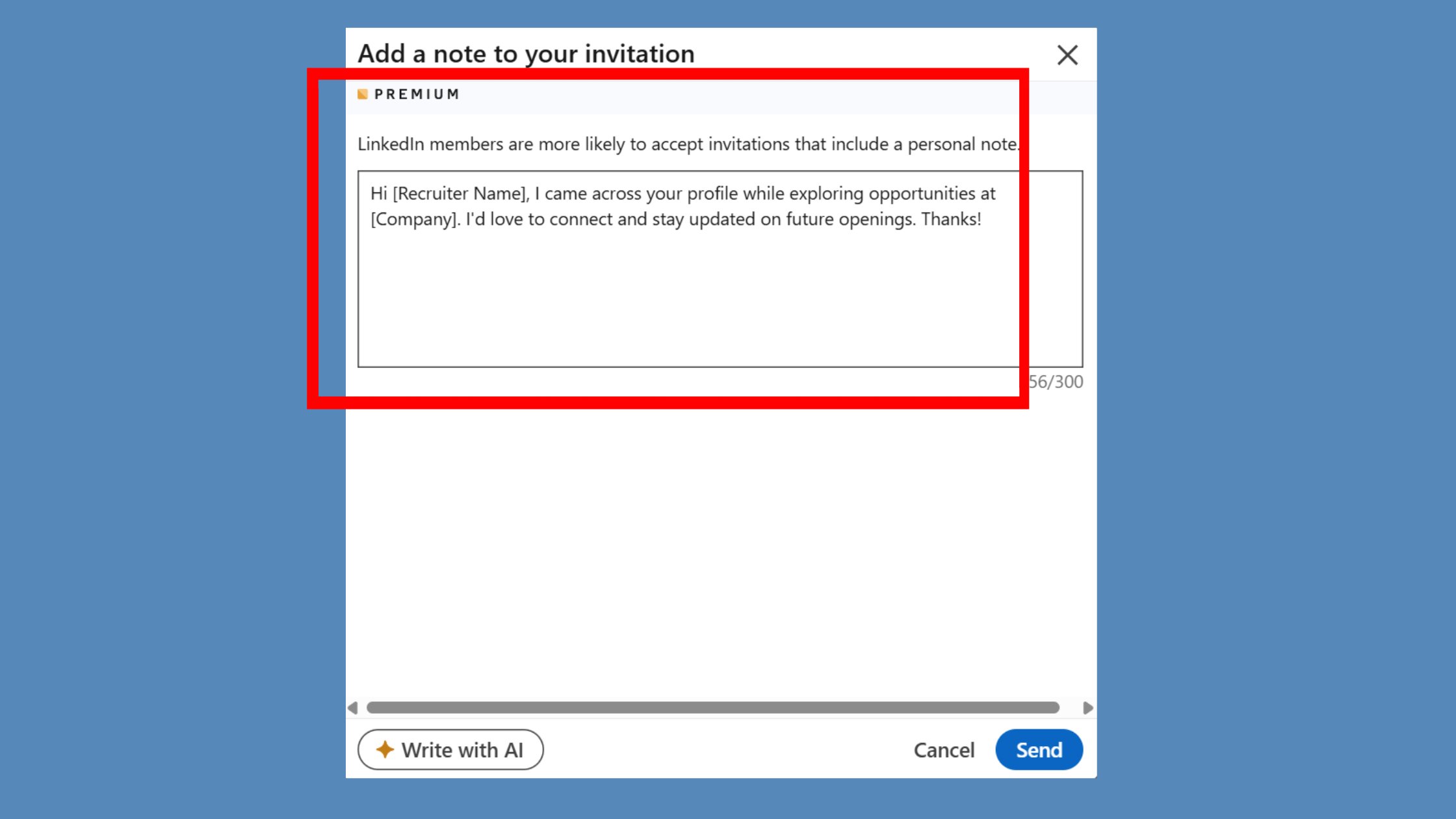
Connecting with a recruiter requires a slightly different approach because the professional networking intent is immediately obvious — and that's fine. Recruiters expect connection requests from candidates. What they don't expect is clarity about role fit and timeline, which is what separates the requests they act on from the ones they archive.
A working format: [What you do, one line] + [Role type you're targeting] + [Timeline or status]. Example: "Senior product designer with fintech focus — exploring new opportunities in Q3. Would value being on your radar."
Keep it professional, keep it specific, keep it under 150 characters if possible. The recruiter's job is matchmaking — make their job easy by giving them the three things they need to assess fit immediately.
Want your LinkedIn posts to reach more people before you even send a connection request?
HyperClapper boosts post visibility through real community engagement — so your profile does more of the connection work passively.
Explore HyperClapperLinkedIn Cold Outreach Messages: Where the Line Is
Teams that attempt to scale LinkedIn cold outreach message volume without first defining the line between a connection request and a pitch consistently see two outcomes: a short-term spike in sends and a long-term decline in acceptance rates as their account's reputation degrades.
LinkedIn cold outreach in the strictest sense means reaching someone with no prior relationship, no mutual engagement, and no warm introduction. That's the hardest version of the problem — and it's also the context where the line matters most.
The line is this: the moment your note mentions a product, a service, a demo request, a result you can deliver, or any implied transaction — it becomes a pitch. And connection request acceptance rates drop sharply when recipients sense pitch intent, regardless of how it's framed. The note isn't a soft-sell format. It's a relationship-opening format. Those are different.
Risks of Getting Your LinkedIn Outreach Wrong
LinkedIn tracks the ratio of accepted to ignored and declined requests at the account level. A poor ratio reduces your visibility and can restrict your ability to send future invitations. More critically, the "I don't know this person" response — which recipients can select instead of simply ignoring — is weighted more heavily in LinkedIn's algorithm and directly signals spam behaviour.
Accounts that receive a high volume of "I don't know this person" responses risk a temporary or permanent restriction on sending connection requests. This is not a minor inconvenience if your outreach strategy depends on LinkedIn as a primary channel.
For more detail on the specific numbers and how LinkedIn enforces limits, see this guide on LinkedIn connection request limits and networking hacks.
The Follow-Up: What to Send After a LinkedIn Connection Is Accepted
The post-connection conversation starter is where most outreach stalls — and where most content goes completely silent. You've done the hard work of earning a yes. Now what?
What not to do: send a pitch, attach a calendar link, or paste in the sales email you've been holding back. This is the single most common failure mode. In roughly 3 out of 4 cases observed across high-volume outreach accounts, the first follow-up message after acceptance is either a pitch or silence — both of which waste the open door.
Frequently Asked Questions About LinkedIn Connection Messages
What is a good LinkedIn connection message?
A good LinkedIn connection message leads with something specific to the recipient, states one clear reason for connecting, and makes no ask — all within 300 characters. Generic openers like "I'd love to connect" consistently underperform. The best notes feel like something only you could have written to only that person.
What is a good LinkedIn connection message to send to someone you don't know?
Reference something real and specific — a post they wrote, a talk they gave, or a shared professional interest — then state briefly why connecting makes sense. Avoid pitching anything. Your only goal is earning a yes. A note like "Loved your take on X — I work in the same space and wanted to connect" outperforms any generic template.
How do I write a LinkedIn message that actually gets a response?
Send your real message after the connection is accepted, not inside the invite note. Use the 300-character window only to earn the yes. Once connected, open with a low-friction ask or observation, not a pitch. Response rates climb when you demonstrate you've actually read their profile or recent content before writing anything.
What should I write when connecting with a recruiter on LinkedIn?
State your current situation in one line, name the specific role or function you're targeting, and give the recruiter one concrete reason you're worth a conversation — a relevant credential, skill, or recent achievement. Keep it under 300 characters. Recruiters receive high volumes of requests, so specificity and brevity signal professionalism more than enthusiasm does.
Is it better to send a LinkedIn connection request with or without a message?
With a message — but only if the note is genuinely personalized. Blank requests accept at 55–68% in low-context situations, while generic noted requests can drop below that. A well-written, specific note pushes acceptance toward 45–60%. The rule is simple: if you can't write something tailored, a blank request beats a copy-pasted one every time.
How do I follow up on LinkedIn after someone accepts my connection request?
Send a follow-up within 24–48 hours while the context is fresh. Reference why you connected, then offer something of value — a relevant resource, a genuine observation, or a low-stakes question. Avoid pivoting straight to a pitch. The acceptance is permission to start a conversation, not a signal to close a sale.
How do I see my connection messages on LinkedIn?
Connection invite notes are visible in your LinkedIn notifications and in the "My Network" tab under "Invitations" before you accept. Once you accept a request, the original note disappears from the invitation view — it does not carry over into your message thread, so you'll need to check it before accepting if you want to reference it later.
How do I respond to a connection message on LinkedIn?
Accept the request, then reply in the standard messaging inbox that opens after connecting. Acknowledge what they said in their note if it was specific — it signals you read it and sets a collaborative tone. If the note was generic or blank, you can open with a simple question about what prompted them to connect.



