
LinkedIn audience targeting 2026 is the most sophisticated it has ever been — and most B2B advertisers are still using roughly 20% of its capability. A pattern observed across high-performing B2B campaigns is that the teams winning on LinkedIn are not spending more; they are targeting more precisely, layering audience attributes intelligently, and using matched audiences to re-engage warm prospects rather than blasting cold audiences repeatedly. LinkedIn gives you access to 1 billion professionals segmented by job title, seniority, company size, skills, and dozens of additional attributes that no other platform can match at this depth. Used correctly, this precision turns LinkedIn from an expensive channel into the highest-converting platform in a B2B marketer's stack.
- LinkedIn's targeting depth — job function, seniority, company attributes, skills — is unmatched for B2B lead generation in 2026.
- Matched audiences (website retargeting, contact lists, CRM sync) consistently outperform cold audiences in conversion rate and CPL.
- Lookalike audiences expand proven segments without sacrificing the professional precision LinkedIn's data provides.
- The optimal audience size for most B2B LinkedIn campaigns sits between 50,000 and 500,000 — large enough for delivery, small enough for relevance.
- LinkedIn audience targeting is important for B2B because decision-makers self-identify their seniority and role — no algorithmic inference required.
- Counterintuitive finding: narrowing your audience below 50,000 often raises cost-per-lead even though it feels more precise — LinkedIn's delivery system underperforms in micro-segments.
- What Is LinkedIn Audience Targeting?
- LinkedIn Ad Targeting Options Explained
- LinkedIn Matched Audiences: How They Work
- B2B Audience Segmentation on LinkedIn
- What Is the Best Audience Size for LinkedIn Ads?
- LinkedIn Lookalike Audiences Strategy
- When Should You Use LinkedIn Retargeting Audiences?
- How to Use LinkedIn Audience Attributes Effectively
- LinkedIn Ads vs Facebook Ads: B2B Targeting Compared
- LinkedIn Campaign Manager Pricing and Audience Features
- Best LinkedIn Audience Targeting Tools 2026
- How to Target the Right Audience on LinkedIn Ads
- Frequently Asked Questions About LinkedIn Audience Targeting
What Is LinkedIn Audience Targeting?
LinkedIn audience targeting is the system inside LinkedIn Campaign Manager that lets advertisers define exactly which professionals see their ads — filtered by job title, seniority, company, industry, skills, interests, and dozens of other attributes drawn directly from member profiles. Unlike most ad platforms, LinkedIn's targeting data is self-reported and professionally verified: people update their own job titles, employers, and skills because it benefits their career — making the data far more accurate than third-party inferences.
Why this matters for B2B: reaching "VP of Engineering at a 500-person SaaS company" on LinkedIn is a direct database query. Achieving that same precision on other platforms requires stacking probabilistic behavioural signals that approximate the same person — with significant error rates. LinkedIn audience targeting 2026 has extended this precision further by introducing deeper company growth rate signals, enhanced skill endorsement matching, and refined interest-based targeting categories based on content engagement patterns.
Think of LinkedIn's member database as a live, self-updating CRM that covers over a billion professionals — and Campaign Manager as the query interface that lets you pull exactly the segment you need.
LinkedIn targeting works because professionals have a career incentive to keep their own data accurate. No other ad platform benefits from that dynamic at scale.
The targeting system is built inside LinkedIn Campaign Manager — the native ad platform where you create campaigns, define audiences, set budgets, and view performance. Audience configuration happens at the campaign level before you set bids or upload creative.
LinkedIn Ad Targeting Options Explained
LinkedIn ad targeting options fall into four broad families, each pulling from different layers of member profile data. Knowing which family to prioritise for a given objective is where most campaign teams either win or lose budget efficiency.
Professional Attributes
These are the core LinkedIn differentiators — the targeting dimensions no other platform replicates with comparable accuracy:
- Job Title — exact title or title keyword matching (e.g. "Head of Finance")
- Job Function — broader role category (e.g. Marketing, Sales, Engineering)
- Seniority — entry, manager, director, VP, C-suite, owner
- Years of Experience — time in role or total career experience
- Skills — endorsed skills listed on profiles (300+ categories)
- Degrees and Fields of Study — educational background
- Member Schools — specific institutions attended
Company Attributes
- Company Name — target employees of specific organisations
- Company Industry — SaaS, Financial Services, Healthcare, etc.
- Company Size — headcount bands from 1–10 up to 10,001+
- Company Revenue — available in select markets
- Company Growth Rate — target fast-growing or contracting companies (added depth in 2025–2026)
- Company Category — Fortune 500, alumni-heavy organisations, etc.
Interest and Trait Attributes
- Member Interests — topics members engage with in their feed
- Member Traits — frequent travellers, job seekers, open to education
- Groups — LinkedIn Group membership
Audience Expansion
LinkedIn's Audience Expansion feature automatically reaches members similar to your defined audience when inventory is thin. Teams that miss this setting often find their ads under-deliver on budget without realising why — enabling it with a capped bid resolves delivery gaps while maintaining approximate targeting quality.
These four families combine into thousands of possible audience configurations — but more combinations does not always mean better results. The next section shows how to layer them intelligently.
LinkedIn Matched Audiences: How They Work
LinkedIn matched audiences is a targeting feature that lets advertisers connect their own first-party data — website visitors, contact lists, CRM records, or account lists — to LinkedIn's member database, enabling campaigns that reach warm, already-identified prospects rather than purely cold audiences.
There are four matched audience types:
- Website Retargeting — places a LinkedIn Insight Tag on your site; builds audiences from visitors to specific URLs (pricing page, product pages, blog categories)
- Contact List Upload — upload a CSV of email addresses or LinkedIn profile URLs; LinkedIn matches them to member profiles (typical match rate: 50–70%)
- Account List Upload — upload a list of company names or domains; target all LinkedIn members who work at those accounts (ideal for ABM campaigns)
- CRM and Marketing Automation Sync — direct integrations with Salesforce, HubSpot, Marketo, and others for automated, always-fresh audience syncing
What separates top B2B advertisers from average ones is how aggressively they use matched audiences. Teams relying solely on attribute-based cold targeting consistently see cost-per-lead figures 2x to 5x higher than teams who layer matched audiences on top. The mechanism is straightforward: someone who visited your pricing page already has intent; the LinkedIn attribute layer simply ensures you are not paying to remind people who will never buy.
The LinkedIn Insight Tag — a JavaScript pixel installed on your website — is the foundation of website retargeting. Without it installed and firing correctly, website-based matched audiences cannot build. Most underperforming LinkedIn campaigns have the Insight Tag installed but not verified on their key conversion pages.
B2B Audience Segmentation on LinkedIn

Effective B2B audience segmentation LinkedIn-style goes beyond picking a job title and setting a budget. The campaigns that generate consistent pipeline treat their LinkedIn audience as a structured funnel with distinct segments at each stage — each carrying different creative, offer, and bid logic.
The Three-Tier Segmentation Model
A pattern observed consistently across high-performing B2B LinkedIn accounts is that they operate three distinct audience tiers simultaneously:
- Tier 1 — Ideal Customer Profile (ICP) Cold Audience: Attribute-based targeting using job function, seniority, company size, and industry. This is awareness and demand generation. Expect higher CPL, lower conversion rates, and longer cycles.
- Tier 2 — Engaged Prospects: Matched audiences of website visitors, video viewers, and lead form openers. These have demonstrated intent. CPL drops significantly; conversion rates rise.
- Tier 3 — Late-Stage and CRM Audiences: Contact list uploads of trial users, free-tier customers, past leads, or churned accounts. These have the highest purchase probability and merit the highest bids.
The most common failure mode in B2B LinkedIn segmentation is treating all three tiers with the same creative and offer. A Tier 1 cold prospect needs education and credibility. A Tier 3 CRM contact needs a specific offer, an upgrade path, or a re-engagement incentive. Running a case study ad to someone already in your trial account is wasted spend — and running a "schedule a demo" CTA against a cold audience that has never heard of you converts at a fraction of what it should.
ABM Segmentation
Account-Based Marketing (ABM) on LinkedIn uses account list uploads to define exactly which companies you target, then layers professional attributes on top to reach the right people inside those accounts. A 200-company target list combined with a VP/Director seniority filter can produce an audience of 2,000–8,000 highly specific decision-makers — tight enough to be personal, large enough for LinkedIn's delivery system to function.
Want your LinkedIn posts to reach your target audience organically?
HyperClapper boosts LinkedIn post visibility through real community engagement — so your content reaches the right professionals without paying for every impression.
Explore HyperClapperWhat Is the Best Audience Size for LinkedIn Ads?

LinkedIn Campaign Manager audience size recommendations point to a sweet spot between 50,000 and 500,000 members for most B2B campaigns — and the data behind this range is more instructive than the numbers suggest.
LinkedIn's own Campaign Manager guidance consistently identifies 50,000–500,000 as the optimal range for B2B campaigns. In practice, audiences below 50,000 cause LinkedIn's auction system to under-deliver — your ads cannot compete effectively for limited inventory, CPMs spike, and frequency caps hit too quickly, burning out the small audience before meaningful results accumulate.
This means: if your perfectly-defined ICP audience comes in at 18,000 members, you have two options — widen the targeting (add related job functions, expand seniority levels, or open additional industries) or enable Audience Expansion and let LinkedIn's algorithm find similar profiles. Resist the instinct to leave the audience at 18,000 and bid aggressively. That approach almost never outperforms a wider, more deliverable segment.
On the upper end, audiences above 1 million members tend to dilute precision. When B2B audience segmentation LinkedIn-wide reaches this scale, you are almost certainly including members who will never need your product. The creative relevance drops, engagement rates fall, and your quality score suffers — raising your effective CPM over time.
| Audience Size | Typical Use Case | Delivery Risk | Precision |
|---|---|---|---|
| < 50K | Hyper-niche ABM | High — under-delivery | Very high |
| 50K – 500K | Standard B2B campaigns | Low — optimal delivery | High |
| 500K – 1M | Broad awareness, brand | Low | Moderate |
| > 1M | Mass market / employer brand | Low | Low |
LinkedIn Lookalike Audiences Strategy
Lookalike audiences on LinkedIn are algorithmically generated segments that mirror the professional characteristics of a seed audience — letting you scale proven targeting beyond your known contacts without manually guessing which attributes to add.
The seed audience is typically a matched audience: your website visitors, best customers, or highest-converting leads. LinkedIn analyses the professional attributes of these seed members — job function, seniority, company industry, skills — and finds members with the highest profile similarity across the broader LinkedIn population.
Where most teams go wrong with LinkedIn lookalike audiences strategy is using a poorly qualified seed. A lookalike built from all website visitors (including people who bounced in 3 seconds) will mirror both your genuine prospects and your accidental visitors. The most effective seed audiences are built from conversion events — lead form completions, demo requests, or CRM contacts marked as qualified. Feed the algorithm your best customers, and it will find more people who look like them.
LinkedIn lookalike audiences are typically 15x to 20x larger than the seed — a 5,000-member seed generates approximately 75,000–100,000 lookalikes. This puts them squarely in the optimal delivery range while preserving the professional DNA of your proven segments. Use them for mid-funnel content offers — case studies, webinars, benchmarking reports — where you need scale but cannot afford the irrelevance of pure attribute-based cold targeting.
When Should You Use LinkedIn Retargeting Audiences?

LinkedIn retargeting audiences should be activated the moment you have an identifiable pool of warm prospects — which, in practice, means as soon as your Insight Tag is live and your campaigns start driving any measurable traffic or engagement.
Retargeting is not just for website visitors. LinkedIn's retargeting capabilities in 2026 extend across multiple touchpoints:
- Website visitors — by URL, by page category, or by time-on-site thresholds
- Video viewers — segment by percentage watched (25%, 50%, 75%, 97%); 75%+ viewers are high-intent
- Lead form openers — people who opened but did not submit your LinkedIn Lead Gen Form
- Company page visitors — members who visited your LinkedIn Company Page in the last 30–365 days
- Event registrants — LinkedIn Event attendees and registrants
- Document downloaders — members who interacted with your document ads
Teams that skip retargeting and run only cold attribute campaigns are effectively paying to re-introduce themselves to prospects who have already shown interest — then failing to capitalise on that intent. In practice, retargeting audiences convert at 2x to 4x the rate of cold audiences and cost significantly less per click because their engagement rates are higher, improving ad quality scores in LinkedIn's auction.
The highest-ROI LinkedIn ad dollar is spent on someone who already knows you. Retargeting is where that dollar goes.
The sequence that works consistently: run awareness campaigns to cold ICP audiences, build video view and company page visitor retargeting pools, then hit those pools with a stronger offer — a demo invitation, a free assessment, a competitor comparison. The creative escalates with the prospect's familiarity. Each stage costs less and converts more than starting cold every time.
How to Use LinkedIn Audience Attributes Effectively

LinkedIn audience attributes are the individual targeting dimensions — job title, seniority, company size, skills, interests — that combine to define who sees your campaign. Effective use is not about selecting more attributes; it is about selecting the right combination and understanding how LinkedIn's AND/OR logic structures your resulting audience.
Understanding AND vs OR Logic
Within a single attribute category (e.g. adding multiple job functions), LinkedIn applies OR logic — a member only needs to match one. Across different attribute categories, LinkedIn applies AND logic — a member must match criteria from each category selected. This distinction changes your audience dramatically:
- Job Function: Marketing OR Sales → reaches anyone in either function
- Job Function: Marketing AND Seniority: Director+ → reaches only senior marketers
The most common misconfiguration: advertisers stack too many AND conditions — "Job Function: Marketing AND Seniority: VP+ AND Company Size: 1,000+ AND Industry: SaaS AND Skills: Demand Generation" — and produce an audience of 4,200 members that under-delivers and costs a fortune. Remove one AND layer, and the audience becomes a viable 85,000-member segment at a fraction of the CPM.
Exclusions Are as Important as Inclusions
What most guides on how to use LinkedIn audience attributes effectively miss is the exclusion layer. Excluding irrelevant segments sharpens relevance without shrinking the audience into a delivery problem:
- Exclude existing customers (upload a CRM suppression list)
- Exclude entry-level seniority when you sell to decision-makers
- Exclude competitor company employees when running product comparison ads
- Exclude industries where your product has no fit
Teams that use exclusions consistently report cleaner conversion data and lower wasted spend — without reducing reach to ineffective levels.
✓ LinkedIn Audience Targeting Setup Checklist
- ☐Install LinkedIn Insight Tag and verify it fires on all key pages (pricing, product, contact)
- ☐Build Tier 1 ICP cold audience using Job Function + Seniority + Company Size (target 50K–500K)
- ☐Upload contact list and account list for matched audience activation
- ☐Set up retargeting audiences: website visitors, video viewers (75%+), Lead Gen Form openers
- ☐Create lookalike audience from your best-qualified matched audience seed
- ☐Add exclusion suppression list (existing customers, competitor employees, irrelevant industries)
- ☐Verify audience size is 50K+ before launching; enable Audience Expansion if below threshold
- ☐Segment campaigns by audience tier; assign different creative and offers to each tier
LinkedIn Ads vs Facebook Ads: B2B Targeting Compared
The LinkedIn ads vs Facebook ads B2B targeting debate is genuinely more nuanced than "LinkedIn is expensive but better." Both platforms have structural advantages — and the right choice depends on what you are selling, to whom, and at what deal size.
| Dimension | Facebook / Meta | |
|---|---|---|
| Data source | Self-reported, professionally verified | Behavioural + interest inference |
| Job title accuracy | High — direct from profiles | Low — inferred from behaviour |
| Typical B2B CPL | $60–$200+ | $20–$80 |
| Lead quality (enterprise) | Higher — better seniority match | Moderate — more noise |
| ABM capability | Strong — account list targeting | Limited |
| Creative formats | Sponsored Content, Message Ads, Dynamic Ads, Conversation Ads | Image, Video, Carousel, Stories, Reels |
| Best for | Enterprise B2B, ACV $10K+ | SMB B2B, B2C, volume lead gen |
The pattern across multi-channel B2B campaigns is that LinkedIn and Meta are not competing channels — they are complementary stages. Meta drives volume and top-of-funnel awareness cost-efficiently. LinkedIn closes the loop by targeting decision-makers with high-intent offers when they are in a professional mindset. Allocating budget across both — approximately 60/40 LinkedIn-to-Meta for enterprise B2B — typically outperforms running either platform alone.
This is why LinkedIn audience targeting is important for B2B: no other platform lets you surgically target the five decision-makers inside a 200-person target account with a tailored message, at scale, with verified professional data behind every impression.
LinkedIn Campaign Manager Pricing and Audience Features
LinkedIn Campaign Manager pricing audience features operate on a self-serve auction model with no minimum spend requirement to start — but practical minimum budgets exist for campaigns to generate statistically meaningful data.
How LinkedIn Bidding Works
LinkedIn offers three core bidding strategies:
- Maximum Delivery (automated) — LinkedIn spends your budget to maximise results; recommended for new campaigns building delivery data
- Target Cost — set a target CPL or CPC; LinkedIn optimises toward it; useful when you have historical performance benchmarks
- Manual Bidding — set a maximum CPC or CPM; gives full control but requires active management to avoid over- or under-bidding
Realistic Cost Benchmarks for 2026
- CPM (cost per 1,000 impressions): $25–$70 depending on audience competitiveness and seniority level
- CPC (cost per click): $8–$25 for Sponsored Content
- CPL (cost per lead via Lead Gen Forms): $60–$300 for enterprise B2B, lower for SMB-targeted campaigns
- Message Ads (InMail): $0.30–$1.00 per send, charged per delivered message
Audience Feature Access
All matched audiences, retargeting, lookalike audiences, and attribute-based targeting are available at every budget level — LinkedIn does not gate targeting features behind a paid tier. What costs money is reach: the more competitive the audience (senior titles, large-company employees in major markets), the higher the minimum bid to win impressions.
Best LinkedIn Audience Targeting Tools 2026
Beyond Campaign Manager's native features, a set of dedicated platforms in 2026 extends LinkedIn audience targeting with deeper analytics, automation, content amplification, and engagement management.
%2520(1).png) hyperclapper.com
hyperclapper.comThe best LinkedIn audience targeting tools 2026 operate across three functional categories:
Content and Engagement Amplification
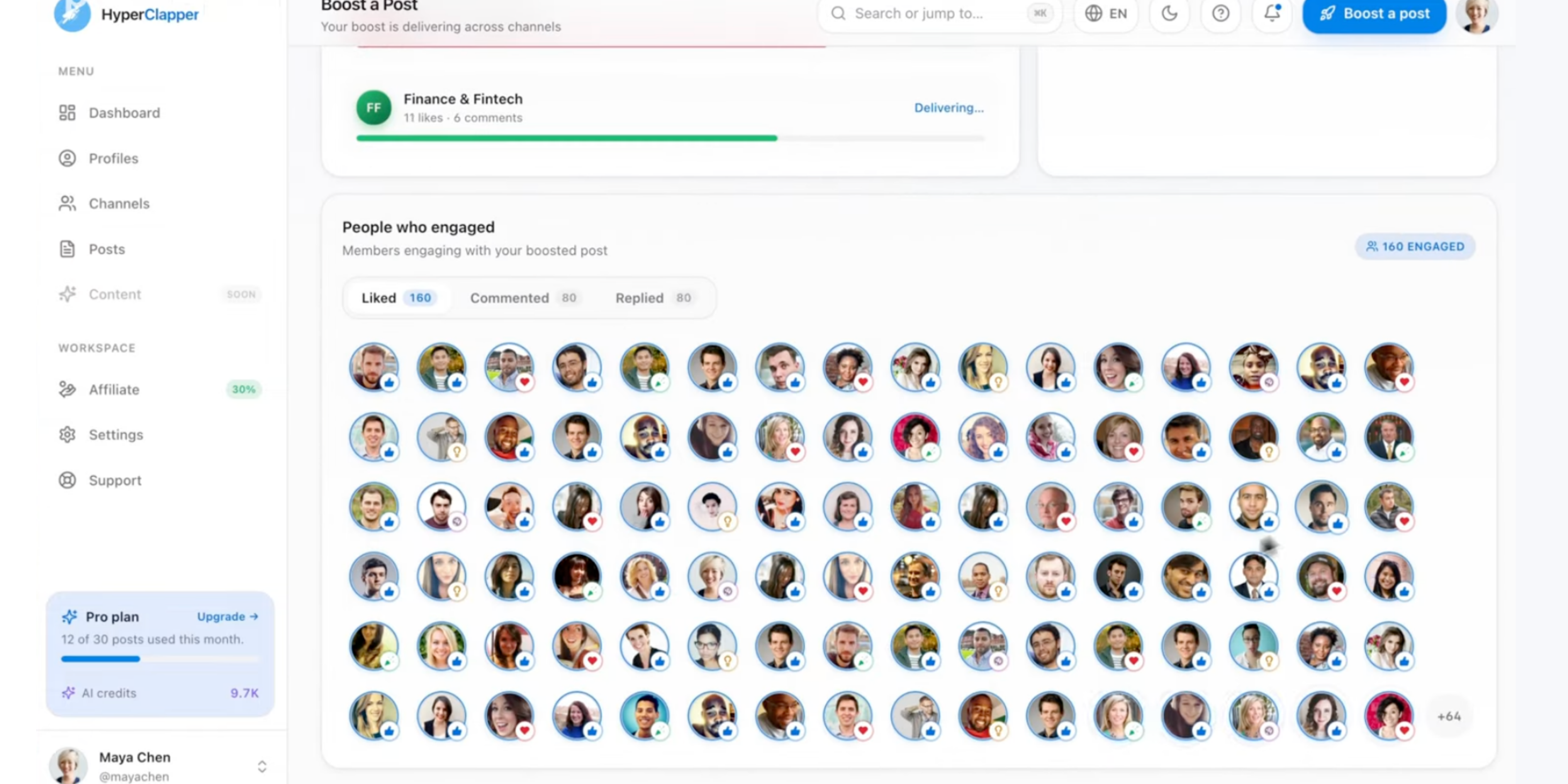
Paid ads reach only the audiences you can afford to bid for. Organic content — when it performs well — reaches a far broader relevant audience at no incremental cost per impression. Tools like HyperClapper extend organic reach by connecting posts with real engagement communities, generating authentic likes and comments that signal quality to LinkedIn's algorithm and expand distribution to second- and third-degree networks that ads cannot cheaply penetrate.
What separates top content performers on LinkedIn from average ones is the early engagement velocity on their posts. LinkedIn's distribution algorithm heavily weights the first 60–90 minutes of engagement — posts that receive meaningful comments and reactions quickly get pushed into more feeds organically. HyperClapper's channel system is built around this mechanic: channel members engage with your post early, triggering algorithmic amplification that extends reach well beyond what the initial engagement numbers suggest.
CRM and ABM Integration Tools
- HubSpot + LinkedIn Integration — syncs CRM contacts and company lists directly to Campaign Manager matched audiences
- Salesforce Advertising Studio — enterprise-grade CRM-to-LinkedIn audience sync with segment refresh automation
- Marketo + LinkedIn — marketing automation platform with native LinkedIn matched audience publishing
Analytics and Optimisation Tools
- LinkedIn Campaign Manager Analytics — native; provides demographic breakdowns, conversion tracking, and company-level engagement data
- Metadata.io — B2B ad automation platform with advanced LinkedIn audience experiment tooling
- Dreamdata — B2B revenue attribution; connects LinkedIn ad exposure to pipeline and revenue outcomes
For content creators, founders, and marketers whose primary LinkedIn strategy is organic content supported by selective promotion, HyperClapper's analytics layer also provides post performance insights — showing which content types and topics drive the strongest engagement signals from their target professional audience.
How to Target the Right Audience on LinkedIn Ads
Knowing how to target the right audience on LinkedIn ads means combining the attribute logic above into a structured, testable campaign framework — not a one-time setup you forget about after launch.
Step 1: Translate Your ICP Into LinkedIn Attribute Language
Start with your Ideal Customer Profile and convert each dimension into the closest LinkedIn targeting attribute:
- "Senior decision-maker" → Seniority: Director, VP, C-Suite, Owner
- "Works in SaaS" → Company Industry: Computer Software, Internet
- "200–2,000 person company" → Company Size: 201–500, 501–1,000, 1,001–5,000
- "Responsible for marketing budget" → Job Function: Marketing + Seniority: Manager+
Step 2: Build Three Audiences Before Launching
- Cold ICP attribute audience — 50,000–500,000 members, built from the attribute translation above
- Matched audience — upload your best customer list and/or website visitor retargeting pool
- Suppression list — existing customers, current employees, irrelevant industries
Launch the matched audience campaign first. It will deliver better results faster, giving you performance benchmarks before you commit budget to the cold audience. Most teams do the opposite — spend heavily on cold, then wonder why CPL is so high.
Step 3: Test One Variable at a Time
Creators who skip this step typically find themselves three months in with no actionable data — just a blended CPL that tells them nothing about which targeting dimension was responsible for performance. Test audience changes the same way you test creative: change one thing, hold everything else constant, run for at least two weeks before drawing conclusions.
Step 4: Optimise for Lead Quality, Not Volume
Campaign Manager's default optimisation target is clicks or impressions. For B2B lead generation, the metric that matters is qualified leads — those that actually enter your sales pipeline. Connect your CRM to Campaign Manager's conversion tracking and optimise for pipeline-qualified leads, not form fills. This shift in optimisation signal changes how LinkedIn's algorithm delivers your ads — prioritising members whose profile attributes correlate with your highest-quality historical leads.
Amplify your LinkedIn content while ads do the paid heavy lifting
HyperClapper's engagement channels generate real early engagement on your posts — triggering LinkedIn's organic distribution algorithm and extending your reach to exactly the professional audience you are already paying to target with ads.
Start Boosting Posts Free
Frequently Asked Questions About LinkedIn Audience Targeting
What are the most effective LinkedIn audience targeting strategies for B2B campaigns in 2026?
The most effective strategies combine attribute-based ICP targeting (job function + seniority + company size) with matched audiences from CRM data and website retargeting. Run three audience tiers simultaneously — cold ICP, warm matched, and late-stage CRM. Matched audiences consistently convert at 2x–5x the rate of cold-only campaigns, making them the highest-ROI allocation for most B2B budgets.
How do LinkedIn matched audiences work and when should I use them?
LinkedIn matched audiences connect your first-party data — contact lists, website visitors, CRM records, or account lists — to LinkedIn's member database. Use them immediately once your Insight Tag is live and your contact lists exceed 300 matched members. They are especially powerful for retargeting high-intent prospects (pricing page visitors, demo no-shows) and ABM campaigns targeting specific accounts.
What LinkedIn targeting options give the best ROI for lead generation?
Matched audiences — particularly CRM contact retargeting and website visitor segments from high-intent pages — deliver the best ROI. For cold targeting, Job Function + Seniority combinations outperform Job Title alone because they maintain audience size in the optimal delivery range while preserving decision-maker precision. Lookalike audiences built from qualified customers provide the best cold-traffic ROI.
How has LinkedIn audience targeting changed in 2026 compared to previous years?
LinkedIn has added deeper company growth rate signals, refined skill-based targeting using endorsement frequency weighting, and expanded interest-based categories derived from content engagement patterns. CRM integrations have become more seamless, reducing audience refresh latency. Predictive audiences — algorithmically suggested segments based on your conversion history — are now available to campaigns with sufficient historical data.
What is the best audience size for LinkedIn ads?
For most B2B campaigns, 50,000–500,000 members is the optimal range. Audiences below 50,000 cause under-delivery and inflated CPMs. Audiences above 1 million dilute precision and lower creative relevance scores. If your ICP audience is too small, widen seniority or add adjacent job functions before enabling Audience Expansion as a secondary lever.
Why is LinkedIn audience targeting important for B2B marketing?
LinkedIn audience targeting is important for B2B because it is built on self-reported, professionally verified data — job title, employer, seniority, and skills that members update for career reasons, not for ad-targeting accuracy. No other platform lets you reliably reach "VP of Operations at a 500-person manufacturing company" with comparable precision or at meaningful scale.
Is LinkedIn or Facebook better for B2B audience targeting?
LinkedIn is better for enterprise B2B targeting (ACV $10K+) where decision-maker precision and professional context matter. Facebook is better for high-volume SMB lead generation and brand awareness at lower CPL. The strongest B2B campaigns typically run both: Facebook for volume and top-of-funnel reach, LinkedIn for converting decision-makers with high-intent offers.
How does organic LinkedIn engagement complement paid audience targeting?
Organic content and paid ads target the same professional audiences but through different distribution mechanisms. Tools like HyperClapper boost organic post engagement early — triggering LinkedIn's algorithm to extend reach to professional networks aligned with your ICP — at no incremental CPM cost. Combining organic amplification with paid retargeting builds frequency with target audiences more cost-efficiently than paid alone.
After seeing this across thousands of LinkedIn campaigns, the pattern is consistent: the accounts that consistently generate qualified pipeline from LinkedIn are not necessarily the ones with the largest budgets. They are the ones who have built all three targeting tiers, activated matched audiences before scaling cold spend, and treated organic content as a cost-efficient frequency layer that works alongside their paid activity — not as a separate, siloed effort. The gap between a £5,000/month LinkedIn campaign that breaks even and one that generates 10x pipeline value almost always comes down to audience architecture, not budget size.



