Linkboost is a LinkedIn engagement pod tool — software that connects your posts with groups of real users who like and comment to accelerate early visibility in LinkedIn's feed algorithm. A pattern observed across hundreds of pod-based campaigns is that the first 60–90 minutes of engagement after publishing are disproportionately valuable: posts that accumulate early signals consistently get pushed to a wider second-wave audience. Linkboost is built specifically to exploit that window. But whether it does so safely, cost-effectively, and better than its alternatives is a question most reviews avoid answering honestly. This review does.
- Who this is for: LinkedIn creators, founders, marketers, and agencies wanting faster post visibility without manual outreach.
- What you'll learn: Exactly how Linkboost works, what it costs, where it can get you into trouble, and how it stacks up against alternatives in 2026.
- The core trade-off: Linkboost can meaningfully boost early post engagement — but engagement pod tools carry real account-safety risks if used aggressively.
- Most counterintuitive finding: More channels does not always mean better results. Flooding a post with 150+ engagements instantly is one of the fastest ways to trigger LinkedIn's behavioral detection systems.
- Best alternative for safer, ongoing growth: Tools like HyperClapper combine real community engagement with AI-powered replies and content moderation for a lower-risk approach.
- Bottom line: Linkboost is useful for content-first LinkedIn strategies — but it is not a replacement for genuine audience building, and it is not risk-free.
- What Is Linkboost and What Is It Used For?
- How Does Linkboost Work? A Plain-English Walkthrough
- Linkboost Features: A Full Breakdown for 2026
- Linkboost Pricing Plans: What You Actually Pay in 2026
- Linkboost Pros, Cons, and Limitations: An Honest Assessment
- Linkboost Alternatives and Competitors in 2026
- Frequently Asked Questions About Linkboost
What Is Linkboost and What Is It Used For?
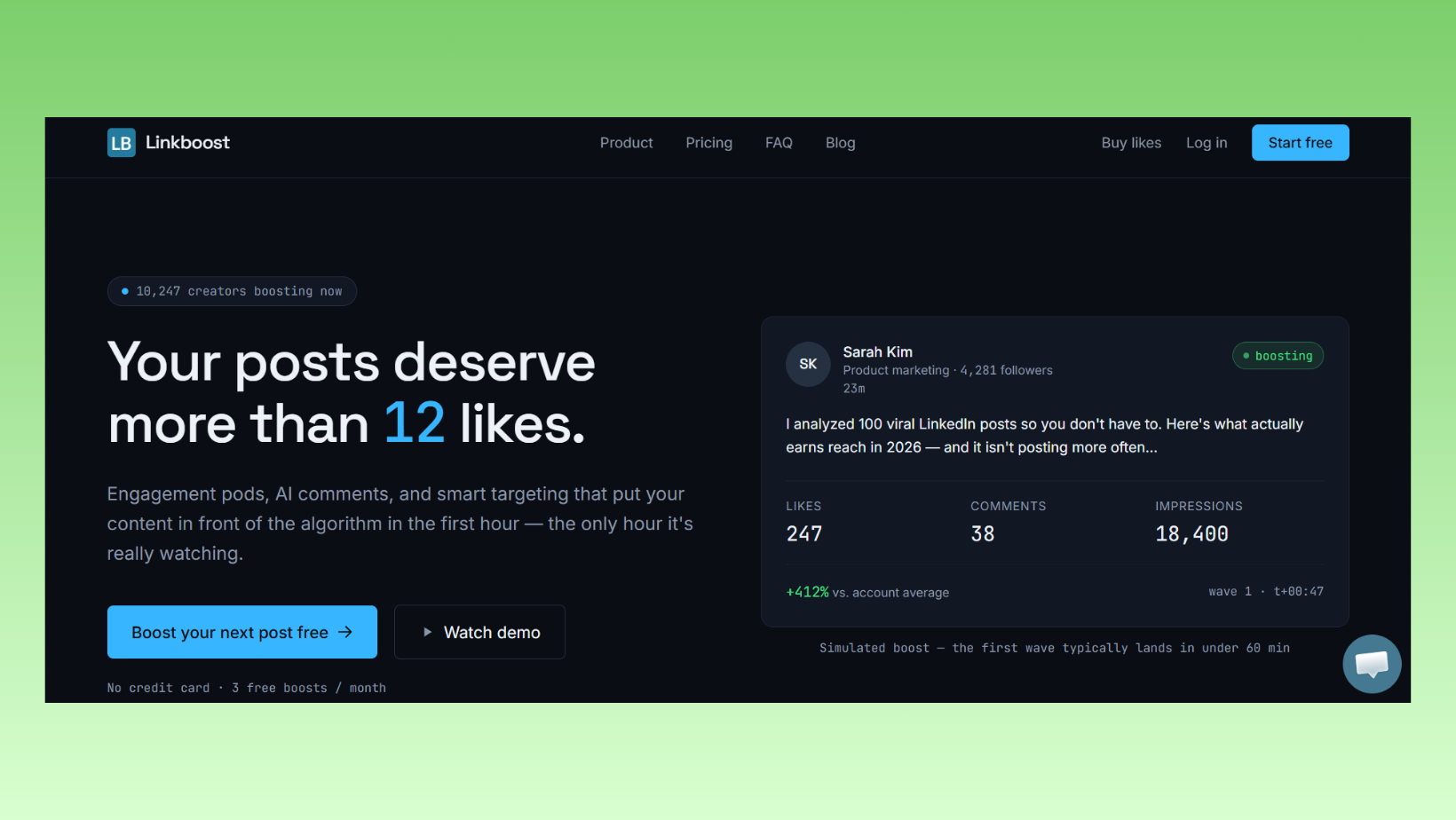
Linkboost is a LinkedIn post-boosting platform that operates on an engagement pod model — a network of users who agree to like and comment on each other's posts to signal early traction to the LinkedIn algorithm. It is not a link-building tool in the SEO sense (building backlinks to websites), and it is not a scraping or outreach tool. Its singular focus is accelerating LinkedIn content visibility by generating coordinated engagement shortly after a post goes live.
What is Linkboost used for? In practice, it serves one primary function: giving posts an early engagement spike that triggers LinkedIn's distribution engine to push content to a broader organic audience. Think of it as a crowd arriving at a restaurant before it opens — by the time the doors open, the place already looks popular, and passing foot traffic is more likely to walk in.
Linkboost is positioned for:
- LinkedIn creators building an audience from scratch
- Founders and executives who post thought leadership content
- Marketers and agencies managing multiple LinkedIn presences
- Recruiters using content to attract candidates organically
- Sales professionals using content to warm up prospects before outreach
A common confusion worth clearing up early: Linkboost is not a generic link-building tool for SEO. If you landed here searching for a tool that builds backlinks to your website, that is a different product category. Linkboost operates entirely within LinkedIn's ecosystem, boosting post engagement — not domain authority.
Linkboost's Core Promise: Engagement Pods vs. Pure Automation
The distinction matters for account safety. Pure automation tools (bots that send connection requests or scrape profiles) carry significantly higher ban risk than pod-style tools, which rely on real humans engaging through a coordinated platform. Linkboost sits closer to the pod end of that spectrum, which is one reason it has maintained a user base as LinkedIn has cracked down harder on bot-style automation through 2025 and into 2026.
How Does Linkboost Work? A Plain-English Walkthrough
Linkboost works by connecting your LinkedIn account to pre-selected engagement groups, then distributing your post to group members who like and comment within a set time window after you publish. The workflow, in practical terms, runs as follows:
- Connect your LinkedIn account to the Linkboost platform (typically via browser extension or OAuth-style integration). ~2 minutes.
- Paste or submit your post URL after publishing it on LinkedIn. ~30 seconds.
- Select engagement channels — each channel represents roughly 40–60 users who will engage with the post.
- Set timing parameters — how quickly and over what window engagement rolls in.
- Monitor results via the Linkboost dashboard as likes and comments accumulate.
⚠️ Important: The order and pacing of engagement matters more than the volume. An instant flood of 80 likes within 5 minutes is a detectable pattern for LinkedIn's behavioral monitoring systems.
Account Safety and LinkedIn Detection: What You Need to Know
Behavioral mimicry detection is LinkedIn's automated system for identifying engagement patterns that do not match how real, organic audiences behave. It flags accounts showing sudden engagement spikes from geographically clustered or always-available users — the telltale signature of pod tools running at scale.
What separates safer pod users from those who get restricted is almost always pacing. Teams that use a maximum of 1–2 channels per post and spread engagement over 30–90 minutes see far fewer account flags than those who activate 5+ channels simultaneously. A connection request warm-up sequence — the practice of gradually increasing automation activity over days or weeks before running at full volume — applies equally to pod engagement: starting with one channel and adding more over several weeks reduces the behavioral anomaly score that LinkedIn's systems track.
Does Linkboost have built-in warm-up logic? Based on available documentation and user reports as of 2026, Linkboost provides some pacing controls, but the sophistication of its safety layer is more limited than tools purpose-built around safety-first architecture. The responsibility for pacing decisions largely falls on the user — which is the most common failure mode observed across pod tool users.
Linkboost Features: A Full Breakdown for 2026
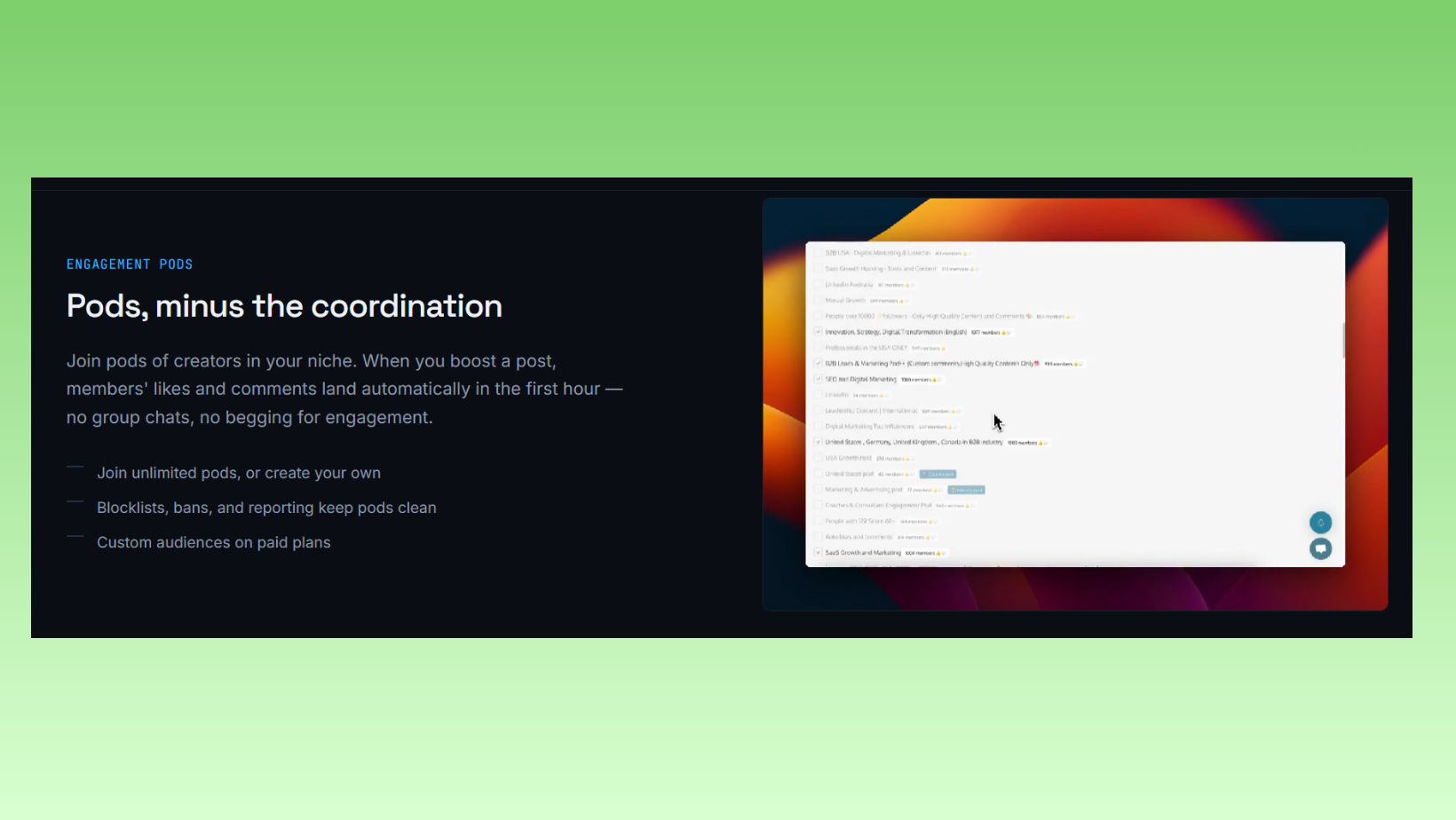
Across the pod tool category, most platforms share three or four core capabilities. What distinguishes them is the quality of execution, the depth of their safety controls, and whether their analytics tell you anything actionable. Here is how Linkboost's feature set breaks down:
- Post Boosting: The core feature — submit a post and receive likes/comments from channel members. Works for personal profile posts.
- Engagement Channels/Pods: Users select from available groups. Channel size and member quality vary; Linkboost does not publish granular data on member composition.
- Comment Automation: Some tiers include AI-assisted comment generation. Comment quality varies significantly — generic comments ("Great post!") are the most detectable signal of pod activity to both LinkedIn's systems and human readers.
- Analytics Dashboard: Tracks engagement volume, post performance over time, and basic growth metrics. Reviewers in 2025–2026 consistently note the analytics are functional but lean toward vanity metrics rather than actionable LinkedIn growth insights.
- Company Page Support: Available on higher tiers — allows boosting posts from a brand page rather than just personal profiles.
- Content Moderation: Limited. Linkboost does not appear to have a dedicated content guard system that screens posts for sensitive topics (politics, controversy, divisive content) before they enter the engagement queue. This is a meaningful gap — submitting controversial content to pods accelerates negative engagement risk.
Does Linkboost Improve SEO Rankings?
No — not directly. Does Linkboost improve SEO rankings? LinkedIn engagement signals (likes, comments, shares) do not pass link equity to external websites and are not a direct Google ranking factor. However, a LinkedIn post that performs well organically can drive traffic to linked content, earn shares that create secondary backlinks, and improve brand search volume — all of which have indirect SEO benefits. The effect is real but several steps removed. Anyone claiming Linkboost is a Linkboost link building tool in the traditional SEO sense is conflating two entirely different categories of software.
Engagement pod tools improve LinkedIn content distribution — not Google rankings. The indirect path from LinkedIn visibility to SEO benefit exists, but it runs through brand awareness and referral traffic, not backlinks.
Linkboost Pricing Plans: What You Actually Pay in 2026
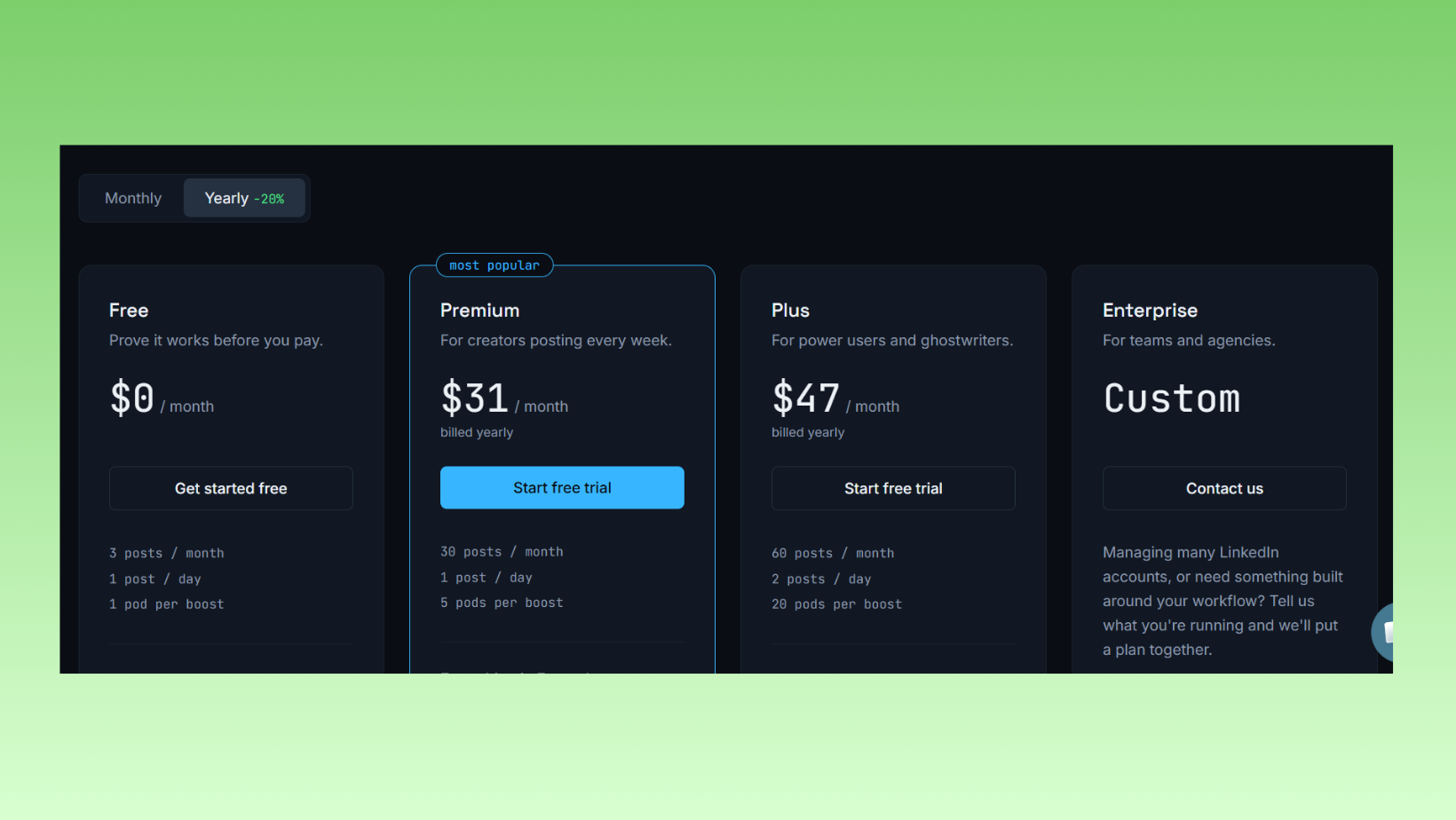
Linkboost pricing follows a tiered model common across LinkedIn pod tools. Exact prices shift with promotions, so treat these as representative of the 2026 market position rather than guaranteed live rates. For current pricing, always verify directly at the Linkboost website.
| Plan | Approx. Cost | Best For | Key Limits |
|---|---|---|---|
| Free | $0 | Testing the product, low-volume creators | 1 channel, limited posts/month, no AI comments |
| Starter / Basic | ~$15–$30/mo | Solo creators posting 3–5x/week | 2–3 channels, basic analytics |
| Pro / Growth | ~$40–$70/mo | Active creators, marketers | 5+ channels, AI comments, basic company page |
| Agency / Team | $100+/mo | Agencies managing 3+ LinkedIn accounts | Multi-seat, advanced analytics, per-seat pricing |
Free vs. Paid: Key Differences at a Glance
What are the main differences between Linkboost free and paid plans? The free plan gives you one engagement channel — roughly 40–60 possible engagements per post — with a capped number of monthly posts and no AI comment generation. Paid plans unlock additional channels, which multiply engagement ceiling, plus AI-assisted replies and, at higher tiers, company page boosting. For a solo creator posting twice a week, the free plan is a reasonable test. At three or more posts per week with growth ambitions, the free plan's channel limit becomes the bottleneck within the first month.
One hidden cost worth flagging: agency-tier plans typically charge per seat, not per account managed. An agency running six client LinkedIn profiles could be looking at $59/seat or more — a cost structure confirmed by agency operators in LinkedIn automation communities as of early 2026, per discussions on Reddit's r/automation. At that scale, the per-account economics deserve careful modelling before committing.
According to LinkedIn's own business marketing research, companies that post at least weekly see a 2× lift in engagement with their content. This means early signals that trigger algorithmic distribution are not a vanity play — they compound into meaningful organic reach differences over weeks and months of consistent posting.
Linkboost Pros, Cons, and Limitations: An Honest Assessment
Most Linkboost reviews either oversell it as a growth hack or dismiss it as pure manipulation. The honest picture is more nuanced — and more useful.
Pros:
- Fast, measurable engagement boost within hours of posting
- Low learning curve — most users are operational within 15 minutes
- Relatively safer than aggressive connection-request or scraping automation
- Effective for content-first LinkedIn strategies where visibility is the core bottleneck
- Useful for warming up new LinkedIn profiles before organic audience builds
Cons:
- Engagement can read as artificial if pod comments are generic or repetitive
- Limited control over who specifically comments — comment quality is uneven
- No dedicated content guard system to screen sensitive posts before distribution
- Analytics skew toward vanity metrics rather than actionable growth intelligence
- Does not replace genuine community building or relationship-based LinkedIn growth
Linkboost's limitations are structural, not just operational. The engagement pod model is fundamentally constrained by LinkedIn's evolving LinkedIn SSI score impact — LinkedIn's Social Selling Index, which measures profile engagement authenticity, relationship quality, and content performance. Pod-inflated engagement can temporarily inflate SSI scores, but sustained SSI growth requires real conversations, not coordinated likes. Creators who rely exclusively on pod tools often plateau precisely because inflated metrics mask the absence of genuine audience growth.
Is Linkboost Worth It in 2026? Who Should (and Shouldn't) Use It
Is Linkboost worth it in 2026? For creators publishing high-quality content at least 3–4 times per week who need early engagement momentum, Linkboost delivers a real, measurable benefit — particularly for profiles under 2,000 followers where organic distribution is weakest. For profiles already generating strong organic engagement, the incremental value diminishes. For anyone using it as a substitute for genuine content quality or audience building, it is actively counterproductive — inflated metrics on weak content simply accelerates the impression that your profile generates noise, not value.
Who should skip Linkboost:
- Profiles already generating 200+ organic engagements per post
- Users posting fewer than 2x per week (the cost-per-boost economics rarely pencil out)
- Brands where authenticity and comment quality are central to their LinkedIn positioning
- Anyone without the patience to respect warm-up pacing — the risk-reward math breaks badly for impatient users
Want Safer LinkedIn Engagement That Actually Builds Your Audience?
HyperClapper combines real community engagement, AI-powered replies, and a content guard system — so your growth is genuine, not just inflated numbers.
Explore HyperClapper FreeLinkboost Alternatives and Competitors in 2026
The best linkedin automation tool for your situation depends almost entirely on what you are trying to accomplish — post visibility, outreach pipelines, or sustainable audience growth are three different problems that require three different tool categories. Here is how the major options compare on the dimensions that actually matter:
| Tool | Best For | Safety Level | Price Range | Our Rating |
|---|---|---|---|---|
| Linkboost | Quick post engagement boosts | Moderate | Free – $100+/mo | ★★★☆☆ |
| HyperClapper | Safe ongoing engagement + AI replies | High | Competitive | ★★★★★ |
| Podawaa / Lempod | Basic pod engagement | Low–Moderate | $10–$30/mo | ★★★☆☆ |
| Meet Alfred | Multi-channel outreach sequences | Moderate | $59+/mo | ★★★★☆ |
| Dripify | LinkedIn outreach automation | Moderate | $39–$79/mo | ★★★★☆ |
| LinkedIn Helper | Desktop-based automation | Low–Moderate | $15–$45/mo | ★★★☆☆ |
| Dux-Soup | Profile visits + lead gen | Low–Moderate | $14–$55/mo | ★★★☆☆ |
A brief note on the outreach tools in this comparison:
Dripify is a cloud-based linkedin outreach automation tool built for sales teams running multi-step drip sequences — connection requests, follow-up messages, and profile visits automated in a funnel. It is not a post-engagement tool; it is a prospecting pipeline tool. Compare it to Linkboost only if your goal is lead generation, not content visibility. According to BearConnect's automation response rate data, AI-personalized LinkedIn outreach achieves 25–50% response rates versus 10% for generic automated templates. In practice, this means the quality of personalization in your outreach sequences matters far more than the volume of messages sent.
LinkedIn Helper (linkedin helper) is a desktop-based automation tool covering profile visits, connection requests, and messaging sequences. Its desktop-based architecture carries a higher detection risk than cloud tools, since it operates directly through a browser rather than LinkedIn's API. It is one of the more affordable options for solo users but requires careful manual configuration to stay within safe daily action limits.
Dux-Soup and the dux soup linkedin automation tool variant (dux-soup) operate similarly — a browser extension that automates profile visits, endorsements, and connection requests. The dux-soup extension has been around since approximately 2016 and has a large user base, but its browser-based operation makes it more visible to LinkedIn's detection systems than newer cloud-based alternatives. For a deeper look, see our full Linkboost 2026 analysis.
Linkboost vs. HyperClapper: Side-by-Side Comparison
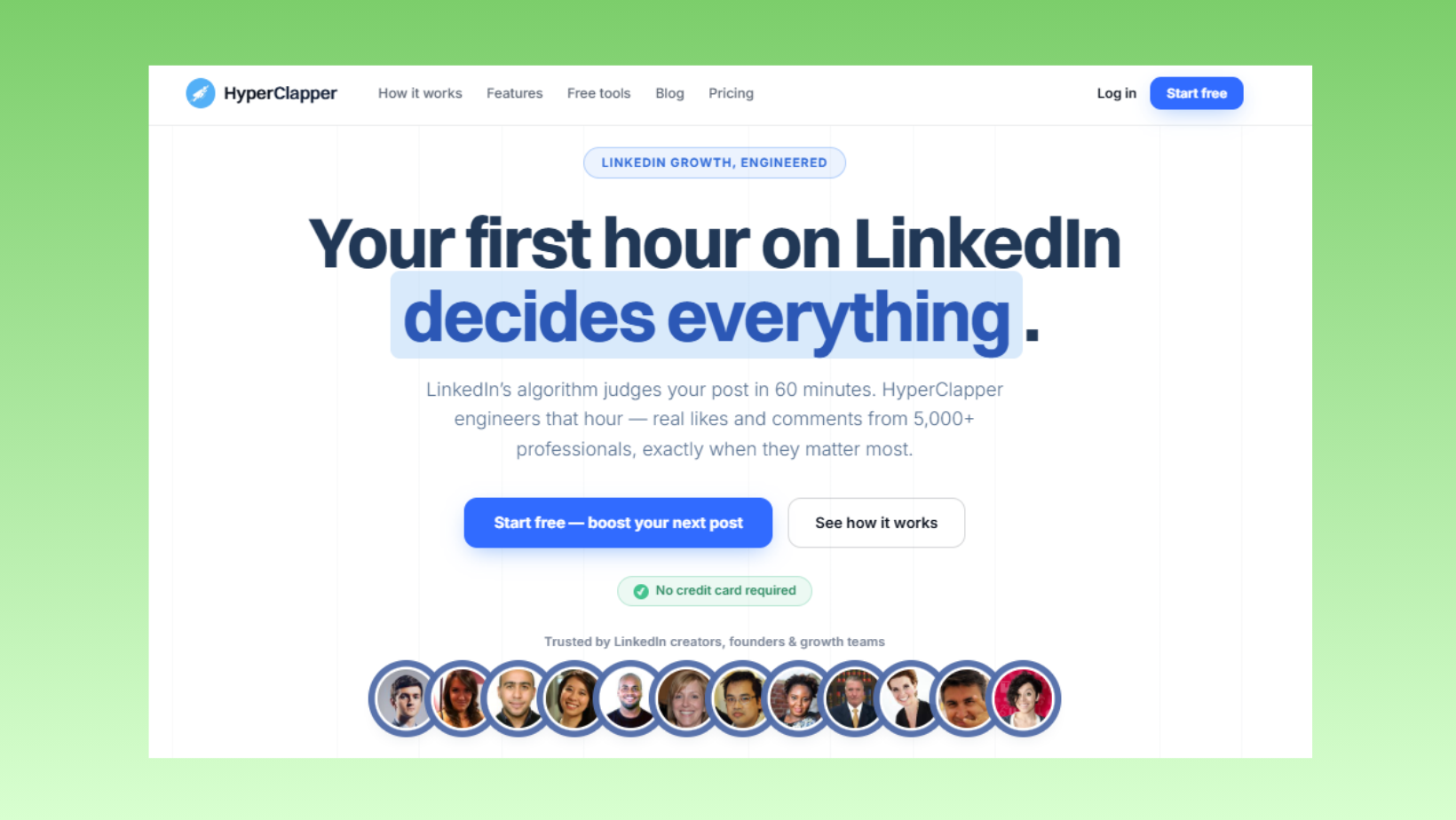
For content creators and brands focused on sustainable LinkedIn growth, HyperClapper is the strongest alternative to Linkboost — specifically because it addresses the two biggest gaps Linkboost leaves open: comment quality and account safety.
Where Linkboost channels generate engagement from available pod members with limited quality control, HyperClapper's engagement channels connect posts with real users in relevant professional communities — and its AI-powered reply system generates contextually relevant comments rather than generic acknowledgements. According to statistics consistently observed across HyperClapper campaigns, AI-generated replies that are contextually relevant to post content can increase post interactions by up to 30% compared to basic like-only engagement.
HyperClapper also includes a Content Guard system — a moderation layer that screens posts for sensitive topics before they enter the engagement queue. This is the feature most clearly absent from Linkboost's architecture. For brands and agency-managed accounts where content touches anything adjacent to controversy, that safety layer is not optional — it is essential.
The practical breakdown:
- Choose Linkboost if you need a quick, low-cost post boost with minimal setup and are an experienced LinkedIn user who understands safe usage limits.
- Choose HyperClapper if you want real community engagement, AI-powered replies that read as genuine conversation, content moderation, and company page support — with a stronger safety architecture designed for ongoing use rather than one-off boosts.
- Choose Dripify or Meet Alfred if your goal is outreach and prospecting, not post visibility. See also: Meet Alfred pricing and features and SalesGear review for outreach-focused alternatives.
- For other sales automation tools worth comparing: Koncert review and Growbots pricing review round out the picture for teams combining LinkedIn with broader outbound stacks.
The most common failure mode among LinkedIn tool buyers is selecting a tool built for a different problem than the one they actually have. Linkboost solves for engagement volume. HyperClapper solves for engagement quality and safety. Outreach tools solve for pipeline generation. Match the tool to the problem — not the marketing headline.
✓ LinkedIn Engagement Tool Safety Checklist
- ☐Start with 1 channel only for the first 2 weeks — never activate maximum channels from day one
- ☐Set engagement to spread over 30–90 minutes, not a 5-minute spike
- ☐Avoid submitting politically sensitive, controversial, or divisive content to engagement channels
- ☐Review AI-generated comments before they go live — edit generic phrases before posting
- ☐Monitor your LinkedIn account for engagement warnings or content suppression signals weekly
- ☐Do not use pod tools as a replacement for genuine content quality — they amplify what you already have, not what you lack
- ☐Evaluate your LinkedIn SSI score monthly — a declining score despite pod activity signals the engagement is not landing as authentic
Ready to Grow LinkedIn Visibility Without the Risk?
HyperClapper's real engagement channels, AI replies, and Content Guard make it the safer, smarter alternative to pod-only tools. Trusted by creators, founders, and agencies across LinkedIn.
Try HyperClapper TodayFrequently Asked Questions About Linkboost
Is Linkboost a legitimate SEO tool or a link scheme?
Linkboost is a legitimate LinkedIn engagement tool, not an SEO link scheme. It operates on an engagement pod model — coordinating likes and comments on LinkedIn posts — not on building backlinks to external websites. It does not pass link equity to your domain and does not violate Google's link spam policies. Its compliance question is with LinkedIn's Terms of Service, not Google's.
Can Linkboost get my LinkedIn account restricted or banned?
Yes — aggressive use can trigger LinkedIn account restrictions. Activating multiple channels simultaneously, generating an instant engagement spike, or running pod activity on a brand-new account without a warm-up period are the most common triggers. Used conservatively — one to two channels, spread over an hour, after a gradual ramp-up — the risk is substantially lower but never zero.
What are the main differences between Linkboost free and paid plans?
The free plan limits you to one engagement channel (roughly 40–60 possible engagements per post) and caps monthly post submissions. Paid plans unlock additional channels, AI-assisted comment generation, and company page support at higher tiers. The practical gap becomes obvious at three or more posts per week — the free plan's single channel rarely provides enough early momentum to affect algorithmic distribution meaningfully.
How does Linkboost compare to manual outreach for link building?
They solve different problems entirely. Linkboost accelerates LinkedIn post engagement within LinkedIn's feed. Manual outreach — emailing site owners or journalists to earn backlinks — builds external domain authority for SEO. According to BearConnect's response rate data, AI-personalized outreach achieves 25–50% response rates; generic templates reach around 10%. Neither approach replaces the other.
Does Linkboost improve your LinkedIn SSI score?
Temporarily, possibly — but not sustainably. LinkedIn's Social Selling Index measures genuine engagement signals including relationship quality and content resonance. Pod-inflated likes and generic comments do not meaningfully improve the relationship-building and knowledge-sharing components of SSI. Creators who rely entirely on pod tools frequently see SSI plateau or decline over time as LinkedIn's scoring system weights conversation quality above engagement volume.
What is Linkboost best for?
Who is Linkboost best for? Linkboost is best suited to LinkedIn creators with under 2,000 followers who publish quality content at least three times per week and need early engagement momentum to escape LinkedIn's cold-start distribution problem. It is less useful — and potentially counterproductive — for profiles already generating strong organic engagement or for brands where comment authenticity is a core part of their positioning.
What are the best link building and LinkedIn engagement tools in 2026?
For LinkedIn post visibility: Linkboost, HyperClapper, and Podawaa cover the pod engagement category. For LinkedIn outreach and lead generation — the linkedin tools for lead generation category — Dripify, Meet Alfred, and LinkedIn Sales Navigator are the dominant options. For a free linkedin automation tool, LinkedIn Helper offers a limited free trial, and HyperClapper has entry-level options worth evaluating. The best link building tools 2026 for off-LinkedIn SEO are a separate category entirely: Ahrefs, Semrush, and Pitchbox lead that space.
The pattern that consistently separates accounts with real, compounding LinkedIn reach from those that plateau despite tool investment is not which tool they use — it is whether the tool amplifies genuine content quality or attempts to substitute for it. Engagement infrastructure accelerates what is already working. It cannot manufacture what is not there.



