A LinkedIn engagement tool is software that amplifies your post's early signals — likes, comments, and replies — so the algorithm pushes your content to a wider audience before organic momentum has a chance to build. A pattern observed across thousands of LinkedIn posts is that the first 60–90 minutes after publishing decide everything: posts that hit a critical engagement threshold in that window get distributed 3–5x further than posts that don't. Most professionals post consistently and still plateau — not because their content is weak, but because they never crack that cold-start barrier.
- Who this is for: Creators, founders, marketers, recruiters, and sales teams who want more LinkedIn reach without risking their account.
- What you'll learn: How HyperClapper's channel system, AI replies, and safety controls work — step by step.
- Why it matters: LinkedIn's algorithm gates distribution behind early engagement; without a strategy, even great posts get buried.
- Counterintuitive finding: More likes alone won't compound your reach — comment depth and reply threads carry more algorithmic weight than passive reactions.
- Safety bottom line: HyperClapper uses real community members and a Content Guard system, making it meaningfully lower-risk than bot-based tools.
- Why LinkedIn Likes Matter More Than Ever in 2026
- What Is HyperClapper and How Does It Work Step by Step
- LinkedIn Engagement Pod Strategy: Benefits and How to Use It Safely
- HyperClapper vs Lempod and Other LinkedIn Engagement Pod Tools in 2026
- Who Should Use a LinkedIn Engagement Tool: Use Cases by Role
- Common Mistakes to Avoid When Using LinkedIn Engagement Tools
- Frequently Asked Questions About HyperClapper and LinkedIn Engagement
- LinkedIn Engagement Timing and Posting Frequency: What Actually Works in 2026
Short answer: A LinkedIn engagement tool helps your posts collect likes, comments, and replies in the critical first 60–90 minutes after publishing — the window LinkedIn's algorithm uses to decide how widely to distribute your content. The right tool combines real-member engagement, AI-generated comment threads, and paced delivery to grow reach without triggering platform restrictions.
Why LinkedIn Likes Matter More Than Ever in 2026
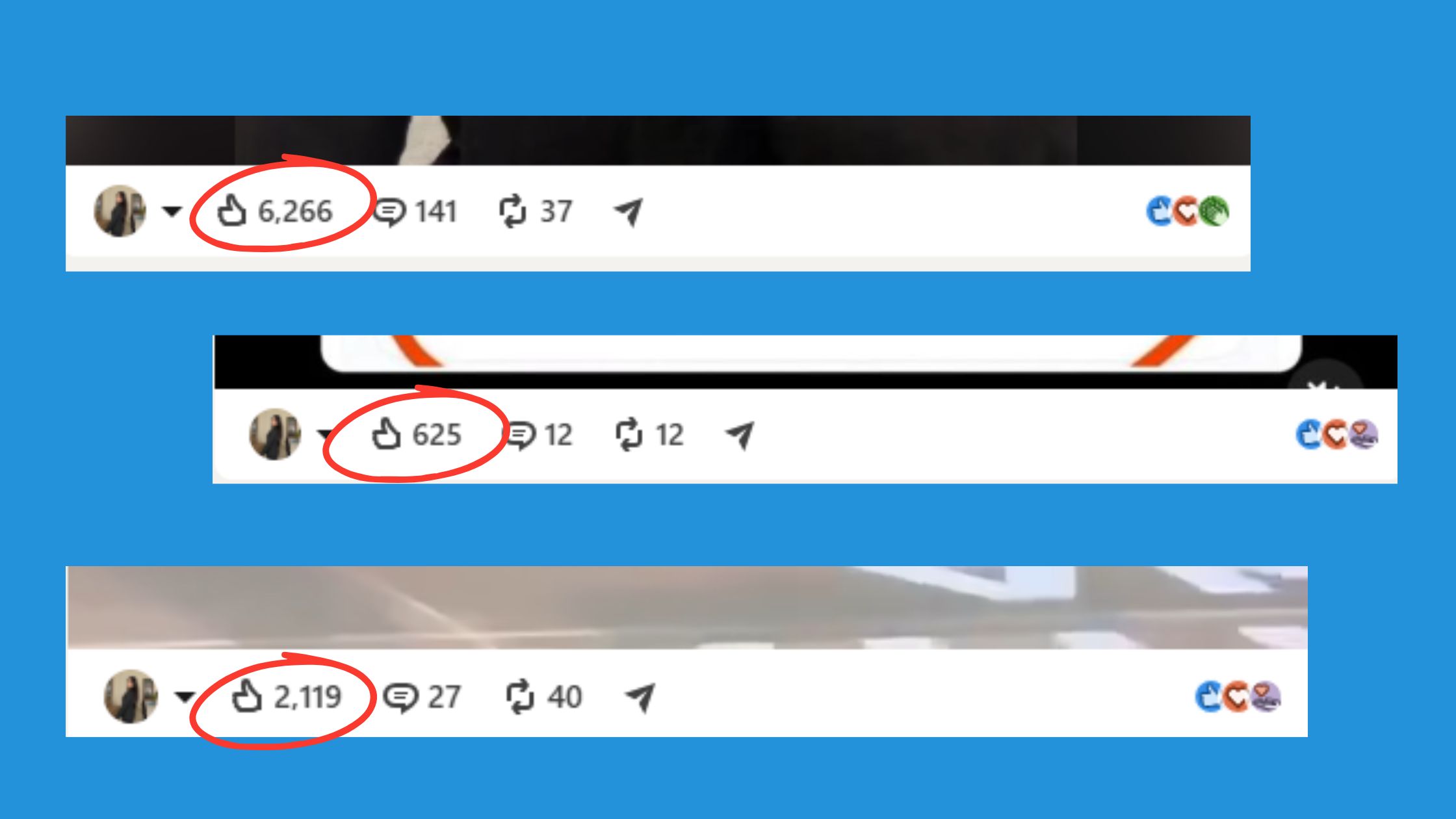
LinkedIn's algorithm uses early engagement as its primary distribution signal. According to Hootsuite's LinkedIn algorithm analysis (2026), posting consistently leads to a 2x lift in engagement — but only when that consistency is paired with early interaction signals. The first 60–90 minutes after publishing is the critical distribution window. If a post receives little or no engagement in that window, LinkedIn's algorithm interprets it as low-quality content, limits its reach to first-degree connections only, and then progressively deprioritises it in the feed. Miss that window and even a well-written post can quietly disappear.
What Signals LinkedIn's Algorithm Actually Weighs
Not all engagement is equal. LinkedIn's ranking system evaluates a combination of signals to decide whether a post deserves wider distribution. The ones that carry the most weight, in order of importance:
- Comments — especially multi-turn threaded replies that show genuine conversation
- Comment replies — responses within a comment thread signal depth and sustained interest
- Likes and reactions — a baseline signal, but weighted lower than comments
- Shares — indicate the post has value worth passing on to another network
- Dwell time — how long a reader pauses on a post before scrolling, which signals content quality even without an explicit reaction
Understanding how comments and likes work as LinkedIn ranking signals is the starting point for any serious growth strategy.
Comments Are the New Currency of LinkedIn Visibility
Likes confirm that someone noticed your post. Comments prove that someone thought about it. That distinction matters enormously to LinkedIn's algorithm. A multi-turn thread — where someone comments, you reply, they reply back — creates a signal loop that tells the algorithm this post is generating real conversation. LinkedIn rewards that loop with extended distribution, pushing the post to second- and third-degree connections who never would have seen it otherwise.
In practical terms: a post with 30 likes and 15 substantive comments will consistently outperform a post with 80 passive likes and no replies. Interaction depth matters more than raw reaction count. This is why tools like HyperClapper include AI-powered reply features specifically — not just to add volume, but to keep comment threads active and growing, which sustains the algorithmic signal well beyond the initial 60–90 minute window. The Feed More AI Replies feature exists precisely for this: adding replies days after publish to re-trigger distribution on posts that still have momentum.
How the LinkedIn Algorithm Rewards Engagement
So, how many LinkedIn likes is considered good? Realistically: under 10 is low visibility, 20–50 signals solid traction, and 100+ puts a post in viral territory for most professional niches. Post dwell time — how long users spend reading before scrolling past — compounds this further.
According to SocialPilot's LinkedIn statistics report (2026), the average engagement rate on LinkedIn posts hit 5.2% — an 8% year-over-year increase. What that number means practically: if your post is pulling engagement below that average, LinkedIn's algorithm is unlikely to push it beyond your immediate network. Beating the 5.2% threshold is roughly the point at which posts begin entering wider distribution — reaching second-degree connections and topic-based feeds. The platform is rewarding engaging content more than ever, which raises the bar for what "good" actually looks like.
The failure mode here is consistent: creators who focus only on accumulating likes while neglecting comment depth see their reach plateau within weeks, regardless of posting frequency. They hit the early engagement window, collect a handful of reactions, and then watch distribution stall because no conversation formed. Engagement quality and engagement quantity both need to move together — and comments, particularly threaded ones, are the signal that moves the needle furthest. Pairing strong LinkedIn hooks and quotes that generate genuine reactions with a deliberate comment strategy is what separates posts that plateau from posts that compound.
What Is HyperClapper and How Does It Work Step by Step
HyperClapper is a LinkedIn engagement platform — not a bot, not a scraper — that connects your posts with real professional members inside structured groups called channels. Each channel holds roughly 50 active members who see and engage with your post, generating authentic likes, comments, and replies. It's the HyperClapper LinkedIn engagement tool approach: community-powered, not click-farm-powered.
Step-by-Step: Boosting Your First Post with HyperClapper
- Publish your LinkedIn post — or copy its URL immediately after publishing. (~10 seconds)
- Paste the URL into HyperClapper at app.hyperclapper.com. (~15 seconds)
- Select your channels — 1 channel for ~50 engagements, 2 for ~100, 3 for ~150. (~30 seconds)
- Enable AI Replies if you want contextual comment threads, not just likes. (~20 seconds)
- Submit your post — engagement does not arrive as a single simultaneous spike. Instead, likes and comments come in gradually across minutes and hours as real members inside the channel interact at their own pace. This distributed pattern is what makes the activity look and behave like organic engagement rather than an automated burst.
- Monitor your analytics dashboard — HyperClapper surfaces post performance and engagement growth so you can see which channels and reply combinations are driving the most reach.
- Use "Feed More AI Replies" 2–3 days later to revive the post and signal ongoing conversation depth to the algorithm.
Readers who skip step 5 and expect instant, simultaneous engagement often misread the pacing as a platform delay. It isn't — the gradual rollout is intentional. Treating it as a failure and re-submitting the same post doubles up activity in a way that looks unnatural. Let the pacing work as designed.
That last step — feeding replies days after publishing — is a genuine differentiator. Most platforms deliver a one-time spike. HyperClapper's sustained reply feature keeps the post algorithmically active well past its initial distribution window.
Feed More AI Replies: A Concrete Use Case
Imagine you publish a post on Monday morning. By Tuesday, the initial wave of likes and AI-generated comments has settled. Without further activity, the post quietly exits most feeds. On Wednesday, you return to HyperClapper and trigger Feed More AI Replies on the same post. A fresh set of contextual replies appears in the comment thread — new conversation depth that signals to LinkedIn that the discussion is still active and worth redistributing. Creators and founders who use this pattern consistently report that posts stay visible across a longer window than a single-boost approach allows. The feature is particularly useful for posts tied to a campaign, a product launch, or a piece of content you want to keep circulating through the week.
Company Page Boosting and Company Page Replies
HyperClapper is not only a personal profile tool. Agencies and brand teams can boost posts published from a LinkedIn Company Page directly inside the platform — the same channel-based system applies. Beyond likes, users can also add Company Page Replies: comments that appear to come from the brand's company page rather than an individual profile. For agencies managing multiple client brands, or for marketing teams running always-on LinkedIn content, this means brand engagement looks active and natural without requiring manual comment coordination across accounts. It's a use case that most competing tools in this category do not offer at the company page level.
HyperClapper Pricing Plans
HyperClapper offers tiered plans scaled to usage volume. Each plan is structured around channel access — the primary lever for controlling how much engagement a post receives. A simplified breakdown of how tiers map to output:
- Solo / Creator plan — single-channel access → ~50 engagements per boosted post
- Growth plan — two-channel access → ~100 engagements per boosted post
- Agency / Team plan — three or more channels → ~150+ engagements per boosted post, plus Company Page Boosting and Company Page Replies
Current pricing, exact plan names, and feature inclusions are listed directly at hyperclapper.com. Teams running LinkedIn B2B marketing strategies at scale will find the agency tier the most relevant starting point, given the company page features and broader channel access it unlocks.
LinkedIn Engagement Pod Strategy: Benefits and How to Use It Safely
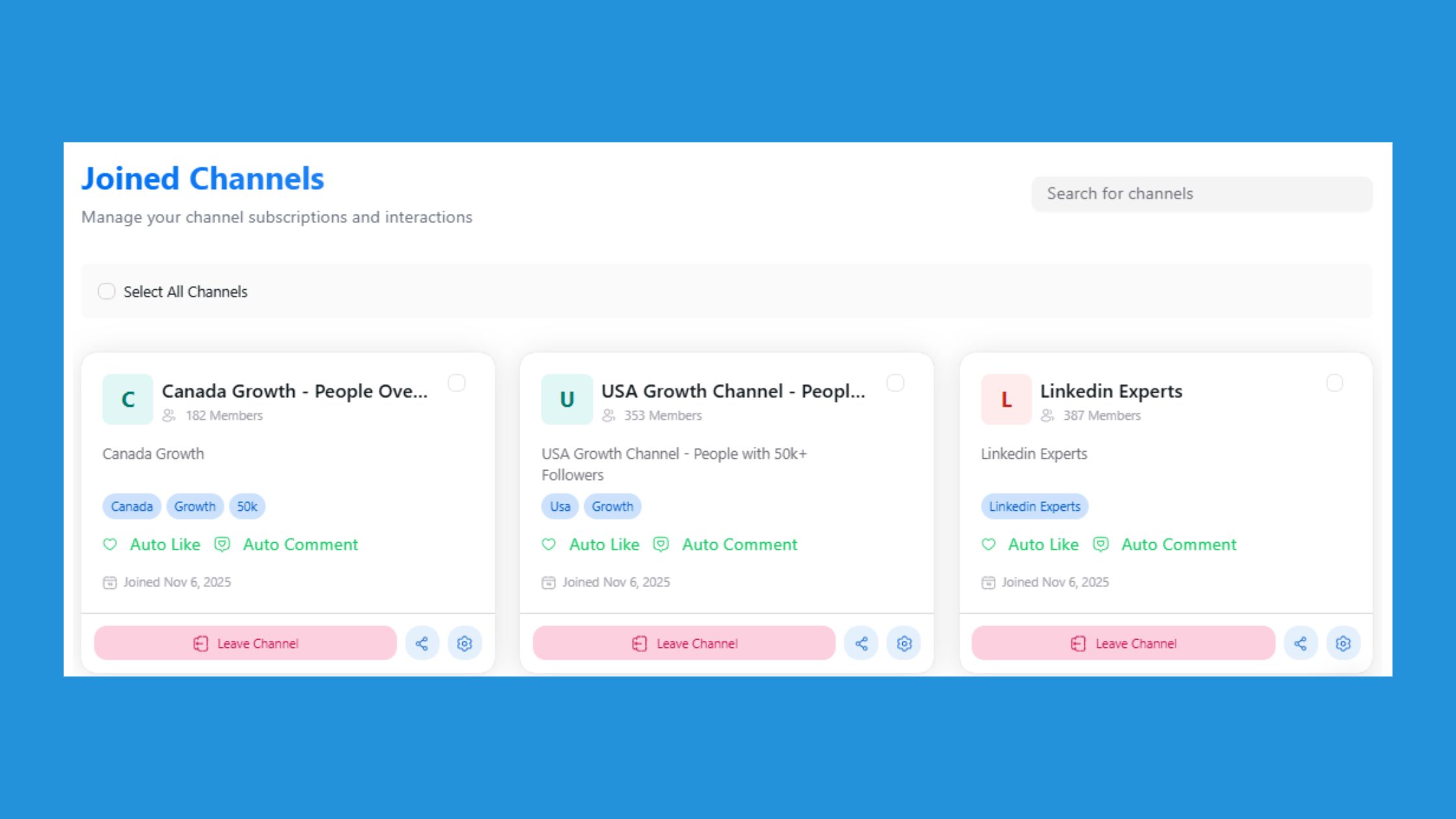
An engagement pod is a coordinated group of LinkedIn users who mutually engage with each other's posts to satisfy the algorithm's early-signal requirement. The strategy works because it's solving a real problem: LinkedIn's cold-start barrier disadvantages even high-quality content from accounts without large existing audiences.
The difference between a pod that builds reach and one that triggers restrictions isn't the tactic itself — it's whether the engagement is relevant, paced naturally, and comes from real professional accounts.
Teams that use a LinkedIn engagement pod strategy with relevant members and moderated content consistently see higher sustained reach compared to accounts relying purely on organic distribution. The key word is relevant: a marketing post getting engagement from 50 marketing professionals reads as genuine to LinkedIn's systems. The same post getting engagement from 50 unrelated accounts in mismatched industries is the pattern that triggers flags.
Why Relevant Channels Matter to the Algorithm
HyperClapper's channels group professionals by topic and industry, so when you boost a marketing post, it reaches marketing professionals — not a random mix of unrelated accounts. This matters algorithmically because LinkedIn's systems evaluate not just how many people engaged, but who engaged. Engagement from professionals whose profiles, activity, and connections align with your content topic signals genuine interest. Engagement from mismatched industries signals coordinated artificial activity. A practical tip: before submitting a post to a channel, confirm the channel's audience matches your content's subject matter. Choosing the wrong channel — even with good intentions — is one of the most common reasons pod strategies underperform or attract scrutiny.
Safe Engagement Volume: What the Numbers Look Like
HyperClapper's channel structure gives a clear framework for thinking about safe engagement volume. Each channel delivers approximately 50 possible engagements, so the table below maps channel selections to expected volumes across action types. These figures reflect the platform's channel design — not arbitrary thresholds — and represent a natural, distributed pace rather than a sudden spike.
| Action Type | 1 Channel (per boost session) | 2 Channels (per boost session) | 3 Channels (per boost session) | Recommended Daily Total |
|---|---|---|---|---|
| Likes | Up to ~50 | Up to ~100 | Up to ~150 | Up to ~150 across all posts |
| Comments | Up to ~50 | Up to ~100 | Up to ~150 | Up to ~150 across all posts |
| AI Replies (initial) | Add per post as needed | Add per post as needed | Add per post as needed | Distribute across posts; avoid clustering on one post |
| Feed More AI Replies | Add in follow-up sessions | Add in follow-up sessions | Add in follow-up sessions | Space across days to sustain conversation naturally |
The guiding principle: engagement that arrives gradually across hours reads as organic. Engagement that arrives in a single burst — regardless of volume — is the pattern most associated with restrictions. HyperClapper's safer engagement system is designed around pacing, not just volume caps.
Boost LinkedIn Algorithm Visibility Without Triggering Restrictions
To boost LinkedIn algorithm visibility safely, three things matter most: engagement pacing (not all 50 likes arriving in 90 seconds), member relevance (professional profiles in related fields), and content quality (the Content Guard on HyperClapper filters sensitive or controversial topics before they enter the engagement flow). Accounts that skip content moderation and boost politically charged or divisive posts are the ones that face restrictions — not accounts using engagement tools on professionally relevant content.
Signs Your Engagement Pod Is Working — and Signs It Isn't
Knowing what healthy pod performance looks like helps you course-correct early. Here are the clearest signals to watch:
Signs the strategy is working:
- Gradual follower growth in the days following a boosted post, driven by new profile visits from people who discovered the post organically after it gained early traction.
- Increasing organic reach on subsequent posts — LinkedIn's algorithm rewards accounts with consistent engagement history, so each well-performing post raises the baseline for the next.
- Comment threads that extend beyond pod members, with outside professionals joining conversations started by AI replies or channel engagers.
- Post impressions that hold or grow over 48–72 hours rather than spiking and collapsing within the first few hours.
Signs the strategy may be triggering flags:
- A sudden account restriction notice or a prompt to verify your identity shortly after a boost session — a direct signal that LinkedIn's systems flagged unusual activity.
- Post impressions dropping to near zero on consecutive posts despite normal publishing frequency, which can indicate reduced distribution at the algorithm level.
- Engagement arriving in an unnatural pattern — for example, 80 likes within the first five minutes and nothing after — which suggests pacing controls were bypassed or a non-moderated tool was used.
- Comments that are generic or off-topic, which reduce the credibility of the engagement signal and can prompt manual review.
Accounts that skip the relevance and pacing steps — choosing mismatched channels or boosting too many posts in a single session — are the ones most likely to move from the first list to the second. The failure mode isn't using an engagement tool; it's using one without the guardrails that make the activity look and behave like genuine professional interest.
HyperClapper vs Lempod, Podawaa, Taplio, and Other LinkedIn Engagement Pod Tools in 2026
When comparing best LinkedIn engagement pod tools 2026, six dimensions separate genuinely useful tools from risky ones: engagement quality, AI capabilities, safety controls, company page support, pricing transparency, and the ability to sustain engagement after a post's first 24 hours.
| Tool | Engagement Type | AI Replies | Safety Controls | Company Pages | Pricing Transparency | Sustained Engagement (Feed More) |
|---|---|---|---|---|---|---|
| HyperClapper | Real community members | Yes — contextual + Feed More | Content Guard + pacing | Yes | Clear channel-based model | Yes — add replies days later |
| Lempod | Pod members (variable quality) | Basic comment templates | Limited | No | Per-pod pricing, can escalate | No |
| Podawaa | Pod members | No | Minimal | No | Freemium with limited visibility | No |
| Taplio | Content scheduling + basic pod | AI content writing, not replies | Moderate | Limited | Higher monthly cost | No |
HyperClapper vs Taplio and Podawaa: The Engagement Pod Dimension
Taplio is primarily a LinkedIn content scheduling and AI writing tool — it helps you plan, draft, and publish posts using AI-generated copy. It includes a basic engagement pod feature, but that is not its core function. If your priority is writing better posts on a consistent schedule, Taplio serves that need. If your priority is making sure each post actually gets seen by more people through real early engagement, Taplio's pod layer is thin by comparison. Podawaa sits closer to the engagement pod category but relies on reciprocal pod mechanics with minimal AI capability and no company page support. Professionals who have used both Podawaa and HyperClapper consistently note that Podawaa's comment quality feels generic — because without contextual AI replies, comments default to short, interchangeable phrases that experienced LinkedIn readers recognise immediately. HyperClapper's AI-powered replies are designed to be contextual to the actual post content, and the Feed More feature lets users inject additional replies days after publishing — keeping a conversation thread alive at a point when Taplio and Podawaa offer no equivalent mechanism.
Who Should Choose HyperClapper — and Who Shouldn't
HyperClapper is built for one specific job: increasing the visibility and engagement depth of LinkedIn posts. That means it is the right tool for LinkedIn creators, founders, coaches, marketers, recruiters, agencies, and sales teams who want their content to reach more people through stronger early engagement signals. It is not an outreach tool, a connection-request automation tool, or a scraping tool. If your goal is running cold connection campaigns, automating DMs, or extracting contact data from LinkedIn profiles, HyperClapper is not designed for that — and using it with that expectation will produce the wrong result. Tools built for outreach automation serve a fundamentally different use case. The failure mode readers encounter when they skip this distinction is signing up for a post-visibility platform while expecting outreach results, then concluding the category doesn't work — when in reality they chose the wrong tool for their actual goal. HyperClapper's channel-based model, Content Guard moderation, and paced engagement distribution are all optimised for post reach, not prospecting pipelines.
Is HyperClapper a LinkedIn Automation Tool Safe to Use?
The honest answer: HyperClapper is a LinkedIn automation tool safe to use in the sense that it's built specifically to avoid the patterns LinkedIn flags — bot activity, unnatural velocity, fake accounts. It uses real member engagement, paced distribution, and content filtering. That said, no third-party tool is "LinkedIn-approved," and using any engagement tool carries some level of platform risk. HyperClapper's design minimises that risk by keeping engagement human and paced. Does HyperClapper violate LinkedIn terms of service? Like most engagement pod tools, it operates in a grey area under LinkedIn's ToS — but its real-member, community-based model is meaningfully different from outright automation tools that simulate fake activity.
The HyperClapper vs Lempod LinkedIn engagement comparison comes down to one practical difference: Lempod delivers likes and basic comments; HyperClapper adds AI-powered contextual replies, Feed More for sustained activity, Content Guard moderation, and company page support. For solo creators, the safety features alone justify the switch. For agencies running LinkedIn lead generation campaigns, company page reply support is a capability neither Lempod nor Podawaa offers.
Ready to break LinkedIn's cold-start barrier?
HyperClapper connects your posts with real professionals in relevant channels — generating the early engagement LinkedIn's algorithm needs to distribute your content further.
Try HyperClapper FreeWho Should Use a LinkedIn Engagement Tool: Use Cases by Role
A LinkedIn engagement tool is not a one-size-fits-all solution — the right use case depends on what you are trying to achieve on the platform. Here is how different roles benefit from using one.
| Role | Core Problem | How a LinkedIn Engagement Tool Helps |
|---|---|---|
| Creators & Personal Brand Builders | The cold-start problem — new or smaller accounts get little organic reach because LinkedIn surfaces posts with early engagement signals first | Boosting a post early generates the likes and comments that signal relevance, helping the algorithm show it to a wider audience before momentum dies |
| Founders & Coaches | Needing inbound leads without sending cold outreach | Consistent post visibility puts your thinking in front of the right people. HyperClapper is positioned as a visibility tool, not an outreach tool — meaning leads come to you rather than the other way around |
| Recruiters | Passive candidates ignore cold InMail but do scroll their feed | A boosted job post or employer-brand post reaches passive candidates naturally, without requiring a direct message they never asked for |
| Agencies & Marketing Teams | Clients need brand-level LinkedIn presence, not just personal profiles | HyperClapper's Company Page Boosting and Company Page Replies let agencies grow engagement on a client's company page directly, making brand activity look active and credible at scale |
| Sales Teams | Staying top-of-mind with prospects without daily manual effort | Regular post visibility keeps a salesperson's name and expertise in a prospect's feed consistently — without requiring cold messages or manual follow-ups every week |
The Common Thread Across Every Role
Regardless of role, the underlying problem is the same: LinkedIn rewards posts that already have engagement, which makes it harder for anyone — creator, founder, or brand — to grow without an existing audience. A LinkedIn engagement tool like HyperClapper addresses this by connecting your posts with real people through channels, so early engagement signals are genuine rather than manufactured. That distinction matters both for platform safety and for the credibility of your personal or company brand.
Try HyperClapper Free — And See Real Engagement Start Immediately
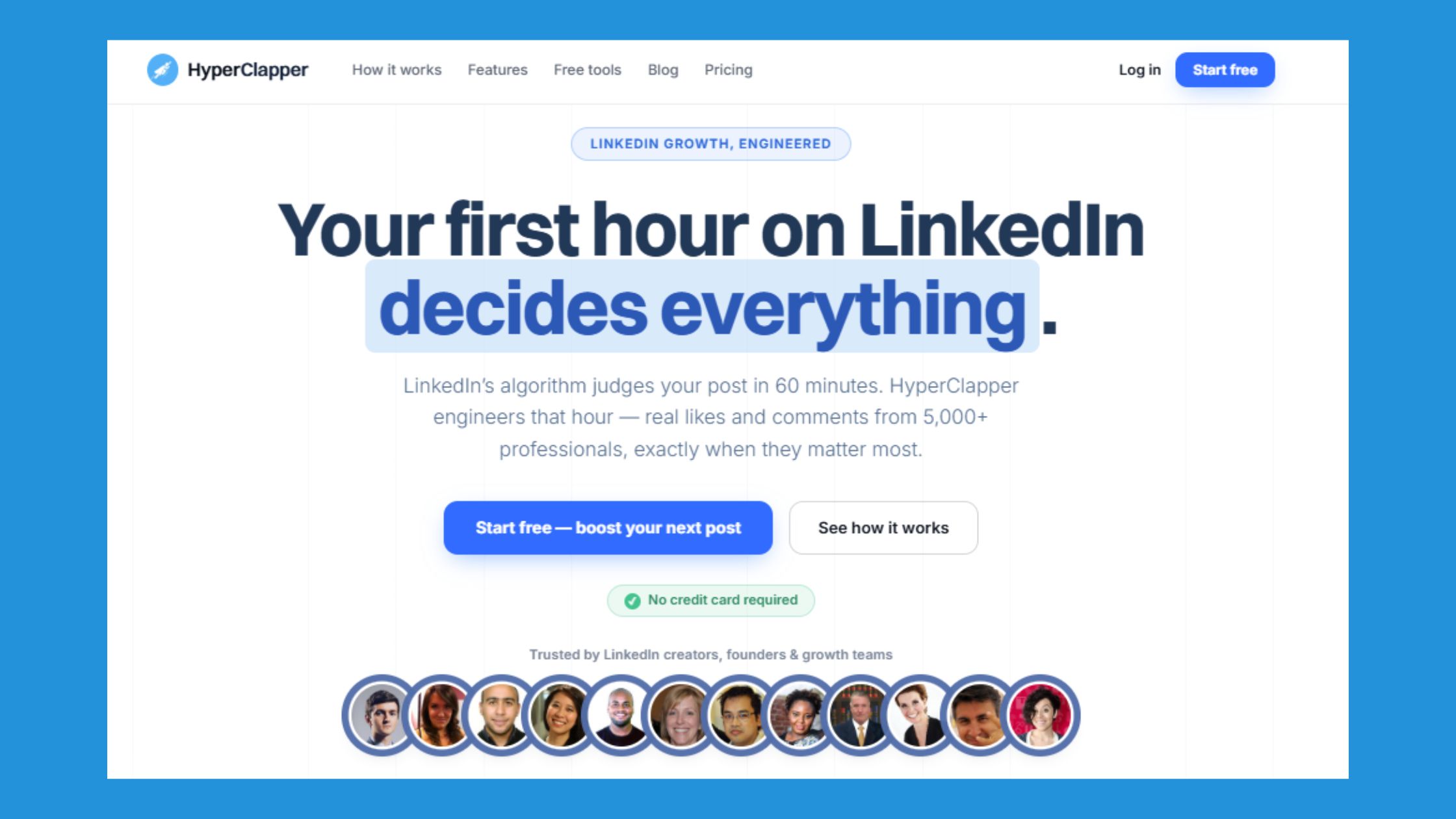
One of the most common mistakes professionals make when evaluating a LinkedIn engagement tool is waiting too long to test it — or skipping the free entry point entirely and never discovering whether it actually fits their workflow. Teams that consistently grow on LinkedIn tend to validate tools early, with real posts, before committing to a paid plan. HyperClapper lets new users do exactly that: on first login, you can submit a LinkedIn post, select channels, and begin receiving real likes and comments from genuine members inside the platform — no lengthy setup, no waiting period before engagement starts moving.
What makes it genuinely worth trying is the structure behind it. Each channel connects your post to a group of real people who engage with it, so even a single channel can generate meaningful visibility from your first session. The AI-powered reply feature is also available to keep conversations active after the initial boost, which matters because LinkedIn rewards posts that sustain meaningful discussion over time — not just an early spike of likes.
The safety concern that stops many people from trying engagement tools at all is addressed directly by HyperClapper's built-in Content Guard system, which screens for risky or sensitive content, combined with real-member channels rather than bots or fake accounts — making it a safer starting point than most alternatives on the market.
Skipping this step means continuing to publish posts that stall in the first hour, never gaining the early traction that signals LinkedIn's algorithm to distribute them further. The free entry point exists precisely to remove that risk.
Common Mistakes to Avoid When Using LinkedIn Engagement Tools
The most common failure mode isn't using an engagement tool — it's using one without fixing the underlying content first. Engagement amplification multiplies what's already there. A weak post with 50 likes still reads as weak. Beyond content quality, how and when you use a LinkedIn engagement tool matters just as much as whether you use one at all.
Teams that consistently see compounding growth treat these tools with the same discipline they apply to content strategy. The mistakes below are the ones that quietly undermine results — often without the user realising why.
8 Mistakes to Avoid When Using a LinkedIn Engagement Tool
- Starting with too many channels on a new account. New or low-activity profiles should begin with a single channel — jumping to three or more on day one creates an unnatural engagement spike that looks inconsistent with your account's history.
- Boosting a post more than two hours after publishing. LinkedIn's algorithm weighs early engagement signals heavily in the first window after a post goes live — boosting late means the algorithm has already made its initial distribution decision, so the impact on reach is significantly reduced.
- Boosting every post daily without varying content format. Applying channel boosts to every post at the same frequency — without mixing in organic activity or varying between text posts, carousels, and native video — can create an unnatural engagement pattern. A sustainable cadence of three to four boosted posts per week, with organic activity in between, aligns with general LinkedIn best practice and keeps your profile looking authentic.
- Boosting posts that don't deliver genuine value. Engagement tools amplify what's already there — they don't substitute for it. A post that lacks a strong hook, a clear point of view, or useful information will still underperform even with channel support behind it.
- Submitting AI replies without reviewing them first. Generic or off-topic comments hurt credibility more than they help — reviewing AI reply prompts before posting ensures the conversation looks natural and adds real depth to the thread.
- Boosting politically charged or sensitive content. Controversial topics — politics, conflict, divisive global events — attract unpredictable reactions that no engagement tool can control. HyperClapper's Content Guard exists specifically to flag this risk before it becomes a problem.
- Not replying to the comments you receive. Combining channel boosts with your own replies to incoming comments deepens interaction and signals authenticity — patterns observed among consistent LinkedIn growers show that two-way conversation outperforms one-sided like accumulation over time.
- Letting a post go cold without feeding it more replies. LinkedIn rewards meaningful conversations, not just initial likes. Using Feed More AI Replies two to three days after publishing sustains algorithmic momentum and keeps the post circulating longer than a single boost would.
What separates top performers is treating the engagement tool as the accelerant, not the engine. The content strategy — consistent posting, strong hooks, genuine value, and smart timing — has to come first. For fresh ideas on what drives organic reactions, the LinkedIn hooks and quotes guide is a useful companion resource alongside any engagement platform.
Want real LinkedIn reach — without the guesswork?
HyperClapper's real-member channels, AI replies, and Content Guard give you the engagement signal LinkedIn's algorithm responds to — safely and at scale.
Start Growing on LinkedInLinkedIn Engagement Timing and Posting Frequency: What Actually Works in 2026
When you post matters almost as much as what you post — LinkedIn's algorithm makes its primary distribution decision within the first 60 to 90 minutes after you publish, and what happens in that window shapes how far your content travels.
The 60–90 Minute Window: Make It Count
In the hour or so after publishing, LinkedIn evaluates early engagement signals to decide whether your post deserves broader reach. Your job in that window is simple: reply to every comment that comes in, ask a follow-up question to keep the thread alive, and use HyperClapper's post boosting feature to route your content through relevant channels and pull in real likes and comments from real people. That early momentum signals to the algorithm that your post is worth distributing further — before the window closes.
Best Days and Times to Post
Based on general professional-network behaviour, Tuesday through Thursday consistently outperform Monday and Friday for LinkedIn reach. Within those days, two windows tend to perform well: early morning between 8 and 10am, when professionals check feeds before their day starts, and midday between 12 and 1pm, when they scroll during a break. Always align to your audience's timezone, not your own, if the two differ.
Posting Frequency: Consistency Beats Volume
Posting three to five times per week with genuine engagement on each post outperforms daily posting where half your content gets ignored. A post that receives real comments and replies tells the algorithm you are worth following. A post that gets nothing tells it the opposite — and that signal carries forward. Use HyperClapper's channels to ensure each post gets a baseline of engagement, rather than gambling on organic reach alone.
Engagement Decay and How to Fight It
LinkedIn post reach typically drops sharply after 24 to 48 hours. Once a post goes quiet, the algorithm deprioritises it and moves on. This is where HyperClapper's Feed More AI Replies feature becomes genuinely useful. By adding fresh, contextually relevant AI-generated replies to a post days after it was published, you reintroduce conversation activity — giving the algorithm a reason to resurface the post to new viewers. It is one of the more practical ways to extend the life of content that performed well early without publishing something new from scratch.
Frequently Asked Questions About HyperClapper and LinkedIn Engagement
What is the fastest way to get more likes on LinkedIn in 2026?
Combine a strong-hook post with a structured engagement boost in the first 60 minutes after publishing. Tools like HyperClapper connect your post with real channel members immediately, satisfying the algorithm's early-signal requirement. Pairing this with genuine replies from your own network deepens interaction quality and compounds the distribution effect. Accounts that skip the early-boost window often find their posts plateau before reaching second- or third-degree connections — regardless of content quality.
Is HyperClapper safe and legitimate for LinkedIn growth?
HyperClapper is designed to be a safer LinkedIn engagement tool — not a bot-based system. It uses real community members, paced engagement delivery, and a Content Guard filter that automatically screens for risky or sensitive content. Like all third-party engagement tools, it operates in a grey area under LinkedIn's Terms of Service, but its real-member, moderated model carries meaningfully lower risk than automation tools that simulate fake activity.
How do LinkedIn engagement pods increase post visibility?
Engagement pods increase post visibility by generating the early likes, comments, and reactions that LinkedIn's algorithm uses as quality signals. When a post receives strong engagement in its first 90 minutes, the algorithm interprets it as valuable content and distributes it to second- and third-degree connections beyond your immediate network — multiplying organic reach without paid promotion. Creators who rely on organic reach alone without any early-engagement structure consistently see lower distribution ceilings, even with well-written content.
How do I get more comments (not just likes) on my LinkedIn posts?
To generate comments, end posts with a direct question or opinion prompt that requires a response, not just a reaction. Likes are passive; comments signal conversation depth, which LinkedIn weights more heavily in its distribution logic. HyperClapper's AI Replies feature generates and posts contextually relevant replies to keep threads active — and the Feed More AI Replies option lets you add additional replies days after publishing to sustain momentum. Posts that receive only likes but no comment thread tend to stall in distribution faster than posts with active back-and-forth exchanges.
When is the best time to boost a LinkedIn post for maximum reach?
Boost your post within the first 30 minutes of publishing. LinkedIn's algorithm evaluates early engagement signals in the first 60–90 minutes to decide how widely to distribute a post. Waiting several hours before boosting means the algorithm has already made its initial distribution decision with limited signal — and recovering reach after that window is significantly harder. Scheduling your boost alongside your publish action, rather than as an afterthought, is the pattern that consistently produces stronger reach outcomes.
How often should I post on LinkedIn to maximise engagement?
Posting 3–5 times per week with consistent early engagement on each post outperforms daily posting with inconsistent engagement. Rather than posting more frequently, focus on ensuring each post receives structured early interaction — through channels, active network outreach, or a tool like HyperClapper — before increasing volume. Professionals who post daily but neglect early engagement on individual posts often see diminishing returns per post, while those who post less frequently but boost each post deliberately tend to build compounding visibility over time.
What is the difference between a LinkedIn engagement tool and a LinkedIn automation tool?
A LinkedIn automation tool typically automates outreach actions like connection requests, messages, and profile scraping — activities that LinkedIn actively monitors and restricts. A LinkedIn engagement tool like HyperClapper focuses on increasing post visibility through real community engagement, AI-powered replies, and analytics — without simulating outreach or scraping data. The distinction matters practically: automation tools carry higher account-restriction risk, while engagement tools focused on post performance operate differently and are designed around content amplification rather than prospecting.
Can I use HyperClapper to boost my company page posts, not just personal posts?
Yes. HyperClapper supports both personal profile post boosting and Company Page Boosting, including Company Page Replies. This makes it useful for brands, agencies, and marketing teams that need to grow LinkedIn visibility at the organisational level — not just for individual creators or founders building personal brands. Company pages that publish without any structured early engagement frequently underperform compared to personal profiles, making the company page boosting feature particularly valuable for brand teams.
What content should I avoid boosting with a LinkedIn engagement tool?
Avoid boosting posts on politically charged topics, controversial global events, hate speech, or violence. HyperClapper's Content Guard system automatically filters out risky or sensitive content before it enters the engagement pipeline — protecting both the platform's community and your account from association with inflammatory material. Beyond platform safety, boosting divisive content tends to generate low-quality engagement that does not convert to meaningful professional visibility, even when the raw numbers look strong.
What results can I realistically expect from HyperClapper?
Based on HyperClapper's channel model, a single channel delivers approximately 50 engagements per post; three channels bring roughly 150. According to LinkedIn pulse data (2026), accounts with 1,000–10,000 followers typically see 500–5,000 impressions per post — consistent early engagement can push posts toward the upper end of that range. Results scale with content quality and channel selection. Users who boost posts with weak hooks or no clear audience relevance tend to see engagement numbers without the corresponding reach lift, because the algorithm still evaluates content quality alongside engagement signals.
Can you get banned for using LinkedIn engagement pods?
LinkedIn rarely bans accounts for using engagement pods outright — but it does flag and restrict accounts that show unnatural patterns: sudden engagement spikes from unrelated profiles, off-topic comments, or suspicious velocity. Pods using real, professionally relevant members with paced engagement carry significantly lower risk. HyperClapper's Content Guard features and channel relevance controls are the practical safeguards designed to keep engagement patterns within lower-risk territory — distinguishing it from aggressive automation tools that trigger LinkedIn's detection systems more readily.
Last updated: October 23, 2026
- Added: Short answer (top of the article) — Direct answer for Google snippets and AI engines
- Rewrote: Why LinkedIn Likes Matter More Than Ever in 2026 — Add a dedicated subsection on comment signals specifically: explain why comments (especially multi-turn threads) carry more algorithmic weight than likes alone — this directly addresses the AI-engine gap flagged for 'specific tactics for getting comments'.
- Updated: What Is HyperClapper and How Does It Work Step by Step — Expand the step-by-step list to include what happens after submission: describe the pacing pattern (engagement arrives over minutes/hours, not all at once) so readers understand why this mimics organic behaviour — this addresses the safety concern implicitly without needing external data.
- Updated: LinkedIn Engagement Pod Strategy: Benefits and How to Use It Safely — Add a concrete safe engagement pacing table: rows = action type (likes, comments, AI replies), columns = safe volume per post boost session and safe daily total — modelled on the Swydo safety-limits table format. Use only numbers derivable from HyperClapper's channel structure (1 channel ≈ 50 engage
- Updated: HyperClapper vs Lempod and Other LinkedIn Engagement Pod Tools in 2026 — Expand the comparison table to add a 'Pricing transparency' row and a 'Sustained engagement (Feed More)' row — these are HyperClapper differentiators from brand facts and make the table more useful for decision-making.
- Updated: Try HyperClapper Free — This section has 0 words — it is a CTA placeholder with no content. Add 2–3 sentences explaining what the free entry point includes (e.g., what a new user can do on first login, how quickly engagement starts) so the section contributes to word count and answers the implicit 'is there a free trial?'
- Updated: Common Mistakes to Avoid When Using LinkedIn Engagement Tools — Convert the checklist into a numbered list of mistakes (not a checkbox list) with a one-sentence explanation for each — numbered lists are more likely to be extracted by AI Overviews as direct answers to 'how to use LinkedIn engagement tools safely'.
- Updated: Frequently Asked Questions About HyperClapper and LinkedIn Engagement — Add FAQ entries from the faq_add list below — specifically the comment-tactics question and the timing question, as these are the two AI-engine gaps not covered anywhere in the current article body.
- Added: LinkedIn Engagement Timing and Posting Frequency: What Actually Works in 2026 — The 60–90 minute post-publish window as the algorithm's primary distribution decision point — explain what to do in that window (reply to early comments, share to relevant groups, use HyperClapper boo
- Added: Who Should Use a LinkedIn Engagement Tool: Use Cases by Role — LinkedIn creators and personal brand builders: why early engagement signals matter more for accounts without large existing audiences (the cold-start problem)



