
A pattern observed across high-performing B2B sales teams is that LinkedIn outreach — when run with the right tool and sequence — consistently outperforms cold email by a meaningful margin. According to BearConnect (2026), automated LinkedIn campaigns achieve a 10.3% response rate versus 5.1% for cold email. HeyReach LinkedIn outreach is built specifically for teams that need to scale across multiple accounts without burning any single profile. This guide breaks down exactly how to set it up, what to write, where most teams go wrong, and how to stack it with a LinkedIn engagement strategy that gives your outreach the profile authority it needs to land.
- Who this is for: B2B sales teams, agencies, and SDR teams running LinkedIn outreach across multiple accounts
- What you'll learn: How to set up HeyReach campaigns step-by-step, write messages that get replies, and stay within safe LinkedIn limits
- Why it matters: LinkedIn DMs get 2x the response rate of cold email — but only when the sequence and safety setup are done right
- Most counterintuitive finding: More accounts don't mean more risk — HeyReach's multi-sender model actually distributes risk so no single account is flagged
- Tool comparison: HeyReach wins for agencies and teams; solo operators may find lighter tools better value per dollar
- Engagement matters too: Profile authority (post visibility, comments, engagement) directly affects connection acceptance rates — outreach and content work together
- What Is HeyReach and How Does It Work?
- HeyReach Campaign Setup: Step-by-Step
- How to Write LinkedIn Outreach Messages That Get Replies
- Is HeyReach Safe? LinkedIn Automation Limits in 2026
- LinkedIn Outreach Conversion Rate Optimization
- HeyReach vs Expandi and Other LinkedIn Outreach Tools
- Frequently Asked Questions About HeyReach and LinkedIn Outreach
What Is HeyReach and How Does It Work for LinkedIn Outreach?
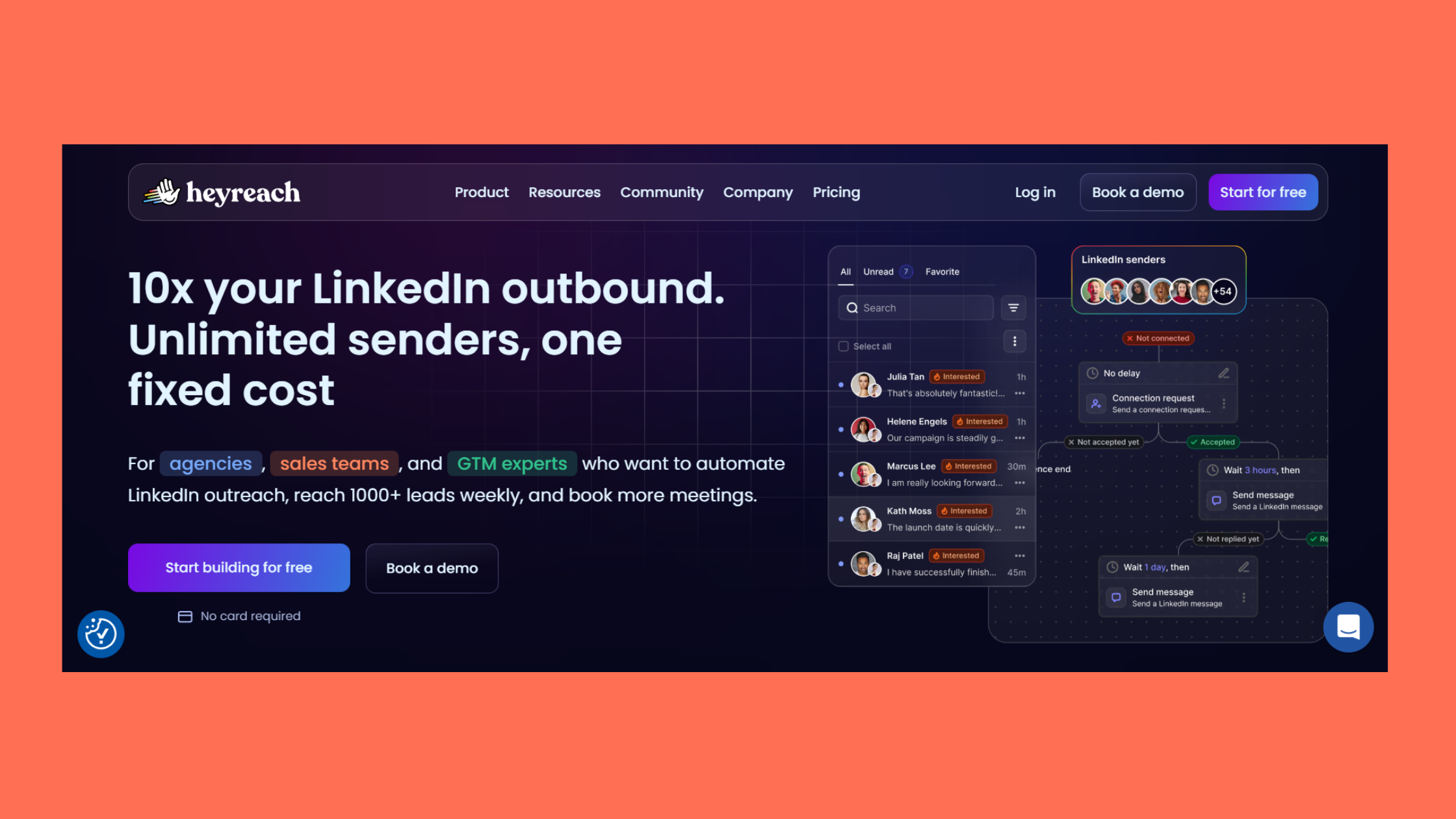
HeyReach is a cloud-based LinkedIn outreach automation tool — software that manages multi-sender prospecting campaigns across multiple LinkedIn accounts from a single dashboard. Unlike browser-extension tools that piggyback on a single session, HeyReach connects to each LinkedIn account through its own dedicated IP address, meaning your laptop doesn't need to stay open and no single account carries the full load of your outreach volume. This is the architectural detail that makes it purpose-built for agencies and sales development teams rather than solo operators.
At a mechanical level, the platform executes multi-step sequence automation — a series of timed touchpoints including connection requests, follow-up messages, profile visits, and InMails — all triggered based on prospect behavior. If someone accepts your connection request, the next step fires. If they don't, a different path plays out. The reply detection and inbox management layer centralizes all incoming responses so reps never lose track of conversations scattered across accounts.
According to SBL (2026), one documented campaign achieved an 18% reply rate across 285,584 messages — generating 4,972 qualified leads and $4.9M in pipeline. The industry average sits at 3–5%. That gap is not accidental; it comes from sequence design, targeting precision, and profile authority working together. According to Reply.io (2026), dedicated LinkedIn outreach tools help teams send up to 5 times more messages than manual effort alone.
Core Features That Power HeyReach LinkedIn Outreach
- Multi-sender campaigns: Distribute outreach across 3, 5, or 10+ LinkedIn accounts simultaneously
- Cloud infrastructure with dedicated IPs: Each account operates from its own IP — no shared fingerprint
- Smart inbox: All replies across all accounts in one place, with reply detection that pauses sequences automatically
- LinkedIn Sales Navigator integration: Import filtered lead lists directly without CSV gymnastics
- A/B testing at the campaign level: Test message variants across senders without manual tracking
- Campaign analytics: Connection request acceptance rate, reply rate, and step-level performance broken down per account
Understanding what HeyReach is sets the foundation — but knowing how to configure it correctly before you send a single message is what separates campaigns that convert from ones that waste a week of outreach quota.
HeyReach Campaign Setup: Step-by-Step from Zero to First Message Sent
Most failed HeyReach campaigns aren't a messaging problem — they're a setup problem. Teams skip the warm-up, push volume too fast, or import an untargeted lead list, then blame the tool when acceptance rates collapse. Here's the correct sequence.
LinkedIn Account Warm-Up: Why Skipping This Step Kills Campaigns
LinkedIn account warm-up is the process of gradually increasing outreach activity on a new or cold account before running full-volume campaigns. LinkedIn's systems flag sudden spikes in connection requests or messages from accounts with no recent sending history — skipping warm-up is the single most common reason accounts get restricted in the first 30 days of using any LinkedIn outreach automation tool.
HeyReach recommends starting new accounts at 5–10 connection requests per day and ramping over 2–3 weeks to reach the 20–30/day ceiling most practitioners treat as the safe operational range. Each step in the process matters:
- Connect your LinkedIn accounts (30 seconds per account) — use the HeyReach Chrome extension or session cookie method to authenticate. Note: use accounts with at least 90 days of organic LinkedIn activity for lowest risk.
- Run warm-up for 2–3 weeks — set daily limits low (5–10 requests/day), engage with the feed organically during this period, and do not launch any campaigns until limits are ramped.
- Build your lead list using LinkedIn Sales Navigator filters — filter by job title, seniority level, company size, and geography to build an ideal customer profile (ICP)-matched list. Import directly into HeyReach. Warning: a poorly targeted list will tank your acceptance rate even with perfect copy.
- Design your multi-step sequence — map out 3 touchpoints: connection request with note (Day 0), follow-up after acceptance (Day 3–4), optional third message for non-responders (Day 7–10). Spacing matters as much as copy.
- Set sending limits and launch a test batch — cap at 20 requests/day per account for the first campaign. Run 50–100 prospects through the sequence before scaling to validate acceptance and reply rates.
How to Write LinkedIn Outreach Messages That Get Replies
Brevity is the most consistently underrated element of LinkedIn message performance. Messages under 75 words outperform longer ones in B2B LinkedIn outreach — the medium is conversational, not email, and most prospects read messages on mobile. Here's how to structure each step of the sequence.
LinkedIn Connection Request Message Templates That Convert
Your connection request message has a hard limit of 300 characters — treat it as a subject line, not a pitch. The goal is a relevant, specific reason for connecting that makes accepting feel low-stakes. Templates that consistently perform well:
- Shared context: "Hi [First Name] — saw your post on [specific topic] and thought your perspective on [angle] was spot on. Would love to connect." (~120 chars)
- Mutual connection angle: "Hi [First Name] — we're both connected to [Name] and both working in [industry]. Thought it made sense to connect." (~115 chars)
- Relevant observation: "Hi [First Name] — noticed [Company] just [milestone/news]. I work with teams doing similar things at [Your Company]. Worth connecting?" (~135 chars)
How to Personalize LinkedIn Outreach at Scale Without Losing Authenticity
Personalization tokens — {{first_name}}, {{company}}, {{job_title}} — are table stakes in 2026. Every tool supports them. What actually moves reply rates is the icebreaker layer: a sentence specific enough that the prospect knows you wrote it for them, not a list of 500 people.
The most scalable approach to how to personalize LinkedIn outreach at scale is to work at the segment level rather than the individual level. Group your lead list into 4–5 segments by industry or role type, then write a unique icebreaker for each segment that references something genuinely true about that group. In practice, a single icebreaker written for "Series A fintech founders" will feel more personal to that audience than a generic first name token, and it scales to 200 contacts with one line of copy.
The highest-converting LinkedIn outreach messages don't feel automated — they feel like the sender did 10 minutes of research. At scale, the trick is doing that research once at the segment level, not once per contact.
When is the best time to send LinkedIn messages? Across campaigns tracked by practitioners, Tuesday through Thursday between 8–10am in the prospect's local timezone consistently sees higher open and reply rates. Avoid Friday afternoons and Monday mornings — inbox competition is highest and decision-making headspace lowest.
Is HeyReach Safe? LinkedIn Automation Limits and Account Risk in 2026

HeyReach is designed with a lower-risk safety architecture than most LinkedIn automation tools — but "lower risk" is not the same as "no risk," and any guide that tells you otherwise is selling you something.
According to BearConnect (2026), 87% of B2B sales teams now use LinkedIn automation to scale outreach. That adoption rate means LinkedIn's detection systems have also matured — which is why the architectural choices HeyReach makes matter.
What makes HeyReach safer than browser-extension tools:
- Dedicated cloud IPs per account: each account appears to operate from a consistent, human-looking IP — not a shared residential proxy rotating across hundreds of users
- Human-mimicking delays: random intervals between actions (not uniform 30-second ticks that pattern-match to bots)
- Randomized send windows: campaigns fire within configurable time blocks, not at the same second every day
- Multi-sender load distribution: spreading 100 requests across 5 accounts (20 each) is dramatically safer than sending 100 from one account
LinkedIn automation safe limits that practitioners hold to in 2026:
- Connection requests: 20–30/day per account on warmed profiles
- Follow-up messages: 50–80/day per account (to existing connections)
- Profile visits: 80–100/day
- InMails: use sparingly — LinkedIn's InMail quota limits naturally cap this
Common Mistakes That Get LinkedIn Accounts Restricted
- Launching at full volume on a cold or new account (no warm-up)
- Ignoring your connection acceptance rate — dropping below 20% is an early warning signal; below 15% means LinkedIn may already be throttling your delivery
- Using the same message template across all campaigns without variation — identical message patterns are a known detection signal
- Running campaigns 24/7 instead of within realistic business hours for your target timezone
- Connecting too broadly — low ICP match = low acceptance rate = faster restriction
Is HeyReach safe for LinkedIn accounts? It is designed to be safer than most alternatives, but it is not risk-free. LinkedIn's Terms of Service prohibit third-party automation regardless of tool quality. The risk is meaningfully lower with cloud-based tools like HeyReach than with browser extensions — but your mitigation strategy matters as much as your tool choice.
Want your LinkedIn profile to convert more outreach into replies?
HyperClapper boosts your post visibility with real community engagement — so when your outreach lands, prospects already know who you are.
See How HyperClapper WorksLinkedIn Outreach Conversion Rate Optimization: Turning Replies into Pipeline
Getting replies is step one. Converting them to pipeline is where most teams plateau. The handoff from automated sequence to human conversation is the highest-leverage moment in LinkedIn outreach — and it's where HeyReach's unified inbox earns its keep.
What LinkedIn Outreach Sequence Works Best for B2B Leads
Teams that consistently generate pipeline from LinkedIn outreach use a 3-touch sequence structure — not 5 or 7, which overloads prospects and generates unsubscribe-equivalent "remove connection" reactions:
- Day 0 — Connection request with note: Specific, relevant, under 300 characters. No pitch.
- Day 3–4 after acceptance — First message: Acknowledge the connection, deliver one clear value statement relevant to their role or company, ask a single low-friction question (not "do you have 30 minutes?"). Under 75 words.
- Day 7–10 — Follow-up for non-responders: A different angle — a relevant resource, a case study reference, or a simple "wanted to resurface this in case it got buried." Then stop. Persistence past 3 touches damages your profile's social standing.
According to Simular AI (2026), 80% of sales require at least five follow-up touches after initial contact — yet 44% of salespeople give up after one. This means staying in a 3-touch LinkedIn sequence and pairing it with email or other channels covers the gap without over-indexing on a single platform. LinkedIn outreach works best as a channel layer, not a standalone pipeline generator.
LinkedIn outreach conversion rate optimization — improving the percentage of replies that become booked meetings — comes down to three variables:
- Connection request acceptance rate: Below 25% signals a targeting or messaging problem. Above 40% signals strong ICP alignment — double down on that segment.
- Reply rate: According to Belkins (2026), overall LinkedIn reply rates across 15M+ contacts average 7.2%, ranging from 4.2% to 10.5% depending on industry. Anything above 15% with a direct CTA indicates exceptional personalization.
- Response-to-meeting rate: This is a human variable — speed of follow-up and quality of the reply matter more than any automation setting.
What separates top-performing LinkedIn outreach teams from average ones isn't the tool — it's the speed and quality of the human takeover the moment a reply comes in. The best sequences in the world lose pipeline to slow response times.
A/B test one variable at a time: opening line, CTA format (meeting request vs. resource share vs. open question), or message length. HeyReach's campaign analytics surface which variants drive higher reply rates — but run each test for at least 100 contacts before drawing conclusions. Smaller sample sizes produce misleading signals.
HeyReach vs Expandi and Other LinkedIn Outreach Tools: How to Choose
The best LinkedIn outreach tools for B2B in 2026 each solve a different problem — and choosing the wrong one for your use case wastes budget and setup time. Here's the honest breakdown.
| Tool | Best For | Key Strength | Pricing Model | Risk Level |
|---|---|---|---|---|
| HeyReach | Agencies & SDR teams (3+ accounts) | Multi-sender architecture | Per LinkedIn account | Lower (cloud + dedicated IP) |
| Expandi | Solo operators, complex sequences | Deep sequence customization | Per user/month | Lower (cloud-based) |
| Meet Alfred | Multi-channel outreach teams | LinkedIn + email + Twitter combined | Per user/month | Medium |
| Lemlist | Email-first teams adding LinkedIn | Email personalization + LinkedIn steps | Per user/month | Medium |
HeyReach vs Expandi is the comparison most B2B teams wrestle with. According to Expandi's State of LinkedIn Outreach report (H1 2026), their Builder Campaigns achieve a 22% connection approval rate and 7.22% reply rate — solid benchmarks for single-account operation. HeyReach's edge is not per-account performance but total output: running 5 accounts at 22% acceptance each generates 5× the pipeline from the same targeting list without 5× the risk.
HeyReach pricing plans are structured per connected LinkedIn account rather than per contact or per user seat — which means the model rewards high-volume agencies and penalizes solo founders. If you're running one account, the cost-to-value ratio favors Expandi or a lighter tool. If you're an agency managing outreach for multiple clients or an SDR team with 5+ senders, HeyReach's architecture pays for itself quickly.

 heyreach.io
Pairing HeyReach with LinkedIn Engagement Tools for Stronger Profile Authority
What separates top-performing outreach accounts from average ones is often not the outreach tool itself — it's the profile authority behind the sender. A LinkedIn profile with active post visibility, real comments, and consistent engagement converts cold connection requests at measurably higher rates than a dormant profile sending identical messages.
For teams running HeyReach campaigns, pairing the outreach tool with a LinkedIn engagement platform is increasingly standard practice. Boosting your LinkedIn SSI score and post visibility before launching outreach campaigns means prospects who receive your connection request have already seen your content — and that familiarity dramatically reduces friction at the acceptance step.
Tools like HyperClapper handle this side of the equation — real community engagement, AI-powered replies to keep posts active, and post boosting through channels of relevant professionals — without the automation risk associated with outreach tools. The distinction matters: outreach tools send messages to strangers; engagement tools build the profile authority that makes those messages land. For teams serious about generating leads through LinkedIn outreach, running both in parallel is the most complete approach available in 2026.
If you're an agency or a LinkedIn outreach agency managing multiple client accounts, consider how LinkedIn engagement and outreach tools work as a combined system rather than competing alternatives. LinkedIn tools for lead generation perform best when the profile doing the outreach is already visibly active and authoritative in its niche.
✓ The HeyReach Campaign Launch Checklist
- ☐LinkedIn account connected with 90+ days of organic activity history
- ☐Warm-up completed: 2–3 weeks at 5–10 requests/day before campaign launch
- ☐Lead list filtered via LinkedIn Sales Navigator to ICP specs (title, company size, geography)
- ☐Connection request message under 300 characters with specific, relevant hook — no pitch
- ☐3-step sequence mapped: Day 0 (request), Day 3–4 (first message), Day 7–10 (follow-up)
- ☐Daily cap set at 20–25 requests/account, randomized send window enabled
- ☐Test batch of 50–100 prospects sent before full campaign scale-up
- ☐Unified inbox monitored — replies handed off to human reps within 2–4 hours of receipt
- ☐Acceptance rate monitored — pause campaign if rate drops below 20% for 3+ consecutive days
Build the profile authority that makes your outreach land
HyperClapper connects you with real LinkedIn engagement communities — so your posts get seen before your connection request arrives. That familiarity converts cold outreach into warm conversations.
Start Building Profile Authority
Frequently Asked Questions About HeyReach and LinkedIn Outreach
What is LinkedIn outreach and how does it work?
LinkedIn outreach is the practice of proactively contacting prospects through LinkedIn — via connection requests, direct messages, or InMails — to start a sales or partnership conversation. It works by identifying a targeted list of prospects, sending a personalized connection request, then following up with a value-focused message sequence. Unlike cold email, LinkedIn outreach benefits from visible profile context, which increases trust and acceptance rates.
What is the most effective way to do outreach on LinkedIn?
The most effective LinkedIn outreach combines ICP-precise targeting, a short personalized connection request with no pitch, and a 2–3 message follow-up sequence spaced 3–7 days apart. Messages under 75 words consistently outperform longer ones. Pairing outreach with an active content presence — so prospects recognize your name before your message arrives — further improves both acceptance and reply rates.
How do you automate LinkedIn outreach safely?
Safe LinkedIn outreach automation requires a cloud-based tool (not a browser extension), a warm-up period of 2–3 weeks before full-volume campaigns, and daily sending limits of 20–30 connection requests per account. Monitor your connection acceptance rate closely — dropping below 20% is an early warning sign. Distributing volume across multiple accounts, as HeyReach does, lowers per-account risk significantly.
What is the best way to use HeyReach to get more LinkedIn replies?
To maximize replies with HeyReach, use segment-level personalization (one specific icebreaker per audience type, not per individual), keep follow-up messages under 75 words, and send during Tuesday–Thursday mornings in the prospect's timezone. Enable HeyReach's reply detection so sequences pause automatically when someone responds — continuing a sequence after a reply is a fast way to lose the conversation and damage your sender reputation.
Can HeyReach get my LinkedIn account banned?
HeyReach is designed to minimize ban risk through dedicated cloud IPs and human-mimicking behavior — but it cannot guarantee zero risk. LinkedIn's Terms of Service prohibit all third-party automation. In practice, accounts that follow warm-up protocols, stay within safe daily limits (20–30 requests/day), and maintain healthy acceptance rates (above 25%) face materially lower restriction risk than those that skip setup steps.
How does HeyReach compare to other LinkedIn automation tools?
HeyReach's primary advantage is its multi-sender architecture — it is the strongest option for agencies and SDR teams running outreach across 3+ LinkedIn accounts simultaneously. For solo operators, Expandi offers comparable safety with deeper sequence customization at potentially lower cost. For multi-channel outreach (LinkedIn + email + Twitter), Meet Alfred or Lemlist serve better. The choice depends on team size and account volume, not feature lists.
What is HeyReach and how does it work?
HeyReach is a cloud-based LinkedIn outreach automation platform built for B2B teams running multi-sender campaigns. It connects to multiple LinkedIn accounts simultaneously, assigns each a dedicated IP address, and executes multi-step outreach sequences — connection requests, follow-up messages, profile visits, and InMails — all managed from a unified dashboard with centralized inbox management and campaign-level analytics.
After seeing this pattern across high-volume LinkedIn outreach campaigns, the consistent finding is that the tools teams use matter far less than the profile authority, sequence discipline, and human response speed behind them. Teams that combine a well-configured HeyReach setup with an active, visible LinkedIn presence — where prospects already recognize the sender's name from their feed — consistently outperform teams running identical sequences from dormant profiles. The tool opens the door. The profile is what makes prospects want to walk through it. For those looking to go deeper, expanding LinkedIn outreach across multiple accounts efficiently and running cold LinkedIn outreach without automation risk are the natural next steps in building a complete outreach system that compounds over time.



