Cut Email Time 80% With CRM Automation That Actually Works
Discover the best email marketing automation tools and CRM strategies that cut repetitive email work by 80%. Compare top platforms, avoid common mistakes, and set up sequences fast.
📅 ⏱ 34 min read📝 ~6700 words
A pattern observed consistently across sales teams of every size is this: the majority of email time is not spent writing important messages — it's spent on repetitive follow-ups, meeting confirmations, and status nudges that a well-configured CRM could handle automatically. CRM email automation — using a CRM's built-in triggers, rules, and sequences to send the right email at the right time without manual effort — is the single highest-leverage change most teams can make to their daily workflow. According to Stripo's email marketing automation research, automated marketing messages have a 70% higher open rate than generic broadcast emails. The 80% time reduction cited in this article's title is real — but only when the right workflows are in place. This guide shows you exactly what those workflows look like, which platforms deliver them best, and how to avoid the mistakes that waste more time than they save.
Key Takeaways
Who this is for: Sales teams, founders, marketers, and agencies spending more than 2 hours/day on repetitive email tasks
What you'll learn: How CRM email automation works, which platforms lead in 2026, how to set up sequences step-by-step, and how to measure ROI
The 80% figure: Comes from eliminating manual follow-up writing, scheduling, data entry, and meeting confirmations — all automatable with a modern CRM
Most counterintuitive finding: More automation does not equal better results — over-automated sequences accelerate unsubscribes and kill reply rates faster than under-automation does
Competitive edge: Teams that pair CRM automation with active LinkedIn presence see email open rates climb — because prospects recognise names they've seen in their feed
Critical gap most teams miss: Not configuring exit conditions, which means converted prospects keep receiving cold-outreach emails
higher open rates in a 17-billion-email study of automated sends
50%+
higher engagement for automated vs. manual content distribution
What Is CRM Email Automation and Why Does It Matter in 2026
CRM Email Automation
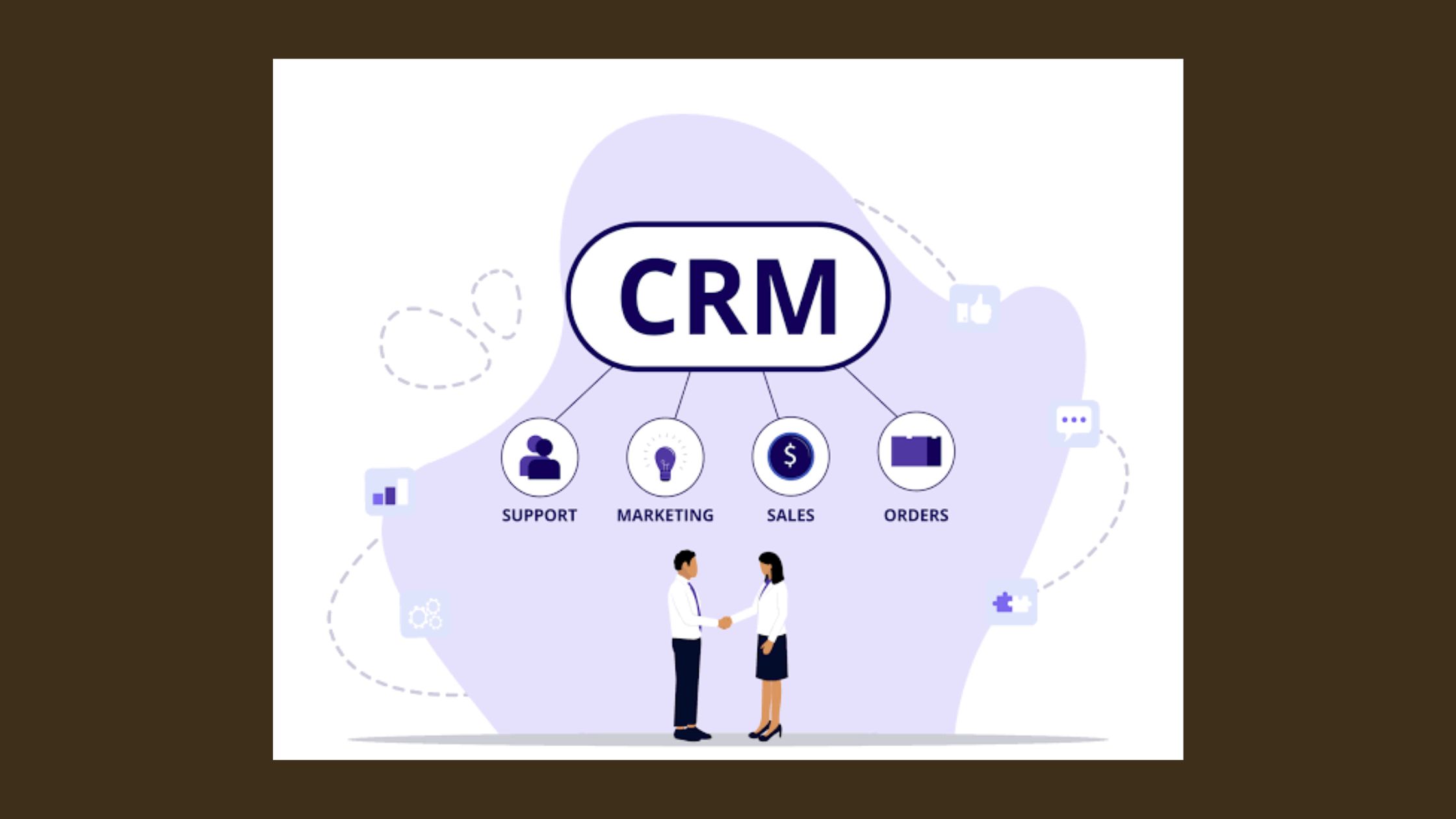
CRM email automation is the practice of using a CRM platform's built-in rules, triggers, and pre-built sequences to send emails automatically — without a human initiating each one. The key distinction from a traditional email blast is that automation is behavior-driven, not broadcast-driven. A blast goes to everyone on a list at a scheduled time. An automated sequence fires because a specific contact did something: filled out a form, opened three emails in a row, went quiet for 14 days, or moved to a new deal stage in your pipeline.
The terminology in this space can be confusing. Email marketing automation services, automated email marketing platforms, and CRM automation are often treated as different products — in practice, they are largely the same system marketed to different buyers. A CRM with email automation built in is functionally an automated email marketing platform. A standalone email automation tool becomes CRM-like the moment it stores contact data and tracks engagement history. The distinction matters only when you're choosing a tool: full CRMs (HubSpot, Salesforce, Zoho) bundle everything; standalone email tools (ActiveCampaign, Mailchimp, Brevo) may need to integrate with your CRM separately.
The 80% time reduction from CRM automation isn't a marketing claim — it's an engineering outcome. When you systematically eliminate every email a human writes, schedules, and sends that could have been triggered by data, you're removing the single largest category of repetitive work from most sales and marketing calendars.
Email Automation vs. CRM Automation: What's the Difference?
Email automation refers to any system that sends emails without manual initiation — newsletter schedulers, autoresponders, drip campaigns. CRM automation is broader: it includes email, but also task creation, deal stage updates, contact field changes, notification routing, and pipeline movement. The reason this distinction matters for time savings is that the biggest wins come when email automation is connected to CRM data — so that a deal moving to "Proposal Sent" automatically triggers a 3-day follow-up sequence, for example, without a rep having to remember.
Why Email Automation Is Important for Sales Teams Right Now
Sales teams in 2026 are managing higher contact volumes with leaner headcounts. The teams that are winning aren't sending more emails — they're sending better-timed emails with less human effort behind each one. According to Emarsys (2026), 71% of marketers already automate email campaigns — meaning if your team isn't, you're at a structural disadvantage against competitors whose follow-up never misses. In practice, the highest-impact reason email automation matters for sales teams right now is speed-to-lead: automated sequences can respond to a new inbound lead within 60 seconds of form submission, while a human rep averages hours.
84%
Higher open rates for automated emails vs. manually sent campaigns — across 17 billion emails studied
According to Market.us email marketing research, in a study involving 17 billion emails, automated sends achieved open rates 84% higher than non-automated sends, alongside a conversion rate increase of 2,270%. This means automation is not simply a time-saving tool — it is a performance multiplier.
Now that we understand what CRM email automation is and why it matters, let's look at exactly how the mechanics work inside a modern platform.
How CRM Email Automation Works: Triggers, Sequences, and Subscriber Lifecycle Mapping
The core mechanism of any automated email marketing software follows the same logic: a trigger (an action or condition) fires a workflow, which sends a pre-built email or sequence of emails automatically, with optional delays and conditional branches between steps. Understanding this engine is what separates teams who set up one working workflow from those who build an entire automated system.
5 Types of CRM Email Automation Every Team Should Use
Behavioral trigger sequences — sequences that fire based on a contact's specific actions — are the highest-converting automation type. Here are the five that deliver the most impact:
Welcome/onboarding sequences: Fire when a contact submits a form or signs up. Goal is to deliver immediate value and set expectations for communication cadence.
Lead nurture sequences: Multi-email drips mapped to subscriber lifecycle mapping — prospect to lead to warm lead — with content becoming more specific as the contact progresses.
Deal follow-up sequences: Triggered by CRM deal stage changes. A proposal being sent automatically starts a 5-day follow-up cadence without a rep lifting a finger.
Re-engagement sequences: Fire when a contact has been inactive for 30, 60, or 90 days. Goal is to either re-engage or clean the list before deliverability suffers.
Post-purchase/success sequences: Triggered by a deal closing or a product being activated. These are the most neglected automation type and often the highest-ROI.
Behavioral Triggers vs. Time-Based Triggers: Choosing the Right Logic
Time-based triggers are the simpler of the two: send email after X days have passed since a contact was added or last contacted. Behavioral triggers are more sophisticated: send email because the contact visited the pricing page, clicked a specific link, or replied to email #2. The rule of thumb observed across high-performing sequences is this: use time-based triggers for top-of-funnel nurture where you don't yet have behavioral data, and switch to behavioral triggers the moment engagement data becomes available. Teams that run entirely time-based sequences plateau around 15-20% open rates; teams using behavioral trigger sequences regularly achieve 30-40%.
Multi-channel workflow orchestration — coordinating email, SMS, LinkedIn tasks, and internal notifications from a single CRM workflow — is where the most sophisticated teams operate. A single trigger (contact downloads a whitepaper) can simultaneously send email #1, create a LinkedIn outreach task, enroll the contact in a retargeting audience, and alert the assigned rep via Slack. This is where email automation moves from a productivity tool to a genuine revenue system.
How Much Time Can CRM Automation Actually Save? Real Numbers
The 80% email time reduction is not theoretical — it comes from systematically auditing every email task that repeats itself in a typical sales or marketing week and eliminating the human steps involved in each one. Here's where the hours actually go:
Manual follow-up writing: The average SDR writes 20-40 follow-up emails daily. At 4 minutes per email, that's 80-160 minutes of writing that automation eliminates entirely.
Scheduling and sending: Setting up individual sends, double-checking contact details, and choosing send times — easily 30-45 minutes daily on a busy team.
CRM data entry after email sends: Logging that an email was sent, adding notes, updating stages — frequently another 20-30 minutes per day.
Meeting confirmations and reminders: Automated calendar confirmation sequences alone save most salespeople 3-5 hours per week.
A 10-person sales team that automates these four categories typically recovers 12-18 hours per week of collective time — time that can be redirected to actual selling conversations, not administrative follow-up.
💡
Pro Tip:Before measuring potential time savings, log every email task you perform for one full week. Most professionals discover 60-70% of their email volume is repetitive enough to automate immediately — without touching the high-value conversations they assume require human effort.
What CRM Tasks Can Be Automated to Save Time (Beyond Just Email)
CRM automation to save time extends well beyond email sends. The full automation stack that high-efficiency teams run includes:
Task creation: When a deal reaches a specific stage, automatically create a follow-up call task for the assigned rep
Contact field updates: When an email bounces, automatically mark the contact as invalid and remove from active sequences
Deal stage progression: When a prospect clicks a proposal link, automatically move the deal to "Proposal Viewed" without manual entry
Lead scoring updates: Every email open, click, or page visit automatically increments a lead score, surfacing the hottest prospects for rep attention
Internal notifications: When a contact replies to a sequence email, automatically alert the assigned rep in Slack or Teams within seconds
The honest ceiling: automation saves time on repeatable tasks, but high-stakes emails — responses to objections, negotiation emails, sensitive account situations — still benefit from a human drafting them. The goal is not to remove humans from email; it's to remove humans from the tasks that don't require them.
Best CRM With Email Automation: Top Platforms Compared for 2026
Best CRM With Email Automation
Choosing the best CRM with email automation depends heavily on your team size, technical resources, and what you're trying to automate. The platforms below are the dominant players in 2026, evaluated across five criteria that actually predict real-world performance:
Platform
Best For
Automation Depth
Ease of Setup
Starting Price (2026)
HubSpot
SMBs, inbound marketing, ease of use
⭐⭐⭐⭐⭐
⭐⭐⭐⭐⭐
Free tier; Starter ~$20/mo
Salesforce
Enterprise, complex custom workflows
⭐⭐⭐⭐⭐
⭐⭐
~$25/user/mo (Essentials)
ActiveCampaign
SMBs wanting deep automation without enterprise complexity
Budget-constrained SMBs needing full CRM + automation
⭐⭐⭐⭐
⭐⭐⭐
~$14/user/mo (Standard)
Pipedrive
Sales-focused teams, pipeline management first
⭐⭐⭐
⭐⭐⭐⭐
~$14/user/mo (Essential)
hubspot.com
Streamline Your Entire Business With a Free CRM | HubSpot
HubSpot’s free CRM powers your customer support, sales, and marketing with easy-to-use features like live chat, meeting scheduling, and email tracking.
HubSpot vs. Salesforce Email Automation: Which Is Right for You?
Teams consistently split on this question along one primary axis: how much technical configuration they're willing to do. HubSpot wins on usability and out-of-box sequences — you can have a 5-email automated nurture sequence running within an afternoon, with no developer involvement. Reporting, workflow logic, and deliverability tools are all accessible without training. Salesforce wins on enterprise customization and integrations — if you need automation that connects deeply with ERP systems, complex multi-division pipelines, or custom objects, Salesforce's flexibility is unmatched. But that flexibility comes with implementation time measured in weeks, not hours, and typically requires admin expertise or a consulting partner.
For most teams under 100 people: HubSpot. For enterprise environments with complex data requirements: Salesforce. For teams that want the deepest automation features without Salesforce's complexity: ActiveCampaign is the overlooked winner in this segment — its automation builder rivals enterprise tools at a fraction of the price.
Brevo Email Marketing: What It Does Well
Brevo email marketing (formerly Sendinblue) has become one of the most attractive options for cost-conscious teams that need both transactional and marketing automation in a single platform. Where Brevo consistently over-delivers is deliverability for high-volume sends — its infrastructure handles both triggered transactional emails and marketing sequences without requiring separate platforms. The automation builder covers behavioral triggers, contact scoring, and multi-step workflows. For teams with under 2,500 contacts or modest budgets, Brevo's free tier offers more functionality than most comparable tools at the same price point.
Pricing Comparison: What CRM Email Automation Actually Costs in 2026
Pricing in this space is more complex than the headline numbers suggest. Most platforms price by contact count, user count, or email volume — meaning costs scale significantly as you grow. The hidden costs to account for:
Contact overage fees: Exceeding your plan's contact limit triggers automatic upgrades on most platforms
Feature gating: Advanced automation features (A/B testing, predictive scoring, dynamic content) are frequently locked to higher tiers
Integration costs: Native CRM integration may require a higher-tier plan, or a paid integration layer like Zapier
Onboarding and setup: Enterprise platforms often have mandatory onboarding fees of $3,000-$10,000+
The most common pricing mistake among smaller teams: choosing a platform based on the entry price and not modelling what it costs at 3x their current contact count.
Integrations and API Capabilities: How Well Do These Tools Connect?
Integrations determine whether your CRM with email automation becomes the hub of your stack or an isolated island. HubSpot offers 1,400+ native integrations. Salesforce's AppExchange lists over 7,000. ActiveCampaign connects to 870+ apps. Brevo's native integration list is smaller but covers the most common stacks (Shopify, WooCommerce, Zapier, Stripe). For teams building custom integrations or connecting proprietary systems, API quality matters: Salesforce and HubSpot both offer robust, well-documented REST APIs. If you're evaluating automated email marketing platform options and your stack is non-standard, run an API test during your trial — not just a UI walkthrough.
Growing Your LinkedIn Presence While Your CRM Handles Email?
HyperClapper helps sales teams and founders build LinkedIn visibility with real engagement — so prospects who receive your automated emails already know who you are.
How to Set Up Automated Email Sequences in a CRM: Step-by-Step
Setting up your first email automation workflow setup is simpler than most teams expect — provided you spend time mapping the logic before touching the platform. The most common failure mode is opening the workflow builder and starting to drag elements before defining what success looks like. Here's the sequence that works:
Map your workflow goal (30 minutes): Decide whether this sequence is for new lead nurture, deal follow-up, or re-engagement. Write the goal in one sentence: "This sequence converts inbound trial signups to booked demos within 7 days." This sentence guides every email in the sequence.
Define your trigger (15 minutes): What action or condition starts the sequence? Options include form submission, deal stage change, date-based condition, contact tag applied, or link click in a previous email. Be specific — "new contact created" is too broad; "new contact created with source = website form" is a trigger.
Build the email sequence (2-3 hours): Draft 3-5 emails with clear per-email goals: Email 1 = deliver the promised value immediately; Email 2 = address the most common objection; Email 3 = social proof or case study; Email 4 = clear CTA with urgency; Email 5 = breakup email. Add delays between each (typically 1-2 business days for sales sequences, 3-5 days for nurture).
Configure conditional branches: If contact clicks the CTA link in email 2, skip emails 3-4 and jump to a booking confirmation sequence. Conditional logic is what separates a smart sequence from a blunt drip.
Set exit conditions: Any contact who replies, books a meeting, or converts should immediately exit the sequence. This is the most commonly skipped step — and the one that causes the most relationship damage when ignored.
Test internally (1 hour): Send the sequence to an internal test contact, verify every email renders correctly across Gmail and Outlook, and confirm exit conditions trigger properly.
Launch and monitor (first 72 hours): Deploy to a small segment first. Monitor open rates and reply rates at 24, 48, and 72 hours. If open rate is under 20%, the subject line needs work. If reply rate is under 2%, the CTA or value proposition needs refining.
⚠️
Warning:Never launch a new sequence directly to your full list. Always test with a small internal contact or sandbox first — a misconfigured exit condition can send a prospect who just signed a contract a cold-outreach email the same afternoon, which is both embarrassing and relationship-damaging.
How Do I Automate Email Follow-Ups With a CRM?
To automate email follow-ups with CRM, you need three things configured: a trigger (usually a deal stage or initial email send), a pre-written follow-up email sequence with delays, and exit conditions that stop the sequence when the prospect responds. Most CRMs (HubSpot, ActiveCampaign, Pipedrive) have a dedicated "Sequences" or "Workflows" module where you build this visually. The actual setup takes under an hour for a 3-email follow-up sequence. What takes longer — and delivers most of the value — is writing the emails themselves.
CRM Automated Email Sequences for Sales: What a High-Converting Flow Looks Like
The highest-converting CRM automated email sequences for sales observed across outbound-heavy teams follow a consistent structure. Email 1 is sent immediately and leads with specific value (not "just checking in"). Email 2 fires 2 business days later and reframes the value prop from a different angle. Email 3 (day 5) includes a case study or social proof element. Email 4 (day 8) introduces mild urgency or a time-limited offer. Email 5 (day 12) is a "breakup" email — short, honest, and low-pressure — which consistently generates more replies than any email in the sequence because it feels human. Teams that skip email 5 leave roughly 15-20% of their sequence replies on the table.
Find a video: “how to set up automated email sequences in HubSpot CRM”
Search YouTube and embed a relevant clip
↗ Search
Benefits of CRM Email Automation Beyond Just Saving Time
What separates teams that sustain automation ROI from teams that see initial results then plateau is usually their understanding of what automation actually delivers beyond the hours recovered. Time savings are the entry point. The strategic benefits are where the compounding value lives.
Consistency is the most underappreciated benefit. Every lead gets the same quality follow-up regardless of who owns the account, how busy the rep is, or whether it's a Monday morning or Friday afternoon. Teams that rely on individual rep discipline for follow-up have wildly uneven pipeline velocity by rep — automation eliminates that variance entirely.
Personalization at scale is possible through merge tags, dynamic content blocks, and behavioral triggers. An automated email that opens with "Hi [First Name], I noticed you visited our pricing page twice this week" feels far more personal than a manually written email that opens with "Hi there" — and is sent to 500 people simultaneously. The perception of 1:1 communication at population scale is the core value proposition of modern automated email marketing services.
Faster pipeline velocity means deals don't go cold waiting for a busy rep to remember to follow up. Automated nudges fire on schedule regardless of how many other deals are in the pipeline. Teams that automate their follow-up cadence typically see pipeline velocity improve by 20-35% in the first 90 days — not because they're generating more leads, but because fewer existing leads are going dormant from neglect.
Data capture without effort is the final compounding benefit. Every open, click, reply, and visit is logged automatically in the CRM. Managers gain real-time pipeline visibility without chasing reps for updates. Marketing gains engagement data that feeds better segmentation. And the contact record builds a behavioral history that makes future communications progressively more targeted.
How to Reduce Email Workload With Automation Without Losing the Human Touch
The conventional advice here is outdated. Most guides tell you to "personalize your automation" without explaining how. The practical answer: reduce email workload with automation by automating the structure and timing while keeping the voice specific. Write automation copy in first person, use the contact's real company name in the body (not just the greeting), and include a genuine question that invites a real reply. Sequences that end with a yes/no question generate 3-4x more replies than sequences that end with "Let me know if you're interested." The automation handles the sending; the human handles the writing quality. Don't sacrifice the latter trying to speed up the former.
Risks, Limitations, and Automation Fatigue: The Honest Side of CRM Automation
Automation fatigue is real, measurable, and frequently self-inflicted. Automation fatigue is the phenomenon where contacts become desensitised to automated emails — leading to declining open rates, rising unsubscribe rates, and eventual list degradation. The sequence frequency and relevance are the two variables that directly determine whether your automation builds relationships or burns through your list.
Deliverability and Sender Reputation: What Automated Email Senders Must Know
Deliverability and sender reputation are the infrastructure layer that determines whether your automated emails land in inboxes or spam folders. Sender reputation is a score assigned to your sending domain by inbox providers based on bounce rates, spam complaints, unsubscribe rates, and engagement history. Once damaged, it takes 4-8 weeks of careful sending to recover. The specific thresholds to stay below:
Bounce rate: Keep hard bounces under 2%. Above this, inbox providers flag your domain.
Spam complaint rate: Google's Postmaster Tools flags senders above 0.1%. Above 0.3% can result in bulk deferral.
Unsubscribe rate: Sustained rates above 0.5% per send indicate list quality or relevance problems — not just copywriting issues.
🔴
Avoid:Sending high-volume automated sequences from a freshly created sending domain. Domain age and warm-up history are significant deliverability factors. New domains should be warmed up gradually over 4-6 weeks — starting with 50 sends/day and scaling up — before running large-scale automated sequences.
Over-automation risk is a pattern observed across teams that automate enthusiastically in the first 90 days: when every touchpoint is scripted, prospects detect it. Reply rates on sequences that feel robotic collapse to under 0.5%, and the volume of unsubscribes accelerates. The signal that a sequence has crossed from helpful to robotic is usually a spike in unsubscribes after email 3 or 4 — the point where the pattern becomes unmistakeable to the recipient.
Data dependency is the least discussed risk: automation is only as good as the contact data feeding it. Dirty CRM data — mismatched names, outdated job titles, wrong company fields — produces automation failures that range from mildly awkward ("Hi [FIRSTNAME]") to genuinely damaging (sending a "new lead" sequence to a customer of 3 years).
Common CRM Email Automation Mistakes (and How to Avoid Them)
The most common failure mode across teams setting up CRM automation for the first time is not technical — it's strategic. The mistakes below are consistent enough across implementations that they've become predictable:
Mistake 1: Building sequences before defining the goal. Automation without strategy produces activity, not results. If you can't write the sequence's success metric in one sentence before building it, you're not ready to build it. What does a successful sequence produce — a booked meeting, a trial activation, a deal stage advance?
Mistake 2: Not setting exit conditions. Contacts who reply, convert, or book a meeting should immediately exit the sequence. Failing to configure this is the single most relationship-damaging automation mistake. A prospect who just booked a demo receiving email #3 of a cold-outreach sequence the same afternoon signals that your CRM doesn't know what's happening in your pipeline — which is the opposite of the message you want to send.
Mistake 3: Sending too frequently. More than 3 touches in 7 days without engagement is the fastest path to list damage and spam complaints. The optimal cadence for most cold outreach sequences is 2 touches in the first 7 days, then 1 per week until the sequence ends. For nurture sequences, 1 per week is almost always sufficient.
Mistake 4: Ignoring segmentation. Sending the same sequence to every contact on your list ignores subscriber lifecycle mapping entirely. A cold prospect who has never heard of you needs a different sequence than a warm lead who downloaded your pricing guide yesterday. Treating both identically destroys relevance and reply rates simultaneously.
Mistake 5: Skipping the Test Phase — Why Every Workflow Needs a Live Test
Teams that skip internal testing before launching automation workflows to real contacts encounter problems that are both preventable and embarrassing: broken merge tags, missing unsubscribe links, emails rendering incorrectly on mobile, or exit conditions that don't fire properly. A live test with an internal contact takes 30-60 minutes and eliminates 90% of these issues before they reach a prospect. The teams that skip this step consistently — not just once — are the ones who end up having to send apology emails that undermine the trust their automation was supposed to build.
💡
Pro Tip:After testing internally, send the sequence to yourself using a personal Gmail or Outlook address — inbox providers render emails slightly differently than CRM preview tools. Check mobile rendering, link tracking, and unsubscribe functionality from a recipient's perspective before going live.
How to Measure and Benchmark CRM Email Automation Performance
Revenue attribution is the real north star of email automation measurement — not open rates. Open rates measure attention; revenue attributed to sequences measures value. That said, five operational metrics tell you whether your automation is healthy before revenue data is available:
Open rate: Target 25-35% for automated sequences. Below 20% signals deliverability issues or weak subject lines.
Reply rate: Target 3-8% for cold outreach sequences. Below 2% means the value proposition or CTA needs revision.
Click-through rate (CTR): According to Mailchimp's Email Marketing Benchmarks, the average CTR across industries is 2.66%, ranging from 1-5% depending on sector. In practice, automated sequences with behaviorally targeted content regularly achieve 4-6% CTR.
Unsubscribe rate: Under 0.5% per send is the target. Sustained rates above this signal relevance problems at the segmentation level.
Pipeline influenced: Track which sequences generate the most deal movement — this is the metric that gets budget approved for more automation investment.
Deliverability Benchmarks for Automated Email Campaigns in 2026
Deliverability benchmarks have tightened in 2026 following Google and Yahoo's bulk sender requirements introduced in 2024, which are now fully enforced. Every automated email marketing platform sending over 5,000 emails/day must have SPF, DKIM, and DMARC authentication configured on the sending domain — without exception. Platforms that previously allowed unauthenticated sends have removed that option. What this means practically: deliverability is now table stakes, not a differentiator. If your setup is correct (authentication configured, list hygiene maintained, engagement rates healthy), you'll reach inboxes. If it's not, your entire automation investment delivers zero returns because the emails never arrive.
A 90-day review cadence is the practice consistently adopted by teams with healthy, improving email programs: every 90 days, audit which sequences are underperforming, retire copy that's more than 6 months old, and restructure workflows that have high unsubscribe rates. Sequences age faster than most teams expect — what performed at 35% open rate in Q1 may drop to 18% by Q3 without any changes to the list or the product, simply because the messaging has become familiar or the market has shifted.
How to Choose the Right Automated Email Marketing Platform for Your Needs
67% of teams that switch email automation platforms within 12 months of adopting one cite "didn't evaluate the right criteria during the trial" as the primary reason. The six criteria that actually predict long-term fit:
Ease of workflow setup: Can a non-technical team member build a 5-step conditional workflow without involving a developer? This is the most important usability test.
Native CRM data access: Can the automation read and write to every relevant contact and deal field in your CRM, or are there limitations that will require workarounds?
Deliverability infrastructure: Does the platform offer dedicated sending IPs, domain warming guidance, and real-time deliverability monitoring?
AI features: Modern platforms offer send-time optimisation (sending each email when that specific contact is most likely to open), predictive lead scoring, and AI-assisted email copy. These are no longer premium features — they're baseline expectations in 2026.
Support quality: Email automation failures (misconfigured sequences, deliverability drops) happen at the worst times. Response time and support quality during implementation are predictive of your long-term experience.
Pricing scalability: Model what your plan costs at 2x and 5x your current contact count before committing. Some platforms are competitively priced at entry level and extremely expensive at scale.
Best CRM With Email Automation for Small Business in 2026
For CRM with built-in email automation for small business, two platforms consistently dominate: HubSpot Starter and ActiveCampaign. HubSpot wins when ease of use and all-in-one convenience matter most — marketing, sales, and service tools under one roof with a free tier that allows genuine testing before committing. ActiveCampaign wins when automation depth is the priority and you're willing to invest slightly more time in configuration in exchange for more powerful conditional logic, better behavioral triggers, and slightly stronger deliverability controls.
For businesses primarily focused on transactional email combined with marketing automation: Brevo email marketing is the standout value option. It's particularly well-suited to e-commerce businesses that need both marketing sequences and reliable transactional sends (order confirmations, receipts) from the same platform without paying for two separate tools.
The decision tree for top 10 email marketing platforms ultimately comes down to this:
The best email marketing automation tool is not the one with the most features — it's the one your team will actually configure correctly, maintain over time, and improve based on data. A well-run HubSpot setup outperforms a neglected Salesforce configuration every time.
Growing Your LinkedIn Presence Alongside Email Automation: The Multi-Channel Edge
The highest-performing outbound teams in 2026 don't rely on email alone. A pattern observed across multi-channel outreach campaigns is that email sequences perform measurably better when contacts also encounter the sender's name on LinkedIn before or during the sequence. Email opens your inbox. LinkedIn builds credibility. The combination compounds.
This is where multi-channel workflow orchestration becomes a competitive advantage. A CRM workflow can be configured so that when a new lead enters a sequence, a task fires automatically for the assigned rep to send a LinkedIn connection request at the same time email #2 goes out. By email #3, the prospect has received two emails and a LinkedIn connection — they're no longer a cold contact, they're a warm one. Reply rates on email #3 typically jump significantly when LinkedIn contact has been established in between.
How HyperClapper Fits Into a CRM-Driven Outreach Strategy
When prospects receive your automated email sequence and go to check who you are, they visit your LinkedIn profile. What they find there either validates the email or undermines it. HyperClapper helps sales teams and founders ensure that what prospects find is an active, visible, credible LinkedIn presence — not a dormant profile with three posts from last year.
HyperClapper connects users with real engagement channels — groups of relevant professionals who engage with your LinkedIn posts authentically. When your latest post has genuine comments and reactions, it signals credibility to any prospect who lands on your profile after receiving your automated email. Tools like LinkedIn automation workflows and email automation aren't separate strategies — they're two parts of the same outreach system.
For teams using LinkedIn analytics and automation alongside their CRM email sequences, the compound effect is real: email open rates improve because prospects recognise names from their LinkedIn feed, and LinkedIn connection acceptance rates improve because email primes the relationship first. Neither channel is as powerful alone as both are together.
If you're already running email automation and not pairing it with an active LinkedIn presence, you're leaving a meaningful portion of your outreach ROI on the table. See how LinkedIn marketing tools for small businesses can complement your existing email stack without adding significant overhead.
Make Your LinkedIn Profile Work While Your CRM Sequences Run
HyperClapper builds the LinkedIn credibility that makes your automated email sequences land differently. Real engagement, real visibility, real results.
Quick-Start Implementation Checklist: From Zero to Running CRM Automation in a Week
After seeing this approach applied across teams of every size, the implementation pattern that works consistently is a staged 7-day rollout — fast enough to generate momentum, slow enough to catch problems before they reach prospects at scale.
✓ The CRM Email Automation Launch Checklist
☐Day 1: Log every email task you perform for one full day — categorise each as "automatable" or "requires human judgment"
☐Day 2: Identify the three workflows that would save the most time if automated — usually: new lead follow-up, deal stage follow-up, and meeting confirmation
☐Day 3: Choose your platform, sign up for a trial, and connect your existing contact list or CRM data source
☐Day 3 (continued): Configure SPF, DKIM, and DMARC authentication on your sending domain — do this before sending a single email
☐Day 4: Write the copy for your first sequence (start with a simple 3-email new lead follow-up) — define the goal, trigger, and CTA before writing
☐Day 5: Build the sequence in the platform — set delays, configure conditional branches, and define exit conditions for replies and conversions
☐Day 6: Send a live test to an internal address AND a personal Gmail — check rendering on desktop and mobile, click every link, confirm unsubscribe works
☐Day 7: Launch to a segment of 20-50 contacts, monitor open and reply rates at 24h and 48h, fix any issues before scaling to your full list
☐Week 2+: Add your LinkedIn touchpoints alongside email steps — connection requests, profile visits, or post engagement timed to complement sequence timing
Creators who skip the structured launch week and build sequences reactively typically find themselves troubleshooting deliverability problems, unconfigured exit conditions, and list damage that takes months to repair — while teams that follow a staged rollout are iterating on their second and third sequences by the time the others are fixing their first.
For a deeper look at how to pair this email automation foundation with a broader digital presence strategy, see our guide on LinkedIn content marketing in 2026 — the teams seeing the strongest combined ROI are the ones running both systems together.
Also worth reviewing: the best Mailshake alternatives for sales automation if you're specifically focused on outbound email outreach rather than CRM-native sequences — the right tool category depends heavily on your workflow and team structure.
Frequently Asked Questions About CRM Email Automation
What are the top email marketing automation tools?
The top email marketing automation tools in 2026 are HubSpot, ActiveCampaign, Salesforce Marketing Cloud, Brevo, Klaviyo, Zoho CRM, and Pipedrive. HubSpot and ActiveCampaign lead for small-to-mid-sized teams; Salesforce dominates enterprise. Brevo is the strongest value option for teams needing both marketing and transactional email from one platform.
Can email marketing be automated?
Yes, email marketing can be extensively automated using modern CRM and email platforms. Triggered welcome sequences, lead nurture drips, deal follow-ups, re-engagement campaigns, and post-purchase sequences all run without manual initiation. According to Emarsys (2026), 71% of marketers already automate their email campaigns.
Can a CRM really save 80% of email time, and how?
Yes — for teams spending significant time on repetitive follow-ups, scheduling, and status emails, 80% reduction is achievable. The savings come from eliminating manual follow-up writing (the largest category), automating scheduling and CRM data entry, and replacing meeting confirmations with automated sequences. A 10-person sales team typically recovers 12-18 hours per week collectively after implementing these workflows.
What is the best way to use CRM automation to cut down on email time?
The highest-impact approach is to automate the three highest-volume repetitive email types first: new lead follow-up, deal stage follow-up, and meeting confirmation. Map each workflow's trigger and exit conditions before building it. Start with a 3-email sequence, test it internally, and scale only after confirming healthy open and reply rates in the first 72 hours.
Which CRM automations have the biggest impact on reducing manual email work?
Deal-stage follow-up sequences have the biggest single impact — they eliminate the most time-consuming daily manual task for most sales reps. New lead response automation ranks second, particularly for inbound-heavy teams. Meeting confirmation sequences and post-meeting follow-up automations rank third and fourth. Together, these four workflows account for the majority of the repetitive email time most sales teams spend daily.
How do I set up automated email sequences in a CRM step by step?
Define your sequence goal first, then configure your trigger (form fill, deal stage change, or date-based condition). Write 3-5 emails with clear per-email goals, add delays between each (1-2 business days for sales sequences), set exit conditions for replies and conversions, test internally with a sandbox contact, and launch to a small segment before scaling. The full setup for a basic 3-email sequence takes 3-4 hours end to end.
What is the difference between email automation and CRM automation?
Email automation refers specifically to automated email sending — autoresponders, drip sequences, and triggered campaigns. CRM automation is broader and includes email plus task creation, deal stage updates, lead scoring, contact field changes, and internal notifications. The most powerful setups combine both: CRM data triggers email sequences, and email engagement updates CRM records automatically.
What are common CRM email automation mistakes to avoid?
The five most common mistakes are: building sequences without defining a success goal, failing to configure exit conditions for converted contacts, sending too frequently (more than 3 touches in 7 days without engagement), ignoring segmentation by sending the same sequence to every contact, and skipping the internal test phase before launching to live contacts. Each of these is more damaging than it appears until it hits a real prospect.
How do you measure email automation performance and deliverability?
Track five metrics: open rate (target 25-35% for automated sequences), reply rate (3-8% for outreach), click-through rate (2-5% depending on industry), unsubscribe rate (under 0.5% per send), and pipeline influenced (revenue attribution). For deliverability, monitor bounce rates (keep under 2%), spam complaint rates (under 0.1%), and configure SPF, DKIM, and DMARC authentication before sending at scale.
What is email automation workflow setup?
Email automation workflow setup is the process of configuring a CRM or email platform to automatically send a sequence of emails based on defined triggers and conditions. Setup involves defining the trigger (what starts the sequence), writing the emails with delays between each, configuring conditional branches based on recipient behaviour, and setting exit conditions that stop the sequence when the goal is achieved.
👋
⚡ Free plan
Leaving already?
Grab 3 free boosts on your next LinkedIn post — real likes & comments from 5,000+ creators. No card, cancel anytime.

 hubspot.com