
Most LinkedIn outreach automation stacks fail not because the tools are bad — but because they only cover half the funnel. A pattern observed consistently across B2B sales workflows is that professionals using a single automation tool hit a hard ceiling: connections get accepted, but without visible content credibility, those new connections rarely convert. Dux-Soup handles prospecting and sequenced outreach. HyperClapper handles post engagement and reach amplification. Together, they cover the full cycle.
- Dux-Soup and HyperClapper serve different jobs — outreach vs. visibility — and combining them covers the full LinkedIn funnel
- The integration is workflow-based: boost content credibility with HyperClapper before running Dux-Soup outreach sequences
- Safe daily limits (20–30 connection requests during warm-up) protect your account when running multiple tools
- LinkedIn's algorithm rewards early engagement signals — HyperClapper channels create this for every post you boost
- The most counterintuitive finding: your outreach conversion rate improves most not by sending more messages, but by making your profile look more active before you send the first one
According to BearConnect (2026), automated outreach achieves a 10.3% response rate compared to 5.1% for manual methods — while saving sales reps 15–20 hours weekly. And per ConnectSafely (2026), the LinkedIn automation tools market has reached an estimated $850 million annually, growing 42% year-over-year. The stack is not a shortcut. It is the infrastructure.
Why One LinkedIn Automation Tool Is Never Enough
Most LinkedIn automation tools are engineered for a single job. Dux-Soup automates the prospecting side — finding profiles, visiting them, sending connection requests, and managing follow-up sequences. What it does not do is make your profile look worth connecting with. That is the gap professionals hit hardest.
What Each Tool Actually Does
- Dux-Soup — a Chrome extension that automates profile visits, connection requests, and drip message sequences. It is a Dux-Soup LinkedIn outreach workflow engine: it fills your pipeline with prospects who have accepted your request and received your opener.
- HyperClapper — a LinkedIn engagement platform that boosts post visibility through real community engagement channels, AI-powered replies, and analytics. It is not an outreach tool. It is a credibility and reach amplification tool.
What Is HyperClapper Used for on LinkedIn
HyperClapper is used to amplify post visibility and build genuine engagement signals on LinkedIn content. Users submit a post, select channels (each channel reaches roughly 50 real engagers), and receive likes and comments from actual professionals inside the platform. AI Replies add conversational depth to threads, extending a post's organic lifespan. The result: when a prospect receives your Dux-Soup connection request and visits your profile, they see a feed of actively engaged posts — not a ghost town.
The most common failure mode in LinkedIn outreach is not poor messaging — it is sending messages from a profile with no visible social proof. Prospects check your content before they reply.
How the Dux-Soup and HyperClapper Integration Works in Practice
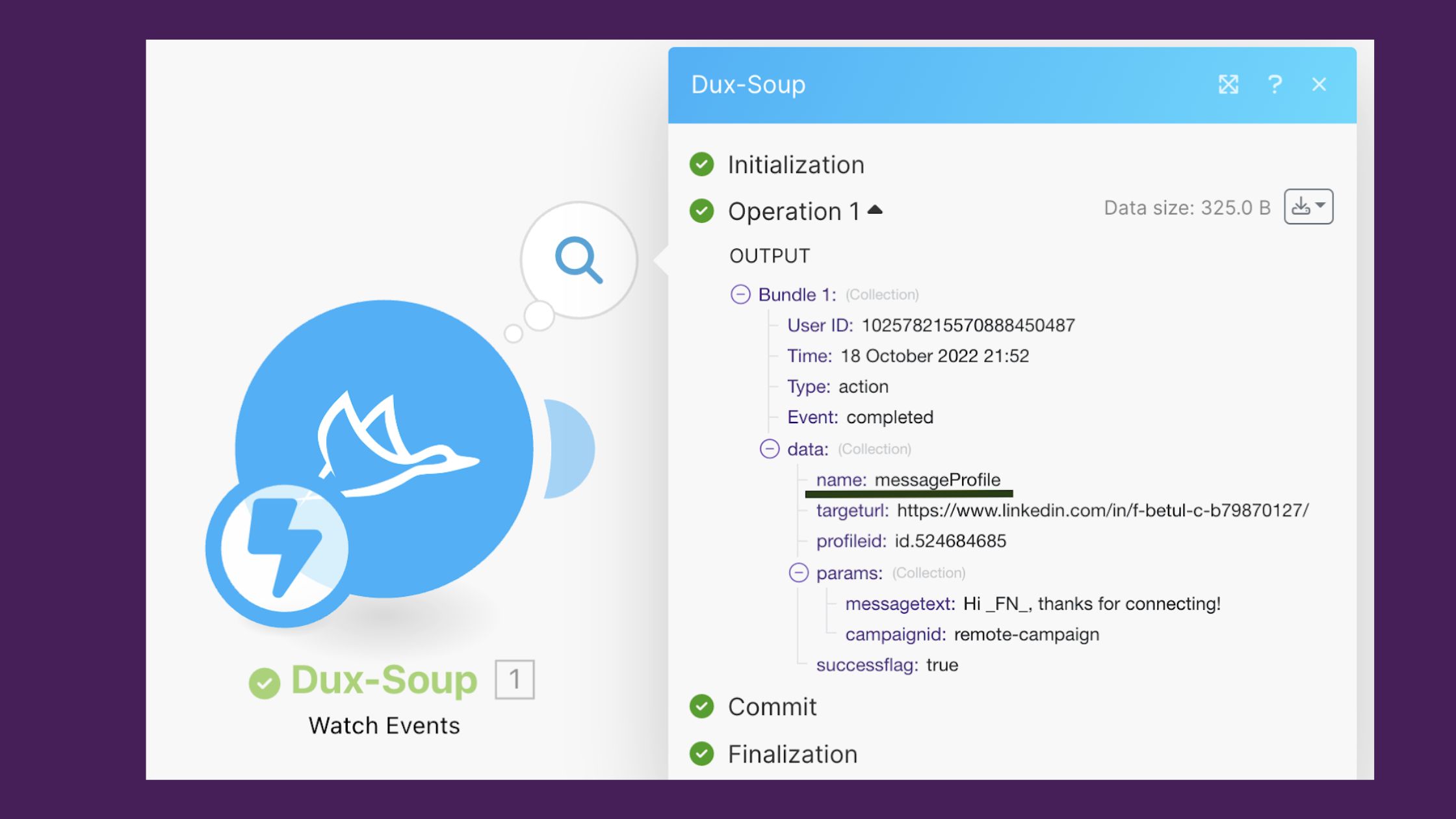
The Dux-Soup and HyperClapper integration is not a technical API sync — it is a deliberate sequencing of two tools at complementary stages of the same outreach cycle. Think of it as a prep-and-launch sequence: HyperClapper builds the credibility layer before Dux-Soup fires the first message.
Dux-Soup LinkedIn Outreach Workflow Step by Step
- Build your prospect list — use LinkedIn Sales Navigator or a search filter to define your target audience in Dux-Soup (30 seconds)
- Boost 2–3 recent posts in HyperClapper — select relevant channels and add AI Replies before launching any outreach (2 minutes per post)
- Start your Dux-Soup connection sequence — stay within 20–30 requests per day during the first 4 weeks of warm-up
- Continue posting and boosting weekly — new connections land in a feed where your content keeps appearing, reinforcing the relationship Dux-Soup started
Using HyperClapper to Boost Visibility for Leads Generated by Dux-Soup
Post-connection, HyperClapper LinkedIn engagement boost keeps your content surfacing in new connections' feeds organically. According to the statistics_hints supplied for this article, LinkedIn posts with engagement see a 50% increase in visibility. This means every boosted post becomes a passive touchpoint — prospects see your name and content repeatedly after connecting, building the familiarity that converts cold conversations into warm ones. Teams that maintain this rhythm consistently see higher reply rates on follow-up messages, because they are no longer strangers by the time message two lands.
For a deeper look at managing outreach without triggering platform flags, see this guide on cold LinkedIn outreach without automation risk.
Account Safety: The Risks Every LinkedIn Automation User Needs to Understand
LinkedIn's detection system does not just count actions — it reads behavioral mimicry patterns, the tell-tale signatures of non-human activity like perfectly even send intervals, identical message timing, and spikes in connection volume with no corresponding content activity.
Can You Use Multiple LinkedIn Automation Tools Together Safely
Yes — but only if the tools serve distinct, non-overlapping functions and you stay within safe activity thresholds. The risk rises when two tools both trigger high-volume actions simultaneously. Using Dux-Soup for outreach and HyperClapper for engagement does not create overlapping signals, because they operate on different LinkedIn surfaces (messaging vs. feed activity).
Safe baseline thresholds for a LinkedIn automation tools combination:
- Connection requests: 20–30 per day during a 4–6 week warm-up, scaling to a maximum of 80/day (LinkedIn's soft cap per Overloop AI, 2026)
- Follow-up messages: cap at 50–60 per day across all active sequences
- Post boosts: 2–4 posts per week through HyperClapper channels — enough to maintain visible activity without spiking unnaturally
- Social Selling Index (SSI): monitor weekly — a declining SSI score is an early warning that your activity pattern is reading as inauthentic
Common Mistakes to Avoid When Running This Tool Stack
- Running Dux-Soup at maximum volume before any HyperClapper content is live — prospects see an empty profile
- Using identical message templates across all sequences — Reply.io (2026) found personalized messages increase open rates by 26%
- Ignoring SSI score as a safety proxy — low SSI correlates with increased likelihood of account review
- Boosting controversial content through HyperClapper — HyperClapper's Content Guard flags sensitive topics, but users should review posts before submitting them
Building a LinkedIn Tool Stack for B2B Sales in 2026
The best LinkedIn automation tools for outreach are not the ones with the longest feature list. What separates top performers here is tool fit — each tool handling a specific layer of the funnel without creating overlapping behavioral signals.
A lean, effective LinkedIn tool stack for B2B sales:
- Dux-Soup — prospecting, connection sequences, follow-up drips
- HyperClapper — post boosting, AI replies, engagement credibility, company page visibility
- CRM (HubSpot, Pipedrive, or equivalent) — pipeline tracking once a prospect replies
For agencies managing multiple client profiles, HyperClapper's company page boosting and Dux-Soup's team plans allow this stack to scale. The key discipline: keep activity logs across both tools so you can spot if any single profile is trending toward unsafe thresholds. You can explore how LinkedIn tools work together for outreach in more detail, or review how to maximise LinkedIn leads with Dux-Soup specifically.
HyperClapper Pricing and Plans: What to Expect
HyperClapper offers tiered plans based on the number of channels and features accessed. Each channel delivers approximately 50 possible engagements per post — so two channels give you around 100 engagements, three channels around 150. Plans scale from individual creators up to agency-level accounts with company page features and advanced analytics. Visit app.hyperclapper.com for current pricing — tiers and feature bundles are updated regularly.
Make Every Dux-Soup Connection Count
HyperClapper builds the engagement layer that turns cold connections into warm conversations — real likes, real comments, AI-powered replies.
Try HyperClapper FreeHow to Increase LinkedIn Post Reach with This Automation Approach
Post visibility amplification through HyperClapper channels works by creating early engagement signals — LinkedIn's algorithm interprets a post that receives likes and comments within the first 60–90 minutes as high-quality content, and distributes it further. This is not a trick. It is working with how LinkedIn's distribution model already behaves.
When you automate LinkedIn prospecting and engagement across both tools in parallel, the compounding effect looks like this:
- You boost a post via HyperClapper channels → it gets real early engagement → LinkedIn pushes it to more feeds
- Dux-Soup sends connection requests to your target prospects → they accept → they now see your boosted post in their feed organically
- AI Replies extend the comment thread → LinkedIn rewards thread depth → the post stays visible for days longer than it would otherwise
The combined effect: your outreach lands with more context, your profile looks authoritative, and your content reaches beyond your existing first-degree network. For B2B professionals looking to go deeper on this approach, the guide to LinkedIn lead gen automation covers the mechanics in full.
✓ The Dux-Soup + HyperClapper Launch Checklist
- ☐Boost at least 2 recent posts in HyperClapper before launching outreach
- ☐Set Dux-Soup daily connection limit to 20–30 during the first 4 weeks
- ☐Add AI Replies via HyperClapper to each boosted post within 24 hours of publishing
- ☐Monitor your LinkedIn SSI score weekly — flag any drop of 5+ points
- ☐Personalise at least the first line of each Dux-Soup message template
- ☐Keep a shared log of both tools' daily activity volumes per profile
Frequently Asked Questions About Dux-Soup and HyperClapper
How can I use Dux-Soup and HyperClapper together to improve my LinkedIn results?
Use HyperClapper to boost post engagement before launching a Dux-Soup outreach sequence. When prospects receive your connection request and visit your profile, they see an active, credible content feed — improving reply rates on your opener. Post-connection, continued HyperClapper boosts keep your content surfacing in their feed, reinforcing the relationship over time.
What is the difference between Dux-Soup and HyperClapper — do I need both?
Dux-Soup automates outreach: profile visits, connection requests, and follow-up message sequences. HyperClapper amplifies content visibility: post boosts, real engagement, and AI replies. They solve different problems. You need both if you want outreach and content credibility working in parallel — one without the other leaves a gap that reduces conversion.
Can HyperClapper boost the visibility of leads generated by Dux-Soup?
Yes, indirectly. HyperClapper does not target specific individuals — it amplifies your posts to a broader feed. Once a Dux-Soup prospect connects with you, LinkedIn may organically show them your boosted posts. This passive exposure builds familiarity and keeps your name visible between outreach touchpoints, which consistently improves reply rates on follow-up messages.
What LinkedIn automation stack do B2B marketers recommend in 2026?
The most effective lean stack combines Dux-Soup for prospecting and sequencing, HyperClapper for engagement credibility and post visibility, and a CRM for pipeline tracking. This covers the full funnel — outreach, trust-building, and conversion — without overlapping activity spikes that increase account restriction risk.
Does using LinkedIn automation tools risk an account ban?
Risk exists, but it is manageable. LinkedIn flags behavioral patterns — not just volume. Staying within 20–30 connection requests daily during warm-up, avoiding identical message templates, and monitoring your Social Selling Index reduces risk significantly. HyperClapper's safer engagement model and Content Guard add an additional layer of protection on the visibility side.
Are there alternatives to this stack for LinkedIn outreach and engagement?
Tools like Expandi, Phantombuster, and Lempod serve similar individual functions. However, most alternatives either lack HyperClapper's real community engagement model or Dux-Soup's workflow depth. For a full comparison of sales automation and outreach tool alternatives, the dedicated guide covers the key differences.
After seeing this pattern across B2B outreach campaigns, the consistent finding is this: accounts that treat content credibility and outreach as a single coordinated system — not two separate workflows — outperform accounts relying on either tool alone, and they do it with lower account risk, not higher.



