The best apps for Twitter are not the ones with the longest feature list — they are the ones that solve the two problems power users actually have: too much time spent managing posts and too little engagement to show for it. A pattern observed across thousands of active Twitter accounts is that the gap between high-growth and stagnant profiles almost always comes down to two decisions — when and what to post — and whether the creator has tools that handle the mechanical work so they can focus on those two decisions. This guide covers the tools that are still standing after the 2023 API crackdown, which ones genuinely move engagement, and how to pick the right one for your budget and platform.
- For solo creators: Buffer or Typefully offer the best free-to-paid path for scheduling and thread composing
- For engagement growth: Hypefury is purpose-built for X — auto-retweet, evergreen recycling, and content inspiration in one tool
- For teams and agencies: Sprout Social leads on workflows; Hootsuite leads on multi-platform unified management
- Android FOSS users: open-source clients like Harpy exist, but API restrictions limit real-time feature parity — go in with realistic expectations
- Most counterintuitive finding: pure automation tools do not increase engagement — only tools that surface reply opportunities and conversation triggers do
- API reality check: many beloved third-party clients were killed in 2023; the apps in this guide have all confirmed 2026 functionality
- Why Power Users Ditch the Official X App
- Best Twitter Apps for Scheduling and Saving Time
- Best Twitter Client Apps by Platform
- How to Actually Increase Twitter Engagement Rate
- Twitter Apps for Business and Teams
- Frequently Asked Questions About Twitter Apps
| App | Best For | Platform | Price | Free Tier? |
|---|---|---|---|---|
| Typefully | Thread writing, solo creators | Web, iOS, Android | Free / $12.50+/mo | ✅ Yes |
| Hypefury | X-native growth, engagement recycling | Web | $19–$49/mo | ❌ Trial only |
| Buffer | Simple scheduling, solo/small teams | Web, iOS, Android | Free / $6+/mo | ✅ Yes (3 channels) |
| Hootsuite | Enterprise teams, multi-platform | Web, iOS, Android | $99+/mo | ❌ Trial only |
| Sprout Social | Marketing teams, analytics, CRM | Web, iOS, Android | $249+/mo | ❌ Trial only |
| Fenix 2 | Android power users, clean UI | Android | ~$5 one-time | ❌ Paid only |
| TweetDeck / XPro | Multi-column desktop monitoring | Web (desktop) | Requires X Premium | ❌ X Premium req. |
Why Power Users Ditch the Official X App (And What They Use Instead)
The official X app has a function problem. It is built to maximize time-on-platform through algorithmic feeds, promoted content, and notification noise — none of which serves someone who wants to post efficiently and leave. A recurring pattern among creators and professionals trying to build a presence on X is that the official app pulls them into consumption mode when they should be in creation mode. Third-party clients and scheduling tools exist precisely to break that pattern.
Twitter App vs. Twitter Client: What's the Difference?
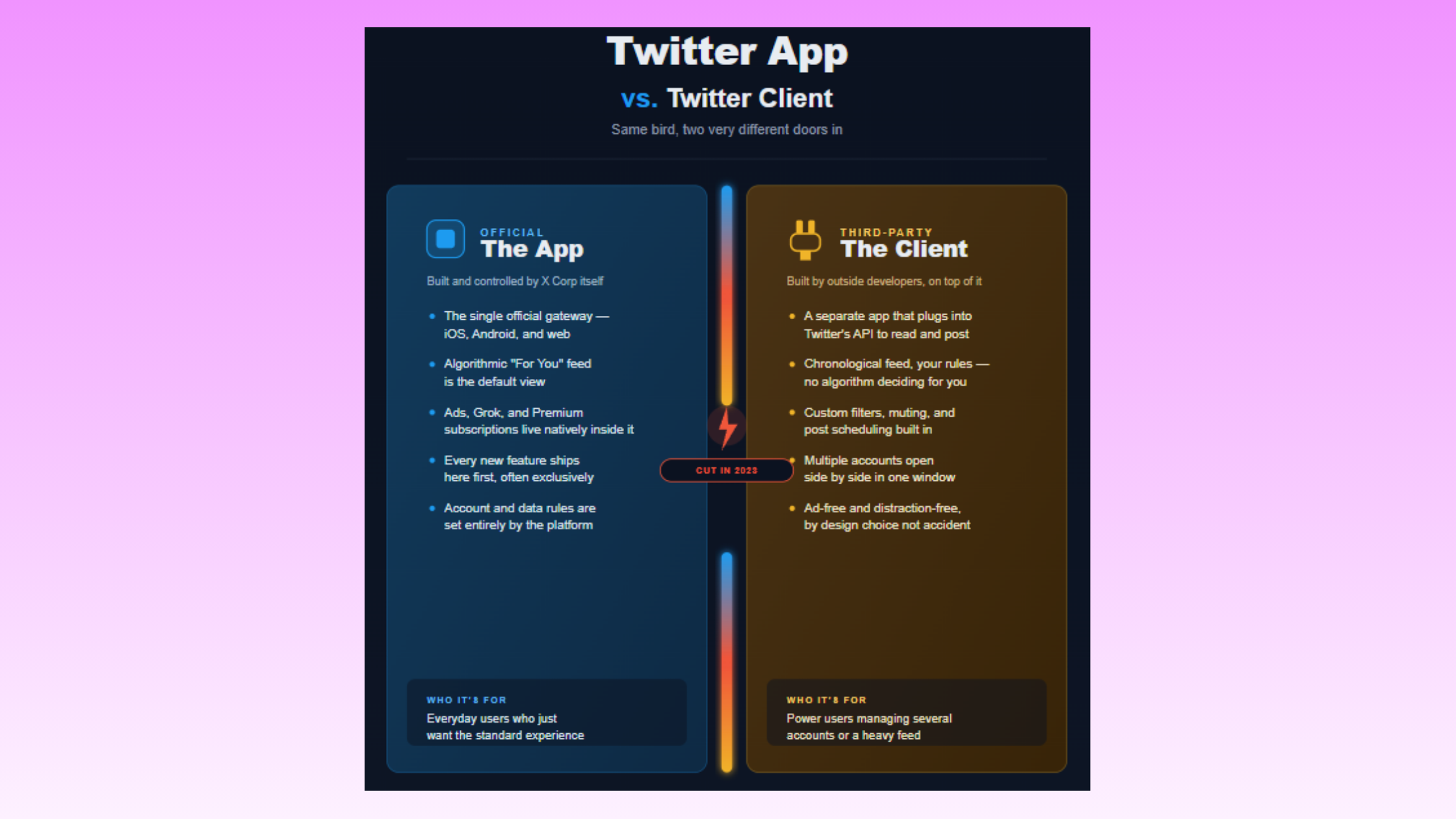
A Twitter app (or X app) refers to the official client — X for iOS and X for Android — built and maintained by X Corp. A Twitter client is a third-party app that connects to X's API to provide an alternative interface, typically with a cleaner UI, no ads, and additional features the official app doesn't offer. Most "best apps for twitter" guides blur this distinction; it matters because clients live or die by API access, which changed dramatically in 2023.
Are Third-Party Twitter Apps Safe to Use in 2026?
Most reputable third-party Twitter apps are safe, provided they use official OAuth authentication — meaning they never see your password, only a revocable access token. The risk is not the apps themselves but the API tier they operate on. After X's 2023 API pricing overhaul, dozens of clients lost access overnight. The apps that survived either migrated to paid API tiers, secured enterprise access, or — in the case of scheduling tools — already operated as business API partners. Always check that any app you connect uses OAuth 2.0 and is listed in X's app directory. Open-source Android options like Harpy use the same OAuth flow, making them no riskier than commercial clients on that front.
For Android users specifically, the FOSS (free and open-source software) gap is real. Mainstream lists almost never mention open-source Android clients — yet this is where community frustration is loudest. Tools like Harpy and Squawker prioritize privacy and zero ad tracking. They work within the free API tier, which means some real-time features are rate-limited, but for users whose priority is a clean read/post experience without surveillance-grade data collection, they remain the strongest choice available.
Best Twitter Apps for Scheduling, Content Calendars, and Saving Time in 2026
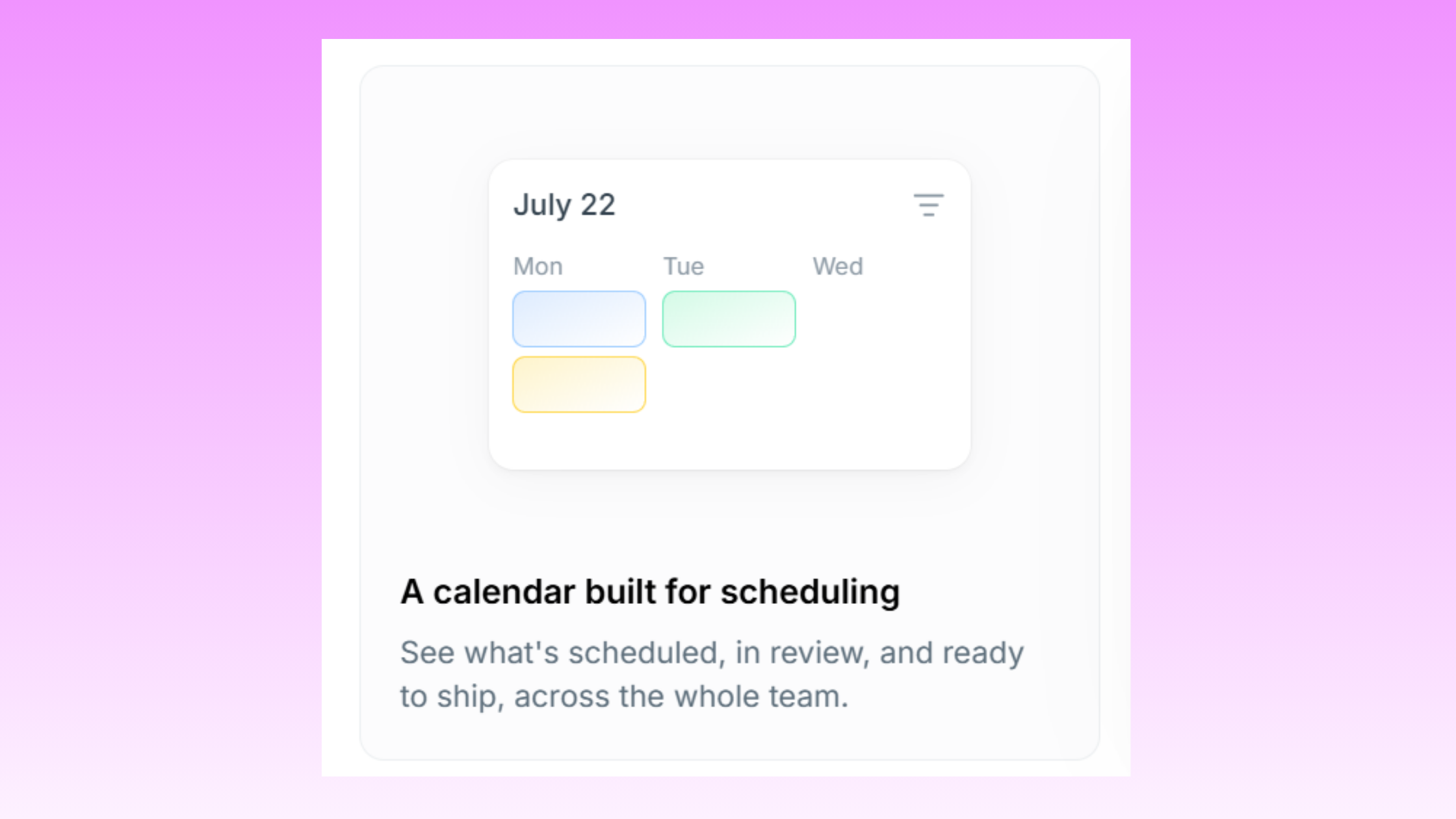
The best Twitter apps to save time are the ones that front-load your creative work into a single weekly session, then handle distribution automatically. Teams that batch-write content once per week and schedule via a Twitter content calendar app consistently publish more frequently than those who post manually — without spending more total time on the platform.
How to Schedule Tweets in Advance (Step-by-Step)
- Choose your tool — Buffer, Typefully, or Hypefury depending on budget and use case (see comparison table above). Takes about 2 minutes to connect your X account via OAuth.
- Write your content queue — draft 5–10 posts or threads in one session. Typefully's editor is optimized for threads; Buffer suits single-post queues.
- Set your posting schedule — define the days and time slots you want posts published. Most tools auto-suggest optimal times based on your audience's past activity.
Schedule Tweets in Advance (Step-by-Step) - Review and activate — confirm the queue, enable auto-publishing. Takes under 5 minutes total once the queue is set.
- Monitor after publishing — the first 60 minutes matter most. Return to reply to early comments; most scheduling tools do not handle this part for you.
Best Time to Post on Twitter and How Apps Surface That Data
Does posting time affect Twitter engagement? Yes — consistently. According to Sprout Social (2026), X has 251 million daily active users with peak activity concentrated in specific time windows that vary by audience niche. Most scheduling tools surface your personal audience data — when your followers are online — which is far more useful than generic "best time" recommendations. Buffer, Hypefury, and Sprout Social all include this feature in paid tiers. Typefully surfaces it from your historical post performance.
The Twitter scheduling app free vs. paid divide is real but manageable: Buffer's free plan covers 3 channels with basic queue scheduling — enough for one X account. Typefully's free tier includes thread composing and basic scheduling. Hypefury gates its auto-retweet and evergreen recycling behind paid plans. For most solo creators, the free tiers of Buffer or Typefully cover 80% of needs without spending anything.
What separates top-performing Twitter scheduling workflows from average ones is not which tool they use — it is that they treat scheduling as the beginning of distribution, not the end. The session after posting, where you reply to comments in the first hour, does more for reach than any tool feature.
On the Buffer vs. Hootsuite for Twitter question: Buffer wins on simplicity and per-channel pricing for solo creators and small teams. Hootsuite wins for enterprise teams that need a unified inbox across 10+ social profiles, compliance features, and approval workflows. Choosing Hootsuite for a single Twitter account is over-engineering the problem.
For the Hypefury Twitter tool specifically — it is the only mainstream scheduler built around X's unique content dynamics. Its inspiration feed surfaces tweets from accounts you admire that performed well, making it genuinely useful for breaking content blocks. No other tool in this tier does that.
Best Twitter Client Apps by Platform: Android, iOS, Desktop, and Mac
Most platform-specific guides pick one or two categories and ignore the rest. Here is the full breakdown across all four, since the best android apps for twitter, best twitter apps for ios, best twitter apps for mac, and best twitter apps for windows each have a different answer.
- Best Twitter apps for Android: Fenix 2 for a polished paid experience; Harpy or Squawker for FOSS privacy-first users. The best twitter apps for android combine clean UI with multi-account support — both Fenix 2 and the FOSS options deliver this. Note that open-source clients operate on the free API tier, so features like real-time streaming are rate-limited.
- Best twitter apps for iphone / best twitter apps for ios: Spring (formerly known as an iOS-native client) and Twitterrific's spiritual successors offer cleaner reading experiences than the official app. For iPad specifically — best twitter apps for ipad — the larger screen makes multi-column clients like TweetDeck (via web) the most productive layout available.
- Best twitter apps for mac: No truly native Mac client has filled the Twitterrific void since its shutdown. The most viable options in 2026 are the web version of TweetDeck/XPro (which requires X Premium) and Minimal Theme for X as a browser extension that transforms the standard web app into a distraction-free interface.
- Best twitter apps for windows / best twitter apps for desktop: TweetDeck/XPro remains the strongest multi-column desktop option, though the X Premium paywall is a barrier. Nighthawk offers customized feed control and is a strong alternative for users who want the old-Twitter aesthetic without the algorithm's interference.
According to The Frank Agency (2026), 79% of users follow brands on X. This means scheduling consistency is not just a productivity habit — it is a direct visibility lever for any brand or creator account. In practice, missing a week of posting while traveling costs more than most people realize: accounts that drop below 3x per week typically see measurable reach decay within 10–14 days.
Best Twitter Apps for Managing Multiple Accounts Affordably
Multi-account management is where free tiers almost universally fail. Buffer's paid plans start at $6/channel/month — the most cost-efficient path for managing 2–3 accounts. Hypefury's base plan covers multiple accounts at $19/month total. TweetDeck/XPro handles multi-account column views at the X Premium price point. For agencies managing 10+ client accounts, Sendible or Hootsuite's agency plan are the realistic options, though the cost jumps sharply.
How Third-Party Apps Handle Twitter Rate Limits in 2026
After the 2023 API changes, rate limits became the core constraint for third-party clients. The free tier allows roughly 1,500 tweet reads per month — effectively unusable for an active user. Paid API tiers start at $100/month, which is why most consumer-facing clients either folded or moved to X Premium integration. Scheduling tools like Buffer and Hypefury are largely unaffected because they use the write API (posting) rather than the read API (fetching feeds). FOSS clients that operate on the free read tier will hit limits quickly if used as a primary feed reader.
How to Actually Increase Twitter Engagement Rate (Not Just Automate Posting)
Automation alone does not increase Twitter engagement rate. The most common failure mode is accounts that schedule 5 posts per day using a tool like Dlvr.it, see zero interaction, and conclude that "Twitter doesn't work for them" — when the actual problem is a content strategy that doesn't invite response. Automate Twitter posting is only useful once the content itself is calibrated to trigger replies, retweets, or saves.
The honest answer to "why is my Twitter engagement so low" is almost always one of four things:
- Posting at wrong times relative to your specific audience
- No reply activity in the first 60 minutes after publishing (kills algorithmic reach)
- Content that makes statements rather than inviting a reaction
- No thread structure — single tweets get dramatically less traction than threaded content on most topics
Apps That Suggest What Content to Post for Better Engagement
What apps do Twitter power users use for content ideas? Hypefury's inspiration feed is the standout feature here — it pulls high-performing tweets from accounts you've curated, giving you a daily stream of content formats that are already working in your niche. Typefully's AI writing assistance suggests thread continuations. Sprout Social's Listening feature identifies trending conversations your audience is already in. These are the tools designed to answer the question "what should I post today" rather than just "when should I post it."
The 4-1-1 rule on Twitter is a content ratio framework: for every 1 self-promotional post, share 1 relevant repost and 4 pieces of valuable content from others. Hypefury's content calendar makes this ratio easy to maintain visually — you can see at a glance if your queue is over-weighted toward promotion. Creators who skip this balance and post promotional content more than 25–30% of the time consistently see follower growth stall.
✓ The Twitter Engagement Quality Checklist
- ☐Post at times when YOUR audience is active (use tool analytics, not generic best-time guides)
- ☐Reply to every comment within the first 60 minutes after publishing
- ☐End posts with a question or a clear opinion — not just a statement
- ☐Maintain 4-1-1 content ratio (4 value posts : 1 reshare : 1 promotional)
- ☐Use threads for any topic that benefits from more than 280 characters
- ☐Enable auto-retweet on evergreen posts (Hypefury) to extend content lifespan
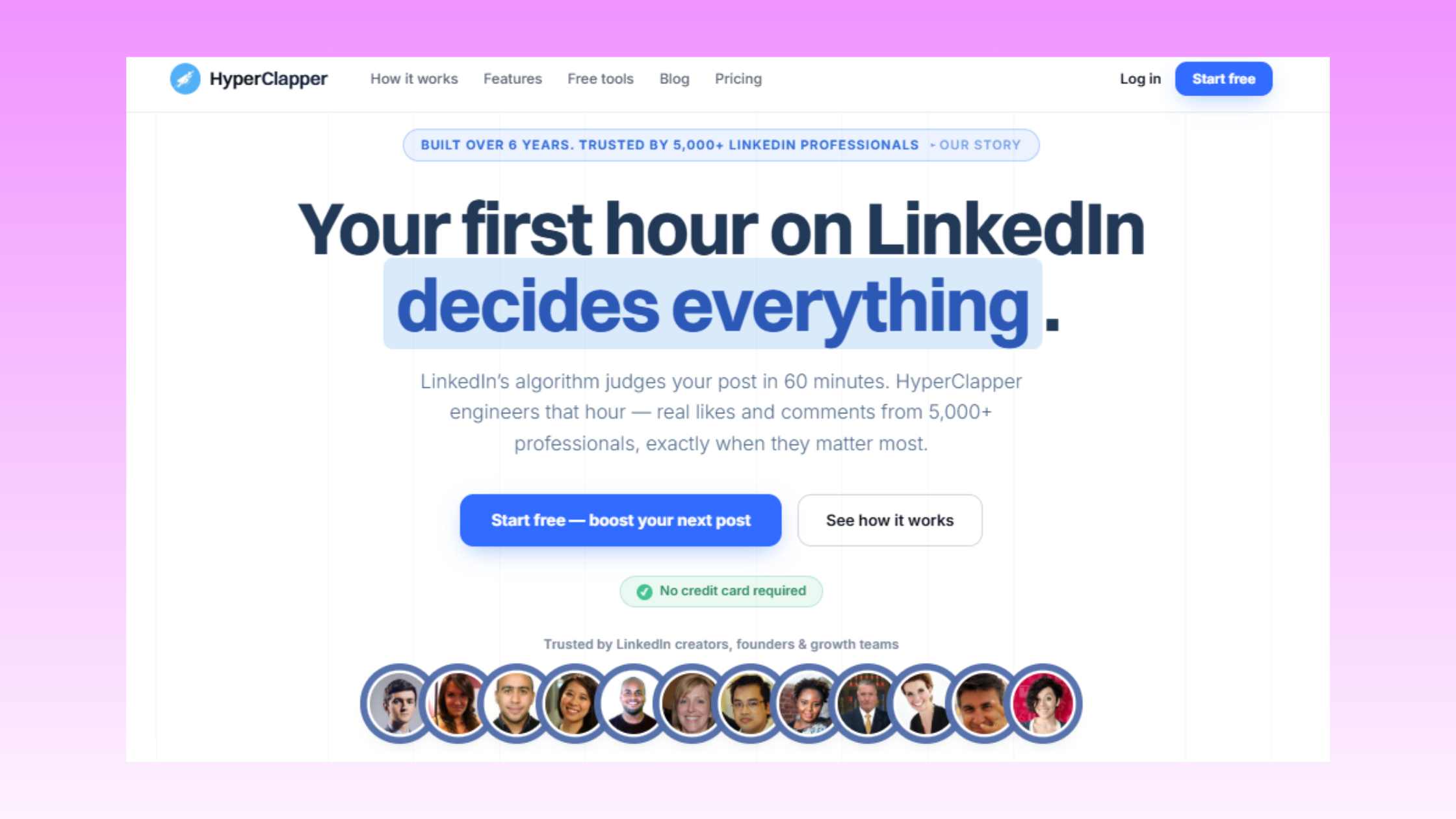
If you are building your presence across multiple platforms simultaneously, the same principles of content timing and engagement apply on LinkedIn. Tools like HyperClapper take this further for LinkedIn — connecting posts with real engagement groups (channels) so that early engagement is seeded by genuine professionals rather than left to the algorithm. The engagement-first logic transfers: both platforms reward early activity in the first hour. And if you're comparing scheduling options across networks, free Hootsuite alternatives are worth exploring before committing to a premium plan.
Twitter Apps for Business and Teams: Sprout Social, Hootsuite, and Collaboration-First Tools
According to Sprout Social (2026), X reaches a potential ad audience of 557 million users, with 82% of B2B marketers using the platform as part of their content strategy. At that scale, a solo scheduling tool is not enough. Business use cases require approval workflows, team inboxes, compliance controls, and exportable analytics — features that only enterprise-tier tools provide.
Sprout Social is the strongest choice for marketing teams of 3 or more: unified social inbox, CRM integrations, team assignment for replies, and deep X analytics. Its price point ($249+/month) is only justifiable when the team is large enough to distribute the workload it enables. For smaller teams, it is over-built.
Hootsuite at the team level excels in multi-platform unified management and compliance — particularly relevant for regulated industries where every post needs an approval trail. Its weakness is interface complexity; onboarding takes significantly longer than Buffer or Sprout Social. For agencies managing multiple client Twitter accounts, Hootsuite's agency plan competes directly with Sendible, which offers white-label reporting and client approval portals.
Twitter Scheduling App Free vs. Paid: What You Actually Get
The free vs. paid divide maps cleanly to use case:
- Free: Buffer (3 channels, basic queue), Typefully (thread composer, basic scheduling) — sufficient for one account, solo use, no team features
- $6–$20/month: Buffer paid, Hypefury base — adds analytics, best-time suggestions, multi-account, auto-retweet
- $99–$249/month: Hootsuite, Sprout Social — adds team workflows, approval chains, enterprise analytics, compliance tools
If you are evaluating scheduling tools across social platforms, the same cost-versus-feature logic applies to LinkedIn scheduling. Our breakdown of free LinkedIn scheduling tools follows the same framework and is worth reading alongside this guide for a complete picture.
Also active on LinkedIn? Get the engagement your posts deserve.
HyperClapper connects your LinkedIn posts with real engagement groups — real likes, real comments, from real professionals
Frequently Asked Questions About Twitter Apps
What is the best app to schedule and grow my Twitter account in 2025?
Hypefury is the best all-in-one app for scheduling and growing a Twitter account, combining scheduling, evergreen post recycling, and engagement prompts in one tool. For budget-conscious solo creators, Buffer or Typefully offer strong free tiers. The right pick depends on whether your priority is growth features or clean scheduling.
Which Twitter tools actually increase engagement and not just automate posting?
Tools that surface reply opportunities and conversation triggers — like Hypefury — genuinely increase engagement, while pure scheduling automation does not. The pattern is consistent: engagement grows when tools prompt you to join relevant conversations, not just broadcast. Automation alone moves your post count up; it does not move your reply or retweet rate.
How can I spend less time on Twitter but still grow my audience?
Batch-write 5–10 posts in one weekly session using a scheduling tool like Typefully or Buffer, then let the tool distribute them automatically. This front-loads your creative work and keeps you out of the official app's consumption loop. Most creators who do this publish more often while spending less total time on the platform.
Are there Twitter apps that suggest what content to post for better engagement?
Yes — Hypefury includes built-in content inspiration features that suggest post ideas and identify evergreen content worth recycling based on past performance. It is currently the most purpose-built option for X-native content guidance. Most other schedulers handle distribution but leave content ideation entirely to you.
Where can I find NSFW Twitter?
NSFW content on X is accessible through the official X app or website once adult content is enabled in your account settings under Content Preferences. Third-party clients vary — some respect your account settings, others filter sensitive content by default regardless. Always verify the content settings within whichever client you are using.
What is the 4 1 1 rule on Twitter?
The 4-1-1 rule means for every six posts you publish, four should be content from others that adds value to your audience, one should be your own original content, and one should be promotional. It is a content balance framework designed to keep your feed useful and prevent follower fatigue from over-promotion.
What is X's biggest competitor?
Bluesky is currently X's most direct competitor in the short-form social posting space, having grown rapidly following X's 2023 API changes and ongoing platform shifts. Mastodon and Threads also compete for displaced Twitter users. None have matched X's scale for breaking news and real-time public conversation, which remains its strongest retention factor.
How do you enable 18+ content on Twitter?
Go to Settings and Support, then Settings and Privacy, then Privacy and Safety, and toggle on Display media that may contain sensitive content under the Content You See section. On mobile you also need to disable the Safe Search option. The account must be verified as belonging to an adult and the setting is off by default.
Does posting time affect Twitter engagement?
Yes — posts published when your specific audience is most active consistently outperform identical content posted at off-peak hours. Most scheduling tools including Buffer and Hypefury offer best-time-to-post suggestions based on your follower activity data. Generic peak times are less reliable than tool-generated recommendations built from your own audience behaviour.
Is Buffer or Hootsuite better for Twitter?
Buffer is better for solo creators and small teams managing Twitter as a primary channel — it is simpler, cheaper, and its free tier covers basic scheduling well. Hootsuite suits enterprise teams managing multiple platforms simultaneously and needing unified reporting. For Twitter-only use cases, Buffer's lower price point and cleaner interface make it the stronger choice.



