How to Use an Aimfox Review to Pick Smarter LinkedIn Tools
An honest Aimfox review: real pricing, LinkedIn account safety, the rented-profile risk most reviews skip, and how it compares to other outreach tools in 2026.
📅 ⏱ 18 min read📝 ~3500 words
An Aimfox review tells you a lot — but only if you know what to look for. Aimfox is a cloud-based LinkedIn outreach automation tool built for B2B lead generation, and it sits at 4.7 on G2 across 37 verified reviews. A pattern observed across hundreds of tool evaluations is that buyers who focus only on feature lists end up with the wrong purchase — the questions that actually predict ROI are about safety architecture, ban recovery, and what happens when limits get pushed. This guide breaks down exactly those questions for Aimfox, then shows you how to apply the same framework to any LinkedIn automation tool you evaluate.
Key Takeaways
Aimfox is a cloud-based LinkedIn outreach tool — cloud architecture reduces (but does not eliminate) detection risk compared to browser extensions
Pricing starts around $59/month per LinkedIn account seat; advanced plans with A/B testing and analytics run $99–$119/month
The rented LinkedIn profiles feature is Aimfox's biggest differentiator — and its biggest risk factor, since a banned rented account kills campaign continuity
G2-verified data shows a 20.75% connection acceptance rate and 22.22% reply rate — real outcomes depend heavily on targeting quality, not automation volume
Most reviews miss the safety layer: account warming enforcement, IP management, and ban recovery process matter more than inbox features
For content visibility (not outreach), engagement tools like HyperClapper operate in a different lane — pairing both covers the full LinkedIn funnel
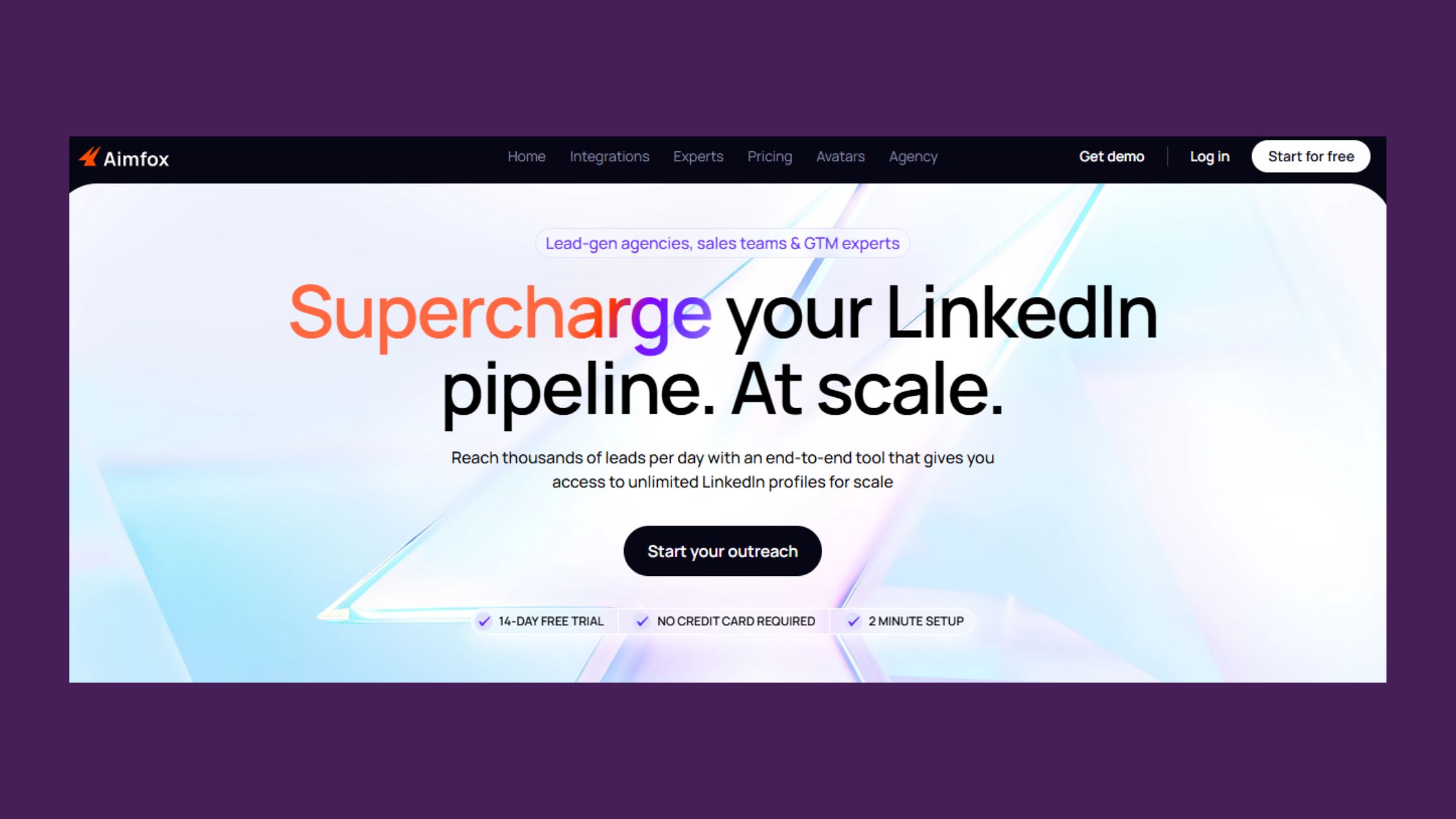
Aimfox is a cloud-based LinkedIn outreach automation tool designed for B2B lead generation — it runs entirely in the cloud rather than as a browser extension, which is the architectural decision that most directly affects both safety and reliability. Users connect a LinkedIn account (or rent one through Aimfox's profile network), configure outreach sequences, and let the platform handle connection requests, follow-up messages, and replies automatically. The full workflow — targeting, messaging, sequencing, and inbox management — lives in one dashboard.
Cloud-Based vs. Browser-Based: Why the Architecture Matters
Cloud-based LinkedIn outreach means the automation runs on remote servers with dedicated IP addresses, not through your local browser session. This matters because LinkedIn's detection systems flag behavior that looks inconsistent with a real user — mismatched IPs, simultaneous sessions, or inhuman action speeds. Browser extensions that run on your machine tie the automation to your personal session, which means a flag hits your primary account directly. Cloud tools like Aimfox create a layer of separation. That said, cloud operation reduces risk — it does not eliminate it. LinkedIn's detection has grown more sophisticated, and any tool that claims otherwise is overpromising.
Outreach Sequence Personalization and LinkedIn Account Warming
Outreach sequence personalization is the ability to vary message content, timing, and follow-up steps based on prospect data — first name, job title, company, or trigger events. Aimfox's sequence builder supports multi-step flows with A/B testing on message copy, which is where most of the platform's practical value lives. LinkedIn account warming refers to the practice of gradually increasing daily automation activity on a new account rather than hitting full volume on day one — it mimics natural account growth and reduces detection risk significantly. Whether Aimfox enforces warming by default or leaves it to the user to configure is one of the first things worth verifying in any hands-on Aimfox LinkedIn outreach tool evaluation.
With the core mechanics established, pricing is the next thing that shapes whether Aimfox fits your budget — especially for agencies running multiple accounts.
Aimfox Pricing and Plans: What You Actually Pay in 2026
Aimfox Pricing and Plans
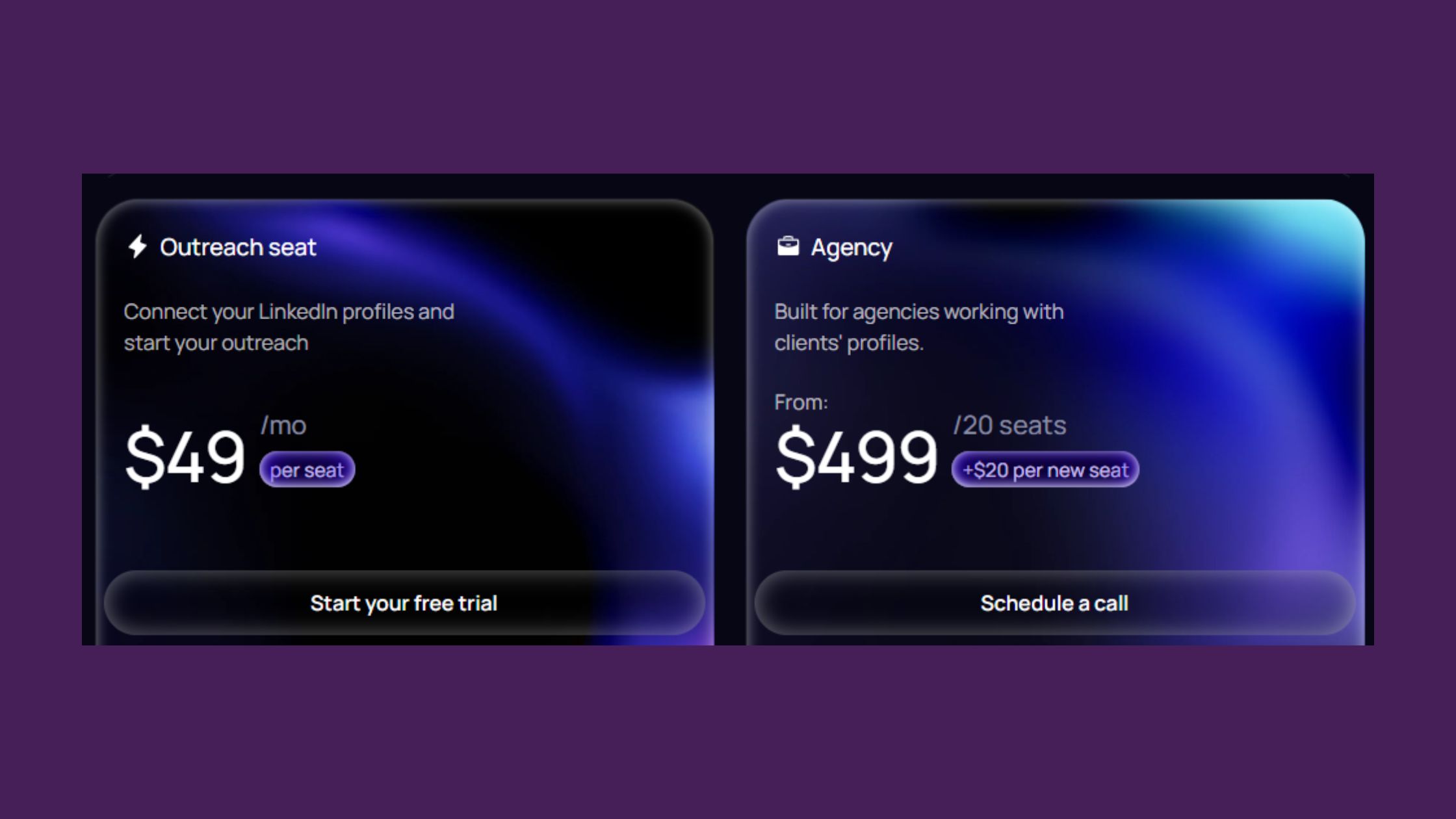
Aimfox pricing is seat-based — you pay per LinkedIn account running campaigns, not per user on your team. For solo operators, that's a clean model. For agencies, it compounds: three client accounts means three seats, and costs scale linearly. As of 2026, entry plans run around $59/month per account for core outreach features. Mid-tier plans with A/B testing, advanced analytics, and team management features typically land in the $99–$119/month range per seat. Always confirm current pricing directly on Aimfox's site — SaaS pricing shifts, and a figure from a six-month-old review may already be outdated.
💡
Pro Tip:Before signing up for any LinkedIn lead generation tool, calculate your cost-per-lead based on realistic acceptance rates — not best-case scenarios. At a 20% connection acceptance rate and $99/month, your cost per accepted connection is easy to model against your typical lead-to-close rate.
There is no meaningful free tier. Aimfox offers a trial, but it is limited enough that you cannot properly evaluate connection request acceptance rate at real campaign volume — which is the number that actually tells you whether the tool is worth keeping. On billing terms, Aimfox operates on a monthly subscription with no reported long-term lock-in. The catch: cancellation mid-cycle typically does not trigger a prorated refund. Confirm the cancellation policy before committing, especially when running multiple agency seats where the monthly total is significant.
Rented LinkedIn Profiles: Hidden Cost or Smart Workaround?
Aimfox's rented profile network lets you run campaigns through LinkedIn accounts that Aimfox supplies rather than your own. The appeal is obvious: your personal or client accounts carry no direct risk. The hidden cost is twofold. First, rented profiles add to the per-seat expense. Second — and this is what most reviews skip over — any connections or relationship history built on a rented account belongs to that account, not to you. If Aimfox discontinues a rented profile or LinkedIn flags it, that campaign history is gone. Teams building long-term prospect pipelines should weigh this carefully.
⚠️
Warning:Connections made through a rented LinkedIn profile are tied to that profile — not to your account. If the rented profile is banned or discontinued, those prospect relationships are lost. For long-term pipeline building, this is a significant structural risk worth discussing with Aimfox support before you rely on it for primary outreach.
Is Aimfox Safe to Use for LinkedIn? The Account Risk Reality
3 in 4 LinkedIn automation users who report account restrictions pushed daily limits beyond the platform's behavioral thresholds — not because they used automation, but because they used it without warming or volume controls. Aimfox addresses this through cloud operation with dedicated IPs and configurable daily caps, which meaningfully reduces (not eliminates) detection risk. The nuanced answer to "Is Aimfox safe to use for LinkedIn?" is: safer than browser extensions when configured correctly, and riskier than doing nothing at all.
4.7 / 5
Aimfox's G2 rating from verified users — with a 20.75% avg. connection acceptance rate per campaign
According to HeyReach's analysis of Aimfox campaigns (2026), the typical campaign lands at a 20.75% acceptance rate and a 22.22% reply rate — but 10.7% of accounts running without proper warming experienced some form of restriction. That last number is the one buried at the bottom of most reviews. In practice, what this tells you is that safety is not binary — it scales with how well you configure limits, warm accounts, and vary activity patterns.
LinkedIn Account Warming: Does Aimfox Enforce It?
Warming is the practice of ramping up automation activity gradually — starting at 10-15 actions per day and building to full volume over 2-4 weeks. Tools that enforce warming by default remove a major failure mode from the user's hands. Tools that leave it as a manual setting rely on users reading the documentation carefully enough to enable it. Before launching any campaign through Aimfox, confirm in the settings whether warming is applied automatically to new account connections or whether you need to configure it manually. Accounts that skip warming and launch at full volume typically see LinkedIn restrictions within 7-14 days.
What Happens If a Rented Account Gets Banned Mid-Campaign?
This is the question most Aimfox review articles skip entirely — and the community concern that comes up most consistently among buyers. The practical scenario: you're 3 weeks into a campaign on a rented profile, you have 200 pending follow-ups, and LinkedIn flags the account. What does Aimfox do? Do they provide a replacement profile? Do they migrate your sequence? Is your data recoverable? These are not hypothetical — LinkedIn actively updates its detection systems, and rented profiles operated at scale are a higher-visibility target. Ask Aimfox support for their written policy on this before subscribing. An honest answer (even if the answer is "we provide a replacement profile but campaign history is not migrated") is more useful than vague reassurance.
Aimfox Pros, Cons, and What Real Users Report
What separates the most useful Aimfox reviews from average ones is that they include actual campaign metrics, not just screenshots of the dashboard. Based on aggregated user feedback from G2 verified reviews and Trustpilot data, here is what the pattern looks like across accounts that report consistent results:
What works well:
Clean, low-friction UI — most users report launching a first campaign within a day of setup
Sequence builder with A/B testing is functional and covers the outreach workflow end-to-end
Cloud operation means campaigns run without keeping a browser open or a local machine active
Unified inbox consolidates replies across multiple LinkedIn accounts, which is genuinely useful for agencies
What falls short:
Native CRM integrations are limited — teams using Salesforce or HubSpot heavily will need workarounds
Customer support quality is inconsistent — response times and resolution quality vary, which matters when an account gets flagged and you need fast help
Analytics are functional but not deep — you get campaign-level data, not granular sequence-step performance that serious optimizers want
Trustpilot scores flag concerns specifically around the rented profile (avatar) feature, which pulls the overall sentiment down despite strong core tool ratings
Common Mistakes to Avoid When Using Aimfox
The most common failure mode is treating Aimfox as a volume tool rather than a targeting tool. Users who connect to broad, unfiltered lists report connection acceptance rates well below the 20% average — because automation amplifies your targeting quality, it does not replace it. Nail your ideal customer profile (ICP) filter first, keep daily limits conservative during the first month, and use A/B testing on message copy before scaling. Creators who skip the targeting refinement step typically find their acceptance rate stalls around 10-12%, regardless of how well the tool is technically configured.
How Aimfox Compares to Other LinkedIn Automation Tools in 2026
HyperClapper LinkedIn Automation Tools
The right comparison framework for any LinkedIn lead generation tool evaluation starts with your goal, not the feature matrix. Outreach tools (Aimfox, Expandi, SalesRobot) are built for cold connection sequences and prospecting. Engagement tools (HyperClapper) are built for content visibility and warm audience building. These are not interchangeable — the teams that report the best results on LinkedIn typically run one of each.
Content visibility, engagement growth, post reach amplification
Real community
See site
Different use case — not outreach
*Note: most SalesRobot vs. Aimfox comparisons you'll find are published on SalesRobot's own blog — factor that into how you weigh those analyses.
Aimfox vs Expandi: Feature and Safety Comparison
Both Aimfox and Expandi are cloud-based tools with comparable sequence-building capabilities. Expandi has a longer operating history, more mature third-party integrations, and a larger user community — which translates to more real-world case studies and faster troubleshooting resources. Aimfox's differentiator is the rented profile option, which Expandi does not offer, and its pricing is generally lower at equivalent feature tiers. Teams comfortable managing their own campaigns and willing to navigate the rented profile tradeoffs will find Aimfox competitive. Teams that need reliable CRM sync from day one should evaluate Expandi more carefully. For a broader look at the outreach automation landscape, see this guide to LinkedIn automation tools for lead generation.
When to Consider an Aimfox Alternative for LinkedIn Outreach
Consider an Aimfox alternative for LinkedIn outreach when your primary bottleneck is not outreach volume — it's content reach. If your posts are not generating enough warm visibility for your outreach to land in a recognized context, adding more connection requests does not fix that problem. It just means cold messages landing to people who have never seen your name before. That's where a complementary engagement tool addresses the gap outreach tools cannot touch.
Outreach works better when people already recognize your name
HyperClapper builds real LinkedIn visibility through community engagement and AI-powered replies — so your outreach lands warm, not cold.
What to Look for When Reading Any LinkedIn Automation Tool Review
Most published reviews benchmark features and pricing — the gaps that actually predict whether a tool is worth buying are rarely covered. Teams that consistently choose the right LinkedIn automation software ask five questions no feature comparison table answers:
What are the daily action limits, and are they enforced or advisory? Hard limits protect your account. Advisory limits leave you exposed.
How is account warming handled? Automatic and enforced by default, or a setting buried in advanced options?
What is the ban recovery process? If LinkedIn restricts your account, does the tool provide support or leave you to resolve it alone?
What integrations are natively supported? Zapier workarounds add friction and failure points — native CRM sync is meaningfully better.
What does cancellation actually look like? Monthly billing with no lock-in is table stakes. Prorated refund policy and data export on exit are the details that matter.
A review that answers all five of those questions is more useful than ten reviews that only cover the UI and pricing tier.
How to Evaluate LinkedIn Automation Safety Beyond Marketing Claims
The conventional advice here — "look for tools that mimic human behavior" — is genuinely outdated. Every tool markets itself as human-like. What you actually need to evaluate is the specific mechanism: dedicated cloud IPs versus shared IPs, enforced warming versus user-configured, session randomization built into the architecture versus a best-practice suggestion in the docs. According to Digital Applied's 2026 marketing automation report, 45% of marketing teams now use at least one agentic AI system for automation — LinkedIn's detection is evolving in parallel with tool sophistication. A safety claim from a 2023 review may describe a risk environment that no longer exists. Check review dates, and prioritize reviews from the last 6 months for any safety-specific claims.
🔴
Avoid:Trusting safety reviews older than 6 months. LinkedIn updates its behavioral detection systems regularly, and a tool that was low-risk in early 2025 may carry substantially higher detection risk by mid-2026. Always check the review date before acting on safety claims.
✓ The LinkedIn Automation Tool Evaluation Checklist
☐Confirm whether the tool is cloud-based or browser extension — cloud reduces but does not eliminate risk
☐Check whether account warming is enforced by default or requires manual configuration
☐Ask support directly: what happens if LinkedIn restricts my account mid-campaign?
☐Verify daily action limits — and whether they are hard limits or advisory settings
☐Check review dates — safety assessments older than 6 months may not reflect current LinkedIn detection
HyperClapper as a Complementary LinkedIn Growth Tool
Outreach tools and visibility tools solve different halves of the same problem, and the comparison table above makes the split explicit: Aimfox sends the message, but nothing in an outreach sequence controls whether your name means anything when it arrives. That gap is where most connection requests quietly die — a 20% acceptance rate is less a messaging problem than a recognition problem.
HyperClapper works the other side of that equation. Rather than automating outreach, it builds post visibility through community engagement — real people engaging with your content — so the prospects you contact later have already seen your name in their feed. The effect is not more messages sent; it is a higher share of the messages you already send landing with someone who recognises you.
Running the two together looks like this in practice:
Publish consistently — engagement amplifies content that exists; it cannot rescue an empty profile
Build visibility with your ICP before the sequence starts, not while it is running
Keep daily limits conservative — warm recognition lifts acceptance rates, so you need less volume, which in turn lowers account risk
This is not a replacement for Aimfox and should not be evaluated as one. If your bottleneck is genuinely outreach capacity, an outreach tool is the right purchase. But if acceptance and reply rates are stalling despite well-written sequences, the constraint is probably visibility — and sending more connection requests will not move it.
Frequently Asked Questions About Aimfox and LinkedIn Automation Tools
How much does Aimfox cost?
Aimfox starts at around $59 per month per LinkedIn account seat. Mid-tier plans with A/B testing and advanced analytics run $99–$119 per month per seat. Pricing is seat-based, so agency costs scale linearly with client accounts. Always verify current pricing on Aimfox's site, as SaaS pricing changes frequently.
How does Aimfox compare to its competitors?
Aimfox competes most directly with Expandi, Dux-Soup, and Lemlist on LinkedIn outreach. Its cloud-based architecture and rented LinkedIn profiles network are genuine differentiators. Expandi matches it on safety architecture, while Dux-Soup runs as a browser extension — a meaningful risk difference. Aimfox's G2 rating of 4.7 is competitive but based on a relatively small review pool.
Is Aimfox easy to learn?
Aimfox has a moderate learning curve — the dashboard centralizes targeting, sequencing, and inbox management, which simplifies the workflow once you're familiar with it. Most users report being operational within a few hours. The sequence builder and A/B testing features take longer to master and benefit from prior LinkedIn outreach experience.
Are there any alternatives to Aimfox?
Strong Aimfox alternatives include Expandi, Lemlist, Waalaxy, and Dux-Soup. Expandi is the closest like-for-like cloud-based option. Waalaxy suits smaller budgets and simpler campaigns. Your choice should depend on safety architecture, seat pricing model, and whether you need multichannel outreach beyond LinkedIn — features vary significantly across these tools.
What should I look for when reading a LinkedIn automation tool review?
Prioritize reviews that address safety architecture, account warming enforcement, and ban recovery process — not just feature lists. Verified reviews on G2 or Capterra carry more weight than anonymous testimonials. Look for whether reviewers tested the tool at real campaign volume, since acceptance rates and deliverability often degrade when daily limits are pushed.
Is Aimfox a good LinkedIn outreach tool for B2B lead generation?
Yes, Aimfox is a solid B2B LinkedIn outreach tool, backed by a 4.7 G2 rating and verified campaign data showing a 20.75% connection acceptance rate and 22.22% reply rate. Results depend heavily on targeting quality. Its cloud architecture and sequence personalization make it a credible choice, though the rented profiles feature introduces campaign continuity risk worth weighing carefully.
How do I know if a LinkedIn automation tool is worth buying based on reviews?
A tool is worth buying when reviews consistently report real outcome metrics — acceptance rates, reply rates, lead quality — rather than just praising the interface. Check that reviewers tested at volume, not just during onboarding. Verified review platforms, recent review dates, and evidence of actual campaign results are the signals that separate credible assessments from promotional noise.
What are the risks of using LinkedIn automation tools like Aimfox?
The primary risk is LinkedIn account restriction or permanent ban if automation patterns trigger detection. Cloud tools like Aimfox reduce this risk compared to browser extensions, but do not eliminate it. Additional risks include campaign disruption from banned rented accounts, message deliverability drops at high volume, and dependency on a third-party platform for a core sales workflow.
👋
⚡ Free plan
Leaving already?
Grab 3 free boosts on your next LinkedIn post — real likes & comments from 5,000+ creators. No card, cancel anytime.