AI Agent Frameworks Explained for Complete Beginners
Learn how AI agent frameworks work and how an ai agent for linkedin outreach automates prospecting, saves hours weekly, and books more meetings effortlessly.
📅 ⏱ 19 min read📝 ~3600 words
An AI agent framework is the software scaffolding that lets an AI model do more than answer questions — it gives the model memory, tools, and a decision loop so it can plan, take actions, check results, and repeat autonomously. A recurring pattern among professionals exploring ai agent for linkedin outreach is that they start with a chatbot expecting it to book meetings, then hit a wall when it can't take any action on its own. The framework is what bridges that gap. You don't need to be a developer to understand how these systems work — and by the end of this guide, you'll know exactly which framework fits your level and your goals.
Key Takeaways
Who this is for: Beginners, marketers, founders, and sales professionals curious about AI agents — no coding background required to understand the concepts
What you'll learn: How AI agent frameworks work, the core components, the most popular options (LangChain, AutoGen, CrewAI), and how they apply to LinkedIn outreach
Why it matters: According to Jake Dunlap on LinkedIn, 80% of B2B outreach will be AI-assisted by 2026 — professionals who understand agent frameworks now will have a significant structural advantage
Most counterintuitive finding: The framework itself is rarely the failure point — shallow personalization and ignoring LinkedIn's rate limits are what get accounts flagged and campaigns abandoned
The practical upshot: Warm engagement before outreach (liking, commenting on prospects' posts) produces acceptance rates that make cold connection requests look inefficient by comparison
Beginner shortcut: CrewAI is the most accessible starting point — role-based mental model, minimal code, and a growing library of pre-built outreach templates
of B2B outreach projected to be AI-assisted by 2026
35%
connection acceptance rate for personalized AI notes vs 18% for blank requests
78%
of buyers instantly spot templated LinkedIn messages
22%
connection rate reported by one B2B SaaS team using AI-powered outreach
What Is an AI Agent Framework? (And Why It's Different From a Chatbot)
What Is an AI Agent Framework?
An AI agent framework is the infrastructure layer that transforms a language model from a passive question-answerer into an active system that can pursue goals, use tools, and operate across multiple steps without waiting for a human prompt at each stage. Think of it this way: a large language model (LLM) is a brain — brilliant at reasoning and language, but with no hands, no memory between conversations, and no way to interact with the world. The framework gives it hands, a short-term memory, and a plan.
Understanding what is an AI agent framework is easiest when you contrast it with what came before it. Chatbots respond. Agents act. A chatbot takes your question and returns an answer. An agent takes your goal, breaks it into sub-tasks, uses tools (web search, a CRM, a calendar), checks whether each step worked, and loops back until the goal is reached — all on its own.
An LLM without a framework is a brain in a jar — extraordinary intelligence, zero ability to do anything with it. The framework is what turns reasoning into results.
AI Agent vs AI Assistant: The Clearest Beginner Distinction
The AI agent vs AI assistant difference comes down to one word: initiative. An AI assistant (like a basic ChatGPT conversation) waits for you to ask something, answers, and stops. An AI agent is given an objective and works toward it across multiple steps, tools, and decisions — with or without you in the loop for each step.
AI Assistant: "Write me a LinkedIn message for this prospect." → Returns a draft. Done.
AI Agent: "Find 20 CFOs at Series B SaaS companies, research each one, write a personalised connection note based on their latest post, and send it between 9–11am." → Executes the full sequence, flags edge cases, logs results.
The assistant helps you do a task. The agent does the task.
What Is the Difference Between an AI Agent and a Large Language Model?
A large language model (LLM) is a prediction engine trained on text — it generates the next most likely token based on context. It has no persistent memory, no ability to take actions in external systems, and no goal-seeking behaviour. An AI agent uses an LLM as its reasoning core but wraps it in a framework that adds memory, tool access, and a decision loop. The LLM is the engine. The agent framework is the car.
💡
Pro Tip:When evaluating whether you need a framework or just a better prompt: if your task involves more than one external system, requires memory across sessions, or needs to branch based on results — you need a framework, not just a prompt.
Now that the agent/assistant distinction is clear, the next step is understanding the mechanical loop that makes agents actually work.
How AI Agents Work: The Decision Loop Every Beginner Should Understand
At its core, every AI agent runs on a perceive–plan–act–observe loop. The agent receives input (a goal or a new piece of information), plans what to do next, takes an action using available tools, observes the result, and feeds that observation back into the next planning step. This loop runs until the goal is achieved — or until the agent decides it can't proceed without human input.
How does an AI agent make decisions? The agent is given a goal and a set of available tools. At each step, the LLM reasons about what action to take next, which tool to call, and what the output means. It's less like a flowchart and more like a chess player thinking several moves ahead — evaluating options, choosing the most likely path to the goal, and adjusting when something doesn't go as expected.
Can AI agents run tasks without human input? Yes — but the most reliable outreach setups include at least one human checkpoint. Fully autonomous agents are impressive in demos and fragile in production. The best practice observed across real deployments is to automate the research, drafting, and scheduling steps, but route edge cases (unrecognised prospect signals, ambiguous replies, flagged accounts) to a human review queue before acting.
Outreach Sequence Fallback Logic: What Happens When an Agent Hits a Dead End
Outreach sequence fallback logic is what separates a sustainable agent from one that spams indefinitely. When a prospect doesn't respond after a defined number of touchpoints, the agent needs a rule for what to do next — not just keep sending. Fallback options typically include:
Move the prospect to a lower-frequency nurture sequence
Flag for manual review if signals suggest high intent (profile view, post like after the message)
Archive and suppress for 90 days before re-entry
Trigger an engagement-first loop — liking or commenting on their recent content before any further direct message
Teams that define this fallback logic before launch consistently see cleaner campaign data and fewer account flags than teams that treat non-response as a failure state to keep pushing through.
Core Components of an AI Agent Framework
Four building blocks appear in every agent framework, regardless of which one you use. Understanding them is what makes evaluating any framework straightforward — you're always just asking "how does this framework handle each of these four things?"
LLM backbone: The reasoning engine — GPT-4o, Claude, Gemini, or an open-source model. The framework calls it at each decision point.
Memory: Short-term (what happened in this conversation), long-term (what the agent has learned across campaigns), and entity memory (what the agent knows about a specific prospect).
Tools and integrations: APIs, web browsers, CRMs, LinkedIn profiles, calendars — anything the agent can call to take action or gather information.
Orchestration layer: The logic that sequences everything — which tool to call when, how to handle errors, when to loop back, and when to escalate to a human.
Why are AI agent frameworks important? Without all four components working together, automation becomes brittle. An agent with no memory personalises every message as if it's meeting the prospect for the first time. An agent with no fallback logic runs blind into rate limits. The framework is what makes the system reliable, not just clever.
Tools and Integrations: How Agents Connect to the Outside World
The integration ecosystem is where agent power becomes practical. Most mature frameworks support connections to:
CRMs: HubSpot, Salesforce — for reading prospect data and writing back engagement logs
Communication channels: LinkedIn (via API or browser automation), email, Slack notifications for human review queues
Data enrichment: Apollo, Clay, LinkedIn Sales Navigator — for pulling prospect context the agent needs to personalise
Webhooks and triggers: Custom events (e.g. "prospect accepted connection → trigger follow-up sequence within 24 hours")
What separates well-integrated agents from poorly integrated ones is the CRM write-back. Agents that don't log every interaction to a CRM create invisible activity — you can't measure what you can't see, and compliance audits become impossible.
⚠️
Warning:Agents that process prospect data — names, titles, email addresses, LinkedIn URLs — across EU or California users are handling personal data under GDPR and CCPA. If your CRM doesn't have a data processing agreement with your agent framework provider, you're running a compliance gap even if your outreach looks clean.
Popular AI Agent Frameworks Overview: LangChain, AutoGen, CrewAI and More
Popular AI Agent Frameworks Overview: LangChain, AutoGen, CrewAI and More
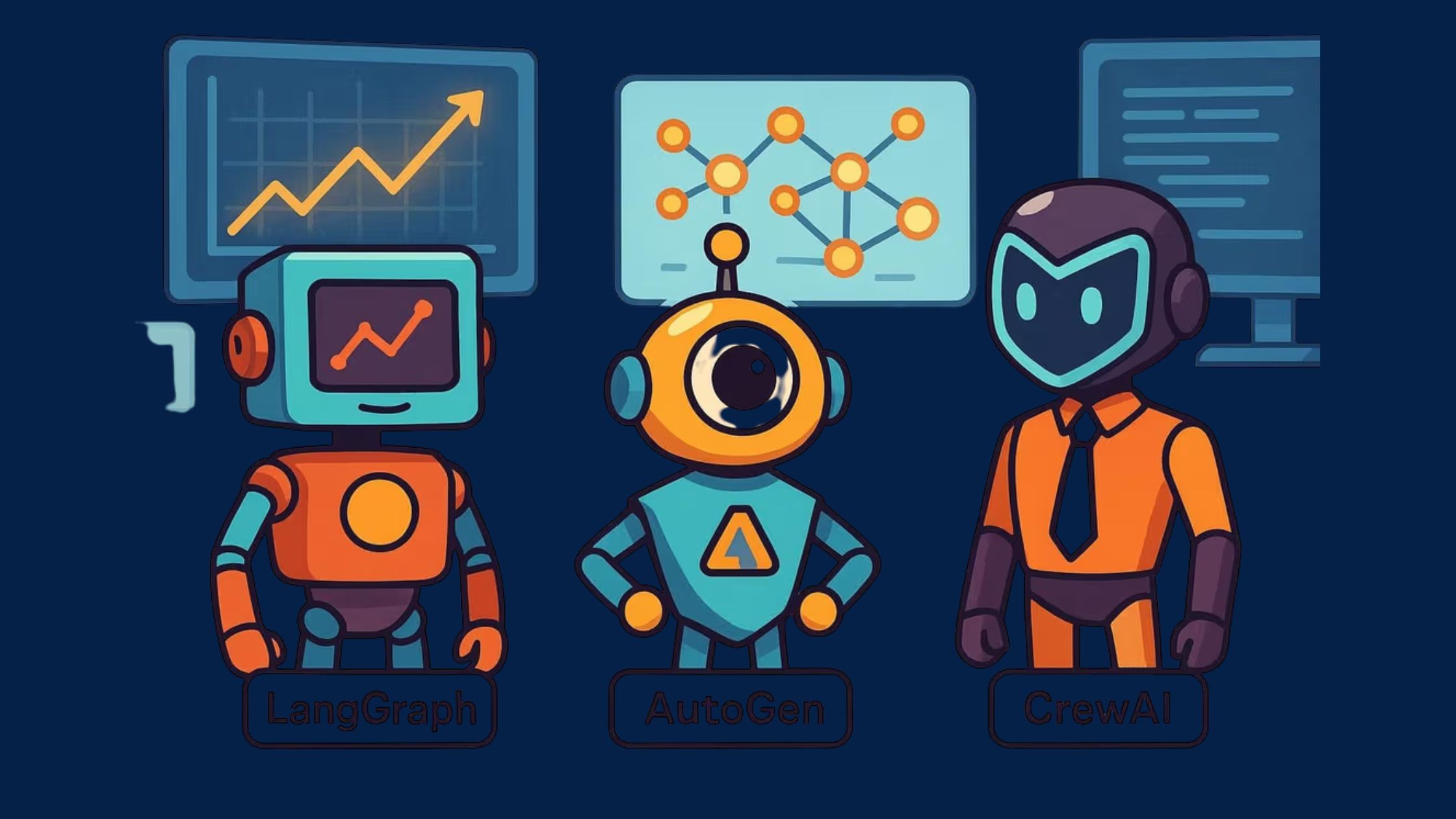
Three frameworks dominate beginner conversations in 2026, and they solve meaningfully different problems. A pattern observed across teams adopting these tools is that the biggest mistake isn't picking the wrong framework — it's picking a framework before defining the workflow it needs to support.
What Is LangChain Used For? (Beginners' Overview)
LangChain is the most widely adopted framework in the ecosystem, built around the idea of chaining LLM calls together with tool use, memory, and conditional logic. What is LangChain used for beginners: it's the best entry point if you or someone on your team can write basic Python. LangChain has the largest community, the most tutorials, and the most pre-built integrations — including LinkedIn data connectors and CRM hooks. Its learning curve is moderate. It rewards developers more than non-coders.
AutoGen (from Microsoft) takes a different approach: instead of one agent handling everything, AutoGen creates a conversation between multiple specialised agents. A researcher agent gathers prospect data, hands it to a writer agent, which passes the draft to a quality-check agent before sending. This architecture handles complex, multi-step workflows better than a single-agent setup — but it's meaningfully harder to configure and debug for a beginner.
CrewAI brings the same multi-agent idea but with an intuitive role-based mental model. You define a "crew" — a researcher, a writer, a sender — and assign tasks to each. The mental model maps well to how outreach teams actually work, which is why it's the most popular framework among non-developers and marketers who can write YAML configurations but not full Python applications.
LangChain vs AutoGen vs CrewAI: Which One Fits Your Situation
Do I need to code to use an AI agent framework? Not anymore. CrewAI and a growing number of hosted platforms (like n8n, Relevance AI, and Make) let non-developers build functional agent workflows through visual interfaces or configuration files. The honest answer: some technical comfort with APIs and JSON helps, but the barrier is meaningfully lower than it was in 2024. For pure no-code users, hosted tools built on top of these frameworks are the more practical entry point than raw framework access.
💡
Pro Tip:Before committing to a framework, spend one afternoon on CrewAI's quickstart tutorial. It covers the core concepts (roles, tasks, tools, crew) in under two hours and gives you a functional mental model you can apply to any framework evaluation afterward.
Build Warmer LinkedIn Presence Before Any Agent Sends a Message
HyperClapper connects your posts with real engagement from relevant professionals — so when your AI agent follows up, prospects already recognise your name.
AI Agent Framework Use Cases: What These Systems Actually Do in the Real World
Beyond the LinkedIn context, agent frameworks are already running in production across a wide range of business functions. The AI agent framework use cases that see the most real-world traction include:
Customer support triage: Agents that classify incoming tickets, pull CRM history, draft responses, and escalate only the cases that need a human
Code review pipelines: Agents that run static analysis, check for security patterns, and annotate pull requests before a developer reviews
Research and competitive intelligence: Agents that monitor competitor announcements, summarise changes, and push daily briefings to a Slack channel
Content workflows: A researcher agent gathers sources, a writer agent drafts, an editor agent checks tone and brand compliance — then routes to human approval
LinkedIn sales automation and AI appointment setting: The use case most relevant here — covered in depth below
Autonomous SDR Agents vs Safe-Execution Agents: Know the Difference Before You Deploy
An autonomous SDR agent is a fully independent outreach system — it identifies prospects, crafts messages, sends them, monitors replies, and books meetings without human oversight at each step. These are powerful and increasingly common in enterprise sales stacks. A safe-execution agent operates within tighter guardrails: it prepares all outputs for human approval before sending, and only acts autonomously within predefined rules (e.g. "send first-touch connection requests, but route all replies to a human").
For most beginners and mid-market teams, safe-execution agents produce better outcomes. The failure mode with fully autonomous SDR agents is well-documented in community reports: the agent works correctly at the technical level but generates messages that lack the nuanced context a human would catch — a recently announced layoff at the prospect's company, a LinkedIn post indicating they're not currently buying, or a competitor relationship visible in their profile. Safe-execution agents catch these before they damage relationships.
Warm LinkedIn engagement before outreach is the use case that often gets overlooked. Rather than a cold connection request as the first touch, an agent can be configured to like or comment on a prospect's recent posts over 5–7 days before any direct message is sent. This approach — observably common among top-performing SDR teams — mimics the natural way strong salespeople build rapport on the platform. According to Overloop (2026), personalised AI connection notes achieve a 35% acceptance rate versus 18% for blank requests — and warm engagement prior to that request pushes acceptance rates higher still. Tools like HyperClapper handle this warm engagement layer through real community interactions and AI-powered replies, making the agent's eventual first message land in a warmer context.
AI Agents for LinkedIn Outreach: How They Work and What to Watch Out For
A complete LinkedIn AI outreach agent works across six stages: prospect identification, profile enrichment, personalised message generation, send scheduling within safe thresholds, reply detection, and follow-up branching. Each stage has its own failure mode — and most outreach campaigns that get accounts flagged or produce disappointing results break down at stage three (personalisation) or stage four (volume).
78%
of buyers instantly spot templated LinkedIn messages
According to Simular (2026), 78% of buyers immediately recognise a templated LinkedIn message. This means it's not enough to automate the sending — you have to automate genuine personalisation. In practice, that means the agent must pull real contextual signals: the prospect's most recent post topic, a mutual connection, a role change in the last 90 days, or a technology they mentioned in their bio. Agents that generate messages from a static template with name-field swaps are outreach noise. Agents that synthesise real prospect context produce conversational personalization at scale — the distinction that separates a 2% reply rate from an 8%+ one.
Compliance, GDPR, and LinkedIn ToS: What Autonomous Agents Must Handle
LinkedIn's Terms of Service prohibit automated scraping and bulk messaging tools. Most AI agent frameworks technically violate these terms when they automate interactions on the platform — and LinkedIn enforces this through rate limit detection, not an explicit permission model. The practical implication: your agent must stay within LinkedIn's LinkedIn account safety thresholds:
Connection requests: ~20–30/day for accounts under 3 months old; up to 100/week for established accounts with strong SSI scores
InMail messages: determined by your subscription tier — never exceed it programmatically
Profile views: high-volume automated viewing is a flag signal; stagger these across the day
On the GDPR/CCPA side: how do autonomous SDR agents handle compliance? Any agent processing EU or California prospect data must operate under a lawful basis (typically legitimate interest for B2B outreach), must be able to respond to data deletion requests, and must not transfer data to third-party enrichment providers that lack data processing agreements. Practically, this means your CRM — not just the agent framework — must be the system of record, and your enrichment data providers must have signed DPAs in place.
How to Evaluate and A/B Test a LinkedIn AI Agent Framework Before You Commit
The most reliable evaluation method is a controlled 2-week pilot: two prospect lists of equal size, same ICP, same framework — different message personalisation strategies. Track:
Connection acceptance rate (benchmark: 25–35% for personalised notes)
Reply rate on accepted connections (benchmark: 5–10% within 7 days)
Meeting booked rate (benchmark: 1–3% of total contacts)
Account health: any restriction notices, CAPTCHA prompts, or unusual LinkedIn activity warnings
What consistently separates teams that get useful A/B data from those that don't is running variants long enough to reach statistical significance — at minimum 100 accepted connections per variant before drawing conclusions. Most pilots get abandoned after 50 contacts and produce noise, not insight.
🔴
Frequently Asked Questions About AI Agent Frameworks
Is there an AI agent for LinkedIn?
Yes, several AI agents exist for LinkedIn outreach — tools like Dux-Soup, Expandi, and custom-built CrewAI or LangChain agents can research prospects, write personalised messages, and manage follow-up sequences. The key difference from basic automation is that agents adapt behaviour based on results rather than just executing a fixed script.
Can I automate LinkedIn outreach?
Yes, LinkedIn outreach can be automated, though it technically violates LinkedIn's Terms of Service. Most agent-based tools reduce detection risk by mimicking human timing patterns, staying within daily connection limits, and warming up accounts gradually. The accounts that get flagged typically ignore rate limits or blast generic messages at high volume.
What is the best AI to help with LinkedIn?
For beginners, CrewAI combined with a LinkedIn-compatible outreach tool is the most accessible stack. CrewAI's role-based model maps naturally to outreach workflows — one agent researches a prospect, another writes the note, another logs the result. No deep coding knowledge is required to configure a working pipeline from pre-built templates.
Can ChatGPT integrate with LinkedIn?
ChatGPT alone cannot directly integrate with LinkedIn — it has no ability to browse profiles, send messages, or take actions inside the platform. Wrapped inside an agent framework like LangChain or CrewAI with the right API connectors, a GPT model can become the reasoning engine behind a LinkedIn outreach agent that actually acts.
Explain AI agent frameworks like I am a complete beginner?
An AI agent framework is software scaffolding that gives a language model memory, tools, and a decision loop. Without it, an AI can only answer questions. With it, the AI can pursue a multi-step goal — like researching a prospect, writing a message, and logging the result — on its own, without a human prompt at each step.
What is the difference between an AI agent and a large language model?
A large language model generates text — it predicts the next word based on context and stops there. An AI agent uses an LLM as its reasoning core but adds memory, tool access, and a goal-seeking loop. The LLM is the engine; the agent framework is the car that actually drives somewhere.
Which AI agent framework should a beginner start with in 2025?
CrewAI is the strongest starting point for beginners in 2025. Its role-based mental model — where you assign jobs to named agents — is intuitive without prior coding experience. LangChain offers more flexibility but has a steeper learning curve. AutoGen is better suited once you're comfortable with multi-agent orchestration concepts.
Can AI agents run tasks without human input?
Yes, AI agents can run complete task sequences autonomously once configured. A LinkedIn outreach agent can research prospects, personalise messages, schedule sends, and log outcomes with no human involvement per step. Most practitioners set checkpoints for edge cases — an unusual prospect profile or a failed tool call — rather than running fully unsupervised from the start.
👋
⚡ Free plan
Leaving already?
Grab 3 free boosts on your next LinkedIn post — real likes & comments from 5,000+ creators. No card, cancel anytime.