
A pattern observed across thousands of LinkedIn posts is this: the single biggest predictor of whether a post breaks out or flatlines is not the quality of the writing — it is the speed and density of engagement in the first 60–90 minutes after publishing. LinkedIn engagement boosts reach not because of any trick, but because LinkedIn's algorithm treats early engagement as the primary signal that content is worth showing to a wider audience. Posts that collect meaningful reactions, comments, and replies in that opening window get pushed to second and third-degree connections. Posts that don't, stall — often permanently.
- LinkedIn's algorithm uses the first 60–90 minutes of engagement to decide whether to expand a post's reach beyond your immediate network.
- Responding to comments within 15–30 minutes re-activates your post's engagement signal and extends its distribution window.
- External links in post bodies consistently suppress organic reach — native content formats (text, carousels) outperform them.
- Most "suppressed" posts aren't penalised — they simply failed the first-hour engagement test and never got a second chance.
- LinkedIn comment quality matters more than reaction volume — a 10-reply thread outperforms 100 generic likes for algorithmic distribution.
- Platforms like HyperClapper help jump-start this early engagement window using real community channels, not bots.
- What 'Quick LinkedIn Engagement' Actually Means
- How LinkedIn Algorithm Works and Decides Who Sees Your Post
- Why Responding to LinkedIn Comments Increases Reach
- LinkedIn Engagement in the First Hour: Your Make-or-Break Strategy
- Why Is My LinkedIn Post Not Reaching Anyone?
- How to Increase LinkedIn Organic Reach Without Paid Ads
- LinkedIn Engagement Pods vs Organic Engagement
- Quick LinkedIn Response Strategy: A Step-by-Step Playbook
- LinkedIn Engagement Tips for Different Audiences
- Best LinkedIn Engagement Tools in 2026
- LinkedIn vs Instagram Engagement Algorithm
- Frequently Asked Questions
What 'Quick LinkedIn Engagement' Actually Means (And Why It Matters)?
Quick engagement — defined here as reactions, comments, reposts, and replies posted within the first 60–90 minutes of a post going live — is the variable LinkedIn's algorithm weights most heavily during its initial distribution phase. This window is widely referred to as the LinkedIn golden hour for posts, and for good reason: what happens in this period determines whether LinkedIn shows your post to 200 people or 20,000.
What counts as engagement on LinkedIn goes beyond likes. Reactions of any type, comment length, reposts, dwell time (how long someone pauses on your post in their feed), and click-throughs on "see more" all send signals to LinkedIn's ranking system. Longer comments carry more weight than emoji reactions. A thread of replies signals sustained conversation value — which LinkedIn's algorithm actively rewards.
Does Quick Engagement on LinkedIn Actually Help Reach — Or Is It a Myth?
It is not a myth. LinkedIn has publicly confirmed that early engagement patterns influence content distribution decisions. The mechanism is straightforward: LinkedIn distributes your post to a small test batch first, measures how that group responds, then decides whether to expand distribution. Speed matters because LinkedIn's scoring window is short — a post with slow engagement does not get a second test batch. It simply stops.
The first 90 minutes after publishing are not just important for LinkedIn reach — they are often the only window that matters. A post that collects no meaningful engagement in that period rarely recovers, regardless of how good the content is.
This is not speculation. It is a consistent pattern across high-performing accounts in every vertical — founders, recruiters, B2B marketers, and content creators all see the same dynamic play out.
Understanding what happens in that window naturally leads to a deeper question: exactly how does LinkedIn's algorithm score that engagement?
How LinkedIn Algorithm Works and Decides Who Sees Your Post?
LinkedIn uses a multi-stage content ranking process that most creators never fully see. When you publish a post, it is first distributed to a small slice of your first-degree network — typically your most engaged connections. LinkedIn then measures the engagement velocity from that group: how quickly reactions and comments arrive, how long people spend reading, and whether they click through to the full post.
In practice, this means first-degree network velocity — the speed at which your closest connections engage — is your most powerful lever. A post that gets 5 comments from relevant, active professionals in the first 20 minutes will consistently outperform a post that gets 50 reactions spread over 6 hours.
What Specific Engagement Velocity Thresholds Trigger LinkedIn Distribution Expansion?
LinkedIn has not published specific numeric thresholds, and based on what is observable across high-performing accounts, the trigger appears to be relative rather than absolute. A post is more likely to expand distribution when it receives 8–12 meaningful engagements (reactions plus comments) within the first 30 minutes from varied, relevant accounts — not the same 3 people every time. The algorithm appears to weight account diversity in early engagers, which is why coordinated engagement from identical accounts underperforms genuine community engagement.
LinkedIn Dwell Time and Reach Signals Explained?
Dwell time is the duration a user spends with their feed cursor paused on your post — a passive but measurable signal LinkedIn factors into its ranking. Posts with hooks that stop the scroll (strong opening lines, provocative questions, or visual contrast) generate more dwell time even before someone clicks "see more." According to LinkedIn's engineering documentation, dwell time is one of several passive engagement signals used alongside explicit reactions and comments to score content quality. This means even users who don't react to your post can contribute positively to its distribution if they spend meaningful time reading it.
With the algorithm mechanics understood, the most actionable lever within them is your own behaviour after the post goes live — specifically, how you respond to comments.
Why Responding to LinkedIn Comments Increases Reach?

Every reply you post to a comment re-activates your post's engagement signal. LinkedIn treats a new reply as a fresh engagement event, which can push the post back into active distribution even hours after it was initially published. This is the core mechanic behind why responding to LinkedIn comments increases reach — it is not politeness, it is strategy.
Social proof compounding — the phenomenon where visible back-and-forth conversation attracts additional organic comments from observers — amplifies this effect. When a third-degree connection sees a post with a 15-reply thread, they are far more likely to add their own comment than if the post has 2 reactions and silence. Visible conversation signals to both the algorithm and humans that the content is worth engaging with.
What Happens If You Reply to LinkedIn Comments Fast?
Replying within 15–30 minutes of each incoming comment is the sweet spot for maximising re-distribution. Each quick reply creates a new timestamp on the post's engagement activity, which LinkedIn reads as an ongoing, active conversation. Accounts that consistently reply fast in the first hour see their posts stay in active distribution 2–3× longer than accounts that batch-reply hours later.
Does commenting on your own LinkedIn post help? Yes — self-replies that add context, ask a follow-up question, or tag a relevant person extend the post's active engagement window without appearing inauthentic. The key is that your self-comment should add genuine value, not just bump the thread.
The habit of fast replies is only useful if you are posting at the right time in the first place — which brings us to the most critical 60-minute window in LinkedIn content strategy.
LinkedIn Engagement in the First Hour: Your Make-or-Break Strategy?
The LinkedIn engagement in the first hour after publishing is the highest-leverage window you have. LinkedIn uses this period to run its initial distribution test and score whether the post warrants broader rollout. Everything you do — or don't do — in those 60 minutes directly determines how many people ever see your content.
A practical LinkedIn early engagement strategy looks like this:
- Notify 3–5 trusted connections before you post — let them know something is dropping so they can engage immediately. (30 seconds — a DM or text is enough.)
- Post at peak audience activity time for your target reader's timezone. (See the section below.)
- Stay logged in and present for the full first hour — reply to every comment within 15 minutes.
- Engage on 2–3 other posts in your feed during the hour — reciprocal visibility keeps your profile active in others' feeds simultaneously.
Best Time to Post and Engage With LinkedIn Posts by Industry?
B2B audiences — the core LinkedIn demographic — are most active Tuesday through Thursday, between 8–10 AM in the poster's target audience timezone. For recruiters, Wednesday morning and lunchtime (12–1 PM) generate strong engagement on hiring-related content. For founders and personal brand builders, early morning posts (7–8 AM) tap into the pre-meeting scroll that professionals do before their day begins.
A pattern observed across company page posts specifically: pages that post between 9–11 AM on Tuesday or Wednesday consistently outperform pages posting Friday afternoon or Monday morning — even with identical content. The timing variable is that impactful.
The community pain point here is real: many professionals notice a sudden LinkedIn reach drop not because their content quality changed, but because their posting schedule drifted to lower-activity times and their first-hour engagement window stopped delivering. Same content, different timing, drastically different results.
Why Is My LinkedIn Post Not Reaching Anyone? Common Mistakes Killing Your Reach?
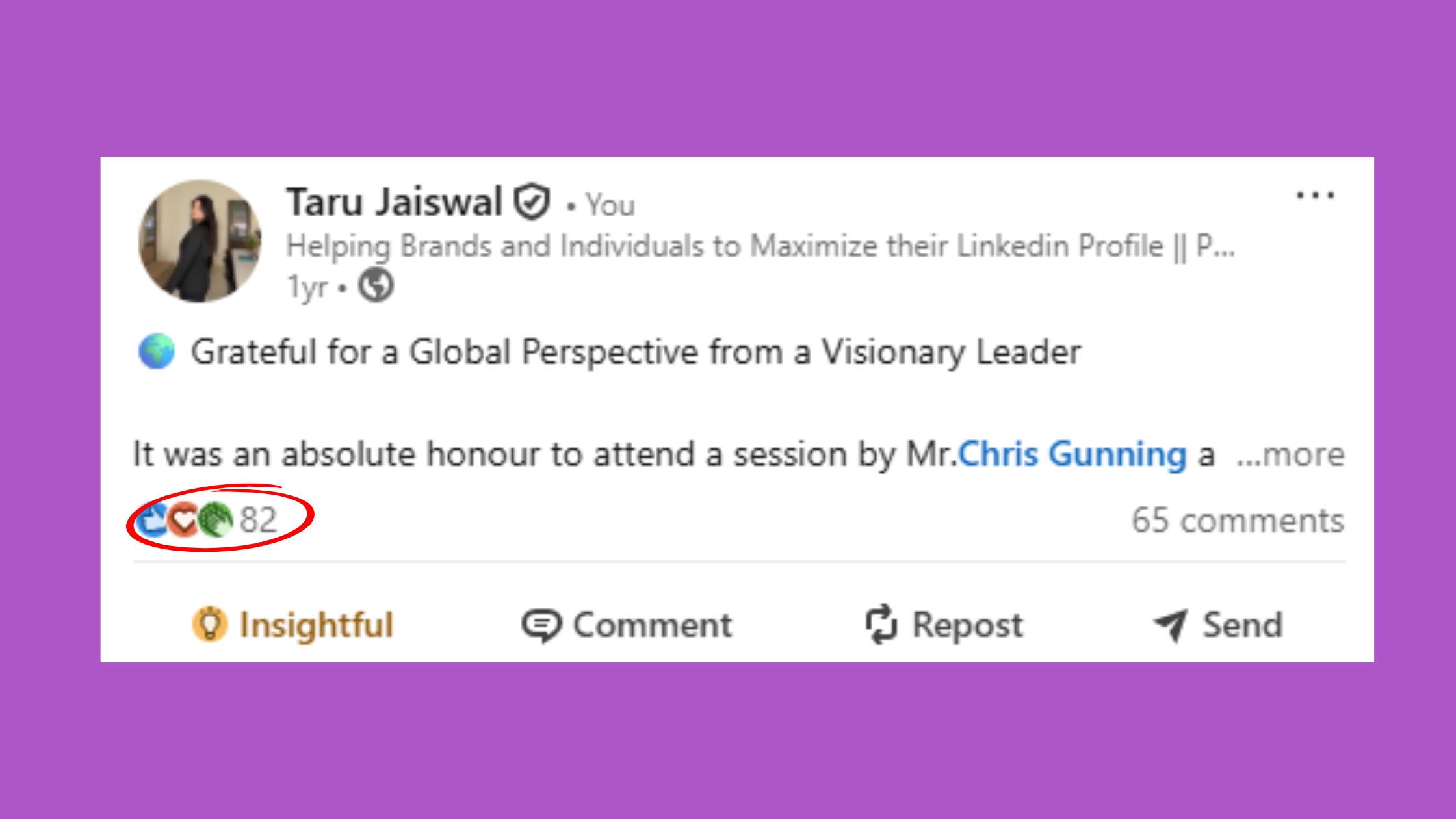
LinkedIn posts getting zero engagement is one of the most demoralising experiences for creators and founders who are genuinely trying — and the frustrating part is that it rarely has a single cause. The most common mistake pattern involves several compounding errors happening simultaneously.
The mistakes most consistently linked to stalled reach:
- Including external links in the post body — LinkedIn deprioritises posts that drive users off-platform. Move links to the first comment instead.
- Posting and immediately going offline — kills the reply-and-re-activate cycle before it can start.
- Over-using hashtags — more than 3–5 hashtags signals low-quality content to LinkedIn's classifier.
- Ignoring comment replies — unanswered comments do not compound into threads, and threads are what drive extended distribution.
- Posting at low-activity times — Friday afternoon or Sunday morning first-hour batches are small, meaning the engagement test fails from the start.
LinkedIn Reach Dropped Suddenly — Here's What Probably Happened?
The experience of "LinkedIn algorithm suppressing my posts" is almost always a misdiagnosis. Suppression in the deliberate sense is rare. What actually happens is a failed first-hour engagement window — the post is distributed to the test batch, receives insufficient engagement, and LinkedIn simply doesn't expand it further. The post isn't penalised. It just never passed the test.
When posting on LinkedIn but nobody sees it despite having followers, the fix is almost always one of three things: posting time, content format (external links vs native), or the absence of an engaged inner circle ready to respond in the first hour. Audit those three before assuming the algorithm has targeted you specifically.
Diagnosing why a post failed is useful — but the more sustainable approach is building organic reach systems that make failure less likely in the first place.
How to Increase LinkedIn Organic Reach Without Paid Ads?
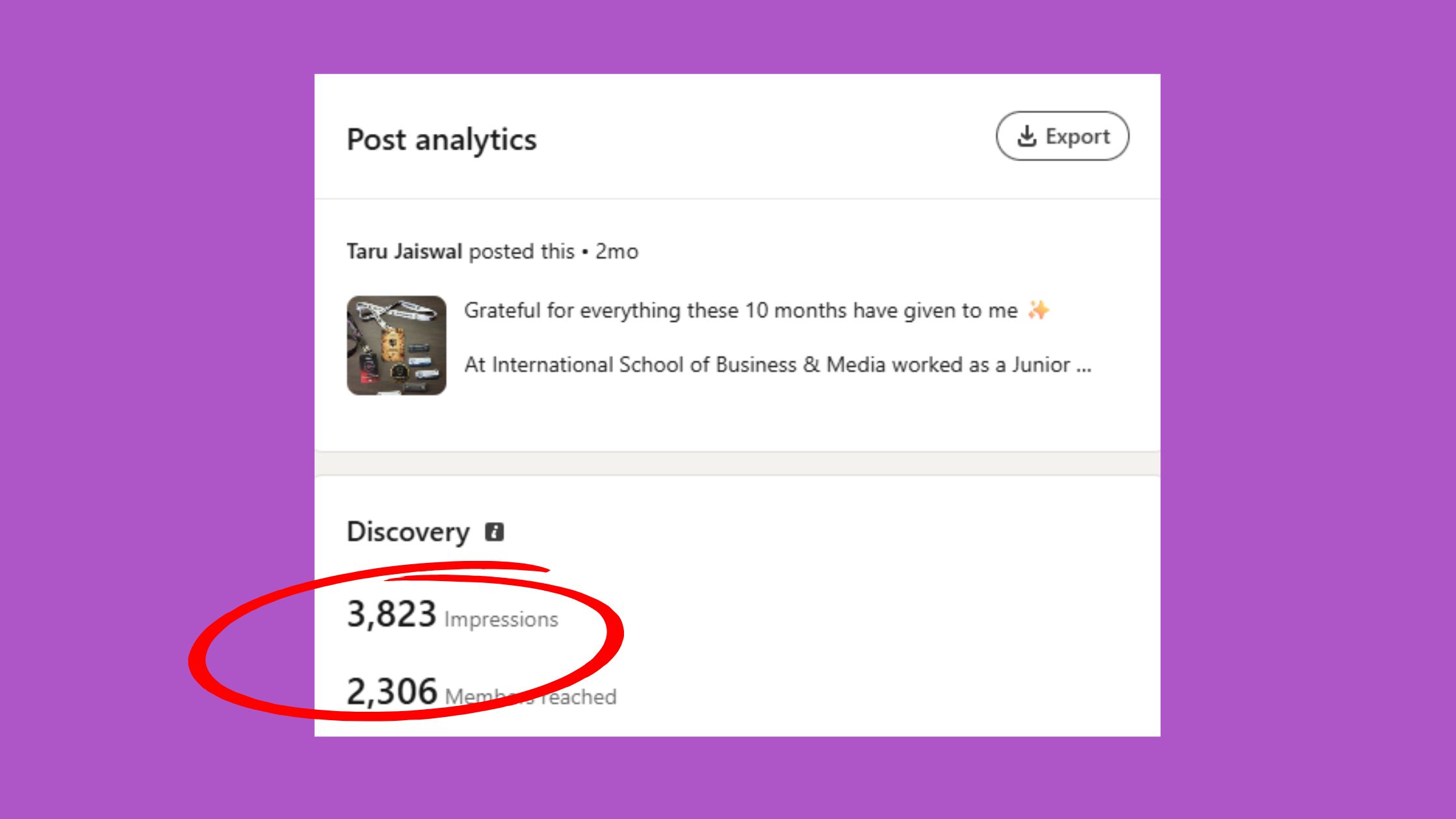
Increasing LinkedIn organic reach comes down to controlling five levers simultaneously: content format, posting time, first-hour engagement, comment depth, and network quality. Miss one and the others underperform. Get all five right and the compound effect is significant.
To get more impressions on LinkedIn posts, start with format. LinkedIn native content vs external links is not a close contest — text-only posts and carousels consistently outperform external link posts in organic distribution across virtually every industry vertical. LinkedIn's algorithm rewards content that keeps users on-platform.
LinkedIn Native Content vs External Links: Which Gets More Reach?
Native content wins. Text posts, document carousels, polls, and native video all receive preferential distribution compared to posts containing external URLs. The practical workaround — used by creators who need to share links — is to post the content without a link, then add the link as the first comment. This approach consistently recovers 30–60% of the reach lost when links are in the body, based on engagement patterns observed across high-posting accounts.
For LinkedIn tips for B2B marketers specifically: replace "check out this article" posts with a text post that summarises the key insight, and put the full article link in the first comment. The reach difference is immediate and measurable.
Grow LinkedIn Audience Organically: Build a Diverse Engagement Network Without Tools?
Teams that invest in building a genuine engagement network — not a pod, but a real community of professionals who find each other's content valuable — consistently see compounding reach over 3–6 months. The method: comment meaningfully on 5–10 posts per day from creators in your niche, reply to everyone who comments on your content, and participate in industry-specific LinkedIn groups. Over time, this creates a distributed network of professionals who naturally engage with your posts because they know you engage back.
Enabling LinkedIn creator mode is worth doing alongside this — it shifts your profile to a follower-first model, meaning people who find you through others' comment sections can follow you without connecting, expanding your potential audience beyond first-degree connections.
Organic reach is powerful for authority-building, but understanding where it sits relative to paid ads and engagement tools helps you allocate effort correctly.
LinkedIn Engagement Pods vs Organic Engagement: What the Algorithm Actually Rewards?
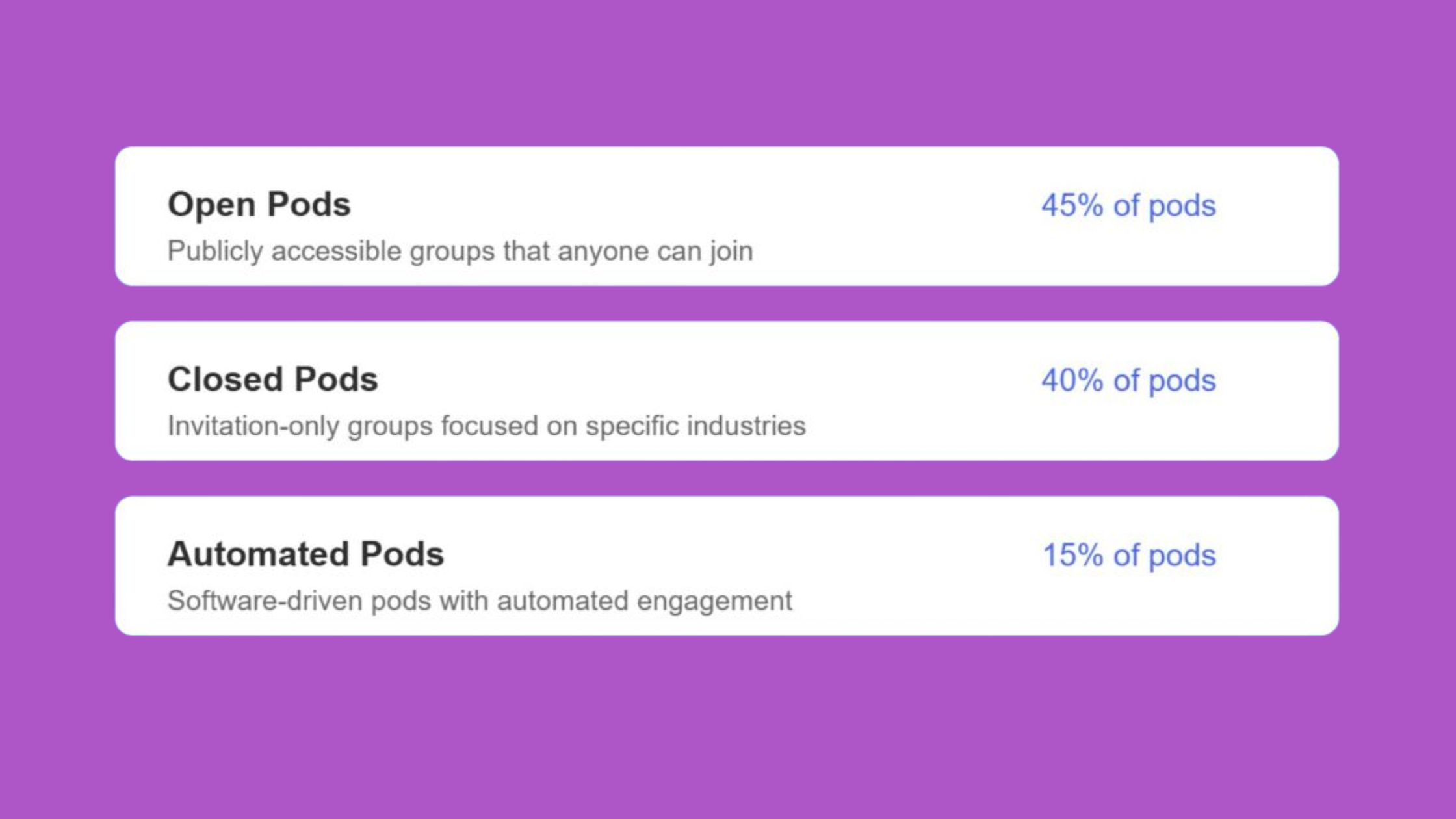
LinkedIn engagement pods are groups of users who agree to like and comment on each other's posts within a short window to trigger early algorithmic signals. In theory, they replicate the first-hour engagement effect artificially. In practice, LinkedIn's pattern detection has become sophisticated enough to identify them.
How LinkedIn distinguishes between coordinated pod engagement and legitimate niche community engagement comes down to three signals LinkedIn monitors:
- Account similarity clustering — if the same 15 accounts engage on every post from a specific user, that pattern is anomalous.
- Comment timing clusters — 10 comments arriving within 3 minutes of each other from unrelated accounts raises a flag.
- Repetitive commenter lists — when the same people appear in the engagement history of multiple pod members, LinkedIn's system identifies the group.
LinkedIn's algorithm does not reward engagement volume — it rewards engagement credibility. A post with 8 thoughtful comments from diverse, relevant accounts reaches further than one with 40 generic reactions from the same recurring group.
Recovery Strategies If Your Account Has Been Flagged for Unnatural Engagement?
If you believe your account has been flagged — visible as a sudden and sustained drop in impressions across all posts, not just one — the recovery path requires patience. Stop all coordinated engagement activity immediately. Post consistently (3–4 times per week) with genuinely native content. Focus on earning organic comments through strong hooks and direct questions. Most accounts see reach begin to normalise within 4–6 weeks of clean posting behaviour, though full recovery to previous levels can take longer.
The safer alternative is to use platforms built with pattern diversity and content moderation in mind — which is where tools like HyperClapper's real engagement channel system differ meaningfully from traditional pods.
Get Real Early Engagement — Without the Pod Risk
HyperClapper connects your posts with real professionals in relevant engagement channels, so your first-hour window gets the signals it needs — naturally.
See How It WorksQuick LinkedIn Response Strategy: A Step-by-Step Playbook?
What separates top performers on LinkedIn from everyone else posting the same quality content is usually execution in the 90 minutes after publishing — not the post itself. Here is a concrete playbook that consistently extends post reach without requiring ad spend or large audiences.
The 90-Minute Engagement Playbook:
- Before posting (T-30 minutes): DM 3–5 trusted connections with a brief heads-up — "dropping something interesting in 30 minutes, would love your take." Keep it genuine. (1 minute per message)
- At post time: Publish, then immediately leave a contextual first comment — add a link if relevant, or a clarifying thought that invites a specific response.
- Minutes 0–30: Reply to every incoming comment within 15 minutes. Ask a follow-up question in each reply to extend the thread.
- Minutes 30–60: Engage on 2–3 posts from other creators in your feed. Reciprocal activity keeps your profile visible in the feeds of people who might not have seen your post yet.
- Minutes 60–90: Check for late comments. Add a self-reply if the thread has slowed — ask a question that re-opens conversation.
To maximise LinkedIn post engagement rate, build your hook before this playbook matters at all. End your post with a direct, specific question — not "what do you think?" but "Which of these two approaches would you try first?" Specificity drives responses. Generic questions drive silence.
Does Liking Your Own LinkedIn Post Help With the Algorithm?
The evidence on this is mixed. Liking your own post sends a minor engagement signal, but it carries significantly less weight than a like from another account. The more impactful version of "self-engagement" is posting a substantive first comment immediately after publishing — this creates the opening thread that early visitors can reply to, and adds an engagement event that the algorithm can score. Self-likes alone are unlikely to move the needle. Self-comments with real content are consistently more effective.
LinkedIn Engagement Tips for Different Audiences: Founders, Creators, Recruiters, and B2B Marketers?
The same engagement principles apply across audiences, but the content format and posting rhythm that triggers them differs significantly by who you are and what you are trying to achieve on LinkedIn.
LinkedIn growth tips for founders: Your personal brand drives more company page reach than any company content strategy will. Prioritise thought leadership posts — perspectives, lessons from failure, and behind-the-scenes observations — over product announcements. Founders who post 3–4 times per week on personal profiles and then share (not cross-post) to their company page see measurably stronger company page growth than those who only post on the company page.
LinkedIn best practices for content creators: Carousel formats consistently outperform other formats for educational content. Reply to every comment in the first hour. Post 3–4 times per week — accounts that drop below this frequency see algorithmic reach decay within 10–14 days, typically requiring 3–4 weeks of consistent posting to recover distribution levels.
How recruiters can grow LinkedIn reach: Hiring stories and candidate success posts dramatically outperform job listing posts in organic reach. A post that tells the story of how a candidate's unconventional background made them perfect for a role gets shared and engaged with naturally. A job listing post gets scrolled past.
LinkedIn engagement tips for small business and LinkedIn tips for job seekers visibility converge on the same tactic: comment meaningfully on industry leaders' posts every day. This puts your name in front of their entire audience — people you are not connected to who see your thoughtful comment and click through to your profile.
LinkedIn Strategy for Personal Brand: Long-Term Authority Beyond Single Posts?
The most common failure mode among personal brand builders is optimising every post for viral reach rather than building a consistent reputation over time. A pattern consistently seen across creators who break through on LinkedIn is that they are known for something specific — a recurring format, a consistent perspective, or a particular topic — and their audience knows what to expect. This specificity builds social proof compounding at the profile level: each new post benefits from the authority signal established by all previous posts. Check out these advanced LinkedIn reach strategies for 2026 for a deeper look at authority-building tactics.
Best LinkedIn Engagement Tools in 2026: What to Look For?

When evaluating any LinkedIn growth service or engagement tool, four criteria matter most:
- Real human engagement — not bot accounts or fake profiles. LinkedIn's detection has improved significantly; bot-generated engagement is increasingly identified and suppressed.
- Content moderation controls — a tool without moderation puts your account at risk if your post touches sensitive topics.
- Analytics and transparency — you need to see what is working and why, not just raw engagement numbers.
- Terms of service awareness — the tool should be designed to minimise account risk, not maximise short-term vanity metrics.
HyperClapper addresses all four. It connects users with real engagement communities called channels — each channel represents approximately 50 potential engagements from real professionals. Its Content Guard system screens posts for sensitive content before distribution. AI-powered replies keep conversations active and substantive rather than generating generic "great post!" responses. And its analytics dashboard shows post performance and engagement patterns over time.
How HyperClapper Helps You Boost LinkedIn Post Visibility for Free (and Fast)?
Where HyperClapper differentiates from alternatives like Lempod and Podawaa is in the combination of real community engagement, AI reply generation, and company page boosting capability. Most engagement pods focus only on personal profile posts — HyperClapper also supports company page posts, which is a significant gap for brands and agencies managing LinkedIn at scale. For content creators focused on visibility, HyperClapper is the stronger choice specifically because it addresses the first-hour engagement window with real, diverse engagers rather than a fixed recurring group.
%2520(1).png) hyperclapper.com
hyperclapper.comAlso worth addressing: is LinkedIn Premium worth it for reach? LinkedIn Premium improves profile visibility and provides useful analytics (who viewed your profile, how your content compares to peers), but it does not directly boost post reach the way engagement activity does. Premium is valuable for prospecting and profile credibility; for post reach specifically, engagement strategy and tools matter more.
LinkedIn vs Instagram Engagement Algorithm: How LinkedIn Is Different?
Creators who move from Instagram to LinkedIn — or run both simultaneously — often make the mistake of applying Instagram's engagement logic to LinkedIn content. The two platforms reward fundamentally different behaviours.
On LinkedIn, comment quality and reply chains carry more weight than reaction volume. A post with 10 thoughtful exchanges in the comments will consistently outperform a post with 100 generic reactions. On Instagram, save rate and share velocity drive distribution — the content itself drives saves, and saves drive reach. Instagram can also resurface content days later through the Explore algorithm. LinkedIn has no equivalent — posts have a 24–72 hour peak distribution window, after which reach drops sharply. This makes first-hour engagement on LinkedIn categorically more important than on Instagram.
The practical takeaway: strategies that perform on Instagram — posting frequently with heavy visual investment, using 20+ hashtags, prioritising aesthetic over insight — do not map to LinkedIn. LinkedIn rewards a conversation-first model: fewer posts, deeper content, active engagement management.
✓ LinkedIn Post Launch Checklist
- ☐Post at peak time for your audience (Tue–Thu, 8–10 AM target timezone)
- ☐Remove all external links from post body — move to first comment
- ☐Notify 3–5 trusted connections 30 minutes before publishing
- ☐End post with a specific question (not "what do you think?")
- ☐Post a substantive first comment immediately after publishing
- ☐Reply to every comment within 15 minutes for the first 90 minutes
- ☐Engage on 2–3 other posts in your feed during the first hour
- ☐Use 3–5 hashtags maximum — no more
- ☐Check post analytics at 24h and 72h to diagnose what worked
Stop Publishing Into the Void — Start Every Post With Momentum
HyperClapper gives your posts the real early engagement they need to pass LinkedIn's first-hour distribution test — with real people, AI replies, and a Content Guard system that keeps your account safe.
Start Boosting Posts FreeFrequently Asked Questions About LinkedIn Engagement and Reach
What Is the 5-3-2 Rule on LinkedIn?
The 5-3-2 rule is a content sharing framework: for every 10 posts, 5 should be curated content from others, 3 should be your original content, and 2 should be personal or conversational posts. It is designed to prevent over-promotion and maintain audience trust by balancing value delivery with personal connection.
What Is the 5-5-5 Rule for LinkedIn Success?
The 5-5-5 rule is a daily engagement habit: send 5 connection requests to relevant people, engage meaningfully with 5 posts in your feed, and reply to 5 comments or messages in your inbox. Followed consistently, it builds network breadth and keeps your profile active in LinkedIn's engagement signals — which benefits post distribution indirectly.
What Is the 4-1-1 Rule on LinkedIn?
The 4-1-1 rule means: for every 6 posts you share, 4 should be educational or entertaining content from others, 1 should be your own original content, and 1 should be a promotional post about your product or service. It prevents the promotional overload that causes follower disengagement and reach suppression.
What Is the 95-5 Rule on LinkedIn?
The 95-5 rule reflects LinkedIn's B2B marketing reality: 95% of your target audience is not actively in buying mode at any given time, while only 5% are. The implication is to invest primarily in brand-building and educational content that reaches the 95% now — so when they do enter buying mode, you are the name they already trust.
How Fast Should You Reply to Comments on Your LinkedIn Post to Boost Reach?
Reply within 15–30 minutes of each incoming comment for maximum impact on re-distribution. Each reply creates a new engagement timestamp that LinkedIn scores as ongoing conversation activity. Batch-replying hours later still adds value, but the algorithmic benefit is significantly lower than real-time responses during the first 90 minutes.
What Are the Best Ways to Increase LinkedIn Post Impressions Without Paying for Ads?
The highest-impact free tactics are: post native content (no external links in body), publish Tuesday–Thursday at 8–10 AM, build an inner circle of 5 contacts who engage early, reply to every comment within 15 minutes, and enable creator mode. Combining all five consistently will outperform sporadic posting with paid boosts behind it.
How Does LinkedIn Decide Who Sees Your Post?
LinkedIn distributes your post to a small test batch of first-degree connections first, then scores engagement velocity — how fast reactions and comments arrive. If that score crosses an internal threshold, distribution expands to second-degree connections and beyond. Poor first-hour engagement stops expansion permanently for that post.
What consistently separates accounts with real reach from accounts with impressive follower counts is not any single tactic — it is the combination of posting at the right time, managing the first-hour engagement window actively, and building a network that responds because they genuinely find your content valuable. Accounts that get all three right see compounding reach over months. Accounts that miss any one — even with great content — typically plateau regardless of how hard they post. Learn more about formatting LinkedIn posts to maximise reach and engagement and how to increase LinkedIn reach in 2026 without paid ads for the complete picture.



