A pattern consistently observed across real estate professionals on LinkedIn is that the agents generating the highest-value leads aren't the most active ones — they're the most systematically active ones. LinkedIn automation tools are software platforms that handle repetitive prospecting tasks — connection requests, follow-up messages, profile visits, and post engagement — so agents can focus on conversations that actually close deals. For a realtor, that means your outreach runs while you're on a showing, your content gets traction while you're at a closing, and your pipeline fills while you sleep. The challenge is doing it without triggering LinkedIn's detection systems — and that's exactly where most guides fail to give you a straight answer.
- Who this is for: Real estate agents, realtors, and brokers who want a scalable LinkedIn lead generation system beyond cold portals.
- What you'll learn: How to choose, set up, and run LinkedIn automation tools safely — from profile optimisation to message sequencing to CRM integration.
- The safety reality: Most account bans come from exceeding daily action thresholds, not from using automation at all — safe limits are 15–25 connection requests per day.
- Risk tiers matter: Tools fall into low-risk (HyperClapper, Sales Navigator native), medium-risk (Dripify, Expandi), and high-risk (unthrottled scripts) — this article maps exactly which is which.
- The most counterintuitive finding: Agents who combine content boosting with outreach automation generate 2–3x more inbound DMs than those using outreach alone.
- The gap this article covers: Realistic acceptance rates, message scripts by lead type, CRM integration walkthroughs, and the compliance line most articles won't draw clearly.
- Why LinkedIn Is a Goldmine for Real Estate Lead Generation
- What LinkedIn Automation Tools Actually Are
- Optimizing Your LinkedIn Profile Before Running Any Automation
- Is LinkedIn Automation Safe for Realtors?
- Best LinkedIn Automation Tools for Real Estate Agents in 2026
- LinkedIn Automation Tool Pricing for Real Estate Agents
- How to Automate LinkedIn Connection Requests as a Realtor
- What Should a Realtor Say in a LinkedIn Message?
- Integrating LinkedIn Automation with Real Estate CRMs
- Common Mistakes Real Estate Agents Make with LinkedIn Automation
- Real-World Results: What ROI Can Real Estate Agents Expect?
- LinkedIn Automation Tool Comparison: Matching the Right Tool to Your Lead Type
- Frequently Asked Questions: LinkedIn Automation for Real Estate Agents
Why LinkedIn Is a Goldmine for Real Estate Lead Generation (That Most Agents Ignore)
LinkedIn's user base skews toward exactly the demographic that drives high-value real estate transactions: senior professionals, corporate executives, founders, and investors — the same people most realtors struggle to reach through Facebook ads or Zillow listings. Unlike cold portals where a buyer is anonymous until they inquire, LinkedIn leads arrive pre-qualified by their own public profile: job title, company, seniority, location, and whether they've just changed roles are all visible before you send a single message. That last signal — a recent job change — is one of the strongest real estate buying triggers that exists, and it's freely accessible on LinkedIn in real time.
According to ConnectSafely (2026), the LinkedIn automation tools market has reached an estimated $850 million annually, growing 42% year-over-year — a direct reflection of how many professionals are now treating LinkedIn as a primary prospecting channel, not a background résumé. Real estate agents who shift to LinkedIn as a lead source rather than a professional profile consistently report higher average deal values than those relying on traditional social channels. The platform rewards professional content and structured outreach in ways that compound: early movers build network density, credibility, and inbound reach that latecomers can't quickly replicate.
How Real Estate Agents Get Leads on LinkedIn
LinkedIn lead generation real estate operates through three parallel tracks that work best in combination:
- Outbound connection + message sequences: Targeting professionals by job title, geography, and company type, then initiating structured follow-up conversations.
- Content visibility: Publishing market insights, deal announcements, and relocation tips that attract inbound inquiries from prospects already in buying mode.
- Engagement credibility: Commenting on and reacting to content in your target market, which surfaces your profile to people who haven't yet connected with you.
Teams that combine all three tracks consistently see pipeline fill faster than those relying on outbound messages alone. The content track builds the credibility that makes cold messages convert — without it, even well-crafted outreach lands in ignored territory.
The agents who consistently win on LinkedIn aren't sending the most messages — they're sending the right messages to prospects who have already seen their content and decided they're worth talking to.
Now that the opportunity is clear, understanding exactly what automation tools do — and don't do — is the foundation before configuring a single workflow.
What LinkedIn Automation Tools Actually Are (and How They Work for Realtors)
LinkedIn automation tools are software platforms that execute repetitive LinkedIn actions — connection requests, follow-up messages, profile visits, skill endorsements, and post engagement — on a defined schedule, removing the manual grind from prospecting. For a real estate agent, this means your outreach workflow continues while you're conducting showings or negotiating contracts.
There are two architectural categories worth understanding before choosing a tool:
- Cloud-based tools (Dripify, Expandi): These operate from remote servers via LinkedIn's session token, meaning they run even when your laptop is closed. They tend to be safer from a detection standpoint because they operate from a consistent IP address.
- Browser-extension tools (older generation): These run locally through Chrome and mimic human behavior by controlling your browser directly. They require your computer to be on and active, and they carry higher detection risk if the extension pattern is recognised by LinkedIn's systems.
For real estate agents, the most important functional distinction is between three tool categories:
- Outreach tools — send connection requests and message sequences (Dripify, Expandi, Waalaxy)
- Engagement tools — boost post visibility and generate real comments and likes (HyperClapper)
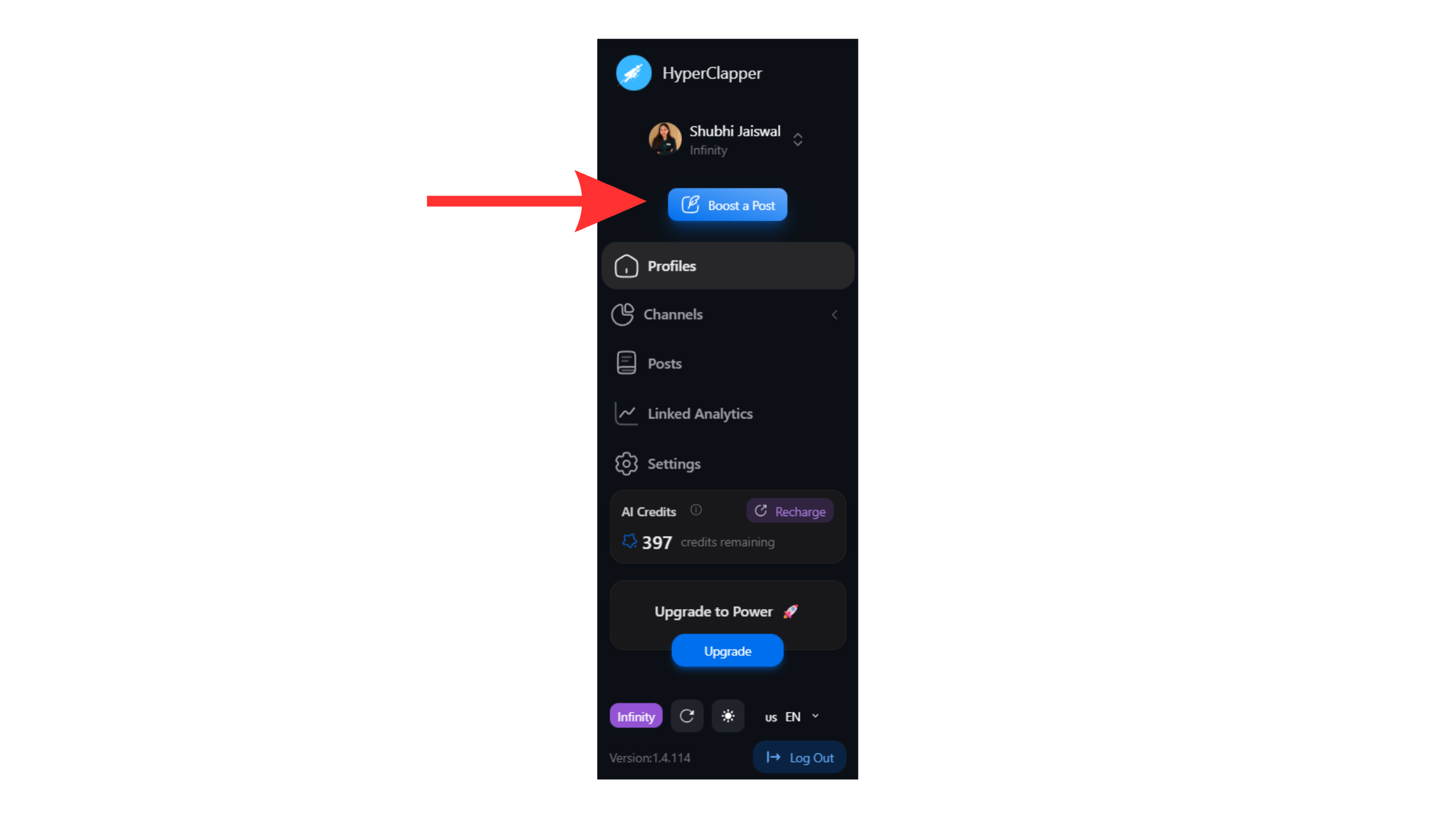
Boost post visibility with Hyperclapper - Targeting tools — help you identify and filter the right prospects (LinkedIn Sales Navigator)
Engagement Pod vs. Automation Tool: Which Do Real Estate Agents Need?
An engagement pod is a group of users who agree to like and comment on each other's posts to signal relevance to the algorithm. An automation tool handles sequential outreach actions. These serve fundamentally different purposes — and confusing them is the most common framing error in this space.
Most realtors need both: an engagement platform to build content credibility, and an outreach tool to initiate direct conversations. Running outreach automation without content credibility means your prospects receive a connection request from a profile they've never encountered before — acceptance rates drop significantly. Agents who skip the content layer typically find their outreach campaigns plateau around a 20–25% acceptance rate, while those with active, visible content regularly exceed 35–40%.
With the tool categories clear, the single highest-leverage step before activating any automation is your profile — and most agents skip it entirely.
Optimizing Your LinkedIn Profile Before Running Any Automation
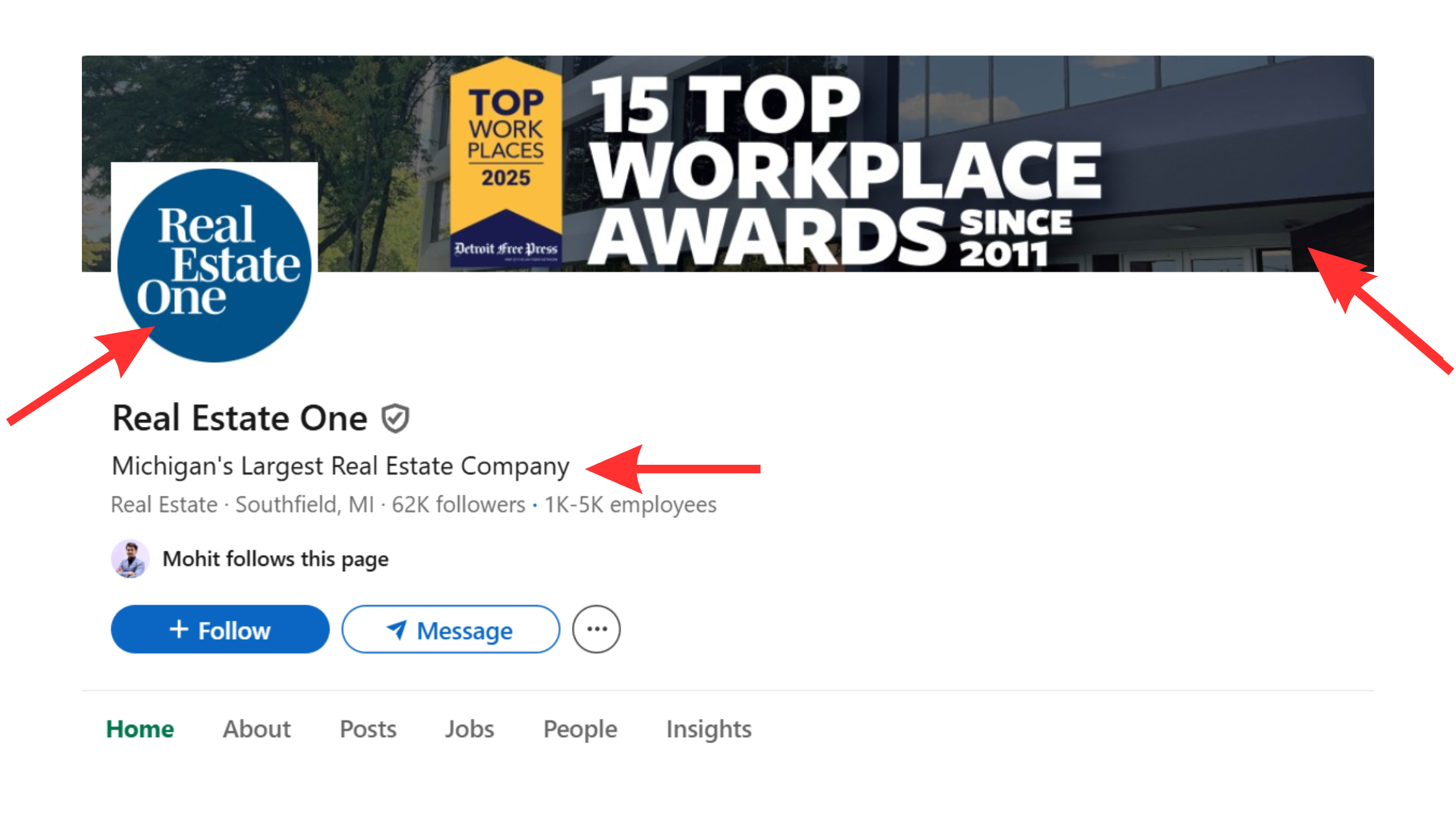
Your LinkedIn profile is the landing page every prospect evaluates the moment they receive your connection request. A weak profile kills acceptance rates before automation sends a single message — no tool can compensate for a profile that reads like an unfilled template.
The elements that most directly affect acceptance rates for real estate agents:
- Headline: Lead with a value statement, not a job title. "Austin Relocation Specialist | Helping Executives Find Their Next Home" outperforms "Realtor at XYZ Brokerage" because it speaks to the prospect's situation, not your credentials.
- Headshot: Professional, high-resolution, and approachable. A low-quality photo signals low investment in the profile and reduces trust immediately.
- LinkedIn banner: Show your market, brokerage brand, or a specific value proposition. This is the first visual impression and most agents leave it as the default grey gradient.
- Summary (About section): Write in first person, address the reader's problem directly, and end with a clear call to action. Avoid third-person bios that read like press releases.
- Featured section: Showcase recent closings, client testimonials, market reports, or press mentions. Social proof here converts cold profile visitors into warm acceptances more reliably than any other profile element.
Connection Request Acceptance Rates Realtors Can Realistically Expect
What connection request acceptance rates can real estate agents realistically expect? A well-optimised profile running a targeted campaign at safe daily limits should achieve 30–40% acceptance rates for first-degree adjacent prospects (connections of connections). Raw cold requests to entirely unrelated audiences typically land at 15–22%. If acceptance rate drops below 25% after 50+ sent requests, that is a signal to audit either the profile, the targeting filters, or the connection note — not to increase volume.
Profile sorted. Now for the question every agent actually wants answered before they touch any tool: what's the real safety picture?
Is LinkedIn Automation Safe for Realtors? Risks, Rules, and Account Safety in 2026
The honest answer: LinkedIn automation is not risk-free, but the risk is manageable with the right tool configuration and daily limits. A recurring pattern among realtors trying to use automation is that the conversation circles entirely around fear of detection — rather than the practical question of which specific behaviors trigger restriction and which don't. That's the gap this section addresses directly.
LinkedIn's Terms of Service explicitly prohibit scraping, bot activity, and actions that "undermine the integrity of member data." What they draw a gray line around is tools that mimic human behavior at thresholds that fall within normal human usage patterns. The platform's detection systems flag accounts based on:
- Action velocity — too many requests sent in too short a window
- Ignore and withdraw rates — high rates signal that targets don't recognise you
- Timing patterns — actions that happen at perfectly uniform intervals (a bot tell)
- IP consistency — logging in from multiple geographic locations rapidly
- Account age and connection density — newer, thinner accounts attract more scrutiny
According to ConnectSafely (2026), the LinkedIn automation tools market growing at 42% YoY reflects widespread professional adoption — but that adoption also means LinkedIn's detection systems have become significantly more sophisticated over the same period. The tools that have survived this evolution are the ones built around human-mimicry at conservative thresholds.
How Many LinkedIn Connection Requests Per Day Is Safe for Realtors
How many LinkedIn connection requests per day should a realtor send? The safe operating range is 15–25 connection requests per day, with randomised delays of 2–5 minutes between each action. This mirrors the behavior of an active human user rather than an automated script. New accounts (under 90 days old, under 500 connections) should start at 10–15 per day and scale up gradually over 4–6 weeks. Accounts with established engagement history can operate closer to the 25 upper limit without elevated restriction risk.
Avoid LinkedIn Account Restrictions: What Triggers Detection
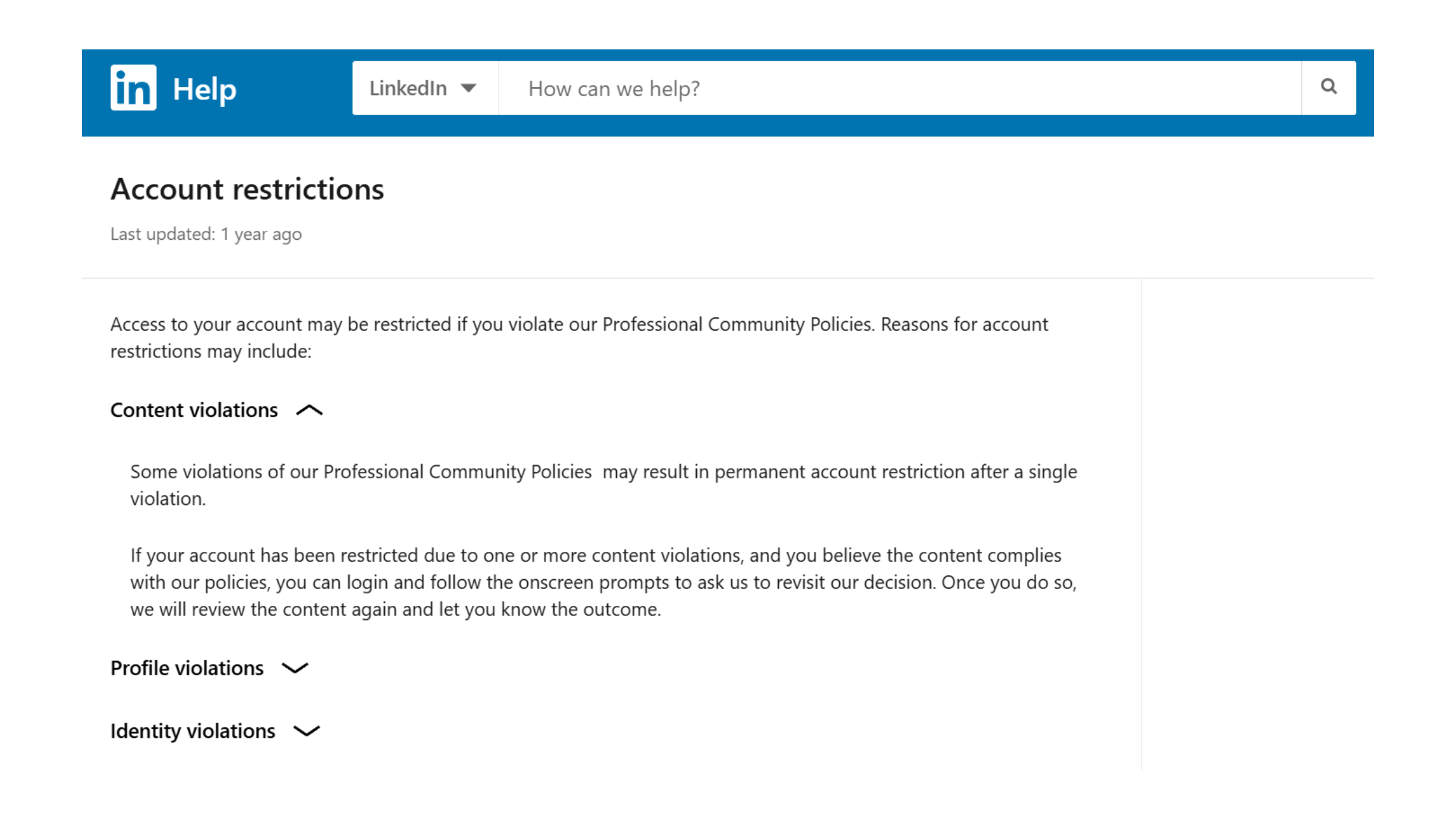
The most common failure mode — and the one that catches agents off guard — is ramping up volume too fast in the first two weeks. LinkedIn's algorithm treats sudden activity spikes on previously quiet accounts as a strong bot signal, regardless of whether the requests themselves look human. Start slow, increase by no more than 20% per week, and never exceed 100 connection requests in a single day regardless of account age.
Additional restriction triggers to avoid:
- Withdrawing large batches of pending requests at once (LinkedIn reads this as spam behavior)
- Sending identical message text to more than 30–40 people without variation
- Operating the tool from a different IP than your usual LinkedIn login
- Running automation while simultaneously using LinkedIn manually in the same browser session
Can You Use Bots on LinkedIn Without Getting Banned?
Can you use bots on LinkedIn without getting banned? Not traditional bots — but tools that mimic human behavior at safe thresholds operate in a gray zone that thousands of professionals use without restriction. The key distinction is throttled, human-patterned automation vs. unthrottled scraping scripts. The former operates within LinkedIn's detectability threshold; the latter does not. Accounts using well-configured tools like Dripify or Expandi at recommended limits rarely face restrictions. Accounts running open-source LinkedIn scrapers or setting limits above 50 requests/day frequently do — often within the first two weeks.
For a deeper look at how to stay within safe operating parameters, see this guide on generating leads on LinkedIn without getting banned in 2026.
Best LinkedIn Automation Tools for Real Estate Agents in 2026
The best linkedin automation tools for real estate balance targeting precision, outreach sequencing, safety controls, and CRM compatibility — not just raw feature lists. According to BearConnect, AI-personalised automation achieves 25–50% reply rates compared to 10% for generic automated templates and 15–25% for manual messages. This means tool selection and message quality matter far more than volume. In practice, the right tool for a solo agent looks very different from the right stack for a brokerage team.
Here is a risk-tiered overview — the breakdown most comparison articles won't give you directly:
| Tool | Best For | Risk Level | Price (from) | Our Rating |
|---|---|---|---|---|
| HyperClapper | Content visibility + engagement boosting | Low | ~$29/mo | ⭐⭐⭐⭐⭐ |
| LinkedIn Sales Navigator | Advanced targeting + lead lists | Low | $99/mo | ⭐⭐⭐⭐⭐ |
| Dripify | Solo agent outreach sequencing | Medium | $39/mo | ⭐⭐⭐⭐ |
| Expandi | Personalised image/GIF sequences, teams | Medium | $99/mo | ⭐⭐⭐⭐ |
| Waalaxy | Multi-channel (LinkedIn + email) | Medium | $40/mo | ⭐⭐⭐½ |
| Open-source scripts | Budget testing only — not production use | High | Free | ⭐ |
Dripify vs. Expandi for Realtors: A Practical Comparison
Dripify vs Expandi for realtors comes down to campaign complexity and budget. Dripify is the cleaner choice for solo agents: straightforward sequence builder, built-in safety limits, and a $39/month entry point that makes it viable without team-level ROI justification. Its dashboard is approachable for agents who aren't technical marketers, and its sequence logic (connect → wait → message → follow-up) maps directly to a realtor's outreach flow.
Expandi justifies its higher price tag ($99/month) with personalised image and GIF message sequences — a feature that, according to community testing data on Reddit, lifted response rates from around 3% with standard automated text to 18–22% with video and image personalisation. For luxury or investor-focused agents where average deal value exceeds $1M, that lift justifies the cost difference many times over. Expandi also handles team accounts more gracefully, making it the better choice for brokerages running multi-agent campaigns.
HyperClapper: LinkedIn Engagement Automation Built for Visibility

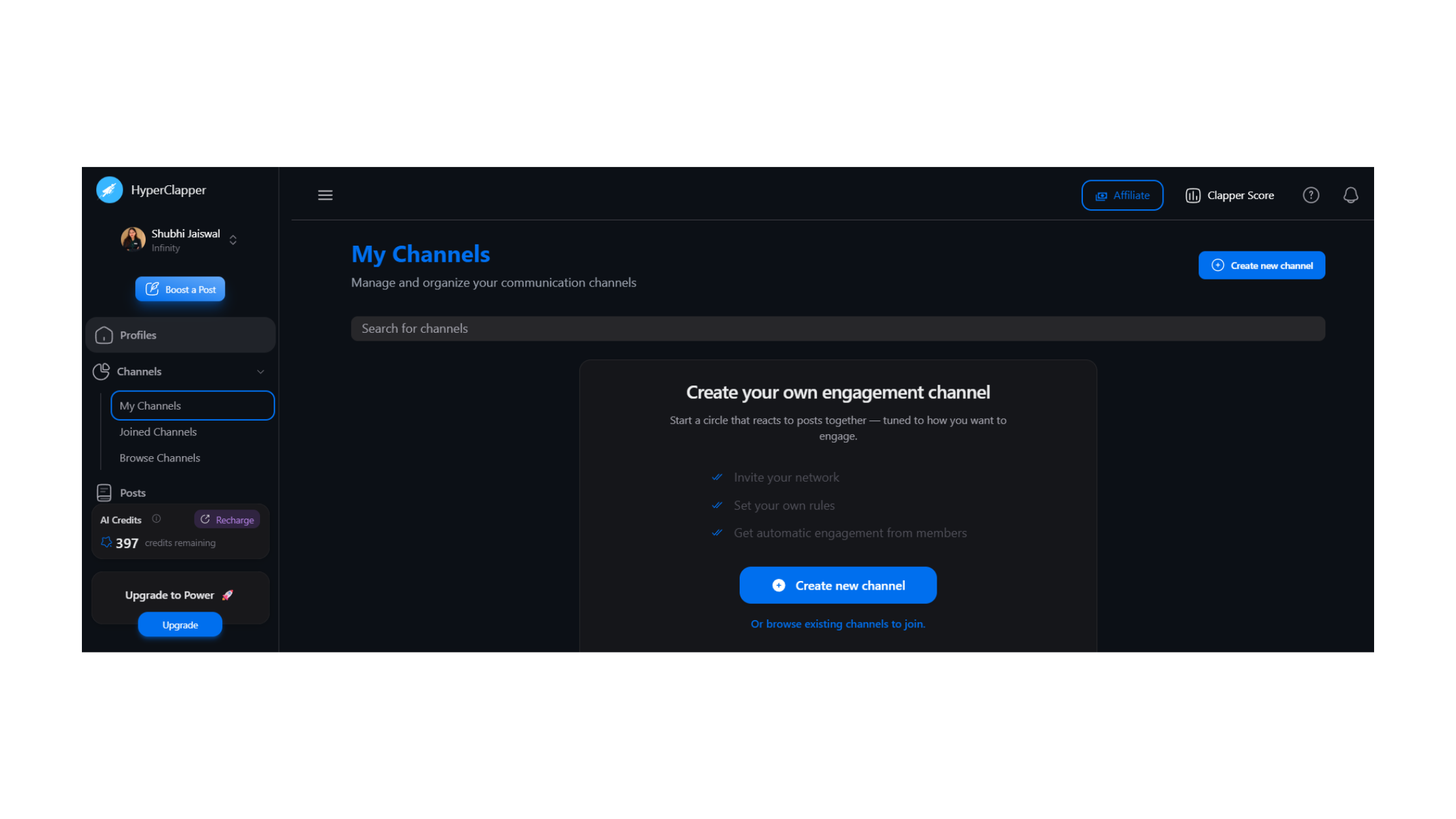
Where HyperClapper differs from outreach tools is its focus on the content credibility layer — the part of the LinkedIn funnel that makes cold outreach convert. Tools like HyperClapper connect users with real engagement groups called channels — structured communities where members engage with each other's posts, generating genuine likes and comments rather than bot activity. For a real estate agent, this means a market update post or deal announcement reaches a meaningfully larger audience within the first 60 minutes of publishing — the window when LinkedIn's algorithm determines a post's distribution ceiling.
HyperClapper's AI-powered replies feature generates contextually relevant comments that keep conversations active days after initial publication, which LinkedIn's algorithm rewards as a signal of meaningful content. The platform's Content Guard system automatically screens posts for sensitive topics — politics, controversy, divisive news — that could damage a professional brand. For realtors building a long-term LinkedIn presence, this is the engagement layer that makes outreach automation actually land.
%2520(1).png) hyperclapper.com
hyperclapper.comLinkedIn Sales Navigator for Real Estate: Is It Worth It?
LinkedIn Sales Navigator real estate use cases are compelling for any agent targeting corporate relocation, investor, or C-suite buyer segments. At $99/month, Sales Navigator unlocks Boolean search filters, saved lead lists, real-time job change alerts, and TeamLink — features that LinkedIn's free search simply can't match at scale. The job change alert alone is worth the subscription cost: it surfaces prospects who have just relocated, changed employers, or been promoted — all high-probability real estate buying triggers — in real time.
What Sales Navigator does not do is send messages or automate sequences. It is a targeting and intelligence layer that feeds into a separate outreach tool. The optimal stack for a serious realtor is Sales Navigator (targeting) paired with Dripify or Expandi (execution). For a detailed breakdown of how to use Sales Navigator filters for real estate prospecting, see this guide on LinkedIn Sales Navigator lead generation.
Build the content credibility that makes your outreach convert
HyperClapper boosts your LinkedIn post visibility with real engagement, AI replies, and analytics — so prospects already know you before your connection request lands.
Try HyperClapper FreeLinkedIn Automation Tool Pricing for Real Estate Agents: What to Budget in 2026
LinkedIn automation tool pricing for real estate agents varies considerably by use case and account scale — and the cheapest option is reliably the most expensive when account bans are factored in.
Three realistic budget scenarios:
- Solo agent stack (safe and effective): HyperClapper for post engagement + Dripify Basic for outreach sequences — combined monthly cost typically under $80. This covers the content visibility layer and the outreach layer without overlap.
- Growth-stage agent or small team: Sales Navigator ($99) + Dripify Advanced ($59) + HyperClapper — approximately $190/month. This adds targeting precision and supports higher-volume campaigns across multiple lead types simultaneously.
- Brokerage or team of 5+ agents: Sales Navigator Team + Expandi per-seat ($99/agent) + HyperClapper company page boosting — budget $200–$300 per active agent monthly. At brokerage scale, the per-agent cost is justified by deal value; the company page boosting builds brand-level credibility that supports every agent's outreach.
Free linkedin automation tools exist — but they carry the highest restriction risk of any category. Unthrottled open-source LinkedIn scripts are the fastest way to lose an account built over years of network growth. When evaluating tool cost, the real calculation includes account replacement risk: rebuilding a 2,000-connection LinkedIn network from zero typically takes 12–18 months of consistent activity. A $40/month safety-first tool is a far better investment than a free script that triggers a permanent ban.
How to Automate LinkedIn Connection Requests as a Realtor: Step-by-Step
Automate LinkedIn connection requests as a realtor by following this sequence in order — skipping steps is the most common reason campaigns underperform or trigger account scrutiny.
- Define your ICP (Ideal Client Profile) — 30 minutes. Before opening any tool, document the job titles, seniority levels, company sizes, and geographic areas that align with your target buyer or seller type. Relocation buyers skew toward senior roles at large employers; investor leads are often founders or finance executives. This definition governs every filter you set. Don't skip this — vague targeting produces low acceptance rates that damage account health.
- Build your prospect list — 45–60 minutes. Use LinkedIn Search (free) or Sales Navigator (recommended) to apply your ICP filters and generate a list. Export or sync directly to your outreach tool. For Sales Navigator users, save the search as a lead list so it auto-updates with new matches.
- Configure daily action limits and warm-up mode — 15 minutes. Set connection requests to 15–20/day if your account is under 6 months old; 20–25/day for established accounts. Enable randomised delays (2–5 minutes between actions). If your tool offers a "warm-up" period, activate it — it gradually scales activity over the first 2–3 weeks.
- Write your connection note and message sequence — 60 minutes. Keep connection notes under 300 characters; lead with a reference to their specific situation (company, recent job change, location). Write follow-up messages in advance — sequence covered in the next section.
- Launch and monitor for the first 7 days. Check acceptance rate daily. If below 25% after 50 requests, pause and audit before resuming — do not just increase volume to compensate.
Warm Outreach Sequencing: The Connection → Message → Follow-Up Flow
Warm outreach sequencing is a structured series of touchpoints — connection request, first message, follow-up — timed to feel like natural relationship-building rather than a sales blast. The sequence structure that performs best for real estate agents:
- Day 0: Connection request with a personalised note referencing their role or recent activity.
- Day 2–3 after acceptance: First message — value-led, no ask. Reference their industry or situation; share a relevant insight or market data point.
- Day 7–8: Follow-up — brief check-in or question that invites a reply. No hard pitch.
- Day 14–16: Final touchpoint — offer something tangible (a market report, a guide to relocation costs in their target city). End with a soft call to action.
Teams that run this four-step sequence consistently see higher reply rates than those using a two-step connect-and-pitch approach — because the sequence builds micro-familiarity before asking for anything.
What Should a Realtor Say in a LinkedIn Message? High-Converting Scripts by Lead Type
What should a realtor say in a LinkedIn message? The single most effective opening is one that references something specific about the prospect — their company, their recent job change, or their stated professional goal — not your services. Most realtors lead with "Hi [Name], I'm a realtor in [City] and I wanted to connect..." — this performs at the low end of response rates because it asks the prospect to care about you before giving them any reason to.
According to BearConnect, AI-personalised automation achieves 25–50% reply rates compared to just 10% for generic automated templates. This means the personalisation layer is where most of the performance difference lives — not the tool itself. In practice, adding just one personalised detail (the prospect's company name, a reference to their industry, or a note about their city) is enough to lift reply rates materially.
Message length benchmarks that hold consistently across campaigns:
- Connection note: Under 300 characters (LinkedIn hard limit). One sentence. No pitch.
- First message: 60–90 words. Value-led. No ask.
- Follow-up messages: Under 50 words. One question or one offer.
Sample Outreach Sequence: Corporate Relocation Lead
What does a high-performing outreach sequence actually look like for a corporate relocation lead? Here is a tested four-message flow:
Connection Note (Day 0):
"Hi [Name] — I work with senior [industry] professionals relocating to Austin and came across your profile. Would love to connect."
First Message (Day 2–3):
"Thanks for connecting, [Name]. I noticed you're based at [Company] — we've helped several [Company] executives navigate the Austin relocation process over the past 18 months. Happy to share what the market looks like right now if that's ever relevant — no pressure at all."
Follow-Up (Day 8):
"[Name] — dropping a quick follow-up. Austin's [neighbourhood] market has shifted a lot this quarter. Happy to send a one-pager if that's useful. How's [City] treating you?"
Final Touchpoint (Day 15):
"Last note from me, [Name] — I put together a short relocation cost guide for [Company]-level moves to Austin. Free to send if you'd ever want it. Either way, good luck with the [role/transition]."
Messaging Sequences for Investor Leads and Seller Prospects
Investor leads require a different angle: lead with market data and ROI context, not lifestyle. A line like "Austin's short-term rental yield has outpaced Dallas by 18% over the past 24 months — happy to share the breakdown" invites a data-oriented conversation that resonates with investment-minded professionals. Seller prospect sequences should reference their current employer (a company downsizing or relocating headquarters is a seller trigger) and lead with market timing: "Inventory in [area] is at a 3-year low — sellers with your profile type are seeing premium offers right now."
For a comprehensive breakdown of outreach strategy frameworks, the LinkedIn automation lead generation strategy guide covers multi-segment sequencing in detail.
Integrating LinkedIn Automation with Real Estate CRMs and Your Existing Workflow
The biggest efficiency gain from LinkedIn automation isn't the messages — it's automatic lead capture. Replied prospects should flow directly into your CRM (Follow Up Boss, LionDesk, HubSpot, or similar) without manual data entry, or the outreach volume advantage disappears under administrative overhead.
Both Dripify and Expandi offer Zapier integrations that trigger CRM contact creation, pipeline stage updates, and task assignments when a prospect replies or accepts a connection. The setup takes roughly 30 minutes per integration and eliminates the manual step of logging LinkedIn conversations into your pipeline — a step that in practice gets skipped under time pressure, causing warm prospects to fall through.
A tagging structure that makes LinkedIn data actionable in your CRM:
- Source: LinkedIn-Outreach, LinkedIn-Inbound, LinkedIn-Content
- Lead type: Relocation, Investor, Seller, Undefined
- Sequence step: Connected, MessagingStep1, MessagingStep2, Replied, Qualified
- Campaign variant: which message template generated the reply
This data tells you which campaign variants produce closeable leads — not just replies — which is the number that actually drives pipeline decisions. After seeing this across multiple real estate automation setups, the pattern is consistent: agents who tag by lead type and source consistently identify their highest-ROI campaign within 60 days and scale it; agents who don't tag are guessing.
Combining HyperClapper Post Boosting with Outreach Automation
The most underutilised LinkedIn strategy for realtors is running content engagement and outreach simultaneously rather than sequentially. When a prospect receives your connection request and then sees your market analysis post trending on their feed that same week, the second touchpoint is free — and it converts cold outreach into something that feels like a warm introduction.
HyperClapper's channel system enables exactly this: boost a post in the morning, launch a connection request campaign targeting the same geographic and professional filters, and let the content credibility layer do the conversion work your message alone cannot. LinkedIn analytics, available inside HyperClapper and natively on the platform, lets you track which posts drove the highest profile visits — a reliable proxy for which content is warming your outreach audience. For a full overview of how analytics feeds strategy, see this breakdown of LinkedIn analytics and automation tools for marketers and sales teams.
Common Mistakes Real Estate Agents Make with LinkedIn Automation
What separates top-performing LinkedIn automation campaigns from restricted accounts is almost always one of these five failure modes — not tool choice or message quality.
- Running automation on a fresh or thin account. LinkedIn's algorithm treats new accounts with sudden high activity as bots almost immediately. Accounts under 90 days old or with fewer than 300 connections need a minimum 4–6 week organic warm-up before any automation is introduced.
- Skipping profile optimisation. Sending automation traffic to an empty-feeling profile is the equivalent of running ads to a broken landing page — high volume, zero conversions, and an acceptance rate that signals spam to LinkedIn's systems.
- Using fully generic message templates. Messages that contain no specific reference to the prospect are the fastest route to ignores and reports. Even a single personalised token — company name, city, or job title reference — meaningfully reduces spam complaint rates.
- Setting daily limits too high too fast. This is the single most common cause of agent account restrictions within the first two weeks. No warm-up period, no gradual ramp — just maximum settings from day one.
- Set-and-forget mentality. Automation doesn't mean unattended. Weekly review of acceptance rates, reply rates, and pending withdrawal ratios is non-negotiable. A campaign that drops below 20% acceptance is signaling a problem that compounds if left unaddressed.
✓ The LinkedIn Safety Checklist for Realtors
- ☐Profile complete to LinkedIn All-Star status before launching any campaign
- ☐Account at least 90 days old with 300+ connections before activating outreach automation
- ☐Daily connection requests set to 15–20/day with randomised delays of 2–5 minutes
- ☐Connection notes include at least one prospect-specific personalisation token
- ☐Tool operating from a consistent IP address — no VPN switching during active campaigns
- ☐Weekly review of acceptance rate, reply rate, and pending request count scheduled
- ☐CRM integration configured so replied prospects are captured automatically
- ☐Content engagement running in parallel to build credibility with outreach audience
Real-World Results: What ROI Can Real Estate Agents Expect from LinkedIn Automation?
A realistic benchmark for a well-configured solo agent campaign: 15–25 new connections per week at a 30–35% acceptance rate → 3–6 meaningful reply conversations per month → 1–2 qualified leads per month. That is a conservative estimate for an agent with a properly optimised profile, targeted ICP filters, and a personalised sequence — not a generic blast campaign.
The lead quality difference from LinkedIn is where the ROI argument becomes compelling. Corporate relocators and senior executives sourced through LinkedIn typically skew toward the upper price brackets of a given market — materially above the median transaction value on referral or Zillow-sourced leads. A single closed deal from a LinkedIn corporate relocation campaign commonly offsets 12–18 months of tool subscription cost.
Agents who combine content posting (with post boosting) and outreach automation report 2–3x more inbound DMs than those using outreach alone — the compound effect of credibility plus direct contact. The mechanism is straightforward: a prospect who has seen your market commentary post in their feed that week is far more likely to reply to your connection message than a prospect who has no prior exposure to your expertise.
Time-to-close from LinkedIn is longer than a referral but shorter than most cold outbound channels. Expect a 60–120 day nurture window for the average LinkedIn prospect in real estate — with a significant portion of deals closing from conversations started 90+ days prior. This means pipeline attribution requires patience; agents who abandon LinkedIn automation after 30 days of "no closes" are measuring the wrong timeframe.
LinkedIn Automation Tool Comparison: Matching the Right Tool to Your Lead Type
After reviewing how different agent profiles use these tools, four distinct configurations emerge — each matching a specific business type to the right tool combination.
Side-by-Side: Dripify vs. Expandi vs. HyperClapper for Realtors
| Use Case | Recommended Stack | Why It Fits | Est. Monthly Cost |
|---|---|---|---|
| Solo agent, relocation focus | Sales Navigator + Dripify + HyperClapper | Full-funnel: targeting + outreach + content credibility | ~$165–$190 |
| Luxury / investor-focused agent | Sales Navigator + Expandi + HyperClapper | Image/GIF personalisation + advanced filters justify premium cost at high deal values | ~$225–$250 |
| New agent (under 500 connections) | HyperClapper only for first 60 days | Build content visibility and network organically before outreach automation — avoids early restriction | ~$29–$49 |
| Team or brokerage (5+ agents) | Sales Navigator Team + Expandi per seat + HyperClapper Company Page | Centralised targeting, per-agent outreach, and brand-level credibility in parallel | $200–$300/agent |
The Full-Funnel LinkedIn Stack — the named framework for how these tools work together:
- Layer 1 (Targeting): Sales Navigator identifies the right prospects by title, company, geography, and buying signals (job changes).
- Layer 2 (Content Credibility): HyperClapper boosts content visibility so prospects see your expertise before your outreach arrives.
- Layer 3 (Outreach Sequencing): Dripify or Expandi delivers personalised connection requests and follow-up sequences at safe daily limits.
- Layer 4 (Capture + Nurture): CRM integration logs replies, tags lead type, and triggers follow-up tasks — closing the loop from LinkedIn contact to pipeline entry.
Agents who skip Layer 2 consistently see their Layer 3 performance underperform. The content credibility layer is what most automation-only guides omit — and it's the layer that separates agents generating 1–2 leads per month from those generating 4–6.
Ready to activate the content credibility layer?
HyperClapper connects your LinkedIn posts with real engagement channels — so your content reaches your target audience before your outreach does. Used by creators, agents, and teams building serious LinkedIn presence.
Start Building Visibility TodayThe most reliable predictor of LinkedIn automation success for real estate agents isn't tool selection or daily message volume — it's whether content engagement and outreach are running simultaneously. Outreach without content is a cold call. Content without outreach is a broadcast. Both together is a system.
Frequently Asked Questions: LinkedIn Automation for Real Estate Agents
What is the safest LinkedIn automation tool for a real estate agent in 2026?
HyperClapper is the lowest-risk option for real estate agents in 2026 because it focuses on post engagement rather than outreach automation — it operates within LinkedIn's content distribution model rather than its connection and messaging systems, where restriction risk is highest. For outreach, Dripify at conservative daily limits (15–20 requests/day) is the safest sequencing tool currently available, with built-in throttling and warm-up modes.
How can a realtor use LinkedIn automation without violating terms of service?
Stay within human-mimicry thresholds: 15–25 connection requests per day, randomised action timing, and no scraping or mass data export. LinkedIn's Terms of Service target bot-like behavior and scraping — not tools that operate at normal human usage levels with genuine personalisation. Use cloud-based tools from a consistent IP, never run automation on accounts under 90 days old, and avoid sending identical message text to more than 30 recipients without variation.
What LinkedIn automation workflows work best for generating real estate seller leads?
The highest-converting seller lead workflow targets professionals at companies with recent layoffs, office relocations, or leadership changes — all signals that a property sale may be upcoming. Filter by senior title + your target geography + company size (100–500 employees), then run a four-step sequence that opens with market timing data rather than a service pitch. Combine this with a content post about current seller market conditions boosted to the same audience segment for maximum conversion.
Should real estate agents use LinkedIn bots or manual outreach?
Neither pure bots nor purely manual outreach is optimal. Throttled, human-patterned automation tools (not traditional bots) handle volume and consistency that manual effort cannot maintain; manual outreach handles warm follow-up conversations and high-value prospect nurturing that automation shouldn't touch. The practical split: use automation for the connection and first-touch sequence; take over manually the moment a prospect expresses genuine interest.
What are LinkedIn automation tools, and what are the top options for real estate?
LinkedIn automation tools are software platforms that handle repetitive LinkedIn prospecting actions — connection requests, follow-up messages, post engagement — on a set schedule. For real estate agents, the top options in 2026 are: HyperClapper (engagement and content visibility), Dripify (solo agent outreach sequencing), Expandi (personalised sequences for high-value leads), and LinkedIn Sales Navigator (advanced targeting). Each serves a different layer of the prospecting funnel and works best in combination.
How many LinkedIn connection requests per day should a realtor send?
Send 15–25 connection requests per day as a safe operating range. New accounts (under 90 days, under 300 connections) should start at 10–15/day and scale gradually over 4–6 weeks. Exceeding 25–30/day without an established account history significantly increases restriction risk. This is the LinkedIn account safety threshold most automation guides fail to state directly — staying within it is more important than maximising volume.
What are the top 10 LinkedIn automation tools?
The top LinkedIn automation tools in 2026, based on community testing and performance data, include: HyperClapper, LinkedIn Sales Navigator, Dripify, Expandi, Waalaxy, Linked Helper 2, Zopto, MeetAlfred, Kaspr, and PhantomBuster. For real estate agents specifically, the first four are the most relevant — the others are better suited to B2B SaaS or high-volume lead generation contexts where the prospect-to-deal ratio is far higher.
What are the top 5 automation tools for LinkedIn outreach?
The top 5 LinkedIn outreach automation tools in 2026 are: (1) Dripify — best for solo agents and clean UX; (2) Expandi — best for personalised image/GIF sequences; (3) Waalaxy — best for LinkedIn plus email multi-channel; (4) MeetAlfred — best for teams managing multiple accounts; (5) Linked Helper 2 — best for complex multi-step sequences on a budget. All five operate at medium risk — safe at recommended limits, higher risk if daily thresholds are exceeded.
What consistently separates real estate agents who build a genuine pipeline from LinkedIn from those who run a few weeks of automation and give up is not tool selection — it's the combination of profile credibility, content visibility, outreach sequencing, and CRM discipline running simultaneously. Accounts that get all four layers right see compounding results. Accounts that miss any one — especially the content credibility layer — plateau regardless of how well their outreach messages are written.



