
Boolean search on LinkedIn uses logical operators — AND, OR, NOT, parentheses, and quotation marks — to turn a broad keyword query into a precise, filtered instruction the platform's engine follows exactly. Basic search, by contrast, treats your words loosely and lets LinkedIn's own relevance algorithm decide what's close enough. A pattern observed across thousands of prospecting campaigns is that basic search dominates for casual browsing while Boolean search dominates the moment precision matters — whether you're finding qualified leads, targeting hiring managers, or cutting through noise to reach the right candidate. The difference isn't marginal. It's the gap between sifting through 400 irrelevant profiles and landing on 40 that are exactly right.
- Boolean search uses AND, OR, NOT operators to filter results with surgical precision; basic search relies on LinkedIn's fuzzy relevance ranking.
- For sales professionals and recruiters, Boolean search consistently produces higher-quality leads than basic keyword search at scale.
- The hybrid approach — a Boolean string combined with LinkedIn's built-in filters — is the highest-performing method in 2026.
- A common mistake: Boolean operators must be in ALL CAPS — lowercase versions are treated as plain keywords and silently break your query.
- Boolean operators work on People and content search; the LinkedIn Jobs tab uses its own filter logic and doesn't fully honor Boolean syntax.
- Counterintuitive finding: growing your LinkedIn connections directly expands which profiles surface in your search results — network size is a search multiplier, not just a vanity metric.
- Why So Many Professionals Struggle with LinkedIn Search
- What Is Boolean Search on LinkedIn?
- Boolean vs Basic LinkedIn Search: How Each Method Actually Works
- LinkedIn Boolean Search Examples for Recruiters and Sales Professionals
- Does Boolean Search Find More Leads on LinkedIn?
- Risks and Limitations: When Boolean Search Falls Short
- LinkedIn Advanced Search Tips: How to Use Boolean Search Step by Step
- LinkedIn Search for Leads: Which Method Wins?
- Common Mistakes to Avoid with LinkedIn Boolean Search
- LinkedIn Connections and Followers: Why They Affect Your Search Visibility
- Boolean Search LinkedIn Recruiter: How It Differs
- Frequently Asked Questions About LinkedIn Search and Boolean Methods
Why So Many Professionals Struggle with LinkedIn Search?
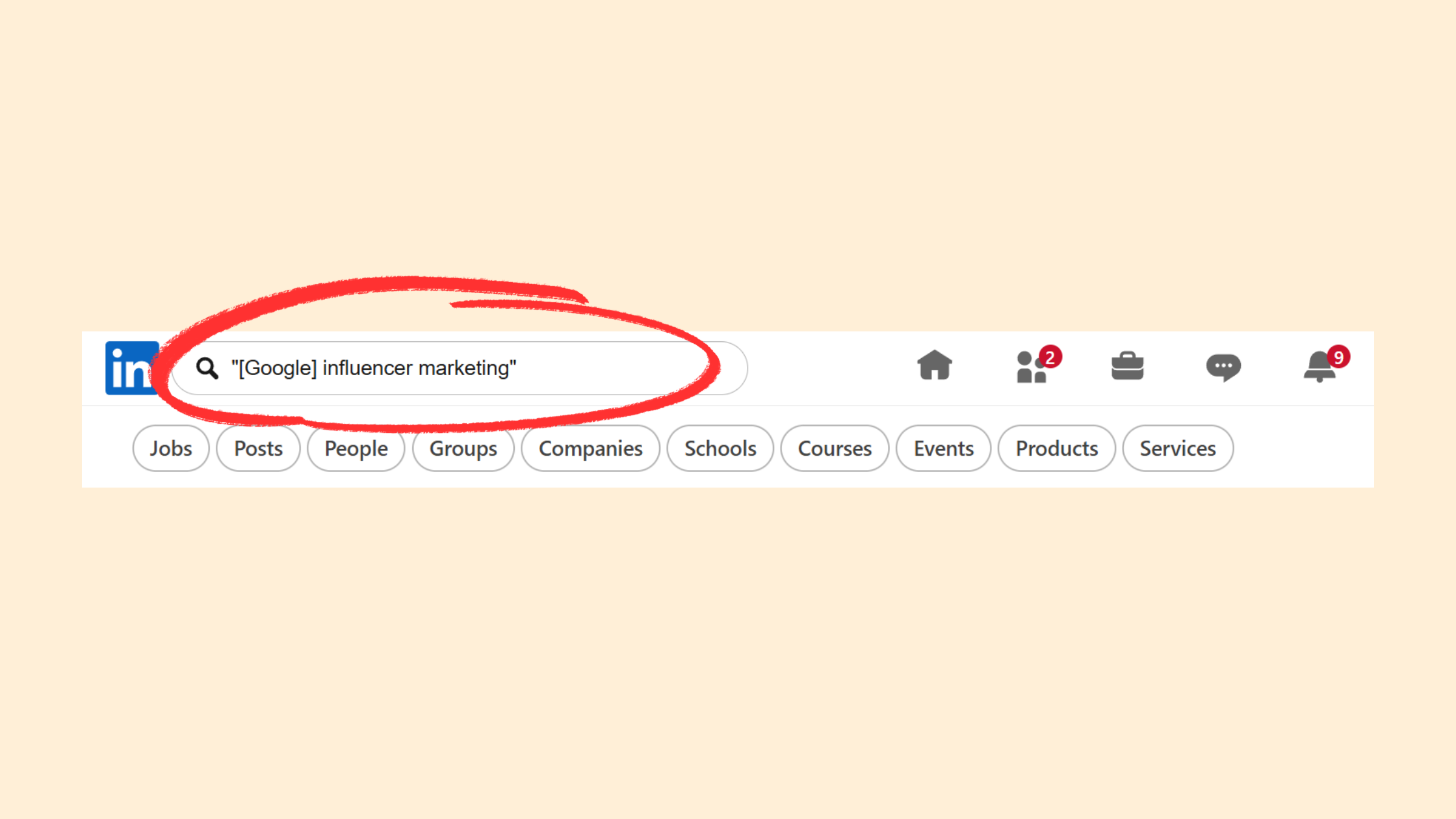
The frustration is real, and it's widespread. A recurring pattern among job seekers and sales professionals trying to use LinkedIn search is the sense that it's actively working against them — returning the same familiar faces, surfacing roles that don't match their criteria, or burying the exact profiles they're looking for under dozens of irrelevant results. This isn't a bug. It's how basic search is designed.
Basic keyword search on LinkedIn is broad by design. LinkedIn's algorithm interprets your search terms loosely, weighs them against connection proximity, activity signals, and profile completeness, and returns what it considers "relevant" — which often diverges sharply from what you actually need. If you type "marketing manager" into the search bar, you'll get marketing coordinators, marketing directors, brand managers, and anyone who mentioned marketing in a 2018 volunteer role.
Without a deliberate search strategy, both linkedin career search efforts and B2B lead generation stall quickly. Users hit the search limit, skim irrelevant profiles, give up, and conclude LinkedIn doesn't work. The platform doesn't work without the right method. This article closes that gap directly: a practical, side-by-side comparison of Boolean vs basic LinkedIn search so you know exactly which to use, when, and how.
LinkedIn search doesn't fail you — basic search without Boolean operators fails you. The platform's engine supports precise logical queries natively; most users just never learn to use them.
The distinction between Boolean and basic search is the single most underused lever available to anyone doing serious outreach or job searching on the platform. Understanding it changes everything about how you approach LinkedIn search.
What Is Boolean Search on LinkedIn?
Boolean search is a logic-based query method that uses specific operators — AND, OR, NOT, parentheses, and quotation marks — to combine or exclude keywords with precise, unambiguous instructions. Unlike basic search, which asks "what's roughly related to this?", Boolean search asks "show me exactly this, and nothing else."
The method originated in 19th-century mathematics, developed by George Boole, and was adopted into database and information retrieval systems during the computing era. LinkedIn's search engine supports Boolean operators natively — meaning you can type a properly formatted Boolean string directly into the search bar and the platform will process the logical instructions before applying any relevance ranking.
The core distinction from basic keyword search is this: basic search treats your words loosely, applying fuzzy matching and algorithmic weighting; Boolean treats them as strict logical instructions. If you write NOT intern, LinkedIn will exclude every profile containing "intern." If you write "sales manager" in quotation marks, it will only return profiles with that exact phrase — not "sales" and "manager" appearing separately across the profile.
For anyone serious about LinkedIn Boolean search operators and how they function at a technical level, the operator system is more powerful than most users realise. The difference between knowing these operators and not knowing them is the difference between targeted outreach and spray-and-pray prospecting.
How Boolean Search Works Explained in Plain Language
Think of Boolean search as writing a recipe instead of describing a meal. Basic search is like telling a chef "I want something Italian" — you'll get pasta, pizza, risotto, tiramisu, and a breadstick basket. Boolean search is like writing: "Make me a dish WITH pasta AND seafood, using either clams OR mussels, but NOT cream sauce." The instruction is unambiguous. The output matches the spec.
On LinkedIn, the operators work like this:
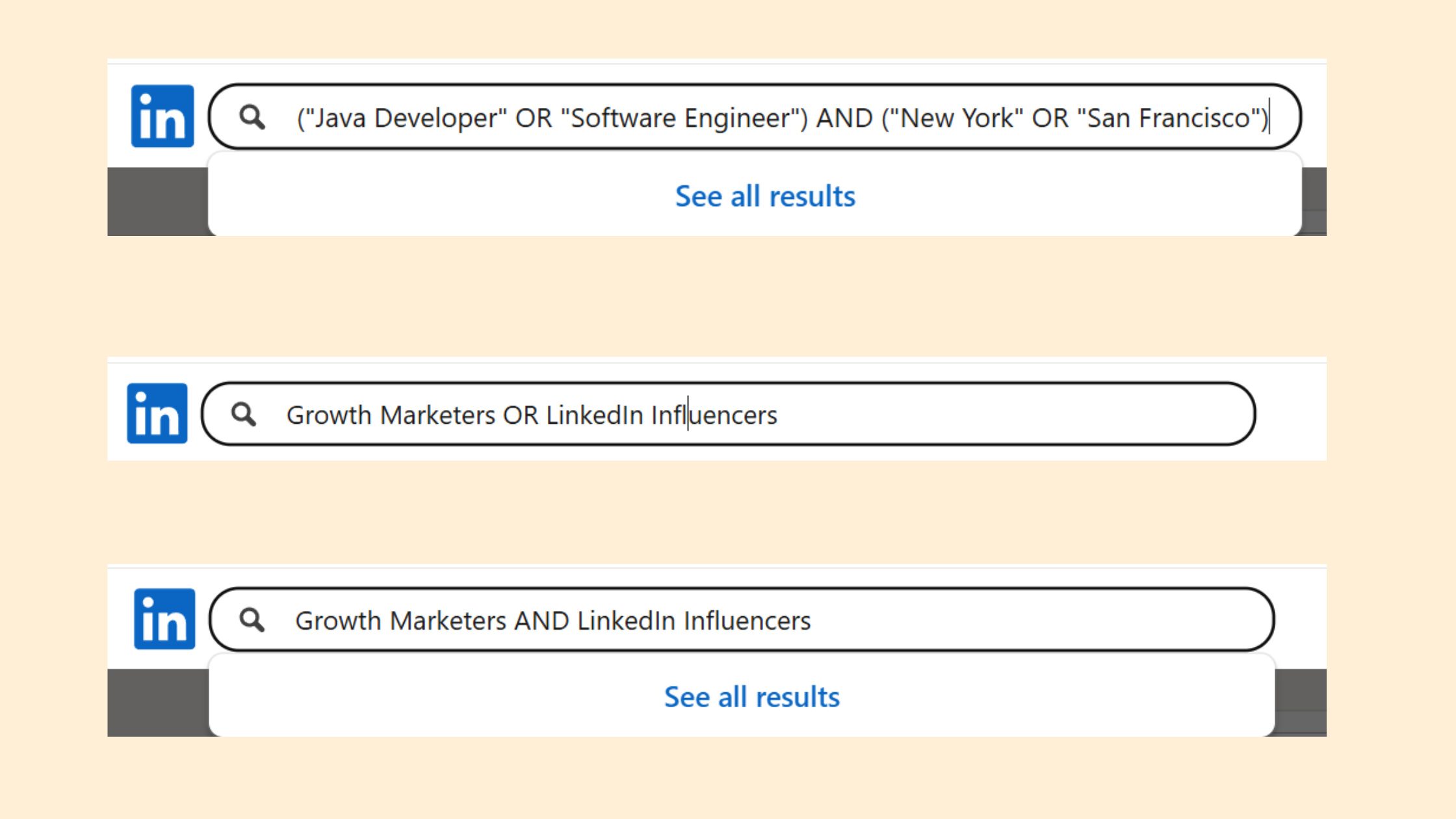
- AND — both terms must appear:
engineer AND Python - OR — either term can appear:
founder OR CEO - NOT — exclude profiles with this term:
consultant NOT freelance - "Quotation marks" — exact phrase match:
"product manager" - (Parentheses) — group logic:
("product manager" OR "product lead") AND fintech
Each operator must be in ALL CAPS to function. That's not a style preference — it's a hard technical requirement that silently breaks searches when ignored.
Now that you understand the foundational mechanics, here's how Boolean and basic search actually diverge when applied to a real LinkedIn query.
Boolean vs Basic LinkedIn Search: How Each Method Actually Works?
When you type "sales manager" into LinkedIn's search bar without any operators, the platform's algorithm does several things simultaneously: it matches your keyword loosely across job titles, summaries, and experience fields; it weights results by connection proximity (1st degree first, then 2nd, then 3rd); and it applies its own relevance scoring based on profile completeness and engagement signals. The result is a broad pool shaped more by LinkedIn's ranking logic than by your actual intent.
When you type "sales manager" AND (SaaS OR software) NOT intern, the engine processes the logical instruction first — exact phrase match on "sales manager," at least one of "SaaS" or "software" present, "intern" absent — and only then applies ranking to the qualifying profiles. The output is dramatically different.
Here's a direct side-by-side comparison:
| Criteria | Basic Search | Boolean Search |
|---|---|---|
| Query example | sales manager | "sales manager" AND (SaaS OR software) NOT intern |
| Result volume | High (thousands) | Moderate (hundreds) |
| Result relevance | Mixed — algorithm-driven | High — logic-driven |
| Precision control | Low | High |
| Learning curve | None | Moderate |
| Best for | Broad discovery, casual browsing | Targeted outreach, lead generation |
The applicant tracking system context is relevant here too. Recruiters building a talent acquisition pipeline need precision because wasted outreach to unqualified profiles burns budget and time. Boolean search is the tool that makes precision achievable without a paid upgrade.
LinkedIn Search Filters and Keywords: Where Basic Search Has an Edge
Basic search isn't worthless — it has genuine advantages in the right context. LinkedIn's built-in linkedin job search filters (location, industry, company size, experience level, and date posted) are accessible directly from the basic search interface and require no Boolean knowledge to apply. For job seekers doing broad market exploration — "what product management roles exist in Austin?" — the filter system is fast, intuitive, and effective.
The limitation hits when you need to combine multiple variables that LinkedIn's filter system doesn't let you stack. You can filter by industry OR by job title, but you can't tell LinkedIn "show me Director-level roles in either fintech OR healthtech, in Chicago, excluding contract work" through filters alone. That's where Boolean becomes essential.
The highest-performing approach in practice is combining both: a Boolean string to handle the keyword logic, and LinkedIn's filters to handle structural variables like location and connection degree. Neither tool alone matches the precision of using both together.
LinkedIn Boolean Search Examples for Recruiters and Sales Professionals?
Real Boolean strings are the fastest way to understand why this method outperforms basic search. Here are three working examples across different use cases — each one illustrates the LinkedIn Boolean search method in action.
What Boolean Search Strings Work Best on LinkedIn for Finding Leads
Recruiter example — targeting engineering leadership at growth-stage companies:
("head of engineering" OR "VP of engineering" OR "VP Engineering") AND ("Series B" OR "Series C") NOT "looking for work"
This string targets decision-makers at funded startups who are actively building teams, while excluding candidates who've explicitly signalled they're job-seeking (reducing noise in a sourcing context). The OR groups expand coverage across common title variations without broadening the seniority band.
Sales prospecting example — operations leaders in a specific vertical and geography:
"Director of Operations" AND (logistics OR "supply chain") AND Chicago
This surfaces qualified prospects in a defined region and industry. Social proof indicators like recommendations and mutual connections will be visible on results, allowing sales professionals to prioritise warm outreach paths. A sales team using this string consistently reported cutting their list-building time by more than half compared to manual filter browsing.
Job seeker example — finding hiring managers for targeted outreach:
"product manager" AND (remote OR hybrid) AND fintech
Rather than applying to listings blindly, a job seeker can use this string to find hiring managers and department leads in target companies, connect directly, and signal open to work visibility through a personalised approach. This is the kind of targeted strategy that separates active job seekers who get responses from those who don't.
For an extended library of tested strings, the guide on LinkedIn Boolean strings that work covers additional verticals and use cases worth bookmarking.
Does Boolean Search Find More Leads on LinkedIn? Benefits and Advantages?
With over a billion profiles in the database, the challenge on LinkedIn is never finding people — it's finding the right people. Boolean search solves this directly. It doesn't find more leads in raw volume; it finds more qualified leads, which is the metric that actually matters for conversion, hiring, or job search success.
Teams that invest in building strong Boolean strings consistently see their outreach response rates improve — not because they're reaching more people, but because the people they're reaching are actually relevant. Irrelevant outreach doesn't just fail to convert; it damages your sender reputation on the platform and reduces future deliverability of connection requests.
The practical benefits of Boolean search LinkedIn for lead generation break down clearly:
- Time savings: A well-built Boolean string can replace 30+ minutes of manual filter-clicking and result-skimming per prospecting session.
- Scalability: Once a strong string is built and validated, it can be reused, shared with a team, and adapted across campaigns without starting over.
- Consistency: Boolean strings apply the same criteria every time — basic search results shift based on LinkedIn's algorithmic changes, connection activity, and platform updates.
- Sales Navigator compatibility: For LinkedIn Sales Navigator Boolean search, the same operators apply but with a far larger filter set, making precision even more achievable.
For anyone building a serious linkedin jobs search workflow or prospecting pipeline, the return on the learning curve investment is typically visible within the first two or three campaigns. The pattern is consistent: the first week feels slow while you learn operator syntax; by week three, you're building strings faster than you'd browse manually.
Understanding the advantages is only half the picture — the limitations reveal where Boolean search requires careful handling to avoid wasted effort.
Risks and Limitations: When Boolean Search on LinkedIn Falls Short?
Boolean search isn't magic, and treating it as infallible is where many users run into problems. The most common failure mode is a malformed string that silently returns wrong results — missing parentheses, lowercase operators, or contradictory logic that eliminates the very profiles you're targeting. You won't get an error message. LinkedIn will just return something that looks plausible but isn't what you asked for.
Beyond syntax issues, there are structural platform limitations that affect even perfectly built Boolean queries:
- Search limits on free accounts: LinkedIn's commercial use limit throttles search activity after a certain number of profile views per month. A high-volume Boolean prospecting campaign on a free account will hit this ceiling quickly, killing momentum mid-campaign. The limit resets monthly but doesn't notify you when you're close to it.
- Profile keyword gaps: Boolean strings only surface profiles that contain your target keywords. If a prospect's job title is "Growth Lead" but your string targets "Head of Growth," they're invisible — regardless of how well-constructed your operators are. This is an inherent limitation of any keyword-based search system.
- Over-narrow strings: Adding too many NOT clauses or stacking AND operators too aggressively can eliminate legitimate leads. The goal is precision, not minimalism. If your string returns fewer than 50 results for a large market, it's probably too tight.
LinkedIn Free Search vs Premium Search: Does Upgrading Change the Equation?
LinkedIn Premium and LinkedIn Sales Navigator both remove or significantly raise the commercial use limit — this alone justifies the upgrade for anyone doing serious prospecting or recruiting. But the search capability difference goes further than just volume.
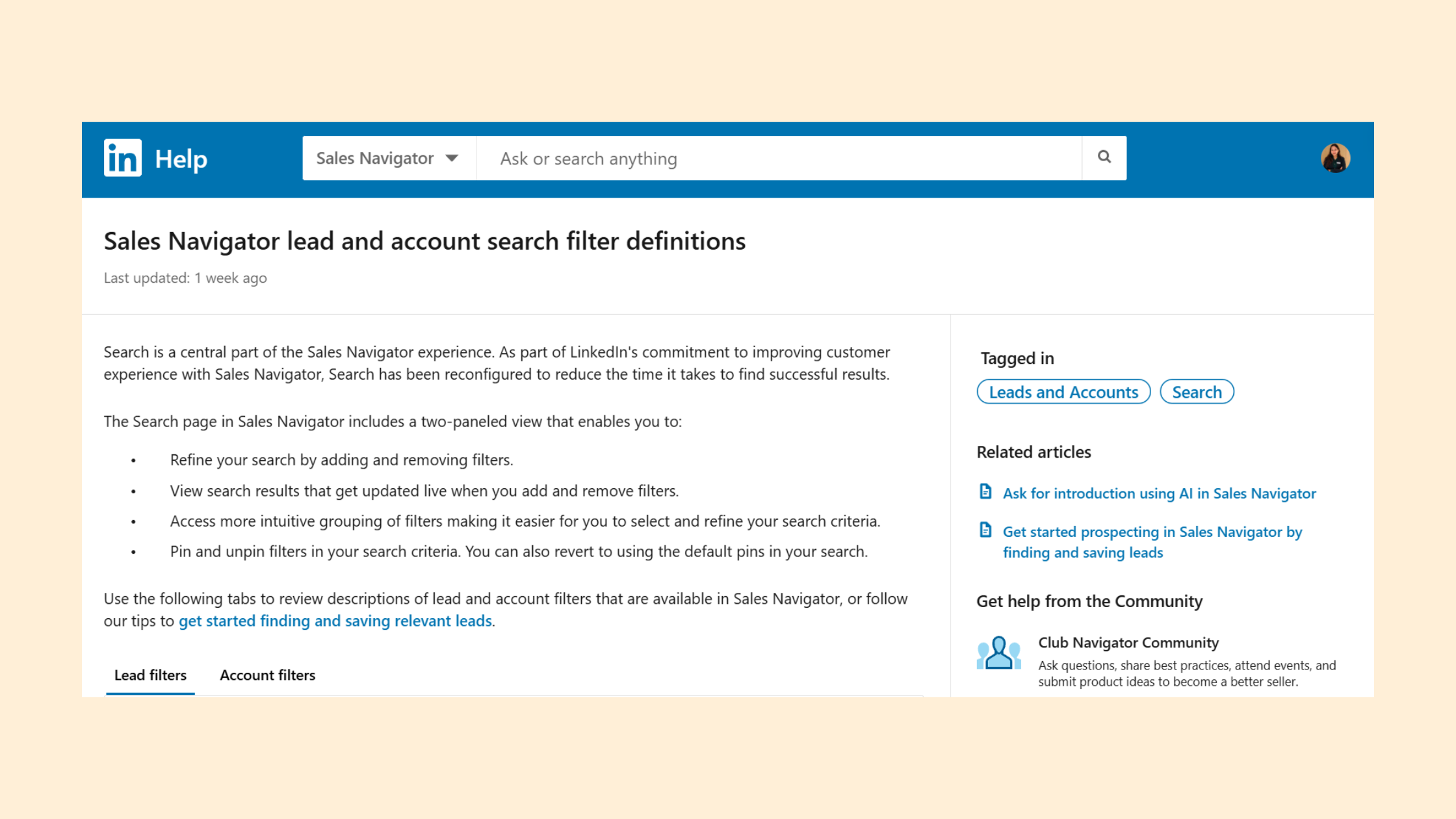
Premium accounts get access to expanded filter combinations, full profile visibility beyond your network, and in the case of Sales Navigator, a dedicated search interface purpose-built for lead generation with Boolean operator support baked in. The Sales Navigator Boolean search guide covers exactly how much further the upgraded platform extends Boolean capability.
For casual job seekers, free search plus LinkedIn's filter system is often sufficient. For sales teams and recruiters doing 50+ targeted searches per month, the upgrade pays for itself in time saved within the first billing cycle.
LinkedIn Advanced Search Tips: How to Use Boolean Search on LinkedIn Step by Step?
Building a Boolean string that actually works requires a structured approach. Jumping straight to a complex multi-operator query without testing the components is how most users end up with broken strings and confusing results. The process below is the one that consistently produces reliable, high-quality outputs across both recruiting and sales use cases.
LinkedIn Boolean Operators AND OR NOT: Quick Reference Guide
Before building your first string, internalise these operator rules:
- AND — narrows results; both terms must be present
- OR — broadens results; either term qualifies
- NOT — excludes results containing this term
- "Exact phrase" — quotation marks lock in multi-word phrases
- (Grouping) — parentheses apply OR/AND logic to a cluster of terms
- ⚠️ All operators must be typed in ALL CAPS
Now, here's how to build a string from scratch:
- Define your target before touching the search bar. Write out the job titles, industries, seniority levels, skills, and locations you want. Be specific. "Marketing people in tech" is not a target. "Director of Demand Generation at B2B SaaS companies in London" is a target. (~2 minutes)
- Build a simple string first. Start with one AND connecting two key criteria:
"demand generation" AND SaaS. Run it. Look at the results. (~1 minute) - Add OR groups to capture title variations. Job titles aren't standardised. Build an OR group:
("demand generation" OR "growth marketing" OR "performance marketing") AND SaaS. Run it again. (~2 minutes) - Layer in NOT clauses to remove noise. If you're seeing student profiles, intern roles, or irrelevant industries, exclude them: add
NOT intern NOT student. (~1 minute) - Apply LinkedIn search filters on top. Once your Boolean string is working, add location, connection degree, and industry filters through LinkedIn's filter panel. This hybrid approach — Boolean string plus structural filters — delivers the highest precision. (~1 minute)
product marketing manager without quotes will match profiles containing those words scattered across different sections. "product marketing manager" returns only profiles where that exact phrase appears together.LinkedIn Search Tips for Sales Professionals: Building Strings That Convert
Sales professionals using LinkedIn search for prospecting should think about strings differently than recruiters. The goal isn't finding available talent — it's finding people with purchasing authority or influence in a target buying committee. That changes which keywords matter.
For a linkedin advanced search aimed at B2B sales:
- Prioritise title-level keywords that signal budget authority: "VP," "Director," "Head of," "Chief"
- Use industry keywords in OR groups to capture adjacent verticals
- Add company-size indicators where profile content includes them
- Avoid over-filtering by geography on first pass — widen the net, then narrow by location filter
For a deeper library of advanced people search techniques, the LinkedIn advanced people search guide for 2026 covers filter stacking and targeting strategies that go beyond operator syntax alone.
LinkedIn Search for Leads: Which Search Method Finds More Leads?
Direct answer: Boolean search finds more qualified leads; basic search finds more total results. These are not the same thing, and confusing them is the root of most LinkedIn search frustration.
For job seekers doing broad linkedin careers search, basic search combined with LinkedIn's job filters is entirely adequate for initial discovery. You don't need Boolean to find software engineering roles in Berlin — the filter system handles that cleanly. Boolean becomes essential when you're targeting specific hiring managers, researching companies' decision-making structures, or trying to identify warm introduction paths through mutual connections.
For recruiters and sales professionals, Boolean search is not optional at scale. The moment your targeting criteria involves more than one or two variables — title AND industry AND seniority AND NOT a specific exclusion — basic search loses the ability to hold all those constraints simultaneously. What separates top-performing prospectors from average ones here is not effort; it's the precision of their search methodology.
The clearest framework for deciding which method to use is The Precision-Volume Decision:
- Use basic search + filters when: you're doing broad market exploration, you have simple single-variable criteria, or you're a job seeker browsing open roles by category.
- Use Boolean search when: you need to target a specific profile type with multiple criteria, you're doing lead generation at volume, or you need consistent, reproducible results over time.
- Use Boolean + filters (hybrid) when: you need maximum precision and are doing serious prospecting or recruiting work in 2026. This is the highest-performing method available without upgrading to a paid tier.
The LinkedIn search plays that print leads guide covers how practitioners operationalise this decision across different campaign types.
Common Mistakes to Avoid with LinkedIn Boolean Search?
After seeing Boolean strings fail across hundreds of prospecting campaigns, the failure patterns are predictable. They cluster around four mistakes that show up repeatedly — and each one is entirely avoidable.
- Mistake 1 — Lowercase operators: Writing
sales manager and SaaSinstead of"sales manager" AND SaaStreats "and" as a search keyword. LinkedIn will look for profiles mentioning the word "and" rather than applying the logical operator. The ALL CAPS requirement is non-negotiable and produces no error message when violated — your results will simply be wrong. - Mistake 2 — Over-nesting parentheses without testing: Complex strings like
(("title1" OR "title2") AND (industry1 OR industry2)) NOT (term1 OR term2)can contradict their own logic if the NOT clause eliminates profiles that satisfy the AND conditions. Always test the string in layers — build, run, check, then add the next layer. - Mistake 3 — Ignoring profile completeness: Even a perfect Boolean string can't surface leads whose profiles don't contain your target keywords. If your ideal prospect uses the title "Commercialisation Director" but your string targets "Sales Director," they're invisible. Build OR groups that account for title variation, and accept that Boolean search has blind spots in under-populated profiles.
- Mistake 4 — Using Boolean on the Jobs tab: The linkedin job search tab has its own filter and ranking logic and does not fully honour Boolean syntax. Boolean operators are supported on the People search tab and to a lesser extent on content search — not on job listings search. Job seekers using Boolean on the Jobs tab will get inconsistent, unpredictable results.
LinkedIn Connections and Followers: Why They Affect Your Search Visibility?
Here's something that catches most users off guard: your LinkedIn search results are not the same as everyone else's. LinkedIn's algorithm weights 1st, 2nd, and 3rd-degree connections in search results, meaning two people running the identical Boolean string from different accounts will see meaningfully different profiles ranked in different orders.
This has a direct, practical implication: how to get connections on LinkedIn is not just a networking question — it's a search infrastructure question. More first-degree connections expand the pool of 2nd-degree profiles that appear prominently in your results. A user with 300 connections searching for "Head of Sales in fintech" will see a narrower, less varied result set than a user with 3,000 strategically built connections in overlapping industries.
The followers vs connections distinction matters here. Connections are mutual — both parties agree to connect, and they expand your accessible network. Followers are one-directional — someone follows your content without connecting, which expands your content reach but doesn't extend your search network depth. For search purposes, connections are the variable that matters. Followers matter for content distribution and for appearing as a credible, active profile in others' search results.
How to Get Connections on LinkedIn to Expand Your Search Reach
Growing your LinkedIn connections strategically — not randomly — multiplies the effectiveness of every search method you apply. The approach that works consistently:
- Connect with people in your target industries and verticals, not just direct peers
- Send personalised connection requests with a specific, non-generic opening line referencing something specific to their profile
- Engage with content in your target niche before connecting — comments create warm context that improves acceptance rates
- Aim for quality over quantity: 500 well-targeted connections in your industry is more valuable for search purposes than 2,000 random acceptances
For job seekers, growing connections with professionals at target companies — even people outside the direct hiring decision — expands the number of 2nd-degree paths to reach hiring managers through warm introductions. The open to work signal visibility feature also becomes more effective as your network grows, because more people in your industry can see and act on it.
Profiles with strong followers for LinkedIn also function as social proof indicators in search results — they signal active, engaged professionals to both human searchers and LinkedIn's ranking algorithm. Building both connections and followers systematically amplifies every other tactic in this guide.
Boolean Search LinkedIn Recruiter: How It Differs from Standard LinkedIn Search?
LinkedIn Recruiter is a separate, purpose-built talent sourcing product — and its Boolean search implementation is significantly more powerful than what's available through the standard search bar. The interface is designed specifically for talent acquisition workflows, with Boolean operators supported in dedicated keyword fields rather than a single search bar.
The key differences that matter for anyone evaluating whether to upgrade:
- Spotlight filters: Recruiter adds filters like "Open to work" and "Recently promoted" that can be layered directly on top of Boolean strings. These open to work signal visibility filters are unavailable on free accounts and change the quality of results dramatically for active sourcing.
- Saved searches with alerts: Recruiter allows you to save Boolean strings and receive automatic alerts when new profiles match your criteria. This transforms Boolean search from a manual activity into a passive talent pipeline builder — new matching profiles surface without you re-running the search.
- Extended profile access: Recruiter removes the profile visibility restrictions that apply to free accounts, meaning your Boolean strings surface complete profiles regardless of connection degree.
- InMail credits: Paired with powerful Boolean search, InMail (LinkedIn's messaging system for non-connections) lets recruiters reach the exact profiles their strings surface without waiting for connection acceptance.
For teams doing high-volume hiring — 20+ open roles simultaneously — the combination of Recruiter's Boolean interface and its saved search alerts makes the tool genuinely transformational compared to free LinkedIn search. For individual recruiters or small teams with low search volume, the free tier with well-built Boolean strings is a credible alternative.
The real power of Boolean search in LinkedIn Recruiter isn't the operators themselves — it's the saved search alert system. A string you build once can continuously surface new matching profiles for months without any additional effort.
✓ LinkedIn Boolean Search Launch Checklist
- ☐Define your target profile in writing before opening LinkedIn — titles, industry, seniority, location, exclusions
- ☐Write operators in ALL CAPS: AND, OR, NOT — not "and", "or", "not"
- ☐Use "quotation marks" around all multi-word job titles and exact phrases
- ☐Build OR groups for title variations — don't assume one title variation covers everyone
- ☐Test the string in layers — run after each operator addition, don't build the full string blind
- ☐Apply LinkedIn structural filters (location, connections degree, industry) AFTER confirming the Boolean string works
- ☐Save the working string to a notes file with the date and campaign context
- ☐Confirm you're running the string on People search — not the Jobs tab
- ☐Re-test the saved string at the start of each new campaign cycle to catch any platform updates affecting results
Build Better Boolean Strings — Find Higher-Quality Leads on LinkedIn
Explore the full LinkedIn search playbook — from basic filters to advanced Boolean operator strategies — at HyperClapper.
Explore LinkedIn Search Strategies →Frequently Asked Questions About LinkedIn Search and Boolean Methods
How do I search for jobs on LinkedIn?
Navigate to the Jobs tab in LinkedIn's top navigation bar, type a job title or keyword into the search field, and use the filter panel to narrow by location, experience level, date posted, and job type. For more targeted results, switch to People search and use Boolean operators to find hiring managers at your target companies directly — this approach tends to generate faster responses than applying through listings alone. The full guide to LinkedIn search operators covers both approaches in detail.
Is it possible to find a job through LinkedIn?
Yes — according to LinkedIn's own platform data, more than 6 people are hired every minute through LinkedIn, making it one of the highest-volume hiring channels globally. The key distinction is that passive applying (submitting applications through listings) has low response rates; active outreach to hiring managers using targeted search, a strong profile, and personalised connection requests produces significantly better outcomes. Profiles that are complete, regularly updated, and have the "Open to Work" feature enabled receive substantially more recruiter contact than inactive profiles.
Can I search for jobs on LinkedIn without an account?
You can browse some job listings on LinkedIn without creating an account, but the functionality is severely limited. Most profiles are hidden from non-members, filter options are unavailable, and you cannot apply to jobs, contact hiring managers, or activate the "Open to Work" signal without logging in. Creating a free account takes under five minutes and immediately unlocks full job search access, direct messaging through connection requests, and profile visibility to recruiters.
What happened to LinkedIn job search filters?
LinkedIn periodically removes, relocates, or redesigns its search filter interface, which explains why users searching "LinkedIn job search filters gone" consistently spike during platform updates. The most common recent change involved moving advanced filters behind a secondary menu rather than displaying them prominently by default — click "All Filters" after running an initial search to access the full filter panel. LinkedIn Premium and Sales Navigator accounts retain access to a broader filter set that isn't available on free-tier accounts. If a specific filter you relied on has disappeared, it may have been folded into a broader category or moved to a paid tier.
Is Boolean search on LinkedIn worth learning for sales professionals?
Yes — for anyone doing B2B prospecting at volume, Boolean search is one of the highest-ROI skills on the platform. The learning curve is roughly 2-4 hours of practice to reach functional proficiency, and the payoff is measurable in reduced list-building time and higher outreach relevance. Sales professionals who skip Boolean and rely on basic search consistently find themselves either over-reaching to irrelevant contacts or under-targeting by working with insufficiently precise criteria. The skill compounds over time as you build a library of reusable, tested strings across different target segments.
How do I find more leads on LinkedIn using search?
The most effective approach combines three elements: a well-structured Boolean string targeting specific titles and industries, LinkedIn's structural filters applied on top for location and connection degree, and a strong personal profile with enough connections to make 2nd-degree results relevant to your target market. Users who apply all three together consistently outperform those using any single element alone. Start with the Boolean string using the step-by-step method above, validate that it returns relevant results, then layer filters to narrow geography and network proximity. The full framework for operationalising this is covered in the LinkedIn advanced search guide for 2026.
How do I search for a job in LinkedIn specifically using the mobile app?
On the LinkedIn mobile app, tap the Jobs icon in the bottom navigation bar, enter a job title or keyword, and tap the filter icon to access location, job type, and experience level options. Boolean search is supported in the app's People search bar but not in the Jobs tab search — for advanced operator queries, the desktop version provides a better experience with more visible filter controls and easier string editing.
What is the difference between Boolean and keyword search on LinkedIn?
Keyword search submits your words to LinkedIn's algorithm, which decides what's relevant and how to rank results — you have limited control over the output. Boolean search submits logical instructions that LinkedIn's engine executes before applying any ranking, giving you direct control over what qualifies as a result. Boolean search is an extension of keyword search, not a replacement: you still use keywords, but you wrap them in logical operators that dictate exactly how those keywords must relate to each other in a profile for it to qualify.
What consistently separates accounts with real lead generation results from those that plateau at mediocre outreach response rates is not the size of the list they're building — it's the precision of the search methodology used to build it. Boolean operators are available to every LinkedIn user at no cost, on the free tier, today. The users who invest a few hours in learning them don't just find more leads; they find better ones, faster, with less wasted effort at every stage of the funnel.



